
AnyList
Shared grocery lists, recipe box and meal planning calendar for iPhone, Android and the web
Our verdict
#2 of 8 in Meal planning apps for families · The shared grocery list both parents will use
What it does
- Shared grocery lists with live updates, free
- Meal planning calendar and unlimited recipe import with Complete
- Combines duplicate ingredients and sorts by your store's layout
- Sends the list to Instacart, Walmart, Kroger and others
Pros
- The most dependable shared list for two shoppers
- Household plan is cheap for what it covers
- Separate stores on one list
Cons
- No recipe library or meal suggestions
- Meal planning calendar is paid only
- No allergy settings or pantry
- Choose if:
- You already have the recipes and the grocery run is where your week falls apart
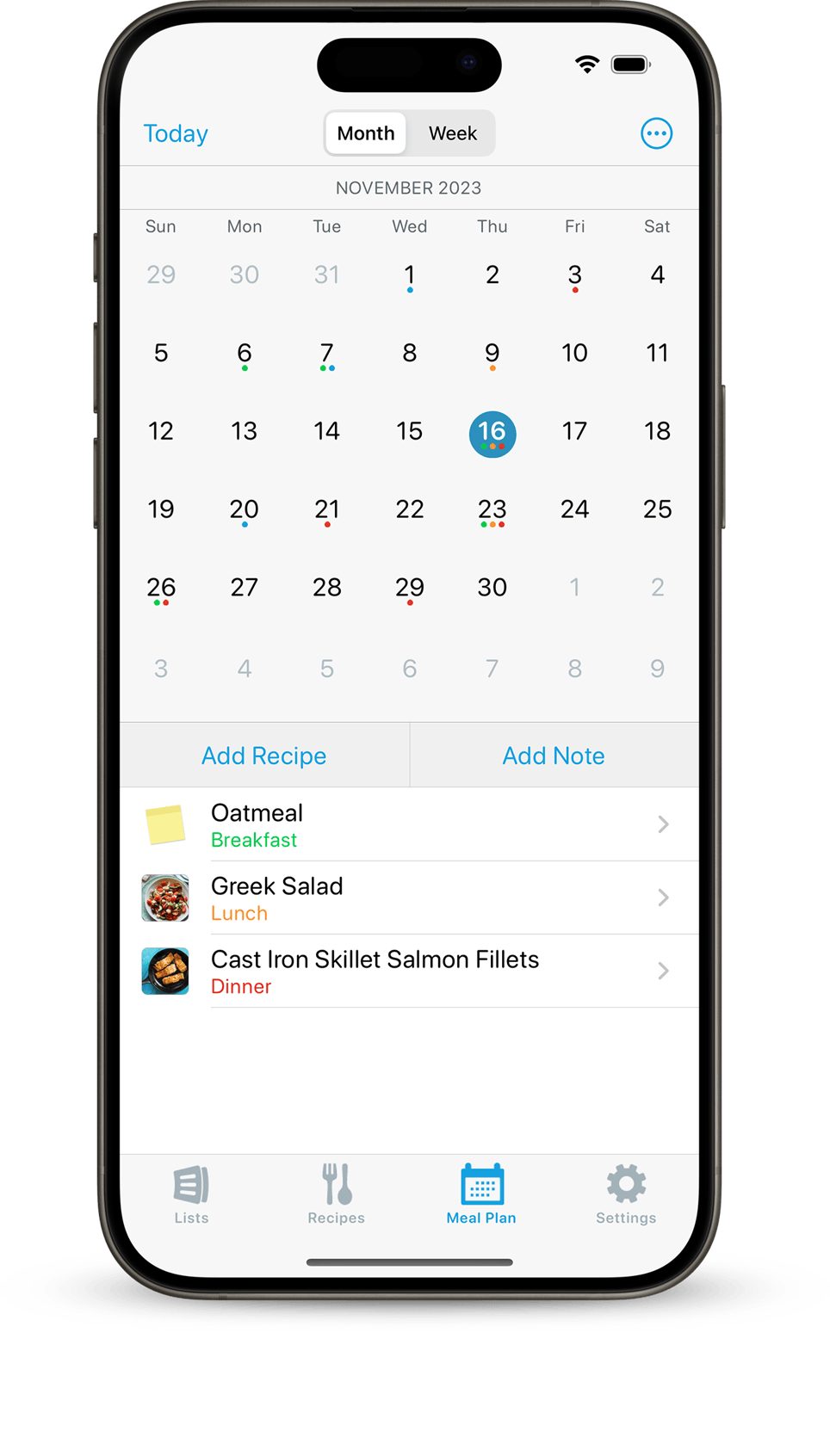
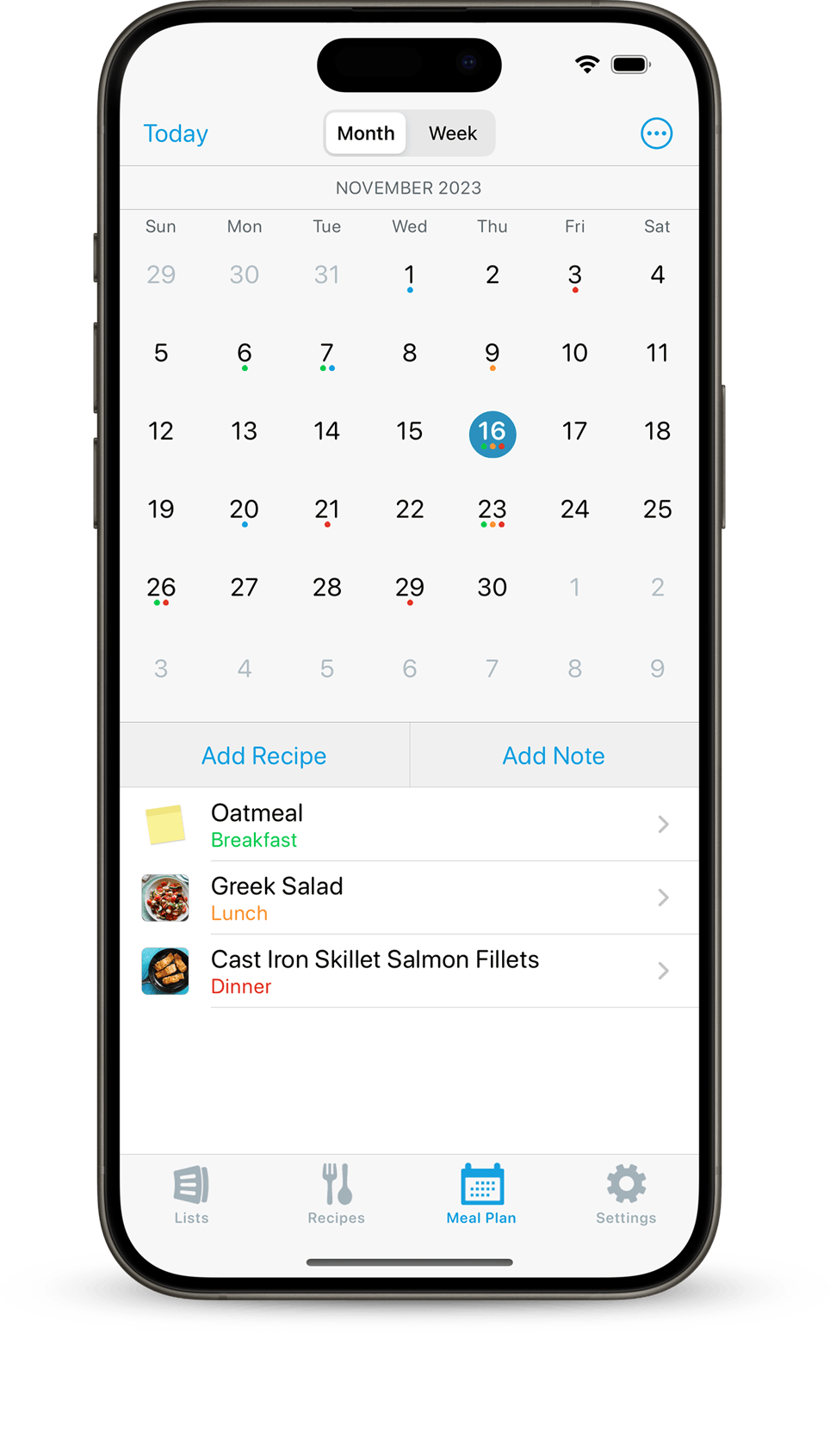
AnyList is a shopping list app that has grown a recipe box and meal planner. The free plan covers shared grocery lists with automatic aisle categories and a few recipe imports; AnyList Complete, an annual subscription, adds the meal planning calendar, unlimited web recipe import, recipe scaling, per-store filters, item prices and photos, the web and Mac apps and Apple Watch. It does not generate plans around allergies or tastes; recipes and meals are ones you save yourself, apart from an Ideas tab of suggestions. It runs on iOS and Android and is proprietary, made by Purple Cover, Inc.
What users say
Evidence ↓App Store reviewers describe a simple app whose shared lists and recipe import work reliably across phones and computers, and one couple moved to the household plan within days of trying the free version. The criticisms are small, such as re-adding stores in the grocery ordering feature and the missing task due dates. One independent roundup (by a travel blogger, so limited weight) calls the shared list the best in its field but the meal planner plain, with no plan generation.
Rankings and alternatives
- Meal planning apps for families #2 of 8 The shared grocery list both parents will use
- Samsung Food #1 Best free pick for most families
- Prepear #3 Free planner with pantry and delivery hand-off
- Paprika Recipe Manager #4 For the family recipe collection



Meal planning apps for families scores
Evaluated Nov 17, 2026 Evidence ↓- Plans the week for you 2
2/5 means: A catalog of recipes to browse, but you choose and schedule each meal yourself
No built-in recipe catalog or generated plans; you save and schedule every meal. A 2025 Ideas tab offers personalized suggestions, but how it works and its plan tier are not documented, so this sits between 1 and 2.
- Saving your own recipes 4
4/5 means: Reliable import from most recipe sites, plus manual entry, editing and scaling
Import from the iOS share extension, desktop browser extensions and the web app, plus paste and manual entry, collections, and scaling on Complete. Photo or social-post import is not documented, so not a 5.
- Grocery list from the plan · counts double 5
5/5 means: All of that, plus a custom aisle order for your own store and separate lists or filters for more than one store
A list is built from a date range of the plan, similar ingredients are combined, items are sorted by category with a custom aisle order, and Complete adds per-store assignment and filters.
- Sharing with your partner 5
5/5 means: As at 4, with each person on their own login or a link, and list sharing included on the free plan
Each partner joins by email with their own account; lists update instantly on iOS and Android and list sharing is free. Recipes and the meal plan can be shared too, and the household plan covers both partners.
- Allergies and picky eaters 1
1/5 means: Nothing beyond your own tags and notes
Only user-made recipe collections for diets and notes were found; there are no allergy filters or household preference settings.
- Easy to live with 4
4/5 means: Clear and reliable, with only minor complaints
4.9 from 82K App Store ratings and reviewers say sync works cleanly; complaints are minor (re-adding stores for ordering, a plain planner, no task due dates). Sample is App Store reviews and one blog roundup only.
- Yearly cost for a family 4
4/5 means: A free plan with a limit many families hit (ads, recipe caps, no sync), or a paid plan under about $40 a year
The free plan has no meal planning calendar and only 5 recipe imports, which most families hit; the household plan that covers both partners is $14.99 a year.
- Grocery ordering and pantry · counts half 3
3/5 means: One of them done well, such as hand-off to several major US grocers, or both in basic form
Sends the list to many US grocers for pickup or delivery (Instacart, Walmart, Kroger and others, one reviewer uses it), but no pantry tracking was found.
Pricing
- Free Free
- AnyList Complete (individual) $9.99/year
- AnyList Complete (household) $14.99/year
Prices checked Nov 17, 2026.
Evidence and sources
What users say
Summary 5 quotes
-
I use the AnyList app on my iPhone, iPad, MacBook, and iMac, and through the web app on several other machines and devices, and synchronization works cleanly everywhere.
sfordin, App Store reviewer · apps.apple.com/us/app/anylist-grocery-shopping-list/id522167641 · published · checked -
The only thing I would like to have added is the ability to have all stores available in the online shopping feature without having to re-add them and sign in each time. It’s a little of a nuisance when switching from one store to another but not a deal breaker.
NickysMom2003, App Store reviewer · apps.apple.com/us/app/anylist-grocery-shopping-list/id522167641 · published · checked -
We started off with the free version (since I typically do not pay for apps). After being pleasantly surprised of their basic functions and user interface, we quickly switched to the $15 AnyList Complete (family) version.
dj_jake_audio, App Store reviewer (couple on the household plan) · apps.apple.com/us/app/anylist-grocery-shopping-list/id522167641 · published · checked -
The meal planner is functional but not particularly inspiring. Recipe discovery is limited, the calendar UI is plain, and there is no AI suggestion engine. AnyList is excellent at the coordination layer of family meal planning, but if the problem is figuring out what to cook in the first place, a different app is needed alongside it.
Nishi V, travel writer and blogger, author of a ten-app roundup · nishiv.com/best-meal-planning-apps-for-families-in-2026 · published · checked -
The shared list works flawlessly across devices and updates in real time, which sounds basic but is the single feature most other meal planning apps mishandle.
Nishi V, travel writer and blogger, author of a ten-app roundup · nishiv.com/best-meal-planning-apps-for-families-in-2026 · published · checked
Meal planning apps for families scores
Plans the week for you 3 quotes
-
Quickly plan your meals for the week by adding recipes to the meal planning calendar.
help.anylist.com/articles/getting-started · checked -
AnyList v6.0.2 fixes a few bugs. AnyList v6.0 is a major update that makes meal planning easier than ever! New features include: - A Queue for collecting the recipes you want to make soon, without needing to schedule them on your calendar. - An Ideas tab with personalized suggestions for when you need a little inspiration on what to cook. - Templates for easily reusing meal plans you follow regularly.
apps.apple.com/us/app/anylist-grocery-shopping-list/id522167641 · checked -
The meal planner is functional but not particularly inspiring. Recipe discovery is limited, the calendar UI is plain, and there is no AI suggestion engine. AnyList is excellent at the coordination layer of family meal planning, but if the problem is figuring out what to cook in the first place, a different app is needed alongside it.
Nishi V, travel writer and blogger, author of a ten-app roundup · nishiv.com/best-meal-planning-apps-for-families-in-2026 · published · checked
Saving your own recipes 3 quotes
-
Try it for free by importing up to 5 recipes from the web. Upgrade to AnyList Complete for unlimited recipe imports.
help.anylist.com/articles/getting-started · checked -
Organize your recipes even further by grouping recipes into custom collections. Create collections for specific diets, occasions, cooking methods, and more!
help.anylist.com/articles/getting-started · checked -
On iOS, import recipes directly from Safari and other apps with our action extension.
anylist.com/complete · checked
Grocery list from the plan 4 quotes
-
Just select a date range and AnyList will automatically show you all of the required ingredients. Tap on just the items you need to add them to your shopping list or add everything in one fell swoop.
help.anylist.com/articles/getting-started · checked -
Similar ingredients are combined into a single list item, including the total quantity needed, so your list stays organized and you don’t have to stress about calculating quantities while shopping.
help.anylist.com/articles/getting-started · checked -
For your convenience, grocery items are automatically organized by category (Bakery, Deli, Produce, etc.), to help you avoid backtracking through the store. You can also create your own categories and rearrange them to match your store for increased efficiency.
help.anylist.com/articles/getting-started · checked -
Do you always buy milk at Costco and nuts at Trader Joe’s? Keep a single shopping list that includes everything you need, and assign items to the stores where you buy them. When you go to a store, quickly filter your list to show only the items for that particular store. Complete
help.anylist.com/articles/getting-started · checked
Sharing with your partner 3 quotes
-
AnyList Complete is just US$9.99 / year for an individual or US$14.99 / year for your whole household.
help.anylist.com/articles/getting-started · checked -
Easily share lists for free to stay in sync with family and friends. Shared lists update instantly, so everyone is on the same page, and there are no more endless “what do we need from the store?” text message threads.
help.anylist.com/articles/getting-started · checked -
We started off with the free version (since I typically do not pay for apps). After being pleasantly surprised of their basic functions and user interface, we quickly switched to the $15 AnyList Complete (family) version.
dj_jake_audio, App Store reviewer (couple on the household plan) · apps.apple.com/us/app/anylist-grocery-shopping-list/id522167641 · published · checked
Allergies and picky eaters 1 quote
-
Organize your recipes even further by grouping recipes into custom collections. Create collections for specific diets, occasions, cooking methods, and more!
help.anylist.com/articles/getting-started · checked
Easy to live with 5 quotes
-
4.9 out of 5 82K Ratings
apps.apple.com/us/app/anylist-grocery-shopping-list/id522167641 · checked -
I use the AnyList app on my iPhone, iPad, MacBook, and iMac, and through the web app on several other machines and devices, and synchronization works cleanly everywhere.
sfordin, App Store reviewer · apps.apple.com/us/app/anylist-grocery-shopping-list/id522167641 · published · checked -
The only thing I would like to have added is the ability to have all stores available in the online shopping feature without having to re-add them and sign in each time. It’s a little of a nuisance when switching from one store to another but not a deal breaker.
NickysMom2003, App Store reviewer · apps.apple.com/us/app/anylist-grocery-shopping-list/id522167641 · published · checked -
The meal planner is functional but not particularly inspiring. Recipe discovery is limited, the calendar UI is plain, and there is no AI suggestion engine. AnyList is excellent at the coordination layer of family meal planning, but if the problem is figuring out what to cook in the first place, a different app is needed alongside it.
Nishi V, travel writer and blogger, author of a ten-app roundup · nishiv.com/best-meal-planning-apps-for-families-in-2026 · published · checked -
The shared list works flawlessly across devices and updates in real time, which sounds basic but is the single feature most other meal planning apps mishandle.
Nishi V, travel writer and blogger, author of a ten-app roundup · nishiv.com/best-meal-planning-apps-for-families-in-2026 · published · checked
Yearly cost for a family 5 quotes
-
AnyList is a free download and it’s free to use the core functionality of the app, like creating and sharing lists. We also offer an optional paid upgrade called AnyList Complete, which unlocks premium features, priority support, and enables continued development of the app.
help.anylist.com/articles/getting-started · checked -
AnyList Complete is just US$9.99 / year for an individual or US$14.99 / year for your whole household.
help.anylist.com/articles/getting-started · checked -
Savor the ease of knowing what to fix next with AnyList’s meal planning functionality, available exclusively to AnyList Complete customers.
help.anylist.com/articles/getting-started · checked -
Try it for free by importing up to 5 recipes from the web. Upgrade to AnyList Complete for unlimited recipe imports.
help.anylist.com/articles/getting-started · checked -
12 Month AnyList Complete Individual Subscription $9.99
apps.apple.com/us/app/anylist-grocery-shopping-list/id522167641 · checked
Grocery ordering and pantry 2 quotes
-
Shop online for curbside pickup & grocery delivery, right from AnyList. We support many retailers and services, including Instacart, Walmart, Kroger, Safeway, Albertsons, Amazon Fresh, and H-E-B.
help.anylist.com/articles/getting-started · checked -
The only thing I would like to have added is the ability to have all stores available in the online shopping feature without having to re-add them and sign in each time. It’s a little of a nuisance when switching from one store to another but not a deal breaker.
NickysMom2003, App Store reviewer · apps.apple.com/us/app/anylist-grocery-shopping-list/id522167641 · published · checked
Facts
License 1 quote
-
AnyList is a free download and it’s free to use the core functionality of the app, like creating and sharing lists. We also offer an optional paid upgrade called AnyList Complete, which unlocks premium features, priority support, and enables continued development of the app.
help.anylist.com/articles/getting-started · checked
Runs on 3 quotes
-
Get the AnyList app for Apple Watch with AnyList Complete to quickly view lists and cross off items as you go through the store.
help.anylist.com/articles/getting-started · checked -
AnyList for the Web gives you full access to AnyList on any Mac or PC with a modern web browser.
anylist.com/complete · checked -
Requires iOS 18.0 or later.
apps.apple.com/us/app/anylist-grocery-shopping-list/id522167641 · checked
More from the sources
Platforms and requirements 2 quotes
-
Just say the word to have Siri or Alexa add items to your list.
help.anylist.com/articles/getting-started · checked -
This app works well with Siri and Siri Shortcuts. (I broke up with Alexa even before they did away with the AnyList compatibility.)
NickysMom2003, App Store reviewer · apps.apple.com/us/app/anylist-grocery-shopping-list/id522167641 · published · checked
How widely it is used 1 quote
-
Trusted by millions.
apps.apple.com/us/app/anylist-grocery-shopping-list/id522167641 · checked
Pricing
anylist.com/complete · checked