Calibre-Web Automated
Calibre-Web with Calibre built in, an ingest folder and automatic conversion
Our verdict
#3 of 6 in Self-hosted ebook and comic servers · For Calibre libraries and Kobo readers
What it does
- Ingest folder with automatic import, metadata fetching, duplicate checks and conversion
- Kobo sync, KOReader sync, OPDS and send to Kindle
- Rule-based magic shelves, with edits written into the book files
Pros
- Keeps an existing Calibre library and its metadata
- The widest set of e-reader connections here
- Adding books takes almost no manual work
Cons
- A plain browser reader whose position stays separate from KOReader
- Weak for comics and manga
- One library per server
- Skip if:
- Most of your library is comics or manga.
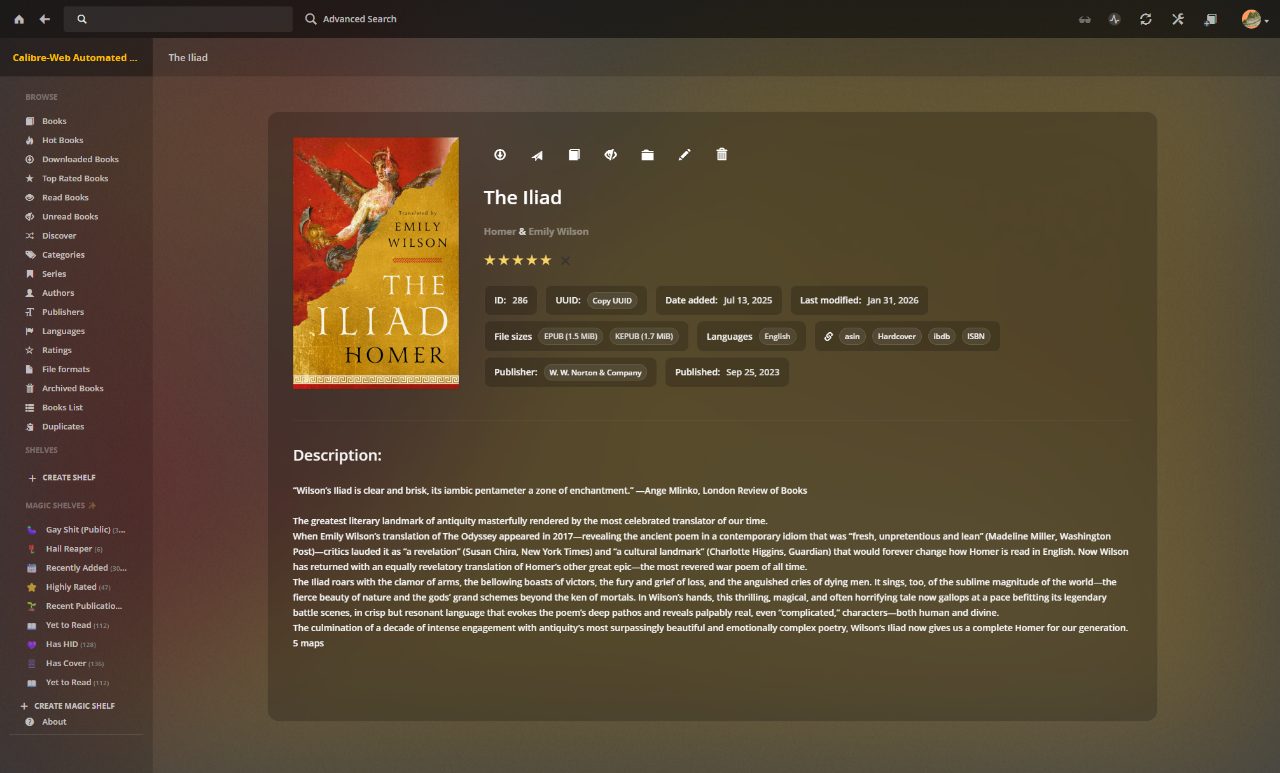
Calibre-Web Automated (CWA) is a free, open-source fork of Calibre-Web that ships as one Docker container with Calibre’s tools inside. It keeps Calibre-Web’s web reader, OPDS feed, Kobo sync, send-to-Kindle and user accounts, and adds an ingest folder that imports, converts and fetches metadata for new books on its own, a KOReader sync server, rule-based “magic shelves”, duplicate detection, and writing edited covers and metadata into the book files. It can create a new Calibre library on first start or take over an existing one, and serves one library per instance.
What users say
Evidence ↓Users who moved over from plain Calibre-Web describe the switch as easy and recommend it for its extra features. The common complaint is that reading progress in its web reader doesn't sync with KOReader or other apps.
Rankings and alternatives




Self-hosted ebook and comic servers scores
Evaluated Nov 16, 2026 Evidence ↓- Reading ebooks in the browser · counts double 3
3/5 means: A functional EPUB reader with themes and font size, nothing more
Uses Calibre-Web's epub.js reader with themes and font size, now also opening KEPUB; a new reader is only planned.
- Reading comics and manga in the browser · counts double 2
2/5 means: Opens CBZ or CBR one page at a time, with no reading modes to speak of
Inherits Calibre-Web's basic comic viewer for CBZ and CBR, with no manga or webtoon modes to speak of.
- E-readers and phones 4
4/5 means: OPDS plus Kobo or KOReader sync that shares position with the server, and most other paths
Kobo sync, a built-in KOReader sync server feeding read status to Kobo, OPDS, send-to-Kindle and the third-party Calibre Web Companion app; users report the web reader's position doesn't sync with KOReader.
- Organising and metadata 5
5/5 means: Free online metadata, bulk editing, rule-based shelves and tools such as duplicate detection
Calibre's metadata model with several online providers, automatic metadata fetch on import, rule-based magic shelves, duplicate detection, and edits written into the book files.
- Adding new books 5
5/5 means: All of that plus automatic conversion to the formats your devices need
An ingest folder that imports 27 formats, fetches metadata, catches duplicates and converts to EPUB, KEPUB, AZW3, MOBI or PDF automatically, plus browser upload.
- Light to run 4
4/5 means: One container or binary using a few hundred megabytes
One Docker container with Calibre bundled; reported at around 160 MB of RAM.
- Track record 4
4/5 means: Active and widely used, but carrying a beta label or recent serious bugs
Very active with many 2026 releases and a large user base, but recent releases fixed serious access-control bugs and Kobo first-sync failures.
Pricing
- Free Free
Prices checked Nov 16, 2026.
Evidence and sources
What users say
Summary 2 quotes
-
The switch to CWA is very easy (I just did it recently) but I was sad to see the web reader doesn’t sync progress with Koreader or other apps.
lemmy.nekusoul.de/post/1674859/4712072 · checked -
I was running calibre-web and tried running it side by side with calibre-web-automated and it was an absolute breeze.
lemmy.nekusoul.de/post/1674859/4712072 · checked
Self-hosted ebook and comic servers scores
E-readers and phones 2 quotes
-
Unified Progress: Syncs KOReader → CWA reading status → Kobo devices
github.com/crocodilestick/Calibre-Web-Automated · checked -
The switch to CWA is very easy (I just did it recently) but I was sad to see the web reader doesn’t sync progress with Koreader or other apps.
lemmy.nekusoul.de/post/1674859/4712072 · checked
Adding new books 1 quote
-
CWA currently supports automatic ingest of 27 different popular ebook formats
github.com/crocodilestick/Calibre-Web-Automated · checked
Light to run 1 quote
-
CWA uses around 160 MB of RAM compared to over 800 MB for Booklore (which, being Java-based, can hit 1 GB+ at idle), which is nothing to sneeze at if you're running on a Raspberry Pi or a small VPS.
Korben, author at korben.info · korben.info/en/self-hosted-ebooks-tools-read-freely.html · published · checked
More from the sources
Pricing 1 quote
-
CWA is and always will be free and open source.
github.com/crocodilestick/Calibre-Web-Automated · checked
Features 2 quotes
-
Calibre-Web Automated aims to be an all-in-one solution, combining the modern lightweight web UI from Calibre-Web with the robust, versatile feature set of Calibre, with a slew of extra features and automations thrown in on top.
github.com/crocodilestick/Calibre-Web-Automated · checked -
New users without existing Calibre Libraries no longer need to copy and paste metadata.db files and point to their location in the Web UI, CWA will now automatically detect the lack of Library in your given bind and automatically create a new one for you!
github.com/crocodilestick/Calibre-Web-Automated · checked
Limits and known issues 1 quote
-
CWA supports only one library per instance though support for multiple libraries is being investigated for future releases
github.com/crocodilestick/Calibre-Web-Automated · checked