
Clockify
Hosted time tracker and timesheet app with a free plan and low-cost paid tiers that add billable rates and invoicing
Our verdict
#1 of 9 in Time-tracking apps for freelancers · Best value for billing by the hour
Pros
- Invoices, rates and QuickBooks sync on its cheapest invoicing plan
- Private auto tracker and calendar sync, even on the free plan
- Apps for web, Windows, Mac, Linux, iPhone, Android and every major browser
Cons
- Billable rates aren't on the free plan
- Plainer to use than Toggl, with a slower mobile app
- Choose if:
- You want one cheap app to track, price and invoice your hours
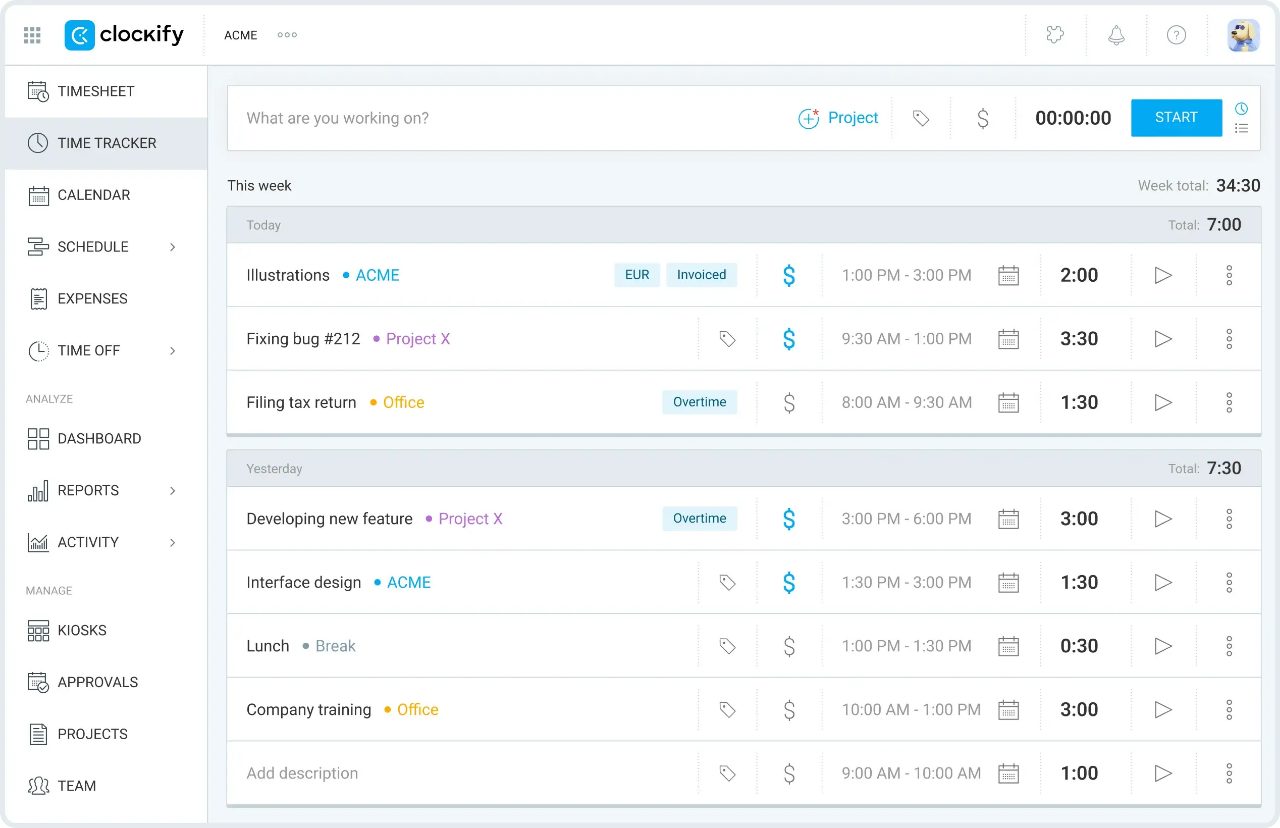
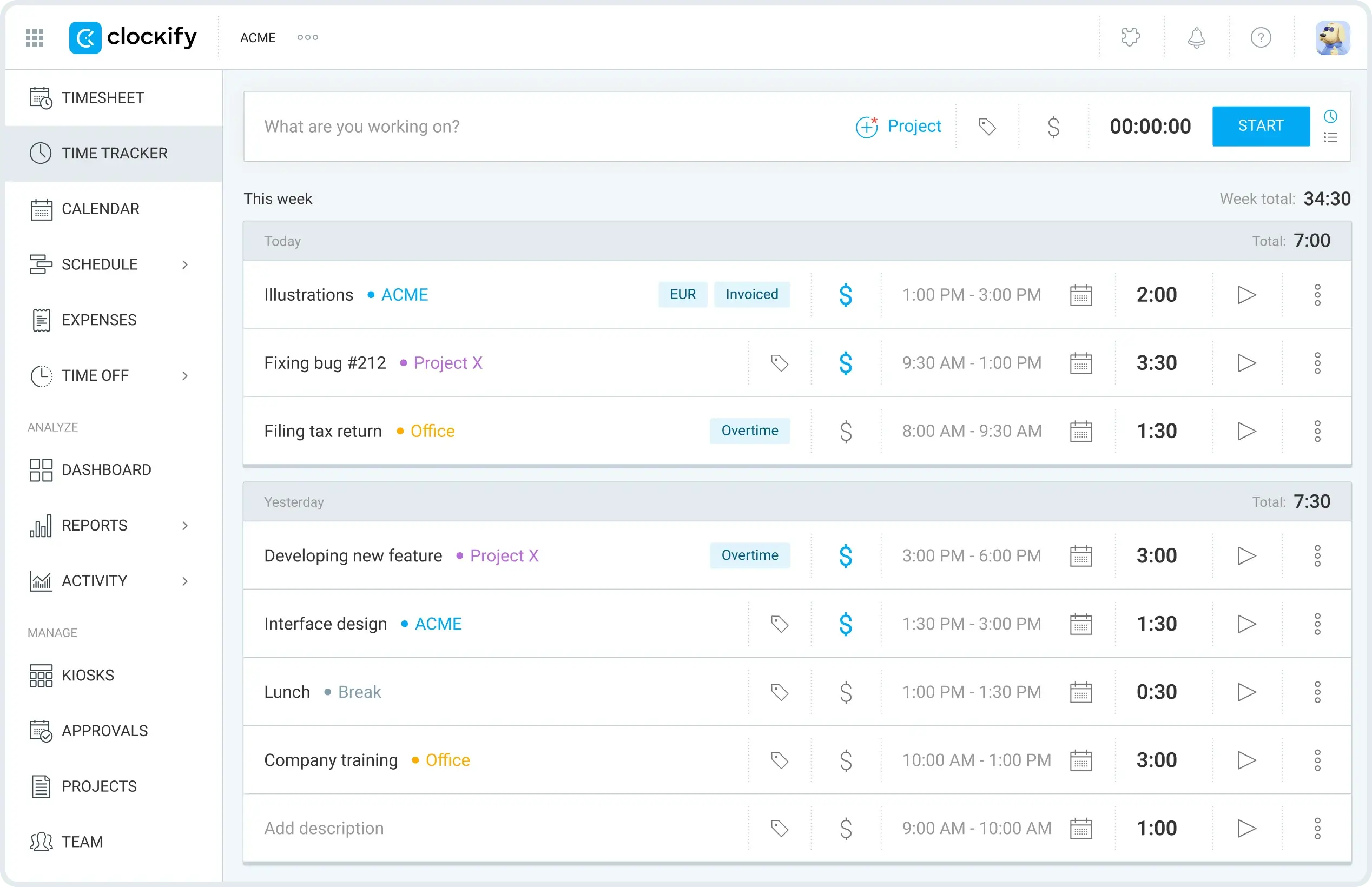
Clockify is a hosted time tracking and timesheet service from CAKE.com. You track time with a timer, manual entries or a weekly timesheet in the web app, desktop apps, mobile apps and browser extensions, and the data syncs online. The free plan covers up to 5 users with unlimited tracking, an auto tracker, calendar sync and reports. Billable rates and CSV or Excel exports start on Basic, and invoicing and QuickBooks sync start on Standard. It is commercial software with no self-hosted edition on the pages checked.
What users say
Evidence ↓Reviewers broadly describe Clockify as easy to start using with an intuitive interface, and the review-site summary reports the same theme alongside a high Capterra rating. Reported weaknesses are forgotten running timers that need editing afterward, a mobile app a reviewer found less responsive at times, and an interface one freelancer-focused reviewer found sparse compared with Toggl Track. Both reviews are by editorial reviewers who use affiliate links, and the summary of forgotten timers is a secondary account of review-site comments.
Rankings and alternatives



Time-tracking apps for freelancers scores
Evaluated Nov 17, 2026 Evidence ↓- From hours to invoice · counts double 4
4/5 means: Proper invoices built from tracked time inside the product, with templates, tax and branding or accounting sync, but no online payment or payment tracking
On Standard, invoices are built from tracked time and expenses, downloaded as PDF, tracked by status, can recur, and sync to QuickBooks. Tax, branding and templates rest on my own knowledge of the invoicing feature. No online card payment was found in the sources, so it stops short of 5.
- Ease of everyday tracking · counts double 4
4/5 means: Quick, pleasant tracking and editing that most users like, with a known weak spot such as one app or a learning curve
Reviewers broadly call the interface intuitive and quick to learn. Weak spots are a mobile app one reviewer found less responsive, a sparse interface next to Toggl, and the common complaint about forgotten running timers. The score leans partly on my own knowledge of the product.
- Catching forgotten time 4
4/5 means: A private background timeline of apps and sites on desktop to build entries from, with some limits in detail, platforms or rules
The desktop auto tracker of apps and websites is visible only to the user, with idle detection, reminders to start or stop the timer, and Outlook and Google Calendar sync. Detail is limited compared with the richest trackers (my own knowledge), and it covers apps and sites rather than documents or meetings.
- Yearly cost for one freelancer 4
4/5 means: $50 to $80 a year
Standard is $5.49 per seat per month billed annually, so $65.88 a year (5.49 x 12), with no seat minimum stated. The free plan does not include billable rates or invoicing.
- Reports to send clients 4
4/5 means: Customizable PDF reports with branding or rounding, plus shareable report links
Reports export to PDF, CSV and Excel with branding and column control, rounding on Standard, and live share links. There is no client portal.
- Devices you can track from · counts half 5
5/5 means: All six surfaces
Web, Windows, macOS, iOS, Android and Chrome, Firefox and Edge extensions are all offered, and Linux is an extra.
Pricing
- Free Free Up to 5 users, unlimited tracking, timesheet, auto tracker, calendar sync, mobile and desktop apps, reports limited to a 1-month date range with PDF-only export. No billable rates or invoicing.
- Basic $3.99 /month per seat Billed annually ($47.88 per seat per year); $4.99 per seat per month billed monthly. Adds billable rates, CSV and Excel export, shareable report links, decimal time format and historical rates. No invoicing.
- Standard $5.49 /month per seat Billed annually ($65.88 per seat per year); $6.99 per seat per month billed monthly. Cheapest plan with invoicing (PDF, recurring invoices, status tracking), plus rounding, task rates and QuickBooks integration. No minimum seat count stated.
- Pro $7.99 /month per seat Billed annually; $9.99 per seat per month billed monthly. Adds expenses, budgets, scheduling, multiple currencies and a choice of data region (EU, UK, USA or Australia).
Prices checked Nov 17, 2026.
Evidence and sources
What users say
Summary 4 quotes
-
Clockify stands out for its user-friendly interface, making it easy for you and your team to start tracking time right away. The intuitive design requires little training, allowing you to jump straight into managing projects and tasks.
Galen Low, reviewer at The Digital Project Manager · thedigitalprojectmanager.com/tools/clockify-review · published · checked -
You may find the mobile app less responsive at times.
Galen Low, reviewer at The Digital Project Manager · thedigitalprojectmanager.com/tools/clockify-review · published · checked -
The most frequent complaint centers on manual timer management. Users report forgetting to stop timers, leading to inaccurate time tracking requiring retroactive editing. This issue appears consistently across both Capterra and Software Advice, indicating a genuine usability friction point rather than isolated incidents.
checkthat.ai, AI-visibility analytics site summarizing Capterra and Software Advice reviews · checkthat.ai/brands/clockify/reviews · checked -
Interface feels sparse compared to Toggl
Tim Wittke, reviewer at Fastlancer · fastlancer.org/en/fastlancer-blog/clockify-review · published · checked
Time-tracking apps for freelancers scores
From hours to invoice 4 quotes
-
Issue invoices from tracked time. Create professional invoices for clients based on tracked time and expenses, download as PDF, and track their status.
clockify.me/pricing · checked -
Sync users and project, and send time to QuickBooks for payroll and billing.
clockify.me/pricing · checked -
Billable rates Enter hourly rates for users and projects, and see how much you earn.
clockify.me/pricing · checked -
per seat /month billed annually Every active or invited user listed on your Team page occupies one paid seat. This includes the Owner, Admins, Managers, and Members. Deactivated users do not occupy a seat. (or 6.99 if billed monthly)
clockify.me/pricing · checked
Ease of everyday tracking 4 quotes
-
Clockify stands out for its user-friendly interface, making it easy for you and your team to start tracking time right away. The intuitive design requires little training, allowing you to jump straight into managing projects and tasks.
Galen Low, reviewer at The Digital Project Manager · thedigitalprojectmanager.com/tools/clockify-review · published · checked -
You may find the mobile app less responsive at times.
Galen Low, reviewer at The Digital Project Manager · thedigitalprojectmanager.com/tools/clockify-review · published · checked -
The most frequent complaint centers on manual timer management. Users report forgetting to stop timers, leading to inaccurate time tracking requiring retroactive editing. This issue appears consistently across both Capterra and Software Advice, indicating a genuine usability friction point rather than isolated incidents.
checkthat.ai, AI-visibility analytics site summarizing Capterra and Software Advice reviews · checkthat.ai/brands/clockify/reviews · checked -
Interface feels sparse compared to Toggl
Tim Wittke, reviewer at Fastlancer · fastlancer.org/en/fastlancer-blog/clockify-review · published · checked
Catching forgotten time 3 quotes
-
Auto tracker Automatically track time spent on apps and websites (visible only to you).
clockify.me/pricing · checked -
Idle detection & reminders Get reminded when you forget to start or stop the timer.
clockify.me/pricing · checked -
Calendar Sync with Outlook or Google Calendar and organize your day with time blocks.
clockify.me/pricing · checked
Yearly cost for one freelancer 1 quote
-
per seat /month billed annually Every active or invited user listed on your Team page occupies one paid seat. This includes the Owner, Admins, Managers, and Members. Deactivated users do not occupy a seat. (or 6.99 if billed monthly)
clockify.me/pricing · checked
Reports to send clients 1 quote
-
Export & share data Export reports (PDF, CSV, Excel) and share live links with others.
clockify.me/pricing · checked
Devices you can track from 1 quote
-
Clockify works across devices. Track time from anywhere — all data is synced online.
clockify.me · checked
Facts
Runs on 1 quote
-
Clockify works across devices. Track time from anywhere — all data is synced online.
clockify.me · checked
Users 1 quote
-
Trusted by 7M+ users in companies worldwide
clockify.me · checked
More from the sources
Pricing 1 quote
-
$ 0 For up to 5 users
clockify.me/pricing · checked
Features 1 quote
-
The moment you need to attach a rate to an hour, or hand a client a CSV, you are on a paid tier.
Tim Wittke, reviewer at Fastlancer · fastlancer.org/en/fastlancer-blog/clockify-review · published · checked
Limits and known issues 3 quotes
-
Reports See who worked on what, how much money you earn, and review your team's time. The data range on the FREE plan is 1 month.
clockify.me/pricing · checked -
Host your Clockify data in EU (Germany), UK, USA or Australia (excluding data used for CAKE.com account).
clockify.me/pricing · checked -
Clockify's free plan is capped at 5 users. It used to be unlimited — that changed in April 2026, and it is the single most important thing to know if you are comparing older reviews.
Tim Wittke, reviewer at Fastlancer · fastlancer.org/en/fastlancer-blog/clockify-review · published · checked
Platforms and requirements 1 quote
-
Mobile & desktop app Track time on mobile or desktop, even if you’re offline.
clockify.me/pricing · checked
Pricing
clockify.me/pricing · checked