
Figma Make
Prompt-to-app builder inside Figma that turns prompts and Figma designs into working React web apps
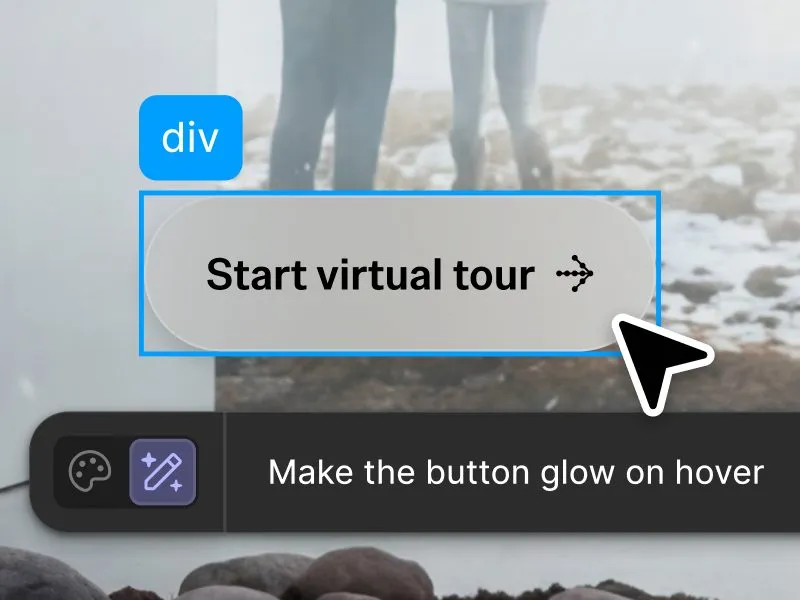 (opens full size in a new tab)
Facts
- Price
- From a free plan or $16.00/month
- Runs on
- Web
- Needs
- Figma accountFull seat to publish
- Category
- AI
- Facts checked
Price checked · Current prices on figma.com ↗
Our verdict
#6 of 10 in AI app builders for prototyping
For designers already paying for Figma
What it does
- Builds apps from prompts inside Figma, working from attached frames and design systems
- Point-and-click edits and a code editor
- Figma's own backend for data, storage, and user accounts, or Supabase
- Publishes to a link with password protection and custom domains
Pros
- Already included in a Figma Full seat
- Works from the designs and libraries your team already has
Cons
- No GitHub sync for apps on Figma's own backend
- Free-plan apps must be published to the Figma Community
- Choose if:
- Your team already pays for Figma Full seats
About Figma Make
Figma Make is Figma’s prompt-to-app tool. You describe an app or attach a Figma design, and it generates a working React and Tailwind web app you can preview, edit with chat, point-and-click or a built-in code editor, and publish to a figma.site URL. It runs in the browser as part of a Figma account rather than as a standalone product, and needs a Full seat to publish or to build beyond the free Starter allowance. It can add a Figma-hosted Payload backend (database, file storage, authentication, admin panel) or connect your own Supabase project. Aimed at designers and product teams already on Figma who want interactive prototypes and simple apps; reviewers describe it as stronger on front-end polish than on full-stack apps.
What users say
Views come from two sources only. One reviewer at a hosting-guide site with affiliate links to both products built one prompt in each and found Figma Make fast and polished on the front end (a dashboard with simulated data in under two minutes) but without a backend in the first build, while Lovable's first build had auth, database and payments; the warning count also kept returning after fixes. On Figma's forum, one agency user was stuck for three days on Supabase login and called it an advanced prototyping tool, while another user in the same thread said the same task worked immediately. Both are single accounts, so how widely either view is shared is unknown.
5 quotes from users and reviewers
Time to First Result · Under 2 minutes (complex multi-page dashboard) · Under 10 minutes (complete deployed full-stack app)
Walter Akolo, reviewer at HostAdvice · hostadvice.com/ai-app-builders/lovable-vs-figma-make · published · checked What Was Built · Frontend dashboard with simulated data; no backend in base build · Full-stack app (auth, database schema, Stripe payments, client portal)
Walter Akolo, reviewer at HostAdvice · hostadvice.com/ai-app-builders/lovable-vs-figma-make · published · checked After generation, more than ten warnings appeared. “Fix for me” reduced the count to three, then subsequent edits pushed it back up to nine, then above ten again. The dashboard continued to render and function correctly throughout.
Walter Akolo, reviewer at HostAdvice · hostadvice.com/ai-app-builders/lovable-vs-figma-make · published · checked It's very frustrating to realize that Figma Make can't perform a simple login/registration authentication using SQL in SupaBase. I've been stuck in error loops for 3 days. Figma make is really limited to being an advanced prototyping tool.
Aventure Agency, Figma forum member (agency account) reporting a problem · forum.figma.com/report-a-problem-6/frustration-when-trying-to-integrate-figma-make-with-a-minimally-acceptable-supabase-database-49035 · published · checked This might be anecdotal but I was able to do this immediately without issue in Figma Make with Supabase integrations. Very handy in fact
Jason D, Figma forum member · forum.figma.com/report-a-problem-6/frustration-when-trying-to-integrate-figma-make-with-a-minimally-acceptable-supabase-database-49035 · published · checked
Ranked in
-
#6 of 10 AI app builders for prototyping For designers already paying for Figma 3.5/5
How it scored
-
How good the first working version is , counts double 3/5
One hands-on test produced a polished dashboard with simulated data in under two minutes but no backend in the first build, and warnings kept returning after fixes; a backend needs a further step. Only one third-party test was read, with affiliate-link incentives, and v0 was not covered.
3/5 means: A good-looking front end that works with sample data, or a working app whose core flows need several fixes
Time to First Result · Under 2 minutes (complex multi-page dashboard) · Under 10 minutes (complete deployed full-stack app)
Walter Akolo, reviewer at HostAdvice · hostadvice.com/ai-app-builders/lovable-vs-figma-make · published · checked What Was Built · Frontend dashboard with simulated data; no backend in base build · Full-stack app (auth, database schema, Stripe payments, client portal)
Walter Akolo, reviewer at HostAdvice · hostadvice.com/ai-app-builders/lovable-vs-figma-make · published · checked After generation, more than ten warnings appeared. “Fix for me” reduced the count to three, then subsequent edits pushed it back up to nine, then above ten again. The dashboard continued to render and function correctly throughout.
Walter Akolo, reviewer at HostAdvice · hostadvice.com/ai-app-builders/lovable-vs-figma-make · published · checked
-
Changing it without getting stuck 4/5
Chat edits, point-and-click editing, a built-in code editor and a "Fix for me" action are described by Figma and one reviewer, and the product page shows version history; no planning mode was found and the reviewer saw warnings recur. Whether fixes cost credits was not found.
4/5 means: Chat edits, rollback, visual point-and-click editing and code editing or a planning mode
After generation, more than ten warnings appeared. “Fix for me” reduced the count to three, then subsequent edits pushed it back up to nine, then above ten again. The dashboard continued to render and function correctly throughout.
Walter Akolo, reviewer at HostAdvice · hostadvice.com/ai-app-builders/lovable-vs-figma-make · published · checked Everything you build is code-backed and visually editable, so you can easily jump between code and canvas.
figma.com/make · checked
-
Built-in backend, database and sign-in 4/5
Figma's built-in Payload backend gives a database, file storage, authentication and an admin panel with no outside account; there is no native payment integration, and Supabase is the alternative with key-value storage only. Forum reports on Supabase sign-in conflict.
4/5 means: Built-in database, sign-in and file storage, with no outside account
Add a backend in Figma Make to build web apps that store data, support user accounts, and let your team manage content. Describe what you want to build in the chat, and Make can create a Payload-powered backend, including a database, file storage, authentication, and an admin panel. You can also manually connect a Supabase project from Make settings.
help.figma.com/hc/en-us/articles/32640822050199-Add-a-backend-to-a-functional-prototype-or-web-app · checked Figma Make currently uses key-value stores rather than setting up a full SQL database.
help.figma.com/hc/en-us/articles/32640822050199-Add-a-backend-to-a-functional-prototype-or-web-app · checked Payment Processing · No native payment integration · Yes (native Stripe: checkout, subscriptions, webhooks, billing portal)
Walter Akolo, reviewer at HostAdvice · hostadvice.com/ai-app-builders/lovable-vs-figma-make · published · checked It's very frustrating to realize that Figma Make can't perform a simple login/registration authentication using SQL in SupaBase. I've been stuck in error loops for 3 days. Figma make is really limited to being an advanced prototyping tool.
Aventure Agency, Figma forum member (agency account) reporting a problem · forum.figma.com/report-a-problem-6/frustration-when-trying-to-integrate-figma-make-with-a-minimally-acceptable-supabase-database-49035 · published · checked This might be anecdotal but I was able to do this immediately without issue in Figma Make with Supabase integrations. Very handy in fact
Jason D, Figma forum member · forum.figma.com/report-a-problem-6/frustration-when-trying-to-integrate-figma-make-with-a-minimally-acceptable-supabase-database-49035 · published · checked
Show all 5
-
Handing the code to engineers 2/5
Figma's own help page says GitHub integration and local codebase workflows are not yet available for apps on its built-in Payload backend, so engineers get at most a code download; a third-party table lists GitHub and ZIP export, which Figma's page contradicts for backend-connected apps.
2/5 means: A one-way code download, or code that won't run without the builder's own backend and has no GitHub sync
GitHub and local development: GitHub integration and local codebase workflows are not yet available for Payload-backed Make apps, but will be available soon.
help.figma.com/hc/en-us/articles/32640822050199-Add-a-backend-to-a-functional-prototype-or-web-app · checked Custom Code Export · Yes (GitHub integration; Download; code editor inside Make) · Yes (GitHub sync, full code ownership)
Walter Akolo, reviewer at HostAdvice · hostadvice.com/ai-app-builders/lovable-vs-figma-make · published · checked
-
Cost of a month of active prototyping 4/5
The Full seat is $16 a month (billing period not stated on the page) with 3,000 credits shared across all Figma AI features, so the price is under $20 but how far the credits go for a month of active building was not found.
4/5 means: About $20 to $35 a month, with an allowance that covers active prototyping for most users
Seat types matter. Figma Make requires a full seat. Dev seats ($12/month) and Collab seats ($3/month) do not include full Make access. If only some team members need to build with Make, you can mix seat types, but every person who creates with Make needs a full seat at $16/month or above.
Walter Akolo, reviewer at HostAdvice · hostadvice.com/ai-app-builders/lovable-vs-figma-make · published · checked Credits are shared: Across all Figma AI features, not just Make. Image editing, Design AI tools, and Make all draw from the same pool.
Walter Akolo, reviewer at HostAdvice · hostadvice.com/ai-app-builders/lovable-vs-figma-make · published · checked
-
Sharing it for tests and demos 4/5
Publishing to a figma.site link needs a Full seat, with password protection, custom domains and internal-only access on Organization plans; Figma's multiplayer extends to Make files, and the product page shows comments. Real-time co-editing of the same Make project was not confirmed in the quotes.
4/5 means: Live links with password-protected or private access, and teammates editing the same project
Publishing makes your functional prototype or web app available on the public web with its own dedicated URL.
help.figma.com/hc/en-us/articles/31304586129559-Publish-update-or-unpublish-a-Figma-Make-file · checked For the eligible paid plans listed above, publishing requires a Full seat. On Starter, you must also publish the file to the Figma Community.
help.figma.com/hc/en-us/articles/31304586129559-Publish-update-or-unpublish-a-Figma-Make-file · checked When password protection is enabled, visitors need to enter a password to see your published web app's content—including metadata like the title or description.
help.figma.com/hc/en-us/articles/31304586129559-Publish-update-or-unpublish-a-Figma-Make-file · checked
-
Working from your designs , counts half 5/5
Figma frames can be attached, design systems come in through Make kits and npm packages, and Make output can be copied back to the canvas.
5/5 means: Builds from your Figma files and component library directly and keeps working with them
Design System Integration · Yes (access Figma component libraries; embed in existing design system workflows) · No (independent of design files)
Walter Akolo, reviewer at HostAdvice · hostadvice.com/ai-app-builders/lovable-vs-figma-make · published · checked Bring in design systems using Make kits and npm packages, or attach Figma frames, PDFs, and more.
figma.com/make · checked
Top of this ranking
-




Sources
23 quotes from 7 pages; the 16 most useful are below.
-
Pricing 2
Seat types matter. Figma Make requires a full seat. Dev seats ($12/month) and Collab seats ($3/month) do not include full Make access. If only some team members need to build with Make, you can mix seat types, but every person who creates with Make needs a full seat at $16/month or above.
Walter Akolo, reviewer at HostAdvice · hostadvice.com/ai-app-builders/lovable-vs-figma-make · published · checked Full seat $16/mo 3,000 AI credits/mo
figma.com/pricing · checked
-
Limits and known issues 4
GitHub and local development: GitHub integration and local codebase workflows are not yet available for Payload-backed Make apps, but will be available soon.
help.figma.com/hc/en-us/articles/32640822050199-Add-a-backend-to-a-functional-prototype-or-web-app · checked Figma Make currently uses key-value stores rather than setting up a full SQL database.
help.figma.com/hc/en-us/articles/32640822050199-Add-a-backend-to-a-functional-prototype-or-web-app · checked Additionally, if the model is prompted to use Supabase, it will provide mock code rather than functionally connecting to Supabase.
help.figma.com/hc/en-us/articles/34162517434007-Manage-Supabase-for-an-organization · checked For the eligible paid plans listed above, publishing requires a Full seat. On Starter, you must also publish the file to the Figma Community.
help.figma.com/hc/en-us/articles/31304586129559-Publish-update-or-unpublish-a-Figma-Make-file · checked
-
What users say 3
Time to First Result · Under 2 minutes (complex multi-page dashboard) · Under 10 minutes (complete deployed full-stack app)
Walter Akolo, reviewer at HostAdvice · hostadvice.com/ai-app-builders/lovable-vs-figma-make · published · checked This might be anecdotal but I was able to do this immediately without issue in Figma Make with Supabase integrations. Very handy in fact
Jason D, Figma forum member · forum.figma.com/report-a-problem-6/frustration-when-trying-to-integrate-figma-make-with-a-minimally-acceptable-supabase-database-49035 · published · checked It's very frustrating to realize that Figma Make can't perform a simple login/registration authentication using SQL in SupaBase. I've been stuck in error loops for 3 days. Figma make is really limited to being an advanced prototyping tool.
Aventure Agency, Figma forum member (agency account) reporting a problem · forum.figma.com/report-a-problem-6/frustration-when-trying-to-integrate-figma-make-with-a-minimally-acceptable-supabase-database-49035 · published · checked
-
Features 7
Figma Make is not a standalone app builder. It’s a feature inside Figma, accessible through the same navigation bar as Figma Design, FigJam, and Slides. To use it, you need a Figma account. The free Starter plan gives limited access (150 AI credits per day, 500 per month). Anything beyond that requires a Professional seat at $16/month per person or higher.
Walter Akolo, reviewer at HostAdvice, a hosting-guide site · hostadvice.com/ai-app-builders/lovable-vs-figma-make · published · checked Add a backend in Figma Make to build web apps that store data, support user accounts, and let your team manage content. Describe what you want to build in the chat, and Make can create a Payload-powered backend, including a database, file storage, authentication, and an admin panel. You can also manually connect a Supabase project from Make settings.
help.figma.com/hc/en-us/articles/32640822050199-Add-a-backend-to-a-functional-prototype-or-web-app · checked By default, anyone with a [Full seat] can add a backend integration to a Figma Make file. The user is the one who determines what Supabase project they're connecting to.
help.figma.com/hc/en-us/articles/34162517434007-Manage-Supabase-for-an-organization · checked Publishing makes your functional prototype or web app available on the public web with its own dedicated URL.
help.figma.com/hc/en-us/articles/31304586129559-Publish-update-or-unpublish-a-Figma-Make-file · checked When password protection is enabled, visitors need to enter a password to see your published web app's content—including metadata like the title or description.
help.figma.com/hc/en-us/articles/31304586129559-Publish-update-or-unpublish-a-Figma-Make-file · checked Bring in design systems using Make kits and npm packages, or attach Figma frames, PDFs, and more.
figma.com/make · checked Everything you build is code-backed and visually editable, so you can easily jump between code and canvas.
figma.com/make · checked
Show all 7