Google Gemini alternatives: other AI assistants
Gemini is Google’s AI assistant: free with a Google account, built into Android phones, and inside Gmail and Docs on the paid Google AI Pro plan. People who leave it usually give one of three reasons. The answers feel flat. Gemini has warned them that human reviewers read some chats. Or their email, files, and phone aren’t Google’s to begin with, so half of what Gemini offers does nothing for them.
Two of those reasons need a correction before you switch. Free Gemini doesn’t let you choose a model; it sends most questions to Flash-Lite, Google’s fastest and lightest model, and only harder ones to its stronger Flash or Pro. Google’s best models sit at the top of Arena’s text leaderboard, where people vote on answers without knowing which model wrote them, but those models come only with a paid plan, so the flat answers may say more about the free plan than about Gemini. And moving to ChatGPT or Claude doesn’t by itself keep people from reading your chats. Both companies have humans read some conversations to improve their models, as Google does, unless you turn model training off.
The short answer, by what you want:
- Better writing and explanations: Claude.
- One assistant for a bit of everything, with no cap on everyday text chat for free: ChatGPT.
- An assistant inside Outlook, Word, and Excel: Microsoft Copilot, through a Microsoft 365 plan.
- Fewer people reading your chats: turn off model training wherever you are, or run a local model with Ollama so chats never leave your computer.
- Staying put: Gemini, if you’re on Android, keep your life in Gmail and Drive, or are a U.S. college student who can get AI Pro free for a year.
For answers that read better: Claude or ChatGPT
If what you dislike about Gemini is the answers themselves, Claude and ChatGPT are the two swaps worth trying. The table scores all three for work, with Microsoft Copilot alongside.
1–5 per criterion · select a score for its reasoning and any sources
| # | Product | Overall | Quality of everyday work , counts double | Working with documents and spreadsheets | Built into your email and documents | Connects to the rest of your tools | Data protection and admin on the team plan | What a seat adds to the bill | Research with sources you can check | Room before you hit a limit |
|---|---|---|---|---|---|---|---|---|---|---|
| 1 | ChatGPT | 4.1 | 5 | 5 | 3 | 5 | 3 | 3 | 4 | 4 |
| 2 | Google Gemini | 4.1 | 4 | 4 | 5 | 3 | 5 | 5 | 4 | 3 |
| 3 | Claude | 4.0 | 5 | 5 | 3 | 5 | 3 | 3 | 4 | 3 |
| 4 | Microsoft Copilot | 3.9 | 3 | 4 | 5 | 3 | 5 | 4 | 4 | 4 |


Equal displayed overall scores are ordered by the earlier criteria; a known score comes before an unknown score. Identical scores use alphabetical order.
×2 = counts double in the overall score, ×½ = counts half.
How each criterion is scored
Quality of everyday work
Counts double in the overall score: The quality of the drafts, summaries and analysis is what people pay for; integrations and admin features only matter once the answers are good enough to use.
Judged for the models a standard paid work seat gets: how well the assistant writes and edits in a professional voice, summarizes and reasons over long material without inventing details, and gets multi-step analysis right. Judged from published leaderboards and independent evaluations (such as Arena and Artificial Analysis), what reviewers and experienced users agree on, and which models each plan actually includes. A vendor's own benchmark claims show a model exists, not that it beats a rival.
- 5 Among the best at writing, reasoning and analysis, with a frontier model on the standard paid seat
- 4 Strong across writing, analysis and reasoning, with one weaker spot or its top model limited on the standard seat
- 3 Solid on most work, with a clear gap such as flat, generic writing, shaky analysis, or a model a generation behind on the standard seat
- 2 Fine for short drafts and simple questions, but weak on long documents or multi-step reasoning
- 1 Often wrong or generic on ordinary work tasks
Working with documents and spreadsheets
How much of a reader's own material the standard paid seat can take in at once (context window, upload size and count), whether it analyzes spreadsheets and data by running code rather than guessing from text, and whether it produces working Excel, Word and PowerPoint files or works inside those files.
- 5 Holds book-length documents or many files at once, analyzes data by running code, and creates or edits working Office files with formulas
- 4 Handles long documents and analyzes spreadsheets with real calculations and charts, with one gap such as no file previews, a short default context, or unclear limits
- 3 Reads PDFs, Office files and spreadsheets with moderate limits, but analysis is mostly reading text rather than running calculations, or file output is basic
- 2 Reads uploads, but small limits or a short context mean long documents get cut off
- 1 Text only, no file uploads
Built into your email and documents
How deeply the assistant works inside the apps a team spends its day in (email, documents, spreadsheets, slides, meetings), and whether it draws on the company's own files, mail and calendar without the user uploading them. Scored for the paid business seat. A product built into one suite scores high here even though it does nothing inside the other suite; the connectors criterion covers reach across suites.
- 5 Built into the email, documents, spreadsheets, slides and meetings of a whole office suite, and answers from the company's files, mail and calendar automatically
- 4 Built into the workspace a team keeps its documents and notes in, and answers from that workspace's content, but not into email and spreadsheets
- 3 Add-ins or extensions that work inside some office apps, such as Excel, PowerPoint or Outlook, with the user bringing the context
- 2 Reads files you pick from a cloud drive or connector, but has no presence inside email or document apps
- 1 Lives only in its own chat window
Connects to the rest of your tools
The range of work tools the assistant can search and act on through connectors on a team plan: Google Workspace and Microsoft 365 files and mail, Slack or Teams, and business apps such as a CRM or project tracker, plus a search across them and admin control over which connectors people can use. Scored from the connectors the vendor documents as available, not ones announced or in a marketing list without a working page.
- 5 Both suites, Slack and many business apps, with search across them and admin control over each connector
- 4 Both Google Workspace and Microsoft 365 plus Slack, but a thin list of business apps or no admin control over connectors
- 3 One office suite's apps plus a few other tools, or a broad list still in beta with major suites unconfirmed
- 2 One or two cloud drives, or connectors that are announced but mostly not documented
- 1 No connectors
Data protection and admin on the team plan
What a team gets on the self-serve business plan a small company can buy without a sales contract: whether chats are kept out of model training by default, single sign-on, and whether retention rules, audit logs and eDiscovery reach AI chats. Compliance commitments such as a HIPAA agreement or data residency count when the business plan offers them.
- 5 AI chats fall under the company's existing retention, audit and eDiscovery policies on the standard business plan, with compliance commitments such as HIPAA available
- 4 No training, single sign-on, and admin-set retention or audit controls on the self-serve business plan
- 3 No training by default and single sign-on on the team plan, but retention rules, audit logs and SCIM only on a sales-led enterprise tier
- 2 A team plan, but training is opt-out or not stated for it, and admin controls are thin
- 1 No business plan; chats may be used for training
What a seat adds to the bill
The extra a team pays per person per month to give someone a standard paid seat, on annual billing where the vendor offers it. For an assistant built into a suite or workspace, the extra is the step up from the plan without AI to the cheapest plan with the full assistant; for a standalone assistant, it is the seat price. Monthly billing is used when no annual price is published.
- 5 Included at no extra cost in the business plan most of its teams already pay for
- 4 10 or less extra a person a month
- 3 20 to 25 a person a month
- 2 26 to 35 a person a month
- 1 More than 35 a person a month
Research with sources you can check
Whether answers that rely on the web come with links a reader can open and check, how closely those links are tied to the claims, and whether a deep research mode writes a cited report across the web and the company's connected files. Independent tests of citation accuracy count against a product whose links often don't support its claims.
- 5 Sources on every answer, numbered against the claims they support, plus deep research across the web, company files and paid data sources
- 4 Cited answers when it searches, plus a deep research mode that covers the web and the company's own files and tools
- 3 Linked sources when it searches and a cited research mode, but citations are thin or independent tests found many wrong
- 2 Links only when you turn search on, loosely tied to the answer
- 1 No sources
Room before you hit a limit
How much everyday work a standard paid seat allows before it slows down or stops: published caps, how usage resets, and what heavy users report. Bigger seats and paid top-ups are noted in the text but don't raise this score.
- 5 Effectively unlimited for everyday chat
- 4 Limits that ordinary office use rarely reaches
- 3 Published or reported limits that heavy users reach in a long working session, such as a few dozen prompts on the best model every few hours
- 2 Heavy users hit limits most days
- 1 Caps that ordinary daily work runs into
Gemini holds its place in that table because it’s cheap for teams and sits inside Google’s documents. On the quality of the answers alone, Claude and ChatGPT both beat it, and that’s the gap most people leaving Gemini notice.
Claude
For writing and explanations that need less editing
#3 4.0/5
Claude follows your tone, cuts what you asked it to cut, and is more willing to say when an argument doesn’t hold up. Gemini’s writing tends to come out flatter and more generic, so you do more of the editing yourself.
The gap is widest on the free plans. Free Claude answers with Sonnet, Anthropic’s mid-tier model and a strong writer, while free Gemini leans on Flash-Lite. Claude also does more with long material. A free Gemini chat holds about 32,000 tokens (a token is a word or part of one), which is about 50 pages, so a long contract or a textbook chapter won’t fit in one conversation. Claude takes PDFs of up to 1,000 pages and up to 20 files in a chat, even on the free plan.
On paid plans, Claude’s top model also made up fewer details than Google’s comparable model when summarizing articles, according to Vectara’s hallucination leaderboard, though neither is free of it. As of November 2026, Claude Pro costs $20 a month, or $17 a month billed yearly, for at least five times the free plan’s usage, Opus (Anthropic’s top model), and Research reports.
Switching costs you Google’s extras. Claude can’t make images, so you lose Gemini’s image generator. It can read Gmail, Google Calendar, and Drive through connectors (links you set up once so Claude can search those apps), but it works from its own window, not from a side panel inside Gmail or Docs. And Claude is for adults only; you confirm you’re 18 when you sign up.
What it does
- Chat on web, desktop, and mobile, with web search and file uploads on every plan
- Sonnet on the free plan; Opus and Research reports on Pro
- Connectors to Gmail, Google Drive, Microsoft 365, and Slack
- Incognito chats that are kept out of model training
Pros
- Writing that follows your tone and needs less editing
- Handles long documents and many files in one chat
- No ads on any plan
Cons
- No image generation
- Works from its own window rather than inside Gmail or Docs
- Adults only
- Skip if:
- You use Gemini mostly to make images.
ChatGPT
For an all-rounder with more room on the free plan
#1 4.1/5

ChatGPT is the closer match if you use Gemini for a bit of everything. It writes, explains, codes, searches the web, makes images, and talks by voice. Its free plan puts no cap on everyday text chat; uploads, images, voice, and deep research have their own limits. Gemini’s free plan meters everything together, with an allowance that refills every five hours up to a weekly limit, so a long day of plain questions can use it up.
Images are where ChatGPT leads everyone, Gemini included: OpenAI’s image model holds first place on Arena’s image leaderboard, ahead of Google’s Nano Banana models. For brainstorming and drafts, ChatGPT is livelier than Gemini, though its answers lean on tidy bullet points and a stock upbeat tone that Claude avoids.
As of November 2026, Plus costs $20 a month for OpenAI’s stronger models and more of everything, and Go, at $8, sits between Free and Plus. Ads may appear on Free and Go.
What it does
- Unlimited everyday text chat on the free plan
- Image generation, voice chat, and deep research
- Projects, memory, and custom GPTs on Plus
Pros
- The most room for plain chat without paying
- Top-rated image generation
- A cheap Go plan between Free and Plus
Cons
- Ads may appear on the Free and Go plans
- Answers lean on bullet points and a stock upbeat tone
The fuller comparisons are in ChatGPT vs Gemini and Claude vs Gemini.
If you don’t want people reading your chats
Google is blunt about this. Its Gemini privacy notice says human reviewers, including trained reviewers at outside firms, read some chats, and asks you not to type anything you wouldn’t want a reviewer to see. A chat a reviewer has seen is kept for up to three years, separated from your account, and deleting your history doesn’t remove it.
Switching services doesn’t make that go away. 404 Media reported that OpenAI pays hundreds of contractors to read and rate real ChatGPT conversations, and Anthropic told the same reporter it also uses human review to improve its models. ChatGPT trains on personal-plan chats unless you opt out, and Claude asks when you sign up. Either way, a person may read what you typed.
What decides it is one setting that all three have: model training. Turn it off, and your future chats stay out of the pool reviewers read from. Each also has a temporary mode that’s kept out of training whatever the setting: temporary chats in Gemini, Temporary Chat in ChatGPT, and incognito chats in Claude.
Many guides still say that turning off training in Gemini also costs you your chat history. That’s out of date. Google now has two separate settings, History and model training, so you can keep your chats and keep them out of training. Two catches remain. With History off, Google still holds your chats for about two months. And whatever your settings, Google, like the others, can have a person check chats its systems flag for abuse.
One habit undoes all of it. On ChatGPT and Claude, a thumbs-up or thumbs-down on an answer lets the company train on that whole conversation, even with training off. Gemini, with History off, collects your last 24 hours of chats along with the feedback. If privacy is why you’re leaving, stop rating answers.
For more than a setting can give you, there are two ways out. Business plans from Google, OpenAI, and Anthropic don’t train on your chats by default, and Google says Workspace chats aren’t reviewed by humans. Or you can run an open model on your own computer with Ollama or LM Studio, both in “Also considered” below, so your prompts never leave it.
Outside Google’s apps, or staying in them
Much of what you pay for with Google AI Pro is Google itself: 5 TB of storage shared across Gmail, Drive, and Photos, and Gemini in the side panel of Gmail and Docs. If your mail is in Outlook and your files are in OneDrive or iCloud, that half of the plan does nothing for you. On an iPhone, the Gemini app can’t set alarms or send texts for you either.
Microsoft Copilot
For people whose email and documents are in Microsoft 365
#4 3.9/5
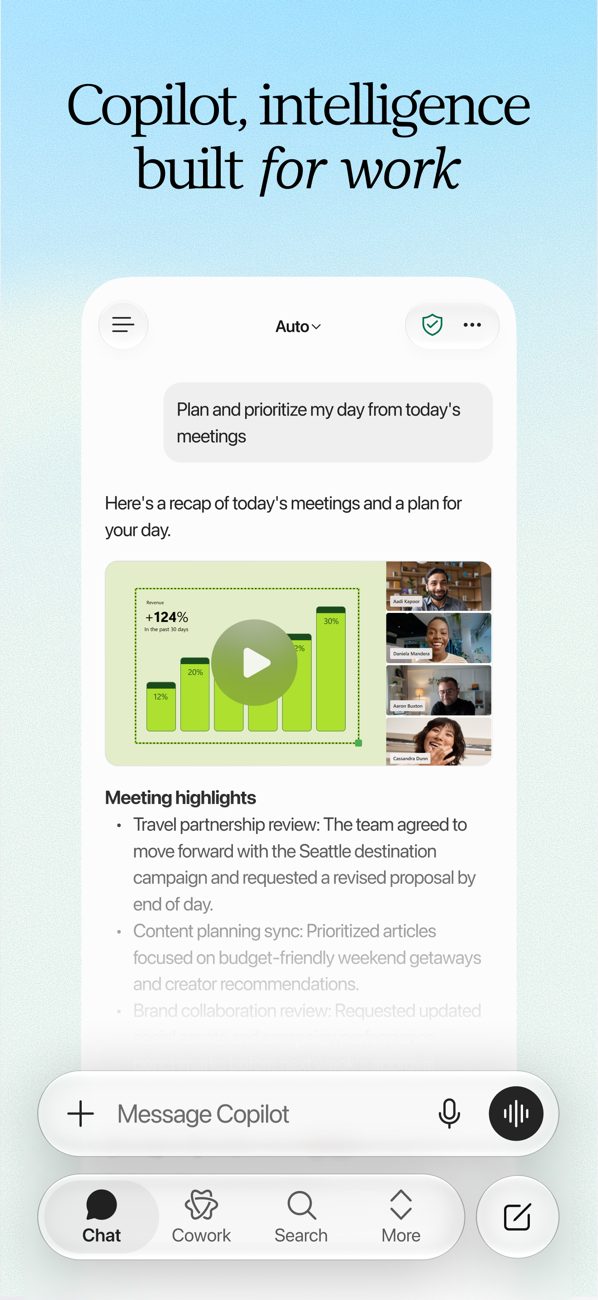
Microsoft Copilot is the mirror image of Gemini. It’s free with a Microsoft account, built into Windows, and, with a Microsoft 365 plan, inside Word, Excel, PowerPoint, and Outlook. Microsoft 365 Personal costs $9.99 a month as of November 2026 and comes with the Office apps, OneDrive storage, and more Copilot use than the free app. If you already pay for Microsoft 365, you already have it.
The answers are the weak spot. Microsoft chooses which AI models answer you, and in our view Copilot’s replies are shorter and less careful than Claude’s or ChatGPT’s. Choose it for the apps it works in; the writing is better elsewhere.
Copilot won’t help a privacy-minded reader either. It shows personalized ads, and turning off training doesn’t stop Microsoft from using your chats for advertising. You can turn the personalized ads off separately.
What it does
- Free chat app on Windows, Mac, the web, iOS, and Android
- Copilot inside Word, Excel, PowerPoint, and Outlook with Microsoft 365
- Vision on paid personal plans, which lets Copilot see your screen or camera during a voice chat
Pros
- Comes with a Microsoft 365 plan many people already pay for
- Works inside the Office apps
Cons
- Weaker answers than Claude or ChatGPT
- Shows personalized ads unless you turn them off
- Turning off training doesn't stop Microsoft using chats for advertising
- Skip if:
- You're on someone else's Microsoft 365 Family plan; only the subscription owner gets the AI features.
Google Gemini
Stay if you're on Android or live in Gmail and Drive
#2 4.1/5
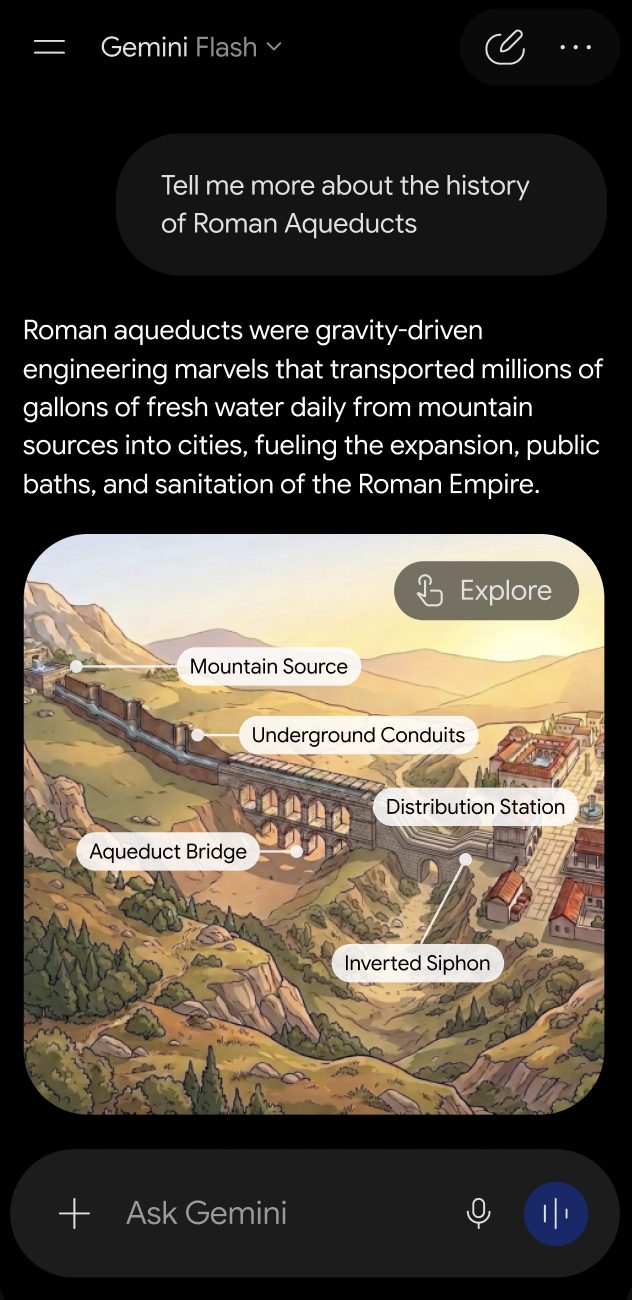
For a lot of people the right answer is to stay. On an Android phone Gemini is the built-in assistant, and with your permission it reads your Gmail, Calendar, Drive, and Docs, so you can ask when your dentist appointment is without copying anything over. Those connections are off until you turn them on. No other assistant gets that close to Google’s apps.
The free plan is generous, too: image generation and editing, Deep Research reports, and Gemini Live voice chat that can see through your phone’s camera. In the U.S., Canada, Australia, India, Japan, and South Korea, free accounts also get Tasks, which runs errands such as watching an item for a price drop and preparing the purchase for you to approve.
If the answers are what bothers you, try paying before you leave. Google AI Pro, at $19.99 a month as of November 2026, adds Google’s Pro model and chats of up to a million tokens (about 1,500 pages) on top of the storage and the Gmail side panel. The cheaper AI Plus plan won’t fix the answers: it buys more use of the same light models and more storage, not the Pro model.
Students have the best reason to stay. U.S. college students 18 and older can get AI Pro free for a year if they redeem the offer by December 31, 2026; it asks for a card and renews at the full price unless you cancel. Gemini also takes users from 13 in most countries, where Claude requires 18. And teams on Google Workspace business plans already have the Gemini app, with chats that Google says aren’t reviewed by humans or used for training.
What it does
- Free chat with image generation, Deep Research, and Gemini Live
- Connections to Gmail, Calendar, Drive, and Docs, off until you turn them on
- Tasks for errands, free in six countries
- Google AI Pro with the Pro model, 5 TB of storage, and Gemini in Gmail and Docs
Pros
- The deepest hooks into Google's apps and Android
- A free plan with images, research reports, and live camera chat
- A free year of AI Pro for U.S. college students
Cons
- The free plan answers most questions with a light model
- Human reviewers read some personal chats and keep them up to three years
- AI Plus doesn't include the Pro model
Which way to go depends on why you’re leaving. If it’s the writing, Claude is the swap, as long as you can live without images. If you want one assistant that does everything and rarely runs out on the free plan, ChatGPT fits better, ads and all. If your life runs on Microsoft 365, Copilot is already in the apps you pay for, though its answers are the weakest of the group.
Privacy alone is a poor reason to switch between the big three, since all of them have people read some chats. If privacy is the worry, turning off model training in Gemini, using temporary chats for anything personal, and leaving the rating buttons alone do more than a switch would. Only a local model keeps every word on your computer. And if you’re on Android with your mail in Gmail, try AI Pro before you switch; for a U.S. college student, it’s free for a year.
Also considered
- Perplexity: For answers you can check, it searches the web and puts numbered sources in every answer. The free plan has unlimited basic searches but only three Pro Searches a day. Its writing is plainer than Claude’s or ChatGPT’s, so it works better as a research tool than as a chat partner.
- Ollama: The strongest privacy answer. It runs open models on your own computer, free and open source, and Ollama never sees prompts you run locally. It also offers cloud models, so turn those off if you want everything local. Local models trail Gemini’s paid ones, and a computer with little RAM limits you to small ones.
- LM Studio: A desktop app for the same idea, built around finding, downloading, and chatting with open models in one window. Once a model is downloaded it works offline, and 16 GB of RAM is the recommended starting point.
- Le Chat: Mistral’s assistant, now called Vibe, from a French company. Its Pro plan, at $14.99 a month as of November 2026, has a No Telemetry Mode that contractually keeps what you type out of training. The free plan is restrictive and trains on your chats unless you opt out.
- DeepSeek: Free, with no paid plan and a capable thinking mode, but it stores your data on servers in China and can train on it unless you turn that off. That makes it the wrong pick for anyone leaving Gemini over privacy.






Frequently asked questions
What happened to Gemini Advanced?
Google renamed it. The paid plan once called Gemini Advanced is now Google AI Pro. Google also added AI Plus, a cheaper plan with higher limits and more storage but not the Pro model, and AI Ultra, which costs far more and adds Google’s top model.
Can ChatGPT or Claude read my Gmail the way Gemini does?
Mostly, yes. Both connect to Gmail, Google Calendar, and Google Drive once you link them, and can search your mail or summarize a thread from their own window. What neither does is work from a side panel inside Gmail or Docs.
We scored 4 products on 8 criteria using 83 quotes, 5 of them from the products' own websites. How our rankings work