
Magic Patterns
AI prototyping workspace for product teams that builds interactive React prototypes on your design system.
 (opens full size in a new tab)
Facts
- Price
- From a free plan or $20.00/month
- Runs on
- Web
- Category
- AI
- Facts checked
Price checked · Current prices on magicpatterns.com ↗
Our verdict
#5 of 10 in AI app builders for prototyping
For product teams prototyping on their design system
What it does
- Interactive React prototypes on a shared, multiplayer canvas
- Imports design systems from Figma, GitHub, a folder or a website
- Password-protected preview links and custom domains
- GitHub sync and export back to Figma
Pros
- Prototypes look like your product, built from your own components
- Fixes, retries and visual edits are free
- Unlimited team members on one plan
Cons
- No database, sign-in or saved data
- Monthly credits run out fast if you generate many new screens
About Magic Patterns
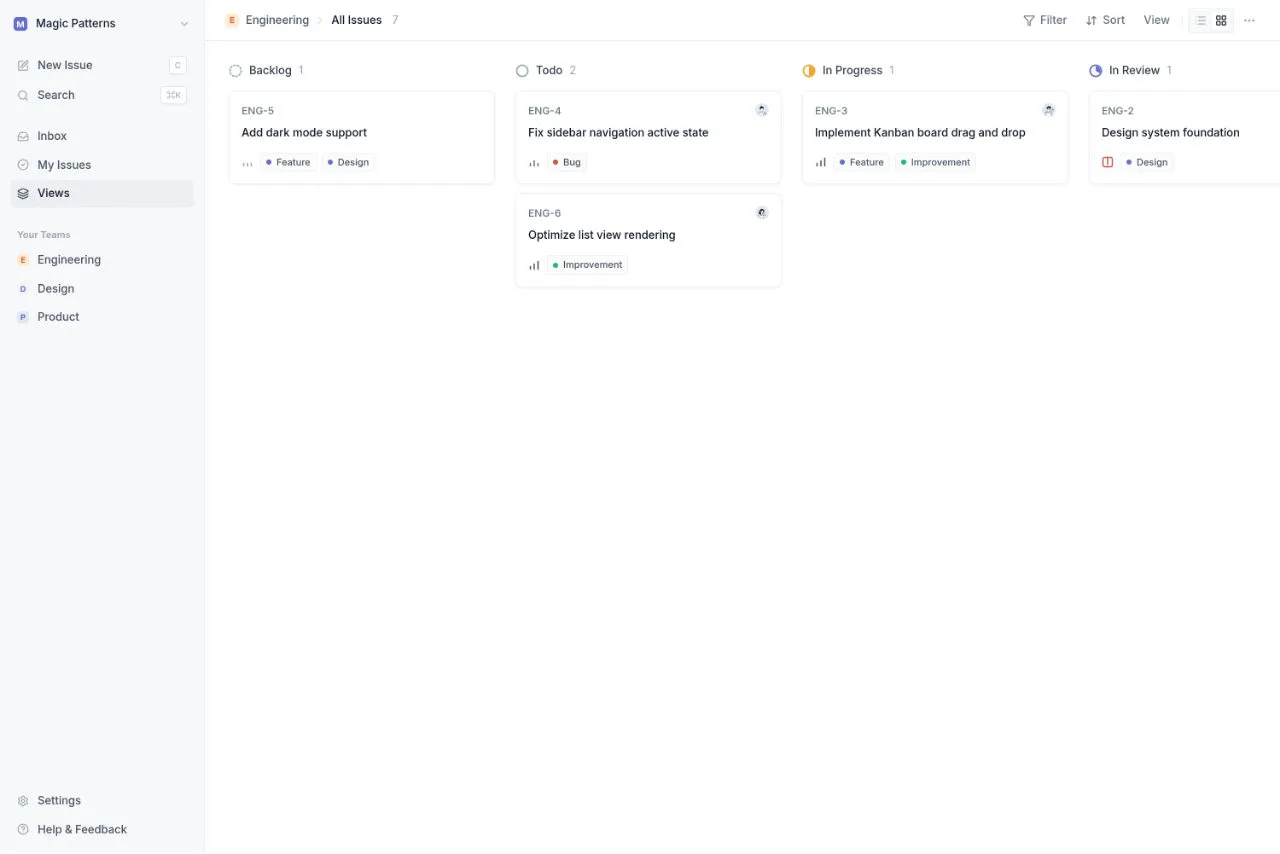
Magic Patterns is a browser-based AI design and prototyping workspace for product managers, designers and engineers. You describe an idea, or bring a PRD, screenshot or existing product, and it generates interactive React UI on a shared canvas where teammates can edit visually, comment and compare variants. It can import a design system from GitHub, Figma, a local folder or a live URL, syncs with GitHub, exports to Figma and connects to AI coding tools through an MCP server. Prototypes publish to a shareable URL, optionally password protected or on a custom domain. It is a front-end prototyping tool. Free to start, with paid plans priced by shared workspace credits rather than seats. The vendor says it does not train AI models on customer data and is SOC 2 and ISO 27001 certified.
What users say
The only first-hand accounts found are two customer testimonials chosen by the vendor for its homepage, one from a design team at Toast on cutting weeks of design work to days and one from a founder who built a multi-page app for a demo in an hour. The one critical view comes from a competitor's blog, which says it fits single components better than multi-screen flows and that credits burn quickly; it is a vendor claim, not a user report. No independent user reviews with substance were read, so how widely any view is held is unknown.
3 quotes from users and reviewers
It's a weaker fit the moment a project needs more than one screen to relate to the others.
uxmagic.ai/hi/blog/magic-patterns-review · published · checked Something that historically would have taken weeks, we can now do in a couple of days. It tremendously changes the way we design for restaurant and retail operators.
Aditi Thota, Principal Product Designer at Toast · magicpatterns.com · checked I built near an entire app with different pages to demo to someone with multifile, and it made a super complex nested app within an hour.
Preston Zhou, Co-founder at Relace · magicpatterns.com · checked
Ranked in
-
#5 of 10 AI app builders for prototyping For product teams prototyping on their design system 3.5/5
How it scored
-
How good the first working version is , counts double 3/5
It generates good-looking interactive React front ends that run with sample data (testimonials describe multi-page demos), but no independent same-prompt test was read and there is no real saved data or sign-in.
3/5 means: A good-looking front end that works with sample data, or a working app whose core flows need several fixes
Magic Patterns is a cloud-based AI design tool that converts text prompts, product requirements, and user stories into high-fidelity, interactive UI screens. Instead of static images, it outputs production-ready React code that captures real interaction states like hover, focus, and error. Product teams use it to go from idea to clickable prototype without writing code. Teams can connect an existing design system via GitHub, Figma, a local folder, or a live URL so generated screens match their brand and components automatically. Core features include a multiplayer canvas for real-time co-editing, visual editing without code, version history, in-canvas commenting, and export options including Figma, GitHub two-way sync, and custom domain publishing.
capterra.com/p/10048887/Magic-Patterns · published · checked I built near an entire app with different pages to demo to someone with multifile, and it made a super complex nested app within an hour.
Preston Zhou, Co-founder at Relace · magicpatterns.com · checked
-
Changing it without getting stuck 5/5
Chat edits, visual editing and version history are listed, and the vendor says "Fix with AI", visual edits and retries cost no credits.
5/5 means: Everything in 4, with visual edits and fixes for the AI's own errors that cost no credits
Magic Patterns is a cloud-based AI design tool that converts text prompts, product requirements, and user stories into high-fidelity, interactive UI screens. Instead of static images, it outputs production-ready React code that captures real interaction states like hover, focus, and error. Product teams use it to go from idea to clickable prototype without writing code. Teams can connect an existing design system via GitHub, Figma, a local folder, or a live URL so generated screens match their brand and components automatically. Core features include a multiplayer canvas for real-time co-editing, visual editing without code, version history, in-canvas commenting, and export options including Figma, GitHub two-way sync, and custom domain publishing.
capterra.com/p/10048887/Magic-Patterns · published · checked Credits scale with the complexity of each request. A simple color change costs less than generating a full multi-page prototype. You can track your credit balance and usage anytime from the settings dashboard. No credits are needed for "Fix with AI," visual edits, and retries.
magicpatterns.com/pricing · checked
-
Built-in backend, database and sign-in 1/5
It is a front-end prototyping tool.
1/5 means: No backend; front end only, with sample data
Magic Patterns is a cloud-based AI design tool that converts text prompts, product requirements, and user stories into high-fidelity, interactive UI screens. Instead of static images, it outputs production-ready React code that captures real interaction states like hover, focus, and error. Product teams use it to go from idea to clickable prototype without writing code. Teams can connect an existing design system via GitHub, Figma, a local folder, or a live URL so generated screens match their brand and components automatically. Core features include a multiplayer canvas for real-time co-editing, visual editing without code, version history, in-canvas commenting, and export options including Figma, GitHub two-way sync, and custom domain publishing.
capterra.com/p/10048887/Magic-Patterns · published · checked
-
Handing the code to engineers 4/5
Two-way GitHub sync (on every plan) of React code plus an MCP round trip with AI coding tools; there is no backend to move, so engineers wire their own. Two-way sync is stated by Capterra, not tested.
4/5 means: Two-way GitHub sync of standard code that can run elsewhere after the backend is moved by hand
Engineers — Connect Magic Patterns to your toolchain with the Connect your AI coding tool page and our tools for roundtrip design and code.
magicpatterns.com/docs/documentation/get-started/introduction · checked Magic Patterns is a cloud-based AI design tool that converts text prompts, product requirements, and user stories into high-fidelity, interactive UI screens. Instead of static images, it outputs production-ready React code that captures real interaction states like hover, focus, and error. Product teams use it to go from idea to clickable prototype without writing code. Teams can connect an existing design system via GitHub, Figma, a local folder, or a live URL so generated screens match their brand and components automatically. Core features include a multiplayer canvas for real-time co-editing, visual editing without code, version history, in-canvas commenting, and export options including Figma, GitHub two-way sync, and custom domain publishing.
capterra.com/p/10048887/Magic-Patterns · published · checked Starter — One shared workspace for your team. Includes everything in Free, plus shared workspace credits, unlimited team members, user roles and permissions, credit rollovers, on-demand usage, custom domains, and removing the watermark on preview. Pick a monthly credit tier of 1,000 or 2,500 credits.
magicpatterns.com/pricing · checked
-
Cost of a month of active prototyping 3/5
Starter is $20 per month billed monthly for 1,000 credits, and fixes and visual edits are free. A competitor's blog estimates only about 40 generations at 25 credits each, so heavy weeks may need the 2,500 tier or on-demand credits (unpriced on the vendor page).
3/5 means: About $20 to $35 a month, with an allowance that runs short for heavy weeks
Starter — One shared workspace for your team. Includes everything in Free, plus shared workspace credits, unlimited team members, user roles and permissions, credit rollovers, on-demand usage, custom domains, and removing the watermark on preview. Pick a monthly credit tier of 1,000 or 2,500 credits.
magicpatterns.com/pricing · checked Credits scale with the complexity of each request. A simple color change costs less than generating a full multi-page prototype. You can track your credit balance and usage anytime from the settings dashboard. No credits are needed for "Fix with AI," visual edits, and retries.
magicpatterns.com/pricing · checked When your monthly credits run out, paid plans can utilize on-demand usage to keep prompting. Additional credits are billed at a fixed per-credit rate with pay-as-you-go billing on your next invoice.
magicpatterns.com/pricing · checked Standard generations consume approximately 25 credits per prompt run. On the Starter tier's 1,000 monthly credits, that works out to roughly 40 fresh generations a month before counting a single revision.
uxmagic.ai/hi/blog/magic-patterns-review · published · checked
Show all 4
-
Sharing it for tests and demos 5/5
Published URLs, password-protected previews, custom domains on Starter, multiplayer co-editing with roles and in-canvas comments.
5/5 means: Live links with private access, real-time co-editing and comments on the prototype
Product managers — Keep work anchored to your design system while you ship interactive prototypes quickly, and gate previews with password protection.
magicpatterns.com/docs/documentation/get-started/introduction · checked Marketing, sales, website builders — Share polished previews with customers and stakeholders, including published URLs and hosting on a custom domain.
magicpatterns.com/docs/documentation/get-started/introduction · checked Magic Patterns is a cloud-based AI design tool that converts text prompts, product requirements, and user stories into high-fidelity, interactive UI screens. Instead of static images, it outputs production-ready React code that captures real interaction states like hover, focus, and error. Product teams use it to go from idea to clickable prototype without writing code. Teams can connect an existing design system via GitHub, Figma, a local folder, or a live URL so generated screens match their brand and components automatically. Core features include a multiplayer canvas for real-time co-editing, visual editing without code, version history, in-canvas commenting, and export options including Figma, GitHub two-way sync, and custom domain publishing.
capterra.com/p/10048887/Magic-Patterns · published · checked Starter — One shared workspace for your team. Includes everything in Free, plus shared workspace credits, unlimited team members, user roles and permissions, credit rollovers, on-demand usage, custom domains, and removing the watermark on preview. Pick a monthly credit tier of 1,000 or 2,500 credits.
magicpatterns.com/pricing · checked
Show all 4
-
Working from your designs , counts half 5/5
It imports a design system from Figma, GitHub code, a local folder or a live URL, builds with those components, and exports to Figma. The Figma import and plugin details come from a Capterra listing, not the docs.
5/5 means: Builds from your Figma files and component library directly and keeps working with them
Product managers — Keep work anchored to your design system while you ship interactive prototypes quickly, and gate previews with password protection.
magicpatterns.com/docs/documentation/get-started/introduction · checked Magic Patterns is a cloud-based AI design tool that converts text prompts, product requirements, and user stories into high-fidelity, interactive UI screens. Instead of static images, it outputs production-ready React code that captures real interaction states like hover, focus, and error. Product teams use it to go from idea to clickable prototype without writing code. Teams can connect an existing design system via GitHub, Figma, a local folder, or a live URL so generated screens match their brand and components automatically. Core features include a multiplayer canvas for real-time co-editing, visual editing without code, version history, in-canvas commenting, and export options including Figma, GitHub two-way sync, and custom domain publishing.
capterra.com/p/10048887/Magic-Patterns · published · checked
Top of this ranking
-




Sources
16 quotes from 5 pages; the 13 most useful are below.
-
Pricing 4
Starter — One shared workspace for your team. Includes everything in Free, plus shared workspace credits, unlimited team members, user roles and permissions, credit rollovers, on-demand usage, custom domains, and removing the watermark on preview. Pick a monthly credit tier of 1,000 or 2,500 credits.
magicpatterns.com/pricing · checked Business — For teams that need a larger shared pool. Includes everything in Starter, plus shared workspace templates, usage reporting, and a dedicated Slack or Microsoft Teams channel. Pick a monthly credit tier from 5,000 to 100,000 credits.
magicpatterns.com/pricing · checked Credits scale with the complexity of each request. A simple color change costs less than generating a full multi-page prototype. You can track your credit balance and usage anytime from the settings dashboard. No credits are needed for "Fix with AI," visual edits, and retries.
magicpatterns.com/pricing · checked Magic Patterns offers a Free tier with 100 monthly credits. Paid plans include Starter at $20/seat/month ($17 billed annually) with 1,000 credits, and Business at $100/seat/month ($85 billed annually) with 5,000 credits. Additional credits cost $0.02 each on pay-as-you-go billing.
uxmagic.ai/hi/blog/magic-patterns-review · published · checked
-
Limits and known issues 1
Standard generations consume approximately 25 credits per prompt run. On the Starter tier's 1,000 monthly credits, that works out to roughly 40 fresh generations a month before counting a single revision.
uxmagic.ai/hi/blog/magic-patterns-review · published · checked
-
What users say 3
Something that historically would have taken weeks, we can now do in a couple of days. It tremendously changes the way we design for restaurant and retail operators.
Aditi Thota, Principal Product Designer at Toast · magicpatterns.com · checked I built near an entire app with different pages to demo to someone with multifile, and it made a super complex nested app within an hour.
Preston Zhou, Co-founder at Relace · magicpatterns.com · checked It's a weaker fit the moment a project needs more than one screen to relate to the others.
uxmagic.ai/hi/blog/magic-patterns-review · published · checked
-
Features 5
The design layer of your software factory. Build the right thing for your customers. Connect your agents and codebase. Plan, explore, and prototype with your team.
magicpatterns.com · checked Product managers — Keep work anchored to your design system while you ship interactive prototypes quickly, and gate previews with password protection.
magicpatterns.com/docs/documentation/get-started/introduction · checked Marketing, sales, website builders — Share polished previews with customers and stakeholders, including published URLs and hosting on a custom domain.
magicpatterns.com/docs/documentation/get-started/introduction · checked Engineers — Connect Magic Patterns to your toolchain with the Connect your AI coding tool page and our tools for roundtrip design and code.
magicpatterns.com/docs/documentation/get-started/introduction · checked Magic Patterns is a cloud-based AI design tool that converts text prompts, product requirements, and user stories into high-fidelity, interactive UI screens. Instead of static images, it outputs production-ready React code that captures real interaction states like hover, focus, and error. Product teams use it to go from idea to clickable prototype without writing code. Teams can connect an existing design system via GitHub, Figma, a local folder, or a live URL so generated screens match their brand and components automatically. Core features include a multiplayer canvas for real-time co-editing, visual editing without code, version history, in-canvas commenting, and export options including Figma, GitHub two-way sync, and custom domain publishing.
capterra.com/p/10048887/Magic-Patterns · published · checked