
Tresorit
End-to-end encrypted, zero-knowledge cloud storage from Switzerland for individuals and businesses
Our verdict
#2 of 9 in Secure cloud storage · For businesses sharing client files
What it does
- End-to-end encryption of all files and names by default
- Encrypted links with password, expiry and open limits
- Access logs, single sign-on, admin policies and choice of data region on business plans
- Apps for Windows, Mac, Linux, iPhone and Android
Pros
- Best results of any service in independent cryptography research
- Code audited by Ernst & Young and certified under Common Criteria
- HIPAA support and compliance paperwork for businesses
Cons
- The most expensive storage per terabyte
- Basic apps with no previews and slow uploads
- Closed-source apps
- No free plan
- Choose if:
- You send confidential files to clients and need to prove who opened them
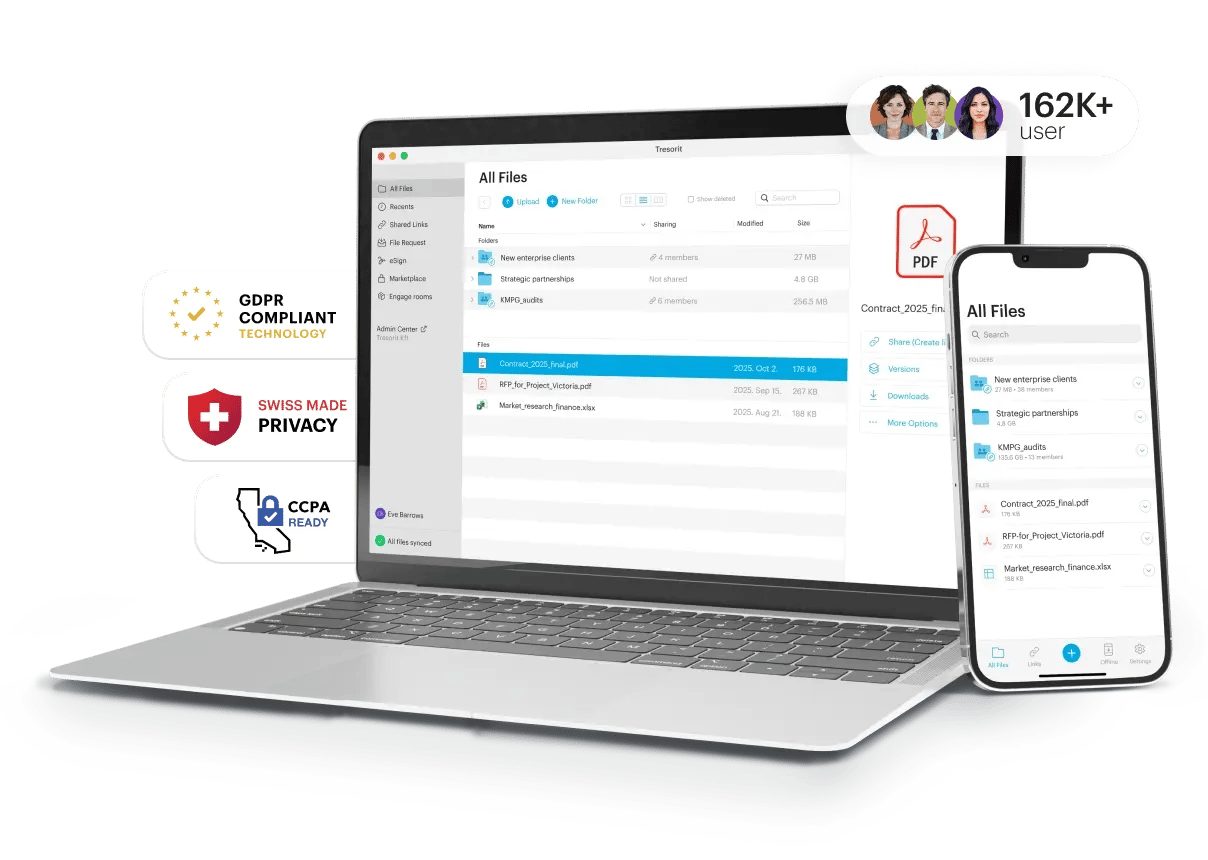
Tresorit is a cloud storage and file-sharing service from Tresorit AG that encrypts files and relevant metadata on the user’s device before upload, so the provider says it cannot read them. SecureCloud is sold in personal plans (Lite, Essential, Pro) and per-user business plans (Professional, Business, Business Pro, Enterprise), alongside separate Engage data rooms and FileSharing products. It runs on Windows, macOS, Linux, iOS, Android and the web, with sync, a virtual drive, camera upload, encrypted links and business admin controls. The clients are proprietary and not open source.
What users say
Evidence ↓Reviewers praise the encryption design and clean apps, and one reviewer calls it very secure and reliable. Both reviews read agree that it is expensive for the storage, and TechRadar and the ETH researchers (via Tresorit's own blog) fault the closed-source clients. These are two reviewers, not a sampled measure of users.
Rankings and alternatives
- Secure cloud storage #2 of 9 For businesses sharing client files
- Proton Drive #1 Best for most people
- MEGA #3 Most storage for the money
- Internxt #4 Lifetime plans, rough apps



Secure cloud storage scores
Evaluated Nov 17, 2026 Evidence ↓- Files the provider can't read · counts double 5
5/5 means: Everything you upload, including file and folder names, end-to-end encrypted by default on every plan
Vendor and reviewers say every file and its name is encrypted on the device by default on all plans, with no separate vault. Which metadata stays readable is not itemized.
- Independent security checks 4
4/5 means: Independent audits or a certification that reviewed the code, with at most minor findings still open
An Ernst & Young audit with full source-code access (2019), a Common Criteria EAL4+ evaluation of the client and ISO 27001 back a closed-source design. The writer raised this from 3 because the code was independently reviewed and the ETH Zurich findings for Tresorit were minor, which is level 4. The ETH Zurich study found key-replacement weaknesses; Tresorit fared best, but its fix (key fingerprints) was only on a 2025 roadmap and is unconfirmed. Clients are not open source.
- Track record and jurisdiction 5
5/5 means: An established provider with no exposure of stored files, a privacy-protective home country, transparency about legal requests and prompt responses to security reports
Established Swiss provider (founded 2011, majority-owned by Swiss Post) with no known exposure of stored files, and it acknowledged the ETH Zurich researchers within days and published a response. Raised from 4 by the writer; legal-request transparency was not checked, so the level rests partly on knowledge.
- Sharing that stays encrypted 5
5/5 means: Encrypted links with passwords and expiry dates, plus encrypted shared folders with other users, on every plan or the first paid one
Encrypted links work for non-users with password, expiry and open limit from the first paid plan (Lite), and encrypted shared folders exist. Richer link controls and logs are on higher plans.
- Sync and phone apps 3
3/5 means: Works, but with notable gaps such as no previews, weak search, slow uploads or recurring reliability complaints
Desktop sync with selective sync, a virtual drive and camera upload work, but reviewers cite slow uploads, no block-level sync, no file previews and filename-only search.
- Works on all your devices 5
5/5 means: Apps for Windows, macOS, Linux, iPhone and Android, plus a web app
Windows, macOS, Linux, iOS and Android apps plus a web app.
- Price per terabyte 2
2/5 means: About $7 to $10 per TB per month
Personal Pro (4 TB) shows $31.99 per month, which appears to be the yearly-billed price (about 0.8 of a round monthly price, not confirmed), so 31.99 / 4 = $8.00 per TB per month. If that were the monthly price, annual would be about $6.40.
Pricing
- Personal Lite $5.59 /month 50 GB, 2 GB max file, 5 versions, 2 devices, links up to 2 GB. Page text does not show whether this is the monthly or yearly-billed price; the page offers a 20% yearly discount. 14-day trial with payment details required.
- Personal Essential $13.59 /month 1 TB, 10 GB max file, 10 versions, 10 devices, links up to 2 GB. Billing toggle state not shown (see Lite). About $13.59 per TB.
- Personal Pro $31.99 /month 4 TB, 10 GB max file, 25 versions, 10 devices, links up to 5 GB, file requests and detailed access logs. Billing toggle state not shown. About $8.00 per TB.
- Professional $32.00 /month Business plan for 1 user, 4 TB, 10 GB max file, 16 free eSignatures, Office editing, audit logs, S3-compatible API. Billing toggle state not shown.
- Business $23.20 /month per seat At least 3 users, from 6 TB total (2 TB per user), 15 GB max file, SSO, admin policies, data residency options. Billing toggle state not shown.
- Business Pro $28.80 /month per seat At least 5 users, from 15 TB total, 20 GB max file, dynamic watermarks, user-level data residency, Azure AD and Okta provisioning, Active Directory, Sentinel SIEM.
- Enterprise Contact sales Custom users, storage and file size, billed annually; dedicated account manager and bring-your-own Azure.
Prices checked Nov 17, 2026.
Evidence and sources
What users say
Summary 4 quotes
-
Overall, we found Tresorit is a very secure, very fast, very reliable service, with apps that are a breeze to use.
David Nield, freelance reviewer at TechRadar · techradar.com/reviews/tresorit · checked -
Tresorit is also on the relatively expensive side for the amount of cloud storage you get, puts limits on the number of devices you can use, and doesn't come with some of the extras (like collaboration tools) that its rivals do.
David Nield, freelance reviewer at TechRadar · techradar.com/reviews/tresorit · checked -
Tresorit isn’t cheap. In fact, it’s considerably more expensive than similar products and doesn’t offer as much storage space, either.
Dan Ginn, writer at Cloudwards · cloudwards.net/tresorit-review · published · checked -
The Tresorit Blog cites a well known saying in Information Security "Trust is good, validation is better." This is ironic, as the client apps aren't open source.
David Nield, freelance reviewer at TechRadar · techradar.com/reviews/tresorit · checked
Secure cloud storage scores
Files the provider can't read 3 quotes
-
Encrypt every file and relevant metadata on your device, upload nothing without protection.
tresorit.com/pricing/personal · checked -
Each folder or file, including its name, is protected with its own encryption key.
tresorit.com/blog/independent-security-test-eth-zurich-puts-tresorits-e2ee-cloud-solution-to-the-test · published · checked -
This feature is included across all platforms and on all Tresorit plans, even the free account. There’s no separate encryption folder, either — every file you upload to the platform will have client-side encryption.
Dan Ginn, writer at Cloudwards · cloudwards.net/tresorit-review · published · checked
Independent security checks 8 quotes
-
Tresorit’s design is mostly unaffected by our attacks due to a comparably more thoughtful design and an appropriate choice of cryptographic primitives.
ETH Zurich researchers, authors of "End-to-End Encrypted Cloud Storage in the Wild" · tresorit.com/blog/independent-security-test-eth-zurich-puts-tresorits-e2ee-cloud-solution-to-the-test · published · checked -
The researchers criticized the absence of formal security analyses and the lack of open-source code.
tresorit.com/blog/independent-security-test-eth-zurich-puts-tresorits-e2ee-cloud-solution-to-the-test · published · checked -
Tresorit have however, undergone an independent security audit in 2019 by Ernst and Young, which did have access to the platform’s source code. They concluded that customer data was protected in the way Tresorit claimed.
techradar.com/reviews/tresorit · checked -
The Tresorit Blog cites a well known saying in Information Security "Trust is good, validation is better." This is ironic, as the client apps aren't open source.
David Nield, freelance reviewer at TechRadar · techradar.com/reviews/tresorit · checked -
The company received ISO 27001 certification from an independent audit firm that’s part of the globally trusted TÜV Rheinland group. Tresorit uses Microsoft Azure’s cloud infrastructure to store data, which has a solid reputation.
cloudwards.net/tresorit-review · published · checked -
Presenting public key fingerprints to users when sharing folders is on our 2025 roadmap. This will completely prevent key replacement attacks by allowing out-of-band verification.
bleepingcomputer.com/news/security/severe-flaws-in-e2ee-cloud-storage-platforms-used-by-millions · published · checked -
Out of the examined group of five, Tresorit fared relatively better, as the issues discovered do not directly expose file contents or allow for easy data manipulation.
bleepingcomputer.com/news/security/severe-flaws-in-e2ee-cloud-storage-platforms-used-by-millions · published · checked -
The tasks required to overcome these difficulties and factor in all possible attacks involving modified encryption keys remain unsolved, but Tresorit has done a far better job than anyone else.
kaspersky.com/blog/broken-sync-pcloud-tresorit-seafile-nextcloud-mega-icedrive/52766 · published · checked
Track record and jurisdiction 1 quote
-
The company received ISO 27001 certification from an independent audit firm that’s part of the globally trusted TÜV Rheinland group. Tresorit uses Microsoft Azure’s cloud infrastructure to store data, which has a solid reputation.
cloudwards.net/tresorit-review · published · checked
Sharing that stays encrypted 2 quotes
-
Share files with an end-to-end encrypted method. Further improve security with a password, expiry date, or download limit.
tresorit.com/pricing/personal · checked -
The link’s receiver does not need a Tresorit account to access the file or folder behind the link.
tresorit.com/blog/independent-security-test-eth-zurich-puts-tresorits-e2ee-cloud-solution-to-the-test · published · checked
Sync and phone apps 4 quotes
-
Automatically upload your camera photos to a selected folder.
tresorit.com/pricing/personal · checked -
Overall, we found Tresorit is a very secure, very fast, very reliable service, with apps that are a breeze to use.
David Nield, freelance reviewer at TechRadar · techradar.com/reviews/tresorit · checked -
Tresorit isn’t cheap. In fact, it’s considerably more expensive than similar products and doesn’t offer as much storage space, either.
Dan Ginn, writer at Cloudwards · cloudwards.net/tresorit-review · published · checked -
Tresorit lacks block-level sync, which means it doesn’t provide incremental updates for edited files. You can use selective sync though, which lets you sync specific files and folders of your choosing.
cloudwards.net/tresorit-review · published · checked
Works on all your devices 1 quote
-
Windows, Mac, Linux, Android, iOS, Web
tresorit.com/pricing/personal · checked
Price per terabyte 2 quotes
-
4 TB encrypted storage
tresorit.com/pricing/personal · checked -
At least 3 users
tresorit.com/pricing/business · checked
Facts
License 2 quotes
-
The Tresorit Blog cites a well known saying in Information Security "Trust is good, validation is better." This is ironic, as the client apps aren't open source.
David Nield, freelance reviewer at TechRadar · techradar.com/reviews/tresorit · checked -
The researchers criticized the absence of formal security analyses and the lack of open-source code.
tresorit.com/blog/independent-security-test-eth-zurich-puts-tresorits-e2ee-cloud-solution-to-the-test · published · checked
Runs on 1 quote
-
Windows, Mac, Linux, Android, iOS, Web
tresorit.com/pricing/personal · checked
Users 1 quote
-
Trusted by 11,000+ organizations worldwide
tresorit.com/pricing/business · checked
More from the sources
Pricing 3 quotes
-
Personal Lite $5.59 / month
tresorit.com/pricing/personal · checked -
1 TB encrypted storage
tresorit.com/pricing/personal · checked -
Yes, of course! You can try any of our plans for free, for 14 days without any limitations.
tresorit.com/pricing/personal · checked
Features 6 quotes
-
Protect your sensitive files and fulfill the strictest industry and local regulations with Tresorit's ISO-27001-certified, GDPR-, TISAX- & FINRA-compliant tool.
tresorit.com/pricing/business · checked -
Use your own identity provider to access Tresorit.
tresorit.com/pricing/business · checked -
Admins can recover user passwords and revoke access from devices.
tresorit.com/pricing/business · checked -
Office editing
tresorit.com/pricing/business · checked -
Decryption is only possible with a user’s unique decryption key: even Tresorit staff can't access your files. This 'blind' or 'zero knowledge' approach has the advantage that neither hackers nor law enforcement can access your files; but if you forget your key, it's gone forever.
David Nield, freelance reviewer at TechRadar · techradar.com/reviews/tresorit · checked -
Personal and business users can activate two-factor authentication to log in to the platform. You can receive unique login codes via text, phone, email and an authenticator app.
cloudwards.net/tresorit-review · published · checked
Limits and known issues 2 quotes
-
50 GB encrypted storage
tresorit.com/pricing/personal · checked -
Select the data center(s) where you want to keep data and satisfy company policy or industry and jurisdiction-specific regulations.
tresorit.com/pricing/business · checked
Pricing
tresorit.com/pricing · checked