Cline vs Kilo Code: which open-source coding agent to use
The usual story is that Kilo Code is Cline with extra features bolted on. That was close to true when Kilo started, as a fork of Roo Code, which was itself a fork of Cline. It isn’t true anymore. Kilo has since rebuilt its VS Code extension on OpenCode, a different open-source agent, so moving from Cline to Kilo today means changing agents, not upgrading the one you have.
Both are free, open-source coding agents. You describe a task in a chat panel, and the agent reads your project, edits files and runs commands, asking first unless you’ve told it not to. Both run in VS Code, in JetBrains IDEs, in the terminal and as a desktop app (only Kilo’s desktop app runs on Linux). Neither charges for the agent itself. You pay for the AI model: through your own API key from a provider such as Anthropic or OpenAI, through credits bought from Cline or Kilo, or not at all with a model running on your own computer.
The short answer: if Cline works for you, stay. Its checkpoints, its automation tools and its plain two-mode workflow are as good as Kilo’s or better. Pick Kilo Code if you want tab autocomplete as well as an agent, rules that let the agent run some commands on its own and ask about others, or a new home for your Roo Code modes.
1–5 per criterion · select a score for its reasoning and any sources
| # | Product | Overall | Where you can use it | Local models | MCP tool servers | Approval controls | Undo and checkpoints | Plan mode and custom agents | Scripting and CI | Web access | Usage data collection | Release recency |
|---|---|---|---|---|---|---|---|---|---|---|---|---|
| 1 | Kilo Code | 4.4 | 4 | 5 | 5 | 5 | 4 | 5 | 4 | 5 | 2 | 5 |
| 2 | Cline | 4.2 | 5 | 5 | 5 | 3 | 5 | 3 | 5 | 4 | 2 | 5 |


How each criterion is scored
Where you can use it
The places the project documents for running the agent: a terminal, VS Code (and editors built on it), JetBrains IDEs, a desktop app, and a browser interface served from your own computer. Count only interfaces the project itself ships and doesn't mark as deprecated; a hosted cloud service doesn't count as a browser interface.
- 5 All five, terminal, VS Code, JetBrains, desktop app and browser
- 4 Four interfaces
- 3 Three interfaces
- 2 Two interfaces
- 1 One interface only
Local models
Whether you can run the agent against models on your own computer instead of a paid API, and how many local model runners (such as Ollama, LM Studio, llama.cpp or vLLM) have their own setup page or built-in provider entry.
- 5 Three or more named local runners supported
- 4 Two named local runners supported
- 3 One named local runner supported
- 2 Local models only through a generic OpenAI-compatible address, with no named local runner
- 1 No known way to use a local model
MCP tool servers
Support for the Model Context Protocol (MCP), which lets the agent use outside tools such as databases, issue trackers or browsers: servers that run on your computer, remote servers, sign-in to remote servers, and a built-in catalog to install them from.
- 5 As 4, plus a built-in catalog to find and install servers
- 4 As 3, plus OAuth sign-in for remote servers
- 3 Servers on your computer and remote servers over HTTP
- 2 MCP servers that run on your computer only
- 1 No MCP support
Approval controls
How finely you can decide what the agent does without asking: editing files, running commands, fetching web pages or using MCP tools.
- 5 As 4, plus different rules per mode or agent, or per file path
- 4 As 3, plus allow and deny lists for specific commands
- 3 Separate settings for file edits, commands and at least one more kind of action
- 2 Separate approval settings for at least two kinds of action, such as file edits and commands
- 1 No approval step, or a single switch between asking for everything and approving everything
Undo and checkpoints
How you get back to an earlier state after the agent changes your files: git commits you undo by hand, a command that undoes the last change, or going back to any earlier point in the conversation.
- 5 As 4, plus a built-in diff of what changed and a choice to restore only the files or only the conversation
- 4 Going back to any earlier message in the conversation restores your files and the conversation to that point
- 3 A built-in command that undoes the agent's last change
- 2 The agent commits its changes to git, and you undo them with git yourself
- 1 No known undo beyond your own version control
Plan mode and custom agents
Ways of working besides "edit the code": a read-only mode for planning or questions, agents you define with your own instructions and tool access, and subagents, which the main agent hands parts of a task to and collects results from.
- 5 As 4, plus several subagents running at the same time
- 4 As 2, plus both agents you define and subagents
- 3 As 2, plus either agents you define with your own instructions and tool access, or subagents
- 2 A read-only mode for planning or questions, besides the editing mode
- 1 One way of working only
Scripting and CI
Use without a person at the keyboard: running one task from a command line, machine-readable output, a documented setup for GitHub Actions or other CI, and an SDK or server API for building on the agent.
- 5 As 4, plus an official SDK or server API for other programs
- 4 As 3, plus an official GitHub Actions or other CI setup
- 3 As 2, plus machine-readable (JSON) output
- 2 Runs a single task from the command line and exits
- 1 Interactive use only
Web access
How far the agent can reach outside your project to read documentation or check a running web app: reading a page you name, fetching pages on its own, searching the web, and controlling a browser. Web search counts even when it works only with some model providers or a search service you sign up for.
- 5 As 4, plus controlling a browser (open pages, click, take screenshots)
- 4 As 3, plus web search
- 3 Fetches web pages on its own during a task
- 2 Reads a web page only when you give it the address
- 1 No web access
Usage data collection
Whether the project collects anonymous usage data about how you use the agent, and what you have to do to stop it. This is separate from the code and prompts you send to the model provider you pick.
- 5 The agent officially collects no usage data
- 4 Off unless you turn it on
- 3 Asks on first run before collecting anything
- 2 Collected by default; turned off with a setting or environment variable
- 1 Usage data collected with no known way to turn it off
Release recency
How recently the latest version was released, from GitHub release data, the package registry or the project's own changelog, counted back from 7 November 2026.
- 5 Latest release less than 1 month old
- 4 Latest release 1 to 3 months old
- 3 Latest release 3 to 6 months old
- 2 Latest release 6 to 12 months old
- 1 Latest release more than 12 months old
Kilo Code edges ahead in the scores table above on three things: finer approval rules, its own agents and subagents inside the editor, and web access that includes driving a browser to check a web app. Cline wins back ground on where you can use it, on undo and on scripting. Local models, MCP tool servers, usage data collection and release pace come out even.
Same family, different engine
Open the two side by side and Kilo still looks like a relative: a chat panel in the sidebar, a mode for planning before anything gets touched, checkpoints you can roll back to. Underneath, Kilo’s current VS Code extension runs on the Kilo CLI, which is a fork of OpenCode, and the same engine powers Kilo’s terminal app and its cloud agents. Kilo made the rebuilt extension the default for everyone, and existing installs moved to it through normal updates. Kilo’s old modes became “agents” along the way.
For a Cline user, that means switching is a fresh start. Your Cline settings, API keys and chat history stay in Cline. Project rules travel more easily: both agents read an AGENTS.md file at the root of your project, so rules kept there work in either. To keep using a .clinerules file in Kilo, point the instructions setting in Kilo’s kilo.jsonc config file at it.
Autocomplete is Kilo’s most visible extra
Cline is only an agent. It doesn’t suggest code as you type, so if you want that, you keep GitHub Copilot or your editor’s own completions running next to it. Kilo Code has tab autocomplete built in and switched on: grey suggestion text appears ahead of your cursor, and Tab accepts it.
Autocomplete is billed apart from the agent, though. It runs on Mistral’s Codestral model through Kilo’s own gateway, so it spends Kilo credits unless you add a Mistral API key; the Anthropic or OpenRouter key that runs your agent doesn’t cover it.
How much the agent does without asking
This is where the two feel most different hour to hour. Cline asks before acting, and its Auto Approve settings let you wave through whole categories: reading files, editing them, running commands, using the browser and calling MCP tools (outside tools such as databases or issue trackers, connected through the Model Context Protocol). Those settings work by category, though, so you can’t tell Cline that npm test is always fine while git push always needs a yes.
Kilo Code can. Each tool can be set to allow, ask or deny, and rules can match command patterns and file paths: allow git status, ask before any other shell command, let the agent edit Markdown files and nothing else. Rules can differ for each agent, and Kilo’s VS Code extension, JetBrains plugin and terminal app share them. That’s what makes it reasonable to leave Kilo on a long task while you go and do something else.
Kilo also has more ways of working. Besides Code, it has Ask, Plan and Debug agents, you can write your own agents with their own instructions, model and tool access, and an agent can hand pieces of a task to several subagents at once. Its Agent Manager runs agents side by side, each in its own git worktree (a separate checkout of your repository), so they don’t trample each other’s edits.
Cline keeps it simpler: Plan mode reads and discusses without touching files, and Act mode does the work. It does run parallel subagents, and it has a Kanban board in the browser for running many agents on separate worktrees. But the subagents run only in Cline’s terminal app and desktop app, not in its VS Code or JetBrains extensions, which is where most people use it.
Undo and automation favor Cline
Cline’s checkpoints are the better safety net. It snapshots your project every time it edits a file or runs a command, shows a diff of what changed at each point, and lets you restore only the files, only the conversation, or both. Restoring only the files lets you throw away a bad edit and keep the discussion that led to it. Kilo’s checkpoints roll your files back to the moment before a chosen message and hide the chat after it, with a per-file diff, but files and conversation go back together.
Cline is also the stronger base for automation. Its terminal app runs with no one at the keyboard, prints one JSON object per line for scripts to read, and comes with a documented GitHub Actions setup. Kilo matches most of that with kilo run --auto, JSON output and its own GitHub Actions example. If you’re building your own tools on the agent itself, the Cline SDK is a documented way in, built on the same core as every Cline app.
Paying for the models
Neither maker charges for the agent, and both sell model access as a convenience rather than a requirement.
| As of November 2026 | Cline | Kilo Code |
|---|---|---|
| Your own API key | Yes, billed by your provider | Yes, billed by your provider |
| Credits from the maker | Cline credits, sold at cost | Kilo credits, at the provider’s rate with no markup |
| Subscription | ClinePass, $9.99 a month: higher limits on open models such as DeepSeek and Kimi | Kilo Pass: payments become credits, plus up to 40% (monthly) or 50% (yearly) bonus |
| Free models | Rotating, limited-time promotions | A changing set of free models |
| Team plans | Enterprise only, priced by sales | Teams at $15 per user a month; Enterprise priced by sales |
ClinePass is the odd one out. It’s a flat fee for higher usage limits on a list of open models, and Claude, GPT and Gemini aren’t on that list. It’s good value if DeepSeek- or Kimi-class models handle most of your work, and useless if you want Claude. Kilo Pass works more like prepaying for credits with a bonus on top, and those credits buy any model Kilo’s gateway carries.
For a small team, Kilo’s per-seat Teams plan is something you can simply buy. Cline sells its team features, such as single sign-on, role-based access and audit logs, only through an Enterprise contract.
Local models and privacy
Both run models on your own computer through Ollama, LM Studio or Atomic Chat, and both connect to MCP servers on your machine or remote ones with sign-in. Both also collect usage data by default, and both let you switch it off in settings. In Kilo’s VS Code extension that’s VS Code’s own telemetry setting; in Cline, one switch covers every Cline app on the computer.
Cline puts one more promise in writing: when you use your own API key, your code and prompts go straight to your provider, and Cline doesn’t collect them. Free promotional models are the exception to watch, since Cline says usage of them may help improve the models. On Kilo’s side, the desktop app’s local model server asks you to sign in to a Kilo account, which is an odd requirement for something meant to keep you off other people’s servers.
If you came from Roo Code
Roo Code, the fork that sits between Cline and Kilo in this family, has shut down its VS Code extension. Its archived page points users to Cline, where Roo started, and to ZooCode, a community fork.
For most Roo users, Kilo is still the closer fit. Kilo reads Roo’s configuration and modes on startup: .roorules becomes AGENTS.md, and custom modes in .roomodes carry over as Kilo’s own. Only your API keys need pasting in again. Cline works in its two modes, Plan and Act, so a workflow built on several custom Roo modes has to be rebuilt as Cline rules or skills.
Cline
The careful agent with the better undo
#2 4.2/5
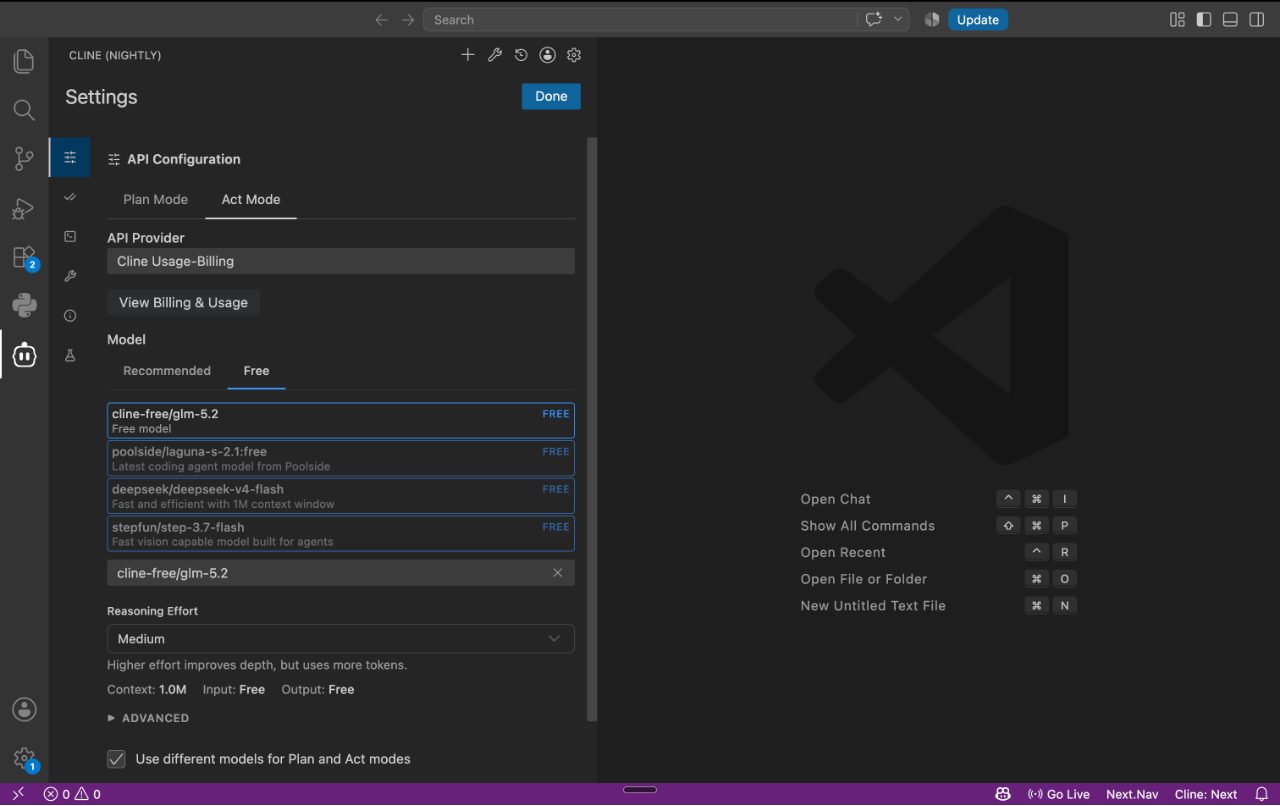
Cline is the one to keep if you like an agent that asks first and lets you take back exactly what you want afterward. It has a much larger user base than Kilo, so there are more guides and answers out there, and its terminal app and SDK make it the easier base for automation.
Pros
- Checkpoints after every edit or command, with a diff and a choice to restore files, conversation or both
- Terminal app, GitHub Actions setup and an SDK for building automation on the agent
- With your own API key, your code goes straight to your provider and Cline doesn't collect it
- Plain Plan and Act modes that are quick to learn
Cons
- No autocomplete as you type
- Approval settings work by category, with no list of specific commands to always allow or always block
- Subagents run only in the terminal and desktop apps, not the VS Code or JetBrains extensions
- ClinePass doesn't include Claude, GPT or Gemini models
- Skip if:
- You're moving from Roo Code and your workflow depends on custom modes
Kilo Code
Agent and autocomplete in one, with finer rules
#1 4.4/5
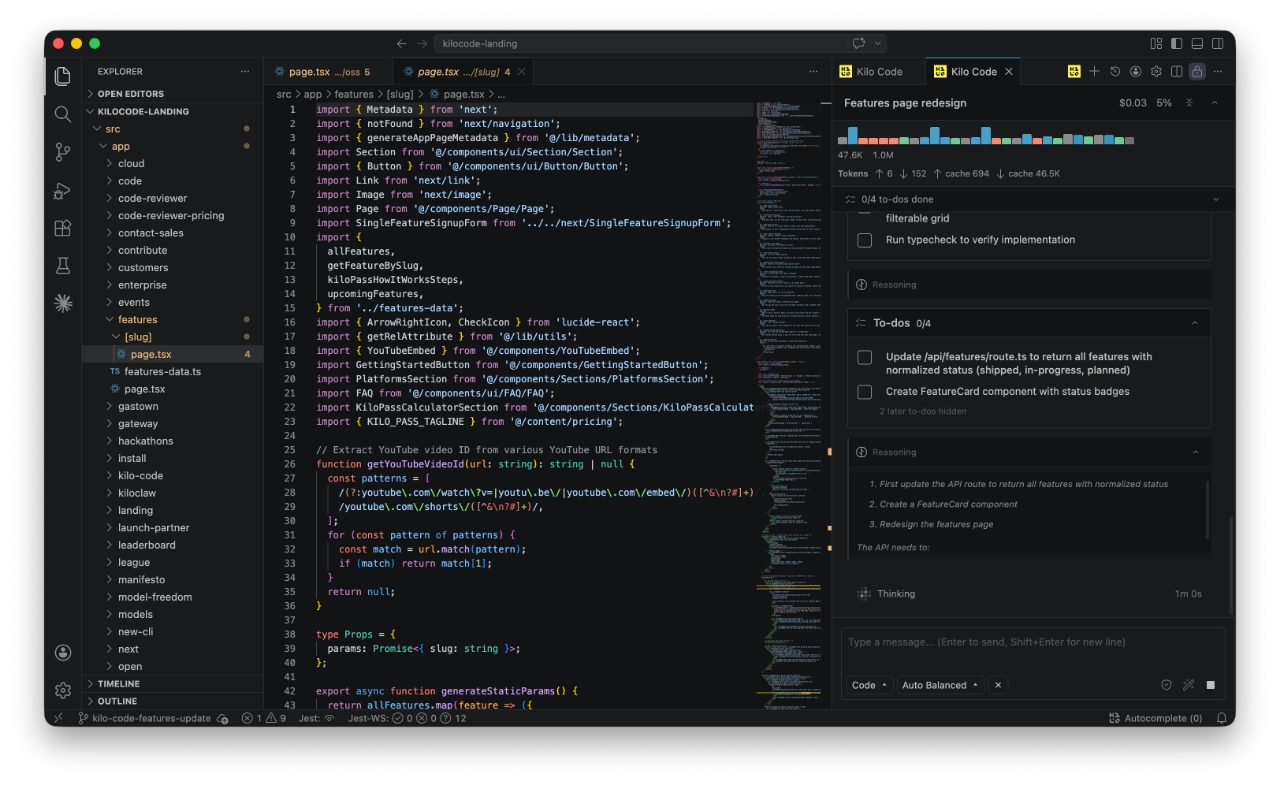
Kilo Code is the one to pick if you want more than an agent: completions as you type, agents you define yourself, and permission rules you can trust with a long unattended task. There’s more to learn than in Cline, and since its rebuild it’s a different agent underneath, not a souped-up copy of Cline.
Pros
- Tab autocomplete next to the agent
- Allow, ask and deny rules for each tool, command pattern and file path
- Custom agents and parallel subagents inside VS Code, plus an Agent Manager for side-by-side work
- Reads Roo Code's rules and modes
- A Teams plan with a published per-seat price
Cons
- Autocomplete spends Kilo credits unless you add a Mistral API key
- Undo restores files and conversation together, with no option to restore only one
- Kilo Desktop's local model server needs a Kilo account
Frequently asked questions
Is Cline’s JetBrains plugin free?
Yes, for using it on your own. The plugin installs from the JetBrains Marketplace and works with your own API key or a local model, even though Cline’s pricing page lists the JetBrains extension under Enterprise. Kilo’s JetBrains plugin is free too, and it shares its settings with Kilo’s VS Code extension and terminal app.
Is one of them cheaper to run?
Not on paper. Both agents are free, and with your own API key you pay your provider the same rate in either. Kilo sells credits at the provider’s rate with no markup, and Cline sells its credits at cost. What changes your bill is the model you pick and how much of your project the agent reads on each task. ClinePass is the one way to pay a flat monthly fee, as long as its open models are enough for you.
Who should pick which
- You use Cline and it does the job: stay with Cline. Switching means a different engine, new settings and new habits, and you’d give up the option to restore files without rolling back the conversation.
- You want completions as you type and an agent in one extension: Kilo Code, as long as you’re fine paying for autocomplete with Kilo credits or a Mistral key.
- You’re leaving Roo Code: Kilo Code, which reads your Roo rules and modes.
- You run local models or want your code to go only to your provider: either works with Ollama, LM Studio or Atomic Chat. Cline has the clearer written promise about your own API key, and Kilo’s desktop app needs a Kilo account for its local model server.
- You’re a small team that wants a plan you can just buy: Kilo Code, at a published price per seat.
- You’re building scripts or CI jobs around the agent: Cline, for its SDK and headless terminal app.
Cline and Kilo Code have grown apart. Cline is the more cautious of the two: fewer ways of working, but more control after the fact through its checkpoints, and the better toolkit for automation. Kilo has gone wider, with autocomplete, its own agents and permission rules fine enough to leave it running on a long job, at the cost of a newer engine and autocomplete that bills through Kilo. If you’re on Cline and don’t miss any of that, moving gains you nothing. If one of Kilo’s extras is why you searched, it’s a good enough reason to switch.
We scored 2 products on 10 criteria using 59 quotes, 57 of them from the products' own websites. How our rankings work