
Cline
Open-source AI coding agent for VS Code, JetBrains IDEs, the terminal and a desktop app
Our verdict
#4 of 7 in AI coding tools · For provider choice and checkpoint recovery
Pros
- Broad model and local-provider choice
- Excellent checkpoint diffs and recovery choices
- Direct-to-provider inference with a free open-source client
Cons
- No predictive completion
- Provider costs and output quality vary with the configuration
- Coarser approvals and more setup than managed alternatives
Skip if: Developers who want predictive completions, a fixed-price workload allowance, or very little provider configuration.
Rankings and alternatives
- #4 of 7 AI coding tools For provider choice and checkpoint recovery
- Claude Code #1 Best overall for substantial repository work
- Cursor #2 For hands-on editing and close agent control
- OpenAI Codex #3 For local-to-cloud work with ChatGPT



AI coding tools in 2027 scores
Evaluated Nov 12, 2026 Evidence ↓- Coding and repository-task quality · counts double 4
4/5 means: Strong everyday coding and multi-file work, with a tradeoff on extended tasks or model configuration
One five-task comparison on a single React and TypeScript repository found Cline competitive with Cursor when both used Claude Sonnet 4.6. This supports strong configured performance, not a universal result across providers and models; broader current preference evidence is thinner than for the leaders.
- Everyday coding workflow 3
3/5 means: Good terminal or editor integration with substantial setup friction, uneven surfaces or missing support for ordinary editing
Broad editor, terminal and desktop support with excellent checkpoint diffs. No predictive completion, and subagents are limited to the CLI and desktop app.
- Agent control and recovery 4
4/5 means: Strong approvals, isolation and automation, with a notable recovery or execution limitation
Checkpoints restore files and conversation independently, with headless automation and an SDK. Approval rules are category-based rather than granular per-command policies.
- Model and provider choice · counts half 5
5/5 means: Broad provider, subscription and custom-endpoint choice plus at least three named local-model runners
Major hosted providers, custom credentials and three named local runners offer broad provider freedom.
- Team administration and security 4
4/5 means: Strong organizational identity, policy and audit or networking controls, with smaller gaps in model administration or plan restrictions
Enterprise includes central billing and management, roles, SSO, SCIM, audit logs, VPC deployment and OpenTelemetry.
- Code and prompt privacy · counts half 5
5/5 means: Direct-to-provider or local inference that the coding-tool vendor does not collect, with a documented no-training route
With the user's own API key, submitted content goes directly to the provider and Cline does not collect it. Usage telemetry is on by default but separate from submitted code and can be disabled.
Pricing
- Open-source client Free Bring your own API key; model inference is billed separately by your provider
From the vendor’s pricing page, checked Nov 11, 2026. That page is authoritative.
Evidence and sources
AI coding tools in 2027 scores
Coding and repository-task quality 2 quotes
-
“Cline's agent task average (8.75/10 across Tasks 2–5) places it between Claude Code and Cursor on these metrics. The trade-off is variable API costs instead of a fixed subscription, no inline autocomplete, and less seamless IDE integration. For cost-conscious developers, Cline's agent quality is genuinely competitive with subscription tools.”
cursor-alternatives.com/blog/ai-coding-tools-benchmark-2026 · checked -
“Cline / OpenCode Open, transparent, cheap with mid-tier or local models; plan/act and provider choice praised Less polished UX; more manual setup; smaller communities”
aiengineerinsights.com/blog/best-ai-coding-agents · checked
Everyday coding workflow 5 quotes
-
“Every time Cline modifies a file or runs a command, it saves a snapshot of your project files.”
docs.cline.bot/core-workflows/checkpoints · checked -
“Click Compare to open a diff view showing exactly what changed at that checkpoint.”
docs.cline.bot/core-workflows/checkpoints · checked -
“Subagents are available in the Cline CLI and Cline Desktop. The VS Code and JetBrains extensions don't use them.”
docs.cline.bot/features/subagents · checked -
“Cursor's Tab model provides predictive, multi-line inline suggestions as you type. Cline has no equivalent. This alone makes Cursor faster for everyday coding.”
morphllm.com/comparisons/cline-vs-cursor · checked -
“Cline works across all major editors: VS Code, Cursor, Windsurf, JetBrains (IntelliJ, PyCharm, WebStorm), Antigravity, and Zed, Neovim via ACP mode.”
docs.cline.bot/cline-overview · checked
Agent control and recovery 8 quotes
-
“Cline's agent core. Build your own agents, automations, and integrations on the same engine that powers every app above.”
docs.cline.bot/cline-overview · checked -
“When Cline is about to read a file, edit a file, run a command, or use the browser, it checks your Auto Approve settings for that category.”
docs.cline.bot/features/auto-approve · checked -
“The CLI has no allow or deny list for shell commands.”
docs.cline.bot/cli/cli-reference · checked -
“Every time Cline modifies a file or runs a command, it saves a snapshot of your project files.”
docs.cline.bot/core-workflows/checkpoints · checked -
“Click Compare to open a diff view showing exactly what changed at that checkpoint.”
docs.cline.bot/core-workflows/checkpoints · checked -
“Deletes messages after this point, does not affect files”
docs.cline.bot/core-workflows/checkpoints · checked -
“When you give Cline a task with --json, the CLI prints one JSON object per line.”
docs.cline.bot/cli/cli-reference · checked -
“all running automatically in GitHub Actions”
docs.cline.bot/cli/samples/github-integration · checked
Show all 8
Model and provider choice 3 quotes
-
“Use your own provider credentials for cloud providers or local runtimes.”
docs.cline.bot/cline-overview · checked -
“Install a local runtime (Ollama, LM Studio or Atomic Chat)”
docs.cline.bot/running-models-locally/overview · checked -
“Absolutely! You can bring your own API keys from providers like OpenAI, Anthropic, Google, and others. This gives you complete control over your costs and usage.”
cline.bot/pricing · checked
Team administration and security 1 quote
-
“Enterprise is for organizations that need team collaboration features and enterprise-grade security. This includes JetBrains extension, centralized billing, team management dashboard, role-based access control, SSO, OIDC, SCIM provisioning, audit logs, VPC deployments, SLA, OpenTelemetry, priority support, and dedicated support.”
cline.bot/pricing · checked
Code and prompt privacy 4 quotes
-
“Telemetry is on by default in the VS Code and JetBrains extensions, Cline Desktop and the CLI, whether you sign in to a Cline account or use your own API keys. You can turn it off at any time.”
docs.cline.bot/enterprise-solutions/monitoring/telemetry · checked -
“These products share one telemetry setting on each computer. Turning it off in one product turns it off in the others.”
docs.cline.bot/enterprise-solutions/monitoring/telemetry · checked -
“In the Cline panel, click the settings (gear) icon. Select General. Clear Allow error and usage reporting.”
docs.cline.bot/enterprise-solutions/monitoring/telemetry · checked -
“User Content, including any files, documents, audio, videos, images, data, or communications you choose to input, upload, or transmit to our products and services. If you use your own API keys to access the AI model, you provide this information directly to the third-party provider, and we do not collect it. However, if you use API keys provided by Cline rather than your own, we collect this information in order to facilitate your requests to third-party AI model providers on your behalf.”
cline.bot/privacy · checked
Facts
License 1 quote
-
“Apache-2.0 license”
github.com/cline/cline · checked
Runs on 6 quotes
-
“Cline is an AI coding agent that lives in your editor and your terminal.”
docs.cline.bot/cline-overview · checked -
“Run Cline in your terminal with interactive chat or fully headless automation for CI/CD and scripting.”
docs.cline.bot/cline-overview · checked -
“The same Cline experience in IntelliJ IDEA, PyCharm, WebStorm, GoLand, and the rest of the JetBrains family.”
docs.cline.bot/cline-overview · checked -
“Run many agents in parallel from a web-based task board with per-card worktrees, auto-commit, and dependency chains.”
docs.cline.bot/cline-overview · checked -
“Available for macOS and Windows (Windows is currently in beta).”
docs.cline.bot/getting-started/installing-cline · checked -
“VS Code Extension AI coding assistant in your editor. Create files, run commands, browse the web, and use tools with human-in-the-loop approval.”
docs.cline.bot/cline-overview · checked
Notability
Users 2 quotes
-
“Trusted by 11M+ developers.”
cline.bot · checked -
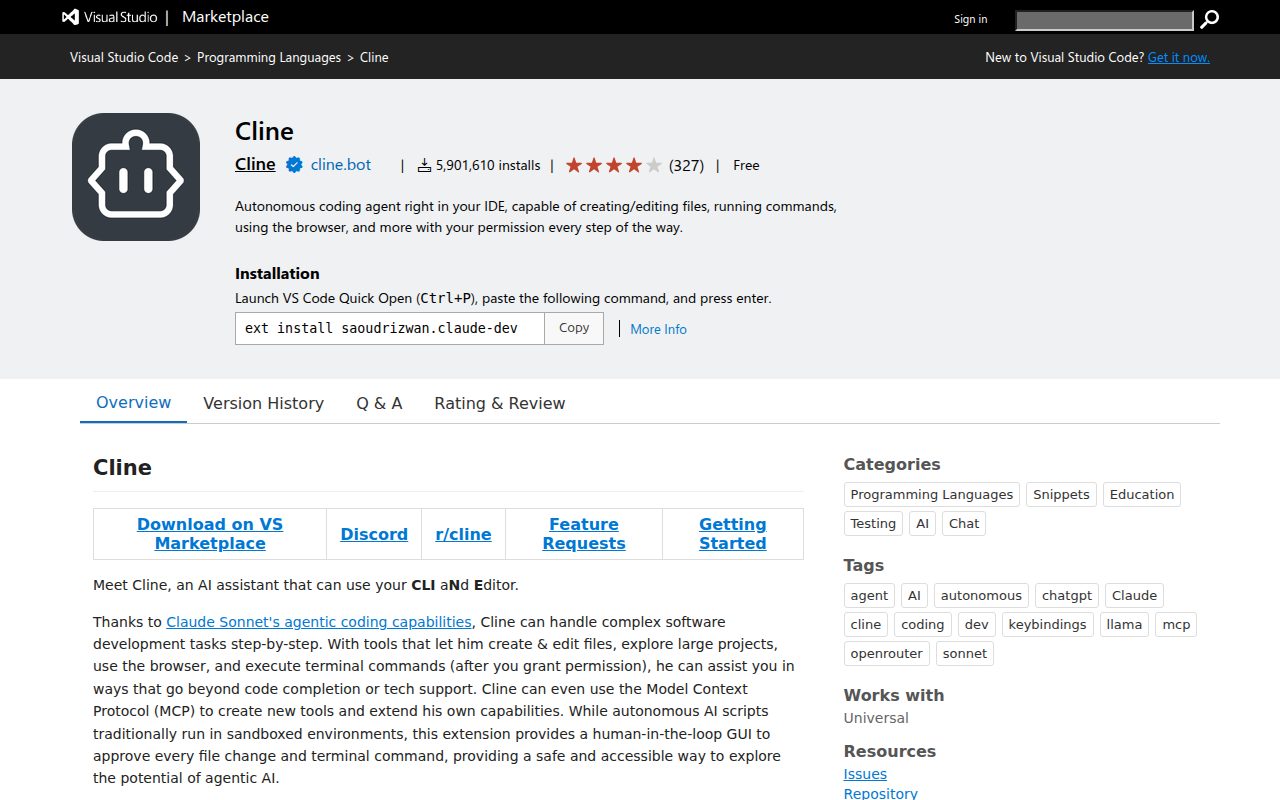
“5,868,321 installs”
marketplace.visualstudio.com/items · checked
Company value 1 quote
-
“Cline has raised $32M in combined Series A and Seed funding, led by Emergence Capital and Pace Capital”
cline.bot/blog/cline-raises-32m-series-a-and-seed-funding-building-the-open-source-ai-coding-agent-that-enterprises-trust · checked
Other quotes
Not cited by a score or fact 13 quotes
-
“An open source app for open weight models, with parallel sessions, scheduled tasks, and flexible model choice.”
docs.cline.bot/cline-overview · checked -
“Use either local servers or remote hosted servers”
docs.cline.bot/mcp/mcp-overview · checked -
“Run or rerun browser authorization for a remote server”
docs.cline.bot/mcp/mcp-overview · checked -
“discover skills, MCP, plugins through the Marketplace”
docs.cline.bot/usage/cline-desktop · checked -
“MCP tools and resources”
docs.cline.bot/features/auto-approve · checked -
“Browser tool for web fetching and searching”
docs.cline.bot/features/auto-approve · checked -
“In this mode, Cline can read your codebase, run searches, and discuss strategy, but cannot modify any files or execute commands.”
docs.cline.bot/core-workflows/plan-and-act · checked -
“This keeps the main agent's context clean, and several subagents can run at the same time.”
docs.cline.bot/features/subagents · checked -
“Fetch web content”
docs.cline.bot/tools-reference/all-cline-tools · checked -
“Only providers with built-in web search honor this setting.”
docs.cline.bot/usage/cline-desktop · checked -
“Repository/824874689/v4.1.26 2026-10-26T09:06:51Z v4.1.26”
github.com/cline/cline/releases.atom · checked -
“Cline is free for individual developers. Pay only for AI inference on a usage basis - no subscriptions, no vendor lock-in.”
cline.bot/pricing · checked -
“Flat $9.99/month subscription that offers 2-5x the usage on popular open coding models compared to standard API rate.”
docs.cline.bot/cline-overview · checked
Show all 13
Pricing
cline.bot/pricing · checked