Claude Code is the best AI coding tool for most developers who want to delegate real repository work. Practitioners currently rate it most highly for complex changes, debugging, and repeatedly testing and refining changes. They also report unusually high satisfaction, and it is widely used at work. OpenAI Codex is the close alternative when you already use ChatGPT or want a clearer estimate of model-specific capacity.
This choice spans standalone agents, editor assistants and complete AI editors because developers genuinely substitute them for the same jobs. A terminal is not a limitation by itself, but an editor can change how closely you steer the work. Choose Cursor or Zed for a complete editing environment, GitHub Copilot for completions and agents in the editor you already use, or OpenCode and Cline when provider choice matters more than a managed default.
| Practical individual configuration, per month | Best reason to choose it | |
|---|---|---|
| Claude Code | Pro, $20 | Complex repository work and controlled delegation |
| Cursor | Plus, $8; Premium, $30 plus third-party-model use | Predictive edits and close agent supervision |
| OpenAI Codex | Plus, $20; lighter Free and $8 Go options | Local-to-cloud tasks with published capacity estimates |
| Cline | Free client plus provider usage | Provider choice and independent checkpoint recovery |
| OpenCode | Go, $10; free client plus provider usage | Open-source agent, provider freedom and transparent allowances |
| Zed | Personal, $0 plus providers; Pro, $10 plus hosted-model overage | Fast editing, native agents and local-model routes |
| GitHub Copilot | Pro, $10 | Everyday assistance across existing editors |
Prices are current as of November 2026 for new individual buyers and do not include taxes. These are entry configurations, not scores or equivalent amounts of work. Vendors measure allowances in requests, tokens or credits and apply different time windows, so there is no common measured cost for the same task across all seven choices. The reviews explain the published limits and uncertainty rather than letting a cheap subscription outweigh coding results.
All seven tools need a developer to inspect the changes and decide whether they belong in the project. If you are choosing the editor itself rather than the agent, our AI code editor guide compares complete editing environments.
Key facts
7 productsLicenses, requirements, and starting prices. Prices as of November 2026.
- License
- Proprietary
- Runs on
- Terminal on macOS, Linux and Windows
- VS Code and JetBrains extensions
- Desktop app and web
- Needs
- A paid Claude subscription or a Claude Console account
- Price
- From $20.00/month
- License
- Proprietary
- Runs on
- Desktop app on macOS, Windows and Linux
- Terminal, Slack and cloud agents
- Needs
- Not recorded
- Price
- Free plan
- License
- Apache License 2.0 for the CLI; proprietary cloud service, open source
- Runs on
- CLI on macOS, Linux and Windows
- VS Code-compatible editors, JetBrains IDEs and Xcode
- Desktop app and cloud
- Needs
- A ChatGPT account, an API key or a configured model provider
- Price
- Free plan
- License
- Apache License 2.0, open source
- Runs on
- VS Code and editors built on it
- JetBrains IDEs
- Terminal (CLI)
- Desktop app for macOS and Windows (Windows in beta)
- Kanban task board in the browser
- Needs
- Not recorded
- Price
- Free plan
- License
- MIT License, open source
- Runs on
- macOS
- Linux
- Windows (no Windows package manager install)
- VS Code and compatible IDE extensions
- Needs
- Not recorded
- Price
- Free plan
- License
- GNU General Public License 3.0, open source
- Runs on
- macOS 12 or later, Windows and Linux
- Needs
- A provider account, API key, external agent or local model for AI features
- Price
- Free plan
- License
- Proprietary
- Runs on
- VS Code, Visual Studio, JetBrains IDEs, Xcode, Vim, Neovim, Zed and Eclipse
- Terminal on macOS, Linux and Windows
- Desktop app on macOS, Linux and Windows
- GitHub on the web and mobile
- Needs
- A GitHub account and model usage through a Copilot plan or paid credits
- Price
- Free plan







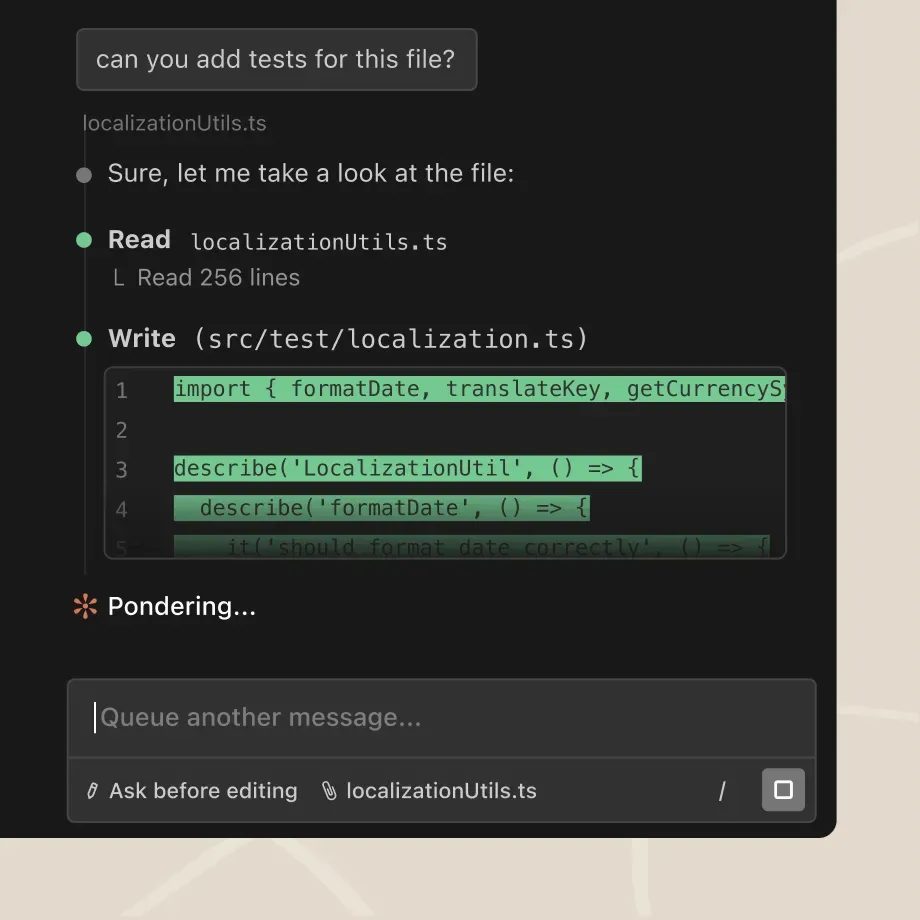
Claude Code is the strongest default for developers who want to describe an outcome and have an agent investigate, edit, test and iterate. Claude Code stands out on the difficult work after the first plausible patch: it finds the relevant files, traces failures, makes coherent multi-file changes and checks the result. Comparative reviews and current practitioner surveys support that lead, although no single benchmark can predict how it will handle your repository.
The terminal is the main form, not the only one. VS Code and JetBrains extensions show diffs beside your code, while the desktop and web versions support parallel sessions, visual review and work you return to later. You do not need to replace your editor to use the agent, but you do need another tool if you want predictive completions while typing.
Permission modes, allow and deny rules, hooks and an optional operating-system sandbox constrain the agent’s shell commands. The sandbox covers shell commands only; Claude’s file tools, MCP servers and hooks run outside it. It works on macOS, Linux and WSL2, but native Windows commands are unsandboxed unless you run Claude Code inside a WSL2 distribution. Checkpoints can restore earlier file states, while changes made only by shell commands still need git for recovery. Those distinctions matter when a large task goes wrong: the tool’s coding quality does not remove the need for version control.
Pro costs $20 a month, or $17 with annual billing, as of November 2026. Coding and ordinary Claude chats share five-hour and weekly limits, so heavy coding use leaves less capacity for chats, and vice versa. Anthropic publishes no fixed task allowance; reviewers suggest Pro for lighter daily use and higher tiers for sustained coding. Separate API credits included with Max cannot pay for Claude Code. Consumer training is opt-in and commercial plans do not train on content by default, but the product uses Anthropic’s models only.
What it does
- Repository-wide changes, debugging, testing and pull requests
- Terminal, VS Code, JetBrains, desktop and web forms
- Permission rules, optional OS sandbox, checkpoints and parallel agents
- MCP integrations and an Agent SDK for custom automation
Pros
- The strongest evidence for complex changes, debugging and repeated testing and refinement
- Strong delegation controls and recovery
- Works from the terminal, existing IDEs, desktop and web
Cons
- No free Claude Code plan or predictive completion
- Coding and general chats share unquantified usage limits
- Runs Anthropic models only
Skip if: Developers who need predictive completions, a free plan, or a choice of model vendors.
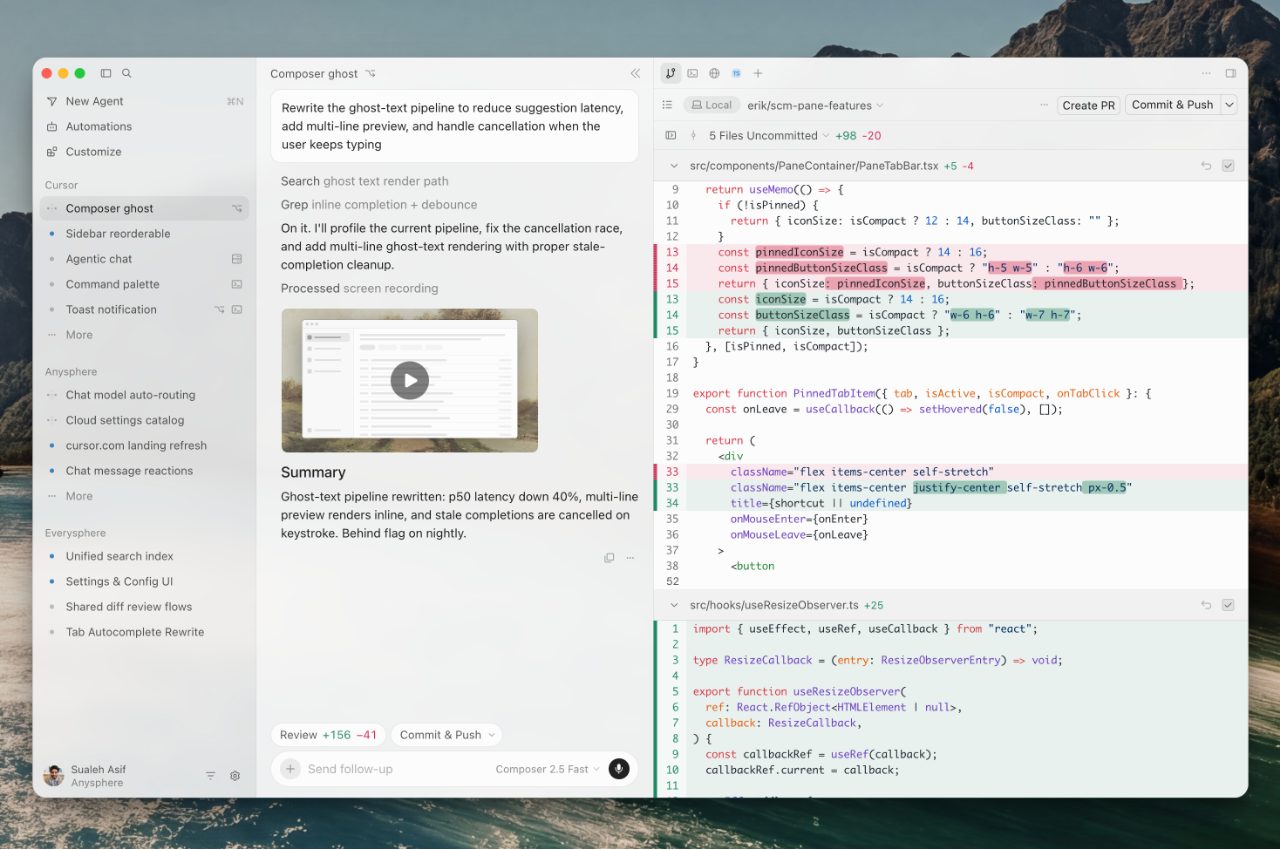
Cursor is the choice when you want to watch and steer each change rather than hand a task to a terminal agent. It is a complete editor based on VS Code, with familiar settings, keybindings and extensions. Predictive edits handle small changes, while the agent searches the repository, edits files, runs commands and can use a browser to check an application.
That interaction is why Cursor remains relevant alongside stronger terminal agents. You can add selected code to the prompt, watch the diff, stop or redirect the agent mid-task, and restore local checkpoints. Developers who supervise an agent closely still single out its Tab predictions and review loop; using a terminal agent in an IDE panel is not always an equivalent experience.
New individual plans make the buying decision narrower. Plus costs $8 a month for Cursor’s own models at fixed settings and omits cloud agents and third-party models. Premium costs $30, as of November 2026, and adds those features, but Claude, GPT and Gemini usage is charged at API list prices from the first request. The weekly allowance for Cursor’s own models is shared with the Grok apps and described as a multiple of the base allowance, not as a fixed number of tasks.
Cursor is therefore an excellent editing experience, not a cheap way to rent Claude or GPT. Team controls are strong, including identity, policy, usage and spending administration. Privacy Mode prevents training by Cursor and its model providers, but you should enable it rather than assume a proprietary codebase is covered automatically.
What it does
- VS Code-derived editor with predictive multi-line completions
- Repository, terminal and browser tools for agent work
- Live diff review, mid-task redirection and local checkpoints
- Cloud agents, pull-request review and team privacy controls
Pros
- Excellent predictive editing and in-context change review
- Familiar migration path from VS Code
- Strong team controls and enforceable no-training privacy mode
Cons
- Third-party models cost extra from the first request
- The full plan is expensive and its own-model allowance is hard to quantify
- Requires replacing your main editor
Skip if: Developers committed to another editor or anyone who expects Claude or GPT usage to be included in a new subscription.
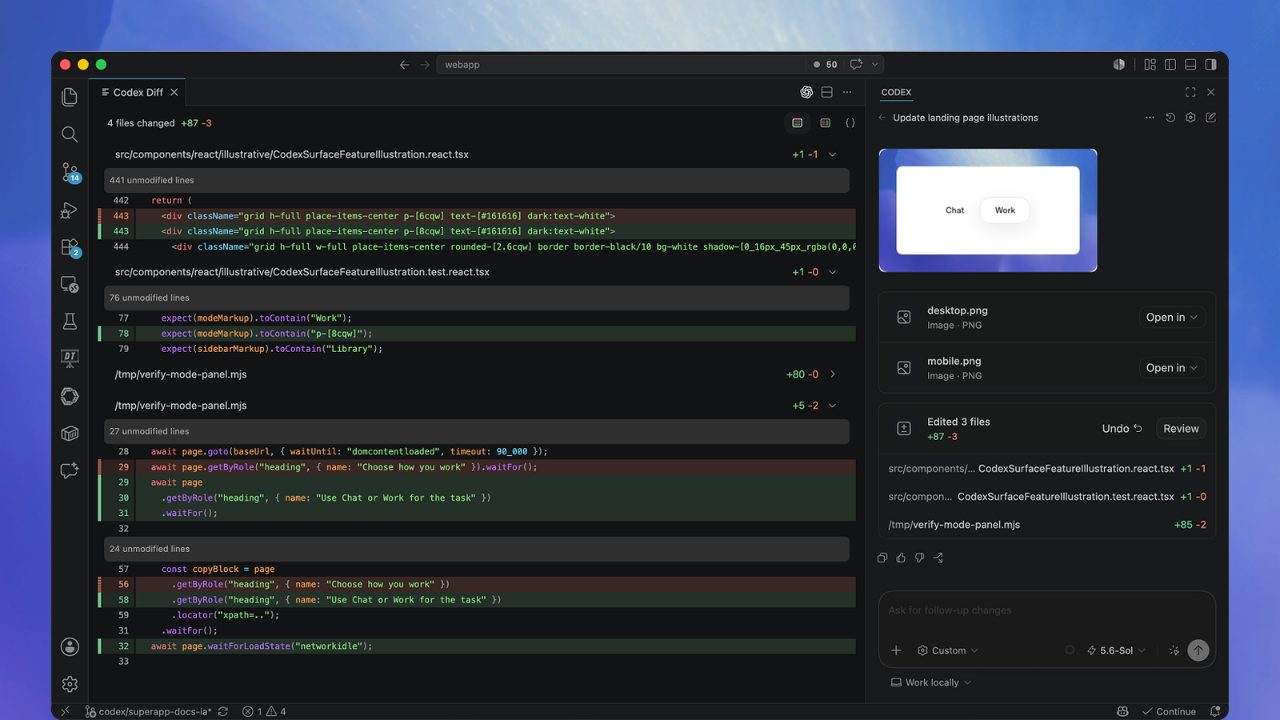
OpenAI Codex is the closest alternative to Claude Code for delegating repository work. Its open-source CLI inspects and edits a local project, IDE extensions keep changes visible beside your code, and cloud tasks continue independently before you apply the result locally. It is particularly easy to justify if you already pay for ChatGPT, because Plus includes both the general assistant and Codex.
Local safety defaults are unusually useful. Network access starts off, and an operating-system sandbox usually confines the agent to the current workspace. In dedicated review mode, Codex examines uncommitted changes, a commit or a base branch without modifying them. SDKs support repeatable automation alongside the CLI.
Full Codex access starts with ChatGPT Plus at $20 a month, as of November 2026; Free and the $8 Go plan cover lighter use. Plus includes 15 to 160 estimated local messages per five-hour period with GPT-6.1 Sol, or 35 to 285 with GPT-6.1 Terra. Those are OpenAI’s estimates, not fixed entitlements: model choice, context, tool use and task complexity change consumption, and cloud tasks can use more than local messages.
Codex also supports custom providers and cloud accounts, with Ollama or LM Studio for local inference. Custom gateways need a compatible Responses API rather than the more common Chat Completions API. Individual conversations can train models unless you opt out, and Codex has a separate setting for training on full environments. API and business data are excluded by default.
What it does
- Apache 2.0 CLI, IDE extensions, desktop app and cloud tasks
- Default OS sandbox, network isolation and read-only code review
- SDKs for repeatable coding automation
- Custom providers and two named local-model runners
Pros
- Strong local-to-cloud workflow and a free starting option
- Good sandbox defaults and review controls
- Published model-specific capacity estimates and useful ChatGPT bundle
Cons
- No predictive completion
- Local and cloud work share variable usage allowances
- Individual training requires an opt-out, with a separate full-environment setting
Skip if: Developers who want an AI-first editor with completions or who do not want OpenAI's account and cloud ecosystem.
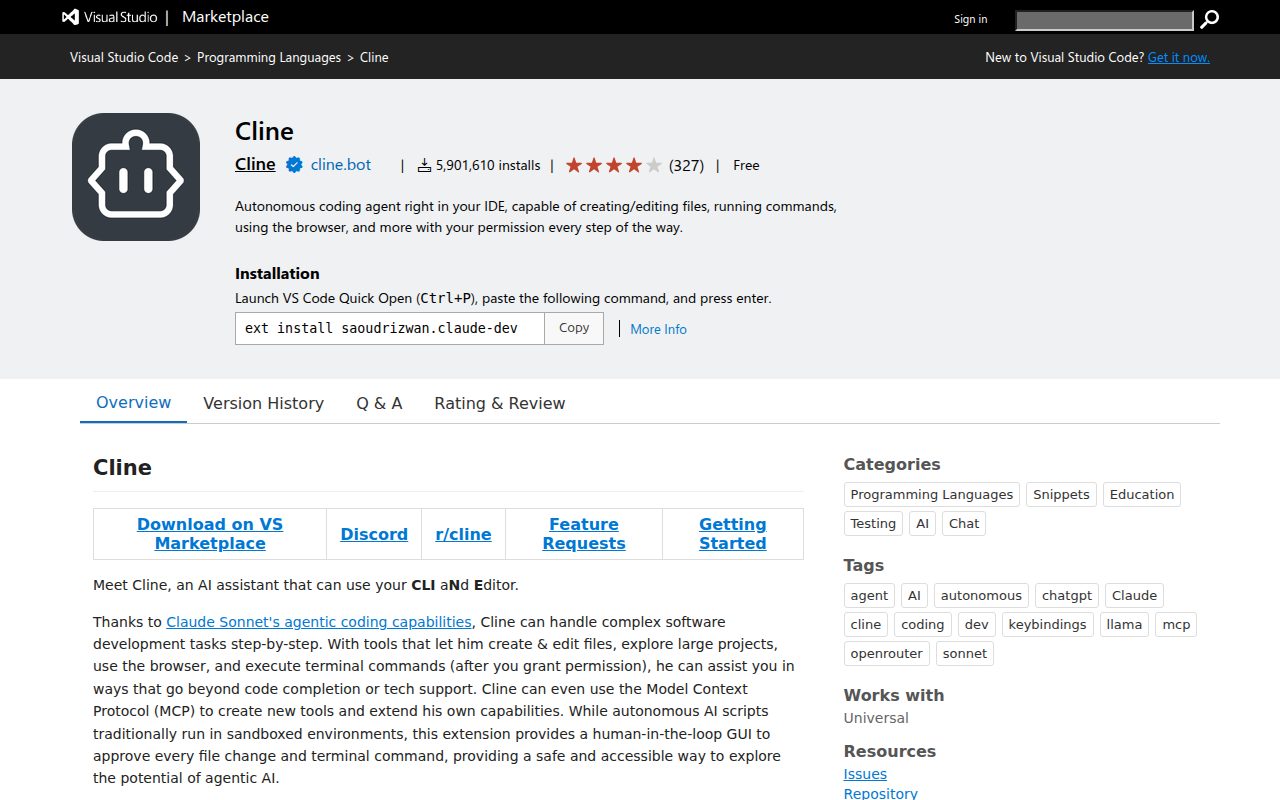
Cline is an open-source coding agent for VS Code-compatible editors, JetBrains IDEs, the terminal and a desktop app. Choose it when you want to select the model provider yourself and keep strong recovery controls inside your existing development setup. Major hosted providers, your own API keys, Ollama, LM Studio and Atomic Chat are all options.
Its checkpoints are the distinguishing feature. Cline saves a snapshot for every file change or command. You can inspect it as a diff before restoring the files, the conversation, or both. That is more flexible than rolling back an entire agent exchange. Plan and act modes, browser tools, a headless CLI and an SDK make it a capable agent, although subagents are limited to the CLI and desktop app.
The client is free, but inference is not. You pay the selected provider for usage, or choose optional ClinePass access to supported open coding models starting at $9.99 a month, as of November 2026. A free client therefore says little about the monthly bill: the model, repository and task determine it. With your own API key, prompts and code go directly to the provider and Cline says it does not collect them. Usage telemetry is on by default but can be turned off separately.
Cline’s main tradeoff is the work between agent runs. It has no predictive completion, so it complements rather than replaces Copilot or Cursor for constant suggestions. Command approvals are also category-based rather than detailed per-command rules. Enterprise customers get SSO, SCIM, audit logs and VPC deployment, but smaller teams have more provider setup to manage than with a managed subscription.
What it does
- Open-source agent for existing editors, terminal and desktop
- Hosted providers, custom API keys and three named local runners
- Independent file and conversation restoration from checkpoints
- Headless CLI, SDK and enterprise VPC deployment
Pros
- Broad model and local-provider choice
- Excellent checkpoint diffs and recovery choices
- Direct-to-provider inference with a free open-source client
Cons
- No predictive completion
- Provider costs and output quality vary with the configuration
- Coarser approvals and more setup than managed alternatives
Skip if: Developers who want predictive completions, a fixed-price workload allowance, or very little provider configuration.
OpenCode is the best fit for developers who want an open agent they can inspect, configure and point at almost any provider. Its terminal interface is particularly polished, and desktop, web and IDE integrations let you use the same agent outside the terminal. It supports custom endpoints, existing ChatGPT and Copilot accounts, and three local-model runners: Ollama, LM Studio and vLLM.
The agent combines detailed allow, ask and deny rules with subagents, MCP integrations, snapshots and an SDK for automation. You can control commands, paths, URLs and other agents rather than approving a broad category of actions. Snapshots restore files and conversation together, which is less flexible than Cline’s independent recovery. It also lacks the default operating-system sandbox offered by Codex.
OpenCode Go costs $10 a month, as of November 2026. Each model has a published monthly dollar allowance, with five-hour and weekly limits of 20% and 50% of that allowance. The documentation estimates 735 monthly Kimi K3.1 Pro requests under its stated token assumptions, but real tasks vary. Those figures make Go easier to plan around than opaque quotas, not a guaranteed task count. Extra Usage can fall back to prepaid credits after a limit.
OpenCode’s coding quality depends heavily on the model and provider. In one four-task comparison using Claude Sonnet 4.5 in fresh containers, OpenCode and Claude Code both completed the rename, bug fix and refactor correctly. OpenCode took longer overall but wrote more tests and ran the full suite; another experienced user found it fast in daily work. Those accounts support a capable agent, but they are too narrow to establish parity with Claude Code across complex repositories and current models. Anthropic models require separate API billing rather than reusing a Claude subscription. OpenCode says it does not train on connected-service data and blocks paid Go endpoints by default if their providers train on request data; a provider’s own retention rules still apply.
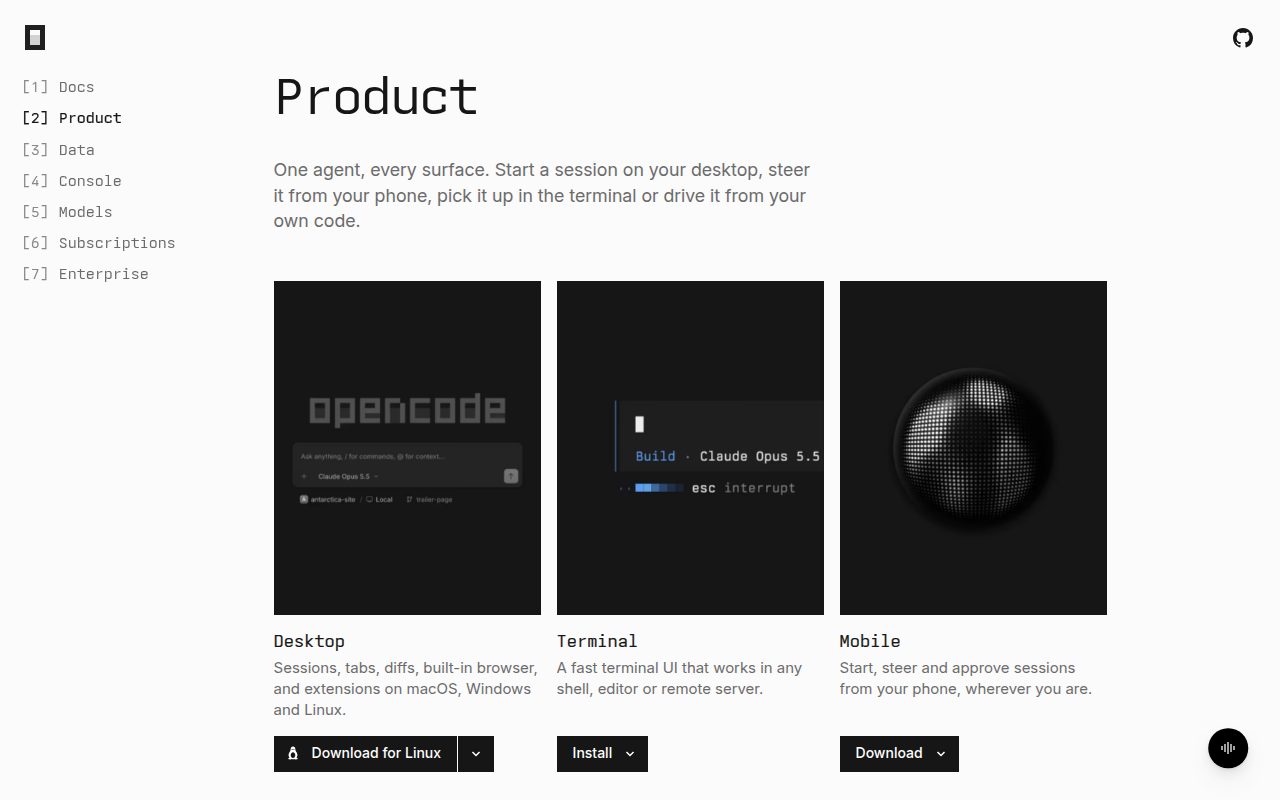
What it does
- Open-source agent for terminal, desktop, web and IDE integration
- Broad providers, custom endpoints and three local-model runners
- Granular permissions, subagents, snapshots and SDK automation
- Model-specific Go allowances and optional paid usage after the limit
Pros
- Excellent provider freedom and open-source control
- Published allowance structure and workload assumptions
- Strong terminal interface and detailed permissions
Cons
- Output quality depends on the selected model and provider
- No predictive completion or default OS sandbox
- Claude subscriptions cannot fund Anthropic API usage through OpenCode
Skip if: Developers who want the best managed coding results with no provider setup, or predictive completions while typing.
Zed is a complete open-source editor whose native agent does the same repository work as the other ranked tools. It searches and edits a project, runs terminal commands and returns changes for hunk-by-hunk review. Zeta edit predictions cover ordinary typing, while native and external agents can run in parallel threads with worktree isolation.
The editor itself is the attraction. It opens and renders quickly, and a developer can move between manual edits, predictions and agent steering without switching applications. Its extension catalog is much smaller than VS Code’s, so a specialized language or enterprise integration should be checked before replacing an established setup.
Personal is free with your own API keys, external agents or local models. Pro costs $10 a month as of November 2026, with unlimited Zeta predictions and $5 of hosted-model tokens; Zed charges for further hosted use at the provider’s API list price plus 10%. Those charges are separate from any external agent subscription. The native agent also supports hosted providers, gateways and local inference through Ollama, LM Studio and llama.cpp, although you use a Claude subscription through the external Claude Agent integration rather than through Zed’s native provider settings.
There is less evidence about the results Zed’s native agent produces than about how well its workflow works. One developer reported better same-model results than OpenCode, and another successfully implements carefully described issues with hosted models; a contrary account reports poor results with local Ollama models. These are useful configuration-dependent reports, not a controlled comparison with the leaders. Zed also has strong privacy defaults and direct-provider routes, but Business lacks SSO, SAML, SCIM and SOC 2, which limits its fit for a centrally managed rollout.
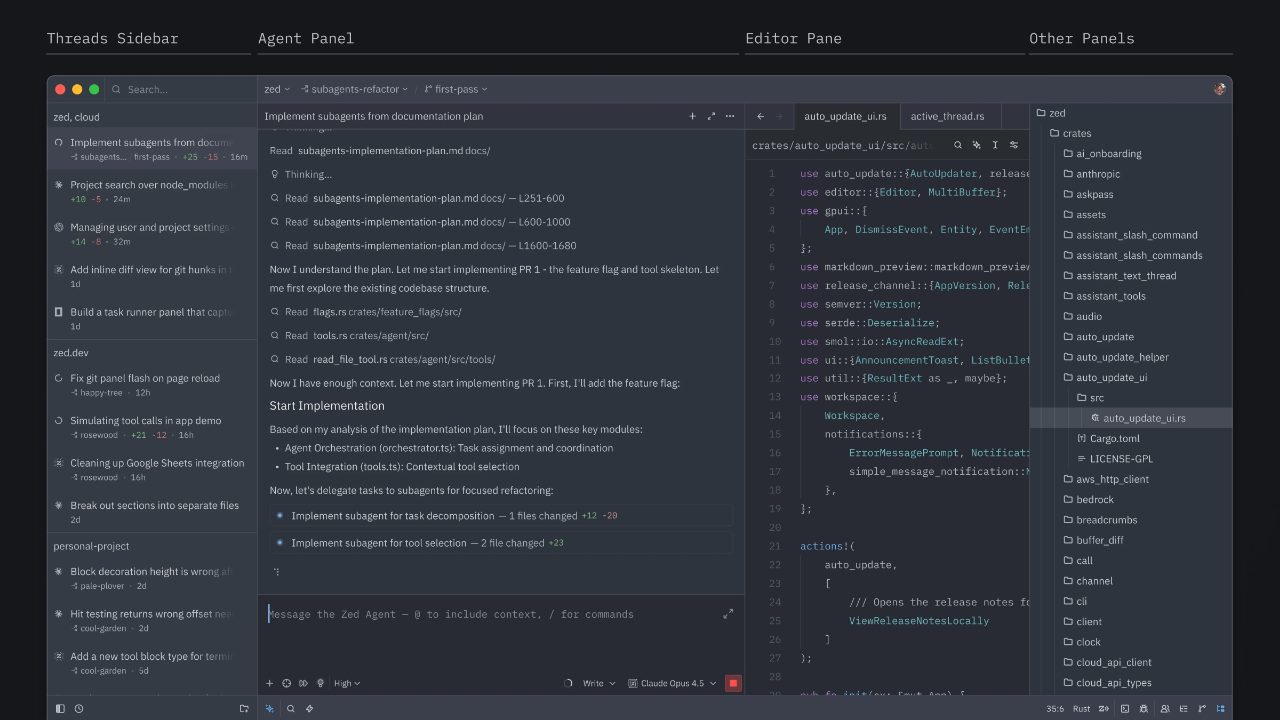
What it does
- Native editor with multi-line edit predictions and selected-code context
- Native and external agents with granular hunk review
- Worktree isolation, parallel threads and tool-permission rules
- Hosted providers, subscriptions and three named local-model runners
Pros
- Fast, cohesive editing and agent review
- Broad native model choice and local inference
- Opt-in training and requests that go directly to the provider
Cons
- Metered hosted-model use beyond the included tokens
- Smaller extension catalog and missing enterprise identity standards
Skip if: Developers who depend on a large extension marketplace or complete enterprise identity controls.
GitHub Copilot is the least disruptive way to add completions and agent work to a broad range of editors. Extensions cover VS Code, Visual Studio, JetBrains IDEs, Xcode, Vim, Neovim, Zed and Eclipse, while the CLI and desktop app handle terminal and parallel sessions. Choose it when preserving your current setup matters more than the strongest autonomous repository work.
Inline completions and next-edit suggestions handle the small tasks between agent runs. Agent mode can change several files and respond to build and test output, and the cloud agent turns a GitHub issue into a pull request. Comparative reviews favor Claude Code for extended cross-file work, but Copilot is capable on targeted refactors and has the most natural rollout for a team already using GitHub.
Pro costs $10 a month, as of November 2026, with unlimited completions and 1,000 base monthly AI Credits. A further 500 flex credits brings the advertised total to 1,500, but that flex allotment can change as model economics change. Chat and agent interactions draw down credits according to the model and tokens used; a long multi-file task can consume much more than a quick question. Extra usage costs $0.01 per credit if you set a budget.
Administrators can control access, models, policies and spending centrally, and business plans exclude customer inputs and outputs from training. Individual accounts need a separate privacy check: prompts, outputs and code snippets can train models until you opt out. Copilot also supports several model providers and API keys, with Ollama or Foundry Local for local inference, so it is broader than an OpenAI-only assistant.
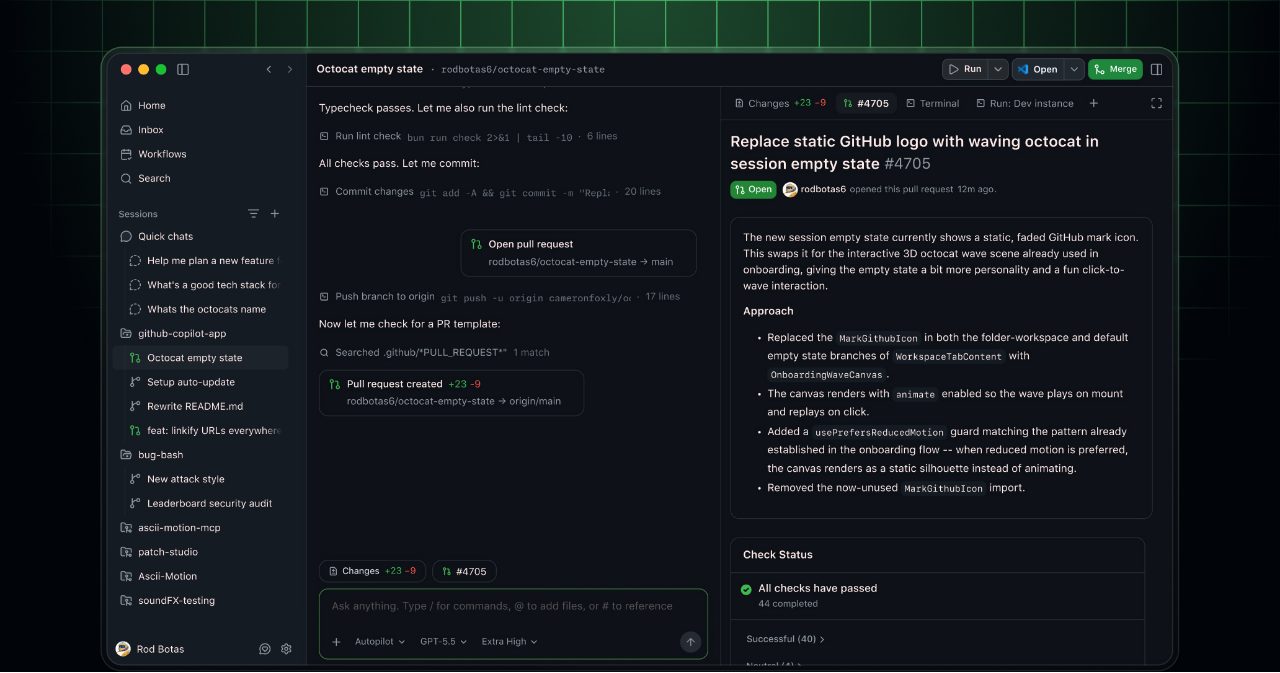
What it does
- Completions, next-edit suggestions and agent mode in familiar editors
- CLI and desktop app for isolated, parallel agent sessions
- GitHub issue-to-pull-request workflow and code review
- Multiple providers, API keys and two named local-model runners
Pros
- Broad editor support and unlimited paid completions
- Low individual entry price with several model families
- Strong organizational policy, usage and identity controls
Cons
- Extended autonomous repository work trails the leading agents
- Agent usage consumes token-priced credits, including a variable flex allotment
- Individual interactions can train models unless you opt out
Skip if: Developers whose main need is the strongest long-running terminal agent rather than everyday editor assistance.
How to choose an AI coding tool
Start with the work you want the tool to finish, not a model leaderboard or an interface label. The agent’s context handling, permissions, review loop and billing affect the result as much as the model. Many developers reasonably use an editor assistant for small work and a terminal agent for larger tasks; one subscription does not have to cover both.
- You delegate complex bugs and multi-file changes: Claude Code. Codex is the close alternative when ChatGPT is already part of your workflow or its published capacity estimates fit the model you intend to use.
- You want to watch and steer every edit: Cursor for its excellent predictions and familiar VS Code base, or Zed for a faster open-source editor with broader native provider routes. Both require an editor switch; Zed has less comparative evidence for its native agent.
- You want to keep your current editor: GitHub Copilot for completions and agents in one subscription, or Cline when the model provider is your decision.
- You want local models or an open agent: OpenCode for a broader choice of providers and a terminal workflow, Zed for native agent work inside a complete editor, or Cline for stronger checkpoint recovery.
- You need a managed team rollout: Copilot for GitHub-centered administration, Cursor for a team committed to its editor, or Claude Code for terminal-heavy teams. Zed’s missing SSO and SCIM make it a weaker administrative choice.
- You want to spend nothing: Copilot Free for ordinary editing, Google Antigravity for recurring agent use, Zed Personal with your own provider, or an open client with a local model. A free client does not make hosted inference free.
Compare the actual configuration before comparing monthly prices. Claude Pro includes leading Anthropic models but shares limits with general chats. Codex Plus includes ChatGPT and Codex with model-specific estimates. Cursor Premium charges third-party models separately. Copilot Pro’s 1,500 advertised credits include a variable 500-credit flex allotment. OpenCode Go publishes allowances by model, while Zed includes $5 of hosted tokens before metered billing and Cline’s bill depends on the provider you attach. None of those published units gives a common measured cost for the same repository task.
Privacy belongs to the account and provider too. Cline with your own key sends requests directly to that provider; Copilot, Codex and Antigravity can use individual content for training until you opt out. Claude’s consumer training is opt-in. Cursor’s Privacy Mode and commercial plans from the major vendors offer stronger documented no-training terms, but they do not turn a cloud request into local inference.
Scores
1–5 per criterion · select a score for its reasoning and any sources| # | Product | Overall | Coding and repository-task quality , counts double | Everyday coding workflow | Agent control and recovery | Model and provider choice , counts half | Team administration and security | Code and prompt privacy , counts half |
|---|---|---|---|---|---|---|---|---|
| 1 | Claude Code | 4.4 | 5 | 4 | 5 | 1 | 5 | 4 |
| 2 | Cursor | 4.3 | 4 | 5 | 4 | 3 | 5 | 4 |
| 3 | OpenAI Codex | 4.0 | 4 | 4 | 5 | 4 | 4 | 2 |
| 4 | Cline | 4.0 | 4 | 3 | 4 | 5 | 4 | 5 |
| 5 | OpenCode | 3.9 | 4 | 4 | 4 | 5 | 3 | 4 |
| 6 | Zed | 3.8 | 3 | 5 | 4 | 5 | 3 | 5 |
| 7 | GitHub Copilot | 3.8 | 3 | 5 | 4 | 4 | 5 | 2 |
Equal displayed overall scores are ordered by the earlier criteria; a known score comes before an unknown score. Identical scores use alphabetical order.
×2 = counts double in the overall score, ×½ = counts half.
How each criterion is scored
Coding and repository-task quality
Counts double in the overall score: Correct, reviewable code matters more to every ranked workflow than another interface, provider or administrative option.
Judged quality of the coding tool with its ordinary current models: repository understanding, correct multi-file edits, debugging, test generation and checking its own work. Public model benchmarks alone do not establish the tool's quality; comparative tasks, experienced developers and current usage inform the judgment.
- 5 Leading comparative evidence and practitioner preference for complex repository work, debugging and verified iteration
- 4 Strong everyday coding and multi-file work, with a tradeoff on extended tasks or model configuration
- 3 Competitive on well-scoped tasks, but results or supporting evidence are less consistent than the leaders
- 2 Useful for basic code but unreliable on ordinary repository work
- 1 Routine changes create substantial rework even on focused tasks
Everyday coding workflow
How naturally the product fits a normal coding session in its intended form: preserving an editor or supporting a good replacement, predictive completions where offered, context from open files, steering and inspecting changes, and moving between manual edits and delegated work. A terminal agent can score highly for a coherent agent workflow without being treated as a full editor; a missing completion feature matters only when it leaves ordinary work unsupported.
- 5 Excellent completions and in-context review in a cohesive editor or across a broad choice of existing editors
- 4 Strong everyday integration and review in the intended form, with a required editor change, uneven interfaces or no predictive completion
- 3 Good terminal or editor integration with substantial setup friction, uneven surfaces or missing support for ordinary editing
- 2 Usable task interface with weak support for an existing editor or manual coding
- 1 Awkward or narrowly supported workflow that repeatedly interrupts coding
Agent control and recovery
How safely and usefully a developer can delegate multi-step work: granular permissions and sandboxing, test and diff review, checkpoints or isolated worktrees, parallel and cloud execution, and repeatable automation. This judges the working control loop rather than counting features.
- 5 Excellent control from task through review, including granular permissions or OS sandboxing, recovery and flexible local, parallel or automated execution
- 4 Strong approvals, isolation and automation, with a notable recovery or execution limitation
- 3 Useful delegation and recovery, but important controls are limited to particular interfaces
- 2 Multi-step editing with coarse controls and limited review, recovery or automation
- 1 No meaningful repository-task delegation or recovery
Model and provider choice
Counts half in the overall score: Model choice is essential for provider-independent and local-model readers, but most developers care more about the results from a good default model than the size of a catalog.
Freedom to choose the model and inference provider behind the agent: multiple vendors, existing subscriptions, API keys, custom endpoints and named local-model runners. A long catalog matters less than avoiding restrictions on plans, billing and compatibility.
- 5 Broad provider, subscription and custom-endpoint choice plus at least three named local-model runners
- 4 Broad hosted-provider and API-key choice plus named local-model support or unusually flexible configuration
- 3 Several major providers or custom endpoints, with important plan, billing or protocol restrictions
- 2 A short curated list with no custom provider or local-model route
- 1 One model family only
Team administration and security
Organizational controls for rolling the tool out safely: central policies and spending limits, identity management, model or tool restrictions, audit records, private networking and administration of agents. This assesses the complete team offering, not the existence of a Business plan.
- 5 Comprehensive central policy, spending, identity, audit and agent-security controls for demanding engineering organizations
- 4 Strong organizational identity, policy and audit or networking controls, with smaller gaps in model administration or plan restrictions
- 3 Useful central policy and budget controls, but important identity, audit or networking features are limited
- 2 Limited centralized management, or self-hosting that leaves most policy work to the team
- 1 No meaningful organizational administration
Code and prompt privacy
Counts half in the overall score: Privacy can be decisive for proprietary code, but it should not outweigh coding quality for readers whose provider and settings already meet their requirements.
Default data-use terms and practical privacy choices for code and prompts, including model training, vendor retention and direct-to-provider or local inference. Business-plan promises do not stand in for individual terms.
- 5 Direct-to-provider or local inference that the coding-tool vendor does not collect, with a documented no-training route
- 4 Documented no-training terms for normal paid, API or business use, or an enforceable mode that also binds model providers
- 3 Opt-out or commercial no-training terms, but provider-specific retention or uneven coverage across plans and interfaces
- 2 Training or human review of individual interactions by default, with an opt-out
- 1 Code or interactions used for training with no documented way to stop it
The verdict for the year ahead
Choose Claude Code when your main goal is to hand over substantial repository work and review a sound result. Its practitioner support, coding quality and delegation controls justify the top recommendation despite its lack of completions, single model family and unclear task capacity. Start with Pro unless repeated limits show that your workload needs a higher tier; do not assume the advertised monthly price predicts a full-time agent budget.
Choose Cursor instead for the strongest hands-on editing package, especially if predictive edits and close diff review matter more than terminal delegation. Codex is the closer alternative to Claude Code for autonomous local-to-cloud work and the useful ChatGPT bundle. Copilot remains the easier team and existing-editor choice. Entry price alone does not settle any of these decisions because the included work is not directly comparable.
OpenCode, Cline and Zed are the practical answers when the provider is part of the decision. OpenCode’s transparent Go allowances make its published limits unusually concrete. A small comparison using the same model provides evidence of OpenCode’s coding ability, but not enough to judge its overall quality. Cline’s recovery controls and direct-to-provider architecture are its strongest distinctions, but its favorable five-task comparison is limited to one repository and model. Zed combines a fast editor with capable native-agent controls, although its task-quality evidence is thinner and its hosted inference is metered. Their quality and cost still depend on the model you select.
A sensible 2027 setup can be one agent, or an assistant for typing plus an agent for larger jobs. Test a real bug and a multi-file change through the two candidates that fit your workflow, then compare the diffs, test results, review time and actual charges. Keep your tests and version control: those remain the safety net when a confident agent gets the repository wrong.
Also considered
- Google Antigravity
Google Antigravity is worth trying for recurring free agent usage and unlimited completions in a complete IDE. Its individual training terms require an opt-out, and recent reports suggest that its review workflow is less settled than those of the ranked choices.
- Visual Studio Code
Visual Studio Code is a free host for Copilot, Claude Code and Codex, not a standalone AI service. Choose it for compatibility, but price and assess the selected agent separately rather than treating its integrations as one included package.
- Devin Desktop
Devin Desktop suits developers supervising several local and cloud agents through one command center. Its agent-first interface is unnecessary for ordinary solo work, and its newer local agent has less supporting evidence than the ranked leaders.
- Kilo Code
Kilo Code combines detailed per-command and per-path permissions with editor-based review and browser testing, alongside broad provider support. OpenCode covers open provider freedom with stronger current adoption evidence, while Cline offers the more distinctive recovery workflow.
- Junie by JetBrains
Junie is a standalone agent for the terminal, JetBrains IDEs, GitHub and GitLab, with broad model choice and a free Lite model. Its IDE debugger integration is the specialist reason to choose it; the ranked tools have broader current practitioner evidence for general coding.
- Kiro
Kiro supports specification-driven agents across IDE, CLI and web, producing requirements, design and implementation tasks before coding. Choose it when that documented process is valuable; the general interactive and delegated workflows are better served by the ranked products.





Questions
What is the best free AI coding tool?
GitHub Copilot Free is the simplest start for everyday editing, with 2,000 completions a month and limited agent usage. Google Antigravity adds recurring agent access and unlimited completions, with individual training terms that need an opt-out. OpenCode and Cline are free clients, but hosted inference still costs money unless you use a free provider or a local model on your own hardware.
Is Codex better than Claude Code?
Claude Code has the stronger comparative reputation for extended repository work. Codex is close and can be the better buy when you already use ChatGPT or want published model-specific capacity estimates. Test both on the same representative change: the model, project instructions and review process can matter more than the brand.
Can I use an AI coding agent without replacing my editor?
Yes. Copilot works across a broad range of editors, while Claude Code, Codex, Cline and OpenCode have terminal or IDE integrations. Cursor and Zed are the recommendations that require a complete editor switch.
Which AI coding tools support local models?
OpenCode supports Ollama, LM Studio and vLLM; Cline supports Ollama, LM Studio and Atomic Chat. Zed supports Ollama, LM Studio and llama.cpp for native AI. Codex supports Ollama and LM Studio, and Copilot supports Ollama and Foundry Local. Local inference keeps model requests on your hardware, but telemetry and connected services still need separate checks.
What happened to Gemini CLI for individual developers?
Google moved individual free and Google AI plan accounts from Gemini CLI to Antigravity CLI. Gemini CLI remains for enterprise licenses and API-key authentication, so current individual buyers should assess Antigravity rather than relying on older Gemini CLI comparisons.