
GitHub Copilot
AI coding assistant for existing editors, the terminal, a desktop app and GitHub
Our verdict
#7 of 7 in AI coding tools · For everyday help in your existing editor
Pros
- Broad editor support and unlimited paid completions
- Low individual entry price with several model families
- Strong organizational policy, usage and identity controls
Cons
- Extended autonomous repository work trails the leading agents
- Agent usage consumes token-priced credits, including a variable flex allotment
- Individual interactions can train models unless you opt out
Skip if: Developers whose main need is the strongest long-running terminal agent rather than everyday editor assistance.
Rankings and alternatives
- #7 of 7 AI coding tools For everyday help in your existing editor
- Claude Code #1 Best overall for substantial repository work
- Cursor #2 For hands-on editing and close agent control
- OpenAI Codex #3 For local-to-cloud work with ChatGPT



AI coding tools in 2027 scores
Evaluated Nov 12, 2026 Evidence ↓- Coding and repository-task quality · counts double 3
3/5 means: Competitive on well-scoped tasks, but results or supporting evidence are less consistent than the leaders
Strong completions, explanations and targeted multi-file work, but less consistent for extended autonomous changes than the leading agents. Comparative reviews still favor Claude Code for large cross-file work.
- Everyday coding workflow 5
5/5 means: Excellent completions and in-context review in a cohesive editor or across a broad choice of existing editors
The broadest existing-editor support, unlimited paid next-edit suggestions and a CLI/desktop/cloud workflow let readers keep their current development setup.
- Agent control and recovery 4
4/5 means: Strong approvals, isolation and automation, with a notable recovery or execution limitation
Isolated worktrees, cloud tasks and parallel sessions support an issue-to-reviewed-change workflow. Local sandboxing must be enabled per session and the controls are spread across interfaces rather than one default local sandbox.
- Model and provider choice · counts half 4
4/5 means: Broad hosted-provider and API-key choice plus named local-model support or unusually flexible configuration
Supports multiple hosted providers, API keys, Ollama and Foundry Local. Local choice is less broad than OpenCode's three named runners and provider catalog.
- Team administration and security 5
5/5 means: Comprehensive central policy, spending, identity, audit and agent-security controls for demanding engineering organizations
Organization-wide access, model, policy and usage controls combine with familiar GitHub repository and pull-request administration.
- Code and prompt privacy · counts half 2
2/5 means: Training or human review of individual interactions by default, with an opt-out
Individual inputs and outputs can train models unless the user opts out; customer and volume-license agreements have different terms.
Pricing
- Free Free
- Pro $10.00 /month Includes a monthly allowance of AI Credits; additional usage costs extra
From the vendor’s pricing page, checked Nov 11, 2026. That page is authoritative.
Evidence and sources
AI coding tools in 2027 scores
Coding and repository-task quality 1 quote
-
“Copilot's agent mode handles multi-file edits well for targeted refactors. Context assembled through retrieval can miss cross-file dependencies in very large repositories, which is where the gap shows. For an extended autonomous refactor across dozens of files, Claude Code is the more reliable choice. That said, Copilot's agent mode has improved enough that for many day-to-day refactors, you may not notice a difference.”
datacamp.com/blog/claude-code-vs-git-hub-copilot · checked
Everyday coding workflow 3 quotes
-
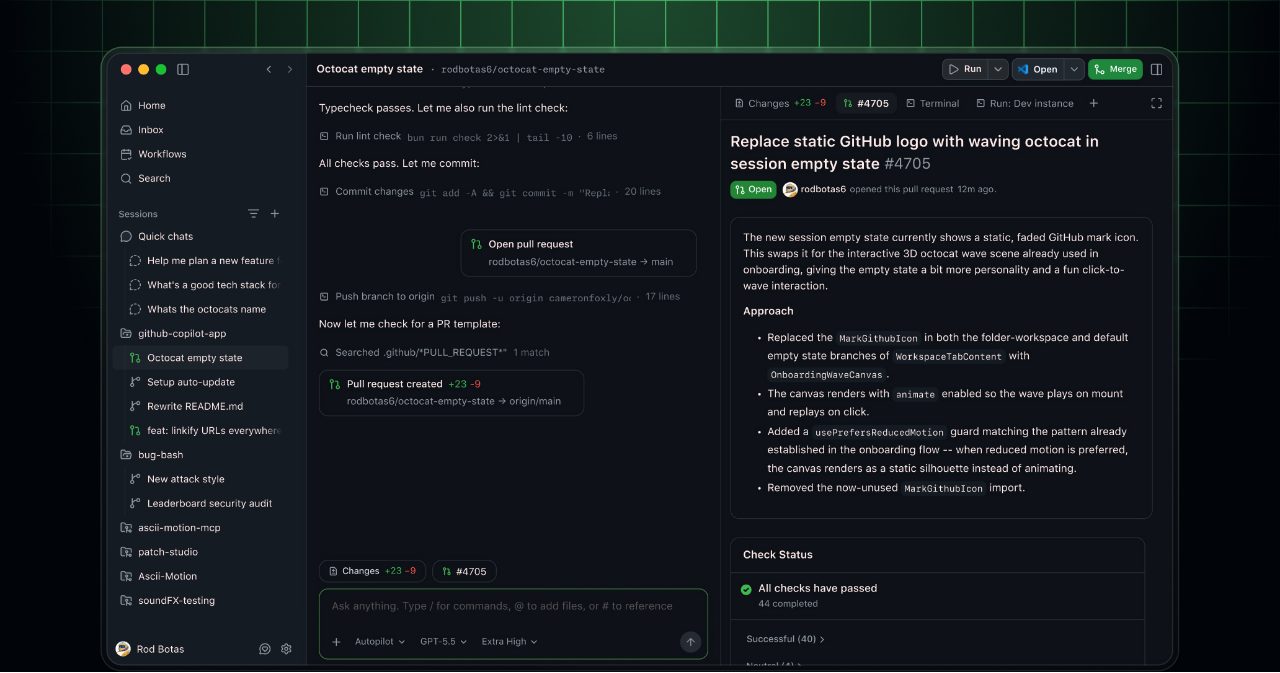
“GitHub Copilot is available in multiple IDEs including Visual Studio Code, Visual Studio, JetBrains IDEs, XCode, Vim, Neovim, Zed, and Eclipse. GitHub Copilot is also available in the terminal/CLI, through the GitHub Copilot desktop app, on the web, on mobile, in Slack, and in Teams. You can easily start working on one surface and continue the same session on another. Learn more here.”
github.com/features/copilot · checked -
“The GitHub Copilot app supports the following operating systems:”
docs.github.com/en/copilot/concepts/copilot-surfaces/github-copilot-app · checked -
“You use credits when you chat with Copilot and work with agents. Code completions and next edit suggestions don't use credits. They remain unlimited with every paid plan.”
github.com/features/copilot · checked
Agent control and recovery 2 quotes
-
“You can enable local sandboxing inside a Copilot CLI session to restrict Copilot's access to your filesystem, network, and system capabilities. To enable it, run /sandbox enable inside a session.”
docs.github.com/en/copilot/concepts/copilot-surfaces/copilot-cli · checked -
“Parallel workspaces: Run multiple isolated agent sessions simultaneously, each with a dedicated git worktree and branch. You can run a session in a cloud sandbox, or configure a local sandbox to restrict the resources available to agent-run tools on your machine. For more information, see Working with agent sessions in the GitHub Copilot app.”
docs.github.com/en/copilot/concepts/copilot-surfaces/github-copilot-app · checked
Model and provider choice 1 quote
-
“Connect supported cloud model providers with your own API key, or run models locally with Ollama and Foundry Local.”
github.com/features/copilot · checked
Team administration and security 2 quotes
-
“Copilot Business $19 USD per granted seat per month Total per user per month: 1,900 Access to premium models”
docs.github.com/en/copilot/get-started/plans · checked -
“Organizations and enterprises can centrally manage access, policies, and usage controls with Copilot Business, Copilot Enterprise, or Copilot access for eligible enterprises.”
docs.github.com/en/copilot/get-started/plans · checked
Code and prompt privacy 1 quote
-
“We use your Inputs to generate Outputs and provide the AI Features. You also grant GitHub and its Affiliates a license to collect and use your Inputs and Outputs to develop, train and improve artificial intelligence and machine learning models and technologies including those that power AI Features, unless (a) you opt out through your account settings, or (b) your use of the Service is governed by a GitHub Customer Agreement or volume licensing agreement. If you opt out, GitHub will not collect or use your Inputs and Outputs for the purposes described in this paragraph from the effective date of your opt-out going forward.”
docs.github.com/en/site-policy/github-terms/github-terms-of-service · checked
Facts
License 1 quote
-
“Cline is Apache 2.0, OpenCode is MIT and the Codex CLI is Apache 2.0. Claude Code, Cursor, Copilot and Devin Desktop are proprietary.”
encore.dev/articles/best-ai-coding-agents · checked
Runs on 2 quotes
-
“GitHub Copilot is available in multiple IDEs including Visual Studio Code, Visual Studio, JetBrains IDEs, XCode, Vim, Neovim, Zed, and Eclipse. GitHub Copilot is also available in the terminal/CLI, through the GitHub Copilot desktop app, on the web, on mobile, in Slack, and in Teams. You can easily start working on one surface and continue the same session on another. Learn more here.”
github.com/features/copilot · checked -
“The GitHub Copilot app supports the following operating systems:”
docs.github.com/en/copilot/concepts/copilot-surfaces/github-copilot-app · checked
Needs 1 quote
-
“Copilot Pro $10 USD per month”
docs.github.com/en/copilot/get-started/plans · checked
Other quotes
Not cited by a score or fact 7 quotes
-
“Limited to 2000 completions per month on Copilot Free.”
docs.github.com/en/copilot/get-started/plans · checked -
“Copilot Pro $10 USD 1,000 500 1,500”
docs.github.com/en/copilot/get-started/plans · checked -
“But with 20 million-plus developers across IDEs, the command line, and pull requests, GitHub Copilot is the most-used AI tool among developers”
github.blog/ai-and-ml/github-copilot/copilot-faster-smarter-and-built-for-how-you-work-now · checked -
“GitHub Copilot has lost its leadership, experiencing a decline from 29% adoption a year ago to 21% in May–July 2026. However, it is still one of the most widely known tools on the market, with 79% mind share (awareness) among developers.”
blog.jetbrains.com/research/2026/08/ai-coding-agent-adoption-2026 · checked -
“Flex allotment: This is an additional monthly amount on top of your base credits. The flex allotment is a variable part of your included usage; it is designed to adapt as the economics of AI evolve, including model pricing, new models, and improvements in efficiency.”
docs.github.com/en/copilot/concepts/billing-and-usage/individuals/billing · checked -
“Agentic features: Features like agent mode and Copilot cloud agent can involve multiple model calls within a single task. A complex agentic session working across a large codebase will consume significantly more usage than a quick question in chat.”
docs.github.com/en/copilot/concepts/billing-and-usage/individuals/billing · checked -
“Your additional usage budget is set in US dollars, and your usage is shown in GitHub AI Credits. GitHub AI Credits draw down your budget at a fixed rate: 1 AI credits = $0.01 USD, so a $10 budget covers 1,000 AI credits.”
docs.github.com/en/copilot/concepts/billing-and-usage/individuals/billing · checked