An AI editor can suggest your next line, refactor a repository, and hand you a diff that looks suspiciously confident. It still has to be a good editor. If navigation is clumsy or your favorite extension is missing, a clever agent won’t rescue the afternoon.
The old choice was between an AI-first editor and a conventional one with a completion plugin. That line is blurrier now: Copilot, Claude Code, OpenAI Codex, and Cline can work inside these editors. You can choose a tool for writing code and another for delegating it, like keeping a favorite keyboard while hiring someone to do the tedious bits.
This guide compares complete editing environments, not terminal agents wearing an editor’s clothes. The main question is how well each one supports the work between prompts: reading, writing, debugging, and reviewing code every day.
Key facts
7 productsLicenses, requirements, and starting prices. Prices as of November 2026.
- License
- Proprietary
- Runs on
- Desktop app on macOS, Windows and Linux
- Terminal, Slack and cloud agents
- Needs
- Not recorded
- Price
- Free plan
- License
- GNU General Public License 3.0, open source
- Runs on
- macOS 12 or later, Windows and Linux
- Needs
- A provider account, API key, external agent or local model for AI features
- Price
- Free plan
- License
- MIT source; Microsoft product license for the official build, open source
- Runs on
- Windows, macOS and Linux
- Browser editor at vscode.dev
- Needs
- A model provider, API key or local model for AI features
- Price
- Free plan
- License
- Proprietary; free core and paid Ultimate features
- Runs on
- Windows, macOS and Linux
- Needs
- An eligible IDE subscription for JetBrains AI Free, or an existing provider account or API key
- Price
- Free plan
- License
- Proprietary AWS Content; includes open-source components
- Runs on
- Desktop IDE on macOS, Windows and Linux
- CLI and web agent sessions
- Needs
- A GitHub, Google, AWS Builder ID or AWS IAM Identity Center account
- Price
- Free plan
- License
- Proprietary
- Runs on
- Desktop app on macOS, Windows and Linux
- Local agents, cloud agents and ACP-compatible agents
- Needs
- Not recorded
- Price
- Free plan
- License
- Proprietary
- Runs on
- Desktop app and IDE on macOS, Windows and Linux
- CLI on macOS, Windows and Linux
- Editor extensions; some are in preview
- Needs
- Not recorded
- Price
- Free plan







Cursor gets the important thing right: AI belongs in the editing flow, not in a separate window you visit when ordinary coding gives up. It is a full editor based on VS Code, so settings, keybindings, and much of the extension ecosystem feel familiar. Accept a predicted edit, give the agent some context, inspect the diff, and take the keyboard back. No ceremony required.
The agent searches the repository, edits files, runs commands, and can use a browser to check an application. You can stop it mid-task, redirect it, or restore a local checkpoint when its bright idea turns dim. One Discourse developer called Tab the best autocomplete they had used, then said it was the feature they missed after moving to VS Code. That account speaks specifically to Tab’s predictions; the agent’s diff review and checkpoints are separate features to evaluate.
The fixed-settings lineup includes Grok 4.7, Grok 4.6, Grok 4.5, and Composer 2.5. Plus costs $8 a month with those models at fixed settings; Premium costs $30 and adds third-party models, cloud agents, and other features. Claude, GPT, and Gemini are charged at API list prices from the first request, on top of Premium. One weekly allowance covers Cursor’s editor, CLI, and cloud agents, as well as Grok Bot and the separate Grok apps.
The result is my favorite hands-on AI workflow, with an invoice that needs its own review. Choose it for the editing experience, not as a cheap way to rent Claude. Its VS Code-derived base can also use more resources than a lean native editor. For proprietary code, enable Privacy Mode: without it, you don’t get Cursor’s guarantee that neither Cursor nor its model providers will train on your code.
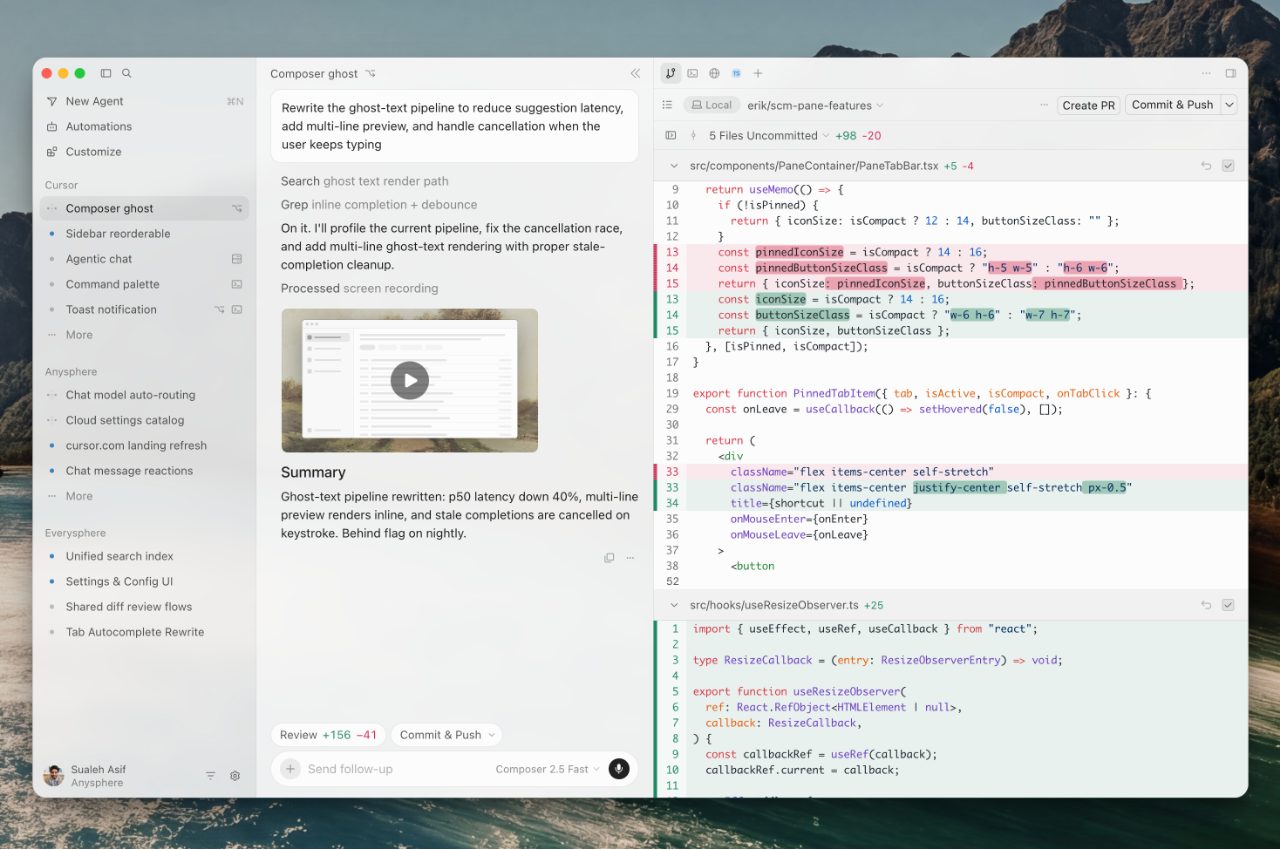
What it does
- VS Code-derived desktop editor with predictive edits
- Repository, terminal, and browser tools for multi-file agent work
- Live diff review, mid-task redirection, and local checkpoints
- Cloud agents, pull-request review, and team privacy controls
Pros
- The most cohesive combination of manual editing and AI assistance
- Excellent predictive edits and in-context change review
- Familiar migration path from VS Code
Cons
- Third-party models cost extra from the first request
- The full individual plan is expensive and its allowance is hard to predict
- The proprietary editor can use more resources than a native alternative
Skip if: Developers who need third-party models included in the subscription, or an open-source editor with lower resource use.
When your current setup already works, Visual Studio Code is the sensible answer. It covers polyglot projects, remote containers, and an enormous extension catalog. Replacing it for a shinier agent can mean fixing problems you didn’t have yesterday.
Copilot, Claude Code, and Codex can now run inside VS Code. Each comes with a harness: the software layer that coordinates the agent, its tools, and its review controls. You can choose models from several providers, connect your own endpoint, or run a supported local model. That makes VS Code the practical host when the best agent changes with the task.
The catch is that “VS Code with agents” describes several experiences, not one. Copilot tracks supported edits in a working set, where you can keep or undo individual changes. Claude and Codex sessions use diff comparison instead. Terminal commands and scripts can also change files outside the special review list, so Source Control remains your friend. The Agents window supports parallel sessions and inline feedback without taking away the normal editing, debugging, and testing tools.
The editor itself is free. Copilot Free includes 2,000 completions a month, and Copilot Pro costs $10, with unlimited completions and a separate agent allowance. Other agents have their own subscriptions or provider bills. Individual GitHub accounts can use your inputs and outputs for training until you opt out; business plans offer central policy and usage controls. VS Code rewards a little assembly, but it won’t assemble itself.
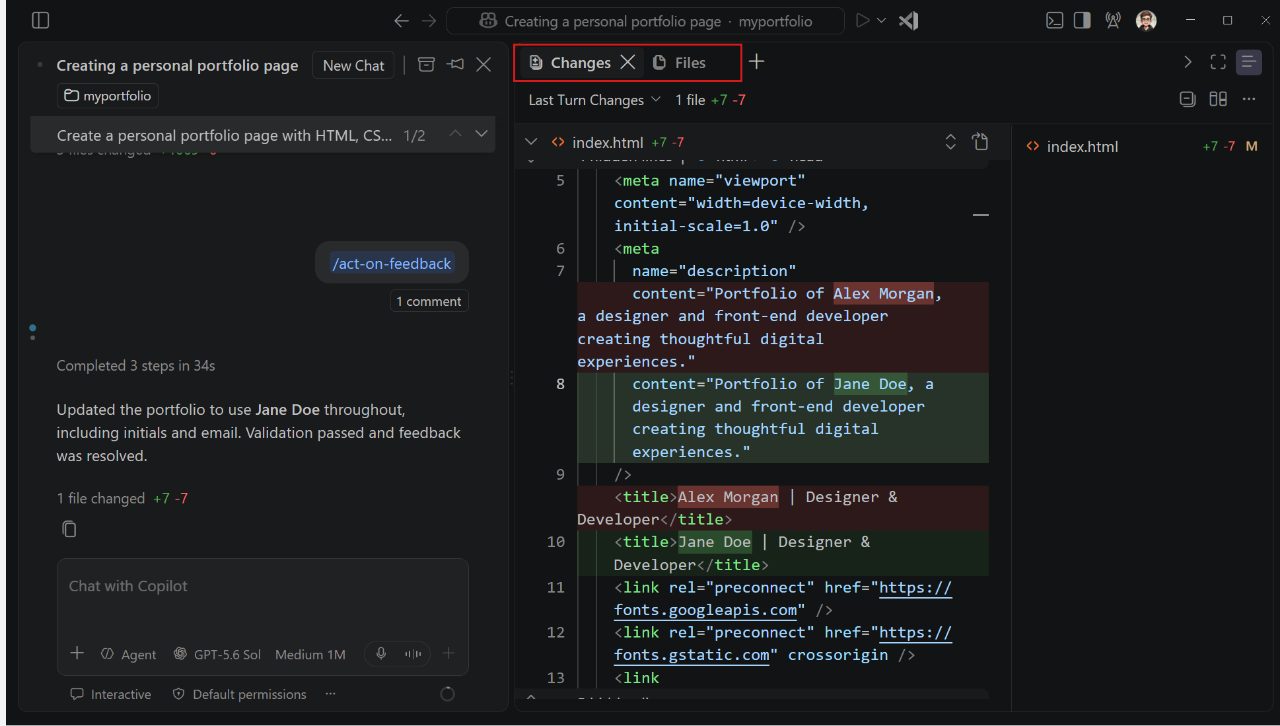
What it does
- Mature cross-platform editor with extensive language and remote-development support
- Copilot, Claude, and Codex agent harnesses in one editor
- Provider endpoints, API keys, and local-model support
- Individual edit review, parallel sessions, and an accessible diff viewer
Pros
- The best compatibility with existing projects, extensions, and remote setups
- A free editor with unusually broad agent and model choice
- Strong everyday editing, debugging, and review tools
Cons
- The AI experience and review controls vary by harness
- Language depth and performance depend on the extension setup
- Individual GitHub data can train models unless you opt out
Skip if: Teams that need identical agent review controls for every developer, and developers who want one fixed AI workflow without configuring extensions or providers.
For a large JVM codebase, IntelliJ IDEA is the serious choice. Its navigation, refactoring, inspections, debugger, and framework support understand your code instead of treating it as a pile of text files. JetBrains Air adds agent sessions without asking you to trade that environment for a VS Code fork.
Air supports Junie, Claude Agent, Codex, and other connected agents. You can open their diffs in the IDE, comment on a line for the agent, then use the debugger, tests, profiler, and database tools to verify the result. That is a satisfying place to catch an agent’s confident mistake. Cursor has stronger support for its interactive assistance; an external agent’s reputation belongs to that agent, not to IntelliJ itself.
Existing provider subscriptions and API keys offer considerable flexibility, including custom endpoints. JetBrains says it does not train on your inputs or outputs without your agreement. Its organizational governance adds model, permission, and spending controls. The price is indexing and resource overhead, while the deepest benefits are concentrated in JVM work. Other JetBrains IDEs serve other language families with their own feature and AI eligibility rules.
Read the plan details before buying. The core Java and Kotlin editor is free, but JetBrains’ managed AI plans require an eligible commercial IDE subscription. For this IntelliJ configuration, that means Ultimate at $719 per user a year, plus AI Pro at $100 for 10 monthly AI credits or AI Ultimate at $300 for 35. Connecting a supported provider directly avoids JetBrains AI credit consumption, but the free editor is not a free managed agent in disguise.
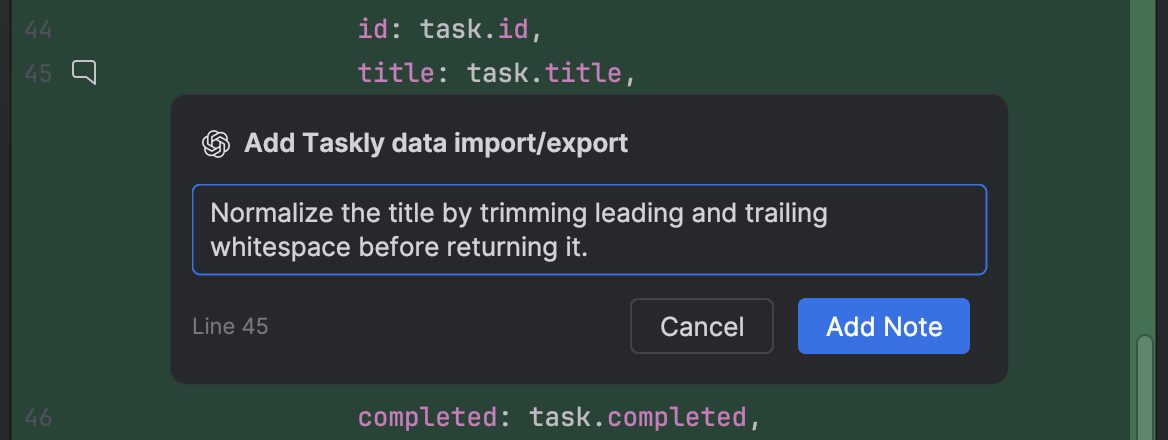
What it does
- Deep Java and Kotlin navigation, refactoring, inspections, and debugging
- JetBrains Air sessions with Junie, Claude, Codex, and other agents
- In-context diffs, line comments, and IDE-based verification
- Existing subscriptions, API keys, and organizational AI governance
Pros
- The deepest integrated language tooling for JVM projects
- Strong verification alongside multiple agent choices
- Documented no-training terms and mature organizational controls
Cons
- Indexing and resource use can slow work on large projects
- Free core editing does not include free managed AI
- The strongest advantages are specific to Java and Kotlin
Skip if: Developers who do not work in JVM languages, and anyone who needs free managed AI without an eligible commercial IDE subscription.
Zed is the editor for people who notice latency. It is an open-source, native application written in Rust, with responsive editing, modern debugging, and real-time collaboration. AI is available without turning the screen into an agent dashboard. It does not inherit VS Code’s layout or extension catalog.
Its native AI covers both small and large work. Zeta predicts your next edit, the inline assistant changes a selection, and the agent can inspect a repository and edit files. You can accept or reject individual change hunks in an editable diff, control tool permissions, and isolate an agent in a separate Git worktree. External agents such as Claude Agent, Codex, and OpenCode connect through the Agent Client Protocol (ACP), a standard for using an outside coding agent inside Zed.
Provider freedom is the other reason to pick it. Use Zed-hosted models, an existing provider subscription, your own API keys, a gateway, or a local model. Personal is free with your own keys or external agents. Pro costs $10 a month with unlimited hosted edit predictions and $5 of tokens; further hosted usage costs API list price plus 10%. Zeta itself requires a paid or eligible plan, while other prediction providers can be used on Personal.
Check your extensions before switching. Zed’s catalog is much smaller than VS Code’s, particularly for niche languages and enterprise tools. Zed’s native agent is a separate consideration from its responsive editor; test it on representative work in your own repositories. Prompt sharing and edit-prediction training are opt-in, and direct-provider requests bypass Zed’s servers. Business administrators can lock data-sharing settings, but SSO, SAML, SCIM, and SOC 2 compliance are not currently available.
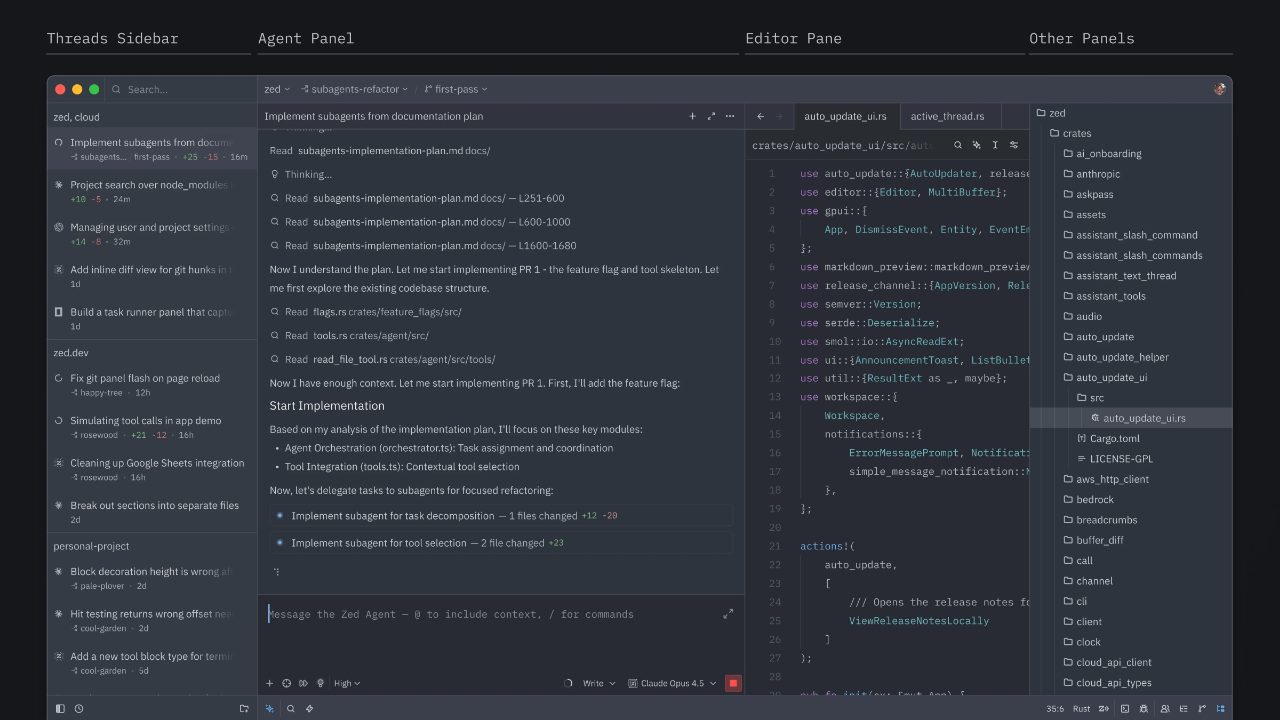
What it does
- Native open-source editor with GPU-rendered performance
- Zeta edit predictions, inline edits, and a native coding agent
- Hunk-by-hunk review, tool permissions, and worktree isolation
- External agents plus hosted, API-key, gateway, and local-model routes
Pros
- Excellent native editing with granular AI change controls
- Broad choice of agents, providers, and local models
- Free complete editor with opt-in training and strong privacy defaults
Cons
- A much smaller extension ecosystem than VS Code
- The native agent needs testing on your own repositories
- Business identity and compliance features are still incomplete
Skip if: Teams that depend on specific VS Code extensions or require SSO, SCIM, and a current SOC 2 report.
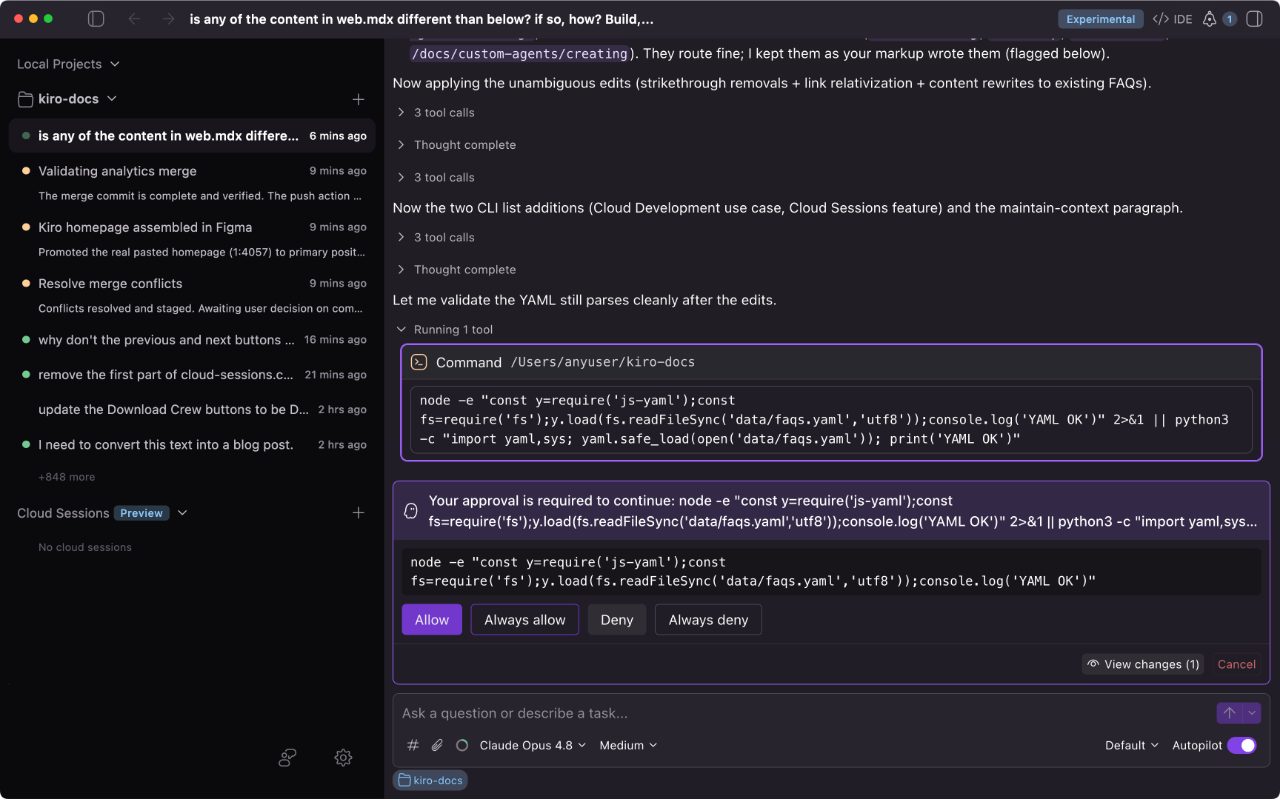
In Kiro IDE, the agent reads the requirements before touching the code. It is a complete desktop IDE based on Code OSS, with familiar VS Code settings and Open VSX extensions. You write requirements and design decisions, Kiro turns them into tasks, and you verify the completed work. Less “vibes,” more paperwork, in a good way.
A full spec produces requirements, design, and task files in the repository. You can review those documents, run independent tasks in parallel, and use property-based tests to check the implementation against stated behavior. Quick sessions and quick specs are available for smaller changes, so the full process is not mandatory. That structure helps when requirements are ambiguous; it is overkill for a typo.
The model menu spans OpenAI, Anthropic, and open-weight models. Free includes 50 monthly credits, and Pro costs $20 a month with 1,000. Each prompt consumes credits according to its work and model, so refining a specification costs both time and credits.
By default, Kiro collects content from Free users and individual subscribers, including prompts, responses, and generated code. You can opt out in the IDE; enterprise content is not used for service improvement. Kiro is a strong specialist for teams that value documented intent, but Cursor and VS Code are easier general choices for exploratory coding.
What it does
- Code OSS desktop editor with Open VSX extension compatibility
- Requirements, design, and task documents linked to implementation
- Parallel tasks, reviewable diffs, and property-based correctness tests
- Multiple frontier and open-weight models with shared plan credits
Pros
- The clearest specification-driven AI development workflow
- Useful planning and verification, with requirements, design, and task documents the team can read
- A recurring free allowance and broad curated model menu
Cons
- Too much process for small or exploratory changes
- Credit use varies with the task and selected model
- Individual content collection is on by default until you opt out
Skip if: Developers who need local models or a custom provider, or who need predictable per-prompt credit costs.
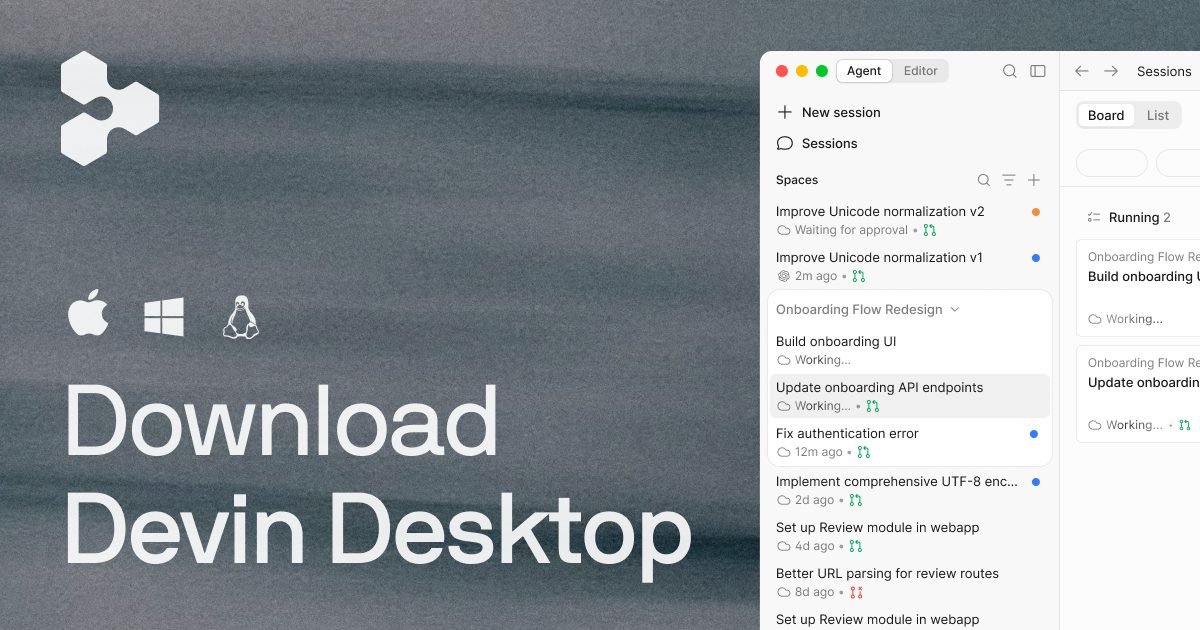
Devin Desktop puts supervision of several coding agents ahead of manual typing. It is the current name for Windsurf, and the complete VS Code-derived editor, extensions, keybindings, and language tooling remain. The Agent Command Center now arrives before the traditional editor, like a project manager who got to the office before you did.
Local and cloud sessions share a supervision interface, with worktrees for isolated tasks and an independent Quick Review agent for checking changes. Permissions cover file access, commands, web requests, and connected tools. Support for the Agent Client Protocol also lets compatible third-party agents work in the same environment, which is useful if you do not want every task tied to Devin’s own agent.
Free includes unlimited inline edits and Tab completions plus a light agent allowance. Pro costs $20 a month with broader model access and cloud agents, but daily and weekly agent quotas vary with the task. Extra usage is billed at API prices.
That command center is the reason to choose it and the reason to avoid it. A solo developer looking for a calm editor must first dismiss a management board built for several workstreams. Devin Local also has a shorter track record than the previous Cascade agent, so older Windsurf praise is not a reliable verdict on today’s experience. Individual data can be used for training by default; paid users must opt out to stop training and enable zero retention with providers.
What it does
- Full Windsurf-derived editor with local and cloud agent sessions
- Agent Command Center for parallel tasks and worktrees
- Granular permissions and independent Quick Review
- ACP-compatible third-party agents and unlimited free completions
Pros
- Excellent supervision of several isolated agent sessions
- Flexible permissions and independent change review
- Free unlimited inline edits and Tab completions
Cons
- Agent management gets in the way of ordinary solo editing
- The current local agent has a shorter track record than its predecessor
- Paid users must opt out to stop training and enable zero retention with providers
Skip if: Developers who want the code editor to open before the agent-management board, and teams that need training disabled without an administrator opt-out.
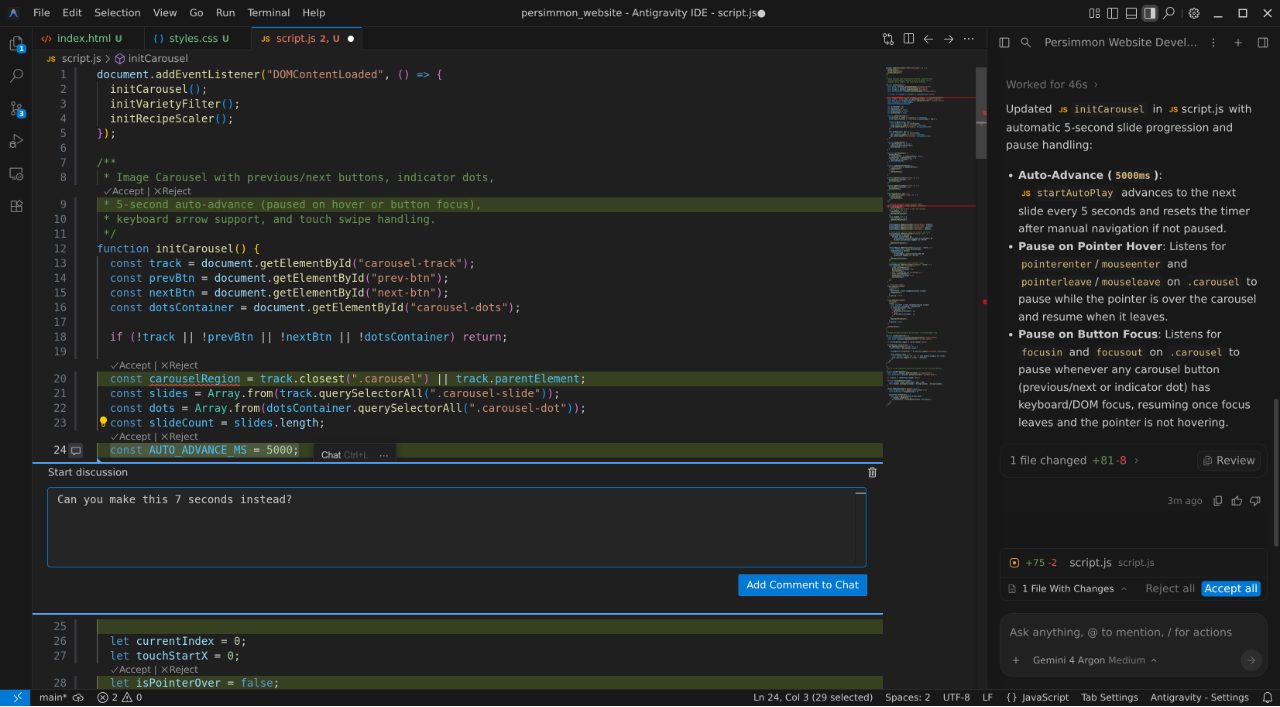
Google Antigravity tempts with a complete IDE, recurring AI access, and browser-based agent verification. The relevant product here is the Antigravity IDE, not the separate command-center app, CLI, or extensions for other editors. Its Editor view supplies Tab completions, natural-language commands, and direct file editing on macOS, Windows, and Linux.
The agent can work across the editor, terminal, and browser. Artifacts summarize its plans and verification results, and you can comment on them to redirect the work. That is especially useful for front-end changes, where the agent can inspect the running page rather than merely declaring the button fixed.
Free includes unlimited Tab completions and Command requests plus a basic weekly agent allowance. Google AI Pro costs $19.99 a month for higher limits and a flexible credit pool. Model access is a curated list of Gemini and partner models, without the local-model or custom-provider freedom of Zed or VS Code.
The review loop is the catch. Users have reported that an IDE update batched changes until the end of a task and made edited files harder to track. Google provides keyboard shortcuts for reviewing changes inline and a side-by-side diff view, but that doesn’t erase the disruption those users described. Unless you change the setting, Google can use your interactions to improve its products and models, and human reviewers can examine them. For a free experiment, Antigravity is attractive; for a critical daily workflow, first test its review controls and adjust the data-use setting if your code requires it.
What it does
- Full desktop IDE with Tab completions and natural-language commands
- Agents that work across the editor, terminal, and browser
- Task artifacts, feedback, and visual verification
- Recurring free agent allowance and unlimited completions
Pros
- The most useful recurring free AI package in a complete editor
- Browser-based verification for front-end work
- Familiar VS Code-derived editing and broad platform support
Cons
- Recent review-workflow changes have frustrated users
- Individual interactions can be used for improvement unless you opt out
- No local-model or unrestricted custom-provider route
Skip if: Developers who need local models or custom providers, and anyone handling confidential code who cannot accept human review before opting out.
Also considered
- Claude Code
A leading coding agent for the terminal, with IDE extensions and a desktop app for sessions and visual diff review. Choose it for substantial delegated work, then use the editor that fits how you prefer to inspect and finish the changes.
- Visual Studio
A full Windows IDE for .NET and C++ with integrated Copilot, debugging, and testing. Choose it when those Microsoft toolchains drive your work; it is a different product from Visual Studio Code. This comparison gives fuller reviews to the broader cross-platform editors and the JVM specialist.
- Trae
A genuine AI editor with direct IDE and autonomous SOLO modes. Its free Auto usage is a one-time allowance rather than recurring, although it also includes monthly completions. Its policy collects prompts and code uploads and temporarily uploads codebase files for indexing. Antigravity is the better free starting point, while Zed and VS Code offer clearer provider choices.
- Replit
A hosted environment for describing, building, testing, and deploying an application, with services such as databases and authentication attached. It suits zero-setup app creation more than detailed work in an existing local codebase.
- Void
An open-source VS Code fork that offered direct provider connections and local models. Its official repository is archived and the project is deprecated, so Zed is the current open-editor recommendation rather than a new Void installation.

How to choose an AI code editor
Cursor is my pick for most developers who want to write code with AI rather than merely supervise it. Its predictions, repository work, and visible review form the strongest combination for hands-on coding. The separate third-party model charges are the reason to look elsewhere, not a footnote.
Start with how much of the coding you still want to do yourself. A good agent does not make a poor editor pleasant to use, and a fast editor does not make weak AI useful. VS Code is the safer answer when compatibility comes first, while Zed leads for native speed and provider freedom.
- You edit and review every change: Cursor. Its predictions and review loop justify the switch when its own models fit your budget.
- You want speed, open source, or local models: Zed. Confirm your required extensions before making it your main editor.
- You want the least disruptive setup: VS Code. It supports the broadest project tooling and lets you change agents without changing editor.
- You maintain Java or Kotlin professionally: IntelliJ IDEA with Air. Its refactoring and verification tools matter more than a fashionable agent interface.
- You want explicit requirements before implementation: Kiro IDE. Use quick sessions for small work and reserve full specs for changes that benefit from them.
- You supervise parallel local and cloud tasks: Devin Desktop. Its command center is a benefit only if that is your normal working style.
- You want a recurring free AI editor: Google Antigravity. It is a useful starting point, with privacy and review-workflow caveats that matter for serious projects.
Prices in this guide are current as of November 2026. Price the AI separately from the editor. Zed and VS Code can use an existing subscription, API key, or local model, while Cursor and Kiro bundle their own usage systems. A low entry price does not tell you what a month of agent work costs. Run a representative bug fix and a multi-file feature through your top two choices, then compare the diffs, review time, and actual provider charges.
When you are choosing the assistant rather than the editing environment, our AI coding tools guide compares Claude Code, Codex, Cursor, and other assistants.
Privacy also belongs to the specific account and agent, not just the editor’s brand. Check whether your content trains models, how long prompts are retained, and whether an administrator can enforce your choice. Local editing does not mean local inference: unless you explicitly select a local model, code can still leave your machine.
The verdict for the year ahead
Cursor earns the top recommendation because editing, delegating, and checking the result all happen in one flow. Just review the model bill with the same care you would review the diff.
VS Code is the more conservative choice: it gives up some cohesion but protects your existing tooling and lets you adopt a different agent when the work changes. Zed is the better choice for native speed, open code, and provider independence when its smaller extension catalog supports your work. Its native agent is a separate consideration from the editor itself.
The specialists are easy to buy for the wrong reasons. IntelliJ IDEA earns its high placement for JVM depth, not as a reason for every developer to switch. Kiro IDE suits documented intent, Devin Desktop suits parallel-agent supervision, and Google Antigravity suits free exploration. None becomes the best general replacement for Cursor, VS Code, or Zed merely by offering more agents, a lower entry price, or a longer feature list. Pick the environment you can review and think in, then choose the AI arrangement you can afford and trust.
Scores
1–5 per criterion · select a score for its reasoning and any sources| # | Product | Overall | AI coding quality , counts double | Editor quality | Integrated AI workflow , counts double | Review and change control | Compatibility with existing workflows | Model and agent choice | Learning resources and support | Privacy and team controls |
|---|---|---|---|---|---|---|---|---|---|---|
| 1 | Cursor | 4.4 | 5 | 4 | 5 | 5 | 4 | 3 | 4 | 4 |
| 2 | Visual Studio Code | 4.2 | 4 | 4 | 4 | 4 | 5 | 5 | 5 | 3 |
| 3 | IntelliJ IDEA | 4.2 | 3 | 5 | 4 | 4 | 4 | 5 | 5 | 5 |
| 4 | Zed | 3.9 | 3 | 5 | 4 | 5 | 3 | 5 | 3 | 4 |
| 5 | Kiro | 3.6 | 4 | 3 | 4 | 4 | 4 | 3 | 3 | 3 |
| 6 | Devin Desktop | 3.4 | 3 | 4 | 3 | 4 | 4 | 4 | 3 | 3 |
| 7 | Google Antigravity | 2.9 | 3 | 3 | 3 | 3 | 4 | 2 | 3 | 2 |
Equal displayed overall scores are ordered by the earlier criteria; a known score comes before an unknown score. Identical scores use alphabetical order.
×2 = counts double in the overall score, ×½ = counts half.
How each criterion is scored
AI coding quality
Counts double in the overall score: The quality of the help is the main reason to choose an AI editor, ahead of ecosystem breadth or administration.
How useful the assessed editor and its included AI assistance are for real coding: predictive edits, relevant repository context, correct multi-file changes, debugging and checking its own work. Judge the configuration a reader gets with that editor, including a separately selected external agent only when the article assesses that configuration and its costs. Never transfer an external agent's coding reputation to an editor that does not supply it in the assessed configuration. Use comparative reviews and developer experience rather than treating a model benchmark as an editor test.
- 5 Leading developer evidence for useful predictions, repository changes, iteration and verification in one editing experience
- 4 Strong predictive and multi-file assistance, with a meaningful limitation on complex work or in the editor's implementation
- 3 Useful everyday assistance with less consistency, maturity or supporting evidence than the leaders
- 2 Helpful for simple code but unreliable on ordinary repository changes
- 1 Weak assistance that routinely creates substantial rework even on focused tasks
Editor quality
How good the product is as a complete development environment: navigation, code intelligence, refactoring, debugging, testing, responsiveness and language tooling. It assesses the manual editor that remains when no agent is running, not just the surrounding AI interface.
- 5 An excellent development environment with outstanding speed or language-aware tools and no major compromise for its intended developers
- 4 A strong complete editor with either excellent native performance or deep language support, and a manageable limitation
- 3 A capable main editor with evident performance, reliability or tooling tradeoffs
- 2 Basic editing works, but important debugging, navigation or language tooling is weak
- 1 Poor enough as an editor that ordinary development becomes a chore
Integrated AI workflow
Counts double in the overall score: A main AI editor must make manual and assisted coding work together, not merely expose capable models.
How naturally a developer moves among typing, predictive edits, chat and agent work while retaining code context and control of the pace. A conventional editor with well-integrated AI and an AI-first editor can both score highly.
- 5 Exceptional flow from small edits to larger tasks, with AI available in context without taking over the developer's work
- 4 A cohesive manual-and-AI workflow with one significant rough edge or an opinionated interface that will not suit everyone
- 3 Good completion and agent features with noticeable friction between editing modes or surfaces
- 2 Usable AI panels or commands, but little cohesion with direct editing
- 1 AI features repeatedly interrupt or fragment ordinary editing
Review and change control
How well a developer can direct and verify agent work: visible diffs, selective acceptance, steering a running task, permissions, checkpoints or isolated work, and recovery after a bad change. This evaluates the control offered inside the editor rather than rewarding parallel or cloud execution for its own sake.
- 5 Excellent granular review, redirection and recovery, with safe ways to isolate or verify larger changes
- 4 Strong review and recovery with a specific limitation in the available controls or their consistency
- 3 Useful diffs, approvals and recovery, but material gaps in selective control, isolation or reliability
- 2 Basic agent editing with coarse permissions or incomplete change review
- 1 Little meaningful review or recovery beyond manually undoing generated code
Compatibility with existing workflows
How easily the editor fits an existing development setup: desktop platforms, language and extension coverage, migration of settings, remote development and established project tools. The score reflects the whole working environment, not whether it resembles VS Code.
- 5 Mature cross-platform support, extensive language and extension coverage, and well-established remote and project workflows
- 4 Broad compatibility and migration with a recognizable ecosystem or platform limitation
- 3 Covers common setups, but important extensions, languages or remote workflows need checking
- 2 Narrow ecosystem or substantial migration work for common stacks
- 1 Excludes many ordinary development setups or platforms
Model and agent choice
Freedom to choose the AI behind the editor: multiple model providers, alternative agent harnesses, existing subscriptions or API keys, custom endpoints and local inference. The score values practical routes around vendor lock-in rather than the length of a model menu.
- 5 Multiple agent harnesses and providers, existing subscriptions or custom endpoints, and practical local inference
- 4 Broad provider and API-key choice, with external agents or named local-model support
- 3 Several providers or an external-agent route, with meaningful plan, compatibility or setup restrictions
- 2 A curated model list with no custom provider, external agent or local inference
- 1 One vendor's models and agent, with no practical alternative
Learning resources and support
How easily a developer can learn the editor, solve setup and AI problems, and carry skills between projects: familiar conventions, documentation, training material, community help and transferable skills. Assess the help available for the complete editor and AI configuration, not the number of users or a vendor's marketing reach.
- 5 Extensive, established learning and troubleshooting resources across ordinary editing, project setup and AI assistance
- 4 Good documentation and community support, with familiar conventions or transferable skills and smaller coverage gaps
- 3 Adequate documentation and community help, with important AI or editor questions requiring specialist knowledge
- 2 Basic documentation but thin troubleshooting help or substantial unfamiliar setup
- 1 Little useful guidance for ordinary setup, editing or AI problems, with unfamiliar conventions that obstruct work
Privacy and team controls
Data-use terms for code and prompts plus organizational controls for privacy, identity, model policy, spending and auditing. It considers individual defaults as well as business plans and does not treat a vendor's enterprise promise as coverage for a personal account.
- 5 Strong default privacy or direct-to-provider routes plus comprehensive organizational identity, policy and spending controls
- 4 Strong documented no-training choices and useful central controls, with a smaller gap in defaults, retention or administration
- 3 Useful no-training options or administration, with important defaults, retention or identity limitations
- 2 Individual training or human review by default, with an opt-out but limited organizational control
- 1 No defensible way to stop code or interactions being used for training or to manage team access
Questions
What is the best free AI code editor?
Google Antigravity has the strongest recurring free package, with unlimited completions and Command requests plus a weekly agent allowance. VS Code is free with a smaller Copilot Free allowance or your own provider. Zed is the best free open-source editor, but its own Zeta predictions require a paid or eligible plan, while hosted-model usage is billed separately.
Is Cursor better than VS Code with Copilot?
Cursor is better when predictive editing and a single cohesive agent workflow are your priorities. VS Code is better for compatibility, a lower-cost Copilot subscription, and the freedom to use Copilot, Claude, or Codex in the same editor. Cursor’s new third-party model charges can change the decision even if you prefer its interface.
Which AI code editor works with local models?
Zed and VS Code both support local-model routes. JetBrains Air lets you connect your own provider endpoint, which is a separate option from running a local model. Local inference can keep model requests on your hardware, but the editor’s telemetry and any external agents still need their own privacy checks.
Do I need an AI-first editor to use coding agents?
No. VS Code, Zed, and JetBrains IDEs can host external coding agents. Choose an AI-first editor when you prefer its integrated predictions and review tools; choose a conventional editor with an agent integration when preserving your current workflow matters more.