
Bitdefender Antivirus Free
Basic free Windows antivirus built on Bitdefender's paid engine, with few settings and locked paid features.
Our verdict
#2 of 6 in Free antivirus for Windows · Stronger web filtering for Chrome and Firefox users
What it does
- Real-time protection and behavior monitoring from Bitdefender's paid engine
- Online Threat Prevention for dangerous and phishing sites in every browser
- Basic ransomware protection and a scan scheduler
Pros
- Top-group lab results, with strong offline detection
- Few false alarms
- Upgrade offers are mild and can be switched off
- A clean record on user data
Cons
- Requires a Bitdefender account and an email address
- Free use is limited to three PCs per account
- Few settings and few extras
- Choose if:
- You browse in Chrome or Firefox and want one scam filter that covers every browser
Bitdefender Antivirus Free is the vendor’s free, Windows-only antivirus for home users. It has real-time protection, quick and system scans with a scheduler, Advanced Threat Defense, online threat protection against malicious and phishing sites, and basic ransomware protection. It needs a Bitdefender Central account and is limited to a few devices per account. The free app has few settings and shows locked paid features and an upgrade banner, which can be turned off in settings. Bitdefender is a Romanian company. The free edition is proprietary freeware.
What users say
Evidence ↓Reviewers at TechRadar (2024) and Tom's Guide (2022) agree the free edition has excellent malware protection and little to configure. Both note the drawbacks, in single reviews each, of a mandatory account, few features, and padlocked paid features in the app, with Tom's Guide rating the upsell nag as slight. TechRadar's own phishing test blocked 64 percent of 50 URLs, below average. Two reviewers is a small sample.
Rankings and alternatives
- Free antivirus for Windows #2 of 6 Stronger web filtering for Chrome and Firefox users
- Microsoft Defender #1 Enough protection for most Windows PCs
- Avast Free Antivirus #3 Top lab scores and light, with the most pop-ups
- AVG AntiVirus Free #4 Avast's engine with fewer extras

Free antivirus for Windows scores
Evaluated Nov 17, 2026 Evidence ↓- Malware protection · counts double 4
4/5 means: In the top group of recent lab tests, with a weak spot such as low offline detection, or results that come from the vendor's paid suite rather than the free edition
Top group in AV-Comparatives March 2026 (97.6% offline and online) and Real-World Feb-May 2026 (99.5%), and 100% in AV-TEST, but AV-TEST tested the paid Total Security suite and the edition AV-Comparatives tested is not stated; the free edition is reported to share the engine.
- Blocking scam and phishing sites 4
4/5 means: Blocks dangerous and phishing sites at the network level in every browser
Online Threat Prevention in the free app filters web traffic, including encrypted pages, before it reaches the browser, so it covers every browser without the optional TrafficLight extension. TechRadar's small test blocked 64 percent of 50 fresh phishing URLs, a weaker result than Avast's in a similar test.
- Privacy and trust in the vendor · counts double 4
4/5 means: No record of selling or misusing user data, with ordinary cloud lookups and usage data you can limit
No record of selling user data, based on my own knowledge (Romanian/EU vendor, no known data-sale scandal). Not verified in this research, and an account email is required.
- Free of nags and upsells 4
4/5 means: Locked features and an occasional offer, which you can mostly turn off
Locked paid features and an upgrade banner appear in the app, but Tom's Guide rates the upsell nag as slight and upgrade offers can be turned off. Nothing extra in the installer was reported. A TechRadar-reported VPN trial offer is minor.
- Light on your PC 4
4/5 means: Lighter than most, with a small slowdown in some tasks
Lighter than most in AV-Comparatives' April 2026 Performance Test (impact score 9.6, 9th of 19, lighter than Microsoft's 12.9), though behind the fastest group at 3.3 to 5.5. The paid suite got full performance points at AV-TEST.
- Few false alarms 4
4/5 means: Few false alarms
Four false alarms in the March 2026 AV-Comparatives test, fewer than Avast and AVG (9) and ESET (16). The AV-Comparatives Real-World false-alarm count was not saved.
- Nothing to set up or maintain 3
3/5 means: Needs an account or registration, then runs on its own
Requires a Bitdefender Central account, capped at about three devices and only for accounts with no subscription, then runs on its own with no renewal. No periodic re-registration was found.
- Useful free extras · counts half 2
2/5 means: One or two extras, such as basic ransomware protection
Basic ransomware protection and a network scanner (Home Scanner) that is a separate download. The vendor lists a small VPN allowance that a review found offered only as a trial, so it isn't counted. No firewall or password manager.
Pricing
- Antivirus Free Free Windows only. Requires a Bitdefender Central account. The vendor says there is no time limit and no credit card is needed. TechRadar reports a maximum of three devices per account and that it is offered only to accounts with no Bitdefender subscription.
Prices checked Nov 17, 2026.
Evidence and sources
What users say
Summary 6 quotes
-
You can’t install Bitdefender Antivirus Free without setting up an account. That’s quick, easy and free, but it does mean handing over your email address.
Mike Williams, lead security reviewer at TechRadar · techradar.com/pro/bitdefender-antivirus-free-review · published · checked -
There are buttons for the firewall, antispam, parental controls, anti-theft, the performance optimizer and more, but they all display a padlock icon which means they’re not accessible unless you pay to upgrade.
Mike Williams, lead security reviewer at TechRadar · techradar.com/pro/bitdefender-antivirus-free-review · published · checked -
Bitdefender Antivirus Free is a great malware-hunting performer, but is still fractionally behind Avast in independent testing.
Mike Williams, lead security reviewer at TechRadar · techradar.com/pro/bitdefender-antivirus-free-review · published · checked -
Upsell nag factor: Slight
Brian Nadel, freelance reviewer at Tom's Guide · tomsguide.com/reviews/bitdefender-antivirus-free-for-windows · published · checked -
Unfortunately, OneClick Optimizer, Vulnerability Scan, VPN and the SafePay secure browser have a lock logo in their upper right corner. They are reserved for paying customers. At the top is a come-on to upgrade.
Brian Nadel, freelance reviewer at Tom's Guide · tomsguide.com/reviews/bitdefender-antivirus-free-for-windows · published · checked -
We ran further tests of our own, attempting to access 50 brand new phishing URLs on a Bitdefender-protected system. The results were a little below average, with Bitdefender blocking 64% of threats.
Mike Williams, lead security reviewer at TechRadar · techradar.com/pro/bitdefender-antivirus-free-review · published · checked
Free antivirus for Windows scores
Malware protection 4 quotes
-
Bitdefender · 97.6% · 97.6% · 99.94% · 4
av-comparatives.org/tests/malware-protection-test-march-2026 · checked -
Bitdefender · 398 · – · 2 · 99.5% · 1
av-comparatives.org/tests/real-world-protection-test-february-may-2026 · checked -
8 products were able to detect all attackers without fail. The table depicts these products with a value of 100%: Avast, AVG, Bitdefender, ESET, F-Secure, McAfee, Norton and TotalAV.
av-test.org/en/news/the-best-security-solutions-for-windows-11 · checked -
Bitfender’s security package showed that it has an excellent handle on things and scored 18 points overall – plus the TOP PRODUCT label
av-test.org/en/news/the-best-security-solutions-for-windows-11 · checked
Blocking scam and phishing sites 3 quotes
-
Meanwhile, the Traffic Light browser add-on can steer you away from dangerous sites known for distributing malware. It can identify trackers, protect against phishing links, block crypto-mining scripts and places green checkmarks on search returns when everything is safe. The add-ons work with Chrome, Edge, Firefox and Safari but requires manual loading.
Brian Nadel, freelance reviewer at Tom's Guide · tomsguide.com/reviews/bitdefender-antivirus-free-for-windows · published · checked -
Its Online Threat Prevention takes this protection a step further by checking on the safety of encrypted web pages, while blocking online scams.
Brian Nadel, freelance reviewer at Tom's Guide · tomsguide.com/reviews/bitdefender-antivirus-free-for-windows · published · checked -
We ran further tests of our own, attempting to access 50 brand new phishing URLs on a Bitdefender-protected system. The results were a little below average, with Bitdefender blocking 64% of threats.
Mike Williams, lead security reviewer at TechRadar · techradar.com/pro/bitdefender-antivirus-free-review · published · checked
Privacy and trust in the vendor 1 quote
-
You can’t install Bitdefender Antivirus Free without setting up an account. That’s quick, easy and free, but it does mean handing over your email address.
Mike Williams, lead security reviewer at TechRadar · techradar.com/pro/bitdefender-antivirus-free-review · published · checked
Free of nags and upsells 4 quotes
-
There are buttons for the firewall, antispam, parental controls, anti-theft, the performance optimizer and more, but they all display a padlock icon which means they’re not accessible unless you pay to upgrade.
Mike Williams, lead security reviewer at TechRadar · techradar.com/pro/bitdefender-antivirus-free-review · published · checked -
Upsell nag factor: Slight
Brian Nadel, freelance reviewer at Tom's Guide · tomsguide.com/reviews/bitdefender-antivirus-free-for-windows · published · checked -
Unfortunately, OneClick Optimizer, Vulnerability Scan, VPN and the SafePay secure browser have a lock logo in their upper right corner. They are reserved for paying customers. At the top is a come-on to upgrade.
Brian Nadel, freelance reviewer at Tom's Guide · tomsguide.com/reviews/bitdefender-antivirus-free-for-windows · published · checked -
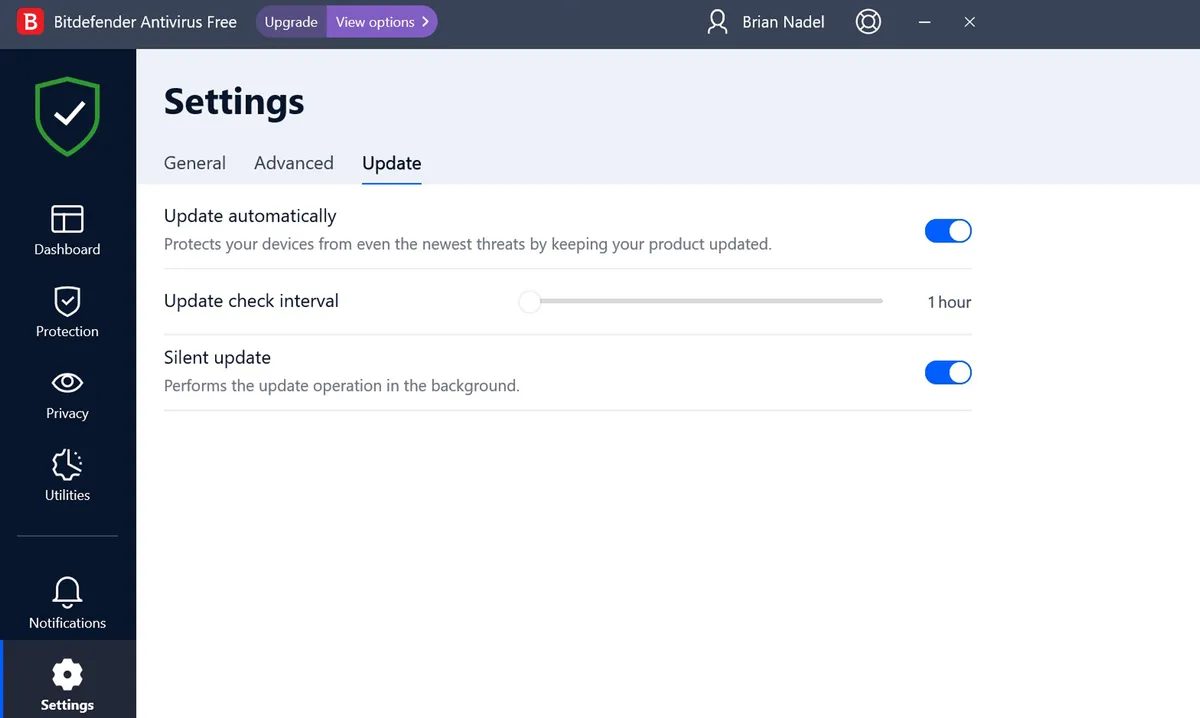
Unfortunately, there’s no overall slider for changing your security stance. Instead, the General tab in the Bitdefender Antivirus Free for Windows Settings has individual controls for anything from turning off upgrade offers to changing the language to using the dark mode.
Brian Nadel, freelance reviewer at Tom's Guide · tomsguide.com/reviews/bitdefender-antivirus-free-for-windows · published · checked
Light on your PC 3 quotes
-
9. · Bitdefender · 85 · 95.4 · 9.6
av-comparatives.org/tests/performance-test-april-2026 · checked -
That baseline score rose to 9.4 seconds after installing Bitdefender Antivirus Free for Windows, showing a 2 percent passive performance loss due to the program.
Brian Nadel, freelance reviewer at Tom's Guide · tomsguide.com/reviews/bitdefender-antivirus-free-for-windows · published · checked -
Bitfender’s security package showed that it has an excellent handle on things and scored 18 points overall – plus the TOP PRODUCT label
av-test.org/en/news/the-best-security-solutions-for-windows-11 · checked
Few false alarms 1 quote
-
Bitdefender · 97.6% · 97.6% · 99.94% · 4
av-comparatives.org/tests/malware-protection-test-march-2026 · checked
Nothing to set up or maintain 3 quotes
-
Get an antivirus that is totally free, no hidden costs, no trials required. Simply download and install the product by creating a Bitdefender Central Account.
bitdefender.com/en-us/consumer/free-antivirus · checked -
You can’t install Bitdefender Antivirus Free without setting up an account. That’s quick, easy and free, but it does mean handing over your email address.
Mike Williams, lead security reviewer at TechRadar · techradar.com/pro/bitdefender-antivirus-free-review · published · checked -
Because Bitdefender requires you to log into an account, it knows the number of devices you’re protecting, and currently limits you to a maximum of three.
Mike Williams, lead security reviewer at TechRadar · techradar.com/pro/bitdefender-antivirus-free-review · published · checked
Useful free extras 4 quotes
-
Yes. Bitdefender Antivirus Free includes a basic version of Bitdefender VPN, which offers up to 200 MB of encrypted traffic per device, per day — at no additional cost.
bitdefender.com/en-us/consumer/free-antivirus · checked -
[yes] Windows only [yes] Basic ransomware protection [no] No anti-tracking measures [no] No social network protection [no] No full-system analysis [no] No productivity & entertainment mode
bitdefender.com/en-us/consumer/free-antivirus · checked -
The VPN is one of the few without a padlock, but not because there’s a free version: you just get an option to install a 7-day trial of Bitdefender’s free VPN.
Mike Williams, lead security reviewer at TechRadar · techradar.com/pro/bitdefender-antivirus-free-review · published · checked -
There is Bitdefender’s Home Scanner that looks for old firmware and weak passwords in your computers and network devices.
Brian Nadel, freelance reviewer at Tom's Guide · tomsguide.com/reviews/bitdefender-antivirus-free-for-windows · published · checked
Facts
License 1 quote
-
Get an antivirus that is totally free, no hidden costs, no trials required. Simply download and install the product by creating a Bitdefender Central Account.
bitdefender.com/en-us/consumer/free-antivirus · checked
Runs on 1 quote
-
Simply download and install free protection for your PC running any version of Windows (including Windows 10 and Windows 11) and enjoy a worry-free experience while gaming or browsing the Internet.
bitdefender.com/en-us/consumer/free-antivirus · checked
Needs 1 quote
-
Get an antivirus that is totally free, no hidden costs, no trials required. Simply download and install the product by creating a Bitdefender Central Account.
bitdefender.com/en-us/consumer/free-antivirus · checked
More from the sources
Features 3 quotes
-
Bitdefender Antivirus Free for Windows offers you award-winning antivirus protection that’s light on your system and keeps you safe from viruses and e-threats.
bitdefender.com/en-us/consumer/free-antivirus · checked -
The Bitdefender Antivirus Free dashboard gives easy access to the app’s core antivirus features. Quick Scan speedily checks the most commonly-infected areas of your device; System Scan takes its time to inspect absolutely everything; the Scheduler allows you to set up scans to run automatically when you’re not around, and you can manage Exceptions (files you tell Bitdefender to ignore because it flags them incorrectly) and Quarantine (where Bitdefender securely locks away blocked files.)
Mike Williams, lead security reviewer at TechRadar · techradar.com/pro/bitdefender-antivirus-free-review · published · checked -
AutoPilot sets all the parameters needed to protect a system, leaving few ways to modify the protection. It reacts to a changed threat landscape fast but leaves out the human element for customizing its protection. For many, the best part of Bitdefender Antivirus Free for Windows is that there’s nothing to adjust. There are a handful of on/off switches for some of the defenses, nothing more.
Brian Nadel, freelance reviewer at Tom's Guide · tomsguide.com/reviews/bitdefender-antivirus-free-for-windows · published · checked
Limits and known issues 1 quote
-
Protecting a computer with Bitdefender Antivirus Free for Windows starts at the company’s website, where I grabbed the 14.1MB installer file. After preparing the system for the installation, the app downloaded the 556MB program and began installing it.
Brian Nadel, freelance reviewer at Tom's Guide · tomsguide.com/reviews/bitdefender-antivirus-free-for-windows · published · checked