
Microsoft Defender
The free antivirus built into Windows 10 and 11, on by default in Windows Security
Our verdict
#1 of 6 in Free antivirus for Windows · Enough protection for most Windows PCs
What it does
- Real-time protection built into Windows Security, on by default
- SmartScreen blocking of dangerous sites and downloads in Edge
- Controlled Folder Access ransomware protection, off until you enable it
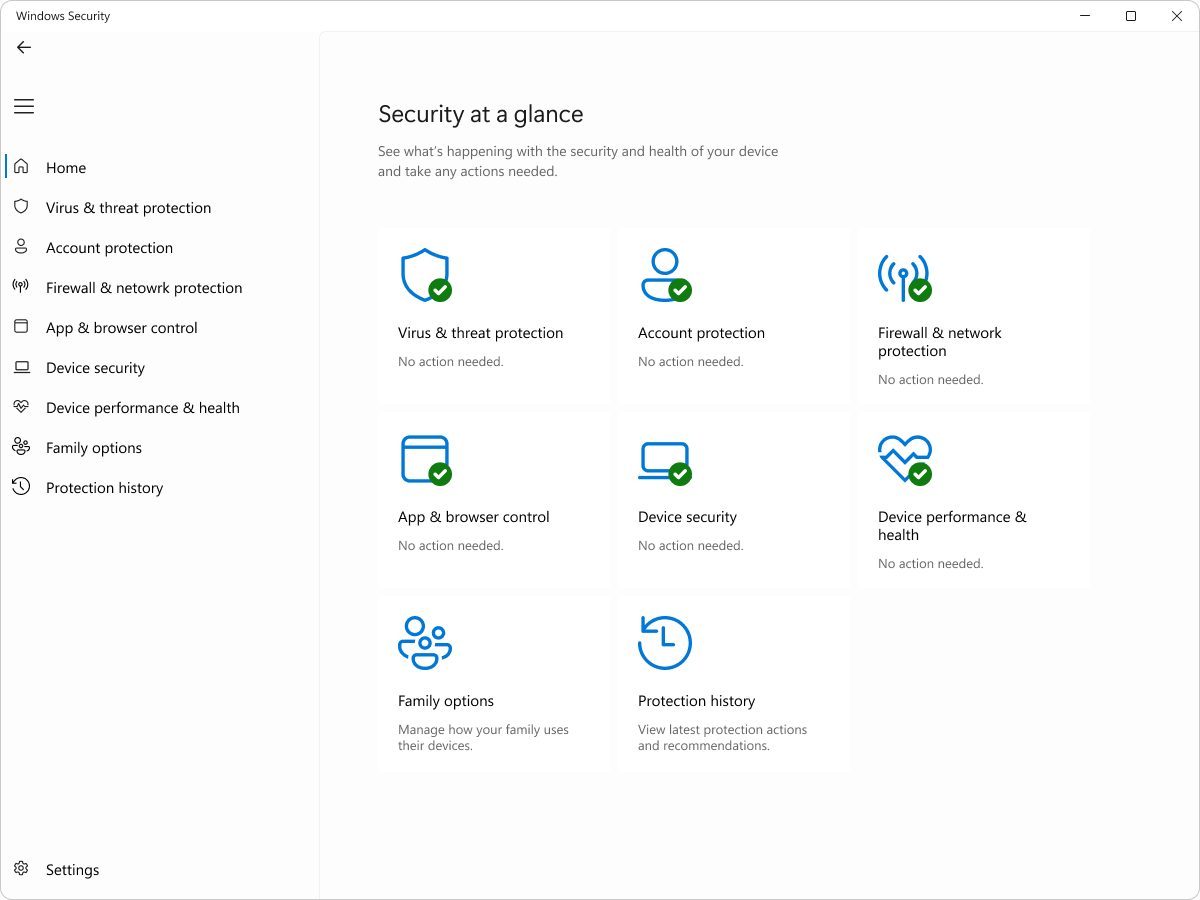
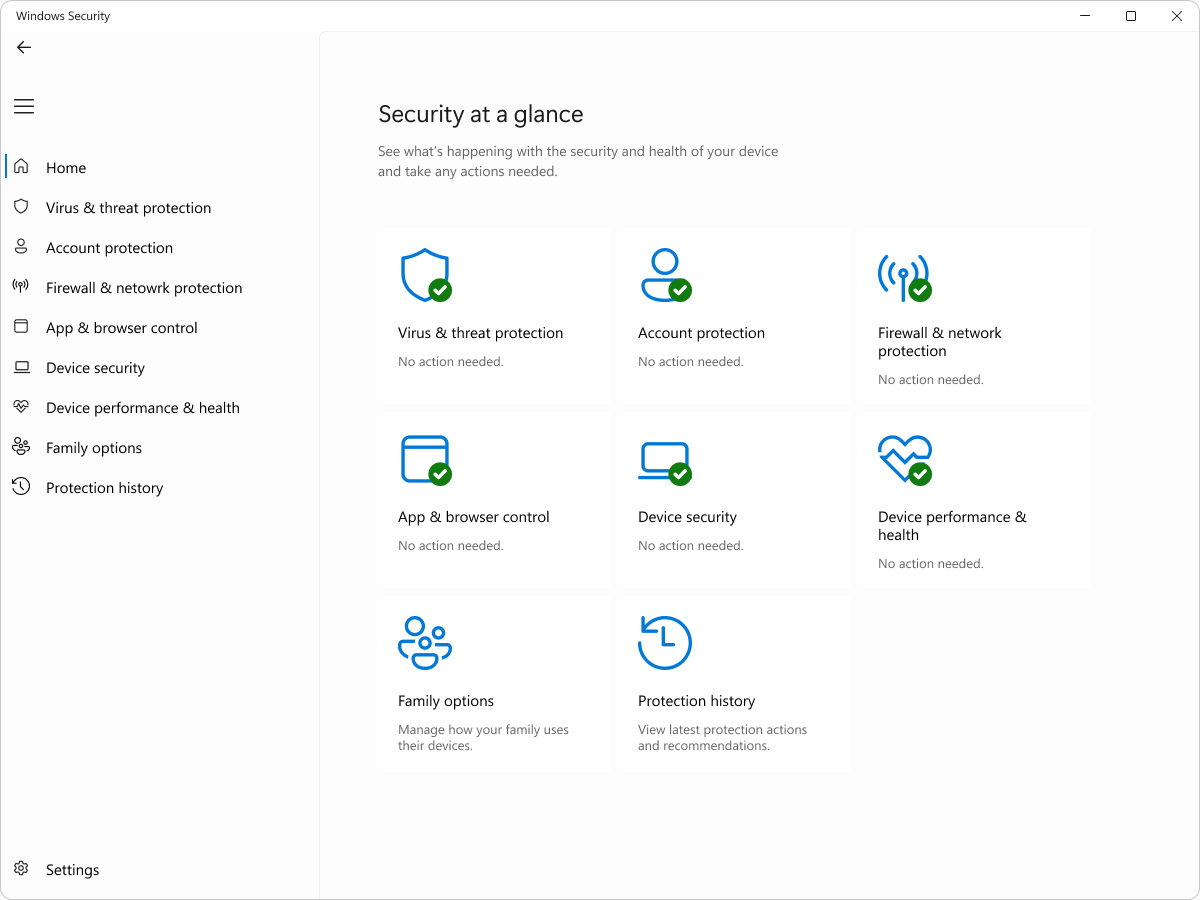
- Windows Firewall, Smart App Control on Windows 11, and an offline scan that runs before Windows starts
Pros
- Top marks from AV-TEST and AV-Comparatives
- No pop-ups, ads or upgrade prompts at all
- No false alarms in AV-Comparatives' 2026 Real-World test, and almost none in its malware test
- Nothing to install, register or renew
Cons
- Weaker detection when the PC is offline
- Site blocking is strongest in Edge, and Chrome and Firefox rely on their own blocklists
- Slows file copying and installs on low-end PCs more than Avast or Bitdefender
- Skip if:
- You're often offline or on unreliable Wi-Fi and want detection that doesn't depend on the cloud
Microsoft Defender Antivirus is the antivirus that ships inside the Windows Security app on Windows 10 and Windows 11. It runs real-time protection from the first boot and sits beside Windows Firewall and, on Windows 11, Smart App Control. It is proprietary software included with Windows at no extra cost, and it switches itself off when a third-party antivirus is installed and back on if that product lapses. It is separate from the “Microsoft Defender” app that comes with Microsoft 365 Family and Personal subscriptions, which adds Mac, iOS and Android devices.
What users say
Evidence ↓The only practitioner view saved is a 2022 reviewer test at Comparitech, a site that earns commissions on rival products. It blocked every sample in real time and had little effect on performance, but missed live samples in on-demand scans with real-time protection off, and he would probably not rely on it alone. This is a single reviewer, not a widely shared view.
Rankings and alternatives
- Free antivirus for Windows #1 of 6 Enough protection for most Windows PCs
- Bitdefender Antivirus Free #2 Stronger web filtering for Chrome and Firefox users
- Avast Free Antivirus #3 Top lab scores and light, with the most pop-ups
- AVG AntiVirus Free #4 Avast's engine with fewer extras


Free antivirus for Windows scores
Evaluated Nov 17, 2026 Evidence ↓- Malware protection · counts double 4
4/5 means: In the top group of recent lab tests, with a weak spot such as low offline detection, or results that come from the vendor's paid suite rather than the free edition
Full 18 points at AV-TEST (March/April 2026), the top cluster in AV-Comparatives' Real-World Protection test (99.0 percent) and Malware Protection test (99.93 percent), all of the same built-in product. Its offline detection (89.2 percent) is well below the best products' 96 to 98.6 percent, because it leans on cloud lookups.
- Blocking scam and phishing sites 3
3/5 means: Strong in one browser by default, and leaves other browsers to their own blocklists or an extension
SmartScreen blocks phishing and dangerous sites well in Edge and Microsoft's mail apps, but Chrome and Firefox users are left to the browser's own blocklist or an extension Microsoft doesn't install for them.
- Privacy and trust in the vendor · counts double 4
4/5 means: No record of selling or misusing user data, with ordinary cloud lookups and usage data you can limit
Microsoft has no record of selling antivirus data, and it needs no account beyond Windows itself. Cloud-delivered protection, automatic sample submission and SmartScreen URL checks send file details and visited addresses to Microsoft by default; the first two have switches in Windows Security. No independent audit of what it sends.
- Free of nags and upsells 5
5/5 means: No upgrade prompts or ads at all
The Windows Security app has no upgrade prompts or ads; the only mention of a paid product is a tip about the separate Microsoft 365 Defender app on a help page.
- Light on your PC 3
3/5 means: Middle of the field, with some slowdown during file copying and installs
AV-Comparatives' April 2026 Performance Test on a low-end PC put it 11th of 19 with an impact score of 12.9, against 3.3 to 5.5 for the lightest; it slowed file operations more than most, though its office-work benchmark score was among the best.
- Few false alarms 5
5/5 means: Almost none, among the fewest in lab tests
3 false alarms in AV-Comparatives' March 2026 Malware Protection test, second fewest, and none at all in the February to May 2026 Real-World Protection test.
- Nothing to set up or maintain 5
5/5 means: Built into Windows and on from the start, with nothing to install, register or renew
Built into Windows 10 and 11 and on from first start, updated through Windows Update, and it switches itself back on if a third-party antivirus is removed or lapses. Windows 10 keeps getting its detection updates through October 2028.
- Useful free extras · counts half 4
4/5 means: Five or more extras, such as ransomware protection, a network scanner and a rescue disk
Windows Security adds Windows Firewall, Controlled Folder Access ransomware protection (off by default), Smart App Control on Windows 11, exploit protection, an offline boot-time scan and family options, all free. No VPN or password manager.
Pricing
- Built into Windows Free Included with Windows 10 and Windows 11. Microsoft 365 Family and Personal subscribers also get the separate Microsoft Defender app, which is not needed for the built-in antivirus.
Prices checked Nov 17, 2026.
Evidence and sources
What users say
Summary 3 quotes
-
Overall, Windows Defender is a solid antivirus option that many could use as a fundamental layer of protection. It blocked every malware sample I downloaded in real-time, but the performance wasn’t as great with on-demand scanning. The impact on PC performance is negligible, making it very smooth to use.
Craig McCart, antivirus reviewer at Comparitech · comparitech.com/antivirus/reviews/windows-defender-review · published · checked -
I proceeded to run a full scan of my system, taking 186 minutes and scanning 302823 items. While this was more promising than the quick scan, it only blocked one EICAR file and missed all live samples.
Craig McCart, antivirus reviewer at Comparitech · comparitech.com/antivirus/reviews/windows-defender-review · published · checked -
Would I stick with Windows Defender without another AV app? Probably not.
Craig McCart, antivirus reviewer at Comparitech · comparitech.com/antivirus/reviews/windows-defender-review · published · checked
Free antivirus for Windows scores
Malware protection 4 quotes
-
Windows’ own protection tool demonstrated its prowess and earned the maximum 18 points – plus the TOP PRODUCT label
av-test.org/en/news/the-best-security-solutions-for-windows-11 · published · checked -
Microsoft, TotalAV · 396 · – · 4 · 99.0% · 1
av-comparatives.org/tests/real-world-protection-test-february-may-2026 · checked -
Microsoft · 89.2% · 98.1% · 99.93% · 3
av-comparatives.org/tests/malware-protection-test-march-2026 · checked -
Defender’s offline detection rate is 89.2 percent, while several other tested products reach 98.6 percent offline.
Thomas Uhlemann, Cybersecurity Evangelist at AV-Comparatives · av-comparatives.org/is-microsoft-defender-enough · published · checked
Blocking scam and phishing sites 2 quotes
-
In practice, this means that someone using Chrome, Firefox, Brave, or Vivaldi and others as their daily browser, or Thunderbird as their mail client, or webmail in a third-party browser, might very likely see different real-world phishing and URL coverage than someone working exclusively in Edge and Outlook with all telemetry enabled.
Thomas Uhlemann, Cybersecurity Evangelist at AV-Comparatives · av-comparatives.org/is-microsoft-defender-enough · published · checked -
SmartScreen works well in Microsoft Edge. In Chrome or Firefox it is significantly less effective. Microsoft has a Chrome extension that extends some protection, but it is not installed automatically and most users have no idea it exists.
Tanishq Bhelonde, writer at Digital Citizen · digitalcitizen.life/is-windows-defender-good-enough-in-2026-or-do-you-still-need-a-paid-antivirus · published · checked
Privacy and trust in the vendor 1 quote
-
In practice, this means that someone using Chrome, Firefox, Brave, or Vivaldi and others as their daily browser, or Thunderbird as their mail client, or webmail in a third-party browser, might very likely see different real-world phishing and URL coverage than someone working exclusively in Edge and Outlook with all telemetry enabled.
Thomas Uhlemann, Cybersecurity Evangelist at AV-Comparatives · av-comparatives.org/is-microsoft-defender-enough · published · checked
Free of nags and upsells 1 quote
-
If you're a Microsoft 365 Family or Personal subscriber you get Microsoft Defender, our advanced security software for Windows, Mac, iOS, and Android, as part of your subscription.
support.microsoft.com/en-us/windows/security/windows-security/stay-protected-with-the-windows-security-app · checked
Light on your PC 1 quote
-
11. · Microsoft · 80 · 97.1 · 12.9
av-comparatives.org/tests/performance-test-april-2026 · published · checked
Few false alarms 1 quote
-
Microsoft · 89.2% · 98.1% · 99.93% · 3
av-comparatives.org/tests/malware-protection-test-march-2026 · checked
Nothing to set up or maintain 3 quotes
-
The Windows Security app is a comprehensive security solution integrated into Windows, designed to protect your device and data from various threats. It includes features such as Microsoft Defender Antivirus, Windows Firewall, and Smart App Control, which work together to provide real-time protection against viruses, malware, and other security threats. The app is built into Windows, ensuring that your device is protected from the moment you start it up.
support.microsoft.com/en-us/windows/security/windows-security/stay-protected-with-the-windows-security-app · checked -
In cases where Microsoft Defender Antivirus is disabled automatically, it can be re-enabled automatically if the non-Microsoft antivirus/antimalware product expires, is uninstalled, or otherwise stops providing real-time protection from viruses, malware, or other threats.
learn.microsoft.com/en-us/defender-endpoint/microsoft-defender-antivirus-compatibility · checked -
Devices running Windows 10 will be more vulnerable, even with ongoing security intelligence updates (SIUs).
techcommunity.microsoft.com/blog/microsoftdefenderatpblog/end-of-windows-10-support-what-defender-customers-need-to-know/4461349 · published · checked
Useful free extras 3 quotes
-
The Windows Security app is a comprehensive security solution integrated into Windows, designed to protect your device and data from various threats. It includes features such as Microsoft Defender Antivirus, Windows Firewall, and Smart App Control, which work together to provide real-time protection against viruses, malware, and other security threats. The app is built into Windows, ensuring that your device is protected from the moment you start it up.
support.microsoft.com/en-us/windows/security/windows-security/stay-protected-with-the-windows-security-app · checked -
Firewall and network protection lets you enable/disable your firewall (useful when installing other AV software).
comparitech.com/antivirus/reviews/windows-defender-review · published · checked -
This is off by default but is genuinely worth enabling. It prevents unauthorised applications from modifying files in your Documents, Pictures, and other protected folders.
Tanishq Bhelonde, writer at Digital Citizen · digitalcitizen.life/is-windows-defender-good-enough-in-2026-or-do-you-still-need-a-paid-antivirus · published · checked
Facts
License 1 quote
-
The Windows Security app is a comprehensive security solution integrated into Windows, designed to protect your device and data from various threats. It includes features such as Microsoft Defender Antivirus, Windows Firewall, and Smart App Control, which work together to provide real-time protection against viruses, malware, and other security threats. The app is built into Windows, ensuring that your device is protected from the moment you start it up.
support.microsoft.com/en-us/windows/security/windows-security/stay-protected-with-the-windows-security-app · checked
Runs on 1 quote
-
The Windows Security app is a comprehensive security solution integrated into Windows, designed to protect your device and data from various threats. It includes features such as Microsoft Defender Antivirus, Windows Firewall, and Smart App Control, which work together to provide real-time protection against viruses, malware, and other security threats. The app is built into Windows, ensuring that your device is protected from the moment you start it up.
support.microsoft.com/en-us/windows/security/windows-security/stay-protected-with-the-windows-security-app · checked
More from the sources
Features 1 quote
-
Note that in Windows 11, if SmartAppControl is enabled, you may observe that Microsoft Defender Antivirus goes into passive mode instead of remaining in disabled mode.
learn.microsoft.com/en-us/defender-endpoint/microsoft-defender-antivirus-compatibility · checked
Limits and known issues 4 quotes
-
Sometimes you might need to briefly stop running real-time protection. While real-time protection is off, files you open or download won't be scanned for threats. However, real-time protection will soon turn on automatically again to protect your device.
support.microsoft.com/en-us/windows/security/windows-security/stay-protected-with-the-windows-security-app · checked -
In general, Microsoft Defender Antivirus can be set to passive mode only on endpoints that are onboarded to Defender for Endpoint.
learn.microsoft.com/en-us/defender-endpoint/microsoft-defender-antivirus-compatibility · checked -
During July and August 2026 we continuously evaluated 15 home user security products using their default settings.
av-test.org/en/antivirus/home-windows · published · checked -
The Malware Protection Test from March 2022 is one of the most up-to-date reports for Windows Defender. In the report, it blocked 10036 offline threats, achieving a 99.96% protection score, which put it in the top-tier scanning cluster.
comparitech.com/antivirus/reviews/windows-defender-review · published · checked