
Buttondown
Markdown-first newsletter service with 0% platform cut on paid subscriptions and priced by active subscribers
Our verdict
#5 of 8 in Newsletter platforms for writers and creators · For minimalist and technical writers
Pros
- No cut of paid subscriptions
- Markdown editor and an API for publishing from your own tools
- Free migration from Substack, including paid subscribers
Cons
- No recommendations network or referral program
- Paid subscriptions, automations and a custom-domain archive are each extra
- Little design control
- Choose if:
- You write in Markdown and want a simple sender with no growth features
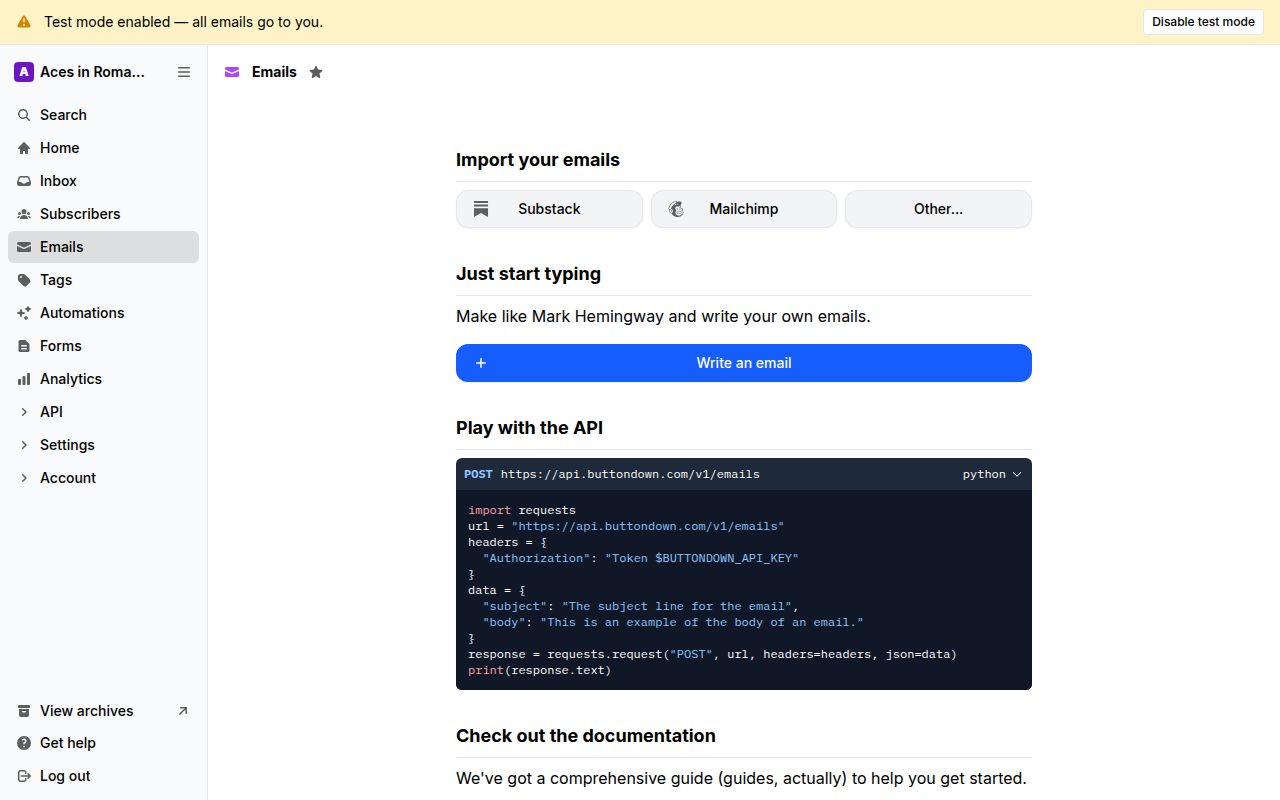
Buttondown is a hosted newsletter platform for writers and independent publishers, run by a small self-funded remote team since 2017. It offers a Markdown or rich text editor, hosted archives and an API. Paid subscriptions run through your own Stripe account with no platform cut, but paid subscriptions, segmentation, analytics, automations and archives on a custom domain are priced as monthly add-ons on top of a plan based on active subscribers. It is a closed-source web service with a free plan for the first 100 subscribers, and offers free migration from Substack including paid subscriptions.
What users say
Evidence ↓The one review read praises the Markdown-first editor and the zero revenue cut on paid subscriptions, aimed at developers and technical writers, and says it is not the tool for drag-and-drop design. A user testimonial on the vendor's pricing page praises the simple interface. These are one review and one vendor-chosen testimonial, not a broad sample.
Rankings and alternatives
- Newsletter platforms for writers and creators #5 of 8 For minimalist and technical writers
- beehiiv #1 Best for growing and earning from a newsletter
- Kit (formerly ConvertKit) #2 For creators who sell courses and products
- Ghost #3 For a paid publication you fully own



Newsletter platforms for writers and creators scores
Evaluated Nov 17, 2026 Evidence ↓Pricing
- Free Free Up to 100 subscribers. Includes the rich text or Markdown editor, sending from a custom domain and hosted archives (third-party tracker, Oct 2026).
- Basic $9.00 /month Up to 1,000 active subscribers, before add-ons. Billing commitment not confirmed. Third-party tracker; the vendor's table was not in the saved page text.
- Standard $29.00 /month Up to 5,000 subscribers, before add-ons. Third-party tracker.
- Professional $79.00 /month Up to 10,000 subscribers, before add-ons. Third-party tracker. A March 2026 review gave $49 for 10,000, so this changed or one is wrong.
- Advanced $139.00 /month Up to 20,000 subscribers, before add-ons. Above that, Enterprise is custom priced. Third-party tracker.
- Add-ons at 9 USD each (paid subscriptions, tagging and segmentation, analytics, comments and surveys, RSS-to-email, attachments) $9.00 /month , extra Each add-on is +$9 per month, per a summary of the vendor's pricing page, not confirmed wording. A review claims paid subscriptions are bundled at $9; this conflicts.
- Add-ons at 29 USD each (sponsorships, archives on a custom domain, multiple newsletters, automations) $29.00 /month , extra Each is +$29 per month, per a summary of the vendor's pricing page. Whitelabeling and teams are +$79 each.
Prices checked Nov 17, 2026.
Evidence and sources
What users say
Summary 3 quotes
-
Markdown-first editor. This is the core selling point. You write in Markdown, Buttondown renders it into clean HTML emails. No WYSIWYG headaches.
MakerStack, review site that says it tested with a real newsletter · makerstack.co/reviews/buttondown-review · published · checked -
This is not the right tool if you want beautiful drag-and-drop email designs.
MakerStack, review site · makerstack.co/reviews/buttondown-review · published · checked -
Everything I needed was right there in the main UI. I could log in, write a newsletter, check it, send a draft to a friend for review, and then hit send.
Tim Van Damme, Max Voltar Keyboard Club newsletter author · buttondown.com/pricing · checked
Newsletter platforms for writers and creators scores
Built-in growth 1 quote
-
This is not the right tool if you want beautiful drag-and-drop email designs.
MakerStack, review site · makerstack.co/reviews/buttondown-review · published · checked
Paid subscription revenue you keep 1 quote
-
Keep all of the money you make after credit card fees. We don’t charge any additional overhead for your paid subscribers. We use Stripe for our payment processor, widely known as the best in the industry.
buttondown.com/features/paid-subscriptions · checked
Owning your list and domain 4 quotes
-
Unlike our competitors, we let you keep your customers and their subscriptions, so you can move from one platform to another with ease.
buttondown.com/features/paid-subscriptions · checked -
We charge for active subscribers — you only pay for the people who are actively receiving your emails.
buttondown.com/pricing · checked -
Up to 100 subscribers Rich text/markdown editor Custom domain sending Hosted archives Privacy-first
toolradar.com/tools/buttondown/pricing · published · checked -
Because you're not changing your payment processor, your subscribers won't have to re-enter their credit card information or re-confirm their subscriptions.
docs.buttondown.com/substack · checked
Price at 10,000 subscribers 1 quote
-
Basic $9 Up to 1,000 subscribers All Free features
toolradar.com/tools/buttondown/pricing · published · checked
Writing and design 3 quotes
-
Markdown-first editor. This is the core selling point. You write in Markdown, Buttondown renders it into clean HTML emails. No WYSIWYG headaches.
MakerStack, review site that says it tested with a real newsletter · makerstack.co/reviews/buttondown-review · published · checked -
This is not the right tool if you want beautiful drag-and-drop email designs.
MakerStack, review site · makerstack.co/reviews/buttondown-review · published · checked -
Everything I needed was right there in the main UI. I could log in, write a newsletter, check it, send a draft to a friend for review, and then hit send.
Tim Van Damme, Max Voltar Keyboard Club newsletter author · buttondown.com/pricing · checked
Website and archive 3 quotes
-
We charge for active subscribers — you only pay for the people who are actively receiving your emails.
buttondown.com/pricing · checked -
Up to 100 subscribers Rich text/markdown editor Custom domain sending Hosted archives Privacy-first
toolradar.com/tools/buttondown/pricing · published · checked -
This is not the right tool if you want beautiful drag-and-drop email designs.
MakerStack, review site · makerstack.co/reviews/buttondown-review · published · checked
Ads and sponsorship income 1 quote
-
We charge for active subscribers — you only pay for the people who are actively receiving your emails.
buttondown.com/pricing · checked
Automations and segments 2 quotes
-
We charge for active subscribers — you only pay for the people who are actively receiving your emails.
buttondown.com/pricing · checked -
This is not the right tool if you want beautiful drag-and-drop email designs.
MakerStack, review site · makerstack.co/reviews/buttondown-review · published · checked
Facts
License 1 quote
-
We charge for active subscribers — you only pay for the people who are actively receiving your emails.
buttondown.com/pricing · checked
Runs on 1 quote
-
We charge for active subscribers — you only pay for the people who are actively receiving your emails.
buttondown.com/pricing · checked
More from the sources
Features 2 quotes
-
Monthly & annual subscriptions. Charge subscribers on a monthly or annual basis.
buttondown.com/features/paid-subscriptions · checked -
Most Substack migrations take us less than 24 hours, and we don't charge for them.
docs.buttondown.com/substack · checked
Limits and known issues 1 quote
-
All of these prices assume that you're sending at most one email a day to your entire subscriber base.
buttondown.com/pricing · checked
How widely it is used 1 quote
-
Buttondown is a newsletter tool built by solo founder Justin Duke.
makerstack.co/reviews/buttondown-review · published · checked
Pricing
buttondown.com/pricing · checked