Best newsletter platforms for writers and creators
Newsletter platforms charge you in one of two ways, and which one costs less flips at a lower number than most writers expect. Substack and Patreon are free until readers pay you, then keep 10% of every payment. beehiiv, Ghost, Kit, Buttondown and MailerLite charge a monthly plan priced by list size and keep little or nothing of what readers pay. On a 10,000-subscriber list those plans run about $80 to $140 a month, so the 10% cut becomes the more expensive option once paid revenue passes roughly $1,000 a month. That’s about 125 readers at $8.
For most writers starting or moving a newsletter, beehiiv is the best newsletter platform: it’s free up to 2,500 subscribers, takes nothing from paid subscriptions, and has the fullest set of growth and ad tools here. Substack is still the easier start if you have no audience at all, because its app and recommendations do some of the finding for you. Ghost is the pick for a paid publication you want to own outright, and Kit suits creators whose newsletter sells courses or products.
Quick picks




What 10,000 subscribers cost
Every platform passes on card processing, roughly 2.9% plus 30 cents a payment through Stripe, so the table leaves it out. What’s left is the plan price and the platform’s own cut.
| Platform | Plan at 10,000 subscribers, as of November 2026 | Platform’s cut of paid subscriptions |
|---|---|---|
| Substack | Free | 10% |
| Kit | Free (to 10,000), Creator $139 | About 0.6% (3.5% + 30¢ a payment with card fees) |
| beehiiv | Lite, about $96 to $111 | None |
| Ghost(Pro) | Publisher, $105 monthly, about $84 billed yearly | None |
| Buttondown | $79, plus $9 for paid subscriptions | None |
| MailerLite | Comfort, about $89 | None |
| Patreon | Free | 10% for new creators |
| Free | No paid subscriptions |
Two things follow. For a free newsletter, Substack and Kit’s free plan cost nothing at a size where the other flat-fee platforms charge around $100 a month. For a paid one, Substack’s cut grows with your revenue while a flat plan doesn’t: at 500 readers paying $8 a month, Substack keeps $400 a month and beehiiv or Ghost charge about a quarter of that.
The cut does buy something. Amy Suto, a writer who grew past 42,000 subscribers on Substack (and sells Substack consulting), calls the 10% “the customer-acquisition budget I never had to spend” and puts the break-even for flat-fee plans at roughly $3,000 to $5,000 a month once growth no longer comes from Substack’s network. That’s a fair way to frame it: if Substack’s network brings most of your new readers, you’re paying for marketing; if it doesn’t, you’re paying rent.
Owning your list: what comes with you when you leave
Every platform here except LinkedIn lets you export subscribers’ email addresses. The difference is in what else moves:
- Paid subscribers move cleanly from Ghost, beehiiv, Buttondown and MailerLite, because subscriptions live in your own Stripe account and another Stripe-based platform can pick them up without readers re-entering a card.
- Substack mostly lets go. Emails and Stripe subscriptions export, but Notes followers aren’t subscribers and stay behind, and readers who subscribed through Apple in the iOS app can’t be moved.
- Kit is harder to move into. It has you create a new Stripe account for Kit, and Kit says there’s no convenient way to bring paid subscriptions over from Substack with their payment details, so paying readers have to subscribe again.
- Patreon and LinkedIn keep the relationship. Patreon bills your paying members itself, so leaving means asking them to sign up somewhere else. LinkedIn never gives you subscribers’ email addresses at all.
Ghost goes furthest: it’s open-source software, so even if Ghost(Pro) changed its terms, you could run the same publication on your own server or another host.
beehiiv
Best for growing and earning from a newsletter
#1 4.1/5
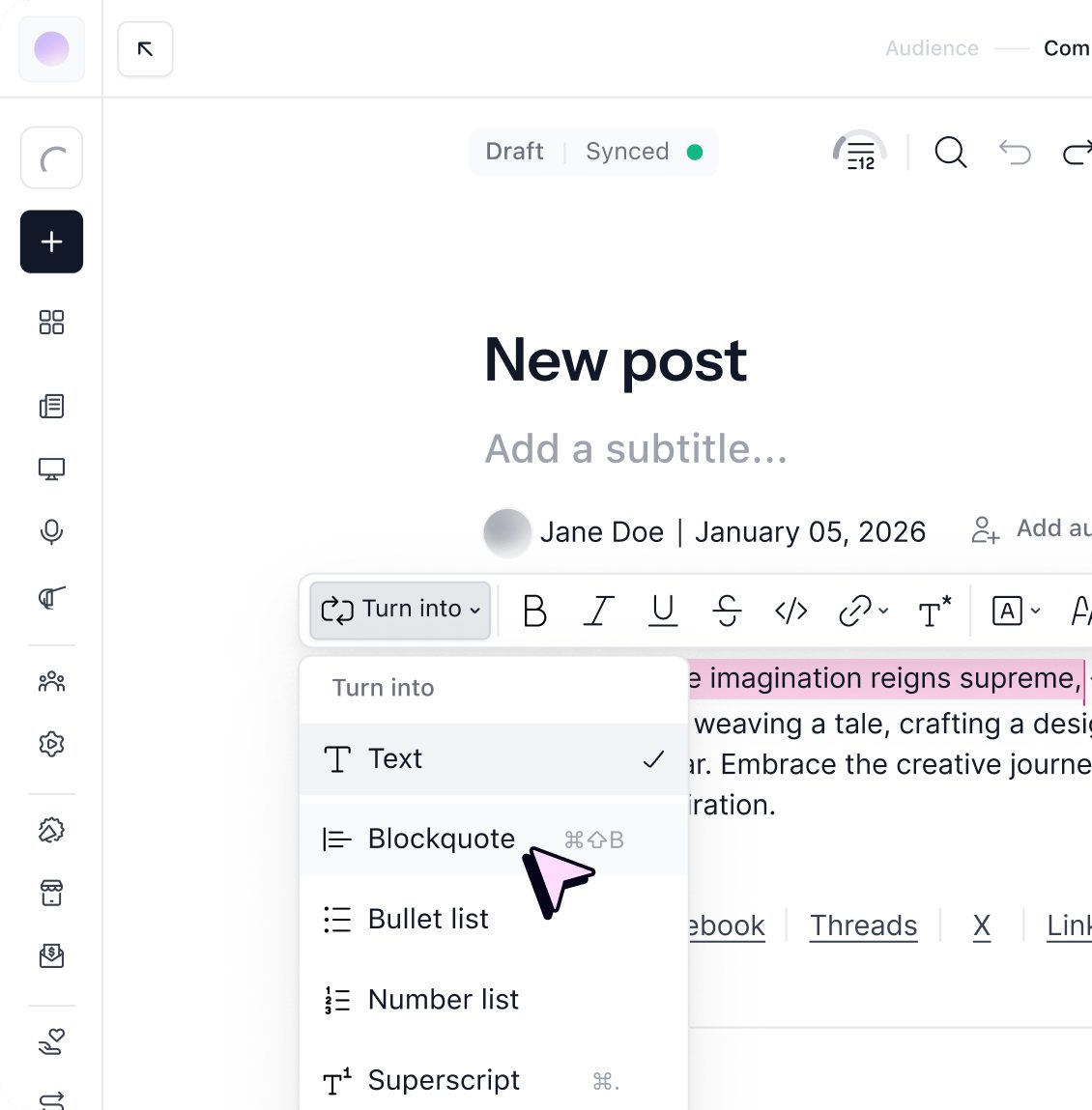
beehiiv suits a writer who treats the newsletter as something to grow, whether it earns from readers, sponsors or both. It’s the only platform here that does well on every money question: no cut of paid subscriptions, a built-in ad network, and Boosts, which let you pay other newsletters to recommend yours or get paid for recommending theirs.
The free plan covers 2,500 subscribers with unlimited sends and includes the recommendation network, so a new newsletter can swap recommendations from day one. Paid subscriptions, ads, Boosts and automations start on Lite, which costs $49 a month for 1,000 subscribers on yearly billing and roughly $96 to $111 at 10,000. A subscriber referral program and polls round out the growth side.
What you give up is design. The editor is quick and clean, but the templates are few and the website builder basic, so a beehiiv newsletter looks like a beehiiv newsletter. Removing beehiiv’s branding takes Pro, which starts at $95 a month. And beehiiv has no reader app or feed of its own: compared with Substack, it multiplies an audience you bring rather than finding one for you.
What it does
- Free plan to 2,500 subscribers with the recommendation network
- Paid subscriptions with no platform cut, from the Lite plan
- Ad network and Boosts for earning from sponsors and other newsletters
- Referral program, polls, segments and automations
- Hosted website and archive on every plan
Pros
- Keeps nothing of paid subscription revenue
- More ways to grow and earn than any other platform here
- Easy to start and quick to write in
Cons
- Few templates and limited control over how emails and the site look
- beehiiv branding stays unless you pay for Pro
- No reader app or network that sends you readers on its own
- A steep jump in price once the list passes 2,500 subscribers
- Skip if:
- You want your newsletter to look like a designed publication
Kit (formerly ConvertKit)
For creators who sell courses and products
#2 3.9/5
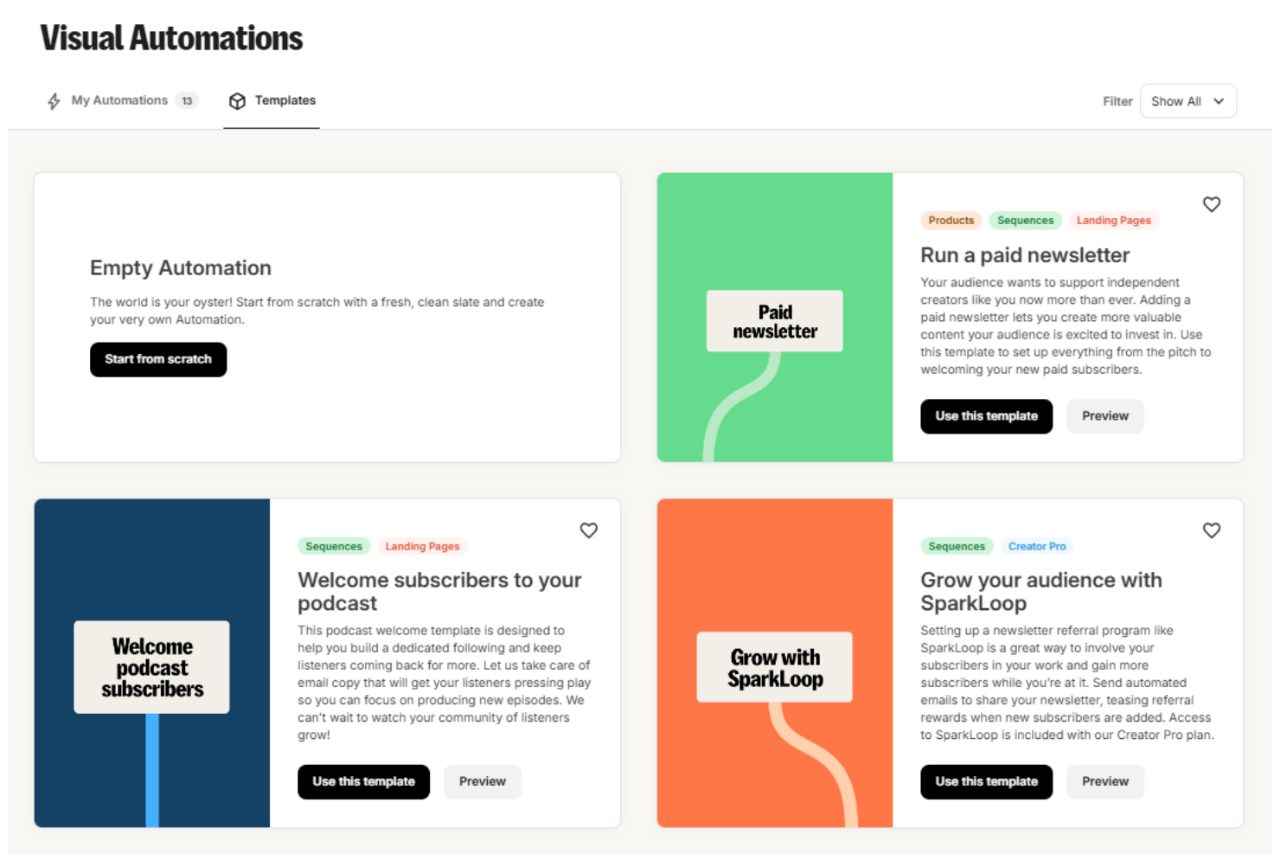
Kit, formerly ConvertKit, is the platform for creators whose newsletter is the front door to a business. Its automations are the deepest here: a visual builder with tags, triggers and sequences, so a reader who downloads a free guide can get a five-email course and a sales pitch without you touching it.
Its free plan also goes further than any other flat-fee platform’s: it sends to up to 10,000 subscribers, with a few strings: no automations, Kit’s branding stays on, and you have to take part in Kit’s recommendations network. That network is a real growth tool. You can recommend other creators and be recommended back, and paid recommendations let other newsletters pay you $1 to $4 or more per subscriber you send them, with Kit keeping a 20% service fee. Paid plans add Newsletter Sponsorships, where Kit matches brands to your newsletter and pays per click.
Paid newsletters work on every plan for 3.5% plus 30 cents a payment with card processing included, far below Substack’s 10% plus card fees. Where Kit hurts is the step past the free plan: Creator costs $139 a month at 10,000 subscribers on monthly billing, more than the plan any other platform here needs for a list that size. Emails look plain, and the Newsletter Site, Kit’s public archive, offers only basic SEO controls. A writer who moved from Kit to beehiiv said Kit’s automations felt like “overkill for my simple newsletter”, which is the right warning: if you only write, you’re paying for machinery you won’t use.
What it does
- Visual automations, sequences and tags on paid plans
- Free plan to 10,000 subscribers
- Recommendations network, including paid recommendations
- Newsletter Sponsorships on paid plans
- Digital products and paid newsletters on every plan
Pros
- The best automations here for selling courses and products
- A free plan that covers a 10,000-subscriber newsletter
- Several ways to earn from other creators and brands
Cons
- Past the free plan, Creator costs more at 10,000 subscribers than rivals' entry plans
- Plain email design and a basic web archive
- Paid subscribers from Substack have to subscribe again
- The subscriber referral program is on the top plan only
Ghost
For a paid publication you fully own
#3 3.6/5
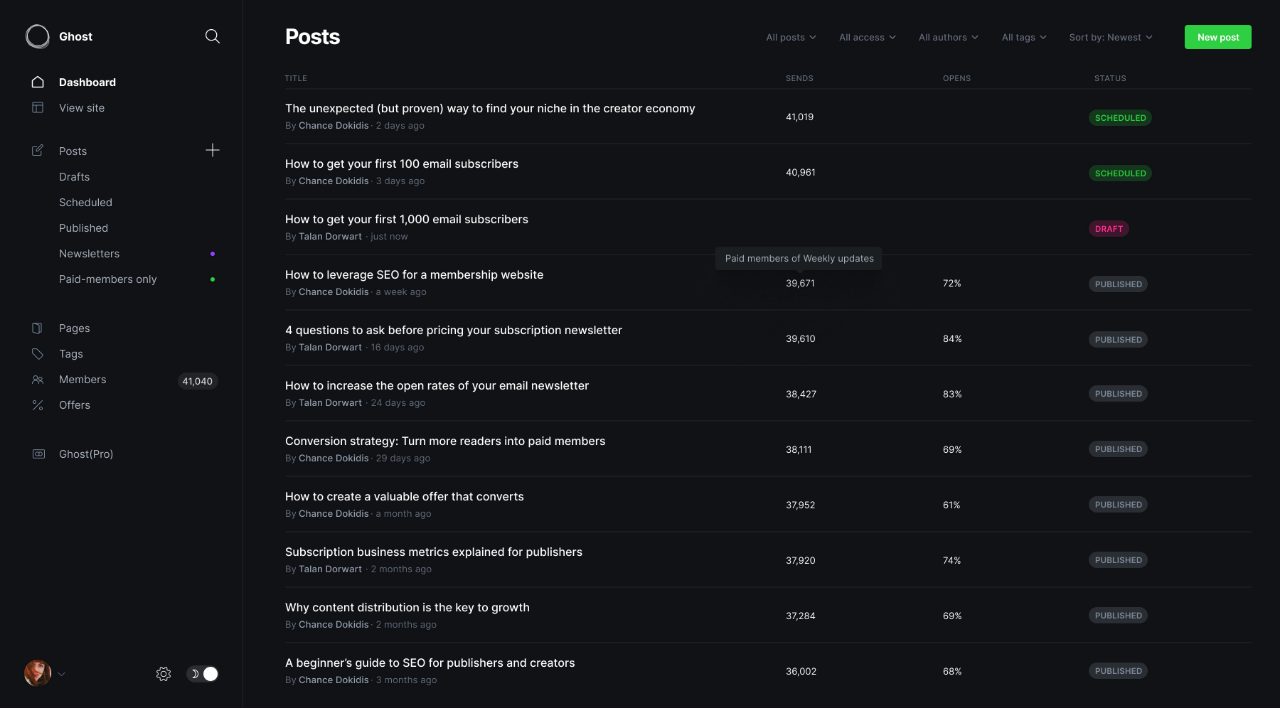
Ghost is for the writer who wants a publication rather than a newsletter account: a real website with themes, tags and pages, a membership system, and email, all on your own domain. 404 Media and Platformer run on it. Ghost(Pro), the hosted version, is run by the nonprofit Ghost Foundation, and the software is open source under the MIT license, which makes it the safest bet here if you think in decades.
The editor is the best of the lot, and themes give you design control the others don’t. Ghost takes no cut of paid subscriptions, but you need the Publisher plan to charge readers at all, from $29 a month on yearly billing for up to 1,000 members. Starter, at $18 a month, can’t take payments, so don’t buy it for a paid newsletter.
Growth is the weak side. Ghost has recommendations between Ghost sites, an Explore directory and a way for people on Mastodon and similar networks to follow your posts, but nothing like Substack’s app or beehiiv’s paid tools, and no ad network. Automations stop at welcome emails and segments by tier or label. Ghost works best when your readers already know where to find you.
What it does
- A full website with themes, pages, tags and search settings
- Paid memberships with tiers and offers, from the Publisher plan
- Recommendations, an Explore directory and following from the social web
- Free custom domain on every plan
- Open-source software you can also run yourself
Pros
- No cut of paid subscriptions
- The best editor and the most design control here
- The most complete ownership: your Stripe, your domain, open-source code
Cons
- Few tools for finding new readers
- The cheapest plan can't charge readers
- No ad network or sponsor tools
- Only basic automations
- Skip if:
- You're starting with no audience and need the platform to find readers for you
Substack
For writers starting with no audience
#4 3.3/5
Substack is the best-known name here by a long way, with 5 million paid subscriptions, and its draw is the one thing nobody else has: a reader network. Recommendations between publications, Notes (a social feed), leaderboards and the Substack app all put your writing in front of people who haven’t heard of you. More than half of new subscribers come from Substack’s network, and Sacra, a research firm, puts the share of paid conversions coming from recommendations and the feed at about a quarter.
It costs nothing to publish, at any list size, and a custom domain is a one-time $50. Writing is simple: the editor stays out of the way, and the trade-off is that design control stops at colors, a logo and a few layouts. There are no ad or sponsor tools, and automations are limited to things like welcome emails.
The 10% cut is the reason writers leave, and the earlier math applies. If Substack’s network brings you most of your readers, it’s earning the fee; once your growth comes from your own audience, a flat-fee platform keeps hundreds of dollars a month more. Moving is easier than it used to be, since your paid subscribers sit in your own Stripe account, but your Notes followers and anyone paying through the iOS app stay behind.
What it does
- Free publishing at any list size
- Recommendations, Notes, leaderboards and a reader app
- Paid subscriptions through your own Stripe account
- Podcasts, video and live streams in the same publication
Pros
- The strongest built-in discovery of any platform here
- No monthly bill for a free newsletter of any size
- The quickest way to go from nothing to a first issue
Cons
- Keeps 10% of every paid subscription
- Little control over design
- Notes followers and in-app subscribers don't move with you
- No ad or sponsor tools

Buttondown
For minimalist and technical writers
#5 3.1/5
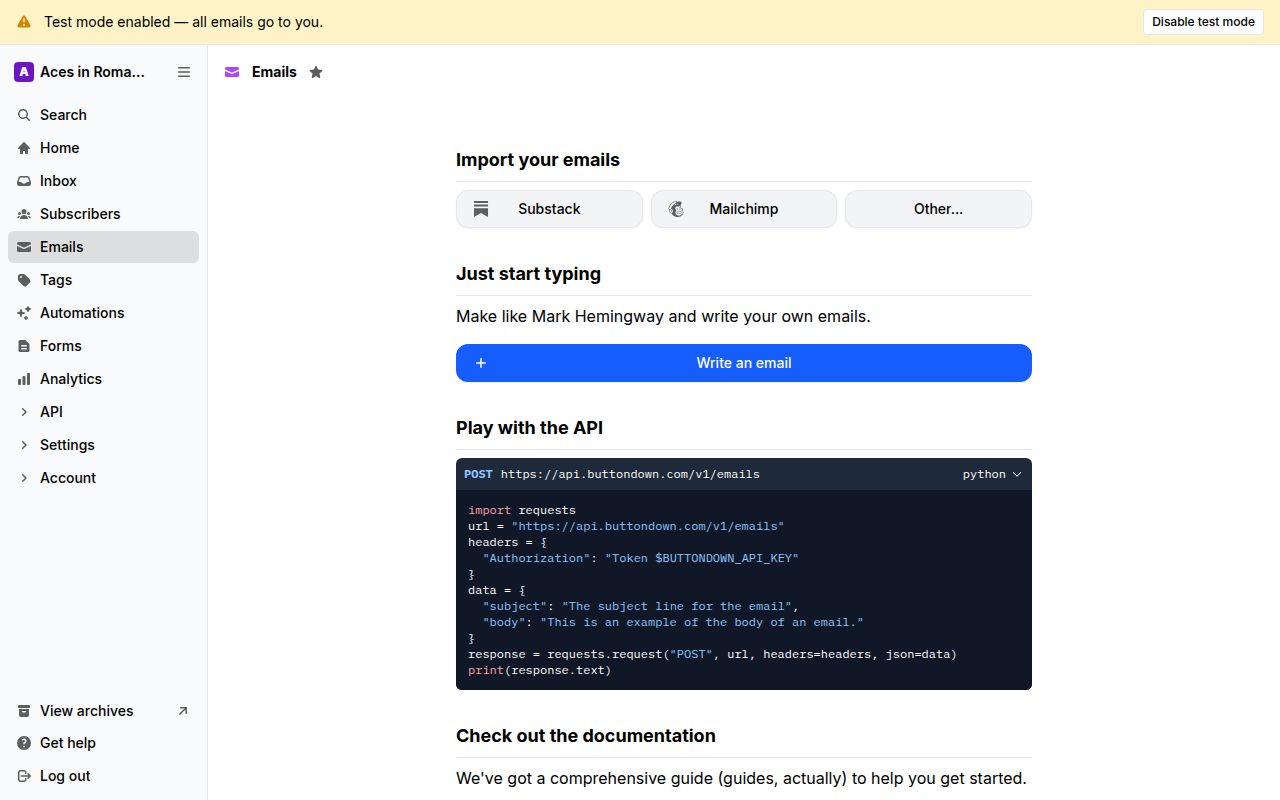
Buttondown is a small, independent newsletter service that does the basics well and stays out of your way. You write in Markdown or a rich text editor, it sends, it keeps an archive, and it has a full API for writers who publish from their own tools. It takes no cut of paid subscriptions, and its team will migrate a Substack newsletter for free, paid subscribers included.
The pricing is cheap at the start and modular after that. It’s free to 100 subscribers, $9 a month to 1,000 and $79 a month to 10,000. Features are add-ons on top: about $9 a month for paid subscriptions and $29 each for automations and for an archive on your own domain. A paid newsletter that wants all three pays about $146 a month at 10,000 subscribers, more than beehiiv or Ghost.
There are no growth tools to speak of: no recommendations network, no referral rewards. Buttondown fits a writer who already has readers and wants a clean, dependable sender, not one who needs the platform to grow the list.
Pros
- No cut of paid subscriptions
- Markdown editor and an API for publishing from your own tools
- Free migration from Substack, including paid subscribers
Cons
- No recommendations network or referral program
- Paid subscriptions, automations and a custom-domain archive are each extra
- Little design control
- Choose if:
- You write in Markdown and want a simple sender with no growth features
MailerLite
For a newsletter alongside a small business
#6 3.1/5
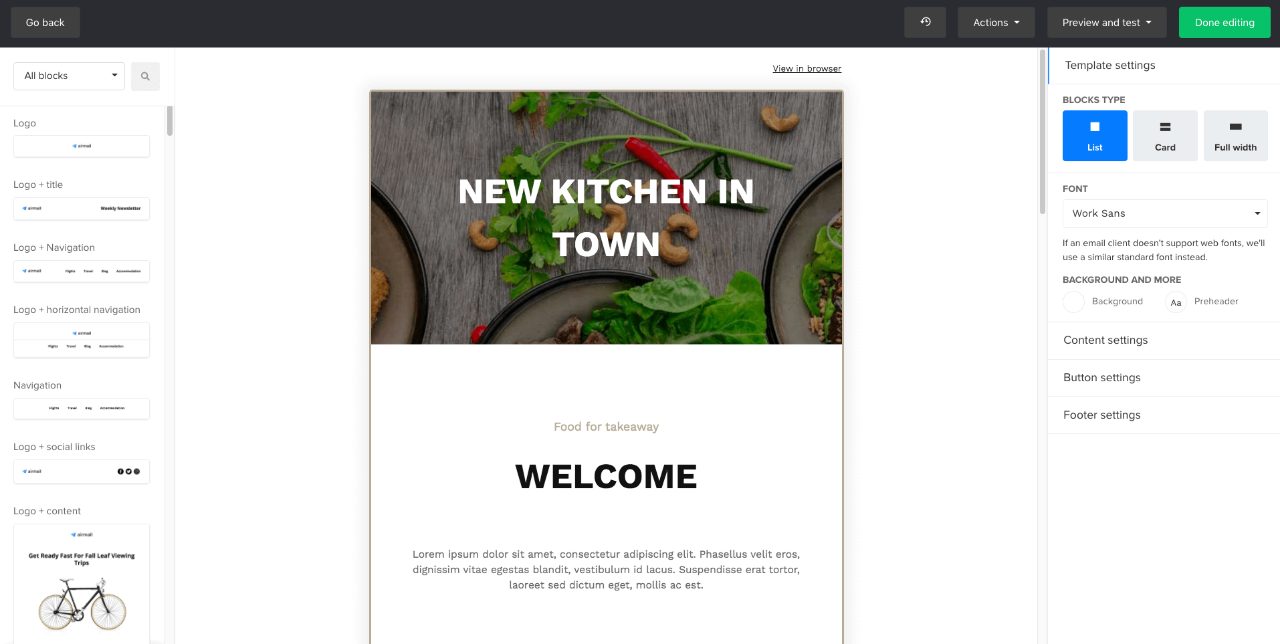
MailerLite is an email marketing tool rather than a newsletter platform, and that’s the reason to pick it or skip it. If your newsletter sits beside a business with a website, a shop or bookings, MailerLite gives you a drag-and-drop email editor, a website and blog builder, and automations deep enough for sales sequences, at about $89 a month for 10,000 subscribers on Comfort. Paid newsletters start on Comfort too, and MailerLite takes no cut.
It’s also one of the few platforms with an independent deliverability number. In EmailToolTester’s inbox placement tests, MailerLite averaged about 94% of emails reaching the inbox over five rounds through early 2024, against an average of about 83% for all the tools tested in the latest round.
For a writer, though, it’s missing the newsletter parts. There’s no recommendations network or way for readers to find you, and the archive is a page block that lists your most recent 50 issues rather than a page for every one. The free plan has also shrunk to 250 subscribers and 2,500 emails a month, so it’s no longer a free way to start a newsletter.
Pros
- Strong inbox placement in independent tests
- Good-looking emails from a drag-and-drop editor
- Website, blog, automations and paid newsletters in one tool
Cons
- No recommendations or discovery for newsletters
- The archive shows only your most recent 50 issues
- Free plan limited to 250 subscribers

Patreon
For creators whose members want more than email
#7 2.3/5
Patreon is a membership platform, and a newsletter is just a post you also send by email. Writers who move there usually want what Patreon does around the writing: audio, video, chats and a community that lives in the Patreon app. It’s free to use with free members and takes 10% of paid memberships for new creators, plus payment processing, about what Substack takes.
As a newsletter tool it’s thin. You choose for each post whether the email carries the full text or a preview, audio and video only play in Patreon, and you get little control over how the email looks. Purchases made in the iOS app go through Apple, which takes 30%. You can export your list’s email addresses, but Patreon bills your paying members, so moving means asking each of them to sign up again.
Pros
- Audio, video and community in the same membership
- Free until members pay you
Cons
- Takes 10% of paid memberships for new creators
- Paying members can't move with you
- Emails are posts with little design control

LinkedIn Newsletters
For reach among professional contacts
#8 2.0/5
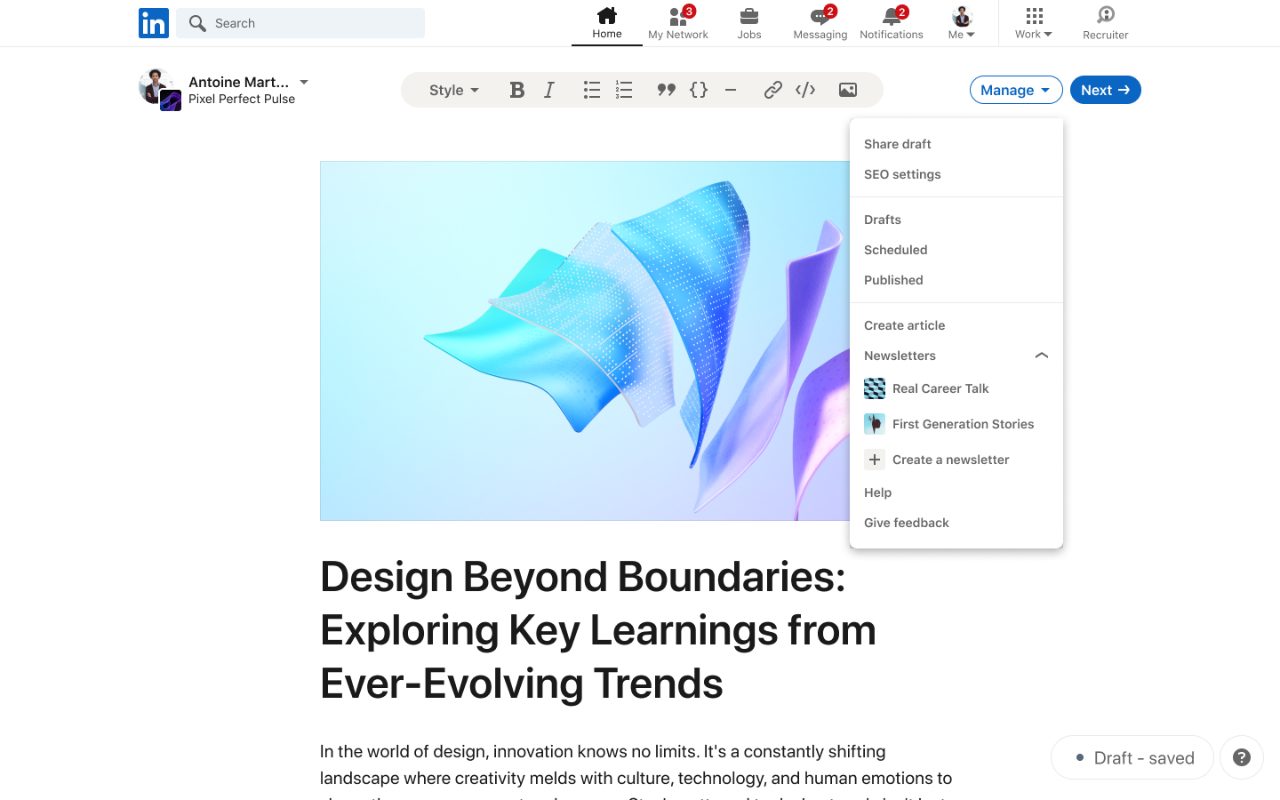
LinkedIn Newsletters is a free feature for consultants, founders and anyone whose readers already live on LinkedIn. When you launch one, LinkedIn invites all your connections and followers to subscribe, which gives a new newsletter a head start that the other platforms can’t match unless you bring your own list. Each issue then reaches subscribers in the app and by email.
The trouble is that the list isn’t yours. You see subscribers as LinkedIn profiles, never as email addresses, and you can’t export them. There are no paid subscriptions, no automations and no design control, and LinkedIn requires at least 150 followers or connections to start one. Many writers use it as a second home for a newsletter they run elsewhere, which is the use it’s best at.
Pros
- Free, with a launch boost from your existing network
- No setup beyond a LinkedIn profile
Cons
- You can't see or export subscribers' email addresses
- No way to charge readers
- Choose if:
- You want reach among colleagues and keep your real list somewhere else
Also considered
- Mailchimp: its free plan stops at 250 contacts and 500 emails a month, and it’s built for promotional email from shops and small businesses, with nothing for paid subscriptions or recommendations between newsletters.
- listmonk and Keila: these send newsletters from software you run on your own server, so they’re cheap at scale but leave the hosting, sending service and growth to you. They’re covered in newsletter software you host yourself.



1–5 per criterion · select a score for its reasoning and any sources
| # | Product | Overall | Built-in growth | Paid subscription revenue you keep | Owning your list and domain | Price at 10,000 subscribers | Writing and design | Website and archive | Ads and sponsorship income | Automations and segments |
|---|---|---|---|---|---|---|---|---|---|---|
| 1 | beehiiv | 4.1 | 4 | 5 | 4 | 3 | 4 | 4 | 5 | 4 |
| 2 | Kit (formerly ConvertKit) | 3.9 | 4 | 4 | 3 | 5 | 3 | 3 | 4 | 5 |
| 3 | Ghost | 3.6 | 3 | 5 | 5 | 3 | 5 | 5 | 1 | 2 |
| 4 | Substack | 3.3 | 5 | 3 | 3 | 5 | 4 | 3 | 1 | 2 |
| 5 | Buttondown | 3.1 | 1 | 5 | 4 | 3 | 4 | 3 | 2 | 3 |
| 6 | MailerLite | 3.1 | 1 | 5 | 4 | 3 | 4 | 3 | 1 | 4 |
| 7 | Patreon | 2.3 | 2 | 2 | 2 | 5 | 2 | 2 | 1 | 2 |
| 8 | LinkedIn Newsletters | 2.0 | 3 | 1 | 1 | 5 | 2 | 2 | 1 | 1 |
Equal displayed overall scores are ordered by the earlier criteria; a known score comes before an unknown score. Identical scores use alphabetical order.
How each criterion is scored
Built-in growth
How much the platform itself brings you new subscribers, beyond the readers you send to it: recommendations between newsletters, a reader app or feed that shows your writing to people who don't follow you yet, subscriber referral rewards and paid ways to buy subscribers. Judged from the features each plan includes and from what writers report about where their subscribers come from.
- 5 Everything in 4 or close to it, plus a reader app and network that writers report as a main source of new subscribers
- 4 A recommendations network plus a way to buy subscribers from other newsletters, and subscriber referral rewards
- 3 Recommendations between newsletters, or a feed that shows your posts to people who don't follow you, but no way to pay for subscribers
- 2 Promotion to people who already follow you, or a referral or recommendation feature with no wider network of readers
- 1 Nothing built in; every reader comes from your own promotion
Paid subscription revenue you keep
How much of what readers pay for a subscription reaches you, after the platform's own cut and before card processing, which every platform passes on. The plan price is scored separately.
- 5 No platform cut on subscriptions; you pay card processing and the plan price
- 4 A small per-sale fee to the platform, under 5% of each payment
- 3 About 10% of subscription revenue goes to the platform
- 2 Paid memberships, but the platform keeps more than 10% or billing runs through the platform in a way you can't take with you
- 1 No way to charge readers for the newsletter
Owning your list and domain
Whether you can leave with what you built: an export of subscribers' email addresses, paying subscribers who stay billed through your own Stripe account, and a site and sending address on your own domain.
- 5 Everything in 4, plus open-source software you can run yourself if the company changes course
- 4 Export, your own domain and paid subscriptions in your own Stripe account, so paying readers can move to another Stripe-based platform
- 3 Export and a custom domain, but paying subscribers, app subscribers or followers don't move with you
- 2 You can export emails, but paid members are billed by the platform and must sign up again elsewhere, and there's no custom domain
- 1 You can't export subscribers' email addresses
Price at 10,000 subscribers
The monthly price of the cheapest plan that can send a free newsletter to 10,000 subscribers, in US dollars, before any revenue cut. Third-party price tables count when the vendor's own page doesn't show that tier.
- 5 Free at 10,000 subscribers
- 4 Under $60 a month
- 3 $60 to $120 a month
- 2 $120 to $200 a month
- 1 Over $200 a month, or not offered at that size
Writing and design
How pleasant it is to write an issue and how good it looks to readers in the inbox and on the web. Judged from the editor, the email and site design control, and what reviewers and users agree on.
- 5 A widely praised editor plus real design control over emails and the site, such as themes
- 4 An easy editor and good-looking emails and pages, with limited design control
- 3 A capable editor but plain, rigid email or web design
- 2 Basic editor and little control over how emails look
- 1 Writing a newsletter is a workaround in a tool built for something else
Website and archive
What readers find on the web: a public archive of every issue, a site you can shape, and the search-engine controls that let old issues bring in new readers.
- 5 A full publishing site with themes, custom pages, tags and detailed search settings
- 4 A hosted website with pages, an archive and search settings, but limited themes or layouts
- 3 A public archive on its own address with basic page and search settings
- 2 Issues live as posts inside someone else's site, with little control over pages or search settings
- 1 No public archive of your issues
Ads and sponsorship income
The built-in ways to earn from brands and other newsletters rather than readers: an ad network, a sponsor marketplace and paid recommendations.
- 5 An ad network that places ads for you, plus paid recommendations and tools for direct sponsors
- 4 A sponsor marketplace that matches brands to your newsletter, or an ad network
- 3 Earning by recommending other newsletters, or a sponsor marketplace still in limited access
- 2 Tools for running sponsor slots you sell yourself
- 1 No built-in way to earn from brands or other newsletters
Automations and segments
Emails that send themselves, such as welcome series and course sequences, and how finely you can target groups of subscribers, on the plan a newsletter writer would pay for.
- 5 A visual automation builder with branching, tags and sequences, built for selling courses and products
- 4 Multi-step automations with triggers and segments built from subscriber data
- 3 Automations or segments as paid add-ons, or simple automations with basic segments
- 2 A welcome email and a free/paid split, or tags with no automations
- 1 No automations and no segments beyond free and paid
How to choose
- No audience yet: start on Substack for its reader network, or beehiiv if you’d rather build somewhere you won’t want to leave.
- Charging readers now: Ghost if you want a publication you own and design, beehiiv if growth tools and sponsors matter more.
- Leaving Substack with paying readers: Ghost, beehiiv or Buttondown can keep their subscriptions running through your Stripe account.
- Selling courses or products: Kit, or MailerLite if the newsletter is part of a wider business.
- Free newsletter funded by sponsors: beehiiv for its ad network and Boosts, Kit for its sponsorships and paid recommendations.
- Writing for colleagues: LinkedIn for reach, alongside a list you own elsewhere.
The verdict
The choice comes down to where your next thousand readers come from. If the answer is “I don’t know yet”, Substack’s network is worth the 10% while it’s doing the work, and beehiiv is the better long-term home because its growth tools come without a cut. If the answer is “from my own reputation”, Ghost gives you the most for the money: a real publication, no cut, and software you could take anywhere. Kit earns its higher price only when the newsletter sells something, and Buttondown and MailerLite are good senders for writers who don’t need the platform to grow them.
Whichever you pick, keep paid subscriptions in your own Stripe account and the site on your own domain. Those two decisions are what make a later move cheap.
Frequently asked questions
Do I need a paid plan to charge readers?
On Substack, Patreon and Kit, no: paid subscriptions work on the free plan, and the platform takes its cut per payment. beehiiv needs Lite, Ghost needs Publisher, MailerLite needs Comfort, and Buttondown charges a monthly add-on for paid subscriptions. LinkedIn has no paid option.
Can I move paid subscribers off Substack without them subscribing again?
Yes, to platforms that connect the same Stripe account: Ghost, beehiiv and Buttondown can take the subscriptions over, and Buttondown’s team will do the move for free. Kit can’t carry the payment details across, so paying readers would have to subscribe again there. Readers who pay through Substack’s iOS app are billed by Apple and can’t be moved anywhere.