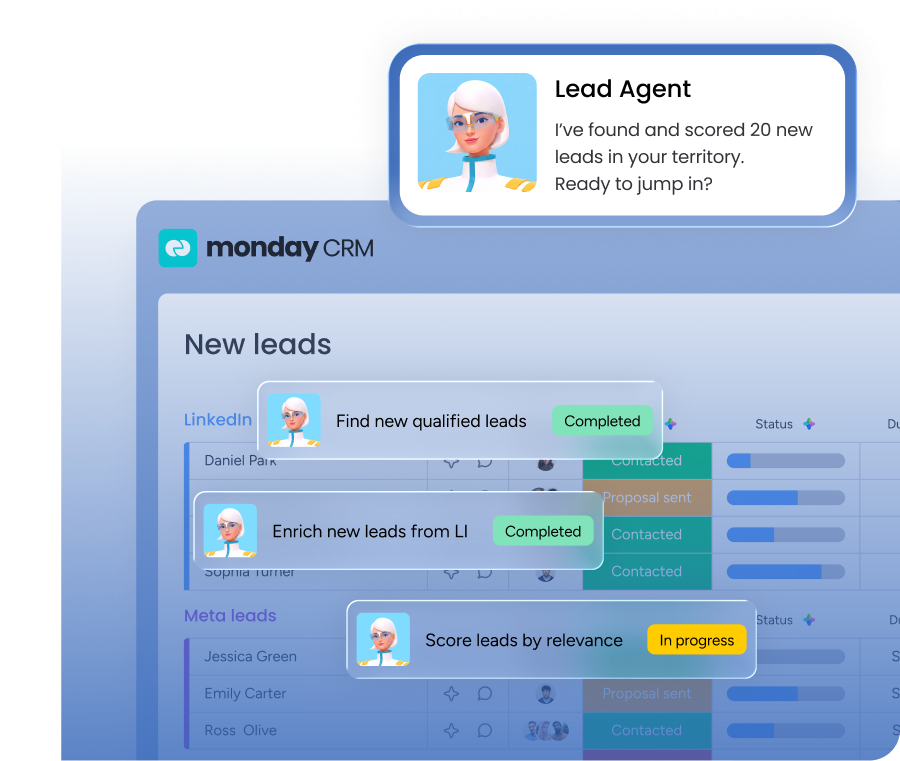
Best CRM software for small business
A CRM pays off in one way: your team logs every contact, deal and follow-up in it instead of in inboxes, sticky notes and a spreadsheet only one person updates. So the first question isn’t which CRM has the most features. It’s which one your team will still be using in three months, on a plan you can afford once everyone has a seat.
That second part trips people up. The price on the front of a pricing page is usually the cheapest plan, and the cheapest plan is often the one without email sync or automation, the two things that save a small team the most typing. Price the plan that does the job and the ten CRMs below run from $9 to $39 per person a month.
For a small team that sells, we’d pick Pipedrive. It’s built around the deal board, it warns you when a deal has no next step, and its Growth plan syncs email, automates follow-ups and forecasts revenue. It costs more per seat than most. If you want to start for nothing, HubSpot’s free CRM is the easiest free start for one or two people, as long as you know what its paid plans cost later. And Zoho CRM gives the most features per dollar if someone on the team will spend an afternoon setting it up.
All ten are hosted services you pay for by the seat. If you’d rather run a CRM on your own server, see the best open-source CRMs instead.
What the plan you need really costs
The table prices each CRM’s cheapest plan that has a deal pipeline, Gmail and Outlook email sync, and built-in workflow automation, at the normal price and billed annually where that’s an option. folk and Less Annoying CRM have no plan with all three, so their row shows the plan a small team would buy.
| CRM | Plan | Per person a month, as of November 2026 |
|---|---|---|
| Freshsales | Growth | $9 |
| Zoho CRM | Standard | $14 |
| Less Annoying CRM | Its only plan | $15, billed monthly |
| monday CRM | Standard | $17 |
| HubSpot | Starter | $20 |
| folk | Standard | $24 |
| Salesforce | Starter Suite | $25 |
| Capsule | Growth | $36 |
| Attio | Plus | $36 for a team of five |
| Pipedrive | Growth | $39 |
Two quirks change those numbers for some teams. monday CRM sells seats in bundles, three at minimum and then multiples of five, so a team of six pays for ten. And Attio charges a workspace fee that includes one person and caps its Plus plan at ten users, so an eleventh hire moves everyone to Pro at more than twice the price per person.
Free plans vary even more. HubSpot’s covers two users and 1,000 contacts with email logging, and Attio’s covers three users with full email sync. Zoho and Freshsales let three people in free but leave out mailbox sync, and Capsule’s free plan stops at 250 contacts. Salesforce has a free tier for two users with basic contact tracking. Pipedrive, Less Annoying CRM, monday CRM and folk offer trials only.

Pipedrive
Best for small sales teams
#1 4.0/5
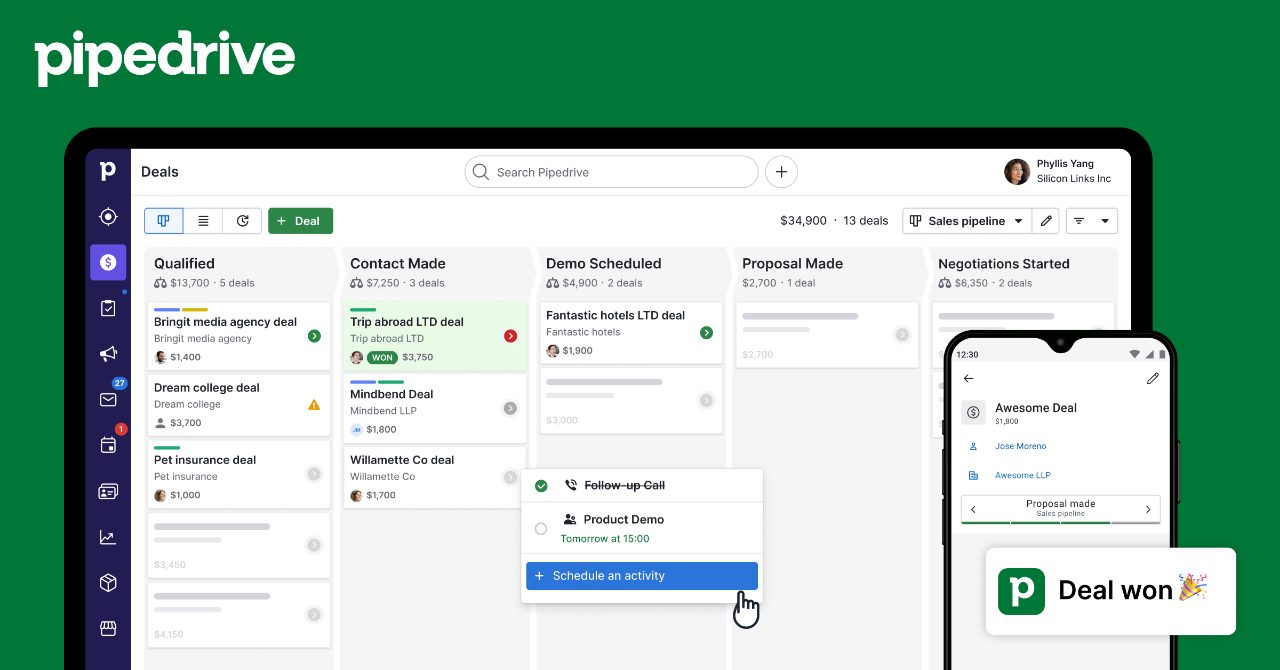
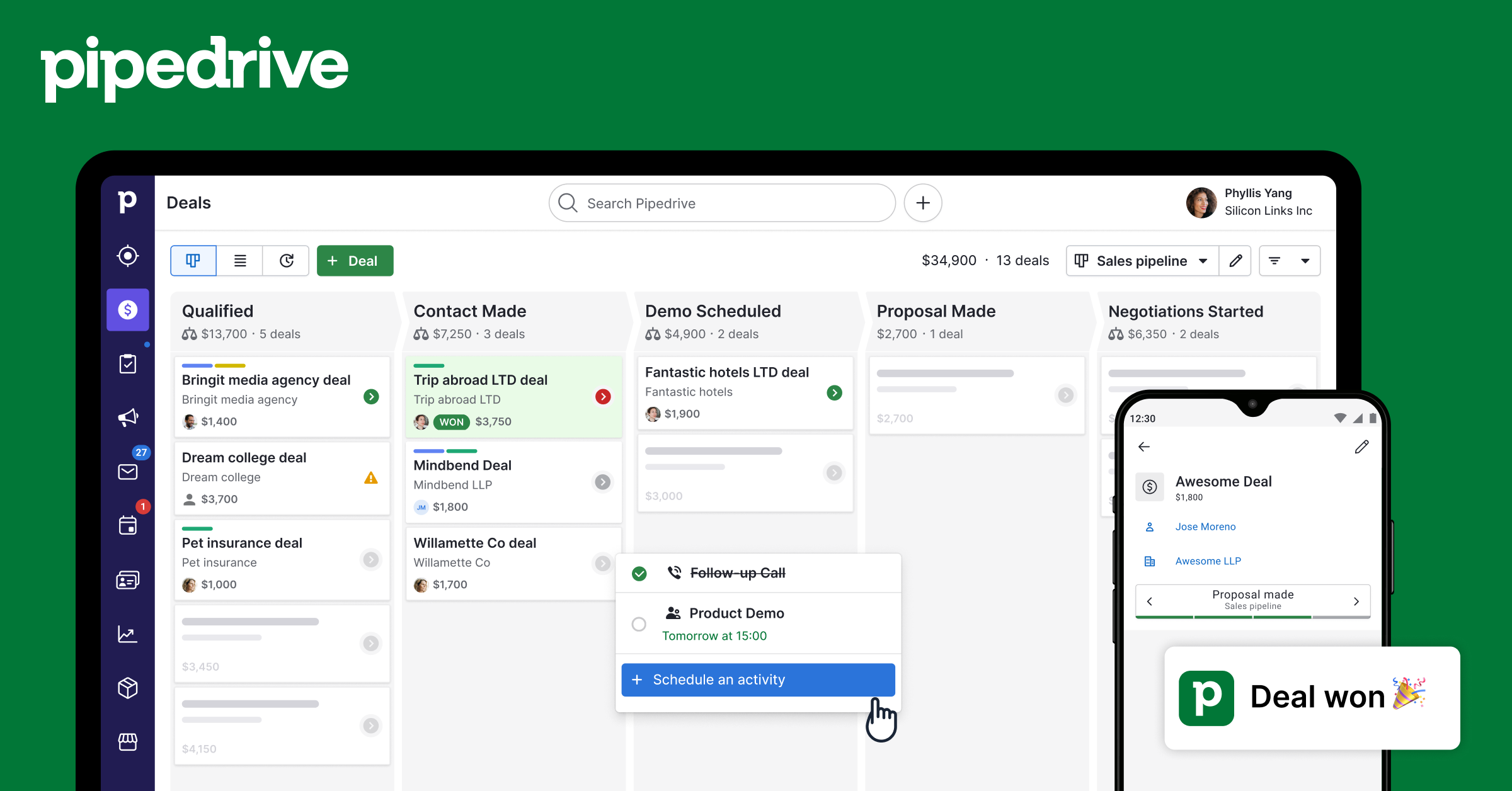
Pipedrive suits a team whose day revolves around moving deals forward: an agency pitching projects, a B2B service with a handful of reps, a founder running sales calls. The main screen is the pipeline itself, a board with a column per stage, and each deal shows its next scheduled activity. A deal with nothing scheduled gets a warning, and you can set deals to turn red when they sit in a stage too long. That sounds small, but it’s the habit a CRM exists to build: nobody leaves a lead hanging because they forgot.
The plan to buy is Growth, at $39 a seat each month on annual billing. The cheaper Lite plan has the pipeline but no email sync, automations or forecasting, so it’s a deal board and little more. Growth syncs one Gmail or Outlook mailbox per user, tracks opens, and includes templates and a meeting booking link. It adds a workflow builder and email sequences too, though sequences are capped at five per company, and a forecast view of what should close each month.
Against HubSpot, the trade is plain. Pipedrive costs about twice HubSpot Starter’s normal price per seat, but Growth already includes the sequences and forecasting HubSpot keeps for its far pricier Professional plan. Its weak spots are no free plan at all, and email marketing (Campaigns) and web lead capture (LeadBooster) sold as add-ons below the Premium plan. A consultancy that moved over from Google Sheets told Startups.co.uk that Pipedrive is “by far the most user-friendly” CRM they’d used, and that’s the general reputation.
What it does
- Deal board that flags deals with no next step or stuck in a stage
- Gmail and Outlook sync, open tracking and a booking link on Growth
- Workflow automations and up to five email sequences on Growth
- Revenue forecast and sales goals
- iOS and Android apps with call logging
Pros
- Salespeople keep using it with little training
- Growth includes forecasting and sequences that rivals keep for much pricier plans
- Large integration marketplace, including Zapier
Cons
- No free plan, only a 14-day trial
- Among the priciest plans with email sync for a small team
- Email marketing and web lead forms cost extra below Premium
- Choose if:
- Your team lives in its pipeline and needs a CRM that pushes each deal to its next step.
- Skip if:
- You mostly keep in touch with existing clients rather than chase new deals.

HubSpot CRM
Easiest free start
#2 3.9/5
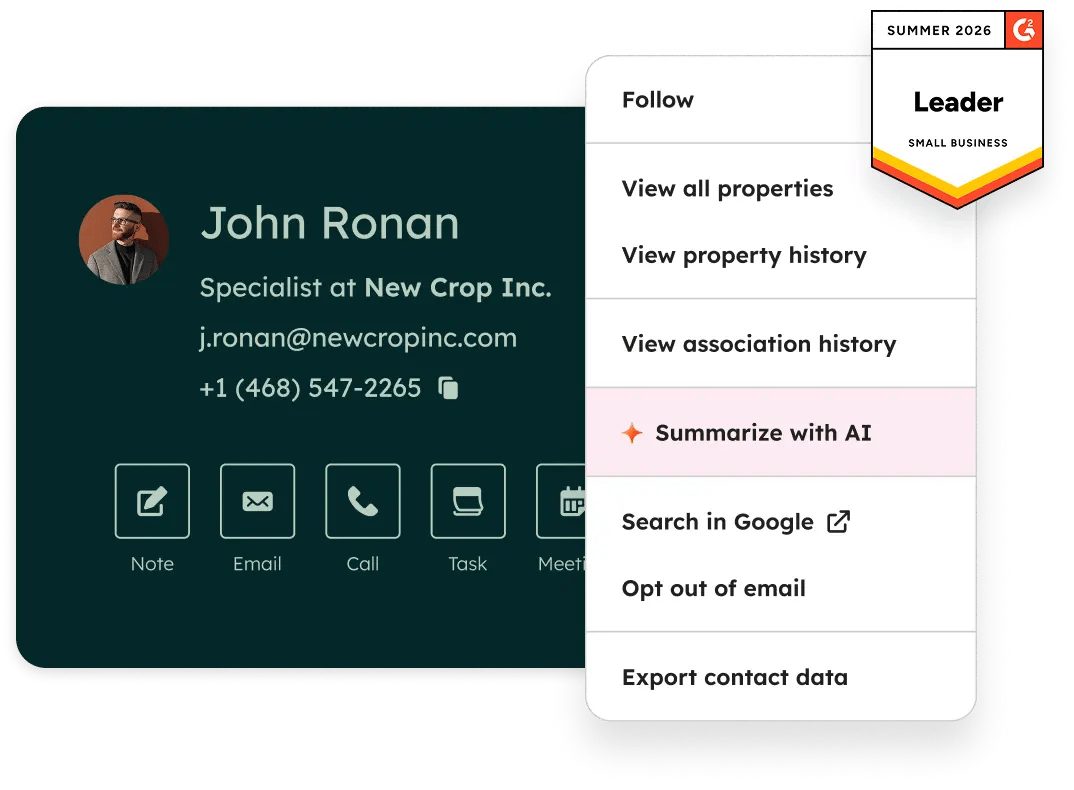
HubSpot’s free CRM is the easiest way to start for no money. It gives two users up to 1,000 contacts, a deal board, tasks, email tracking and the iOS and Android apps, with no time limit. Connecting your Gmail or Outlook inbox logs emails to contacts, and the screens are clear enough that most people find their way without training. For a solo operator or two founders replacing a spreadsheet, it’s the obvious first try.
The trouble starts as you grow. Free emails carry HubSpot branding, you get three email templates, and there’s no automation at all. Starter, $20 per seat a month at its normal price, removes the branding and adds up to 15 pipelines and simple workflows with a restricted set of triggers and actions. It doesn’t add email sequences, custom reports or forecasting. Those sit in Sales Hub Professional at $90 per seat a month billed annually, plus a one-time $1,500 onboarding fee. For five people that’s $6,900 in the first year, against $1,200 a year on Starter at the normal price.
So HubSpot is a great free CRM and a decent Starter one, and the step to think hard about is Professional. If you already know you’ll want sequences and forecasts, Pipedrive’s Growth plan gets you both for well under half the price per seat. If marketing matters as much as sales, the higher price buys something Pipedrive doesn’t have: HubSpot’s email marketing, forms and landing pages work on the same contact records.
What it does
- Free plan for two users and 1,000 contacts, with no time limit
- Gmail and Outlook inbox logging and email tracking
- Up to 15 pipelines and simple workflows on Starter
- Marketing tools on the same contact records
Pros
- The easiest free plan to start on, for one or two people
- Very little to learn before the team is using it
- Over 2,000 apps in its marketplace
Cons
- No automation on the free plan, and only restricted workflows on Starter
- Sequences, custom reports and forecasting need the much pricier Professional plan
- Free-plan emails carry HubSpot branding
- Choose if:
- You want to start free and may later add marketing tools on the same system.
Zoho CRM
Most features for the money
#3 3.9/5
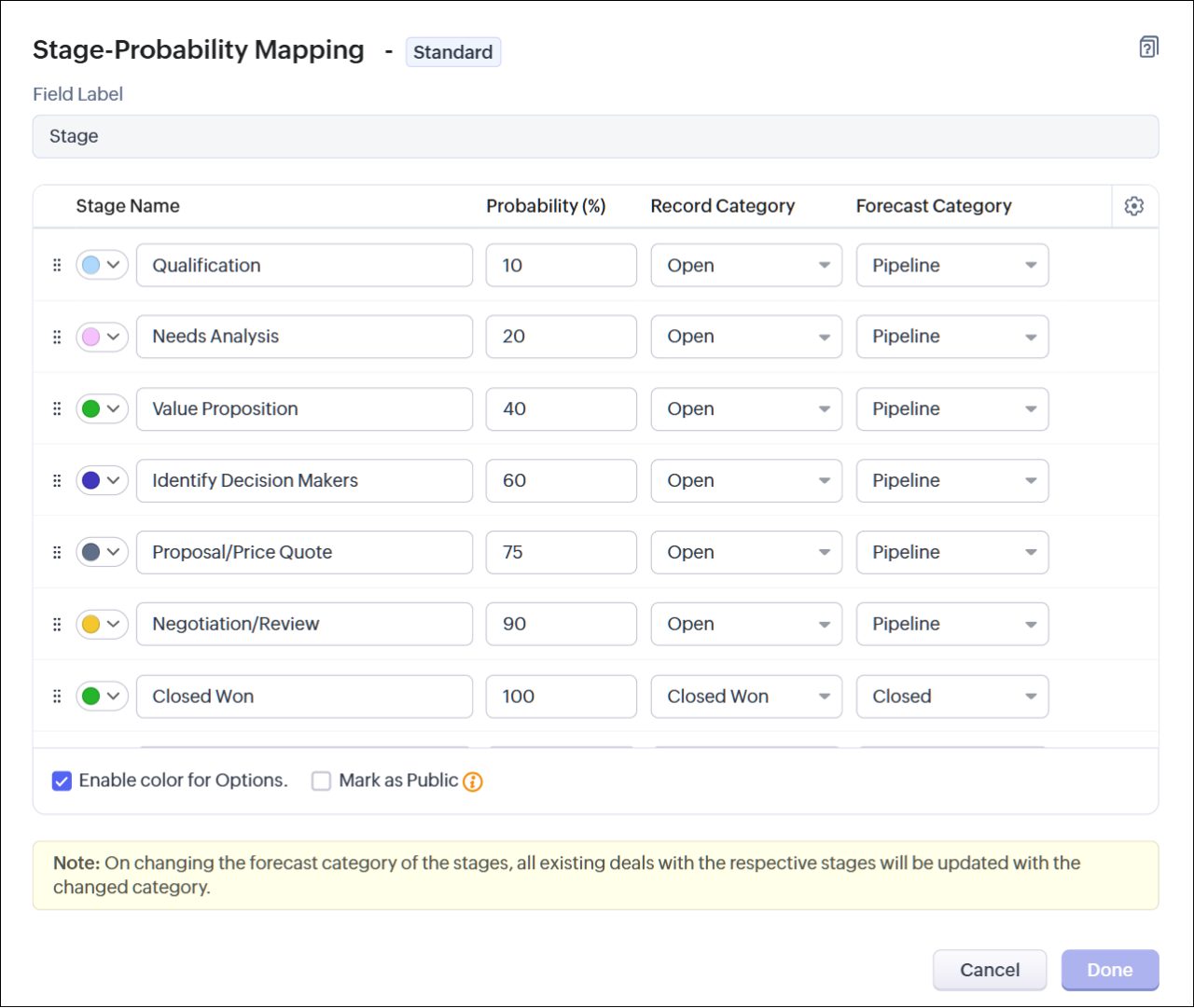
Zoho CRM is the pick for a budget-minded team that wants a lot of CRM and has someone willing to configure it. Standard, $14 per user a month on a yearly plan ($20 month to month), includes more than some rivals’ middle plans: multiple pipelines, Gmail and Outlook mailbox sync, a workflow builder, 100 custom reports and a revenue forecast. It also lets you add custom modules, so a business that tracks properties, vehicles or projects can give them their own records instead of squeezing them into notes. The mobile app is one of the more complete here, with a business card scanner and route planning for field visits.
The price you pay is ease. Zoho’s feature set is huge, and the interface shows it: most people get comfortable after a learning curve, and some find the settings and menus overwhelming. Support is the other recurring complaint. Paid plans get phone support for critical problems during business hours, and faster premium support costs 20% of your license fee or $114 a month, whichever is higher. The free plan lets three users in with 5,000 records but has no mailbox integration, so treat it as a look at the layout more than a working CRM.
If you like the price but fear the complexity, Zoho also sells Bigin, a separate and much simpler CRM for small businesses moving off spreadsheets.
What it does
- Multiple pipelines, mailbox sync and workflows on Standard
- Custom reports, dashboards and a revenue forecast on Standard
- Custom modules for your own record types
- Mobile app with card scanner and route planning
Pros
- The most capability per dollar among the big names
- Room to grow: higher plans, an API and a large app marketplace
- Free plan for three users
Cons
- A learning curve, and a busy interface
- Support is often slow, and faster support costs extra
- The free plan has no mailbox integration
- Skip if:
- Nobody on your team has time to set it up and you want something that works on day one.

Freshsales
Cheapest plan with email sync
#4 3.7/5
Freshsales does the core job for the least money. Its Growth plan, $9 per user a month billed annually ($11 monthly), includes two-way email sync, a deal board, a workflow builder with 20 workflows and a built-in phone for calling from the CRM. The interface is clean and most people pick it up quickly, and the mobile app does more than most, with call logging and offline access.
What you give up at that price is a second pipeline: Growth allows one. Up to ten pipelines, email sequences and AI deal insights start on Pro at $39, and forecasting insights need Enterprise at $59. Reporting is less flexible than Zoho’s or Pipedrive’s, the list of integrations is shorter than the big names’, and support gets mixed reviews. For a small team with one way of selling, those limits may never matter, and the saving is real: five seats on Growth cost $540 a year, against $2,340 for Pipedrive’s Growth plan.
There’s also a free plan for up to three users, with a deal board but without two-way email sync or workflows.
What it does
- Two-way email sync and 20 workflows on Growth
- Built-in phone dialer on every plan
- Mobile app with call logging and offline access
Pros
- The lowest price here for email sync and automation
- Clean interface that's quick to learn
Cons
- One pipeline until the Pro plan
- Forecasting needs the Enterprise plan
- Fewer integrations than the bigger CRMs
- Choose if:
- You sell one way, need email sync and automation, and price per seat decides it.
Attio
Flexible CRM for startups
#5 3.4/5
Attio is a newer CRM that startups and tech-minded teams like because it fills itself in. Connect Gmail or Outlook and it creates people and company records from whoever you email and meet, so the CRM isn’t empty on day one. Records look like a well-designed spreadsheet, and on its Pro plan you can add record types of your own, such as investors, partners or product users.
Its free plan is the most generous here, with three users, 50,000 records and full email sync.
The paid plans are priced differently from the rest. Plus costs $40 a month for the workspace including one user, plus $35 for each additional user, billed annually, so a team of five pays $180 a month. Plus stops at ten users, and email sequences, custom record types and call recording need Pro, at $100 a month plus $79 for each added user. A 15-person team on Pro pays about $80 per person a month, which puts Attio at the expensive end once you grow. Workflows run on every plan but draw on a monthly pool of credits rather than running without limit.
The flexibility also needs someone to shape it. The default setup works, but a team that wants custom data models and workflows can spend days getting them right, and a non-technical owner who wants a CRM that works out of the box will get going faster with Pipedrive or HubSpot.
What it does
- Builds contact and company records from your inbox and calendar
- Free plan for three users with email sync
- Workflows on every plan, metered by monthly credits
Pros
- Generous free plan
- Flexible data model with custom record types on Pro
- API and webhooks on every plan
Cons
- Plus is capped at ten users, and Pro costs more than twice as much per person
- Sequences need Pro
- Smaller integration catalog than HubSpot or Salesforce
- Choose if:
- You're a startup that wants a free CRM that fills itself from your inbox and can be reshaped later.

Capsule CRM
Client CRM with project boards
#6 3.3/5
Capsule is a tidy, uncomplicated CRM that consultancies, agencies and other relationship-driven businesses like for being easy and calm to use. Its Growth plan, $36 per user a month on annual billing, gives you up to five pipelines, and each stage can flag a deal as stale once it has sat there too long. It adds workflow automations that create tasks or move deals, Gmail and Outlook email sync, and dashboards with a sales forecast. It also has project boards for tracking the work after a deal is won, which suits a service business.
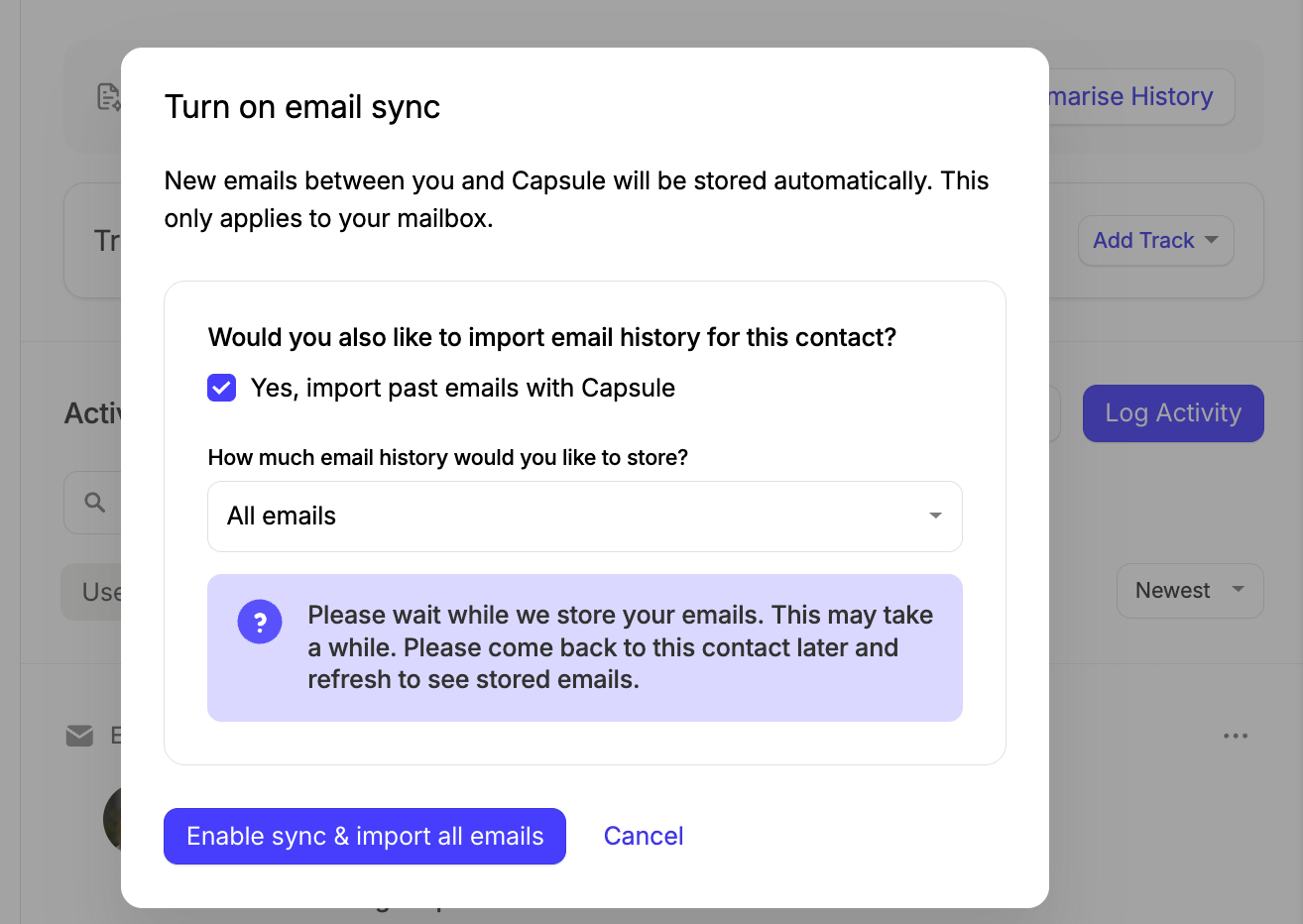
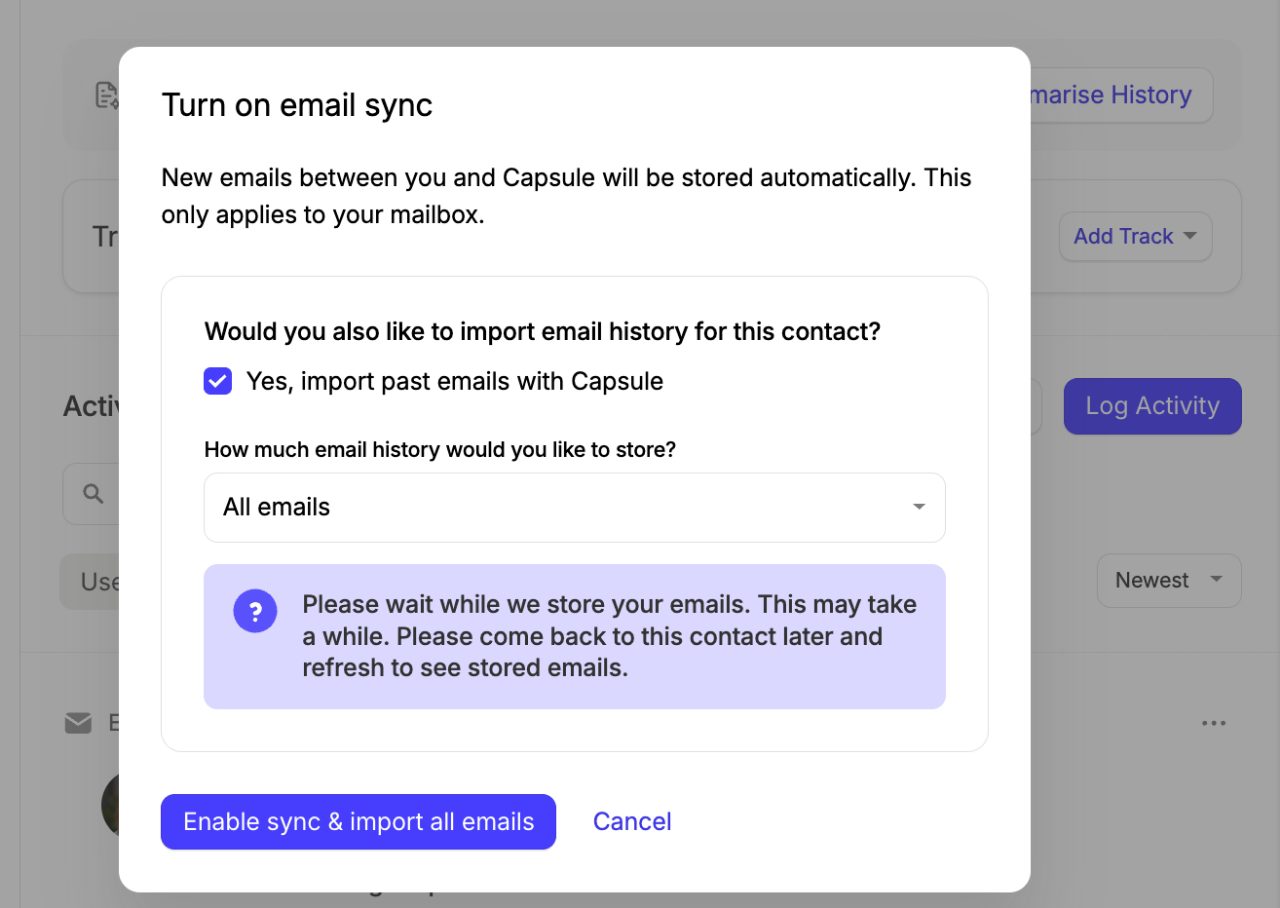
The price is the problem. Growth is near the top of the range here, and the cheaper Starter plan ($18) drops email sync, automation and all but one pipeline. Email sync works only with personal mailboxes and is switched on per contact, calendar sync runs one way, there’s no open tracking, and bulk email goes through Capsule’s separate marketing product, Transpond. The free plan covers two users and 250 contacts, which a working business outgrows within weeks.
What it does
- Up to five pipelines with stale-deal flags on Growth
- Workflow automations and email sync on Growth
- Project boards for work after the sale
Pros
- Easy to learn and pleasant to use
- Good reporting and a forecast on Growth
Cons
- Growth costs $36 a person, and Starter leaves out email sync and automation
- No email open tracking, and calendar sync is one-way
- Free plan stops at 250 contacts
- Choose if:
- You run a service business and want projects and client follow-ups in one simple tool.

Less Annoying CRM
Simplest CRM, one flat price
#7 3.1/5
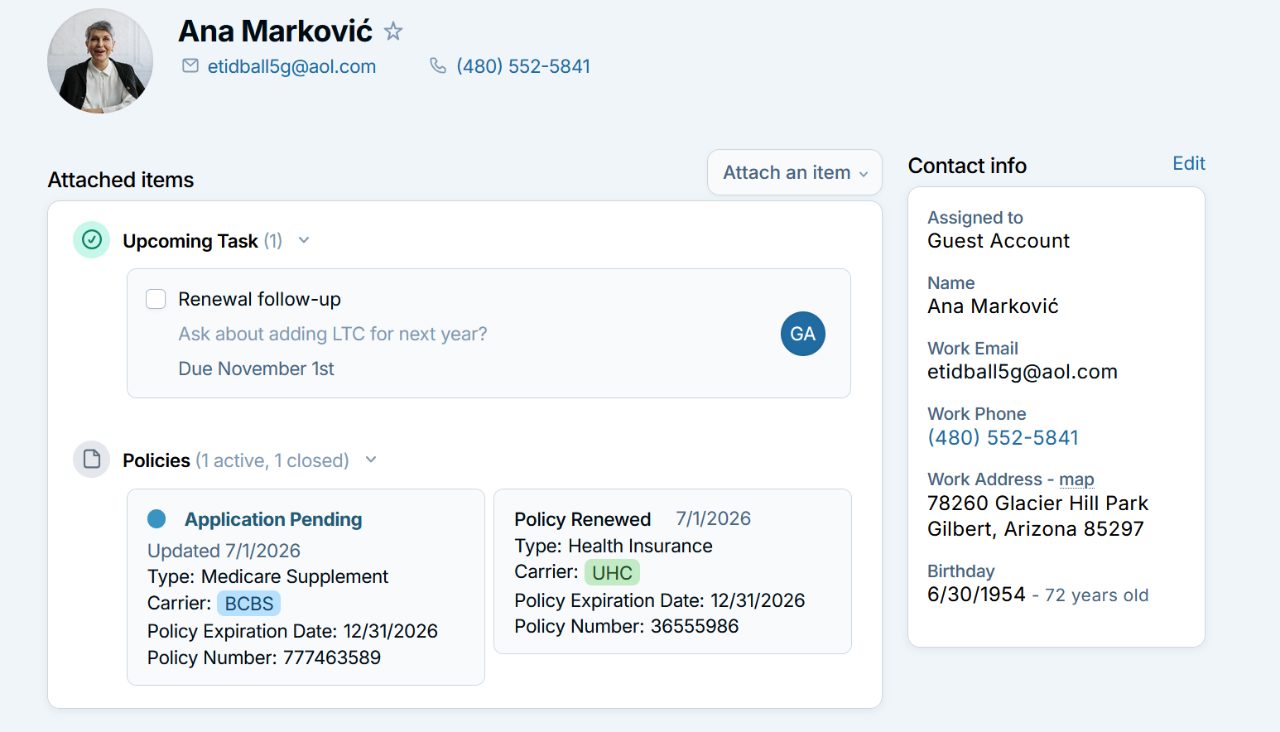
Less Annoying CRM lives up to its name. There’s one plan, $15 per user a month billed monthly, with no tiers, no contract and everything included: unlimited pipelines, Gmail or Outlook email logging, calendar sync, tasks, and a daily agenda email listing what’s due. New users get free help from real people. For an owner who tried a bigger CRM and drowned in it, or a team that has never used one, it’s the most forgiving choice here. It also signs a HIPAA business associate agreement, which matters to health and insurance businesses.
What it doesn’t do is work on your behalf. There’s no workflow automation or email sequences, so every follow-up is a task someone sets, and reporting covers the basics rather than dashboards and forecasts. That’s a fair trade for a relationship business with a few dozen active clients. A sales team that sends the same follow-up fifty times a week will want Freshsales or Pipedrive instead.
What it does
- One plan with everything included
- Gmail and Outlook email logging and calendar sync
- Daily agenda email of tasks and events
Pros
- About as simple as a CRM gets
- Flat price per user with no contract
- Free human help with setup
Cons
- No workflow automation or sequences
- Basic reports and no forecast
- No free plan, only a 30-day trial
- Choose if:
- You want a CRM non-technical people can use on day one and never want to compare plans again.

monday CRM
For teams already on monday.com
#8 3.1/5
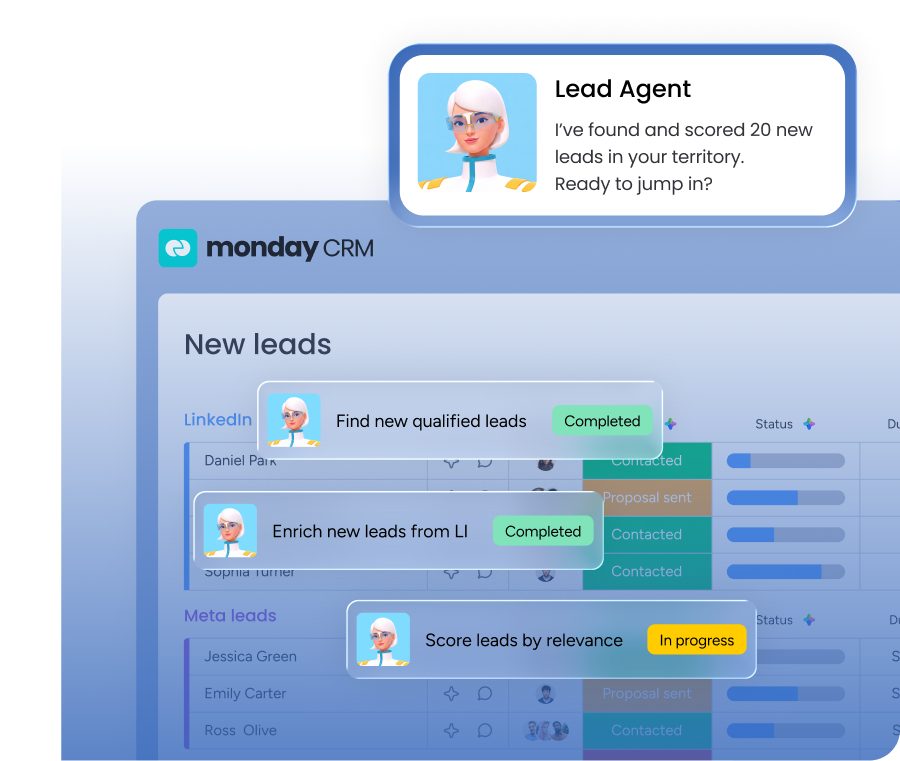
monday CRM is monday.com’s sales product, built on the same colorful boards. A team that already runs its projects in monday.com will feel at home, and every board can be reshaped with your own columns and stages. Salespeople pick it up quickly once the boards exist.
That flexibility cuts both ways. One reviewer at SaaS CRM Review put it bluntly: “If nobody on your team owns board design, you are buying a blank canvas and calling it a CRM.” Pricing has two traps as well. Seats come in bundles, three at minimum and then multiples of five, so a team of six pays for ten. And Standard, at $17 a seat on annual billing, includes only 250 automation actions a month, which a team that notifies several people per automation can use up within days. Email tracking, sequences and forecasting need Pro at $28, and there’s no free CRM plan.
What it does
- Customizable deal boards with your own columns
- Gmail and Outlook sync from Standard
- Dashboards across boards
Pros
- Familiar if your team already uses monday.com
- Flexible enough to track almost any process
Cons
- Someone has to design the boards before it works as a CRM
- Only 250 automation actions a month on Standard
- Seats sold in bundles, so odd-sized teams pay for empty seats
- Choose if:
- Your team already plans its work in monday.com and wants sales on the same boards.

Salesforce Starter Suite
A small start on Salesforce
#9 3.1/5
Salesforce Starter Suite is the small-business door into the biggest CRM there is. For $25 per user a month, you get a pipeline board, Gmail and Outlook integration with email templates, customizable reports and dashboards, Salesforce’s mobile app, and its Agentforce AI assistant, which summarizes records and drafts emails. A free tier covers two users with basic contact tracking.
The reason to choose it is where it leads. A company that expects to need quoting, custom objects and apps from Salesforce’s AppExchange marketplace can start small and grow into all of it without moving its data. For everyone else, Starter is a pricier version of what Zoho or HubSpot already do. Its automation is limited to prebuilt sales flows, while the Flow Builder, forecasting and custom objects need Pro Suite at $100 per user a month on an annual contract, four times the price with nothing in between. And Salesforce still feels like a big system, guided setup or not.
What it does
- Pipeline board, email integration and dashboards on Starter
- Agentforce AI assistant included
- Free tier for two users
Pros
- Grows into the most complete CRM platform there is
- Huge AppExchange marketplace on Pro Suite
Cons
- Only prebuilt automation on Starter
- Pro Suite costs four times as much, on an annual contract
- More to learn than most CRMs here
- Choose if:
- You expect to need Salesforce's depth later and would rather not migrate.

folk
For businesses that run on their network
#10 2.6/5
folk is a lightweight relationship CRM for people whose business runs on their network, such as agency founders, freelancers and startup teams. It looks like a clean spreadsheet, pulls contacts in from LinkedIn and your inbox through its browser extension, syncs email, calendar and WhatsApp, and makes it easy to send a personalized email to a group. Small teams get going in hours.
It isn’t a sales machine, though. There’s no workflow builder on any plan, so automating means Zapier or Make, and the Standard plan ($24 per member a month billed annually) has no dashboards. Deals with values, email sequences, dashboards and the API need Premium at $48. Its phone app is mainly a contacts app with a card scanner, and reporting stays basic even on Premium.
What it does
- Captures contacts from LinkedIn and your inbox
- Email, calendar and WhatsApp sync on Standard
- Personalized group emails
Pros
- Clean, spreadsheet-like and quick to learn
- Good for keeping a large network warm
Cons
- No built-in workflow automation on any plan
- No dashboards on Standard, and deals need Premium
- Phone app is mostly for contacts
- Choose if:
- Your business runs on relationships and introductions rather than a sales pipeline.
1–5 per criterion · select a score for its reasoning and any sources
| # | Product | Overall | Easy for the team to adopt , counts double | Pipeline and follow-ups | Email and calendar sync | Follow-up automation | Price per person | Sales reporting and forecasting | Free plan , counts half | Mobile app , counts half | Room to grow , counts half |
|---|---|---|---|---|---|---|---|---|---|---|---|
| 1 | Pipedrive | 4.0 | 5 | 5 | 5 | 4 | 1 | 5 | 1 | 4 | 3 |
| 2 | HubSpot CRM | 3.9 | 5 | 4 | 5 | 3 | 3 | 3 | 3 | 4 | 3 |
| 3 | Zoho CRM | 3.9 | 3 | 4 | 5 | 3 | 4 | 5 | 3 | 5 | 5 |
| 4 | Freshsales | 3.7 | 4 | 3 | 4 | 3 | 5 | 3 | 3 | 5 | 3 |
| 5 | Attio | 3.4 | 4 | 4 | 4 | 3 | 1 | 3 | 4 | 3 | 4 |
| 6 | Capsule CRM | 3.3 | 4 | 5 | 3 | 3 | 1 | 4 | 2 | 3 | 3 |
| 7 | Less Annoying CRM | 3.1 | 5 | 3 | 3 | 1 | 4 | 2 | 1 | 3 | 3 |
| 8 | monday CRM | 3.1 | 3 | 4 | 4 | 2 | 3 | 3 | 1 | 3 | 4 |
| 9 | Salesforce Starter Suite | 3.1 | 3 | 4 | 4 | 2 | 2 | 3 | 2 | 4 | 5 |
| 10 | folk | 2.6 | 4 | 3 | 4 | 1 | 2 | 1 | 1 | 2 | 4 |
Equal displayed overall scores are ordered by the earlier criteria; a known score comes before an unknown score. Identical scores use alphabetical order.
×2 = counts double in the overall score, ×½ = counts half.
How each criterion is scored
Easy for the team to adopt
Counts double in the overall score: A CRM nobody updates tracks nothing, so whether the whole team will keep using it counts double.
How quickly a small team, not only the person who picked the CRM, gets set up and keeps logging contacts, deals and follow-ups in it day to day: a clear layout, sensible defaults, how much setup it needs before it's useful, and how much training people need. Judged from how the product is built and what reviewers and many users agree on.
- 5 New users get going within an hour or two and keep using it, with almost no setup and a clean interface
- 4 Most people get going within a day, with few complaints beyond occasional clutter or a learning curve for advanced features
- 3 Fine once someone builds the structure, with known snags such as a crowded interface, a blank-page start or a steep learning curve for common tasks
- 2 Usable after real setup work and training, with frequent complaints about complexity or clutter
- 1 Most small teams need an admin or consultant to set it up, and salespeople avoid using it
Pipeline and follow-ups
How well the CRM keeps deals moving on the core plan: a board where each column is a deal stage, deal values, tasks and reminders tied to deals, more than one pipeline, and warnings about deals with no next step or that sat too long in a stage. The core plan is the cheapest plan bought without talking to sales that has a pipeline, Gmail and Outlook mailbox sync, and built-in workflow automation; when no plan has all three, the plan with the most of them.
- 5 That plus warnings about deals with no next step or that sat too long in a stage
- 4 That plus more than one pipeline
- 3 A board pipeline with deal values and tasks or reminders tied to deals, but only one pipeline
- 2 A deal pipeline as a list only, or without deal values
- 1 Contacts and tasks only, with no deal pipeline
Email and calendar sync
How much of a salesperson's email and calendar the CRM handles on the core plan (defined under Pipeline and follow-ups): Gmail and Outlook mailbox sync that logs emails to the right contact automatically, email templates, open tracking, and calendar sync with a booking link.
- 5 Mailbox sync, templates, open tracking, and calendar sync with a booking link
- 4 Mailbox sync plus email templates and either open tracking or two-way calendar sync
- 3 Gmail and Outlook mailbox sync that logs emails to contacts automatically
- 2 Emails are logged only by BCC or forwarding, or only one of Gmail and Outlook syncs
- 1 No mailbox connection; emails are logged by hand or not at all
Follow-up automation
How much routine follow-up work the CRM does by itself on the core plan (defined under Pipeline and follow-ups): creating tasks, moving or updating deals, notifying people, and sending timed email sequences.
- 5 A workflow builder with branching and generous limits, plus email sequences with replies stopping them, with nothing extra to buy
- 4 A workflow builder plus automated email sequences
- 3 A workflow builder that creates tasks, updates records and sends notifications
- 2 Only fixed or prebuilt automations, or a rule builder capped below about 500 runs a month
- 1 No built-in workflow automation; automating needs Zapier or a similar service
Price per person
The average monthly price per person for a 5-person and a 15-person team on the core plan (defined under Pipeline and follow-ups), at the normal price rather than a new-customer offer, billed annually where the vendor offers it. Seat minimums, seat bundles, user caps and workspace fees that force a bigger purchase count, because they change what each person costs.
- 5 $10 or less per person a month
- 4 $10.01 to $15 per person a month
- 3 $15.01 to $22 per person a month
- 2 $22.01 to $30 per person a month
- 1 Over $30 per person a month
Sales reporting and forecasting
Whether an owner can see what's in the pipeline and what will close without exporting to a spreadsheet, on the core plan (defined under Pipeline and follow-ups): pipeline reports, custom reports and dashboards, a revenue forecast, and goals or activity reports per person.
- 5 Custom reports, dashboards and a revenue forecast plus goals or activity reports per person
- 4 Custom reports and dashboards plus a revenue forecast
- 3 Custom reports and dashboards
- 2 Fixed pipeline reports or a single dashboard
- 1 Lists and counts only, with no dashboards
Free plan
Counts half in the overall score: Only a solo operator or a team of two or three can stay on a free plan, so it counts half for a team choosing what to pay for.
How far a solo operator or a tiny team gets before paying: how many users the free plan allows, whether it has a deal pipeline and mailbox sync or email logging, and how soon its contact and feature caps bite.
- 5 Free for 5 or more users with a pipeline, mailbox sync and limits most small teams won't hit for months
- 4 Free for 2 or more users with a pipeline, mailbox sync or email logging, and thousands of contacts
- 3 Free for 2 or more users with a pipeline and thousands of contacts, but no mailbox sync
- 2 A free plan with a cap a working business hits within weeks, such as a few hundred contacts, or one with no deal pipeline
- 1 No free plan, only a trial
Mobile app
Counts half in the overall score: Most small-business CRM work happens at a desk, so the app counts half; teams that sell in the field should weigh it more.
What a salesperson away from a desk can do on a phone: native iOS and Android apps, working with contacts, deals and tasks, logging calls, scanning business cards, and working offline.
- 5 Native apps that log calls and scan cards, and work offline or plan routes for field visits
- 4 Native apps that also log calls or scan business cards
- 3 Native iOS and Android apps for contacts, deals and tasks
- 2 A mobile website, or an app limited to contacts
- 1 No app, and the web app is hard to use on a phone
Room to grow
Counts half in the overall score: It matters to teams expecting to grow or with unusual data, not to the job of tracking deals today, so it counts half.
How far the CRM stretches as the business grows, on any plan bought without talking to sales: custom fields, an API and Zapier, custom record types (objects or modules) for things other than contacts and deals, and the number of native integrations.
- 5 That plus a marketplace of 500 or more native integrations
- 4 That plus custom record types (objects or modules) on a plan bought online
- 3 Custom fields, an API and Zapier
- 2 Custom fields plus Zapier or an API, but not both
- 1 Few custom fields and no API or Zapier connection
How to choose
- One to three people, no budget: HubSpot’s free plan is the easiest start for one or two people. Attio’s free plan takes three people and fills itself from your inbox, if you don’t mind a newer tool.
- A small team selling every week: Pipedrive’s Growth plan. If $39 a seat is too much, Zoho CRM Standard covers most of the same ground for $14.
- Every dollar per seat counts: Freshsales Growth if you sell one way; Zoho CRM Standard if you need several pipelines and forecasts.
- You keep clients rather than chase deals: Less Annoying CRM for the least fuss, or Capsule if you want automation and project boards and can pay for Growth.
- Your team already lives in monday.com: monday CRM, budgeting for Pro if you lean on automation.
- You expect to grow a lot: Zoho CRM or HubSpot for the cheapest start, Salesforce Starter if you already know you’ll need Salesforce later.
The verdict
For most small teams the choice comes down to Pipedrive, HubSpot and Zoho CRM, and what separates them is how you’ll pay over time rather than what they do on day one. Pipedrive costs the most per seat from the start, but its Growth plan has nearly everything a small sales team needs, and it’s the one salespeople are least likely to abandon. HubSpot costs nothing until you add people or want automation, and stays reasonable on Starter.
HubSpot gets expensive when you need sequences or forecasting: Professional costs more than twice Pipedrive’s Growth plan, plus onboarding. Zoho CRM undercuts both and does more on paper, as long as someone is willing to learn it and you can live with slower support.
If price per seat decides it, Freshsales gives you email sync and automation for $9 a person, with one pipeline. If your business is relationships rather than a sales funnel, Less Annoying CRM’s single $15 plan is hard to argue with, and Capsule is the step up when you want automation and reports. Attio is the most interesting newcomer for startups, with a free plan that holds more people and records than HubSpot’s, but its pricing turns steep past ten people. monday CRM makes sense mainly for teams already on monday.com, Salesforce Starter for companies that know they’ll need Salesforce eventually, and folk for people whose work runs on their network rather than a pipeline.
Frequently asked questions
Is a free CRM enough for a small business?
For one or two people, often yes. HubSpot’s free plan and Attio’s free plan both log or sync email and track deals, which covers the basics of getting out of a spreadsheet. You’ll outgrow them when you add more users than they allow, want follow-ups to happen automatically, or need emails without the vendor’s branding. Plan for the price of the paid tier you’d move to, not just the free one.
How much should a small business budget for a CRM?
For a CRM with email sync and some automation, expect roughly $9 to $39 per person a month on annual billing, depending on the product. Add-ons, such as Pipedrive’s email marketing or HubSpot’s Professional onboarding fee, can raise that. Monthly billing usually costs more per seat than paying for a year up front.