monday CRM
Board-based hosted CRM for tracking leads, deals and follow-ups
Our verdict
#8 of 10 in CRM software for small businesses · For teams already on monday.com
What it does
- Customizable deal boards with your own columns
- Gmail and Outlook sync from Standard
- Dashboards across boards
Pros
- Familiar if your team already uses monday.com
- Flexible enough to track almost any process
Cons
- Someone has to design the boards before it works as a CRM
- Only 250 automation actions a month on Standard
- Seats sold in bundles, so odd-sized teams pay for empty seats
- Choose if:
- Your team already plans its work in monday.com and wants sales on the same boards.
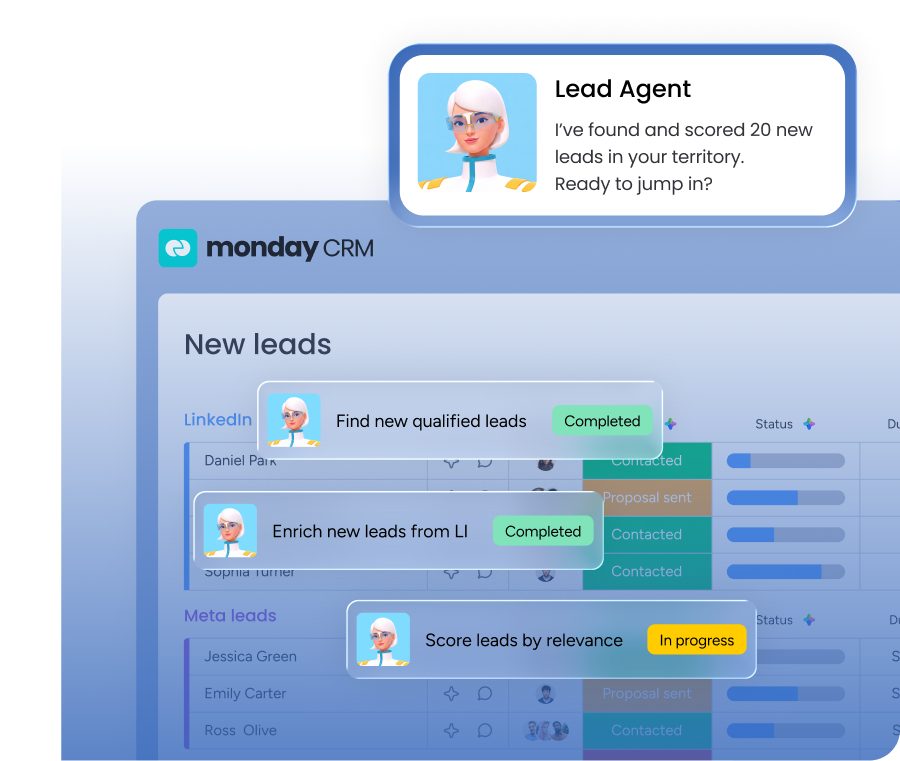
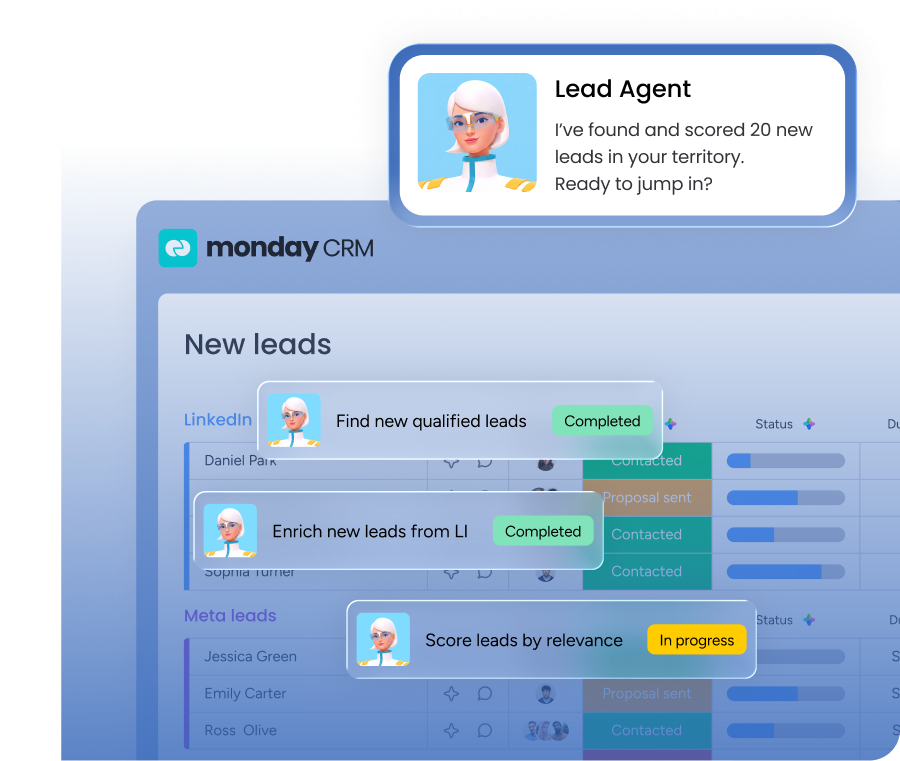
monday CRM is monday.com’s dedicated, hosted CRM, sold separately from its work management product. It tracks leads, contacts, deals and accounts on customizable boards with pipelines, dashboards, automations, email sync, quotes and invoices, and AI agents. It is aimed at sales and revenue teams from small businesses up, and is bought as a subscription in seat buckets (minimum 3 seats, then multiples of 5) across Basic, Standard, Pro and Ultimate plans. It runs in the browser with iOS and Android apps, and has a 14-day trial but no free plan.
What users say
Evidence ↓Reviewers agree monday CRM is flexible and easy for end users, but that the flexibility means someone must design and maintain the boards, and some find the feature depth overwhelming, especially on small teams. One reviewer's summary of G2 and Capterra reviews says the same two views recur, plus complaints that it gets expensive for small teams. Only two reviewers' accounts and one quoted Capterra reviewer were read, and the review-platform ratings are for monday.com overall.
Rankings and alternatives
- CRM software for small businesses #8 of 10 For teams already on monday.com
- Pipedrive #1 Best for small sales teams
- HubSpot CRM #2 Easiest free start
- Zoho CRM #3 Most features for the money

Hosted CRM for small businesses scores
Evaluated Nov 17, 2026 Evidence ↓- Easy for the team to adopt · counts double 3
3/5 means: Fine once someone builds the structure, with known snags such as a crowded interface, a blank-page start or a steep learning curve for common tasks
End users pick it up quickly, but reviewers say someone must design the boards and some teams find the depth overwhelming or cluttered; a blank-canvas start fits level 3.
- Pipeline and follow-ups 4
4/5 means: That plus more than one pipeline
Standard has Kanban-style deal boards with values and tasks, and the vendor advertises unlimited pipelines. AI deal-health flags exist but are not documented as a Standard feature, so not level 5.
- Email and calendar sync 4
4/5 means: Mailbox sync plus email templates and either open tracking or two-way calendar sync
Two-way Gmail/Outlook sync starts at Standard and templates exist. Open tracking is placed at Pro by one third-party table, and calendar sync with a booking link is not documented on the pages read, so level 4 rests partly on product knowledge.
- Follow-up automation 2
2/5 means: Only fixed or prebuilt automations, or a rule builder capped below about 500 runs a month
Standard has a no-code automation builder but is capped at 250 actions a month (below the 500 threshold), and sequences are Pro only.
- Price per person 3
3/5 means: $15.01 to $22 per person a month
Standard is $17 per seat per month billed annually; 5 and 15 seats fit the buckets exactly, so $17 per person at both sizes, assuming the per-seat price does not change by bucket (not confirmed).
- Sales reporting and forecasting 3
3/5 means: Custom reports and dashboards
Standard gives 5 custom dashboards, but forecasting is Pro only per a third-party table, so no revenue forecast on the core plan.
- Free plan · counts half 1
1/5 means: No free plan, only a trial
monday CRM has only a 14-day trial; the Free plan is for the work platform only.
- Mobile app · counts half 3
3/5 means: Native iOS and Android apps for contacts, deals and tasks
Native iOS and Android apps are included from Standard for boards, contacts and deals. Call logging, card scanning and offline use are not documented in the sources read.
- Room to grow · counts half 4
4/5 means: That plus custom record types (objects or modules) on a plan bought online
Custom columns and boards (any record type), an API, Zapier and hundreds of integrations are available on the online plans; the integration count is not shown to reach 500 native ones in the sources read.
Pricing
- Basic $12.00 /month per seat Per seat per month billed annually; $18 billed monthly (ids 7, 9). Sold in seat buckets of 3, 5, 10, 15 and so on (id 3). Limits 1 workspace, 1 dashboard, 1,000 active contacts and deals, 5 columns per board, 20 quotes and invoices a month, no automations line. A third-party review says Basic has no automations or integrations (id 15).
- Standard $17.00 /month per seat Per seat per month billed annually; $25 billed monthly. Adds two-way email sync (per a third-party review, id 15), centralized comms hub and mobile apps (id 14). 250 custom automations a month, 3 workspaces, 5 dashboards, 10,000 contacts and deals, 15 columns per board, 50 quotes and invoices a month. Team of 5 pays $85 a month ($1,020 a year) on annual billing or $125 monthly; a team of 6 must buy the 10-seat bucket, $170 a month ($2,040 a year) or $250 monthly.
- Pro $28.00 /month per seat Per seat per month billed annually; $41 billed monthly. Adds mass emails and email sequences (id 13), and sales forecasting per a third-party review (id 17). 25K custom automations a month, 15 workspaces, 50 dashboards, 100,000 contacts and deals, 75 columns per board, 250 quotes and invoices a month. Team of 5 pays $140 a month ($1,680 a year) annually or $205 monthly; team of 6 pays for 10 seats, $280 a month ($3,360 a year) or $410 monthly.
- Ultimate Contact sales Contact sales; the new name for the Enterprise tier. Unlimited workspaces, contacts, dashboards and columns, 25,000 API calls a day, advanced permissions, HIPAA compliance, 24/7 prioritized support.
Prices checked Nov 17, 2026.
Evidence and sources
What users say
Summary 4 quotes
-
G2’s review summary captures the tension directly: users praise ease of use and customization, while some describe the feature depth as overwhelming. Capterra’s verified reviews echo it with reports of board overcrowding and difficulty finding things once boards grow.
saascrmreview.com/monday-com-review · published · checked -
Customizable is not the same as configured. If nobody on your team owns board design, you are buying a blank canvas and calling it a CRM.
Macedona, reviewer at SaaS CRM Review · saascrmreview.com/monday-com-review · published · checked -
Monday CRM offers a user-friendly interface that helps your team get up to speed quickly, though some users find the multitude of features a bit overwhelming.
Ben Aston, founder and reviewer at The Digital Project Manager · thedigitalprojectmanager.com/tools/monday-crm-review · published · checked -
It can get expensive, especially for small teams.
Farid S., Capterra reviewer, senior associate at a 501 to 1,000 employee company · saascrmreview.com/monday-com-review · published · checked
Hosted CRM for small businesses scores
Easy for the team to adopt 3 quotes
-
G2’s review summary captures the tension directly: users praise ease of use and customization, while some describe the feature depth as overwhelming. Capterra’s verified reviews echo it with reports of board overcrowding and difficulty finding things once boards grow.
saascrmreview.com/monday-com-review · published · checked -
Customizable is not the same as configured. If nobody on your team owns board design, you are buying a blank canvas and calling it a CRM.
Macedona, reviewer at SaaS CRM Review · saascrmreview.com/monday-com-review · published · checked -
Monday CRM offers a user-friendly interface that helps your team get up to speed quickly, though some users find the multitude of features a bit overwhelming.
Ben Aston, founder and reviewer at The Digital Project Manager · thedigitalprojectmanager.com/tools/monday-crm-review · published · checked
Pipeline and follow-ups 2 quotes
-
You can collect leads via forms or imports, track them through custom stages
thedigitalprojectmanager.com/tools/monday-crm-review · published · checked -
Centralized comms hub
mondaycrm.ai/pricing · checked
Email and calendar sync 3 quotes
-
monday.com’s own pricing guidance states that Basic CRM is for organizing leads, contacts, and deals, and that it does not include automations or integrations. Standard is where two-way email, activity management, duplicate merge, automations, and integrations appear.
saascrmreview.com/monday-com-review · published · checked -
Email sequences and tracking · No · No · Yes · Yes
saascrmreview.com/monday-com-review · published · checked -
You sync Gmail or Outlook to centralize email conversations, send bulk or templated emails, and get alerts when leads open or click.
thedigitalprojectmanager.com/tools/monday-crm-review · published · checked
Follow-up automation 3 quotes
-
250 custom automations /month
mondaycrm.ai/pricing · checked -
Set email sequences
mondaycrm.ai/pricing · checked -
monday.com’s own documentation warns that 250 actions per month are typically exhausted within days for accounts that notify several people or map several columns in a single automation. The same article suggests Pro for regular use.
saascrmreview.com/monday-com-review · published · checked
Price per person 3 quotes
-
The pricing works per group of seats and not per seat. We call this bucket pricing. Our pricing plans start at a minimum of 3 seats, and then ascend in multiples of 5. If you have a team of 4, for instance, you should choose the 5-seat option. And if you have a team of 6, you will need to select the 10-seat plan.
support.monday.com/hc/en-us/articles/4405633151634-Plans-and-pricing-for-monday-com · checked -
Yes. Choosing yearly plan for monday CRM pricing results in a 33% discount.
mondaycrm.ai/pricing · checked -
monday CRM pricing page showing Basic at $12, Standard at $17, Pro at $28 per seat per month billed annually, with Ultimate on contact-sales pricing.
saascrmreview.com/monday-com-review · published · checked
Sales reporting and forecasting 3 quotes
-
Sales forecasting · No · No · Yes · Yes
saascrmreview.com/monday-com-review · published · checked -
You get customizable dashboards that show pipeline status, team performance, and revenue forecasts by month or rep.
thedigitalprojectmanager.com/tools/monday-crm-review · published · checked -
50 custom dashboards
mondaycrm.ai/pricing · checked
Free plan 2 quotes
-
Your first option to use monday CRM for free is a 14-day trial. Beyond this, you will need to purchase an appropriate monday sales CRM pricing plan to get full-features.
mondaycrm.ai/pricing · checked -
is only available on monday AI work platform, and provides the basics to get started with the platform.
support.monday.com/hc/en-us/articles/4405633151634-Plans-and-pricing-for-monday-com · checked
Mobile app 3 quotes
-
Centralized comms hub
mondaycrm.ai/pricing · checked -
Yes, Monday CRM offers a mobile app available on both iOS and Android platforms.
thedigitalprojectmanager.com/tools/monday-crm-review · published · checked -
Nothing in the official documentation supports a claim of desktop-and-mobile feature parity, so treat mobile as a field-update surface rather than an admin console.
saascrmreview.com/monday-com-review · published · checked
Room to grow 2 quotes
-
Monday CRM also offers an API and connects with third-party integration tools like Zapier.
thedigitalprojectmanager.com/tools/monday-crm-review · published · checked -
monday CRM integrates with tools like Outlook, Gmail, Slack, Zoom, Quickbooks, Google Workspace, Docusign, and hundreds more.
mondaycrm.ai · checked
Facts
Runs on 2 quotes
-
Centralized comms hub
mondaycrm.ai/pricing · checked -
Yes, Monday CRM offers a mobile app available on both iOS and Android platforms.
thedigitalprojectmanager.com/tools/monday-crm-review · published · checked
Users 1 quote
-
Trusted by 35,000+ customers
mondaycrm.ai · checked
More from the sources
Pricing 3 quotes
-
monday CRM cost depends on the plan you choose and your team size. Plans start from 3 users. If you want to sign up more than 40 users, you can
mondaycrm.ai/pricing · checked -
Any plan purchased also includes a package of AI credits to use within the CRM suite.
mondaycrm.ai · checked -
The exact credit consumption per action and the overage price were not publicly documented at the time of this review.
saascrmreview.com/monday-com-review · published · checked
Limits and known issues 2 quotes
-
25K custom automations /month
mondaycrm.ai/pricing · checked -
Active contacts and deals · 1,000 · 10,000 · 100,000 · Unlimited
saascrmreview.com/monday-com-review · published · checked
How widely it is used 1 quote
-
Capterra shows monday.com rated 4.6 out of 5 across 5,691 reviews
saascrmreview.com/monday-com-review · published · checked
Pricing
mondaycrm.ai/pricing · checked