Best email marketing software for small business
Every tool below will send your newsletter. Where they differ is in three places most comparison charts skip: how quickly a non-designer gets a good-looking email out, which plan you need before a welcome series or abandoned-cart email will run on its own, and what you pay once the list passes a few thousand people. The answer to that last one can more than triple from one tool to the next.
For most small businesses, MailerLite is the one to start with. It’s the easiest editor of the lot, its automations are good enough for welcome series and re-engagement emails, and at 5,000 contacts it costs about half what Mailchimp does. If money is the tightest constraint, Sender costs even less and has the roomiest free plan. If you run an online store, the choice changes: Klaviyo is the tool store owners grow into, and Omnisend is the cheaper option with live chat at any hour.
Quick picks




Free plans have shrunk
The common advice to “start free on Mailchimp” is out of date. Mailchimp’s free plan now covers 250 contacts and 500 emails a month, with no automations at all. MailerLite, long the go-to free option, cut its free plan from 1,000 subscribers to 250. Klaviyo and Omnisend also stop at 250 contacts and 500 emails.
Three free plans are still worth building on:
- Kit: up to 10,000 subscribers and unlimited sends, but no automations, and Kit’s branding stays on.
- Sender: up to 2,500 subscribers and 15,000 emails a month, with welcome and abandoned-cart automations included.
- Brevo: up to 100,000 contacts, but only 300 emails a day, with the Brevo logo on every email.
ActiveCampaign and Constant Contact have no free plan, only a time-limited trial (14 days for ActiveCampaign).
What a growing list costs
Nearly everything here bills by the number of contacts, and the differences show once it passes a few thousand. These are monthly prices as of November 2026, billed month to month, for the cheapest plan that runs multi-step automations, such as a welcome series of several emails:
| Tool and plan | 5,000 contacts | 10,000 contacts |
|---|---|---|
| MailerLite Comfort | $49 | $89 |
| Brevo Standard | $69 | $89 |
| Omnisend Standard | $81 | $132 |
| Kit Creator | $89 | $139 |
| ActiveCampaign Starter | $99 | $189 |
| Mailchimp Standard | $100 | $135 |
| Klaviyo Email | $100 | $150 |
| Constant Contact Premium | $200 | $275 |
Sender’s price only shows in its calculator, but a third-party estimate puts 5,000 to 10,000 subscribers at roughly $10 to $35 a month on yearly billing, which probably makes it the cheapest. Brevo charges by emails sent rather than contacts; the figures above assume a weekly email to the whole list.
The tools also count contacts differently, so the same list can cost more than the sticker price:
- Mailchimp bills for unsubscribed contacts that stay in your audience, so cleaning out people who left is worth doing.
- ActiveCampaign bills customer accounts opened since November 2025 for every contact, including unsubscribed and bounced ones.
- MailerLite counts every subscriber active during the billing period, so deleting addresses only lowers the bill from the next period.
- Kit moves you up a tier automatically as the list grows, but you have to ask to move back down after a cleanup.
- Klaviyo, Omnisend and Kit don’t bill for people who unsubscribed.
Deliverability: what you control matters more
Whether your emails reach the inbox depends less on the brand than people assume. Every tool here sends most customers’ email from shared servers it works to keep in good standing with Gmail, Outlook and the rest, and the bigger swings come from you: whether you’ve set up your own sending domain with SPF, DKIM and DMARC records (Gmail and Yahoo now expect it of bulk senders), and whether everyone on the list asked to be there. MailerLite and Sender both check new accounts and suspend senders with bought or scraped lists, which annoys some people and protects everyone else on the same servers.
The best-known independent inbox tests, run by EmailToolTester, stopped after early 2024. In its last rounds, Constant Contact averaged about 88% inbox placement and Omnisend averaged 75%. ActiveCampaign won EmailToolTester’s deliverability award, and its plans come with a deliverability team behind them.
Your list moves, your automations don’t
Every tool here exports your contacts as a CSV file, and every tool imports one, so you’re never stuck with a list. What doesn’t travel is everything you built around it: automations, templates, segments and signup forms all have to be rebuilt on the new service, and engagement history (who opened what) mostly stays behind. The tool you expect to keep for years is usually a better buy than the cheapest one for this quarter, because you rebuild less. ActiveCampaign will migrate you for free on any plan.
MailerLite
Easiest to learn, fair price as you grow
#1 3.9/5
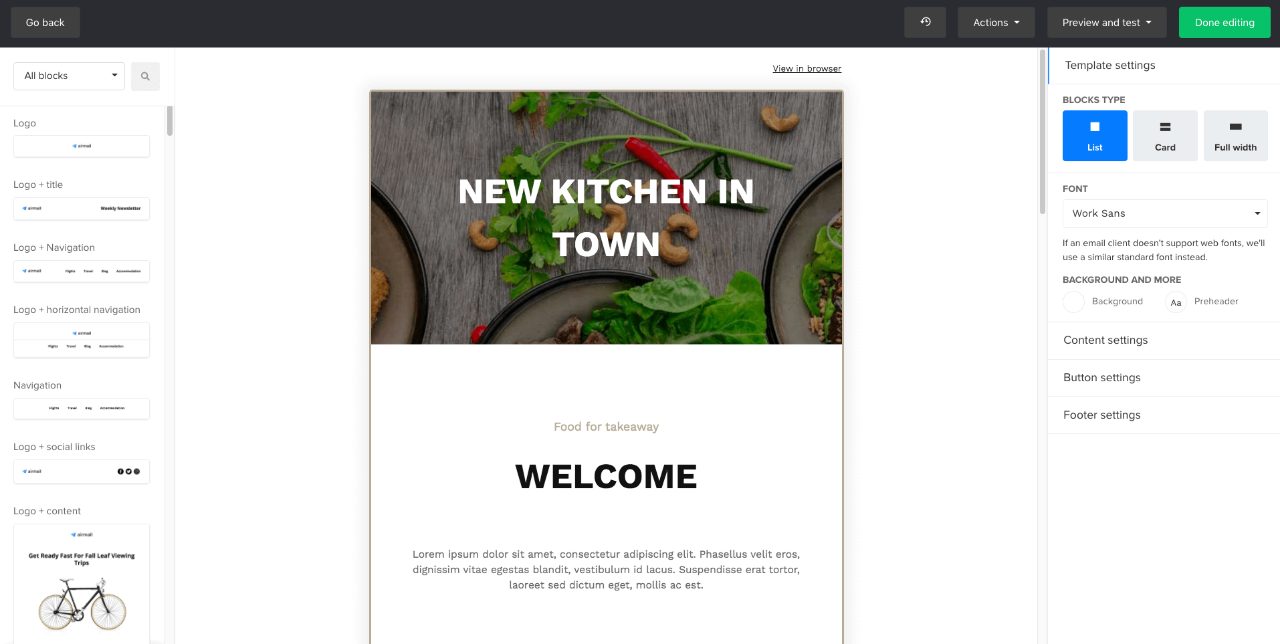
MailerLite is the tool to pick when email is one job among many and you’d rather not learn a marketing platform to do it. Its drag-and-drop editor is the easiest to pick up of any tool here, and the automation builder works the same way: drag in a trigger, such as a signup, a date or a link click, then add emails, delays and branches that split people by what they did.
Where it beats Mailchimp is price. Comfort, the plan most small businesses need, costs about half as much at 5,000 contacts and includes branching automations, landing pages, pop-up forms and a simple website builder. You’d only miss Mailchimp’s deeper store features and its far larger catalog of direct integrations.
The catches are real but smaller than they used to be. The free plan now stops at 250 subscribers and doesn’t include the ready-made templates. Live chat on Comfort only lasts for the first 14 days; after that it’s email, around the clock. New accounts go through an approval check, and MailerLite is stricter than most about what it lets you send. Online stores get abandoned-cart emails and product blocks for Shopify and WooCommerce, but not the depth of purchase segments and revenue reporting a store tool gives you.
What it does
- Drag-and-drop editor and visual automation builder
- Landing pages, pop-up forms and a simple website builder
- Abandoned-cart emails for Shopify and WooCommerce stores
Pros
- The quickest editor to learn of any tool here
- About half Mailchimp's price at 5,000 contacts
- Branching automations on its mid-priced plan
Cons
- The free plan stops at 250 subscribers, without templates
- Live chat only for the first 14 days on Comfort
- Thin store data next to Klaviyo or Omnisend
- Skip if:
- You run a store and want revenue tracked per email
Sender
Cheapest, with the roomiest free plan
#2 3.9/5
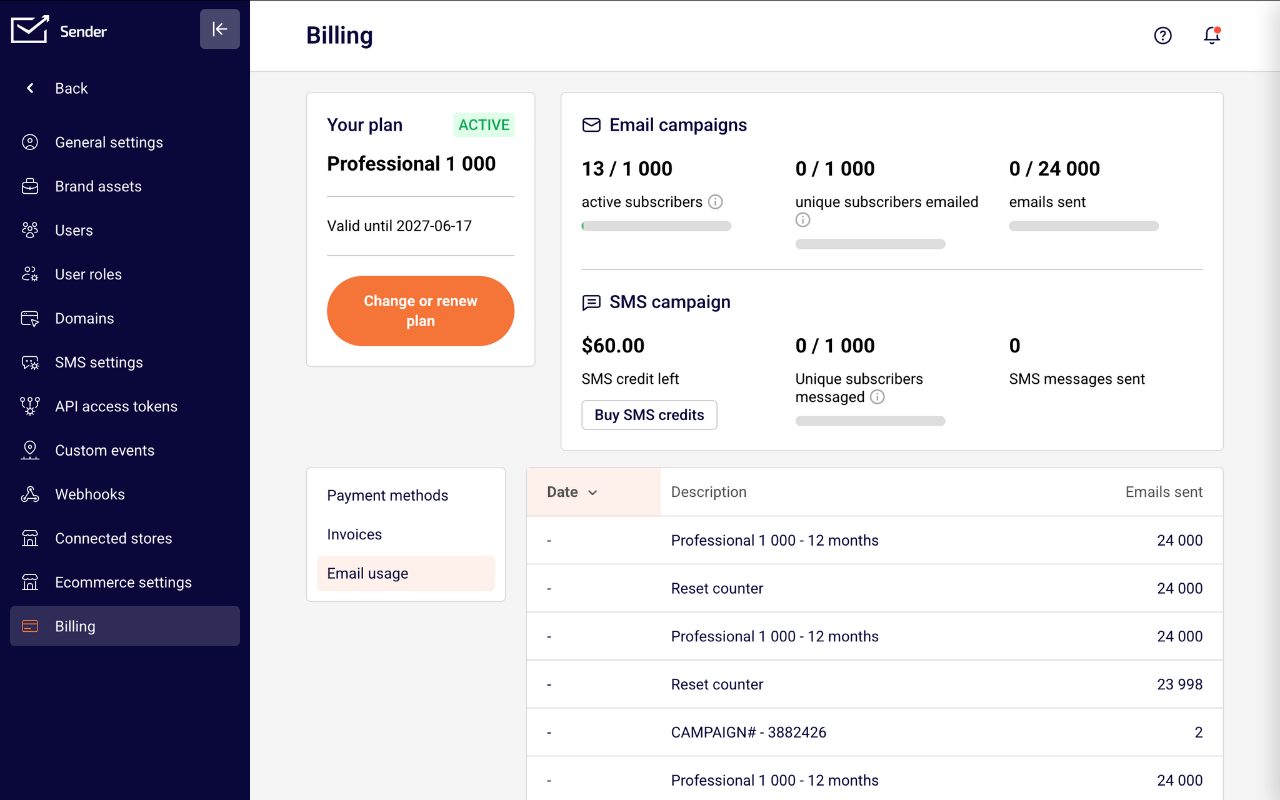
Sender is the tool for a business that wants email to cost almost nothing. Its free plan, with automations included, covers more than most small businesses need in their first year. Paid plans start lower than MailerLite’s and, by most estimates, stay lower as the list grows, and the support is the part users praise most: live chat and email around the clock on every plan, free included.
What you give up is depth and reach. Automations cover welcome series, abandoned carts and the usual triggers, but the builder is simpler than MailerLite’s, and the more advanced automation sits on the Professional plan. Direct integrations are few: Shopify, WooCommerce, PrestaShop and WordPress, with almost everything else going through Zapier. Sender is also less widely used than most tools here, which matters little for sending email but means fewer tutorials, templates and freelancers who already know it.
Between Sender and MailerLite, the difference is mostly ease against cost. MailerLite’s editor is a little smoother and its automations branch further; Sender’s free plan is ten times larger and its paid plans cost less.
What it does
- A free plan for up to 2,500 subscribers
- Welcome and abandoned-cart automations on every plan
- SMS and A/B testing on paid plans
Pros
- The most generous free plan with automations
- Live chat at any hour, even on the free plan
- Low prices as the list grows
Cons
- Fewer direct integrations than any other tool here
- Simpler automations unless you pay for Professional
- Plain templates
- Choose if:
- You want to send to a few thousand people without paying anything

Mailchimp
Familiar, connects to everything, costs more
#3 3.6/5
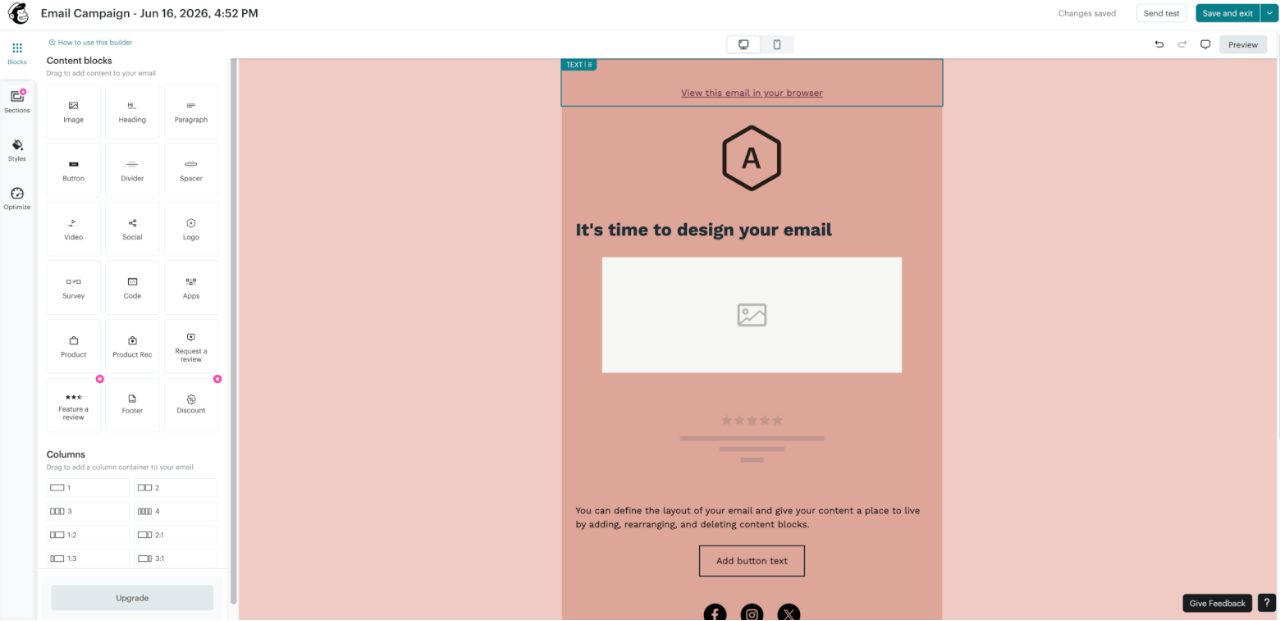
Mailchimp is the name most people know, and the reasons it got big are still there: a clean editor with about 250 templates, more than 300 integrations, and store features that go further than most general tools, such as product recommendations, emails when an item is back in stock and predicted customer value. If your website builder, booking system or till already has a Mailchimp button, that convenience can tip a close decision.
The problem is what it charges for it. Multi-step automations need the Standard plan, which costs about twice MailerLite’s Comfort at 5,000 contacts, and the cheaper Essentials plan only runs single-email automations. The free plan has shrunk to 250 contacts with no automations, and it pauses sending when you hit its limit. Phone support is reserved for Premium, which starts at $350 a month. For a newsletter and a welcome series, MailerLite or Sender does the same job for less. Mailchimp earns its price mainly when you need a particular integration or its store features without moving to a store-only tool.
What it does
- About 250 templates and a drag-and-drop editor
- Branching flows, predictive segments and product recommendations on Standard
- More than 300 integrations
Pros
- Connects to almost any website or store tool
- Strong store features for a general-purpose tool
- Live chat and email around the clock on paid plans
Cons
- About twice MailerLite's price at 5,000 contacts
- Multi-step automations need Standard
- The free plan is too small to run a business on
- Choose if:
- A tool you already use connects only to Mailchimp
ActiveCampaign
Deepest automation for lead follow-up
#4 3.6/5
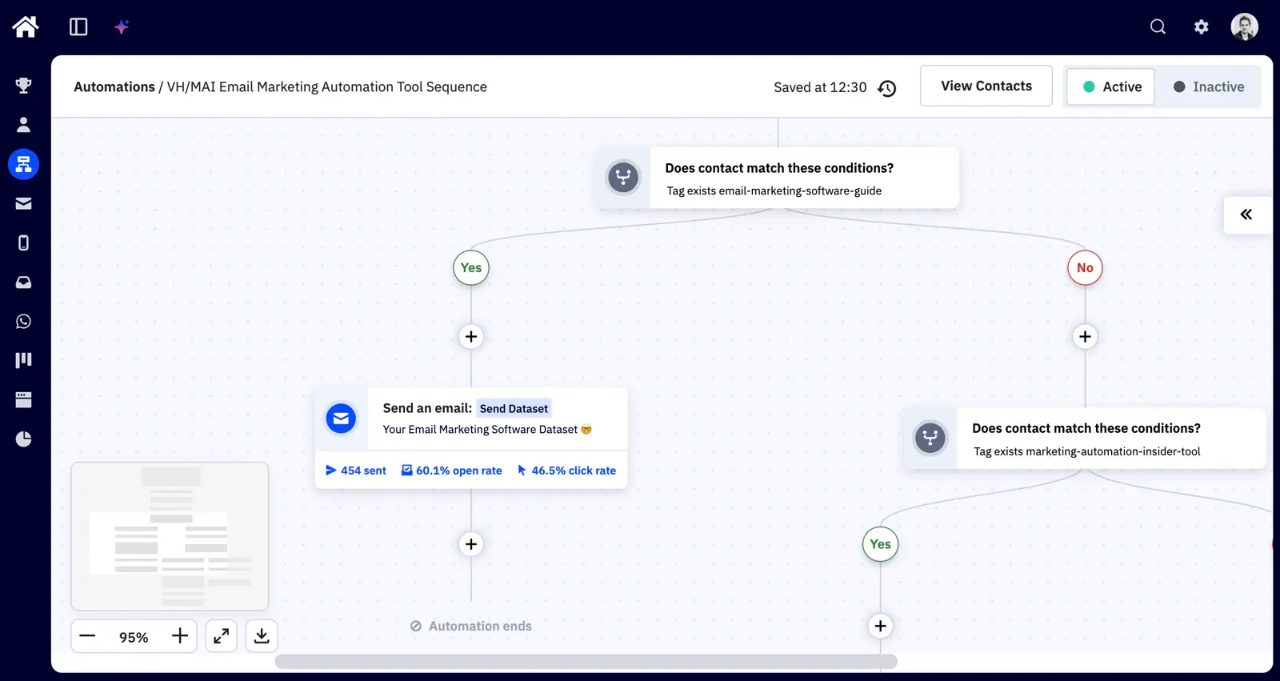
ActiveCampaign is for businesses where the email sequence is the sales process: a consultant whose downloads should lead to a call, or a B2B firm that wants to score leads by what they open and click. Its automation builder tracks visits to your website, branches on almost anything, and on the Pro plan lets you test one path against another. More than 900 integrations make it easy to connect to a CRM or booking tool.
The entry price is misleading, though. The Starter plan caps each automation at five actions without branching, and landing pages, revenue reporting and the product catalog for stores start on Plus, which runs $179 a month for a list of 5,000. The sales pipeline and lead scoring are a paid add-on on top. The learning curve is steep, and there’s no free plan, only a 14-day trial. If your follow-up is a welcome series and a monthly newsletter, it’s more tool than you need.
What it does
- Branching automations with website tracking
- Lead scoring and a sales pipeline as an add-on from Plus
- More than 900 integrations
Pros
- The deepest automation for following up leads
- Free migration from another tool on every plan
- A strong record in independent deliverability tests
Cons
- Starter's automations stop at five steps with no branching
- The plan most businesses need costs $179 at 5,000 contacts
- Bills new accounts for unsubscribed and bounced contacts
- Slow to learn
- Choose if:
- You sell services and want follow-up that reacts to what each lead does

Brevo (formerly Sendinblue)
Priced by emails sent, with a free CRM
#5 3.5/5
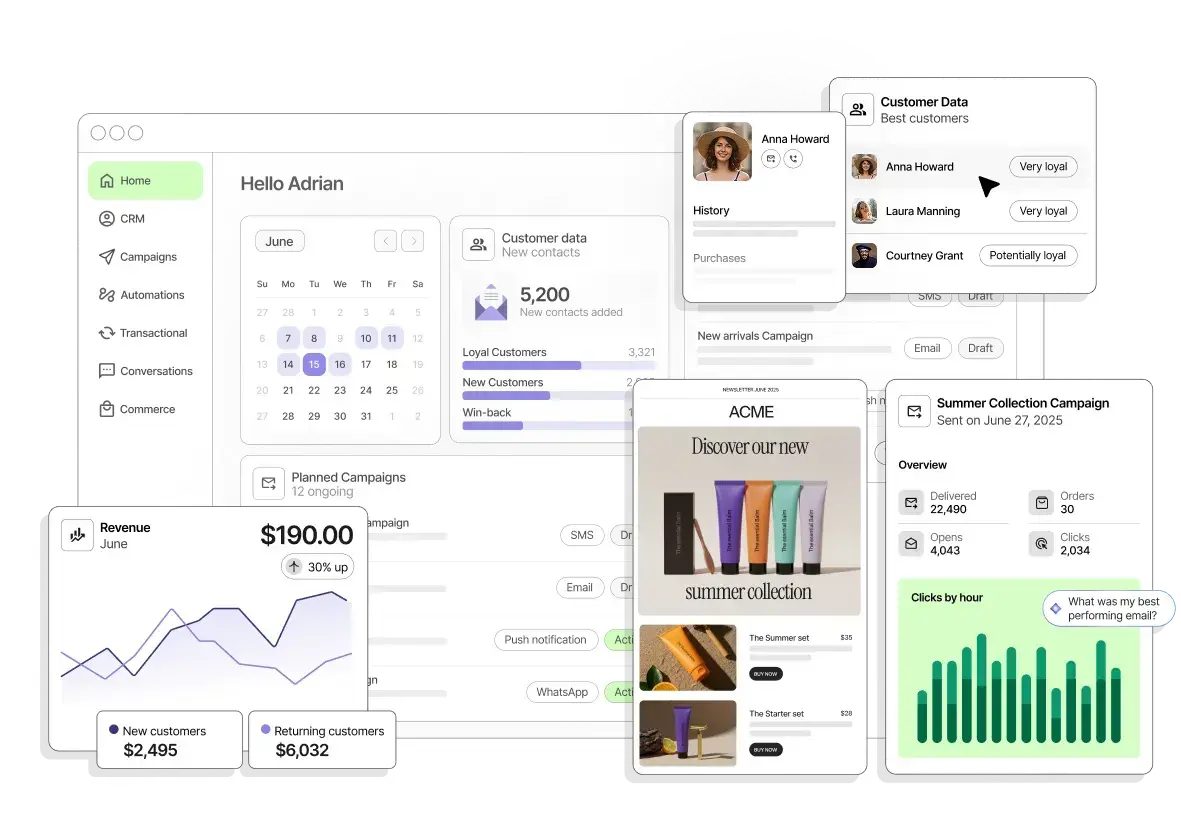
Brevo, which used to be called Sendinblue, works differently from the rest: it charges by how many emails you send each month, not by how many contacts you keep. That suits a business with a large list it emails rarely, such as a seasonal shop or an event venue, and it’s why Brevo comes out cheap at 10,000 contacts. It also bundles a simple CRM with deals, pay-as-you-go SMS and landing pages, so a small team can run email, texts and a sales pipeline from one account.
The weak spot is help. Support is by email only until the Professional plan, at $499 a month, where phone support starts. The free plan’s cap of 300 emails a day means a list of 2,000 people takes a week to reach, and the Brevo logo stays on. Shopify stores connect through a separate Brevo app with its own pricing. The interface is busier than MailerLite’s, though the editor itself is easy.
What it does
- Pricing by emails sent, not contacts
- A built-in CRM with deals and pipelines
- SMS on a pay-as-you-go basis
Pros
- Cheap for big lists you email occasionally
- Email, SMS and a CRM in one account
- A free plan that holds up to 100,000 contacts
Cons
- Email-only support below the $499 plan
- Free sending is capped at 300 emails a day
- The busiest interface of the general tools
- Choose if:
- Your list is large but you email it once a month or less

Constant Contact
Phone support and event tools
#6 3.4/5
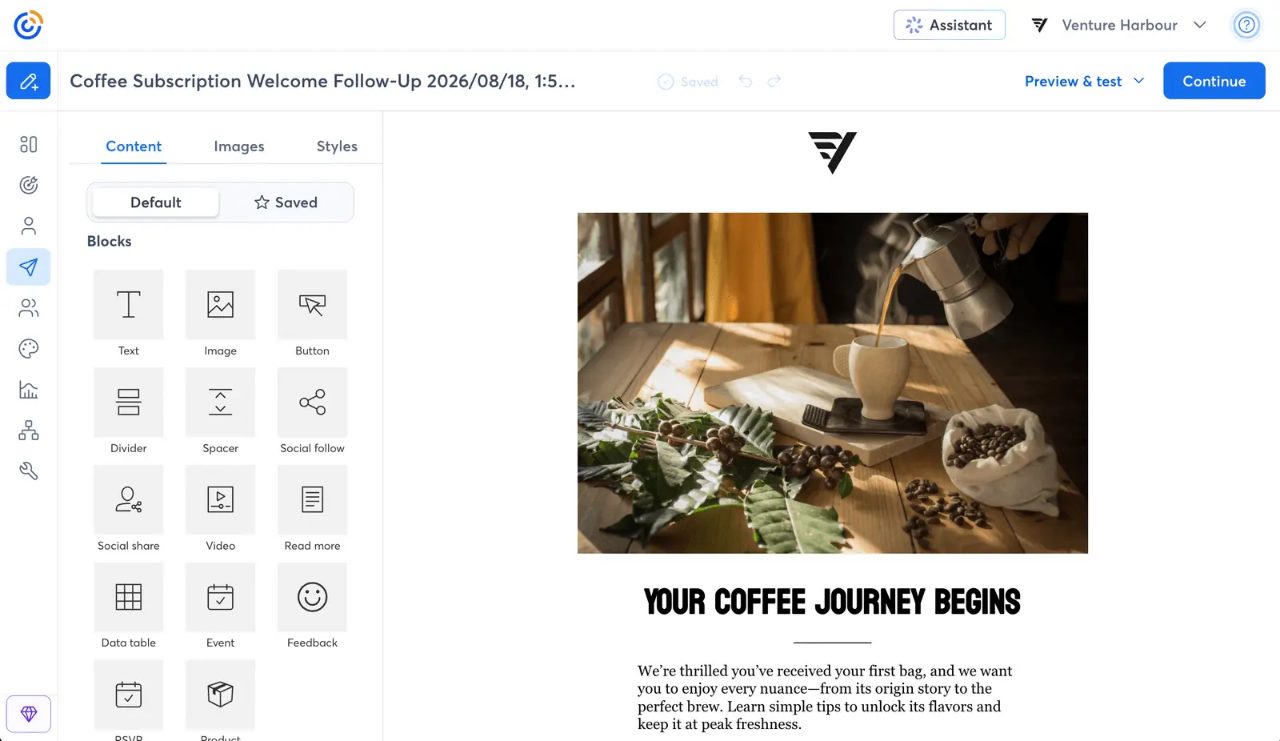
Constant Contact suits the owner who wants a person on the phone when something goes wrong. Phone and live chat come with every plan, the editor is easy if a little rigid (blocks stack in rows, and you can’t use your own fonts), and it handles event registration and ticketing, which nonprofits and local venues use. Its deliverability record in independent tests was among the steadiest.
It’s also the most expensive way to automate. Custom multi-step automations need the Premium plan, $200 a month at 5,000 contacts; the cheaper Lite and Standard plans only offer one or three ready-made automations, such as a welcome or birthday email. There’s no free plan, and cancelling means phoning them. If you mostly send a plain newsletter and want help on hand, Lite covers it. If you want automations, the tools above do more for less.
What it does
- Phone and live chat support on every plan
- Event registration and ticket sales
- Over 200 templates
Pros
- The easiest tool to get a human on the phone
- Steady results in independent deliverability tests
- Good for event invitations and RSVPs
Cons
- Custom automations only on the $200 Premium plan at 5,000 contacts
- No free plan
- Cancelling requires a phone call

Kit (formerly ConvertKit)
For creators selling to a newsletter
#7 3.4/5
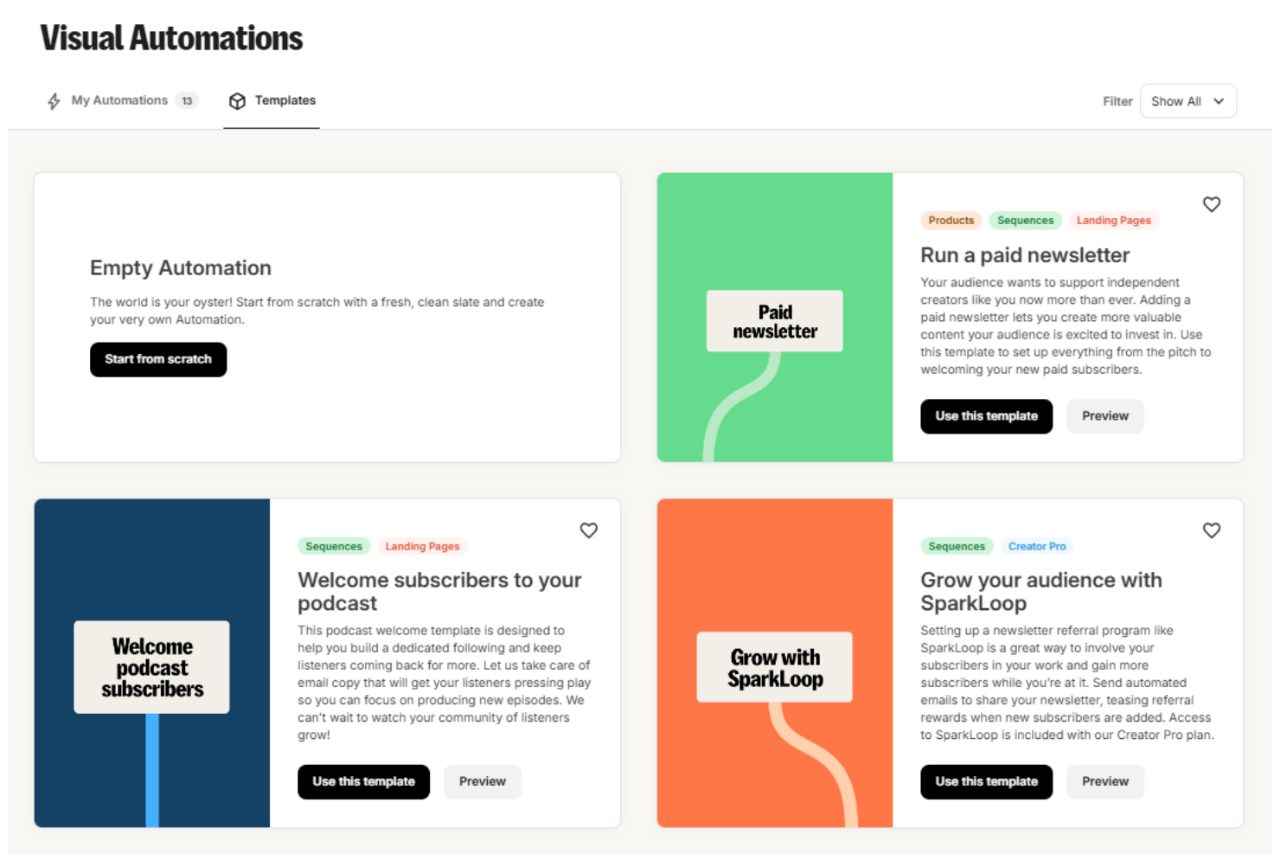
Kit, formerly ConvertKit, is built for people whose business is their audience: newsletter writers, course creators and coaches. Its free plan carries up to 10,000 subscribers, it sells digital products and paid subscriptions directly, and its Creator Network lets other newsletters recommend yours. Tags and visual automations make it easy to send each reader the sequence that fits what they signed up for.
For a shop or a local business it’s an odd fit. Templates are few and deliberately plain, abandoned-cart emails cover Shopify, Wix and Fourthwall stores, and the free plan includes no automations. Creator, the plan with automations, costs nearly as much as Mailchimp’s Standard at 5,000 subscribers.
What it does
- Free plan for up to 10,000 subscribers
- Selling digital products and paid newsletters
- Recommendations from other newsletters
Pros
- Free for 10,000 subscribers, with unlimited sends
- Sells courses and subscriptions without another tool
Cons
- No automations on the free plan
- Few, plain templates
- Moves you up a tier automatically, but you have to ask to move back down
- Skip if:
- You sell physical products or local services
1–5 per criterion · select a score for its reasoning and any sources
| # | Product | Overall | Building emails , counts double | Automations | Cost at 5,000 contacts | Support | Integrations | Free plan , counts half | Built-in extras , counts half |
|---|---|---|---|---|---|---|---|---|---|
| 1 | MailerLite | 3.9 | 5 | 4 | 4 | 3 | 3 | 3 | 4 |
| 2 | Sender | 3.9 | 4 | 3 | 5 | 5 | 2 | 5 | 4 |
| 3 | Mailchimp | 3.6 | 4 | 4 | 2 | 4 | 4 | 2 | 5 |
| 4 | ActiveCampaign | 3.6 | 3 | 5 | 2 | 4 | 5 | 1 | 5 |
| 5 | Brevo (formerly Sendinblue) | 3.5 | 4 | 4 | 3 | 2 | 3 | 4 | 5 |
| 6 | Constant Contact | 3.4 | 4 | 3 | 1 | 5 | 4 | 1 | 5 |
| 7 | Kit (formerly ConvertKit) | 3.4 | 3 | 4 | 3 | 4 | 3 | 4 | 3 |
Equal displayed overall scores are ordered by the earlier criteria; a known score comes before an unknown score. Identical scores use alphabetical order.
×2 = counts double in the overall score, ×½ = counts half.
How each criterion is scored
Building emails
Counts double in the overall score: Most small businesses have no marketer on staff, so every campaign depends on how easy the editor is.
How quickly someone who isn't a designer gets a good-looking, on-brand campaign out. Judged from the editor and templates, the learning curve reviewers describe, and user ratings for ease of use.
- 5 Widely rated among the easiest to learn, with a flexible editor and plenty of good templates
- 4 An easy drag-and-drop editor and good templates, with rough edges such as a rigid layout or a busy interface
- 3 Usable, but plain templates, a cramped editor or a noticeable learning curve
- 2 Works, but a steep learning curve or very little design control slows every campaign
- 1 Hard to build a decent email without HTML or outside help
Automations
The automated emails you can build on plans short of enterprise pricing: welcome series, abandoned cart, date-based and re-engagement emails, and how far a workflow can branch.
- 5 Everything in 4, plus tracking of what people do on your website, lead scoring or predictive data, and tests of different automation paths
- 4 A visual builder with branching and many triggers, including purchases, link clicks and dates
- 3 Custom multi-step workflows with common triggers, but few conditions or branches
- 2 A few prebuilt automations, such as a welcome or birthday email, with little you can change
- 1 No automations, or a single autoresponder
Cost at 5,000 contacts
The monthly price, billed month to month in US dollars, of the cheapest plan with multi-step automations for a list of 5,000 contacts, with enough sends for a weekly email. A plan priced by emails sent is priced at about 20,000 emails a month.
- 5 Under $30 a month
- 4 $30 to $59 a month
- 3 $60 to $89 a month
- 2 $90 to $149 a month
- 1 $150 a month or more
Support
How you reach a person on the plan you'd pay for, and how users rate the help they get.
- 5 Live chat or phone on every plan, including the cheapest, and users rate the help highly
- 4 Live chat and email on every paid plan
- 3 Email around the clock, with chat or phone only during a trial or on higher plans
- 2 Email support only, with chat or phone only on expensive plans
- 1 Help articles and a community forum only
Integrations
How many apps connect directly, such as website builders, online stores, booking and payment tools and CRMs, without a go-between such as Zapier.
- 5 About 900 or more, in a large app marketplace
- 4 About 300 or more
- 3 Around 100 to 200
- 2 Dozens, covering the main store platforms and WordPress
- 1 A handful of direct integrations
Free plan
Counts half in the overall score: It matters while a list is small, and the cost criterion already covers the price of a growing list.
What you can run without paying, from the vendor's current free plan.
- 5 Free for thousands of contacts, with automations and enough sends for a weekly email
- 4 Free for thousands of contacts, but with a daily sending cap or without automations
- 3 Free for a few hundred contacts with enough sends for a weekly email, automations included
- 2 Free for about 250 contacts and about 500 emails a month
- 1 No free plan, only a trial
Built-in extras
Counts half in the overall score: Useful for running fewer tools, but secondary to sending email well.
How many of these come with the service on some plan: pop-up signup forms, landing pages, SMS, a CRM with deals or pipelines, A/B testing of campaigns, and a website builder.
- 5 Five or six
- 4 Four
- 3 Three
- 2 Two
- 1 One or none
It’s close between MailerLite and Sender. MailerLite is easier to use and its automations go further; Sender costs less, gives more away free, and answers chat on every plan.
If you run an online store
A store changes what matters. The emails that pay for themselves are the automated ones (abandoned cart, browse abandonment, post-purchase and win-back), and they work best when the tool reads your catalog and order history directly. General tools like MailerLite and Sender send abandoned-cart emails, but their reports on which email brought in which sale, and their segments by what customers bought, are much thinner.
#1 4.4/5
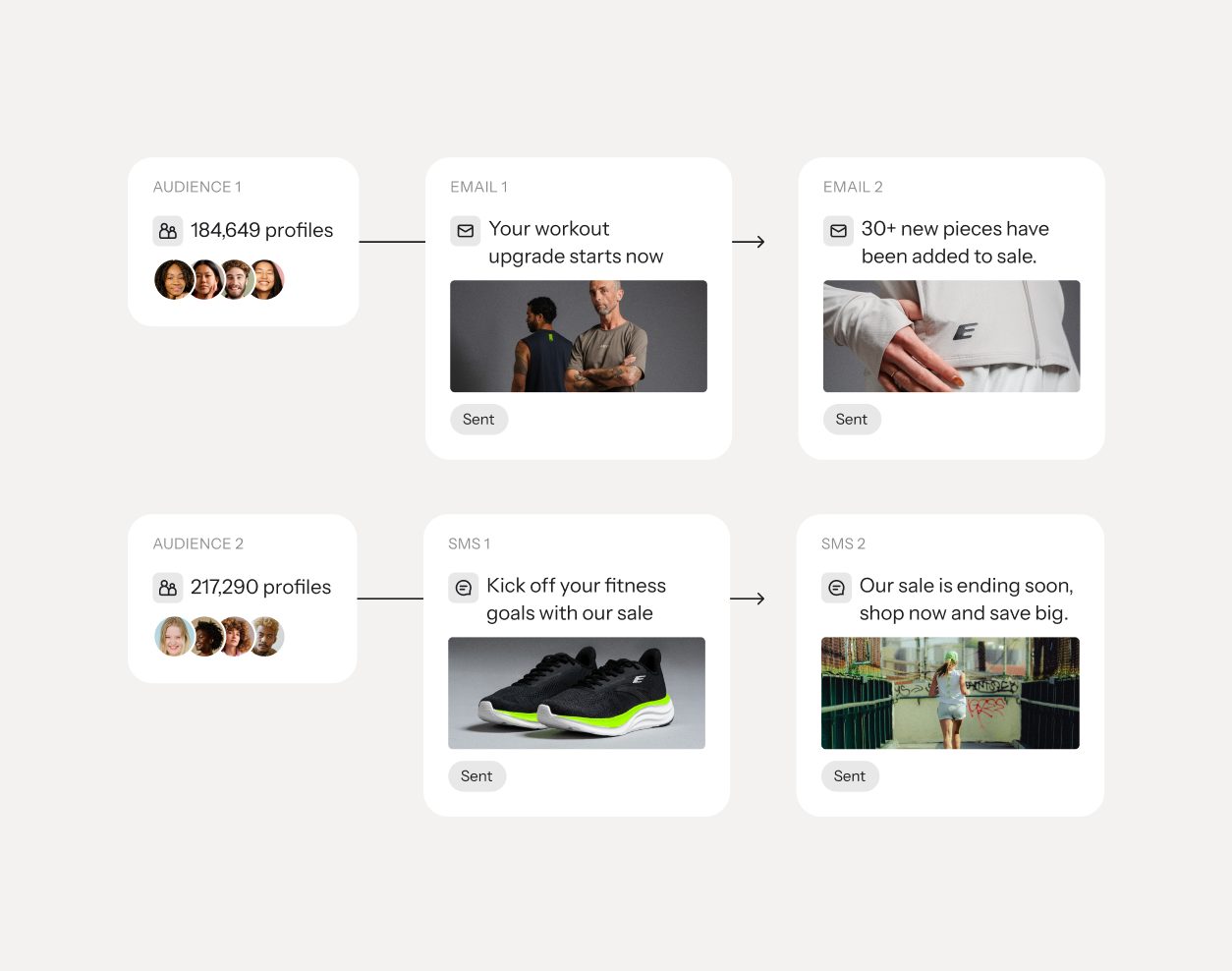
Klaviyo is the tool stores tend to grow into once email brings in a meaningful share of sales. It pulls in your catalog and every order, comes with 60 or so prebuilt flows, predicts each customer’s next order date and churn risk, and recommends products based on what each shopper browsed and bought. Revenue shows up next to every email and flow.
You pay for that from the first few thousand customers: about $100 a month at 5,000 active profiles, and SMS is billed separately. People who unsubscribe don’t count, but if you outgrow your tier you’re moved to the next one at the following bill. The terms (“flows”, “profiles”, “segments”) take some getting used to, and most of the prebuilt flows assume a store, so a service business gets much less from it. For a new store with a few hundred customers, the free plan (250 profiles, 500 emails a month) is too small to tell you much.
What it does
- Catalog and order sync with Shopify, WooCommerce and hundreds of other tools
- Around 60 prebuilt store flows
- Predicted next order date and churn risk
Pros
- Built around store data, with dozens of ready-made flows
- Revenue reported for every email and flow
- A/B tests inside flows
Cons
- About $100 a month at 5,000 profiles, with SMS extra
- Little value without an online store
- A learning curve for newcomers
- Choose if:
- Your store already makes enough that a better cart email pays for the difference

#3 4.1/5
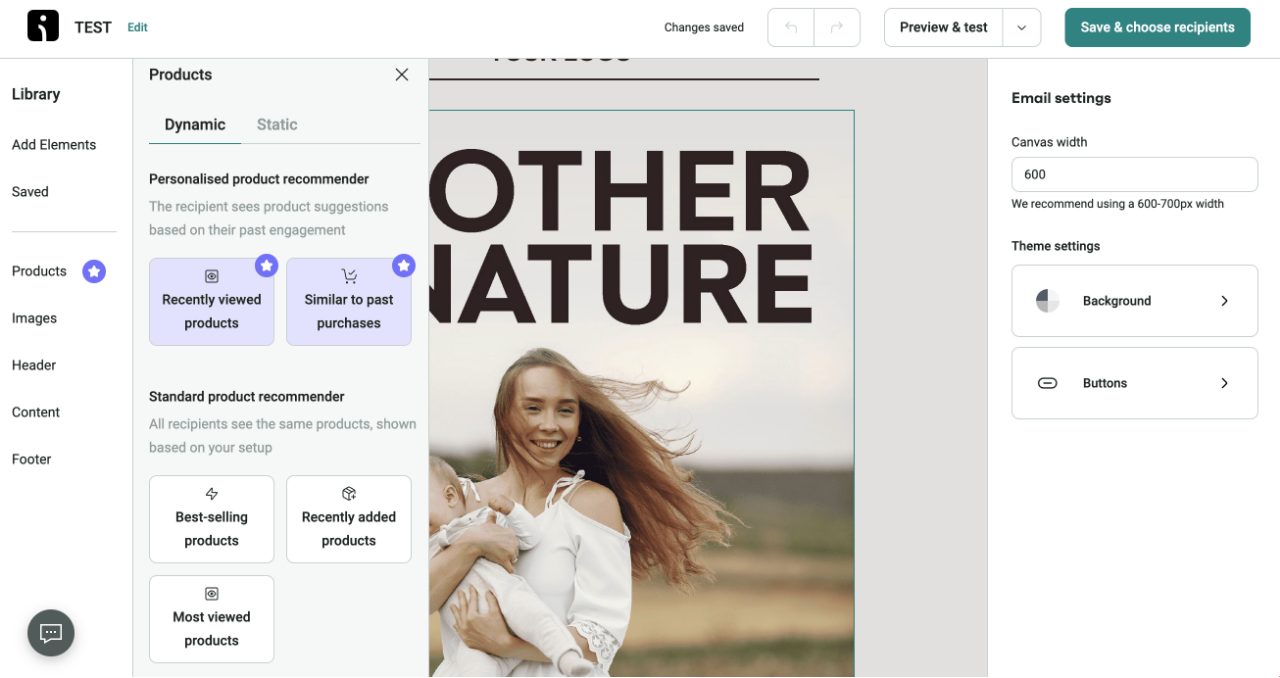
Omnisend does most of what Klaviyo does for a small store at a lower price: about $81 a month at 5,000 contacts. It imports your products, styling and customers when you connect Shopify, WooCommerce, BigCommerce or Wix, and its editor has product pickers and “similar to past purchases” blocks that fill in for each customer. The prebuilt flows cover welcome, cart and browse abandonment, post-purchase, win-back and birthdays, and even the free plan includes them. Live chat runs around the clock on every plan, which Klaviyo doesn’t offer free accounts.
It stops short of Klaviyo’s predictions, such as expected next order or lifetime value, and its average in EmailToolTester’s last inbox tests, 75%, sat well below Constant Contact’s 88%. For stores that also text, the Pro plan’s SMS credits are worth the price of the plan itself. Outside an online store, most of what you’d pay for goes unused.
What it does
- Store sync for Shopify, WooCommerce, BigCommerce and Wix
- Prebuilt cart, browse, post-purchase and win-back flows, free plan included
- SMS with included credits on Pro
Pros
- Cheaper than Klaviyo at the list sizes small stores have
- Live chat at any hour on every plan
- Product blocks that fill in for each customer
Cons
- No predicted next order or lifetime value
- Weak results in the last independent inbox tests
- Not much use without a store
1–5 per criterion · select a score for its reasoning and any sources
| # | Product | Overall | Store data , counts double | Automations | Building emails | Support | Cost at 5,000 contacts , counts half |
|---|---|---|---|---|---|---|---|
| 1 | Klaviyo | 4.4 | 5 | 5 | 4 | 4 | 2 |
| 2 | Mailchimp | 4.2 | 5 | 4 | 4 | 4 | 2 |
| 3 | Omnisend | 4.1 | 4 | 4 | 4 | 5 | 3 |
| 4 | Sender | 3.7 | 3 | 3 | 4 | 5 | 5 |
| 5 | MailerLite | 3.6 | 3 | 4 | 5 | 3 | 4 |
| 6 | Brevo (formerly Sendinblue) | 3.5 | 4 | 4 | 4 | 2 | 3 |
×2 = counts double in the overall score, ×½ = counts half.
How each criterion is scored
Store data
Counts double in the overall score: Store owners choose these tools for the sales their automated emails bring in, which depends on store data.
How well it uses an online store's data: catalog sync, abandoned cart and other purchase-triggered emails, segments by what people bought, product recommendations and revenue reporting, across the store platforms small shops use.
- 5 Everything in 4, plus predictive data such as expected next order or churn risk, and product recommendations based on each customer's behavior
- 4 Catalog sync, cart, browse and post-purchase emails, segments by purchase, and revenue per email
- 3 Abandoned-cart emails and product blocks for the main platforms, but shallow segments by purchase or revenue reporting
- 2 Connects to a store for contacts and basic abandoned-cart emails, or only on a top plan
- 1 No direct store connection
Automations
The automated emails you can build on plans short of enterprise pricing: welcome series, abandoned cart, date-based and re-engagement emails, and how far a workflow can branch.
- 5 Everything in 4, plus tracking of what people do on your website, lead scoring or predictive data, and tests of different automation paths
- 4 A visual builder with branching and many triggers, including purchases, link clicks and dates
- 3 Custom multi-step workflows with common triggers, but few conditions or branches
- 2 A few prebuilt automations, such as a welcome or birthday email, with little you can change
- 1 No automations, or a single autoresponder
Building emails
How quickly someone who isn't a designer gets a good-looking, on-brand campaign out. Judged from the editor and templates, the learning curve reviewers describe, and user ratings for ease of use.
- 5 Widely rated among the easiest to learn, with a flexible editor and plenty of good templates
- 4 An easy drag-and-drop editor and good templates, with rough edges such as a rigid layout or a busy interface
- 3 Usable, but plain templates, a cramped editor or a noticeable learning curve
- 2 Works, but a steep learning curve or very little design control slows every campaign
- 1 Hard to build a decent email without HTML or outside help
Support
How you reach a person on the plan you'd pay for, and how users rate the help they get.
- 5 Live chat or phone on every plan, including the cheapest, and users rate the help highly
- 4 Live chat and email on every paid plan
- 3 Email around the clock, with chat or phone only during a trial or on higher plans
- 2 Email support only, with chat or phone only on expensive plans
- 1 Help articles and a community forum only
Cost at 5,000 contacts
Counts half in the overall score: For a store, the sales automated emails bring in usually matter more than the monthly price difference.
The monthly price, billed month to month in US dollars, of the cheapest plan with multi-step automations for a list of 5,000 contacts, with enough sends for a weekly email. A plan priced by emails sent is priced at about 20,000 emails a month.
- 5 Under $30 a month
- 4 $30 to $59 a month
- 3 $60 to $89 a month
- 2 $90 to $149 a month
- 1 $150 a month or more
For a store, Mailchimp’s store features hold up well against Omnisend’s, but Omnisend costs less and has better support, so it’s the one to try first if Klaviyo is too expensive. Sender and MailerLite cover a store that mainly needs an abandoned-cart email and a newsletter.
Also considered
- Shopify Messaging (formerly Shopify Email) only works inside a Shopify store. For a new Shopify store it may be all you need: the first 10,000 emails a month are free, then $1 per 1,000, and it pulls your logo, colors and products into each email. Its automations and reports are basic next to Klaviyo’s or Omnisend’s, so a store that wants more than a cart email and a newsletter will outgrow it.
If you’d rather run the software on your own server and pay only for sending, there are newsletter tools you host yourself.
How to choose
- You send a newsletter and a few automated emails: MailerLite, or Sender if cost comes first.
- You want to start free with a list of a few thousand: Sender, or Kit if you don’t need automations.
- You run an online store: Klaviyo, or Omnisend for less money; on Shopify, start with Shopify Messaging while the store is small.
- You follow up leads for a service business: ActiveCampaign on the Plus plan.
- You email a big list rarely, or want a CRM included: Brevo.
- You want phone support, or run events: Constant Contact.
- You sell courses or a paid newsletter: Kit.
The verdict
The tools have converged on the basics, and what separates them is price structure, plan limits and who they’re built for.
MailerLite gives the most small businesses the best balance: an editor anyone can use, automations that branch, and a fair price as the list grows. Its weak points are support after the first two weeks and a free plan that’s no longer big enough to run a business on.
Sender is the right call when the budget is close to zero or you want help on chat whenever you need it, provided you can live with fewer integrations and simpler automations. Mailchimp is worth its premium only when an integration or its store features decide it for you. For stores, Klaviyo earns its price once email is bringing in steady sales, and Omnisend is the better buy until then. ActiveCampaign is a specialist’s tool for sales follow-up, and Constant Contact is for people who value a phone number over a feature list.
Whichever you choose, a sending domain of your own (the SPF, DKIM and DMARC records Gmail and Yahoo expect) is worth setting up before the first campaign, and the automations you’d have to rebuild are worth weighing before you switch for a few dollars a month.
Frequently asked questions
Is Mailchimp still free?
Yes, but only up to 250 contacts and 500 emails a month, with no automations and email support for the first 30 days. For a free plan you can run a business on, Sender (2,500 subscribers, with automations) or Kit (10,000 subscribers, without automations) go much further.
Do I need a separate tool for SMS?
Usually not. Klaviyo, Omnisend, Brevo, Sender, ActiveCampaign and Constant Contact all send texts from the same account, paid per message or through credits, and Mailchimp offers SMS as an add-on in some countries. Check that texts can go to your country before choosing on that basis.