Best appointment scheduling software for small businesses
A client who books the 2 p.m. slot and doesn’t show costs you more than the price of the service. The hour can’t be sold again, and someone who wanted it was told it was taken. That’s what appointment software is really for. Every product here gives clients a page to pick a time; the differences are in what happens around the booking: whether the client leaves a deposit or a card, whether a text goes out the day before, and whether the calendar understands that your three staff each do different services.
The products sold as “scheduling software” come from two different places. Meeting-link tools like Calendly, Cal.com and Google Calendar’s booking pages grew up booking sales calls and consultations: one person, one link, a video meeting. Appointment books like Acuity Scheduling, Square Appointments, Fresha and Vagaro grew up in salons, studios and clinics, where the client picks a service, then a staff member, and the business wants money up front. If you sell your time over Zoom, the first kind is enough and usually cheaper. If clients walk through your door, start with the second.
For most small service businesses, we’d pick Acuity Scheduling. It takes deposits on every plan, can save a client’s card to charge for a no-show, sends text reminders on its Standard plan, and covers up to six staff calendars for one flat price. Salons and spas that take most payments at the counter should look hard at Square Appointments or Fresha, and a team on a tight budget will find Setmore hard to beat.
What separates these tools
- Deposits and saved cards. A deposit at booking makes a no-show cost the client something. A saved card goes further: if the client cancels late or skips, you can bill them afterward without chasing anyone. Both run through a card processor (Stripe, Square, PayPal or the product’s own), which takes roughly 2.3 to 3.5 percent of each payment on top of the subscription.
- Text reminders. Email reminders are on nearly every paid plan. Texts are the ones clients actually read, and products handle them very differently: included, sold in credits, or only on a higher plan.
- How the price grows with your team. Calendly, Cal.com, Setmore, Fresha and Google charge per person. Acuity and Vagaro charge by the number of staff calendars, Square by location, and SimplyBook.me by plan with a monthly booking cap. The same three-person business can pay $15 a month or $60 depending on which model it lands in.
Here’s what that looks like in practice, per month, for the plan that takes payments and sends reminders. Prices use annual billing where it’s offered, and card processing is extra.
| Product | One person | Three staff |
|---|---|---|
| Acuity Scheduling | $27 | $27 |
| Square Appointments | $0 (no-show fees need $49) | $49 |
| Fresha | $19.95 | $44.85 |
| Vagaro | $30 | $50, plus $10 for deposits |
| Setmore | $5 | $15 |
| Cal.com | $0 | $36 |
| Calendly | $10 | $30 |
| SimplyBook.me | $11.90, plus texts | $24.90, plus texts |
| Google Calendar | $14 | $42 |
Acuity’s one-person figure is its Standard plan, the cheapest with text reminders; without texts, Starter is $16. Vagaro’s figures are its list price after a six-month introductory rate. Fresha also takes a cut of new clients who find you through its marketplace, covered in its section below.

Acuity Scheduling
The all-rounder for practices and studios with up to six staff
#1 4.1/5
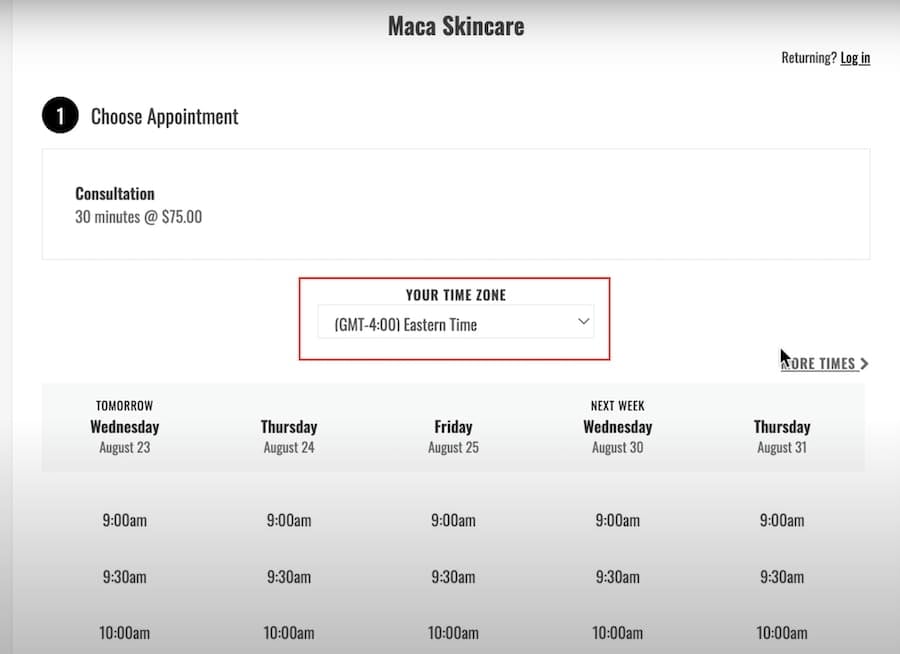
Acuity is the one we’d hand to a massage therapist, a tutoring business, a personal trainer or a small clinic that wants booking, payment and reminders handled by one tool without it becoming a project. It’s owned by Squarespace (which also sells it as Squarespace Scheduling), and it does almost everything these tools do reasonably well rather than one thing brilliantly.
The pricing is what makes it good value for a small team: you pay for calendars, not people. Starter is $16 a month on annual billing ($20 monthly) for one calendar with email reminders. Standard is $27 a month annually ($34 monthly) for up to six calendars, and adds text reminders, a waitlist, and packages, memberships and gift certificates. A business with three staff pays exactly what a solo practitioner pays. There’s no free plan; the 7-day trial doesn’t ask for a card.
Money is handled well. Every plan connects Stripe, Square or PayPal and can take full payment or a deposit when the client books. With Stripe or Square (not PayPal), Acuity saves the client’s card, so you can charge a late-cancel or no-show fee after the fact. You charge it yourself from the appointment; Acuity doesn’t apply the fee automatically the way Square and Fresha can.
Intake forms come on every plan, which matters to therapists and trainers who want health history or goals answered before the first session. A health practice that needs a signed HIPAA business associate agreement has to move up to Premium, at $55 a month annually ($69 monthly). Acuity is a booking tool, not practice software: there are no treatment notes, and styling the booking page beyond colors and logo needs custom CSS, also on Premium. Some owners find the settings sprawl once they go past basic booking, though most get a working page up quickly.
What it does
- Deposits and full prepayment through Stripe, Square or PayPal on every plan
- Saved cards for charging no-show fees, with Stripe or Square
- Intake forms on every plan
- Up to six staff calendars, text reminders and packages on Standard
Pros
- One flat price covers up to six staff calendars
- Takes deposits and saves cards on the plan most businesses buy
- Two-way sync with Google, Outlook and iCloud calendars, plus Zoom and Meet links
- Intake forms without an add-on
Cons
- No free plan
- No-show fees are charged by hand
- HIPAA agreement only on the $55 Premium plan
- Choose if:
- You run a practice or studio with up to six staff and want deposits, texts and intake forms in one plan
- Skip if:
- You need treatment notes or clinical records alongside the calendar
Square Appointments
Free start for businesses that take cards at the counter
#2 4.0/5
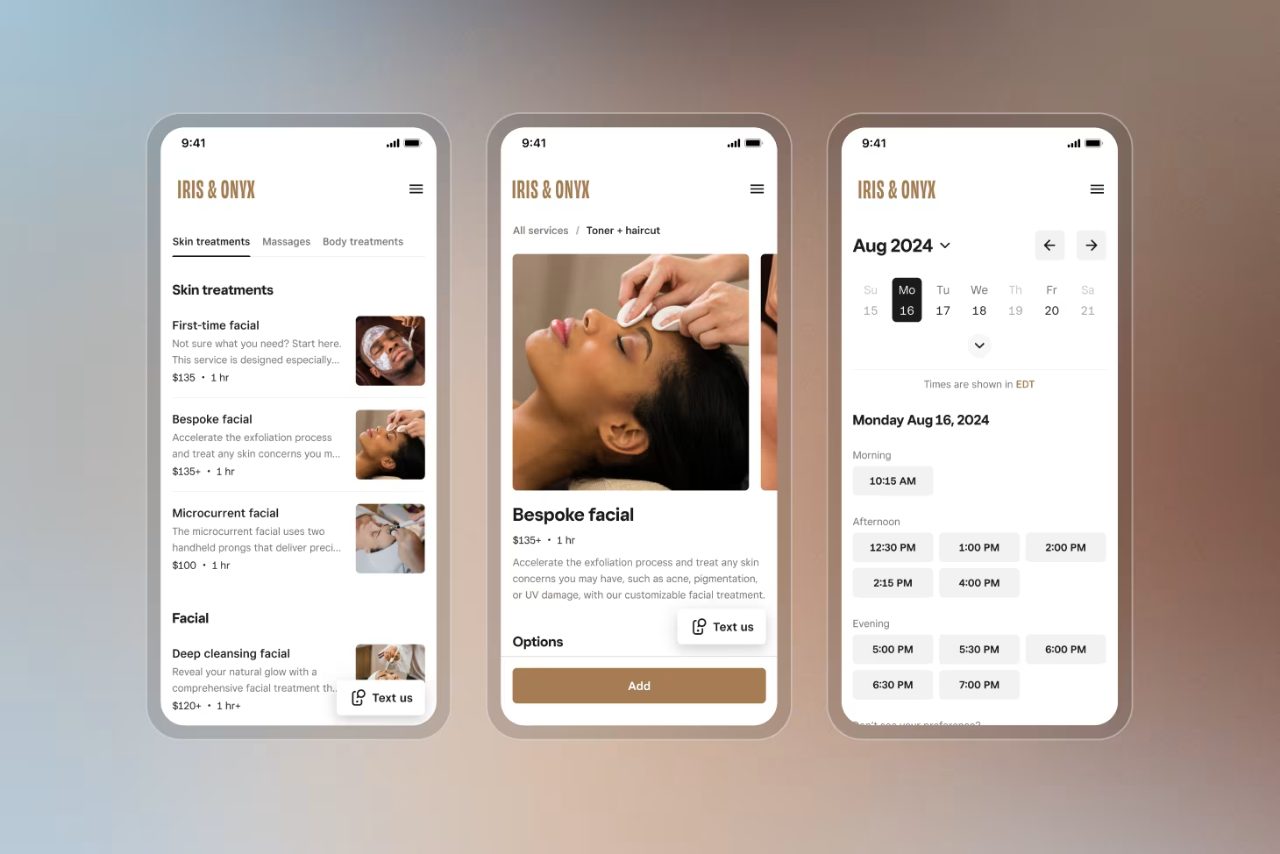
Square Appointments has the most generous free plan here, with one condition: Square has to handle your card payments, because it doesn’t work with any other processor. Free has no monthly fee and still gives you an online booking site, email and text reminders, and staff calendars without a cap, though Square pitches it at solo professionals. Square makes its money on each payment instead: 2.6% + 15¢ for a card in person and 3.3% + 30¢ for one taken online.
The free plan stops at no-shows. A cancellation policy, where the client must leave a card to book and Square charges it under the fee you set, starts on Plus at $49 a month. Plus also adds a waitlist that offers cancelled slots to other clients, and it lowers the card rates to 2.5% + 15¢ in person and 2.9% + 30¢ online. Because the price is per location, a five-chair salon pays the same $49 as a stylist working alone. Premium, at $149 a month, adds booking for rooms, chairs and equipment.
Reminders are a highlight. With Square Assistant, a client can reply to the reminder text to confirm, cancel or ask to reschedule, and nobody on staff has to pick up the phone. Square’s point of sale is built in too, so retail products, tips and the appointment all land in one place.
The weak spots are outside the salon. Square Appointments syncs with Google Calendar only and has no video meeting links, so it’s a poor fit for anyone doing sessions online or living in Outlook. Reviewers like the setup but often complain that support is hard to reach.
What it does
- Booking site, email and text reminders on the free plan
- Cancellation policy and no-show fees on Plus
- Built-in point of sale and card payments
- Room and chair booking on Premium
Pros
- A free plan that includes text reminders
- Priced per location, not per staff member
- Clients confirm or reschedule by replying to a text
- No-show fees charged to the client's card under your policy
Cons
- No-show protection needs the Plus plan
- Works only with Square payments
- Google Calendar is the only calendar it syncs with, and it adds no video links
- Support is hard to reach
- Choose if:
- You already take payments with Square, or want booking and checkout in one system

Fresha
Salon and spa booking with a marketplace for new clients
#3 4.0/5
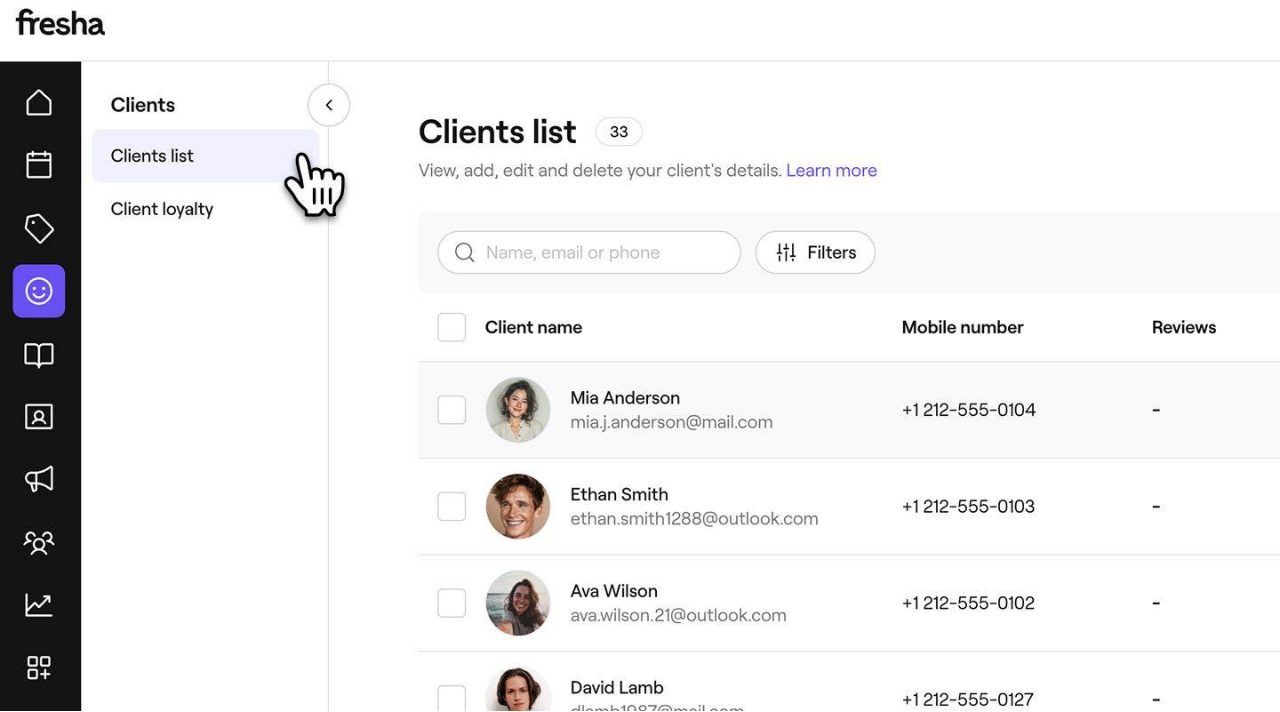
If an older review told you Fresha is free, it’s out of date. Fresha now charges a subscription: $19.95 a month for one bookable person, or $14.95 a month per bookable team member on its Team plan, with no annual discount and no free plan.
What you get for that is the most salon-native calendar here alongside Vagaro’s. Each staff member gets their own services, prices and durations; there are processing times for color, bookable resources, group bookings and a waitlist. Deposits can be a fixed amount or a percentage per service, and you can require a card to book and bill it for a late cancellation or no-show (by hand, on the day of the appointment). Those protections need Fresha’s own payments, at 2.29% + 20¢ in person and 2.79% + 20¢ online, plus a per-appointment fee when a card is captured. Each team member gets 100 texts a month, then texts cost 2¢ each.
The marketplace is the reason many salons choose Fresha, and the reason some leave. Your business appears in Fresha’s consumer app, where people near you browse and book. When a brand-new client finds you there, Fresha takes 20% of their first appointment, with a $6 minimum. Clients who book through your own website or Instagram link aren’t charged for, but Fresha’s help center says the fee also applies when a new client looked at your Fresha profile first and then booked through your link. Import your existing client list before going live so regulars aren’t counted as new.
Reviewers rate setup and day-to-day use highly, and most complaints are about fees and rigid cancellation handling. Fresha is built for beauty and wellness; a tutor or consultant will find it an odd fit, and its sync with Google Calendar is limited.
What it does
- Per-staff services, processing times, resources and group bookings
- Deposits and saved cards for no-show fees with Fresha Payments
- 100 texts per team member each month
- Listing on Fresha's consumer marketplace
Pros
- The calendar fits how salons and spas actually work
- Deposits can vary by service and client
- Brings new clients through its marketplace
- Quick to set up
Cons
- 20% of a new marketplace client's first appointment, minimum $6
- No longer free, and no annual discount
- Deposits and no-show fees require Fresha's own payments
- Limited calendar sync
- Choose if:
- You run a salon, spa or barbershop and want new clients from a booking marketplace
Vagaro
The biggest salon and studio toolkit, sold in add-ons
#4 3.9/5
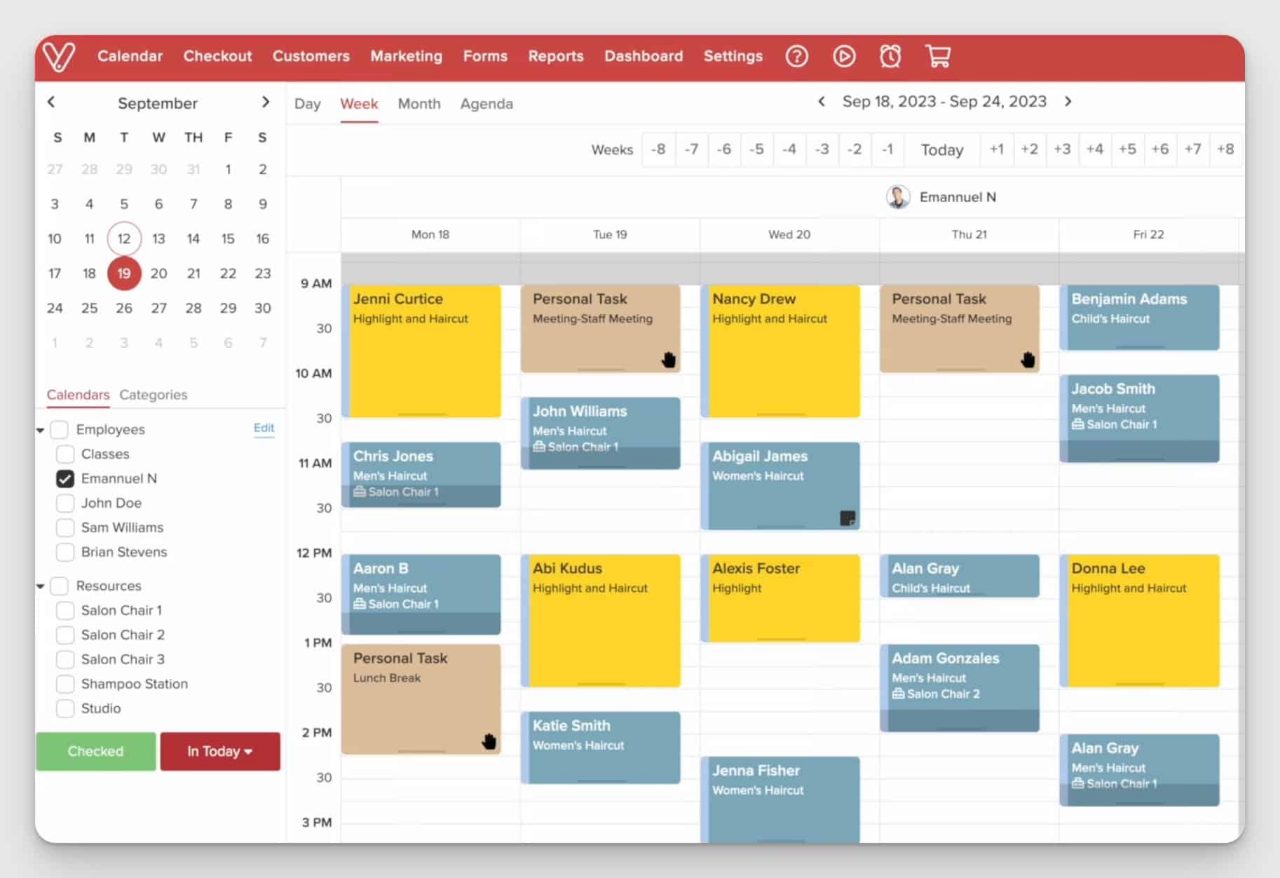
Vagaro does more than any of the other schedulers: staff calendars with classes and bookable chairs or rooms, a waitlist, client files with notes and documents, memberships and packages, forms and SOAP notes, a point of sale, and a consumer marketplace that, unlike Fresha’s, takes no commission on bookings. It serves the US, Canada, the UK and Australia.
Vagaro’s advertised price is only the start. Vagaro is $30 a month for one bookable calendar ($23.99 for the first six months) and $10 for each extra calendar, up to seven. Then the add-ons begin: $10 a month for forms, $10 for the online shopping cart that handles deposits and automatic card capture, from $20 for text marketing, and $100 for a branded app. A three-person studio taking deposits is at about $60 a month before card fees. Payments run through Vagaro’s own merchant service, and the free card reader comes with a 12-month processing commitment or a $150 early cancellation fee.
Two things slow it down day to day. The interface is dense, and one reviewer said that on first login “you will be bombarded with notifications” asking you to finish setup. And clients need a Vagaro account to book, which is one more step between a new client and your calendar. Its sync with outside calendars is limited, so staff who also keep a personal Google or Outlook calendar will see appointments there at best one way.
What it does
- Staff calendars with classes, bookable resources and a waitlist
- Client files with notes, forms and SOAP notes (forms are an add-on)
- Deposits and card capture through the online shopping cart add-on
- Commission-free consumer marketplace
Pros
- The deepest feature set for salons, spas and studios
- Marketplace bookings carry no commission
- Each extra staff calendar adds little to the bill
Cons
- Deposits, forms and text marketing are each paid add-ons
- Clients must create a Vagaro account to book
- Crowded interface with a learning curve
- Free card reader ties you to 12 months of processing
- Choose if:
- You want one system to run a busy salon or studio and will pay for the add-ons you use

Setmore
Cheapest way to give a whole team booking and texts
#5 3.8/5
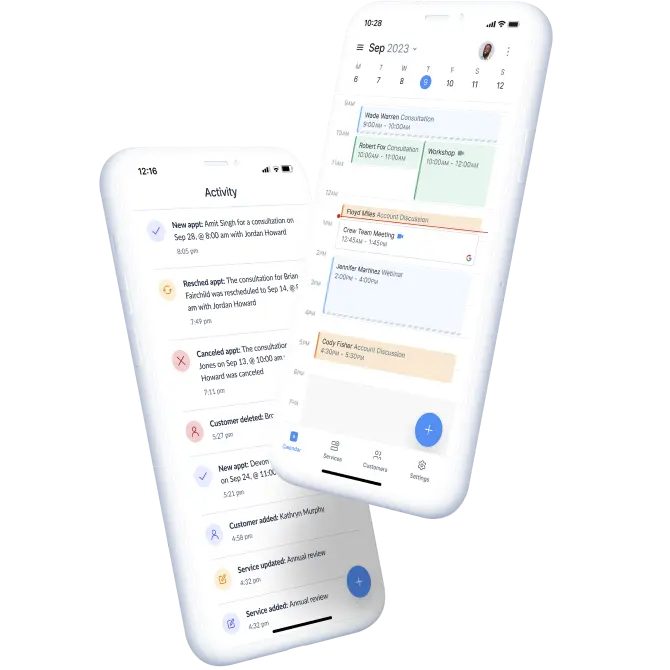
Setmore is the price leader, and not by a little. Its Pro plan is $5 per user a month on annual billing, so three staff pay $15 a month for online booking, text reminders with 500 credits per person each month, deposits, two-way sync with Google and Outlook calendars, booking forms, and Zoom or Google Meet links. On monthly billing it’s $12 per user, so the annual commitment is the whole deal. There’s no trial, but Pro comes with a 30-day refund window.
The free plan does real work too: up to four users, unlimited appointments, online payments through Square, Stripe or PayPal, and one email reminder per appointment. It leaves out texts, deposits, calendar sync, recurring appointments and per-service availability, and your booking page carries Setmore’s branding.
Where Setmore falls short of Acuity is protection and depth. Pro takes deposits, but if you want to charge a no-show fee to a card the client left at booking, Acuity, Square, Fresha and Vagaro are built around that. There are no bookable rooms or waitlist, and reviewers mention occasional glitches and slow calendar sync. They also praise its support, which answers by chat, email and phone around the clock.
What it does
- Free plan for up to four staff with online payments
- 500 text credits per person each month on Pro
- Deposits and two-way Google and Outlook sync on Pro
- Desktop apps for Windows and macOS as well as phones
Pros
- The lowest per-person price here on annual billing
- A free plan a small team can actually run on
- Support around the clock
Cons
- The low price needs a year paid up front
- No bookable rooms or waitlist
- Reports of glitches and slow sync
- Choose if:
- You have several staff, a tight budget, and mainly need booking and reminders
Cal.com
Free booking links with payments for solo professionals
#6 3.6/5
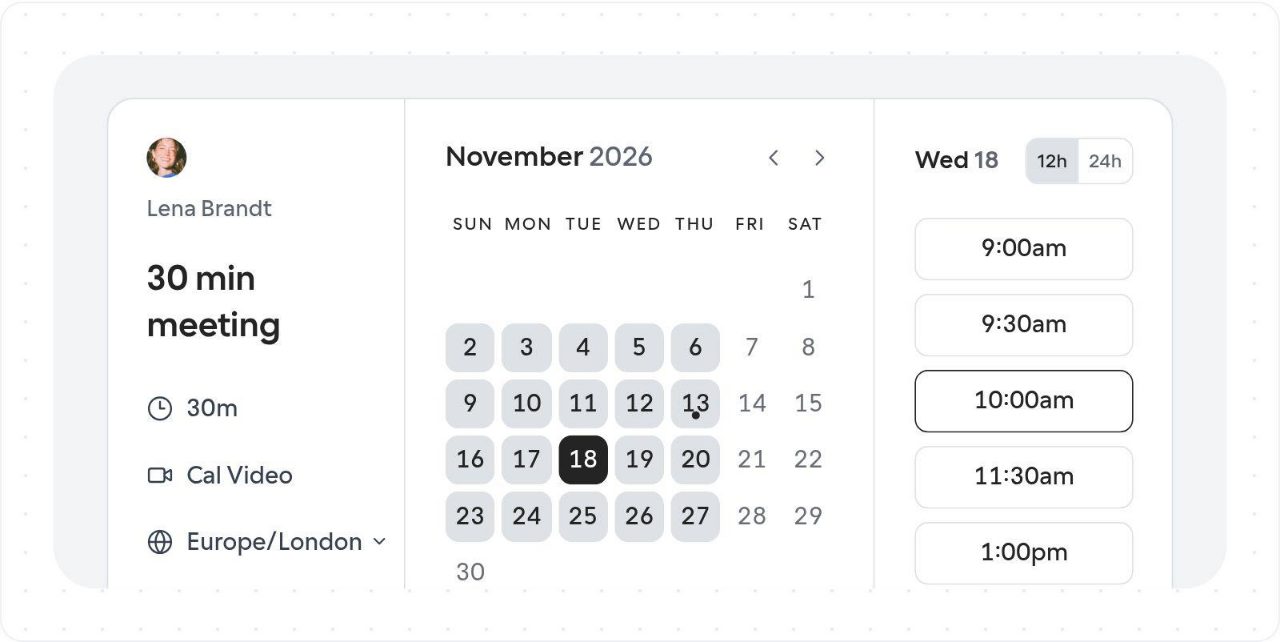
Cal.com is often recommended as the open-source Calendly, and that’s no longer quite true. Cal.com’s main code is now in a private repository; what remains open is a separate MIT-licensed community fork, Cal.diy, without team scheduling or reminder workflows, which its maintainers recommend only for personal use. Treat Cal.com as a hosted service like everything else here.
As a hosted service, its free plan is the best deal on the page for a solo consultant or coach selling sessions. One person gets unlimited session types, connections to every calendar they use, and paid bookings through Stripe or PayPal. Its Stripe connection can also save the client’s card so you can charge a fee if they skip. The Teams plan, $12 per user a month on annual billing ($16 monthly), adds round-robin and shared team pages, plus reminder sequences by email, text and WhatsApp on whatever timing you choose, with cancel and reschedule links.
It’s still a meeting-link tool. There’s no menu where a client picks a service and then a staff member, no client records beyond what they typed into the booking form, and some new users find the settings overwhelming. A health practice needing a HIPAA agreement has to buy the Organizations plan at $28 per user a month.
What it does
- Unlimited session types and Stripe or PayPal payments on the free plan
- Card saving for no-show fees through Stripe
- Email, text and WhatsApp reminder sequences on Teams
- Two-way calendar sync, including Apple's
Pros
- The most capable free plan for one person
- Flexible reminder timing with cancel and reschedule links
- Strong calendar and video-meeting connections
Cons
- No per-staff service menu or client records
- Settings can overwhelm new users
- The open-source version lacks team features and reminders
- Choose if:
- You sell paid calls or sessions on your own and want to pay nothing until you grow

Calendly
Simplest booking link for consultants and coaches
#7 3.5/5
Calendly is the name everyone knows, by a wide margin the most used tool here, and for a consultant it’s still the smoothest way to send someone a link and get a meeting on the calendar. For a salon or clinic it’s the wrong shape: a client books a person’s link, not a service with a choice of staff, and there’s no saved card or no-show fee.
The free plan is a teaser: one event type, one connected calendar, and no reminders or payments. Standard is the real starting point at $10 per person a month on annual billing ($12 monthly). It adds unlimited event types, Stripe and PayPal payments at booking, reminder workflows by email and text, and up to six connected calendars, with Zoom, Meet or Teams links added automatically. A shared team page that hands bookings out in turn needs Teams, at $16 per person a month annually ($20 monthly). Calendly’s pricing page leads with paid AI add-ons; none of them are needed for booking clients.
What it does
- Payments at booking through Stripe or PayPal on Standard
- Email and text reminder workflows
- Automatic Zoom, Meet and Teams links
- Round-robin team pages on Teams
Pros
- The quickest booking link to set up and to use
- Syncs both ways with the calendars consultants already use
- Clients book without an account
Cons
- No saved cards or no-show fees
- No service menu with a choice of staff
- Free plan has no reminders or payments
- Choose if:
- You book calls and consultations, mostly on video, and want the least setup

SimplyBook.me
Most configurable, with booking caps to watch
#8 3.5/5
SimplyBook.me prices differently from everything else here. You pay per plan, not per person, and each plan has a monthly booking cap and a number of slots for “custom features”, the add-on modules for things like intake forms, packages, memberships, gift cards and a point of sale. Free gives you one slot, Basic three, Standard eight and Premium unlimited.
Basic is $11.90 a month on annual billing ($13.90 monthly) for up to five staff, 100 bookings a month, and payments and deposits. Standard is $24.90 a month ($29.90 monthly) for 500 bookings, 15 staff and a HIPAA option with a signed agreement on request. Saved cards for charging no-shows need Premium at $49.90 a month ($59.90 monthly). Text reminders are never included: they’re bought as credits at $8 per 100. Those caps matter more than they look. Three staff seeing eight clients each on 22 working days book 528 appointments a month, past even Standard’s 500; extra bookings cost $4 per 100.
What you get is the widest set of options at the price: bookable resources, classes, buffers and recurring bookings on every plan, plus a branded booking site. Reviewers like it once it’s running but say setup takes time and the admin gets busy as features are switched on.
What it does
- Resources, classes and buffer times on every plan
- Intake forms, packages, memberships and gift cards as feature slots
- HIPAA option from Standard
- Branded booking website
Pros
- Not priced per staff member
- HIPAA on a $24.90 plan
- Very configurable
Cons
- Monthly booking caps on every plan
- Text reminders always cost extra
- Saved cards only on Premium
- Setup takes time
- Choose if:
- You need intake forms and HIPAA on a small budget and can live with booking caps
Google Calendar
Free booking page for one person already on Google
#9 2.8/5
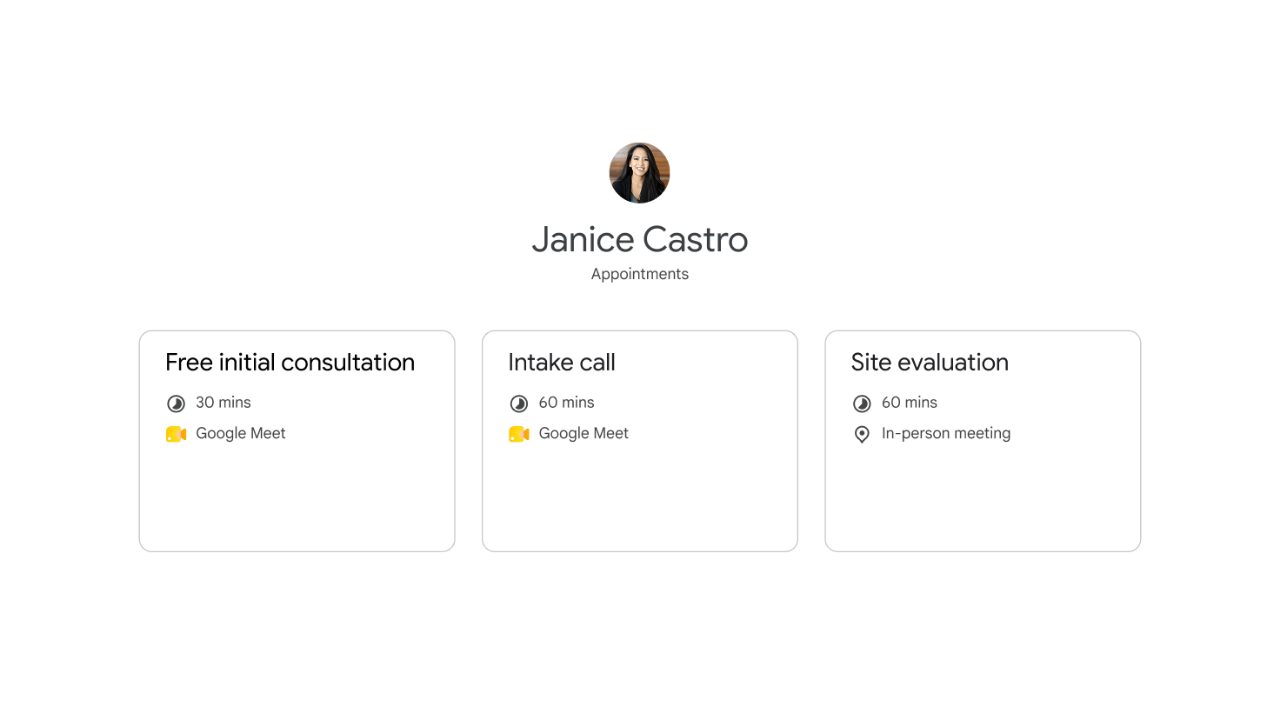
If you already run your day in Google Calendar and see clients one at a time, its appointment schedules may be all you need. A free personal Google account gets one booking page with buffer time, a daily booking limit, custom questions and Google Meet links, and the person booking doesn’t need a Google account.
Payments and reminders need a paid Google Workspace plan, Business Standard at $14 per user a month. That unlocks several booking pages, payment at booking through Stripe, up to five email reminders per booking (with wording you can’t change), and email verification to stop fake bookings. There are no text reminders, and every staff member runs a separate page from their own calendar; there’s no shared page where a client picks whoever is free. You also have to create booking pages in a desktop browser, not the phone app.
What it does
- One free booking page with buffers, limits and Meet links
- Stripe payments and email reminders on Business Standard
- Booker email verification on paid plans
Pros
- Free for one simple booking page
- Lives inside the calendar you already use
Cons
- Payments and reminders need a $14-per-user Workspace plan
- Email reminders only, with fixed wording
- No shared booking page for a team
- Choose if:
- You work alone, live in Google Calendar and need a booking link more than a booking system
Also considered
- Microsoft Bookings can’t take payments at all, so there are no deposits or no-show fees. It comes with Microsoft 365 business plans, gives several staff a shared booking page with Teams meeting links, and sends email reminders, but its text reminders work only in North America and it doesn’t sync with Google Calendar. It’s worth a look only if you already pay for Microsoft 365 and don’t need money up front.
Scores
1–5 per criterion · select a score for its reasoning and any sources
| # | Product | Overall | Deposits and no-show protection , counts double | Automatic reminders | Staff and service scheduling | Easy to set up and run | Cost for a three-person business | Client records and intake | Calendar sync and video meetings |
|---|---|---|---|---|---|---|---|---|---|
| 1 | Acuity Scheduling | 4.1 | 4 | 4 | 4 | 4 | 4 | 4 | 5 |
| 2 | Square Appointments | 4.0 | 5 | 5 | 4 | 4 | 3 | 4 | 2 |
| 3 | Fresha | 4.0 | 5 | 4 | 5 | 4 | 3 | 4 | 2 |
| 4 | Vagaro | 3.9 | 5 | 3 | 5 | 3 | 3 | 5 | 2 |
| 5 | Setmore | 3.8 | 3 | 4 | 4 | 4 | 5 | 3 | 4 |
| 6 | Cal.com | 3.6 | 4 | 5 | 2 | 3 | 4 | 2 | 5 |
| 7 | Calendly | 3.5 | 3 | 4 | 2 | 5 | 4 | 2 | 5 |
| 8 | SimplyBook.me | 3.5 | 3 | 3 | 5 | 3 | 3 | 5 | 3 |
| 9 | Google Calendar | 2.8 | 3 | 2 | 1 | 4 | 4 | 2 | 3 |
Equal displayed overall scores are ordered by the earlier criteria; a known score comes before an unknown score. Identical scores use alphabetical order.
×2 = counts double in the overall score, ×½ = counts half.
How each criterion is scored
Deposits and no-show protection
Counts double in the overall score: A no-show in a service business is an hour of lost income that can't be resold, and deposits and card holds are what readers most often say they need beyond a calendar.
How well the product protects a service business from no-shows and late cancellations with money: taking a deposit or full prepayment when the client books, saving the client's card so the business can charge it later, and charging a no-show or late-cancel fee under a policy the client agreed to. Judged on the plan a small business would buy to get these, from the product's documentation; card processing rates are not part of this score.
- 5 Deposits, saved cards and no-show or late-cancel fees built into a cancellation policy the system applies per service
- 4 Deposits or prepayment plus a saved card the business can charge by hand for a no-show or late cancellation
- 3 Deposits or prepayment at booking with a cancellation policy, but no saved card to charge for a no-show later
- 2 Clients can pay when they book, but there is no deposit option, no saved card and no cancellation fee
- 1 No way to take payment when a client books
Automatic reminders
How well the product reminds clients before their appointment without anyone on staff lifting a finger: email and text reminders, how many and when, whether texts are included or cost extra, and whether a client can confirm, cancel or reschedule straight from the reminder. Judged from the product's documentation for the plan a small business would buy.
- 5 Email and text reminders included, with adjustable timing and clients able to confirm, cancel or reschedule by replying or tapping a link
- 4 Email and text reminders on the plan, with a monthly text allowance or cheap texts and adjustable timing
- 3 Several email reminders, with text reminders only as a paid extra or in a few countries
- 2 Email reminders only, with fixed wording or only one reminder
- 1 No automatic reminders
Staff and service scheduling
How well the product runs the appointment book of a business with a few staff: each person's hours and services, a booking page where a client picks a service and then a staff member or "anyone", group classes, buffer or processing time between appointments, and rooms, chairs or equipment that can only be booked once at a time. Judged from the product's documented features and the plans that include them.
- 5 A full salon or clinic calendar with per-staff services, processing times, resources such as rooms or chairs, classes and a waitlist
- 4 Full staff scheduling with per-staff services, classes and buffer times; resources missing or only on a top plan
- 3 Multiple staff with their own hours and services on one booking page, but no resources and few extras
- 2 Several people can take bookings, but the flow is meeting links per person or round-robin, without per-staff services
- 1 Built around one person's calendar; each staff member needs a separate booking page
Easy to set up and run
How quickly an owner without technical help can get booking live and run the day from it, and how smoothly a client books. Judged from what reviewers and many users agree on about setup, the admin screens and the booking page, including friction such as clients having to create an account first. More features do not make a product easier.
- 5 Live in minutes, simple to run, and clients book without friction
- 4 Clear setup and a smooth booking page; a few settings take some digging
- 3 Usable after a learning period, with some confusing settings or friction for clients
- 2 A crowded admin with frequent complaints about the learning curve or booking friction
- 1 Hard to set up without help; owners and clients regularly get stuck
Cost for a three-person business
What a business with three staff who take appointments pays a month for the plan that gives it online booking, deposits or no-show protection where the product offers them, and text reminders where the product offers them, on annual billing where that is offered. Card processing rates are left out because they are similar across products; a fee on top of processing, such as a commission on new clients, counts. Text credits a three-person business would need count.
- 5 Free or under $20 a month
- 4 About $20 to $40 a month
- 3 About $40 to $60 a month, or less plus fees on top of card processing
- 2 About $60 to $100 a month
- 1 More than $100 a month
Client records and intake
What the product keeps about each client and collects before the visit: client profiles with appointment history and notes, intake or consent forms, packages, memberships and gift cards, and a HIPAA option with a signed agreement for health and therapy practices. Judged from the product's documentation, counting features on the plans a small business would buy and noting those on higher plans.
- 5 Full client files with notes and documents, intake and consent forms, packages and memberships, and a HIPAA option
- 4 Client profiles with intake forms plus packages, memberships or gift cards
- 3 Client profiles with history and notes, and custom questions on the booking form
- 2 A basic contact list with booking history and booking questions
- 1 No client list beyond the calendar events
Calendar sync and video meetings
How well the product keeps the owner's and staff's own calendars in step so nobody is double-booked, and how it handles online sessions: two-way sync with Google, Outlook and Apple calendars, and automatic Zoom, Google Meet or Microsoft Teams links. Matters most to solo practitioners and consultants who also live in their own calendar.
- 5 Two-way sync with Google, Outlook and Apple calendars and automatic Zoom, Meet or Teams links on every paid plan
- 4 Two-way sync with Google and Outlook and automatic video links on the plan a small business buys
- 3 Two-way sync with one provider, or sync and video links only on a higher plan
- 2 One-way sync or one calendar provider only, with no automatic video links
- 1 No sync with outside calendars
How to choose
- A salon, spa or barbershop: Fresha if you want new clients from its marketplace and accept its cut; Square Appointments if you’d rather pay a flat $49 and keep Square’s checkout; Vagaro if you want every feature and will pay for add-ons.
- A therapist, counselor or small health practice: Acuity for intake forms and saved cards, on Premium if you need a HIPAA agreement; SimplyBook.me Standard if HIPAA has to come cheaper and you’ll buy texts separately.
- A solo tutor, trainer or stylist on a budget: Square’s free plan if you take cards, Setmore’s free plan if you don’t need texts yet.
- A consultant or coach selling sessions online: Cal.com’s free plan with Stripe, Calendly if you want the most polished link, or Google Calendar if you already pay for Workspace.
- A team of three to ten watching every dollar: Setmore Pro on annual billing.
The verdict
For most small businesses the choice comes down to two things: what the software does about no-shows, and how the bill grows as you add staff. Acuity answers both well for the widest range of businesses: deposits and saved cards on the plan you’d buy anyway, text reminders and six staff calendars for one flat price, and intake forms included. It isn’t the cheapest or the deepest, but it rarely sends anyone to the wrong place.
Salons are the exception worth taking seriously. Square Appointments, Fresha and Vagaro all run a salon floor better than Acuity does, with per-staff services, processing times and cancellation policies tied to a card on file. Square is the safest of the three on cost because its price doesn’t rise with headcount; Fresha brings new clients at a price you should model before signing up; Vagaro has the most tools if you’re willing to assemble them. If the budget is the real constraint, Setmore gives three staff texts and deposits for half what three Calendly seats cost. And if you mostly sell video calls, skip the appointment books entirely: Cal.com or Calendly will do the job with less to set up.
Frequently asked questions
Are text reminders worth paying for?
For most appointment businesses, yes. Clients miss emails far more often than texts, and a text the day before is the cheapest no-show protection there is. Square includes texts on its free plan, Setmore and Fresha include a monthly allowance, Acuity includes them from Standard, and SimplyBook.me sells them as credits.
Is there a free appointment app good enough for a real business?
Square Appointments’ free plan is the strongest: a booking site, text reminders and unlimited staff calendars, paid for through Square’s card fees. Setmore’s free plan covers up to four staff with online payments but email reminders only. Cal.com’s free plan suits one person selling paid sessions.
Can I charge clients for no-shows?
Yes, with the right product and plan. Square (on Plus), Fresha and Vagaro let you require a card at booking and charge a fee under the cancellation policy you set. Acuity saves the card through Stripe or Square, and Cal.com through Stripe, so you can charge it yourself afterward. Calendly and Google Calendar take payment when the client books, which works as a deposit, but neither keeps a card to charge after a no-show.