
Google Calendar
Free calendar app from Google, with built-in booking pages that add payments and reminders on paid Workspace plans
Our verdict
#9 of 9 in Appointment scheduling software for small businesses · Free booking page for one person already on Google
What it does
- One free booking page with buffers, limits and Meet links
- Stripe payments and email reminders on Business Standard
- Booker email verification on paid plans
Pros
- Free for one simple booking page
- Lives inside the calendar you already use
Cons
- Payments and reminders need a $14-per-user Workspace plan
- Email reminders only, with fixed wording
- No shared booking page for a team
- Choose if:
- You work alone, live in Google Calendar and need a booking link more than a booking system
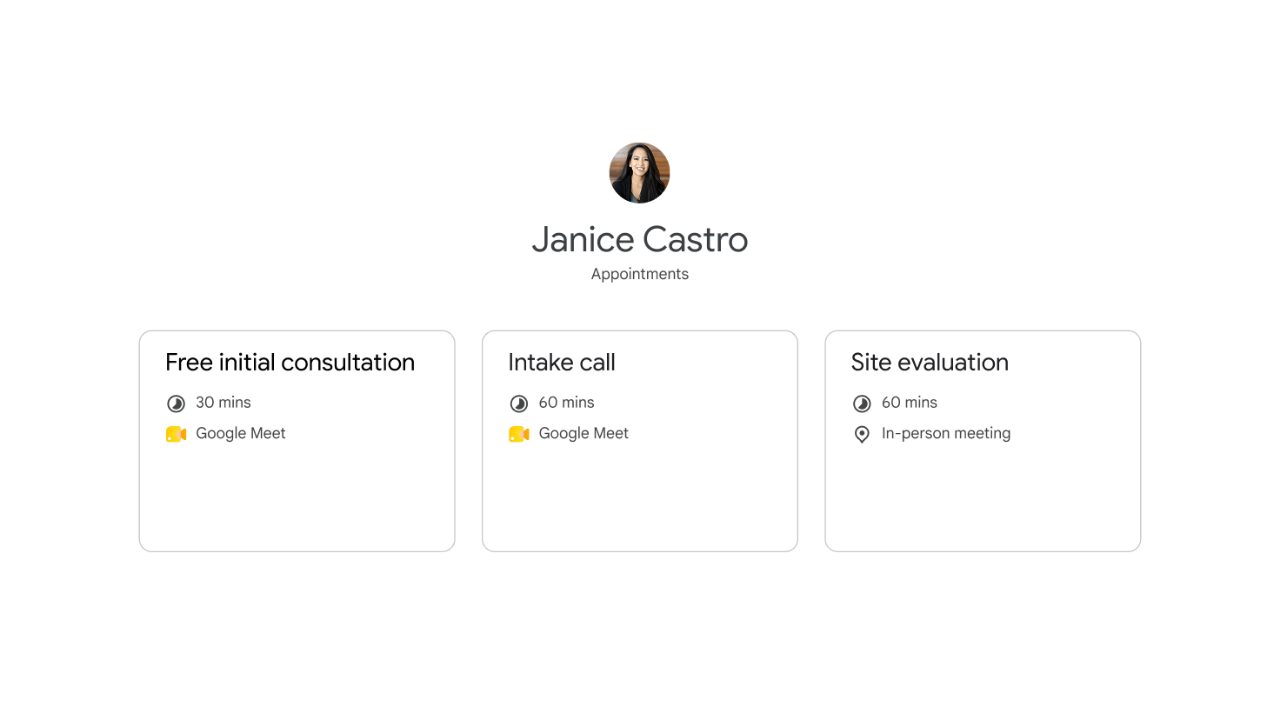
Google Calendar is Google’s calendar app, free with a Google account and included in Google Workspace. Its appointment schedules feature creates shareable booking pages where clients pick a slot, with buffer times, daily booking limits, a booking form, Google Meet links and website embedding. A personal account or Workspace Business Starter gets one booking page. Business Standard and above add multiple booking pages, Stripe payment collection, automatic email reminders, email verification and multi-calendar checks. Booking pages are created in a desktop browser; the mobile apps cannot create them.
Rankings and alternatives
- Appointment scheduling software for small businesses #9 of 9 Free booking page for one person already on Google
- Acuity Scheduling #1 The all-rounder for practices and studios with up to six staff
- Square Appointments #2 Free start for businesses that take cards at the counter
- Fresha #3 Salon and spa booking with a marketplace for new clients


Appointment scheduling software for small businesses scores
Evaluated Nov 17, 2026 Evidence ↓- Deposits and no-show protection · counts double 3
3/5 means: Deposits or prepayment at booking with a cancellation policy, but no saved card to charge for a no-show later
Stripe payment at booking and a "Payments & cancellation policy" section exist on Business Standard and up. No saved card or automatic no-show fee is described; whether a deposit rather than full payment is possible was not read (payments page not fetched).
- Automatic reminders 2
2/5 means: Email reminders only, with fixed wording or only one reminder
Email reminders only, up to 5 per booking, with fixed wording that can't be edited; premium plans only. No SMS and no confirm or cancel from the reminder is documented.
- Staff and service scheduling 1
1/5 means: Built around one person's calendar; each staff member needs a separate booking page
Each staff member runs a separate appointment schedule from their own calendar. Co-hosts (same domain) are for joint appointments, not for letting a client pick a staff member, and there is no pooled or round-robin page, per-staff services, resources, classes or waitlist. Writer recalibration: lowered from 2 to match the scale's first level.
- Easy to set up and run 4
4/5 means: Clear setup and a smooth booking page; a few settings take some digging
Setup is a short form inside the calendar and bookers need no Google account. Creation is desktop-only. No independent user reviews were read, so this rests on the product's flow and general knowledge.
- Cost for a three-person business 4
4/5 means: About $20 to $40 a month
Three Business Standard users at $14 are $42 a month, or about $35.28 a month at the 16% annual discount (14 x 0.84 x 3, calculated). Annual price was not read directly, so the score sits near the $40 boundary.
- Client records and intake 2
2/5 means: A basic contact list with booking history and booking questions
Booking form with custom questions and a calendar event per booking; no client profiles, history, notes, intake forms, packages or HIPAA tooling in the booking feature.
- Calendar sync and video meetings 3
3/5 means: Two-way sync with one provider, or sync and video links only on a higher plan
Native Google Calendar with multi-calendar conflict checks and automatic Google Meet links on Business Standard. Outlook, Apple, Zoom and Teams are not native (Zoom or Teams links must be added by hand).
Pricing
- Free (personal Google account) Free One booking page with buffer time, booking limits, custom questions and Google Meet links. No payments, reminders or multiple pages.
- Google One Premium Contact sales Google says personal users can unlock some premium appointment features through it; the price and exact feature list were not read.
- Workspace Business Starter $7.00 /month per seat Per user per month as listed on the Workspace pricing page; the billing toggle was not captured. Still limited to a single booking page per Google's comparison page.
- Workspace Business Standard $14.00 /month per seat Per user per month as listed on the Workspace pricing page, which also offers an annual commitment at 16% off (about $11.76 per user per month, calculated, not read directly). Cheapest plan whose features include multiple booking pages, Stripe payments and email reminders. 1 user is about $14 per month, 3 users about $42 per month.
- Workspace Business Plus $22.00 /month per seat Per user per month as listed on the Workspace pricing page. Eligible for the premium appointment features.
Prices checked Nov 17, 2026.
Evidence and sources
Appointment scheduling software for small businesses scores
Deposits and no-show protection 3 quotes
-
After you connect a Stripe account to Calendar, you can request payment for appointments.
support.google.com/calendar/answer/10729749 · checked -
With Business Standard, you can set up multiple professional booking pages, connect a Stripe account to collect payment, automate email reminders, and more.
workspace.google.com/resources/appointment-scheduling · checked -
Payments require Stripe, no other payment processors supported
lifestack.ai/blog/google-calendar-appointment-scheduling · published · checked
Automatic reminders 2 quotes
-
You can send up to 5 reminders. You can't edit the text of the reminder emails.
support.google.com/calendar/answer/10729749 · checked -
With Business Standard, you can set up multiple professional booking pages, connect a Stripe account to collect payment, automate email reminders, and more.
workspace.google.com/resources/appointment-scheduling · checked
Staff and service scheduling 3 quotes
-
Buffer time: Add time between appointments on your calendar.
support.google.com/calendar/answer/10729749 · checked -
Tip: Include co-hosts' calendars in availability checks to prevent double-bookings. By default, appointment schedules do not check co-host availability.
support.google.com/calendar/answer/10729749 · checked -
No round-robin assignment across a team (requires a third-party tool or higher Workspace tier)
lifestack.ai/blog/google-calendar-appointment-scheduling · published · checked
Easy to set up and run 2 quotes
-
You can't create an appointment schedule in the Calendar app for Android or iPhone and iPad.
support.google.com/calendar/answer/10729749 · checked -
To avoid spam bookings, check the box next to Require email verification. This sends a verification code to people not signed in to a Google Account when they request an appointment.
support.google.com/calendar/answer/10729749 · checked
Cost for a three-person business 2 quotes
-
Annual (Save 16% with 1 year commitment)
workspace.google.com/pricing · checked -
Appointment booking pages
workspace.google.com/pricing · checked
Client records and intake 1 quote
-
To avoid spam bookings, check the box next to Require email verification. This sends a verification code to people not signed in to a Google Account when they request an appointment.
support.google.com/calendar/answer/10729749 · checked
Calendar sync and video meetings 2 quotes
-
Your booking page reflects your real-time availability and syncs with all your calendars.
workspace.google.com/resources/appointment-scheduling · checked -
With Business Standard, you can set up multiple professional booking pages, connect a Stripe account to collect payment, automate email reminders, and more.
workspace.google.com/resources/appointment-scheduling · checked
Facts
Runs on 1 quote
-
You can't create an appointment schedule in the Calendar app for Android or iPhone and iPad.
support.google.com/calendar/answer/10729749 · checked
More from the sources
Pricing 1 quote
-
By signing up for a Google Workspace Business Standard, Business Plus, or Enterprise plan, you can unlock premium features including payment collection, unlimited booking pages, automated email reminders, and verified bookings.
workspace.google.com/resources/appointment-scheduling · checked
Features 1 quote
-
When you create a booking page, you can embed a link on your website or share the link directly with others.
workspace.google.com/resources/appointment-scheduling · checked
Limits and known issues 3 quotes
-
With a personal Google Account or Workspace Business Starter plan, you can create a single booking page to let others schedule appointments on your calendar.
support.google.com/calendar/answer/16287038 · checked -
For Workspace Frontline, Essentials, or an older Google Workspace subscription that’s no longer offered, you can’t create appointment schedules.
support.google.com/calendar/answer/16287038 · checked -
Starter, Standard, and Plus plans can be purchased for a maximum of 300 users.
workspace.google.com/pricing · checked
Pricing
workspace.google.com/pricing · checked