Square Appointments
Online booking, reminders and card-on-file no-show fees built into Square's payments and POS, with a free plan.
Our verdict
#2 of 9 in Appointment scheduling software for small businesses · Free start for businesses that take cards at the counter
What it does
- Booking site, email and text reminders on the free plan
- Cancellation policy and no-show fees on Plus
- Built-in point of sale and card payments
- Room and chair booking on Premium
Pros
- A free plan that includes text reminders
- Priced per location, not per staff member
- Clients confirm or reschedule by replying to a text
- No-show fees charged to the client's card under your policy
Cons
- No-show protection needs the Plus plan
- Works only with Square payments
- Google Calendar is the only calendar it syncs with, and it adds no video links
- Support is hard to reach
- Choose if:
- You already take payments with Square, or want booking and checkout in one system
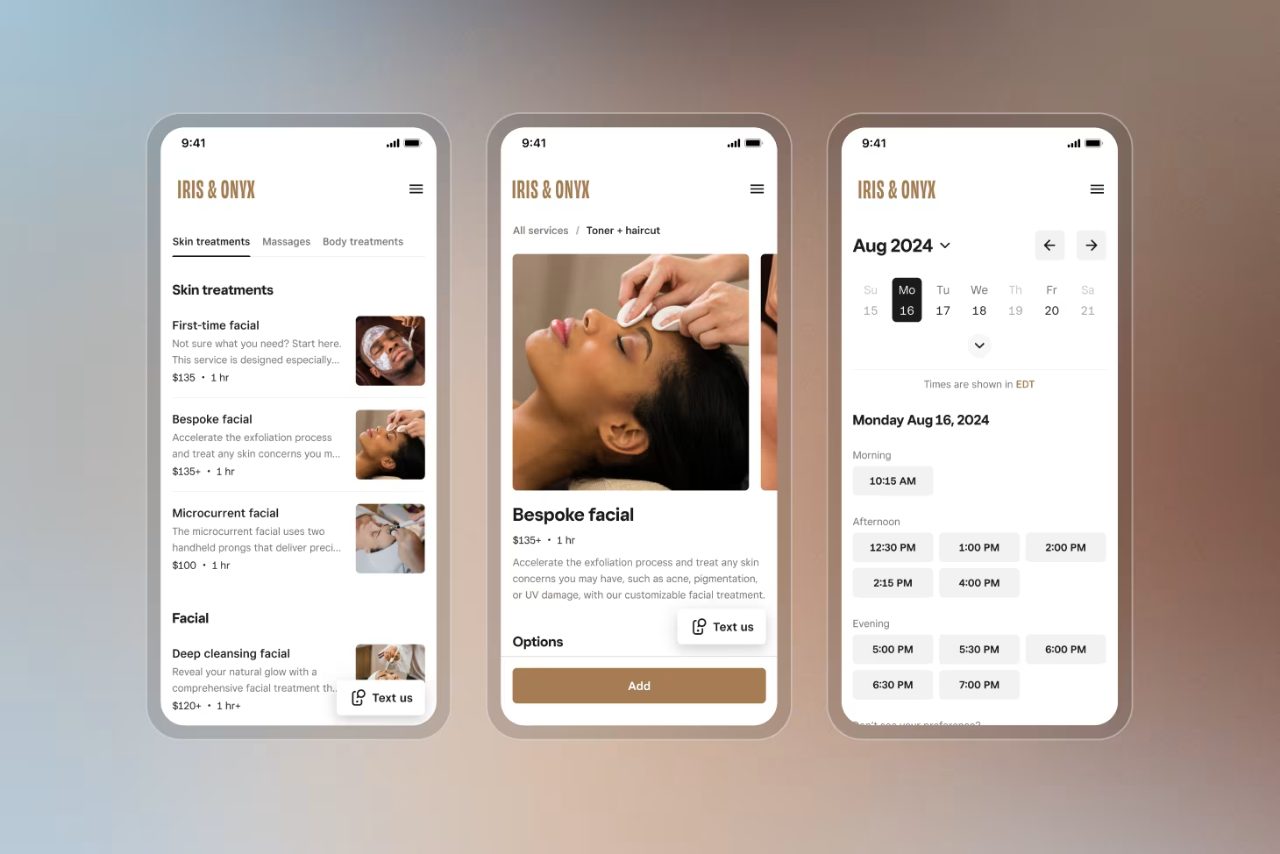
Square Appointments is Square’s hosted scheduling service for service businesses such as salons, clinics, trainers and consultants. It gives clients a booking site and booking buttons, sends email and SMS reminders, keeps client profiles, and takes payments through Square’s own processing and POS. The Free plan has unlimited staff calendars; Plus adds cancellation policies and no-show fees, multi-staff booking and waitlists, and Premium adds resource management and the lowest card rates. Paid plans are priced per location rather than per staff member. It runs on the web and in iOS and Android apps, is closed source, and its calendar sync is Google Calendar only.
What users say
Evidence ↓Reviewers and users mostly describe setup as simple and the interface as easy, and value the free plan and reminders (GetApp's 263 verified reviews average 4.5 of 5; a Fit Small Business review reports 4.9 on the App Store). Recurring complaints are hard-to-reach customer support, processing fees, features moving to paid tiers, and a Google-only calendar sync. A practitioner forum thread complains that built-in health intake forms were missing for years and that users relied on Jotform or Google Forms.
Rankings and alternatives
- Appointment scheduling software for small businesses #2 of 9 Free start for businesses that take cards at the counter
- Acuity Scheduling #1 The all-rounder for practices and studios with up to six staff
- Fresha #3 Salon and spa booking with a marketplace for new clients
- Vagaro #4 The biggest salon and studio toolkit, sold in add-ons



Appointment scheduling software for small businesses scores
Evaluated Nov 17, 2026 Evidence ↓- Deposits and no-show protection · counts double 5
5/5 means: Deposits, saved cards and no-show or late-cancel fees built into a cancellation policy the system applies per service
On Plus ($49 per location per month), deposits, prepayment per service, cards on file and a cancellation policy with time frames and automatic no-show or late-cancel fees. Free has none of the cancellation-fee policy.
- Automatic reminders 5
5/5 means: Email and text reminders included, with adjustable timing and clients able to confirm, cancel or reschedule by replying or tapping a link
Email and SMS reminders are on Free and Plus with no text charge for appointment reminders, and Square Assistant lets clients confirm, cancel or change by replying. Timing is adjustable from my knowledge of the product; one May 2025 review says confirmations need a paid plan.
- Staff and service scheduling 4
4/5 means: Full staff scheduling with per-staff services, classes and buffer times; resources missing or only on a top plan
On Plus, unlimited staff calendars with per-staff services, multi-staff booking, classes, processing time and a waitlist. Resource management (rooms, chairs) is Premium only at $149 per location, so Plus is scored 4. Free has unlimited calendars but no waitlist or multi-staff booking.
- Easy to set up and run 4
4/5 means: Clear setup and a smooth booking page; a few settings take some digging
Reviewers and many users agree setup is quick and the interface simple; complaints concern support, fees and missing features rather than usability. GetApp rates ease of use 4.5 of 5.
- Cost for a three-person business 3
3/5 means: About $40 to $60 a month, or less plus fees on top of card processing
Three staff on one location on Plus is $49 per month (priced per location, not per staff), with no-show fees and SMS reminders included. Annual billing discount not found. Free would be $0 but lacks no-show fees. Processing excluded; text marketing allowance not needed for reminders.
- Client records and intake 4
4/5 means: Client profiles with intake forms plus packages, memberships or gift cards
Profiles with notes, documents and history, forms and contracts at booking, prepaid packages and gift cards (Free load fee 2.5%, Plus listed in the same row). No built-in HIPAA option or BAA was documented, and users long complained about missing intake forms.
- Calendar sync and video meetings 2
2/5 means: One-way sync or one calendar provider only, with no automatic video links
Google Calendar only (reportedly Plus and up), no Outlook or Apple sync found and no automatic Zoom, Meet or Teams links. Review says no video integration.
Pricing
- Free Free No monthly fee. Online booking site, appointment reminders and unlimited staff calendars; card rates 2.6% + 15 cents in person, 3.3% + 30 cents online or on invoices, 3.5% + 15 cents card on file or keyed in. No cancellation policy or no-show fees.
- Plus $49.00 /month Per location per month; 30-day free trial. Adds cancellation policy and no-show fees, multi-staff appointment booking, waitlist, and text and email marketing (500 texts included, then 3 cents each). Card rates 2.5% + 15 cents in person, 2.9% + 30 cents online. Older reviews list Plus at $29.
- Premium $149.00 /month Per location per month; 30-day free trial. Adds resource management, future bookings report, service cost tracking and 24/7 support. Card rates 2.4% + 15 cents in person, 2.9% + 30 cents online. Older reviews list Premium at $69.
Prices checked Nov 17, 2026.
Evidence and sources
What users say
Summary 6 quotes
-
Some users mention the recent change to a paid service for confirmations and reminders, which they find inconvenient.
getapp.com/customer-management-software/a/square-appointments · published · checked -
Many Square Appointments users praised the software’s simple setup and user-friendly operation.
David Rivera, Retail staff writer at Fit Small Business · fitsmallbusiness.com/square-appointments-review · published · checked -
On the other hand, several users were frustrated with Square’s customer support, noting that it can be difficult to reach the team or that they were not helpful.
David Rivera, Retail staff writer at Fit Small Business · fitsmallbusiness.com/square-appointments-review · published · checked -
Third-party integrations are limited for Square Appointments, which most critics consider a major downside of the platform. The biggest shortcoming is that the calendar only syncs with Google.
David Rivera, Retail staff writer at Fit Small Business · fitsmallbusiness.com/square-appointments-review · published · checked -
The Square community has been asking for this feature to be added for years and it's ridiculous it still hasn't happened.
Scott (alignedbody), Holistic wellness practitioner posting on the Square community forum · community.squareup.com/t5/Beauty-Wellness/Health-Intake-form/m-p/808131 · published · checked -
Some users say Square Appointments offers good value for money, especially appreciating the free plan for solo users and reasonable transaction fees. However, some reviewers feel processing fees are high and express concerns about features moving to paid tiers.
getapp.com/customer-management-software/a/square-appointments · published · checked
Appointment scheduling software for small businesses scores
Deposits and no-show protection 2 quotes
-
Set up time frames for cancellations and require customers to provide a credit card at booking. Charge the card on file for late cancellations or no-shows.
squareup.com/us/en/appointments/pricing · checked -
Collect a partial deposit when appointments are scheduled to protect your calendar and reduce no-shows.
squareup.com/us/en/appointments/pricing · checked
Automatic reminders 4 quotes
-
Online Booking Site and Integrations
getapp.com/customer-management-software/a/square-appointments · published · checked -
Send customizable email and SMS messages for appointment confirmations, reminders, and easy rescheduling.
squareup.com/us/en/appointments · checked -
Let customers respond directly to SMS appointment reminders to confirm, cancel, or change their appointment. Your calendar updates automatically with every change.
squareup.com/us/en/appointments/pricing · checked -
Confirmed appointments will also appear on your own calendar. (Requires paid plan.)
fitsmallbusiness.com/square-appointments-review · published · checked
Staff and service scheduling 2 quotes
-
Add and view as many staff calendars as your business needs. There is no employee limit.
squareup.com/us/en/appointments/pricing · checked -
With Square Plus and Square Premium, the monthly fee applies to each location you run.
squareup.com/us/en/appointments/pricing · checked
Easy to set up and run 3 quotes
-
Many Square Appointments users praised the software’s simple setup and user-friendly operation.
David Rivera, Retail staff writer at Fit Small Business · fitsmallbusiness.com/square-appointments-review · published · checked -
On the other hand, several users were frustrated with Square’s customer support, noting that it can be difficult to reach the team or that they were not helpful.
David Rivera, Retail staff writer at Fit Small Business · fitsmallbusiness.com/square-appointments-review · published · checked -
Some users say Square Appointments offers good value for money, especially appreciating the free plan for solo users and reasonable transaction fees. However, some reviewers feel processing fees are high and express concerns about features moving to paid tiers.
getapp.com/customer-management-software/a/square-appointments · published · checked
Cost for a three-person business 2 quotes
-
With Square Plus and Square Premium, the monthly fee applies to each location you run.
squareup.com/us/en/appointments/pricing · checked -
Set up time frames for cancellations and require customers to provide a credit card at booking. Charge the card on file for late cancellations or no-shows.
squareup.com/us/en/appointments/pricing · checked
Client records and intake 2 quotes
-
Store all your client details — preferences, birthdays, documents, images, and files — with customer profiles.
squareup.com/us/en/appointments · checked -
The Square community has been asking for this feature to be added for years and it's ridiculous it still hasn't happened.
Scott (alignedbody), Holistic wellness practitioner posting on the Square community forum · community.squareup.com/t5/Beauty-Wellness/Health-Intake-form/m-p/808131 · published · checked
Calendar sync and video meetings 2 quotes
-
Third-party integrations are limited for Square Appointments, which most critics consider a major downside of the platform. The biggest shortcoming is that the calendar only syncs with Google.
David Rivera, Retail staff writer at Fit Small Business · fitsmallbusiness.com/square-appointments-review · published · checked -
Some users were also disappointed that Google Calendar syncing is not available in Square Appointments’ free plan.
fitsmallbusiness.com/square-appointments-review · published · checked
Facts
License 1 quote
-
Square Appointments is an appointment scheduling platform that comes with a fully integrated online booking page, payment processing, a website-building tool, a mobile app, and a point-of-sale (POS) system.
fitsmallbusiness.com/square-appointments-review · published · checked
Runs on 1 quote
-
Mobile app (iOS and Android)
fitsmallbusiness.com/square-appointments-review · published · checked
Needs 1 quote
-
Square Appointments is an appointment scheduling platform that comes with a fully integrated online booking page, payment processing, a website-building tool, a mobile app, and a point-of-sale (POS) system.
fitsmallbusiness.com/square-appointments-review · published · checked
More from the sources
Pricing 3 quotes
-
Applies to in-person payments when a card is present.
squareup.com/us/en/appointments/pricing · checked -
Online Processing Fee: 3.3% + 30¢
getapp.com/customer-management-software/a/square-appointments · published · checked -
Square Appointments offers three plans at $0, $29, and $69 per month, per location.
fitsmallbusiness.com/square-appointments-review · published · checked
Pricing
squareup.com/us/en/appointments/pricing · checked