
Acuity Scheduling
Hosted online appointment booking with payments, forms and reminders, from Squarespace
Our verdict
#1 of 9 in Appointment scheduling software for small businesses · The all-rounder for practices and studios with up to six staff
What it does
- Deposits and full prepayment through Stripe, Square or PayPal on every plan
- Saved cards for charging no-show fees, with Stripe or Square
- Intake forms on every plan
- Up to six staff calendars, text reminders and packages on Standard
Pros
- One flat price covers up to six staff calendars
- Takes deposits and saves cards on the plan most businesses buy
- Two-way sync with Google, Outlook and iCloud calendars, plus Zoom and Meet links
- Intake forms without an add-on
Cons
- No free plan
- No-show fees are charged by hand
- HIPAA agreement only on the $55 Premium plan
- Choose if:
- You run a practice or studio with up to six staff and want deposits, texts and intake forms in one plan
- Skip if:
- You need treatment notes or clinical records alongside the calendar
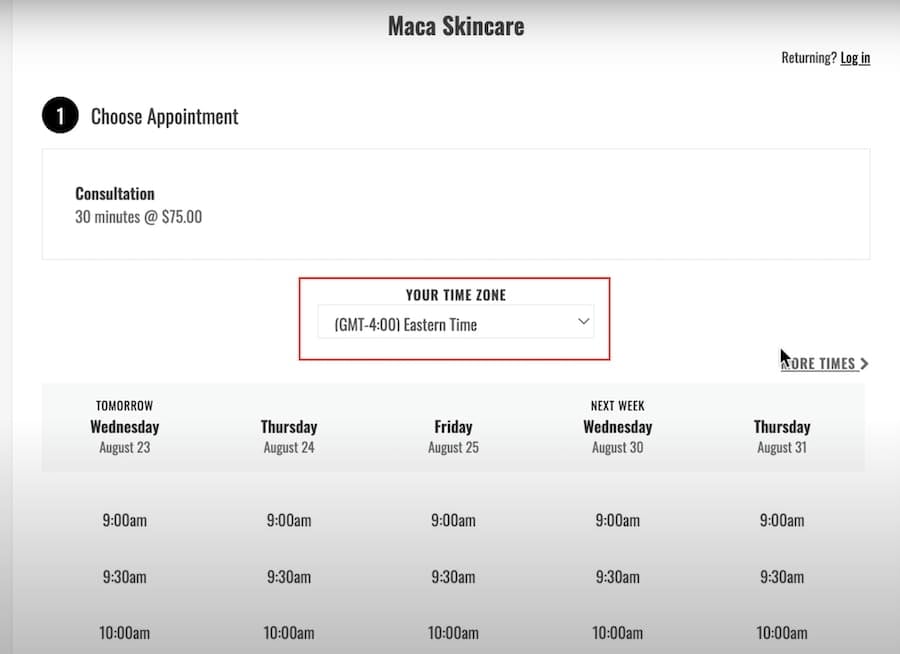
Acuity Scheduling is a hosted appointment scheduling service owned by Squarespace, also sold as Squarespace Scheduling. Clients book, pay, reschedule and cancel on a branded booking page that can be embedded in a website, while the owner manages calendars in a browser or the iOS and Android admin app. It targets service businesses such as coaches, consultants, trainers, salons and therapists, and is sold as a subscription priced by the number of calendars (1, 6 or 36), with a custom Enterprise tier above that. There is no free plan, only a 7-day trial.
What users say
Evidence ↓Reviewers broadly praise fast setup, easy client self-booking and reminders that cut no-shows; a reviewer's roundup of G2, Capterra and app-store feedback calls it intuitive for solo professionals and small teams (rated 4.8 of 5 on Capterra across 5,700+ reviews). The recurring criticisms are cost for what users see as basic features, particularly that adding staff gets expensive, plus CSS or HTML being needed for deeper page customization and occasional mobile-calendar sync glitches. A competitor's blog also says back-end settings confuse beyond basic use, a vendor's claim without named sources.
Rankings and alternatives
- Appointment scheduling software for small businesses #1 of 9 The all-rounder for practices and studios with up to six staff
- Square Appointments #2 Free start for businesses that take cards at the counter
- Fresha #3 Salon and spa booking with a marketplace for new clients
- Vagaro #4 The biggest salon and studio toolkit, sold in add-ons



Appointment scheduling software for small businesses scores
Evaluated Nov 17, 2026 Evidence ↓- Deposits and no-show protection · counts double 4
4/5 means: Deposits or prepayment plus a saved card the business can charge by hand for a no-show or late cancellation
Deposits or full prepayment on every plan, plus saved cards (Stripe or Square only, not PayPal) that the business charges by hand after booking. I know of no per-service cancellation fee that the system applies by itself, so not 5.
- Automatic reminders 4
4/5 means: Email and text reminders on the plan, with a monthly text allowance or cheap texts and adjustable timing
Email and SMS reminders on Standard with adjustable timing, and clients can reschedule or cancel from a link. SMS goes to clients in 180+ countries; no cap or charge is documented, but I could not confirm a text allowance either, and replying to confirm by text is not documented.
- Staff and service scheduling 4
4/5 means: Full staff scheduling with per-staff services, classes and buffer times; resources missing or only on a top plan
Up to 6 calendars on Standard with per-calendar services, group classes, buffer times and a waitlist, from my knowledge of the product. Rooms or equipment as bookable resources are not a native feature, and the sources read did not cover buffers or resources.
- Easy to set up and run 4
4/5 means: Clear setup and a smooth booking page; a few settings take some digging
Reviewers agree setup is fast and the booking page is intuitive; critics cite confusing back-end settings, CSS or HTML for deeper customization and a lighter mobile app. Complaints come mostly from one reviewer's summary and a competitor's blog.
- Cost for a three-person business 4
4/5 means: About $20 to $40 a month
Three staff fit in Standard's 6 calendars, which is $27 a month on annual billing ($34 monthly), with deposits and SMS included. Pricing is per calendar count, not per user, though one reviewer says adding staff gets expensive.
- Client records and intake 4
4/5 means: Client profiles with intake forms plus packages, memberships or gift cards
Intake forms on every plan, packages, memberships and gift certificates from Standard, and client profiles with notes from my knowledge. A HIPAA BAA needs Premium, and there are no clinical notes or consent documents, so not 5.
- Calendar sync and video meetings 5
5/5 means: Two-way sync with Google, Outlook and Apple calendars and automatic Zoom, Meet or Teams links on every paid plan
Google Meet, Zoom and GoToMeeting links on every plan, and two-way sync with Google, Outlook and iCloud calendars. Apple sync rests on a competitor's blog and my knowledge.
Pricing
- Starter $20.00 /month 1 calendar; email reminders only, no SMS. Payments and deposits, custom intake forms and Zoom or Google Meet links included. $16 a month on the annual-billing rate (the vendor lists the discount but not the upfront total).
- Standard $34.00 /month Up to 6 calendars; adds SMS reminders, waitlist, packages, memberships and gift certificates. $27 a month on the annual-billing rate. Same price for 1 or 3 staff, since the limit is calendars not users.
- Premium $69.00 /month Up to 36 calendars; adds a signed HIPAA BAA, AI Booking Assistant, multiple time zones, hiding the Acuity logo, and custom API and CSS. $55 a month on the annual-billing rate. Older third-party pages show $61 and $49.
- Enterprise Contact sales Unlimited calendars and a centralized dashboard; contact sales.
Prices checked Nov 17, 2026.
Evidence and sources
What users say
Summary 5 quotes
-
Reviewers consistently praise how intuitive the platform is, especially for solo professionals and small teams.
Bianca Caballero, reviewer at Fit Small Business · fitsmallbusiness.com/acuity-scheduling-review-guide · published · checked -
In less favorable Acuity Scheduling reviews, users cite occasional glitches or issues syncing with mobile calendars. Others note that while the interface is user-friendly, deeper customization of the booking page often requires HTML/CSS knowledge, which is not ideal for non-technical users.
Bianca Caballero, reviewer at Fit Small Business · fitsmallbusiness.com/acuity-scheduling-review-guide · published · checked -
We'd like to set up service packages which we found Acuity was one of the very few that allows it, but we didn't find a way for us to include more staff members - it gets very expensive if we do, which isn't sustainable for a small business.
S.G., founder, GetApp reviewer · zeeg.me/en/blog/post/acuity-scheduling · published · checked -
I run a coaching business so having the ability for my clients to schedule and manage their own calls has allowed me to cut down the time I spend administrating these types of tasks.
M.S., marketing consultant running a coaching business, GetApp reviewer · zeeg.me/en/blog/post/acuity-scheduling · published · checked -
Several reviewers describe the back-end settings as confusing once you move past basic booking, with useful options buried in non-obvious places.
pabau.com/blog/acuity-scheduling-review · published · checked
Appointment scheduling software for small businesses scores
Deposits and no-show protection 2 quotes
-
You can save your client's card details so you can collect payment after booking, or charge your client's card if you're booking an appointment on their behalf.
help.acuityscheduling.com/hc/en-us/articles/28051536727437-Saving-card-details · checked -
You can use this feature if you use Stripe or Square as your sole payment processor. It's not possible to use this feature if you use PayPal either by itself or in combination with another processor.
help.acuityscheduling.com/hc/en-us/articles/28051536727437-Saving-card-details · checked
Automatic reminders 3 quotes
-
Send automated SMS reminders to reduce no-shows.
acuityscheduling.com/pricing · checked -
You can send text messages to more than 180 countries worldwide. Because of varying local rules, we can’t guarantee delivery for every message.
help.acuityscheduling.com/hc/en-us/articles/35086777275917-Where-can-I-send-Acuity-text-message-notifications · checked -
You can only send text notifications to clients. You can’t send them to your staff.
help.acuityscheduling.com/hc/en-us/articles/35086777275917-Where-can-I-send-Acuity-text-message-notifications · checked
Staff and service scheduling 3 quotes
-
Up to 6 calendars
acuityscheduling.com/pricing · checked -
Sell memberships and packages Offer bundled pricing or recurring billing. Sell gift certificates
acuityscheduling.com/pricing · checked -
Acuity Scheduling supports group appointments, but it does not offer more advanced attendance tracking that recurring group events require.
Bianca Caballero, reviewer at Fit Small Business · fitsmallbusiness.com/acuity-scheduling-review-guide · published · checked
Easy to set up and run 4 quotes
-
Reviewers consistently praise how intuitive the platform is, especially for solo professionals and small teams.
Bianca Caballero, reviewer at Fit Small Business · fitsmallbusiness.com/acuity-scheduling-review-guide · published · checked -
In less favorable Acuity Scheduling reviews, users cite occasional glitches or issues syncing with mobile calendars. Others note that while the interface is user-friendly, deeper customization of the booking page often requires HTML/CSS knowledge, which is not ideal for non-technical users.
Bianca Caballero, reviewer at Fit Small Business · fitsmallbusiness.com/acuity-scheduling-review-guide · published · checked -
I run a coaching business so having the ability for my clients to schedule and manage their own calls has allowed me to cut down the time I spend administrating these types of tasks.
M.S., marketing consultant running a coaching business, GetApp reviewer · zeeg.me/en/blog/post/acuity-scheduling · published · checked -
Several reviewers describe the back-end settings as confusing once you move past basic booking, with useful options buried in non-obvious places.
pabau.com/blog/acuity-scheduling-review · published · checked
Cost for a three-person business 4 quotes
-
Standard $27/ month $34/ month
acuityscheduling.com/pricing · checked -
Up to 6 calendars
acuityscheduling.com/pricing · checked -
Send automated SMS reminders to reduce no-shows.
acuityscheduling.com/pricing · checked -
We'd like to set up service packages which we found Acuity was one of the very few that allows it, but we didn't find a way for us to include more staff members - it gets very expensive if we do, which isn't sustainable for a small business.
S.G., founder, GetApp reviewer · zeeg.me/en/blog/post/acuity-scheduling · published · checked
Client records and intake 3 quotes
-
Sell memberships and packages Offer bundled pricing or recurring billing. Sell gift certificates
acuityscheduling.com/pricing · checked -
Sign BAA for HIPAA compliance Enable HIPAA compliance with a signed Business Associate Agreement (BAA).
acuityscheduling.com/pricing · checked -
Acuity is a booking tool at heart – it has no built-in treatment notes, consent forms, or practice-level invoicing.
pabau.com/blog/acuity-scheduling-review · published · checked
Facts
Runs on 1 quote
-
Yes! All Acuity Scheduling plans give you access to our mobile admin app to view and manage appointments on the go.
acuityscheduling.com/pricing · checked
More from the sources
Pricing 3 quotes
-
Starter $16/ month $20/ month
acuityscheduling.com/pricing · checked -
Premium $55/ month $69/ month
acuityscheduling.com/pricing · checked -
Acuity doesn’t offer free appointment scheduling at this time
acuityscheduling.com/pricing · checked
Features 1 quote
-
Payments via Stripe, Square, PayPal, Venmo
acuityscheduling.com/pricing · checked
Limits and known issues 1 quote
-
1 calendar Use separate calendars per employee or location, depending on business needs.
acuityscheduling.com/pricing · checked
What users say 1 quote
-
Capterra: 4.8 out of 5 based on 5,723 reviews
fitsmallbusiness.com/acuity-scheduling-review-guide · published · checked
Pricing
acuityscheduling.com/pricing · checked