Best free project management software of 2026
Most of what you’ll read about free project management plans is out of date. Asana’s free plan, long the default advice for small teams, now holds two people. Trello’s counts every guest toward a limit of 10. ClickUp still lets in as many people as you like, but gives the whole workspace 60 MB of storage. The free plans are still good. What matters is which cap you hit first, because each plan runs out of something different.
For a group of three to ten people with no budget, ClickUp gives the most away: unlimited members and guests, lists, boards, a calendar, docs, chat and sprints, all free. It also takes real setting up. If you’d rather everyone started dragging cards around today, Trello is far simpler and holds up to 10 people. Freelancers working alone or with one partner should look at Asana, which has no cap on projects or storage for those two. Software side projects belong in Linear or Jira.
What each free plan lets you do
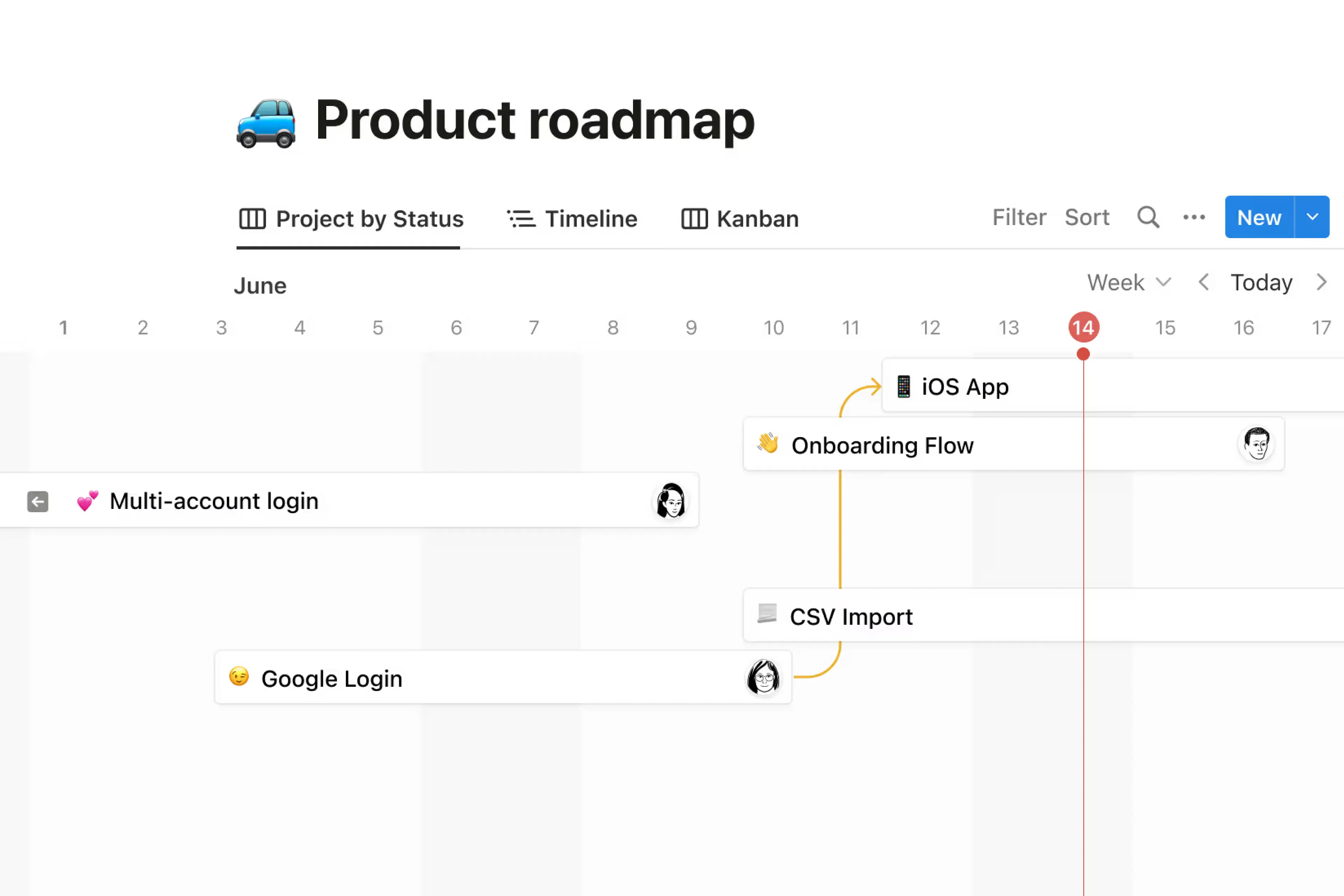
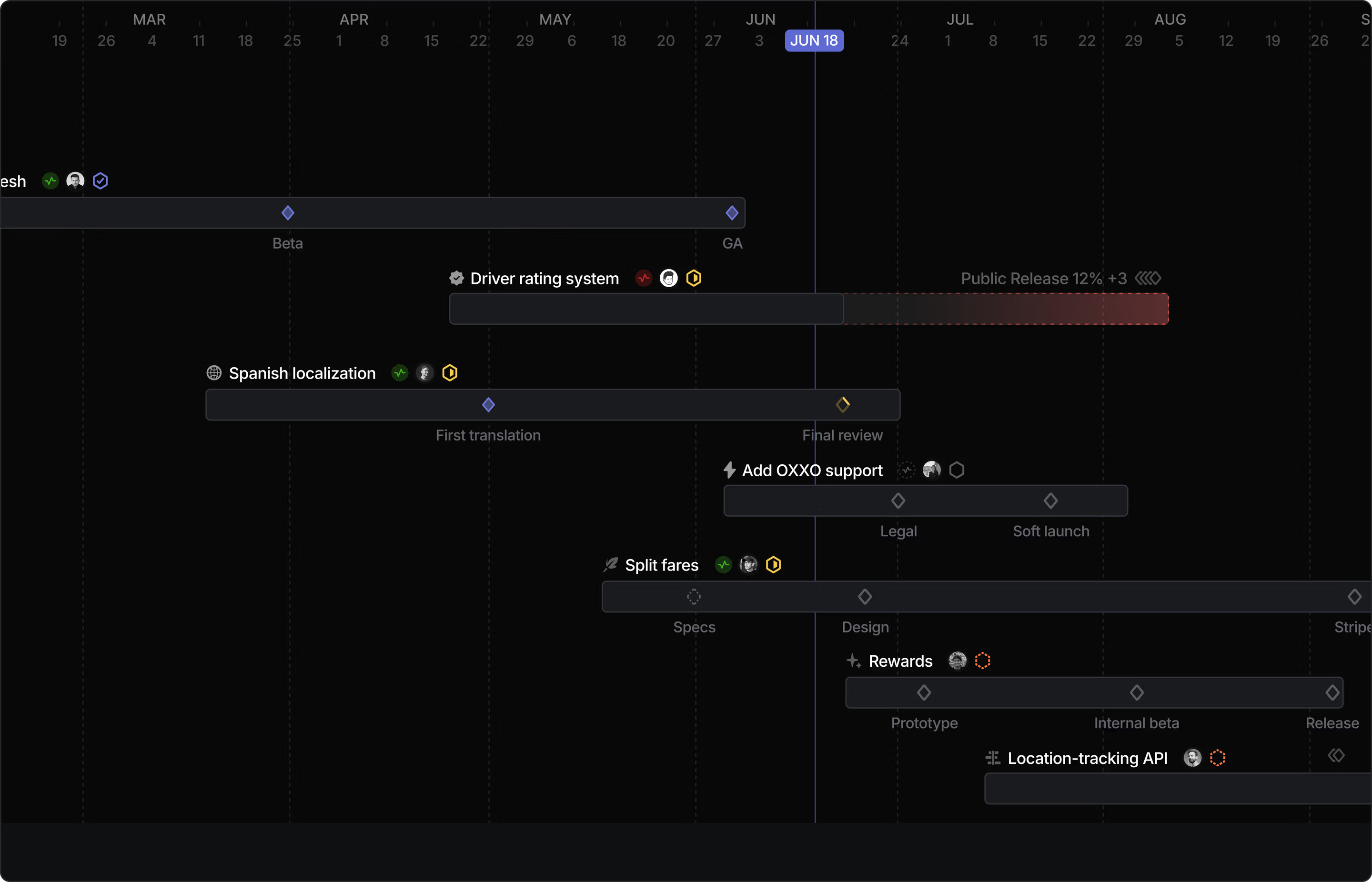
Three limits decide whether a free plan works for you: how many people it holds, how much work fits before a cap stops you, and whether you get a timeline. A timeline, once called a Gantt chart, shows tasks as bars across the calendar, so you can see what overlaps and what has to wait for something else.
| App | People free | What fills up first | Timeline free? |
|---|---|---|---|
| ClickUp | Unlimited, plus guests | 60 MB of storage | A few trial uses |
| Trello | 10, guests included | 10 boards | No |
| Notion | Unlimited, plus 10 guests | 1,000 blocks once 2+ people join | Yes |
| Jira | 10 | 2 GB of storage | Yes, per project |
| Asana | 2 | Little: 100 MB per file | No |
| Linear | Unlimited | 250 issues | Yes |
| Basecamp | 3 | 1 project | No |
| Zoho Projects | 5 | 3 projects | Yes (Gantt) |
| Wrike | Unlimited | 200 open tasks | No |
| Airtable | 5 editors | 1,000 records per base | No |
| monday.com | 2 | 3 boards, 200 items | No |
Every one of them runs in a browser and has phone apps, so that isn’t what separates them.

ClickUp
Most free features for a whole group
#1 3.6/5
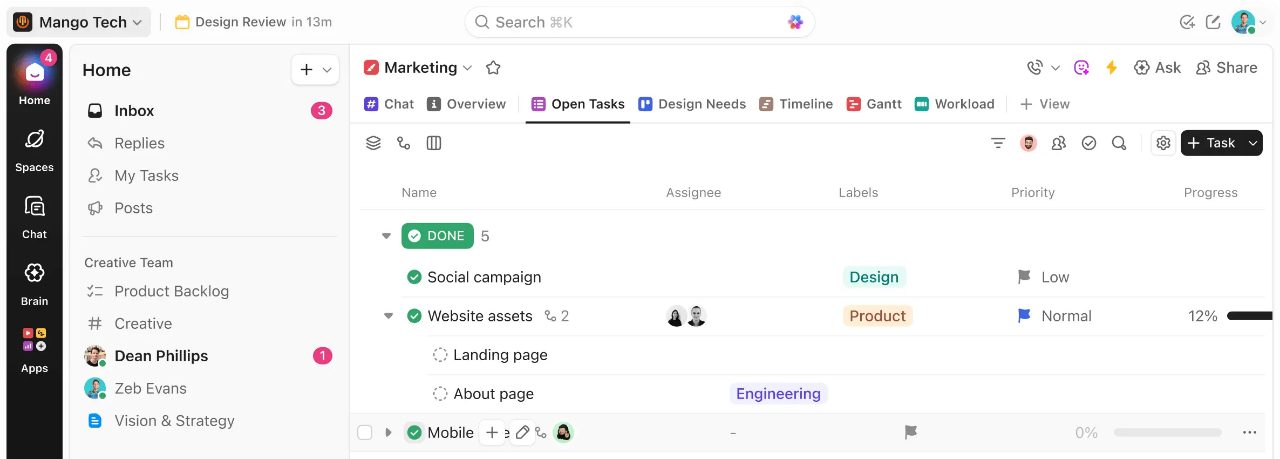
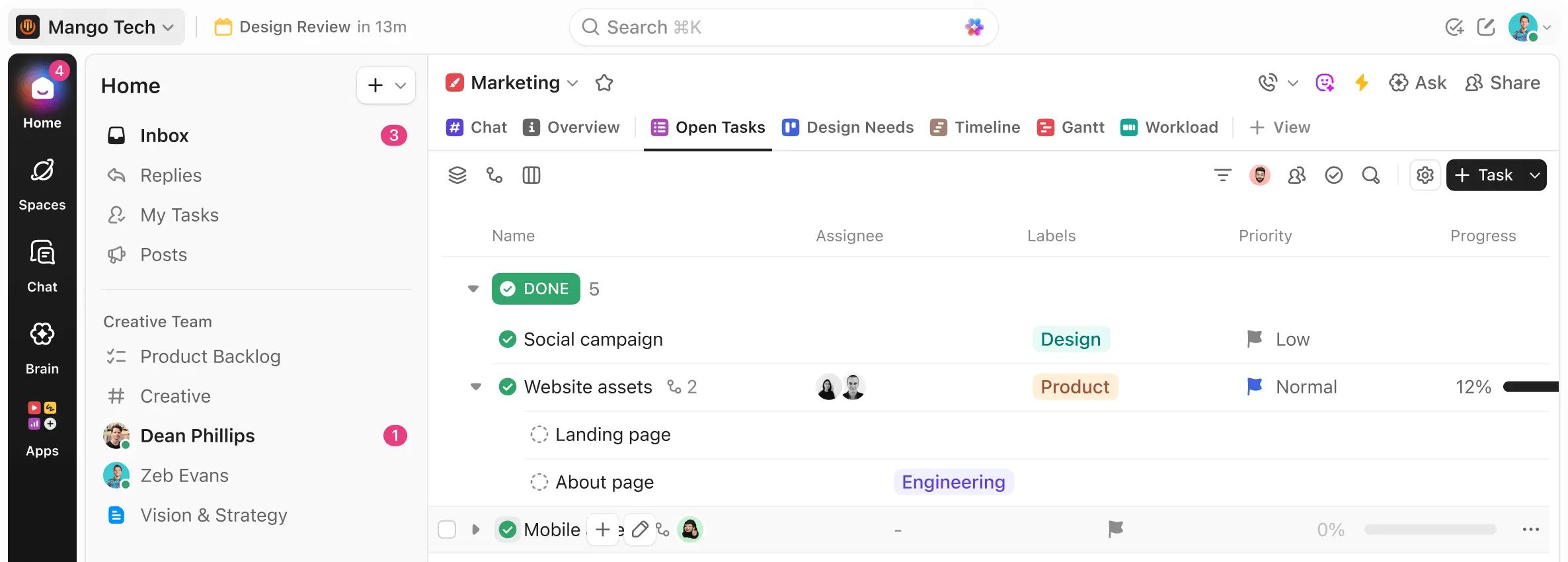
ClickUp is the free plan to pick when the group is bigger than ten or keeps changing, because it never asks you to count heads. Members and guests are unlimited, and guests on the free plan can create and edit anything (you can’t restrict them, so keep internal notes out of spaces a client can reach). You get list, board, calendar and table views, task dependencies, docs, chat and sprint planning without paying.
Its limits are specific. Storage is 60 MB for the whole workspace, counting task attachments, docs and chat files, so a group that shares slides or photos fills it fast; link files from Google Drive instead of uploading them. Gantt charts, timelines and dashboards come as a fixed number of “uses” for the whole workspace that never reset, after which you keep the data but can’t create or edit more. Automations stop at 100 actions a month.
Then there’s the learning curve. ClickUp tries to do everything, so every screen is dense with views, fields and settings. Someone has to set up the spaces, statuses and views before the rest of the group arrives, or they’ll bounce off. Core, the first paid plan, costs $9 per person on yearly billing and removes the storage cap and the Gantt limit.
What it does
- Unlimited members and guests on the free plan
- List, board, calendar and table views with task dependencies
- Docs, chat and sprints included free
Pros
- No head count to manage as people join and leave
- The most planning features of any free plan
- Guests can work on tasks at no cost
Cons
- 60 MB of storage for the whole workspace
- Gantt, timeline and dashboards are a handful of trial uses
- Needs real setup before a mixed group finds its way around
- Choose if:
- Your group has more than ten people, or members change every term

Trello
Simplest for groups of up to 10
#2 3.2/5
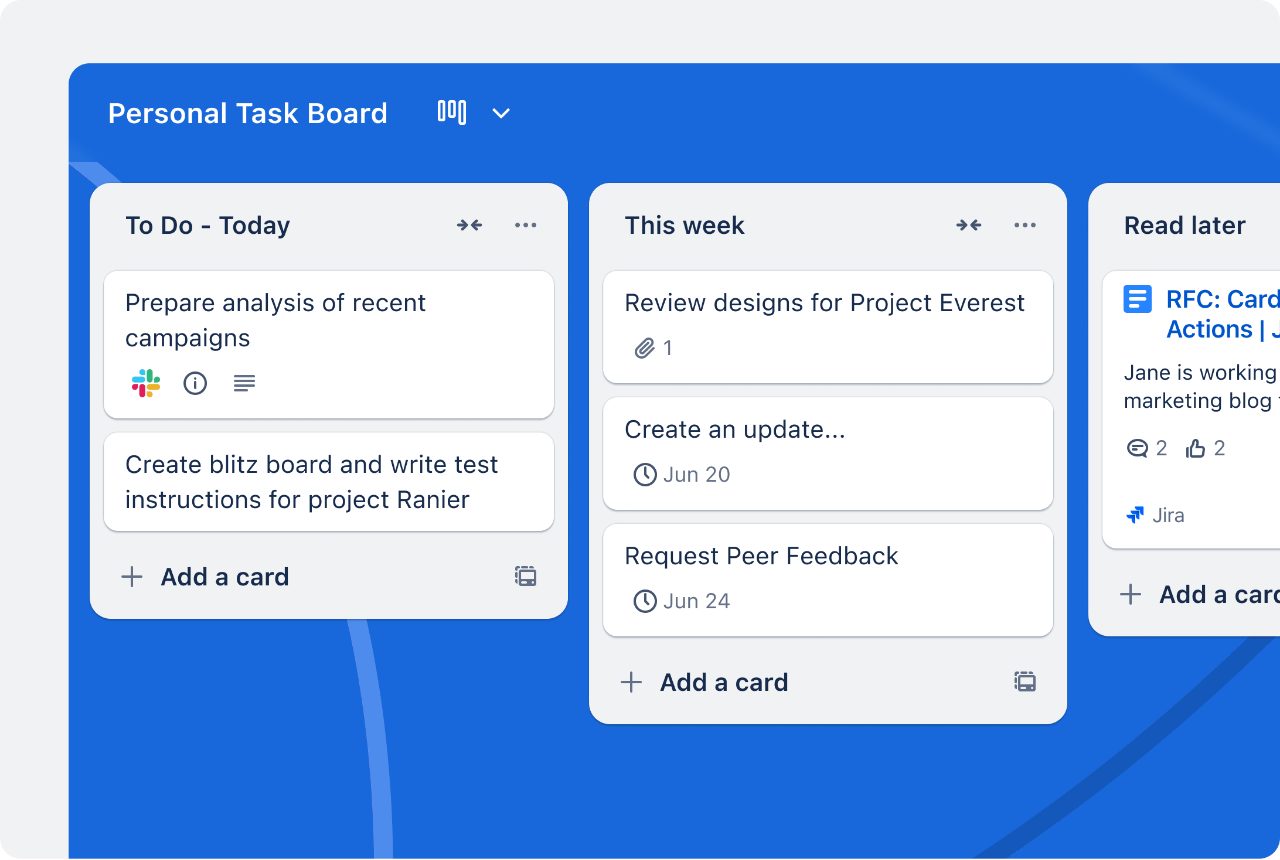
Trello is a board of lists and cards, and on the free plan that’s nearly all it is, which is why nobody needs training. Make a column for each stage and a card for each task, then drag cards to the right as work moves. You get 10 boards, unlimited cards, unlimited storage at 10 MB a file, and 250 automation runs a month through Butler, Trello’s rule builder (“when a card moves to Done, mark the due date complete and tell the owner”). Power-Ups, Trello’s add-ons, are unlimited, and Trello’s own Calendar Power-Up puts due dates on a monthly calendar.
The limit to plan around is 10 collaborators per Workspace, and it counts everyone: members, guests on a single board, even pending invites. A client you invite to one board takes one of the ten places. Go over and every board in the Workspace turns view-only, and automations stop, until you’re back to ten. There’s no timeline, no task dependencies and nowhere for documents beyond card descriptions and comments. Trello is right when the work is a pipeline of tasks; it gets awkward when you need to see which task is waiting on which.
Standard costs $5 a person a month billed yearly ($6 monthly), lifts the board and people caps, and makes guests on a single board free. It still has no timeline; that’s Premium, at $10.
What it does
- Boards, lists and cards with checklists and due dates
- 250 automation runs a month and unlimited Power-Ups
- Free Calendar Power-Up for a monthly view
Pros
- New members understand it in minutes
- Cheapest paid step of the big names
- Unlimited storage, 10 MB per file
Cons
- 10 collaborators including guests, and boards turn view-only over that
- No timeline below Premium, and no task dependencies
- No docs or chat
- Skip if:
- You regularly bring clients or volunteers onto boards and are near ten people already

Notion
Tasks and notes in one workspace
#3 3.2/5
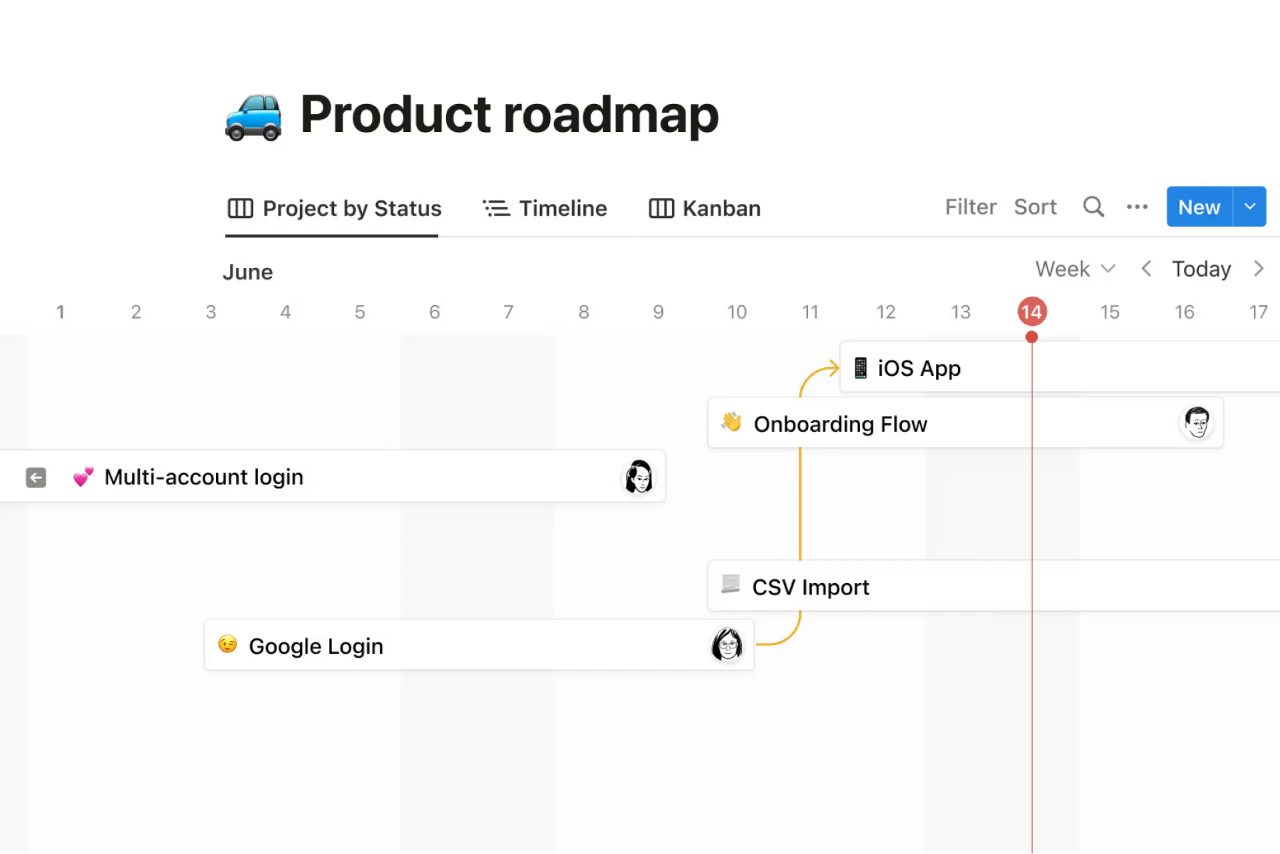
Notion is where groups end up when the plan and the notes behind it belong together: meeting notes, research, the reading list and the task board in one workspace. Its free plan has no member limit, allows 10 outside guests, and gives you full databases with table, board, calendar, list and timeline views, subtasks and task dependencies. Because all your tasks can live in one database, one timeline can show every project at once. The Projects template sets up linked Projects and Tasks databases, so you don’t start from a blank page.
What stops most groups is the block limit. Once a free workspace has two or more members, it can hold 1,000 blocks in total, and in Notion a block is every paragraph, checklist item and database row. Deleting content doesn’t give blocks back: the count is everything ever created. A small team that writes notes on its task pages can get there within a few months, after which it can read and edit but not add. Everyone you add to a free workspace also joins as an owner, so anyone can change or delete anything. Uploads stop at 5 MB.
Notion suits a group that enjoys building its own system. A group that wants a tool already shaped like project management will get going faster in Trello. Plus removes the block limit for $10 a member a month, paid yearly.
What it does
- Databases with table, board, calendar, list and timeline views
- Docs and wiki pages next to the tasks
- 10 free guests
Pros
- Notes, docs and tasks in one place
- Free timeline with dependencies across all your projects
- No member limit
Cons
- 1,000 blocks in total once two people share a workspace, and deleting doesn't help
- You build the system yourself
- Every free member is an owner with full control
- Choose if:
- Your group's work is as much writing and research as it is tasks

Jira
Free for 10 with a real timeline
#4 3.1/5
Jira’s free plan is the most complete here for up to 10 people who can live with Jira’s way of doing things. Those ten get unlimited projects, 2 GB of storage, list, board, backlog and calendar views, and a timeline with dependencies inside each project. Sprints and a backlog are included, so are templates for non-software work such as marketing campaigns, and the GitHub, GitLab and Bitbucket integrations link code to tasks.
The cost is complexity. Jira talks in work items, workflows and issue types, and members who aren’t technical take longer to settle in than they would in Trello or Asana. On the free plan every user is an admin, with no permission settings, so anyone can change the workflow for everyone. Automation runs out at roughly 100 to 150 rule runs a month for the whole site. Add an 11th person and Atlassian moves you onto a 7-day trial of Standard, so the limit of 10 is firm.
Standard is $8.48 a person a month on Atlassian’s pricing page and adds permissions, guest access and 250 GB of storage.
What it does
- List, board, backlog, calendar and timeline views
- Sprints, backlog and code integrations
- Unlimited projects for up to 10 users
Pros
- Free timeline with dependencies
- Room for years of work for ten people
- The tool many software companies already use
Cons
- Heavier to learn than the general tools
- Every free user is an admin
- About 100 to 150 automation runs a month for the whole site
- Choose if:
- Your ten people need a timeline and someone is happy to set Jira up

Asana
Unlimited projects for one or two people
#5 2.9/5
Asana’s free Personal plan is now for one or two people, and for them it’s excellent: unlimited projects and tasks, unlimited storage with a 100 MB limit per file, list, board and calendar views, and over 100 integrations including Slack and Google Drive. A freelancer tracking several clients, or two co-founders, won’t run into a cap. It’s also one of the easiest tools here to learn, with a My Tasks list that shows everything you owe across projects.
Add a third person and the project stops working, because a project or team can have only two members. That catches people out, since older reviews still describe the free plan as holding 10 or 15 people. A five-person team on a years-old free account found its projects blocked with a message to remove members or upgrade, according to a post on Asana’s forum. There’s no timeline and no automation rules, and unlimited free guests come only with the paid plans.
Starter costs $10.99 a person a month billed yearly ($13.49 monthly), more than Trello, ClickUp or Jira charge for their first paid plans.
What it does
- Unlimited projects, tasks and storage
- List, board and calendar views
- 100+ integrations, including Slack and Google Drive
Pros
- No cap on work for one or two people
- Quick to learn
- Pleasant to grow into if you'll pay later
Cons
- Two people per project or team, and existing larger free teams get locked out
- No timeline or automation rules free
- Pricier first paid plan than its rivals
- Choose if:
- You work alone or in a pair and juggle several projects

Linear
For a software side project
#6 2.9/5
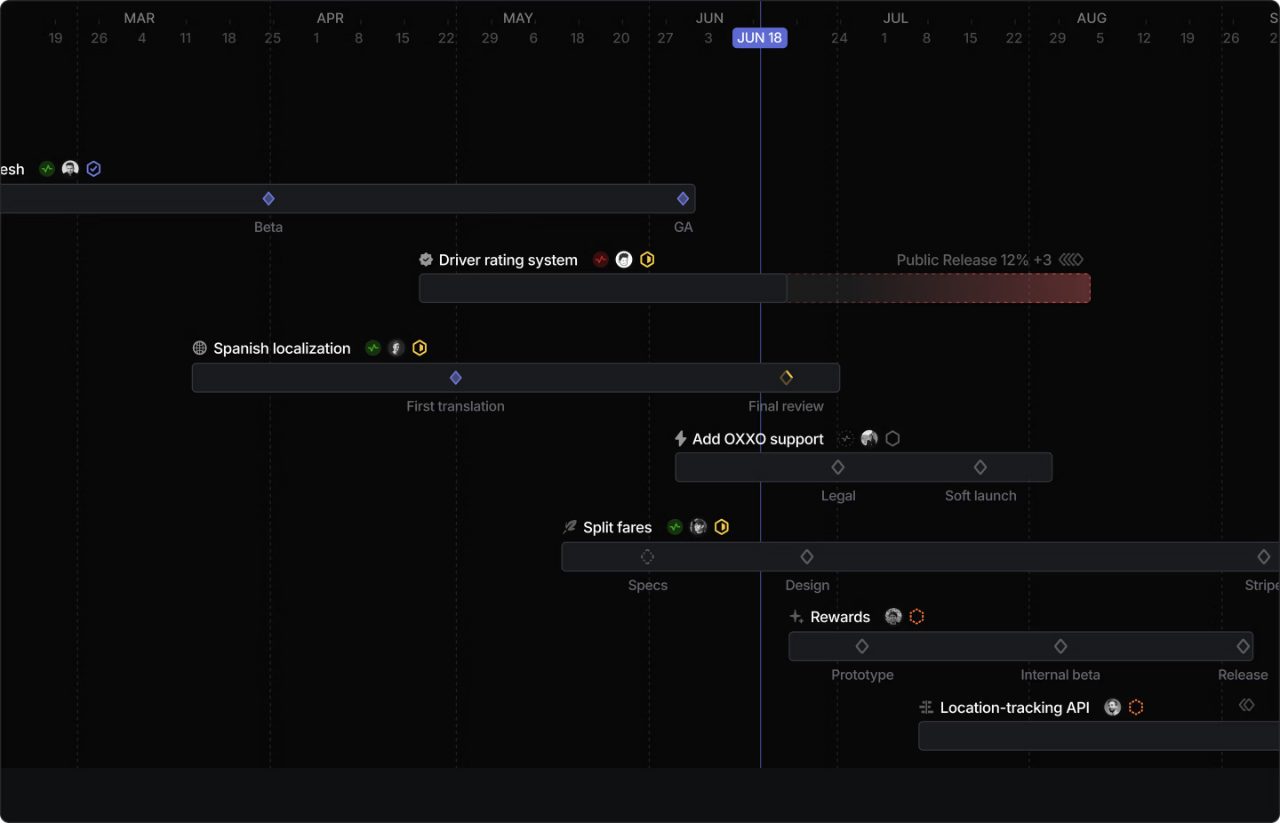
Linear is an issue tracker built for software teams, and it’s fast in a way the general tools aren’t: keyboard shortcuts for everything, a triage inbox for new bugs, cycles (Linear’s name for sprints) and projects with a timeline. The GitHub and GitLab integrations link pull requests to issues and move them along as code merges, and the free plan includes the API and webhooks for anything else you want to wire up. Members are unlimited, across two teams.
Issues are not: the free plan holds 250. For a side project that might be months of work; for a small team logging every bug and task, it can be weeks. Uploads stop at 10 MB, and guest accounts need the Business plan, so a client has to join as a full member. Non-engineers can use Linear, but its vocabulary is a developer’s.
Basic removes the issue cap for $10 per person a month on a yearly plan. Students using it for clubs and other student-led projects can apply for a free year, and charities get 75% off.
What it does
- Cycles, projects, triage and a backlog
- GitHub and GitLab integrations that update issues from pull requests
- API and webhooks on the free plan
Pros
- The fastest tool here to use day to day
- Unlimited members
- Built for how software teams work
Cons
- 250 issues in total on the free plan
- No guest accounts below Business
- Choose if:
- You're building software and want the tracker to stay out of the way

Basecamp
One project with everything in it
#7 2.8/5
Basecamp’s free plan is one project for up to 3 people with 1 GB of storage, and Basecamp itself pitches it at personal use. Inside that project you get everything Basecamp does: to-do lists, a card table (its Kanban board), a message board, documents and files, a group chat and a schedule. It’s the calmest tool here, and people rarely need help to use it.
That makes it good for one contained job with a very small crew, such as a house renovation with a contractor or a single event. Clients count toward the three. The next step, Freelancer, is $29 a month flat for up to 5 users and 3 projects.
Pros
- Message board, docs, chat and to-dos in the free project
- Almost nothing to learn
Cons
- One project and three people
- No timeline, dependencies or automation rules

Zoho Projects
Free Gantt chart for up to five
#8 2.8/5
Zoho Projects is the free plan to pick when a small group wants a classic Gantt chart. Up to 5 users and 3 projects get a Gantt view with dependencies (one task can’t start until another ends), a calendar, discussion forums and 5 GB of storage. It connects to Google Workspace, Microsoft 365, Slack and Zapier, and the free plan includes a couple of workflow rules with 50 automation actions a month.
Three projects is the limit you’ll feel, and the interface is busier than Trello’s or Asana’s, so expect everyone to need some time before they feel at home in it. Client users are a paid add-on, so an outsider needs one of the five places, and chat and wiki-style pages work in only one project. Premium lifts the project cap and is listed at $4 per user on yearly billing, the cheapest first paid step here.
Pros
- Free Gantt chart with dependencies
- 5 GB of storage
- Cheapest paid upgrade
Cons
- Three projects
- Crowded interface with a learning curve
- No client access on the free plan

Wrike
Unlimited people, 200 open tasks
#9 2.6/5
Wrike’s free plan lets in as many people as you like but caps the work at 200 active tasks, subtasks included, in one shared space. Finished or cancelled tasks don’t count, so a group that closes tasks as it goes can keep using it. You get table, board and chart views; Gantt charts start on the paid Team plan. Wrike is a heavyweight tool built for project offices, and its own FAQ suggests new teams get help setting it up, which says a lot about the learning curve. Team costs $10 a person a month for 2 to 15 users.
Pros
- No people limit
- Closed tasks free up room
Cons
- No calendar or Gantt chart on the free plan
- Heavy to set up for a small group
Airtable
Build your own tracker
#10 2.6/5
Airtable is a database that looks like a spreadsheet, and you build your project tracker in it, choosing every field and view. The free plan allows 5 editors, 50 commenters and unlimited read-only viewers, which makes it good at showing work to people outside the group: a client or a board of trustees can watch without taking an editor’s place. Each base (an Airtable database) holds 1,000 records and 1 GB of attachments. You can make more bases, but records in separate bases don’t link to each other. Grid, Kanban, gallery, form and a basic calendar view are free; timeline and Gantt views aren’t, and you get 100 automation runs a month.
Hit the record cap and the base keeps working, but you can’t add to it. Team, the first paid plan, is the priciest step here at $20 per person paid yearly ($24 monthly). Nonprofits get 50% off, and students can get a free Team workspace.
Pros
- Unlimited free read-only viewers and 50 commenters
- Every field and view is yours to design
Cons
- 1,000 records per base
- No timeline on the free plan
- The most expensive first paid plan

monday.com
Free in practice only for nonprofits
#11 2.1/5
monday.com’s free plan is for two people, three boards and 200 items in total (items are tasks, in monday’s terms), with table and Kanban views and no automations or integrations. It works as a trial with no end date, not as a tool for a group. Paid plans start at three seats, and Basic, at $9 a seat a month billed yearly, still has no timeline or automations; those come with Standard.
The reason to keep monday.com in mind is its nonprofit program. Eligible charities can get 10 free seats on a version of the Pro plan, with the timelines, automations and integrations the free plan lacks. If you’re a registered nonprofit, apply before you settle for anyone’s free plan.
Pros
- Easy, colorful boards
- 10 free seats for eligible nonprofits
Cons
- Two people, three boards and 200 items
- No calendar, timeline, automations or integrations free
Also considered
- Smartsheet still turns up on lists of free tools, but it has no free plan now, only a 30-day trial.

1–5 per criterion · select a score for its reasoning and any sources
| # | Product | Overall | Easy for the whole group , counts double | People on the free plan | Room on the free plan , counts double | Planning views on the free plan | Docs and discussion | Clients and outsiders | First paid step , counts half | Software project workflow , counts half |
|---|---|---|---|---|---|---|---|---|---|---|
| 1 | ClickUp | 3.6 | 3 | 5 | 3 | 3 | 4 | 5 | 4 | 3 |
| 2 | Trello | 3.2 | 5 | 4 | 3 | 2 | 1 | 2 | 5 | 2 |
| 3 | Notion | 3.2 | 3 | 5 | 2 | 4 | 3 | 4 | 3 | 2 |
| 4 | Jira | 3.1 | 2 | 4 | 4 | 4 | 2 | 2 | 4 | 4 |
| 5 | Asana | 2.9 | 4 | 1 | 5 | 2 | 2 | 1 | 3 | 2 |
| 6 | Linear | 2.9 | 3 | 5 | 1 | 4 | 3 | 2 | 3 | 5 |
| 7 | Basecamp | 2.8 | 5 | 2 | 1 | 2 | 5 | 2 | 4 | 1 |
| 8 | Zoho Projects | 2.8 | 3 | 3 | 2 | 4 | 4 | 1 | 5 | 1 |
| 9 | Wrike | 2.6* | 3 | 5 | 3 | 1 | 1 | unknown | 3 | 1 |
| 10 | Airtable | 2.6 | 3 | 3 | 3 | 2 | 1 | 4 | 1 | 1 |
| 11 | monday.com | 2.1 | 4 | 1 | 1 | 1 | 3 | 1 | 4 | 1 |
Equal displayed overall scores are ordered by the earlier criteria; a known score comes before an unknown score. Identical scores use alphabetical order.
×2 = counts double in the overall score, ×½ = counts half.
? = unknown. * = the overall score averages only the known criteria.
How each criterion is scored
Easy for the whole group
Counts double in the overall score: A free tool that half the group won't open tracks nothing, and a volunteer or student group has no admin to make people use it, so this counts double.
How quickly a group of mixed skills, not only the person who picked the tool, gets set up on the free plan and keeps using it: a clear layout, sensible defaults, words a non-specialist understands, and how much structure someone must build before it's useful. Judged from how the product is built and what reviewers and many users agree on.
- 5 New members get going within minutes and keep using it, with almost no setup
- 4 Most people get going within a day, with few complaints beyond a learning curve for advanced features
- 3 Fine once someone builds the structure or learns the product's terms, with known snags such as a blank-page start or a crowded interface
- 2 Usable after real setup work, with frequent complaints about complexity, clutter or jargon
- 1 Most groups need someone experienced to set it up, and non-technical members struggle with it
People on the free plan
How many people can work in one free workspace, creating, editing and being assigned tasks, before someone has to pay. Guests and read-only viewers are scored separately.
- 5 Twenty or more, or no limit on members
- 4 Ten to nineteen people
- 3 Five to nine people
- 2 Three or four people
- 1 One or two people
Room on the free plan
Counts double in the overall score: A free plan is only worth choosing if the group's work fits in it, and the cap on projects, tasks or storage is what forces most groups to pay or move, so this counts double.
How much work the free plan holds before a cap stops the group: limits on projects, boards, spaces, tasks, records, blocks and storage, and whether a cap counts all work ever created or only what's open.
- 5 Unlimited projects, tasks and storage, apart from a per-file size limit
- 4 Unlimited projects and tasks, with a storage or feature cap most small groups won't hit for months
- 3 Room for ongoing work with a cap the group plans around, such as about ten boards or spaces, a cap on open tasks, a record cap per base, or under 100 MB of storage
- 2 A total cap a busy group fills within a few months, such as about 1,000 tasks, blocks or issues, or two or three projects
- 1 One project, or a cap of a few hundred items across the whole account
Planning views on the free plan
How the group can lay out and schedule work on the free plan alone: lists or tables, boards, a calendar, a timeline or Gantt chart, task dependencies, and a timeline that spans several projects. A view the free plan allows only a few trial uses of counts as limited.
- 5 A timeline with dependencies that can also show several projects together, fully on the free plan
- 4 A timeline or Gantt chart with task dependencies, fully on the free plan
- 3 A timeline or Gantt chart, but limited to trial uses, read-only, or without dependencies
- 2 Lists or tables and boards plus a calendar, but no timeline
- 1 A board, list or table only, with no calendar or timeline
Docs and discussion
What the group can do besides tracking tasks without a second app, on the free plan: comments on tasks, project updates or messages, docs or wiki pages, and chat.
- 5 Comments, docs, chat and a message board or announcements, all built in
- 4 Comments and docs plus either chat or a message board
- 3 Comments plus built-in docs or wiki pages
- 2 Comments plus project-level updates, messages or a simple description page
- 1 Comments on tasks only
Clients and outsiders
Whether a freelancer or group can bring in clients, volunteers or contractors on the free plan without using up the member limit or paying.
- 5 Unlimited free guests who can work on tasks
- 4 A set number of free guests who can comment or edit, beyond the member cap
- 3 Free read-only access or public share links beyond the member cap, but no outside commenting or editing
- 2 Outsiders can join only as full members, counting toward any member cap and seeing what members see
- 1 No way to bring in anyone outside the free plan's small member limit
First paid step
Counts half in the overall score: Readers here choose by what they get without paying; the price of growing out of the free plan matters, but less, so it counts half.
The monthly price per person, billed annually, of the cheapest paid plan that lifts the free plan's main cap, for a 5-person team, with seat minimums and flat package prices divided across those 5 people.
- 5 $5 or less per person a month
- 4 $5.01 to $9 per person a month
- 3 $9.01 to $11 per person a month
- 2 $11.01 to $18 per person a month
- 1 Over $18 per person a month
Software project workflow
Counts half in the overall score: Only readers with a software project choose by it, so it counts half for everyone else.
How well the free plan fits a side project or small team that ships code: sprints or cycles, a backlog, and a GitHub or GitLab integration that links code to tasks.
- 5 Built for software teams, with cycles or sprints, a backlog, triage, and code integrations that keep issues in step with pull requests
- 4 Sprints and a backlog plus a code integration that moves tasks when pull requests open or merge
- 3 Sprints and a backlog plus a GitHub or GitLab integration that links tasks
- 2 A code-hosting integration or sprint-style planning, but not both
- 1 No sprints and no code-hosting integration on the free plan
Which free plan fits your group
- 3 to 10 people, nobody technical: Trello. It’s the one everyone will actually open.
- More than 10 people, or members who change every term: ClickUp, with files kept in Google Drive or similar so the 60 MB lasts.
- Notes and tasks in one place: Notion, as long as you’ll pay for Plus when the block count runs out.
- A free timeline with dependencies: Jira for up to 10 people, Zoho Projects for up to 5 and 3 projects, or Notion.
- Freelancer or a pair: Asana.
- Software side project: Linear while you’re under 250 issues; Jira if the project will run for years or the team logs everything.
- Clients who only need to look: Airtable’s free read-only viewers, or ClickUp’s free guests if they should also edit.
- Registered nonprofit: monday.com’s nonprofit program, then the discounts below.
If you have a server and someone to look after it, open-source tools such as OpenProject, Plane and Taiga have no per-person limits at all; project management you can self-host compares them.
What the first paid plan costs
Free plans are also how these companies find customers, so look at the first paid step before you commit a group’s work to one. Prices are per person per month on yearly billing where the vendor offers it, as of November 2026.
| App | First paid plan | Per person |
|---|---|---|
| Zoho Projects | Premium | $4 |
| Trello | Standard | $5 |
| Jira | Standard | $8.48 |
| ClickUp | Core | $9 |
| monday.com | Basic, 3 seats minimum | $9 |
| Notion | Plus | $10 |
| Linear | Basic | $10 |
| Wrike | Team | $10 |
| Asana | Starter | $10.99 |
| Airtable | Team | $20 |
| Basecamp | Freelancer | $29 flat for up to 5 people |
The cheapest step doesn’t always buy what you were missing. Trello Standard and monday.com Basic still have no timeline, so a group that outgrew the free plan for want of one pays for the tier above. ClickUp Core and Asana Starter both include a timeline or Gantt chart.
Discounts change the order for charities and students:
- monday.com: 10 free seats for eligible nonprofits.
- Linear: 75% off for charities; a free year for student-led projects.
- Atlassian (Trello and Jira): 50% to 100% off for verified nonprofits.
- Asana: 50% off Starter or Advanced for nonprofits.
- Airtable: 50% off Team for nonprofits; free Team workspaces for students.
- Notion: 50% off for nonprofits, on the Business plan only.
For teams that already know they’ll pay, project management software for small teams compares the paid plans at 6 and 25 people.
Which one we’d pick
ClickUp gives a group the most for nothing: it holds any number of people and still gives them a calendar, docs, chat and sprints. That makes it our pick for most groups, with two conditions: someone sets it up properly before inviting everyone, and files live somewhere else. If those conditions sound like a chore, Trello is the better choice for up to ten people. It does less, but nobody needs to be taught it, and a tool the whole group uses beats a more capable one that half of them ignore.
Jira is the quiet surprise. For ten people it’s the roomiest free plan here, with a timeline the others charge for, and it’s worth the learning curve if your group plans in phases with deadlines that depend on each other. Notion is the right home for a group whose work is mostly writing, but count on paying for Plus once the block limit arrives. Asana is excellent for one or two people and nothing more on the free plan. And for code, Linear is the nicer tool while it fits, while Jira lasts longer for free.
Frequently asked questions
What happens when you go over a free plan’s limit?
It depends on the app. Trello turns every board in the Workspace view-only once you pass 10 collaborators. Notion and Airtable let you read and edit but not add more. Asana blocks projects with more than two members until you remove people or upgrade. Wrike stops new tasks until you close some, Linear stops new issues, and Jira moves you onto a 7-day trial of its Standard plan. ClickUp keeps your data but locks a feature once its trial uses run out. None of these deletes your work.
Which free project management tool has a Gantt chart?
Jira, Notion and Zoho Projects include a timeline or Gantt chart with dependencies on their free plans, and Linear has project timelines. ClickUp lets you try its Gantt chart a limited number of times. Trello, Asana, Wrike, Airtable, Basecamp and monday.com keep timelines for paid plans.
Is there free project management software for students?
Most free plans work fine for a class project; Trello and ClickUp hold a whole group. Airtable gives students a free Team workspace for 6 to 24 months, Linear gives a free year for student-led projects, and Notion’s free Education plan gives individual students and teachers extra features but is for one person, not a group.