
ClickUp
All-in-one project management with tasks, docs, chat and AI, free for unlimited members
Our verdict
#1 of 11 in Free project management software · Most free features for a whole group
What it does
- Unlimited members and guests on the free plan
- List, board, calendar and table views with task dependencies
- Docs, chat and sprints included free
Pros
- No head count to manage as people join and leave
- The most planning features of any free plan
- Guests can work on tasks at no cost
Cons
- 60 MB of storage for the whole workspace
- Gantt, timeline and dashboards are a handful of trial uses
- Needs real setup before a mixed group finds its way around
- Choose if:
- Your group has more than ten people, or members change every term
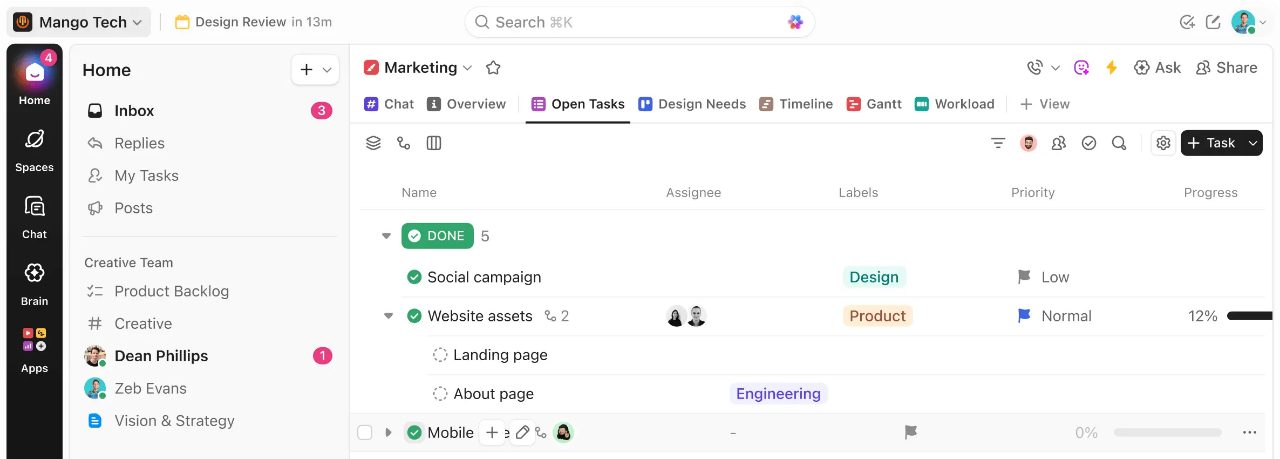
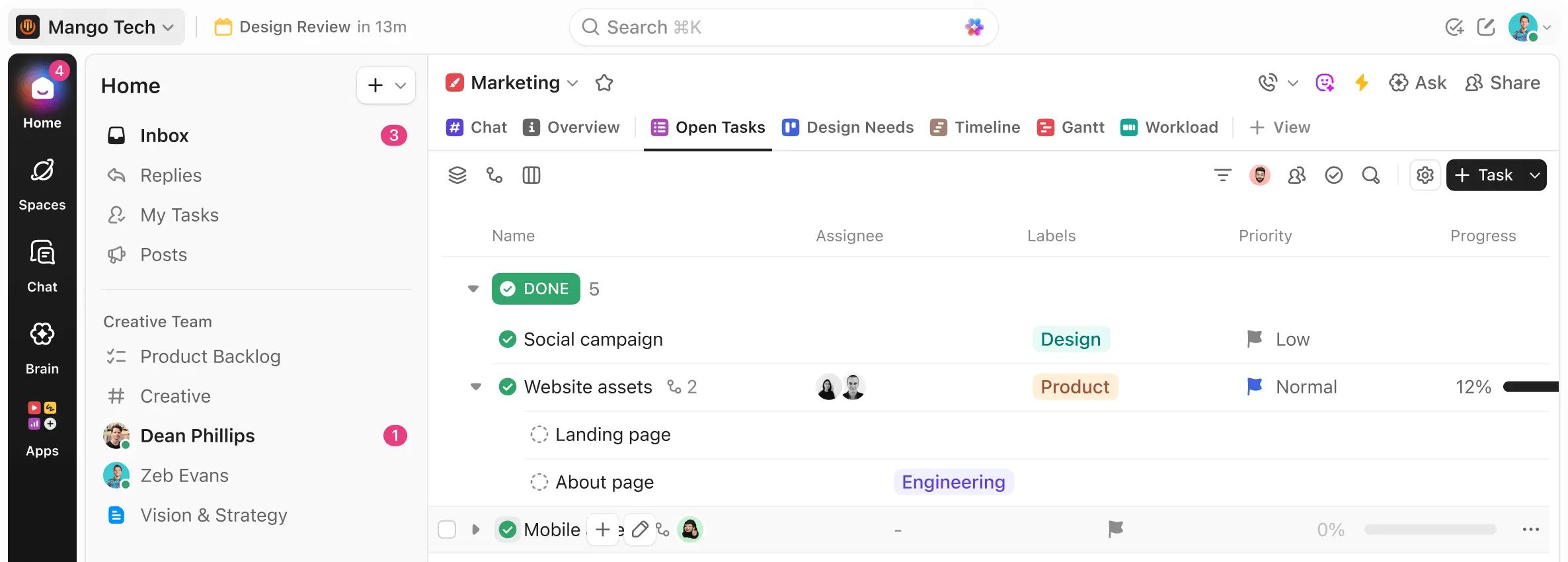
ClickUp is a hosted work-management platform that combines tasks, list, board, calendar, Gantt and timeline views, Docs, Chat, whiteboards, goals, dashboards and an AI assistant (Brain) in one workspace. It is aimed at teams from a few people to large companies, and it is known for deep customization that can take setup effort. It runs in the browser with desktop apps for Windows, Mac and Linux and mobile apps for iOS and Android. It is proprietary software sold as a per-user subscription, with a Free Forever plan that allows unlimited members.
What users say
Evidence ↓Reviewers and TrustRadius users praise ClickUp's customization, its all-in-one range and its generous free plan, and say it suits teams that plan their setup. The same sources repeat that the feature set can overwhelm, that the learning curve is steep, and that it slows down with large volumes of tasks. These are a few hand-picked excerpts from two articles, not a survey, though the learning-curve complaint appears in both.
Rankings and alternatives






Free project management software scores
Evaluated Nov 17, 2026 Evidence ↓- Easy for the whole group · counts double 3
3/5 means: Fine once someone builds the structure or learns the product's terms, with known snags such as a blank-page start or a crowded interface
Reviewers agree it works once someone plans and builds the structure, but they call the feature set overwhelming with a steep learning curve, name small and non-technical groups as a poor fit, and cite slowdowns at scale. Several reviewers say this, but they are few and hand-picked.
- People on the free plan 5
5/5 means: Twenty or more, or no limit on members
Free Forever allows unlimited members.
- Room on the free plan · counts double 3
3/5 means: Room for ongoing work with a cap the group plans around, such as about ten boards or spaces, a cap on open tasks, a record cap per base, or under 100 MB of storage
Unlimited tasks, but only 60 MB of shared workspace storage and 5 Spaces, so a group that uploads files plans around the cap. Chat has a reported 1,000-message cap.
- Planning views on the free plan 3
3/5 means: A timeline or Gantt chart, but limited to trial uses, read-only, or without dependencies
List, board, calendar, table and dependencies are on Free, but Gantt and timeline are only cumulative trial uses that never reset.
- Docs and discussion 4
4/5 means: Comments and docs plus either chat or a message board
Task comments, collaborative Docs and Chat are on Free, though Chat is capped (reported 1,000 messages, 90-day history, from a third party). No message board or announcements were confirmed on Free.
- Clients and outsiders 5
5/5 means: Unlimited free guests who can work on tasks
Free workspaces get unlimited guests with full create and edit permissions.
- First paid step · counts half 4
4/5 means: $5.01 to $9 per person a month
Core is $9 per user per month billed yearly, with no seat minimum stated, so $9 each for 5 people. That is the top of the $5.01 to $9 band; the regular price is $12.
- Software project workflow · counts half 3
3/5 means: Sprints and a backlog plus a GitHub or GitLab integration that links tasks
Sprint Management is listed on Free and GitHub is among the listed integrations, so this rests partly on product knowledge. I did not confirm that GitHub or GitLab works on Free, or how the backlog and pull-request syncing behave.
Project management software for small teams scores
Evaluated Nov 17, 2026 Evidence ↓- Easy for the whole team · counts double 3
3/5 means: Fine once someone builds the structure, with known snags such as a crowded interface, slow screens or a blank-page start
Reviewers and TrustRadius users agree it works well once someone plans and builds the structure, but call the feature set overwhelming with a steep learning curve, and one reviewer cites slowdowns with large task volumes. Two articles, so how widely this is shared is limited.
- Planning views 5
5/5 means: All of that plus a timeline or roadmap that shows several projects together
List, board, calendar and table views are on every plan, and dependencies are on every plan. Gantt is unlimited from Core at $9, and a Gantt chart on a Space or folder shows several lists together. The timeline view is fully included on Business, which is bought without talking to sales; the criterion counts any self-serve plan.
- Price per person 5
5/5 means: $9 or less per person a month
Core is $9 per user per month billed yearly with unlimited Gantt, and no seat minimum or cap is stated. 6 people x $9 = $54 a month, so $9 each; 25 people x $9 = $225 a month, so $9 each; the average is $9, which is within the $9 or less band. The regular price is $12 and the monthly-billed price was not published.
- Team communication and docs 5
5/5 means: Comments, docs, real-time chat and a message board or announcements, all built in
Task comments, Docs, Chat (unlimited from Core), SyncUp calls and Posts for announcements are all built in. Chat is only a trial on Free.
- Free plan for a team 3
3/5 means: Free for 10 or more people with lists and boards, but no lasting timeline or Gantt chart
Free allows unlimited members and unlimited tasks with list, board and calendar views, but Gantt and timeline are only trial uses (cumulative, never reset), so there is no lasting timeline. Storage is 60 MB.
- Automation on the paid plan 3
3/5 means: A rule builder with 500 to 2,000 runs a month
Core has an unlimited-rule builder with 1,000 automation actions a month per workspace, which falls in the 500 to 2,000 band. Counts are per workspace, so they do not grow with the 10-person team size.
- Reporting and workload 5
5/5 means: All three on plans bought without talking to sales
Dashboards, workload view and time tracking are all available without talking to sales, though dashboards and workload need Business at $17 (Core has time tracking but only trial uses of dashboards and workload).
- Clients and contractors 4
4/5 means: Free outside collaborators who can comment and work on tasks, with generous limits
On Core, guests are free and unlimited when read-only, and edit-capable external guest seats come at 5 for one paid user plus 2 per additional paid user (15 for 6 people, 50 for 25), which is generous. There are no controls that hide internal work from clients beyond permissions, so not 5.
- Software team workflow · counts half 4
4/5 means: Sprints and a backlog plus a code integration that moves tasks when pull requests open or merge
Sprints are on every plan, with sprint points from Business, and tasks work as a backlog. A GitHub integration that links commits and pull requests to tasks exists in ClickUp (from product knowledge, not checked in the pages read). It is less specialized than a dedicated issue tracker, so 4 rather than 5.
Pricing
- Free Forever Free Unlimited members and guests, unlimited tasks, 60 MB storage, 5 Spaces, 5 automation rules and 100 automation actions per month per workspace. Gantt, timeline, workload, dashboards and custom fields are limited "trial" uses.
- Core $9.00 /month per seat Billed yearly, shown as $9 per user per month against a regular price of $12 (that is $108 per user per year). A monthly-billing price was not shown on the pricing page text read. Unlimited storage, Gantt, custom fields and forms, 1,000 automation actions per month per workspace, 3 user groups. Timeline, workload and dashboards are only trial uses. Whole workspace must be on one plan.
- Business $17.00 /month per seat Billed yearly, shown as $17 per user per month against a regular price of $25 (that is $204 per user per year). A monthly-billing price was not shown on the pricing page text read. Adds timeline, workload, dashboards, timesheets, advanced reporting, 10,000 automation actions per month per workspace, Google SSO and required 2FA.
- Enterprise Contact sales Contact sales. Adds Microsoft, Okta and SAML SSO, SCIM, audit trails and 1 million automation actions per month.
- Max $100.00 /month per seat Billed yearly, regular price $120. Top AI tier with everything in Enterprise; not aimed at small teams.
- Extra AI credits Contact sales , extra Every plan includes a pooled monthly AI credit allowance (500 per workspace on Free, 1,000 per user on Core, 1,500 per user on Business). More credits can be bought; the price per credit is not stated on the page text read.
Prices checked Nov 17, 2026.
Evidence and sources
What users say
Summary 4 quotes
-
Requires extra effort to customize for specific processes Steep learning curve due to its overwhelming feature set Prone to performance issues when handling large volumes of tasks
Marianne Sison, reviewer at project-management.com · project-management.com/best-project-management-software-for-small-teams · published · checked -
“The ability to build out processes and workflows for business and projects through the customization is amazing but can get overwhelming fairly quickly. You're able to tweak and adjust as you see fit, however I highly recommend having a plan of [attack] when implementing.”
startupsavant.com/service-reviews/clickup · published · checked -
“I think for agencies with multiple people working in various locations, ClickUp works well and is a good platform to keep everyone on the same page even if not in the same place.”
startupsavant.com/service-reviews/clickup · published · checked -
Although ClickUp is one of my top free project management tools, teams may need to pay for external guests with comment or edit access.
Marianne Sison, reviewer at project-management.com · project-management.com/best-project-management-software-for-small-teams · published · checked
Free project management software scores
Easy for the whole group 4 quotes
-
Requires extra effort to customize for specific processes Steep learning curve due to its overwhelming feature set Prone to performance issues when handling large volumes of tasks
Marianne Sison, reviewer at project-management.com · project-management.com/best-project-management-software-for-small-teams · published · checked -
“The ability to build out processes and workflows for business and projects through the customization is amazing but can get overwhelming fairly quickly. You're able to tweak and adjust as you see fit, however I highly recommend having a plan of [attack] when implementing.”
startupsavant.com/service-reviews/clickup · published · checked -
ClickUp may not suit small teams or solo entrepreneurs who need a straightforward tool without a steep learning curve. Its extensive features can overwhelm users who need simple task tracking without customization.
Ben Aston, reviewer and founder of The Digital Project Manager · thedigitalprojectmanager.com/tools/clickup-review · published · checked -
I think it’s best suited for fast-paced teams who can spend a bit of time upfront learning the system and want the freedom to build out their own processes.
Ben Aston, reviewer and founder of The Digital Project Manager · thedigitalprojectmanager.com/tools/clickup-review · published · checked
People on the free plan 1 quote
-
Free Forever $0 No credit card required / workspace Key features 60 MB Storage Unlimited Tasks & Subtasks Unlimited Free Members Collaborative Docs Kanban Boards Calendar View Sprint Management Time Tracking SyncUps Video Calls Two-Factor Authentication 24/7 Support 1 Form
clickup.com/pricing · checked
Room on the free plan 4 quotes
-
Free Forever $0 No credit card required / workspace Key features 60 MB Storage Unlimited Tasks & Subtasks Unlimited Free Members Collaborative Docs Kanban Boards Calendar View Sprint Management Time Tracking SyncUps Video Calls Two-Factor Authentication 24/7 Support 1 Form
clickup.com/pricing · checked -
Unlimited tasks, unlimited members, 60MB storage, collaborative Docs, Kanban boards, Sprint Management, Calendar view, basic Custom Fields, in-app video recording, 2FA, and 24/7 support.
clickup.com/faqs · checked -
ClickUp's Chat availability guide lists a 1,000-message shared workspace limit and a 90-day history limit for Free Forever in the documented plan table, and the message limit does not reset.
dupple.com/learn/is-clickup-free · published · checked -
ClickUp describes storage as a workspace limit, and its storage documentation says it includes attachments uploaded to tasks, Docs and other locations, chat attachments, uploaded cover images, and voice or screen Clip recordings. It is not a separate allowance for each member, so one person uploading design files can fill the pool for everyone else.
dupple.com/learn/is-clickup-free · published · checked
Planning views on the free plan 4 quotes
-
'Uses' are intended as a demonstration of paid plan features, allowing you to explore their value for your workflows. Uses are cumulative throughout a Workspace and they do not reset or count down. When you reach a use limit, you won't lose any data, but you won't be able to edit or create new items with that feature.
clickup.com/pricing · checked -
Gantt Charts · Trial · Included · Included · Included · Included
clickup.com/pricing · checked -
Workload view · Trial · Trial · Included · Custom capacity & additional groups · Custom capacity & additional groups
clickup.com/pricing · checked -
List view · Included · Included · Included · Included · Included Board view · Included · Included · Included · Included · Included Calendar · Included · Included · Included · Included · Included Table view · Included · Included · Included · Included · Included
clickup.com/pricing · checked
Docs and discussion 3 quotes
-
Free Forever $0 No credit card required / workspace Key features 60 MB Storage Unlimited Tasks & Subtasks Unlimited Free Members Collaborative Docs Kanban Boards Calendar View Sprint Management Time Tracking SyncUps Video Calls Two-Factor Authentication 24/7 Support 1 Form
clickup.com/pricing · checked -
Unlimited tasks, unlimited members, 60MB storage, collaborative Docs, Kanban boards, Sprint Management, Calendar view, basic Custom Fields, in-app video recording, 2FA, and 24/7 support.
clickup.com/faqs · checked -
ClickUp's Chat availability guide lists a 1,000-message shared workspace limit and a 90-day history limit for Free Forever in the documented plan table, and the message limit does not reset.
dupple.com/learn/is-clickup-free · published · checked
Clients and outsiders 1 quote
-
Free Forever Workspaces can have an unlimited number of members and guests at no charge. On the Free Forever Plan, guests have full create and edit permissions, which cannot be modified. Workspaces on a paid plan start with a limited number of external guest seats and unlimited read-only guests. The paid plan guest seats are as follows: Core Plan: receive 5 guest seats for a 1 paid user Workspace and 2 guest seats for each additional paid user you invite to your Workspace Business Plan: receive 10 guest seats for a 1 paid user Workspace and 5 guest seats for each additional paid user you invite to your Workspace
clickup.com/pricing · checked
First paid step 2 quotes
-
Core $9 Regular price $12 user / mo · billed yearly
clickup.com/pricing · checked -
To upgrade ClickUp, you'll need to upgrade your entire Workspace, which means all members in your Workspace.
clickup.com/pricing · checked
Software project workflow 3 quotes
-
Free Forever $0 No credit card required / workspace Key features 60 MB Storage Unlimited Tasks & Subtasks Unlimited Free Members Collaborative Docs Kanban Boards Calendar View Sprint Management Time Tracking SyncUps Video Calls Two-Factor Authentication 24/7 Support 1 Form
clickup.com/pricing · checked -
Unlimited tasks, unlimited members, 60MB storage, collaborative Docs, Kanban boards, Sprint Management, Calendar view, basic Custom Fields, in-app video recording, 2FA, and 24/7 support.
clickup.com/faqs · checked -
ClickUp integrates with 1,000+ tools including Slack, Google Drive, GitHub, HubSpot, Salesforce, Figma, Zoom, Microsoft Teams, Zapier, and many more.
clickup.com/faqs · checked
Project management software for small teams scores
Easy for the whole team 3 quotes
-
Requires extra effort to customize for specific processes Steep learning curve due to its overwhelming feature set Prone to performance issues when handling large volumes of tasks
Marianne Sison, reviewer at project-management.com · project-management.com/best-project-management-software-for-small-teams · published · checked -
“The ability to build out processes and workflows for business and projects through the customization is amazing but can get overwhelming fairly quickly. You're able to tweak and adjust as you see fit, however I highly recommend having a plan of [attack] when implementing.”
startupsavant.com/service-reviews/clickup · published · checked -
“I think for agencies with multiple people working in various locations, ClickUp works well and is a good platform to keep everyone on the same page even if not in the same place.”
startupsavant.com/service-reviews/clickup · published · checked
Planning views 3 quotes
-
Gantt Charts · Trial · Included · Included · Included · Included
clickup.com/pricing · checked -
Workload view · Trial · Trial · Included · Custom capacity & additional groups · Custom capacity & additional groups
clickup.com/pricing · checked -
List view · Included · Included · Included · Included · Included Board view · Included · Included · Included · Included · Included Calendar · Included · Included · Included · Included · Included Table view · Included · Included · Included · Included · Included
clickup.com/pricing · checked
Price per person 3 quotes
-
Core $9 Regular price $12 user / mo · billed yearly
clickup.com/pricing · checked -
To upgrade ClickUp, you'll need to upgrade your entire Workspace, which means all members in your Workspace.
clickup.com/pricing · checked -
Gantt Charts · Trial · Included · Included · Included · Included
clickup.com/pricing · checked
Team communication and docs 2 quotes
-
Free Forever $0 No credit card required / workspace Key features 60 MB Storage Unlimited Tasks & Subtasks Unlimited Free Members Collaborative Docs Kanban Boards Calendar View Sprint Management Time Tracking SyncUps Video Calls Two-Factor Authentication 24/7 Support 1 Form
clickup.com/pricing · checked -
Although ClickUp is one of my top free project management tools, teams may need to pay for external guests with comment or edit access.
Marianne Sison, reviewer at project-management.com · project-management.com/best-project-management-software-for-small-teams · published · checked
Free plan for a team 3 quotes
-
Free Forever $0 No credit card required / workspace Key features 60 MB Storage Unlimited Tasks & Subtasks Unlimited Free Members Collaborative Docs Kanban Boards Calendar View Sprint Management Time Tracking SyncUps Video Calls Two-Factor Authentication 24/7 Support 1 Form
clickup.com/pricing · checked -
'Uses' are intended as a demonstration of paid plan features, allowing you to explore their value for your workflows. Uses are cumulative throughout a Workspace and they do not reset or count down. When you reach a use limit, you won't lose any data, but you won't be able to edit or create new items with that feature.
clickup.com/pricing · checked -
Gantt Charts · Trial · Included · Included · Included · Included
clickup.com/pricing · checked
Automation on the paid plan 1 quote
-
Automation Actions · 100actions / workspace / month · 1,000actions / workspace / month · 10,000actions / workspace / month · 1Mactions / workspace / month · 1Mactions / workspace / month
clickup.com/pricing · checked
Reporting and workload 2 quotes
-
Business Most Popular $17 Regular price $25 user / mo · billed yearly
clickup.com/pricing · checked -
Workload view · Trial · Trial · Included · Custom capacity & additional groups · Custom capacity & additional groups
clickup.com/pricing · checked
Clients and contractors 1 quote
-
Free Forever Workspaces can have an unlimited number of members and guests at no charge. On the Free Forever Plan, guests have full create and edit permissions, which cannot be modified. Workspaces on a paid plan start with a limited number of external guest seats and unlimited read-only guests. The paid plan guest seats are as follows: Core Plan: receive 5 guest seats for a 1 paid user Workspace and 2 guest seats for each additional paid user you invite to your Workspace Business Plan: receive 10 guest seats for a 1 paid user Workspace and 5 guest seats for each additional paid user you invite to your Workspace
clickup.com/pricing · checked
Software team workflow 2 quotes
-
Free Forever $0 No credit card required / workspace Key features 60 MB Storage Unlimited Tasks & Subtasks Unlimited Free Members Collaborative Docs Kanban Boards Calendar View Sprint Management Time Tracking SyncUps Video Calls Two-Factor Authentication 24/7 Support 1 Form
clickup.com/pricing · checked -
3rd Party Cloud Storage · Not included · Included · Included · Included · Included Email Integration · Trial
clickup.com/pricing · checked
Facts
License 1 quote
-
Core $9 Regular price $12 user / mo · billed yearly
clickup.com/pricing · checked
Runs on 1 quote
-
Windows Download Mac Download Linux Download iPhone Download Android
clickup.com/download · checked
Users 1 quote
-
Loved by 6+ million teams, backed by 100+ awards
clickup.com · checked
More from the sources
Pricing 2 quotes
-
Every plan ships with ClickUp Brain² and a monthly credit allowance. When your team wants more, add exactly what you need.
clickup.com/pricing · checked -
Yes. ClickUp offers both monthly and annual billing.
clickup.com/faqs · checked
Features 1 quote
-
2FA via authentication app · Included · Included · Included · Included · Included 2FA via SMS · Not included · Not included · Included · Included · Included Optionally Require 2FA · Not included · Not included · Included · Included · Included Google SSO · Not included · Not included · Included · Included · Included Microsoft SSO · Not included · Not included · Not included · Included · Included
clickup.com/pricing · checked
Limits and known issues 1 quote
-
Once it’s full, you can’t attach new files until you delete something or upgrade.
usecarly.com/blog/clickup-free-plan-limits · published · checked
Pricing
clickup.com/pricing · checked