
Trello
Kanban-board task and project tracker from Atlassian, simple to start and gated by plan for timelines and views
Our verdict
#2 of 11 in Free project management software · Simplest for groups of up to 10
What it does
- Boards, lists and cards with checklists and due dates
- 250 automation runs a month and unlimited Power-Ups
- Free Calendar Power-Up for a monthly view
Pros
- New members understand it in minutes
- Cheapest paid step of the big names
- Unlimited storage, 10 MB per file
Cons
- 10 collaborators including guests, and boards turn view-only over that
- No timeline below Premium, and no task dependencies
- No docs or chat
- Skip if:
- You regularly bring clients or volunteers onto boards and are near ten people already
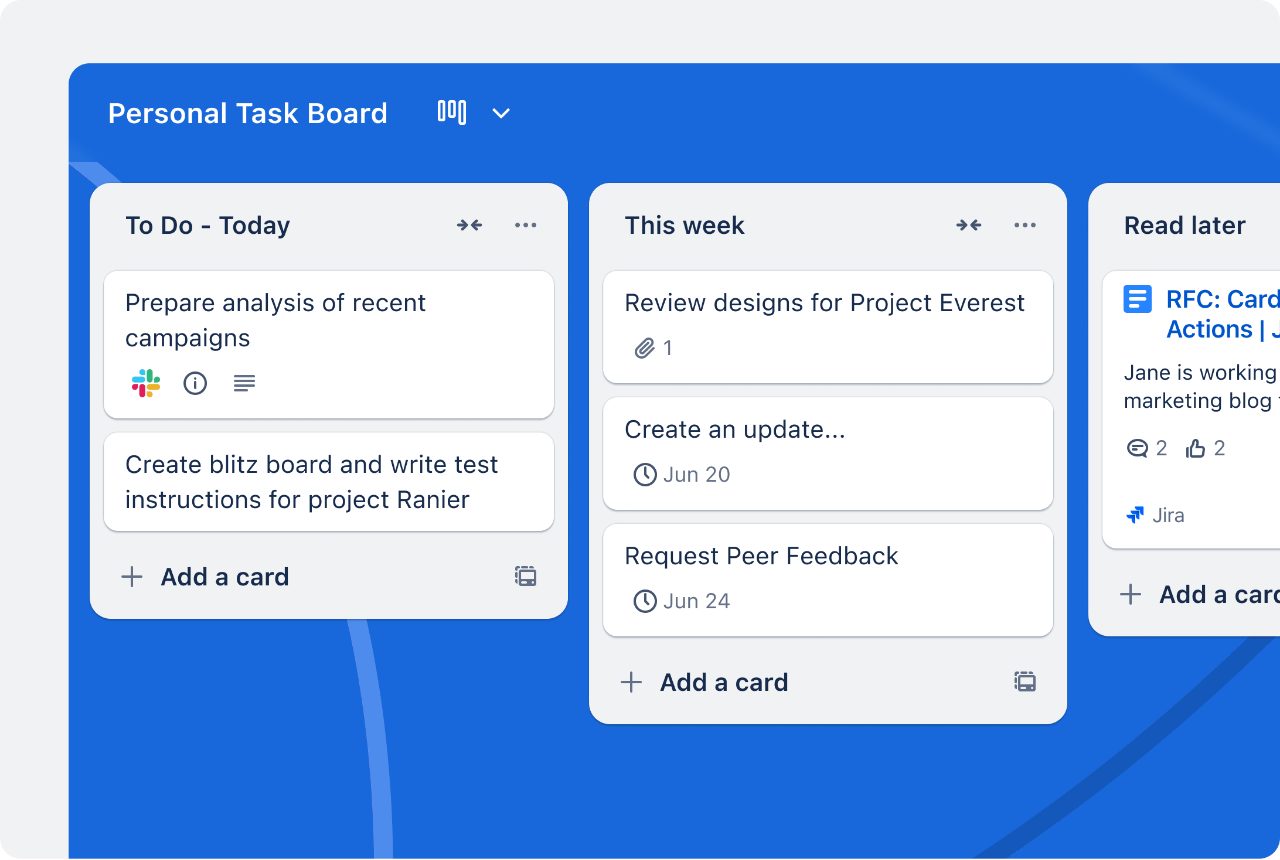
Trello is a cloud-only, subscription project and task management tool from Atlassian built around boards, lists and cards, with an Inbox and Planner for personal to-dos. The Free plan covers up to 10 collaborators per Workspace; Standard adds unlimited boards, custom fields and more automation, and Premium adds the calendar, timeline, table, dashboard and map views and admin controls. It runs in the browser, on desktop apps and on iOS and Android, and is proprietary software.
What users say
Evidence ↓Reviewers and users mostly agree Trello is quick to learn for non-technical teams, with a drag-and-drop board interface and a low price. The critical side, repeated across competitor blogs and an independent review, is that it lacks native task dependencies, Gantt charts, time tracking and built-in reporting, so complex projects need Power-Ups or another tool. The only user account read is a single review, and it also reports being locked out and getting little support.
Rankings and alternatives






Free project management software scores
Evaluated Nov 17, 2026 Evidence ↓- Easy for the whole group · counts double 5
5/5 means: New members get going within minutes and keep using it, with almost no setup
Independent review rates usability 10/10 for drag-and-drop boards and the vendor survey says 81% chose it for ease of use; a board of lists and cards needs almost no setup. Complaints concern planning depth, not learning.
- People on the free plan 4
4/5 means: Ten to nineteen people
Up to 10 collaborators per free Workspace, and that count includes guests and pending invites, so ten people can edit. More than one Workspace is possible but each is capped.
- Room on the free plan · counts double 3
3/5 means: Room for ongoing work with a cap the group plans around, such as about ten boards or spaces, a cap on open tasks, a record cap per base, or under 100 MB of storage
Unlimited cards but only 10 boards per Workspace, which a group plans around; files are capped at 10MB each with unlimited storage. Whether closed boards count toward the 10 was not found.
- Planning views on the free plan 2
2/5 means: Lists or tables and boards plus a calendar, but no timeline
Free has boards (plus an Inbox and a view-only Planner), and Trello's own free Calendar Power-Up puts a board's due dates on a monthly calendar; the built-in calendar, timeline, table, dashboard and map views are Premium, and there are no dependencies.
- Docs and discussion 1
1/5 means: Comments on tasks only
Cards have comments and descriptions but no built-in docs, chat or project updates; this rests on product knowledge and the reviewer's note on missing features rather than a saved quote.
- Clients and outsiders 2
2/5 means: Outsiders can join only as full members, counting toward any member cap and seeing what members see
Outsiders can be invited on Free but every guest counts toward the 10 collaborators, so they use up the member limit; single-board guests are only free on paid plans.
- First paid step · counts half 5
5/5 means: $5 or less per person a month
Standard is $5 per user per month billed annually; 5 x 5 = $25 a month, $5 per person. It lifts the board cap and collaborator cap. No seat minimum found.
- Software project workflow · counts half 2
2/5 means: A code-hosting integration or sprint-style planning, but not both
No native sprints or backlog; a GitHub Power-Up exists in the marketplace but its free status was not confirmed, so this rests on product knowledge.
Project management software for small teams scores
Evaluated Nov 17, 2026 Evidence ↓- Easy for the whole team · counts double 5
5/5 means: New members get going within minutes and keep using it, with almost no setup and a clean, fast interface
An independent review rates usability 10/10 for drag-and-drop boards, and the vendor's survey says 81% chose it for ease of use; on Software Advice's user ratings it has the highest ease-of-use score of the major project tools. New members understand a board of lists and cards within minutes and there is almost nothing to set up. That it strains on complex projects is a matter of planning depth, which other criteria score.
- Planning views 3
3/5 means: Lists, boards and a timeline of some kind, but no task dependencies on it
Premium has boards, calendar, table, dashboard, map and a timeline, but there are no native task dependencies (Gantt is only a Power-Up) and the cross-board Workspace views are only table and calendar, not a multi-project timeline. Dependencies rest on competitor blogs and the reviewer's note about no Gantt.
- Price per person 4
4/5 means: $9.01 to $11 per person a month
Premium is $10 per user per month billed annually. 6 people cost 6 x 10 = $60 a month and 25 people cost 25 x 10 = $250 a month, so the average per person is (60/6 + 250/25) / 2 = $10. No seat minimum or block was found on the pages read, so this is not confirmed absent.
- Team communication and docs 1
1/5 means: Comments on tasks only
Trello has card comments and mentions but no built-in docs, chat or project-level status updates. Comments are not covered by the saved quotes, so this rests on product knowledge; the reviewer also notes there is no in-app chat.
- Free plan for a team 3
3/5 means: Free for 10 or more people with lists and boards, but no lasting timeline or Gantt chart
The free plan covers up to 10 collaborators per Workspace with unlimited cards and 10 boards, 250 command runs a month and 10MB files, but no timeline or other views.
- Automation on the paid plan 5
5/5 means: A rule builder with unlimited runs or more than 10,000 a month
Premium has unlimited Workspace command runs (Standard has 1,000 a month and Free 250).
- Reporting and workload 2
2/5 means: One of dashboards or charts, a workload view, and built-in time tracking
Premium has a Dashboard view, but there is no native workload view and no native time tracking (those need Power-Ups).
- Clients and contractors 3
3/5 means: Free outside collaborators, but with a tight limit, such as one board, a small count, or counting against a user cap
Standard and up allow single-board guests, which the pricing page lists without a per-seat charge, but a guest on more than one board is billed as a full member and multi-board guests are an Enterprise feature. Whether single-board guests can edit cards is not in the evidence.
- Software team workflow · counts half 2
2/5 means: A code-hosting integration or sprint templates, but not both
Trello has no native sprints or backlog, and GitHub and Jira links come through Power-Ups, so it has a code integration but no sprint tooling. The GitHub Power-Up rests on product knowledge, not a read page.
Pricing
- Free Free Up to 10 collaborators per Workspace, up to 10 boards per Workspace, unlimited cards, 250 Workspace command runs per month, 10MB per file, 2-factor authentication, Inbox, unlimited Power-Ups per board. No timeline or other views. Collaborators include Workspace members, single-board and multi-board guests and pending invites; people only on closed boards don't count. Over 10, boards become view-only and automations stop; no new people can be added at 10. Planner is view-only on Free. No cap on the number of automation rules or Power-Ups.
- Standard $5.00 /month per seat $5 per user per month billed annually ($60 per user per year), or $6 per user per month billed monthly. Unlimited boards, Custom Fields, advanced checklists, card mirroring, Planner, 1,000 Workspace command runs per month, 250MB per file, single-board guests. No timeline, table, calendar or dashboard view.
- Premium $10.00 /month per seat $10 per user per month billed annually ($120 per user per year), or $12.50 per user per month billed monthly. Adds Calendar, Timeline, Table, Dashboard and Map views, Workspace table and calendar views, unlimited command runs, admin and security features. 10 users cost $100 a month equivalent billed annually ($1,200 upfront) or $125 billed monthly.
- Enterprise $17.50 /month per seat $17.50 per user per month billed annually ($210 per user per year). Adds unlimited Workspaces, multi-board guests, organization-wide permissions and SSO via Atlassian Guard. Multi-board guests on paid plans are billed like members.
- Atlassian Guard $4.00 /month per seat , extra Separate Atlassian subscription for SAML SSO and enforced 2FA, starting at $4 per user per month; the Enterprise plan includes it.
Prices checked Nov 17, 2026.
Evidence and sources
What users say
Summary 4 quotes
-
We like Trello for small to midsize businesses because of its drag-and-drop interface, Kanban-style boards, collaboration tools, and low price.
John Balistreri, reviewer at SoftwareConnect · softwareconnect.com/reviews/trello · published · checked -
However, businesses with over 200 employees may need to look elsewhere, as Trello lacks some advanced project management functions like a built-in time management module and Gantt chart views.
John Balistreri, reviewer at SoftwareConnect · softwareconnect.com/reviews/trello · published · checked -
The software works great for tracking my projects and the attached labor. I can easily see active projects and who is assigned to what. I like how I can just touch the screen and move personell around if needed. However we ran into a technical issue and got locked out of the program. We could hardly get a return call from customer service, let alone any help on our account.
softwareconnect.com/reviews/trello · published · checked -
Trello does not have a native way to track task dependencies. This Trello limitation means that you can’t easily see which tasks need to be completed before other tasks can start.
kanbanzone.com/2023/trello-limitations-what-to-consider-before-using-trello · published · checked
Free project management software scores
Easy for the whole group 3 quotes
-
We like Trello for small to midsize businesses because of its drag-and-drop interface, Kanban-style boards, collaboration tools, and low price.
John Balistreri, reviewer at SoftwareConnect · softwareconnect.com/reviews/trello · published · checked -
75% of organizations report that Trello delivers value to their business within 30 days.
trello.com · checked -
The software works great for tracking my projects and the attached labor. I can easily see active projects and who is assigned to what. I like how I can just touch the screen and move personell around if needed. However we ran into a technical issue and got locked out of the program. We could hardly get a return call from customer service, let alone any help on our account.
softwareconnect.com/reviews/trello · published · checked
People on the free plan 3 quotes
-
Free for up to 10 collaborators per Workspace
trello.com/pricing · checked -
A collaborator is anyone who’s been invited to a board in your Workspace or the Workspace itself. This includes: Workspace members Workspace guests (board members who aren’t members of your Workspace. This includes single-board guests and multi-board guests) Pending board and Workspace invites
support.atlassian.com/trello/docs/workspace-user-limit · checked -
If your Workspace has more than 10 collaborators currently, the boards in this Workspace will become view-only. You’ll be able to see all the boards in the Workspace but won’t be able to make any changes to the cards in them. While your Workspace has 10 or more collaborators you’ll also be unable to add any new collaborators to your boards or workspaces.
support.atlassian.com/trello/docs/workspace-user-limit · checked
Room on the free plan 1 quote
-
Unlimited cards Up to 10 boards per Workspace Quickly capture to-dos from email, Slack, and Teams Inbox Unlimited Power-Ups per board Unlimited storage (10MB/file) 250 Workspace command runs per month
trello.com/pricing · checked
Planning views on the free plan 4 quotes
-
Everything in Standard, plus: AI Views: Calendar, Timeline, Table, Dashboard, and Map Workspace views: Table and Calendar Unlimited Workspace command runs Admin and security features
trello.com/pricing · checked -
The free plan feature list is short: unlimited cards, unlimited Power-Ups per board, the iOS and Android apps, two-factor authentication, assignee and due dates, an activity log and an inbox.
dupple.com/learn/is-trello-free · published · checked -
Unlimited cards Up to 10 boards per Workspace Quickly capture to-dos from email, Slack, and Teams Inbox Unlimited Power-Ups per board Unlimited storage (10MB/file) 250 Workspace command runs per month
trello.com/pricing · checked -
Calendar (free, made by Trello) shows cards with due dates in a monthly calendar view, with drag-and-drop rescheduling. Trello’s newer built-in Calendar view needs a Premium plan, which makes this Power-Up especially useful on Free and Standard boards.
sendboard.com/blog/best-free-trello-power-ups · published · checked
Docs and discussion 1 quote
-
However, businesses with over 200 employees may need to look elsewhere, as Trello lacks some advanced project management functions like a built-in time management module and Gantt chart views.
John Balistreri, reviewer at SoftwareConnect · softwareconnect.com/reviews/trello · published · checked
Clients and outsiders 2 quotes
-
A collaborator is anyone who’s been invited to a board in your Workspace or the Workspace itself. This includes: Workspace members Workspace guests (board members who aren’t members of your Workspace. This includes single-board guests and multi-board guests) Pending board and Workspace invites
support.atlassian.com/trello/docs/workspace-user-limit · checked -
All Workspace members and guests count as collaborators in free Workspaces. However, in paid Workspaces, only Workspace members and guests that are on more than one board are billable.
community.atlassian.com/forums/discussion/comment/2629751 · checked
First paid step 2 quotes
-
Per user/month if billed annually ($6 billed monthly)
trello.com/pricing · checked -
AI Unlimited boards Quickly capture to-dos from email, Slack, and Teams — powered by AI Planner Advanced checklists Card mirroring Custom Fields List colors Collapsible lists Unlimited storage (250MB/file) 1,000 Workspace command runs per month Single board guests Saved searches
trello.com/pricing · checked
Software project workflow 1 quote
-
Unlimited cards Up to 10 boards per Workspace Quickly capture to-dos from email, Slack, and Teams Inbox Unlimited Power-Ups per board Unlimited storage (10MB/file) 250 Workspace command runs per month
trello.com/pricing · checked
Project management software for small teams scores
Easy for the whole team 3 quotes
-
We like Trello for small to midsize businesses because of its drag-and-drop interface, Kanban-style boards, collaboration tools, and low price.
John Balistreri, reviewer at SoftwareConnect · softwareconnect.com/reviews/trello · published · checked -
75% of organizations report that Trello delivers value to their business within 30 days.
trello.com · checked -
The software works great for tracking my projects and the attached labor. I can easily see active projects and who is assigned to what. I like how I can just touch the screen and move personell around if needed. However we ran into a technical issue and got locked out of the program. We could hardly get a return call from customer service, let alone any help on our account.
softwareconnect.com/reviews/trello · published · checked
Planning views 4 quotes
-
Everything in Standard, plus: AI Views: Calendar, Timeline, Table, Dashboard, and Map Workspace views: Table and Calendar Unlimited Workspace command runs Admin and security features
trello.com/pricing · checked -
Trello does not have a native way to track task dependencies. This Trello limitation means that you can’t easily see which tasks need to be completed before other tasks can start.
kanbanzone.com/2023/trello-limitations-what-to-consider-before-using-trello · published · checked -
On Trello, the Gantt chart view is available as a power-up (which you need to add yourself). While additional views like Calendar, Timeline, and Dashboard are only available on the Premium Plan.
kanbanzone.com/2023/trello-limitations-what-to-consider-before-using-trello · published · checked -
However, businesses with over 200 employees may need to look elsewhere, as Trello lacks some advanced project management functions like a built-in time management module and Gantt chart views.
John Balistreri, reviewer at SoftwareConnect · softwareconnect.com/reviews/trello · published · checked
Price per person 1 quote
-
Per user/month if billed annually ($12.50 billed monthly)
trello.com/pricing · checked
Team communication and docs 1 quote
-
However, businesses with over 200 employees may need to look elsewhere, as Trello lacks some advanced project management functions like a built-in time management module and Gantt chart views.
John Balistreri, reviewer at SoftwareConnect · softwareconnect.com/reviews/trello · published · checked
Free plan for a team 3 quotes
-
Free for up to 10 collaborators per Workspace
trello.com/pricing · checked -
Unlimited cards Up to 10 boards per Workspace Quickly capture to-dos from email, Slack, and Teams Inbox Unlimited Power-Ups per board Unlimited storage (10MB/file) 250 Workspace command runs per month
trello.com/pricing · checked -
Everything in Standard, plus: AI Views: Calendar, Timeline, Table, Dashboard, and Map Workspace views: Table and Calendar Unlimited Workspace command runs Admin and security features
trello.com/pricing · checked
Automation on the paid plan 2 quotes
-
Everything in Standard, plus: AI Views: Calendar, Timeline, Table, Dashboard, and Map Workspace views: Table and Calendar Unlimited Workspace command runs Admin and security features
trello.com/pricing · checked -
AI Unlimited boards Quickly capture to-dos from email, Slack, and Teams — powered by AI Planner Advanced checklists Card mirroring Custom Fields List colors Collapsible lists Unlimited storage (250MB/file) 1,000 Workspace command runs per month Single board guests Saved searches
trello.com/pricing · checked
Reporting and workload 3 quotes
-
Everything in Standard, plus: AI Views: Calendar, Timeline, Table, Dashboard, and Map Workspace views: Table and Calendar Unlimited Workspace command runs Admin and security features
trello.com/pricing · checked -
However, businesses with over 200 employees may need to look elsewhere, as Trello lacks some advanced project management functions like a built-in time management module and Gantt chart views.
John Balistreri, reviewer at SoftwareConnect · softwareconnect.com/reviews/trello · published · checked -
Trello does not have a native way to track task dependencies. This Trello limitation means that you can’t easily see which tasks need to be completed before other tasks can start.
kanbanzone.com/2023/trello-limitations-what-to-consider-before-using-trello · published · checked
Clients and contractors 2 quotes
-
AI Unlimited boards Quickly capture to-dos from email, Slack, and Teams — powered by AI Planner Advanced checklists Card mirroring Custom Fields List colors Collapsible lists Unlimited storage (250MB/file) 1,000 Workspace command runs per month Single board guests Saved searches
trello.com/pricing · checked -
Any Guest that is on more than one board within the Workspace is considered a Multi-Board Guest and is billed at the same rate as Standard or Premium Workspace members.
trello.com/pricing · checked
Software team workflow 1 quote
-
However, businesses with over 200 employees may need to look elsewhere, as Trello lacks some advanced project management functions like a built-in time management module and Gantt chart views.
John Balistreri, reviewer at SoftwareConnect · softwareconnect.com/reviews/trello · published · checked
Facts
License 1 quote
-
Trello is proudly a cloud-only product. We offer access via the web, desktop, and our awesome mobile apps.
trello.com/pricing · checked
Runs on 1 quote
-
Web
trello.com/platforms · checked
More from the sources
Pricing 3 quotes
-
Per user/month - billed annually ($210.00 annual price per user)
trello.com/pricing · checked -
We have discounts available for non-profits: https://support.atlassian.com/trello/docs/non-profit-and-educational-discounts/
community.atlassian.com/forums/discussion/comment/2629751 · checked -
50% - 100% off discounts are available for nonprofits and social enterprises that are:
atlassian.com/teams/nonprofits/discount-pricing · checked
Features 1 quote
-
Atlassian Guard is a separate subscription that your company can enable across all your Atlassian products and starts at $4/month/user.
trello.com/pricing · checked
Limits and known issues 3 quotes
-
Anyone who’s only a member of closed boards in your Workspace Deactivated accounts Deactivated Workspace members
support.atlassian.com/trello/docs/workspace-user-limit · checked -
Starting April 8, 2024: If your free Trello Workspace already has 10 or more collaborators, you won’t be able to add new collaborators to the Workspace, unless you upgrade your plan or reduce the number of collaborators to below the limit. Starting May 20, 2024: If your free Trello Workspace has more than 10 collaborators, the boards in this Workspace will become view-only.
community.atlassian.com/forums/discussion/comment/2629751 · published · checked -
As far as I know, there's aren't any limits for the number of automation rules or Power-Ups you can have on a Board. There are some limits for Free plans though in terms of automation runs per month, operations per month, etc
community.atlassian.com/forums/discussion/2669719/any-limits-on-powerups-and-automations-on-free-account · checked
How widely it is used 1 quote
-
Trusted by millions.
trello.com/pricing · checked
Pricing
trello.com/pricing · checked