
Linear
Fast, keyboard-first issue tracking and project planning built for software teams
Our verdict
#5 of 10 in Project management software for small teams · Best for software teams
What it does
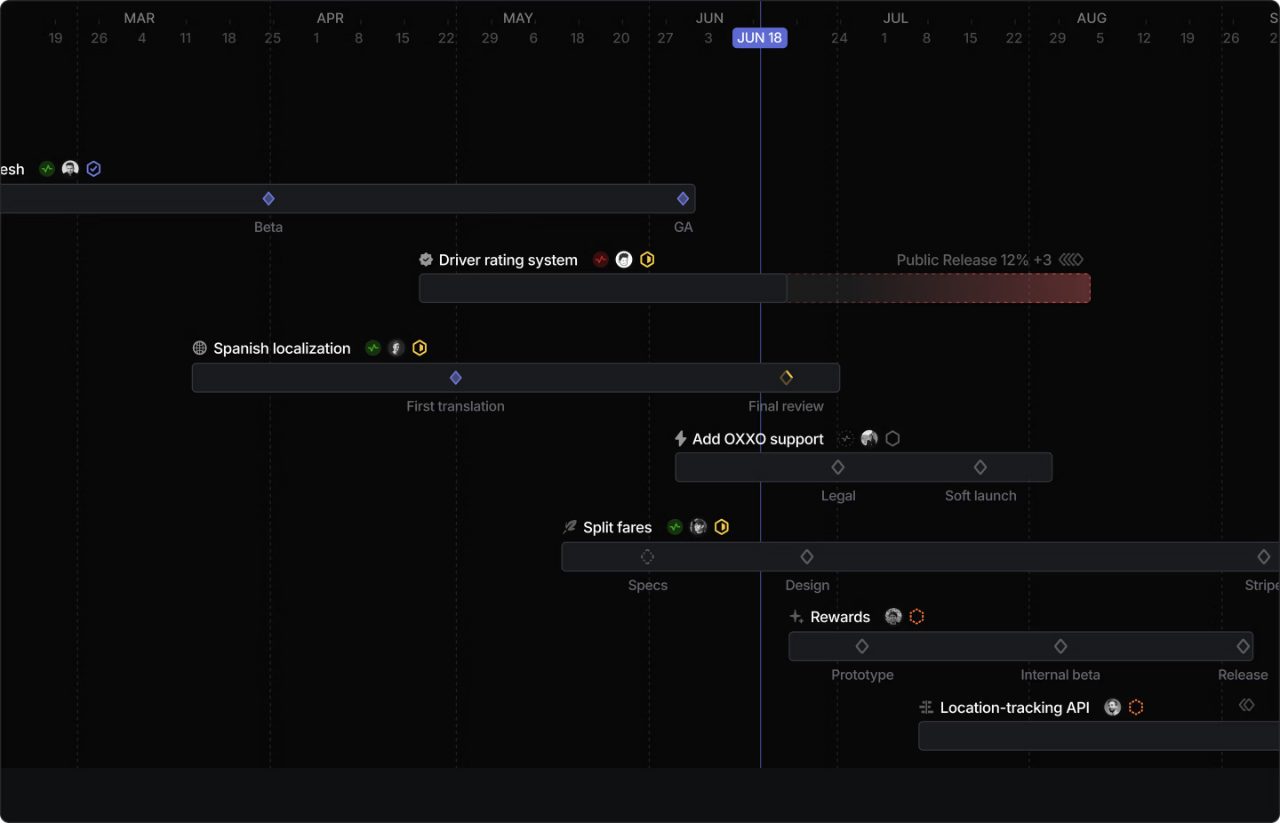
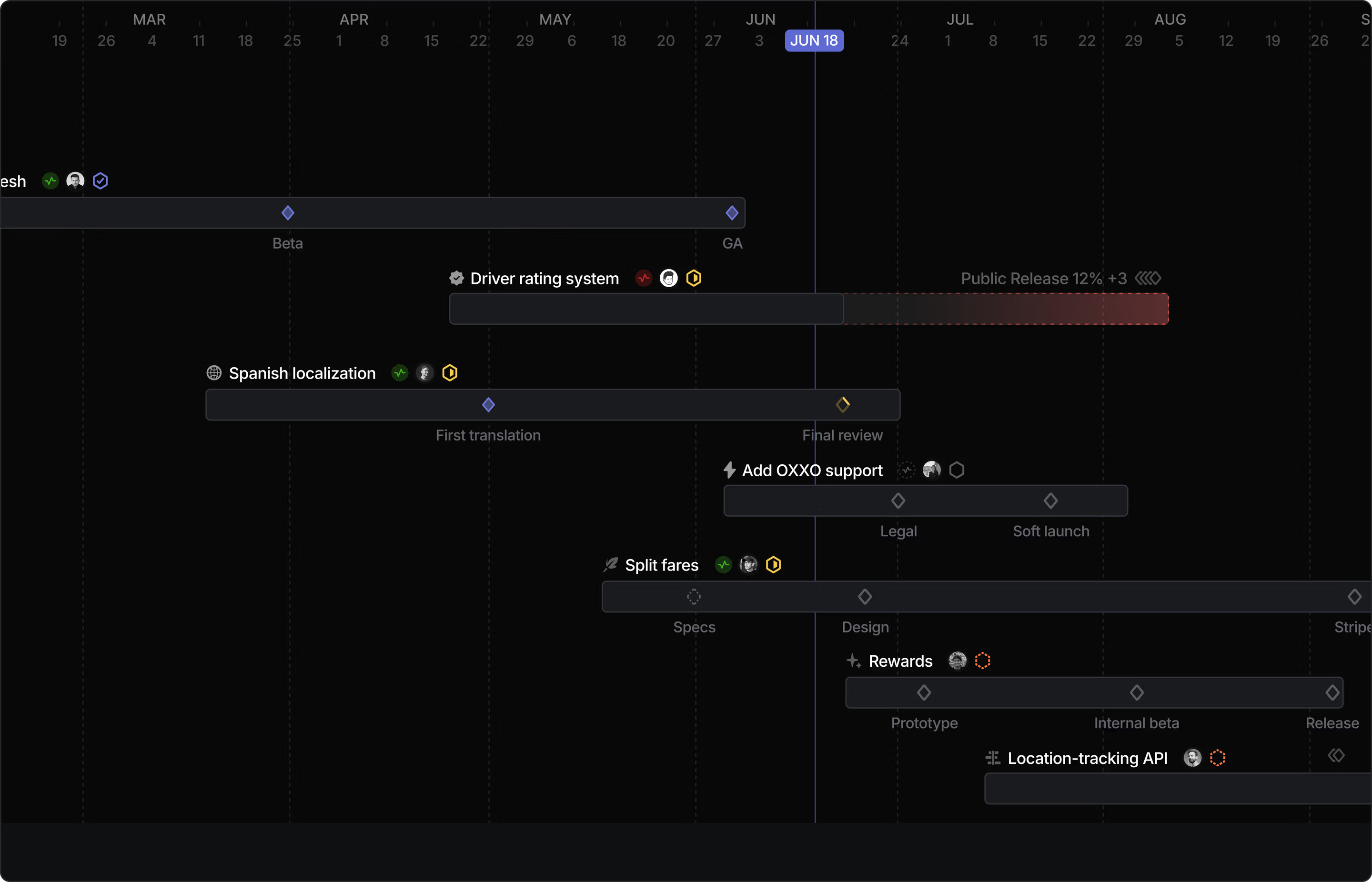
- Issues, cycles, projects with milestones and a roadmap timeline
- GitHub and GitLab integrations that update issues from pull requests
- Importers from Jira, Asana, Trello, GitHub Issues, and Shortcut
Pros
- Fast and keyboard-driven, with a clean interface
- Needs almost no administration
- Built around how software teams already work
Cons
- Free plan stops at 250 issues
- Guests need the $16 Business plan
- No workload view, time tracking, or custom automation rules
- Skip if:
- Most of your team doesn't work on software
Linear is a hosted (cloud) issue tracker and planning tool for product and software teams, founded in 2019. Work is organized as issues inside teams, with projects, cycles (sprints), initiatives, custom views and project updates on top, plus GitHub, GitLab and Slack integrations. Linear’s own guides tell small teams to start with plain issues and add projects later, and to set up teams by function such as Engineering, Design and Marketing. The free plan allows unlimited members but only 2 teams and 250 issues; paid plans are billed per user.
What users say
Evidence ↓The one independent practitioner account read praises Linear for simplicity, a snappy interface and extensive keyboard control, and for needing no full-time administrator. The same author says it works more like a product management tool than a traditional project management tool. This is a single blog post from 2024, so it shows one view, not what most users say.
Rankings and alternatives






Free project management software scores
Evaluated Nov 17, 2026 Evidence ↓- Easy for the whole group · counts double 3
3/5 means: Fine once someone builds the structure or learns the product's terms, with known snags such as a blank-page start or a crowded interface
Fast and simple by one independent account, but issues, teams, cycles and triage are software-team terms, and Linear's own guide says it supports the software development lifecycle. A mixed group with non-engineers needs someone to set up teams; no independent view on non-technical users was found.
- People on the free plan 5
5/5 means: Twenty or more, or no limit on members
Free has unlimited members.
- Room on the free plan · counts double 1
1/5 means: One project, or a cap of a few hundred items across the whole account
A 250-issue cap across 2 teams, with 10MB file uploads. Whether archived issues free room is unconfirmed (Linear auto-archives closed issues), so the cap may count only open work, but 250 is a few hundred items.
- Planning views on the free plan 4
4/5 means: A timeline or Gantt chart with task dependencies, fully on the free plan
The pricing table lists issues, projects, cycles and initiatives as Core for all plans, and Linear's guide describes blocking relations and timeline views. Timeline with dependencies on Free rests on that plus product knowledge; a multi-project timeline and a calendar view were not confirmed.
- Docs and discussion 3
3/5 means: Comments plus built-in docs or wiki pages
Comments, project updates and project documents are built in; there is no chat or message board.
- Clients and outsiders 2
2/5 means: Outsiders can join only as full members, counting toward any member cap and seeing what members see
Guest accounts are Business only, but Free allows unlimited members, so outsiders can join as full members at no cost. No public share links were documented.
- First paid step · counts half 3
3/5 means: $9.01 to $11 per person a month
Basic is $10 per user per month billed yearly with no seat minimum stated, so 5 people pay $50 a month, $10 each.
- Software project workflow · counts half 5
5/5 means: Built for software teams, with cycles or sprints, a backlog, triage, and code integrations that keep issues in step with pull requests
Cycles, projects, triage inbox and GitHub and GitLab integrations are in the Free feature set. Automatic status changes on pull request events rest on product knowledge; the docs page read was nearly empty.
Project management software for small teams scores
Evaluated Nov 17, 2026 Evidence ↓- Easy for the whole team · counts double 4
4/5 means: Most people get going within a day, with few complaints beyond occasional clutter or a learning curve for advanced features
Linear's guide says issues take seconds to create and small teams can start with plain issues, and the one independent account read praises speed, simplicity and keyboard control. Its vocabulary and workflow are built for software teams, so marketing or ops teammates may face a learning curve; no independent view on non-technical users was found.
- Planning views 5
5/5 means: All of that plus a timeline or roadmap that shows several projects together
Lists, boards, project timelines and roadmaps across several projects, cycles, milestones, and issue relations (blocking, related, duplicate), all in the Core feature set available on Basic. Dependencies on the timeline and a calendar view rest on product knowledge, not a quote read.
- Price per person 4
4/5 means: $9.01 to $11 per person a month
Basic is $10 per user per month billed yearly with no stated seat minimum or block, so a 6-person team pays $60 a month ($10 each) and a 25-person team $250 a month ($10 each); the average is $10 for both. Basic's timeline rests on the pricing table listing projects under Core and the guide describing project timelines.
- Team communication and docs 3
3/5 means: Comments and updates plus built-in docs or wiki pages
Issue comments, project updates with status and bidirectional Slack comment sync, and project documents are built in; there is no real-time chat or message board.
- Free plan for a team 4
4/5 means: Free for 10 or more people with a timeline, but with a tight cap on items, storage or feature uses
Free allows unlimited members with projects, cycles and initiatives in the Core set, but is capped at 2 teams, 250 issues and 10MB uploads, a cap an active team will reach within weeks to months.
- Automation on the paid plan 2
2/5 means: Only simple built-in automation, such as buttons or fixed workflow rules, or a rule builder with fewer than 500 runs a month
Basic has fixed workflow automations (such as GitHub-driven status updates, recurring issues and auto-close rules) and an API and webhooks, but no user-built rule builder with run counts; triage rules need Business.
- Reporting and workload 2
2/5 means: One of dashboards or charts, a workload view, and built-in time tracking
Basic includes progress reports and project graphs; Insights and dashboards are Business only. Linear has no workload view or built-in time tracking, which rests on product knowledge.
- Clients and contractors 2
2/5 means: Free outside access is view-only, or free guests come only on a pricier plan
Guest accounts and private teams are Business-only ($16 per user), so on Basic outside people cannot be added as guests; guests on Business are not billed as full seats, which rests on product knowledge.
- Software team workflow · counts half 5
5/5 means: Built for software teams, with cycles or sprints, a backlog, triage, and code integrations that keep issues in step with pull requests
Built for software teams, with cycles, backlog, triage, and GitHub and GitLab integrations that update issue status from pull requests.
Pricing
- Free Free Unlimited members, 2 teams, 250 issues, 10MB file uploads. Over 250 issues after cancelling a paid plan, you can no longer create new issues.
- Basic $10.00 /month per seat Billed yearly, so $10 per user per month is the annual rate: a 10-person team pays $100 per month equivalent, $1,200 per year. The monthly-billing price was not shown in the page text read. 5 teams, unlimited issues and file uploads, admin roles. Billed for unsuspended users in any role; no seat minimum was stated.
- Business $16.00 /month per seat Billed yearly (annual rate). Unlimited teams, private teams and guest accounts, Insights and dashboards, Asks, Zendesk and Intercom integrations, 1 level of sub-teams, SAML SSO is Enterprise only.
- Enterprise Contact sales Custom pricing, annual billing only. SAML and SCIM, audit log, invoice/PO billing, priority support.
Prices checked Nov 17, 2026.
Evidence and sources
What users say
Summary 2 quotes
-
Linear superficially resembles Jira, organising issues with hyphen-separated alphanumeric identifiers like BK-11, into lists and boards. However, when you actually use Linear, you discover a new quality focus: simplicity - no need to employ full-time ‘administrators’ for configuration performance - snappy user interface and fast navigation transitions usability - e.g. extensive keyboard control for expert users.
Hilton, independent product and software practitioner (blog author) · hilton.org.uk/blog/linear-projects · published · checked -
Despite this, Linear works more like other modern product management tools, such as Kitemaker than a project management tool.
Hilton, independent product and software practitioner (blog author) · hilton.org.uk/blog/linear-projects · published · checked
Free project management software scores
Easy for the whole group 4 quotes
-
Linear superficially resembles Jira, organising issues with hyphen-separated alphanumeric identifiers like BK-11, into lists and boards. However, when you actually use Linear, you discover a new quality focus: simplicity - no need to employ full-time ‘administrators’ for configuration performance - snappy user interface and fast navigation transitions usability - e.g. extensive keyboard control for expert users.
Hilton, independent product and software practitioner (blog author) · hilton.org.uk/blog/linear-projects · published · checked -
Despite this, Linear works more like other modern product management tools, such as Kitemaker than a project management tool.
Hilton, independent product and software practitioner (blog author) · hilton.org.uk/blog/linear-projects · published · checked -
Mimic your org chart and establish teams by function — such as Engineering, Design, and Marketing — and use Sub-teams to reflect specialized teams under those, like backend or frontend development, or a team working on a specific feature.
linear.app/docs/how-to-use-linear-small-teams · checked -
You can create recurring issues to automate your repeated tasks on a cadence of your choosing.
linear.app/docs/how-to-use-linear-small-teams · checked
People on the free plan 1 quote
-
Free $0 Free for everyone Unlimited members 2 teams 250 issues
linear.app/pricing · checked
Room on the free plan 3 quotes
-
Free $0 Free for everyone Unlimited members 2 teams 250 issues
linear.app/pricing · checked -
When cancelling a subscription: Nothing will be deleted. If you have over 250 issues, you will no longer be able to create new issues.
linear.app/docs/billing-and-plans · checked -
Closed issues are auto-archived after they have remained completed, canceled, or auto-closed and inactive for the full auto-archive period.
linear.app/docs/delete-archive-issues · checked
Planning views on the free plan 2 quotes
-
You can create recurring issues to automate your repeated tasks on a cadence of your choosing.
linear.app/docs/how-to-use-linear-small-teams · checked -
Core Issues, projects, cycles, initiatives Included
linear.app/pricing · checked
Docs and discussion 2 quotes
-
You can create recurring issues to automate your repeated tasks on a cadence of your choosing.
linear.app/docs/how-to-use-linear-small-teams · checked -
Core Issues, projects, cycles, initiatives Included
linear.app/pricing · checked
Clients and outsiders 2 quotes
-
Free $0 Free for everyone Unlimited members 2 teams 250 issues
linear.app/pricing · checked -
Guest accounts Not included
linear.app/pricing · checked
First paid step 2 quotes
-
Basic $10 per user/month$10 per user/month Billed yearly All Free features + 5 teams Unlimited issues Unlimited file uploads Admin roles
linear.app/pricing · checked -
Customers are billed for the number of unsuspended users within a workspace. Thus, your paid plan only applies to the single workspace associated with it.
linear.app/docs/billing-and-plans · checked
Software project workflow 3 quotes
-
Core Issues, projects, cycles, initiatives Included
linear.app/pricing · checked -
Triage Intelligence, Triage Rules and Triage Responsibility are all available on our Business and Enterprise plans.
linear.app/docs/triage · checked -
Only users with Linear accounts can create issues in Slack using the Linear integration.
linear.app/docs/slack · checked
Project management software for small teams scores
Easy for the whole team 4 quotes
-
Linear superficially resembles Jira, organising issues with hyphen-separated alphanumeric identifiers like BK-11, into lists and boards. However, when you actually use Linear, you discover a new quality focus: simplicity - no need to employ full-time ‘administrators’ for configuration performance - snappy user interface and fast navigation transitions usability - e.g. extensive keyboard control for expert users.
Hilton, independent product and software practitioner (blog author) · hilton.org.uk/blog/linear-projects · published · checked -
Despite this, Linear works more like other modern product management tools, such as Kitemaker than a project management tool.
Hilton, independent product and software practitioner (blog author) · hilton.org.uk/blog/linear-projects · published · checked -
Mimic your org chart and establish teams by function — such as Engineering, Design, and Marketing — and use Sub-teams to reflect specialized teams under those, like backend or frontend development, or a team working on a specific feature.
linear.app/docs/how-to-use-linear-small-teams · checked -
You can create recurring issues to automate your repeated tasks on a cadence of your choosing.
linear.app/docs/how-to-use-linear-small-teams · checked
Planning views 2 quotes
-
You can create recurring issues to automate your repeated tasks on a cadence of your choosing.
linear.app/docs/how-to-use-linear-small-teams · checked -
Linear superficially resembles Jira, organising issues with hyphen-separated alphanumeric identifiers like BK-11, into lists and boards. However, when you actually use Linear, you discover a new quality focus: simplicity - no need to employ full-time ‘administrators’ for configuration performance - snappy user interface and fast navigation transitions usability - e.g. extensive keyboard control for expert users.
Hilton, independent product and software practitioner (blog author) · hilton.org.uk/blog/linear-projects · published · checked
Price per person 2 quotes
-
Basic $10 per user/month$10 per user/month Billed yearly All Free features + 5 teams Unlimited issues Unlimited file uploads Admin roles
linear.app/pricing · checked -
Customers are billed for the number of unsuspended users within a workspace. Thus, your paid plan only applies to the single workspace associated with it.
linear.app/docs/billing-and-plans · checked
Team communication and docs 2 quotes
-
You can create recurring issues to automate your repeated tasks on a cadence of your choosing.
linear.app/docs/how-to-use-linear-small-teams · checked -
Our Basic Plan provides 5 teams, unlimited uploads, unlimited Issues and admin roles. You should consider the Business Plan if:
linear.app/docs/how-to-use-linear-small-teams · checked
Free plan for a team 2 quotes
-
Free $0 Free for everyone Unlimited members 2 teams 250 issues
linear.app/pricing · checked -
Customers are billed for the number of unsuspended users within a workspace. Thus, your paid plan only applies to the single workspace associated with it.
linear.app/docs/billing-and-plans · checked
Automation on the paid plan 2 quotes
-
You can create recurring issues to automate your repeated tasks on a cadence of your choosing.
linear.app/docs/how-to-use-linear-small-teams · checked -
Business $16 per user/month$16 per user/month Billed yearly All Basic features + Unlimited teams Private teams and guests Triage Intelligence Code Intelligence Linear Insights Linear Asks Zendesk and Intercom integrations
linear.app/pricing · checked
Reporting and workload 1 quote
-
Business $16 per user/month$16 per user/month Billed yearly All Basic features + Unlimited teams Private teams and guests Triage Intelligence Code Intelligence Linear Insights Linear Asks Zendesk and Intercom integrations
linear.app/pricing · checked
Clients and contractors 2 quotes
-
Business $16 per user/month$16 per user/month Billed yearly All Basic features + Unlimited teams Private teams and guests Triage Intelligence Code Intelligence Linear Insights Linear Asks Zendesk and Intercom integrations
linear.app/pricing · checked -
Our Basic Plan provides 5 teams, unlimited uploads, unlimited Issues and admin roles. You should consider the Business Plan if:
linear.app/docs/how-to-use-linear-small-teams · checked
Software team workflow 2 quotes
-
You can create recurring issues to automate your repeated tasks on a cadence of your choosing.
linear.app/docs/how-to-use-linear-small-teams · checked -
Mimic your org chart and establish teams by function — such as Engineering, Design, and Marketing — and use Sub-teams to reflect specialized teams under those, like backend or frontend development, or a team working on a specific feature.
linear.app/docs/how-to-use-linear-small-teams · checked
Facts
Users 1 quote
-
Founded in 2019, Linear has become the tool of choice for more than 50,000 companies (including OpenAI, Coinbase, and Ramp) to plan, build, and ship their products.
linear.app/about · checked
More from the sources
Pricing 4 quotes
-
We also offer university staff and employees a 75% discount at qualifying academic institutions.
linear.app/docs/billing-and-plans · checked -
We offer 75% off our Basic and Business paid plans only (not available on Enterprise) to eligible charities (otherwise known as non-profits).
linear.app/docs/billing-and-plans · checked -
Startups affiliated with a partner in Linear’s Startup Program receive up to 6 months of free access to Linear’s Business plan.
linear.app/docs/billing-and-plans · checked -
For billing frequency, we offer either monthly or yearly options.
linear.app/docs/billing-and-plans · checked
Features 2 quotes
-
Linear offers native importers for GitHub Issues, Jira, Asana, Shortcut, and Trello.
linear.app/docs/how-to-use-linear-small-teams · checked -
API and webhook access Included
linear.app/pricing · checked
Pricing
linear.app/pricing · checked