
Cal.com
Hosted scheduling service with a free single-user plan and per-seat team plans, Stripe payments and SMS reminders
Our verdict
#6 of 9 in Appointment scheduling software for small businesses · Free booking links with payments for solo professionals
What it does
- Unlimited session types and Stripe or PayPal payments on the free plan
- Card saving for no-show fees through Stripe
- Email, text and WhatsApp reminder sequences on Teams
- Two-way calendar sync, including Apple's
Pros
- The most capable free plan for one person
- Flexible reminder timing with cancel and reschedule links
- Strong calendar and video-meeting connections
Cons
- No per-staff service menu or client records
- Settings can overwhelm new users
- The open-source version lacks team features and reminders
- Choose if:
- You sell paid calls or sessions on your own and want to pay nothing until you grow
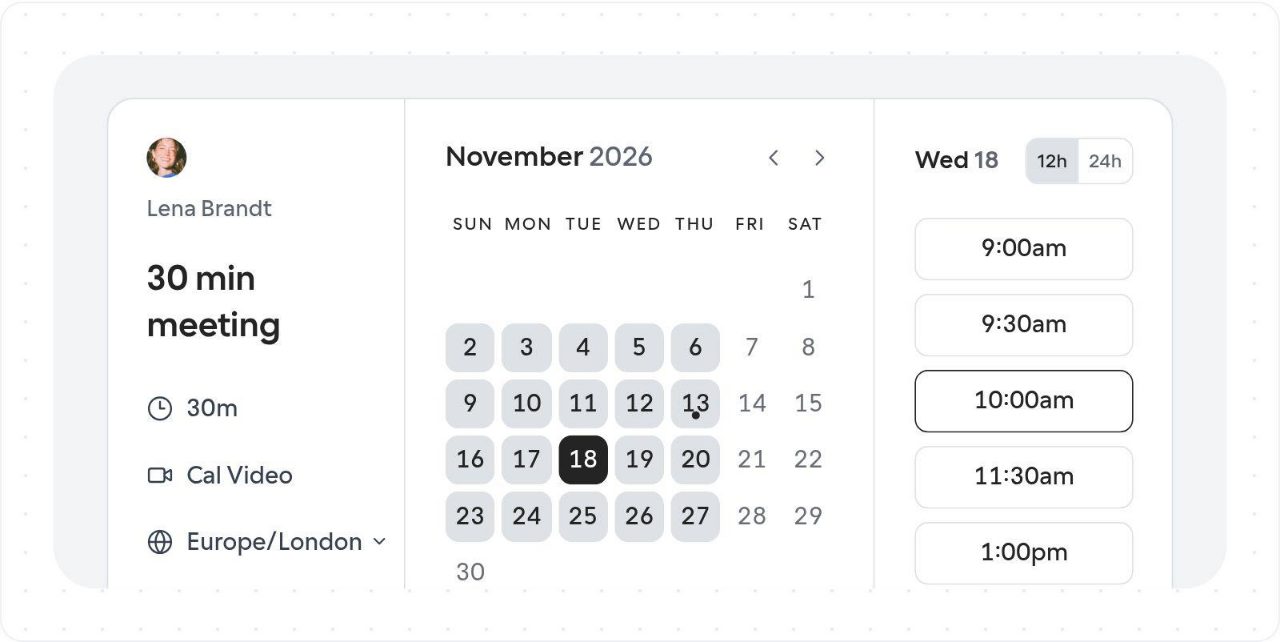
Cal.com is a hosted online scheduling service. Customers pick a time on a booking page, and the booking syncs with Google, Outlook, Apple or Zoho calendars. A free plan covers one user. The Teams plan at $12 per user per month on yearly billing adds round-robin, collective and managed events, routing forms and customizable email and SMS notifications, and HIPAA support starts on the Organizations plan. Stripe and PayPal payments are included on every plan. Cal.com moved its production code to a private repository in April 2026. The public repository is now Cal.diy, a separate MIT-licensed self-hosted fork without teams, workflows, routing forms or Insights, which its maintainers recommend only for personal, non-production use.
What users say
Evidence ↓The practitioner views found are thin and second-hand. Two G2 reviewers, relayed by a competitor, liked how fast the booking page went onto a website and how easy it was to block vacations, but one found setup overwhelming and the integration docs unclear. A summarized Reddit thread had several people recommending Cal.com as a richer Calendly replacement and one finding the newer interface confusing. A Trustpilot score of 4.7 from 380 reviews comes from a company-claimed profile, so it is a weak signal.
Rankings and alternatives
- Appointment scheduling software for small businesses #6 of 9 Free booking links with payments for solo professionals
- Acuity Scheduling #1 The all-rounder for practices and studios with up to six staff
- Square Appointments #2 Free start for businesses that take cards at the counter
- Fresha #3 Salon and spa booking with a marketplace for new clients




Appointment scheduling software for small businesses scores
Evaluated Nov 17, 2026 Evidence ↓- Deposits and no-show protection · counts double 4
4/5 means: Deposits or prepayment plus a saved card the business can charge by hand for a no-show or late cancellation
Stripe payments are on every plan and the Stripe app has a no-show fee option that saves the card for the host to charge. Prepayment or a deposit per event type is likely but not confirmed in the pages read. The policy is not applied automatically per service, so 4 rather than 5.
- Automatic reminders 5
5/5 means: Email and text reminders included, with adjustable timing and clients able to confirm, cancel or reschedule by replying or tapping a link
Workflows on Teams send email, SMS and WhatsApp at adjustable times, and reminders carry cancel and reschedule links. Credit amounts come from a competitor and a three-person US business stays within the free US and Canada SMS, so cost is not a barrier there.
- Staff and service scheduling 2
2/5 means: Several people can take bookings, but the flow is meeting links per person or round-robin, without per-staff services
Team scheduling is round-robin, collective and managed meeting links plus seated group events, with buffers per event type. There are no per-staff service menus and no resources such as rooms or chairs, so it is built for meetings, not a salon or clinic book.
- Easy to set up and run 3
3/5 means: Usable after a learning period, with some confusing settings or friction for clients
Reviewers praise quick website embedding, but one G2 reviewer found setup overwhelming and the docs unclear, and Reddit views are mixed. All of this is second-hand through a competitor and thin.
- Cost for a three-person business 4
4/5 means: About $20 to $40 a month
Three staff on Teams with annual billing is $36 a month ($432 a year). Payments need no extra plan, and US and Canada SMS is free per a competitor. $48 a month on monthly billing would still be in the same band.
- Client records and intake 2
2/5 means: A basic contact list with booking history and booking questions
Booking questions and routing forms exist, but no client profiles with history, notes, intake or consent forms, or packages were found. HIPAA with a BAA is only on Organizations at $28 per user per month. Score rests partly on what the pages read do not show.
- Calendar sync and video meetings 5
5/5 means: Two-way sync with Google, Outlook and Apple calendars and automatic Zoom, Meet or Teams links on every paid plan
Two-way Google, Outlook, Apple and Zoho sync, with Zoom, Meet and the built-in Cal Video available. Calendars and apps are available on the Free plan, so also on Teams. Zoom and Meet links were not confirmed on vendor pages read.
Pricing
- Free Free 1 user only. Unlimited event types and calendar connections, email and SMS notifications, Stripe and PayPal payments, and a mobile app. A competitor's review (September 2026) says it includes 0 message credits.
- Teams $12.00 /month per seat Price with yearly billing, charged upfront as $144 a year per user. Monthly billing is $16 per user per month ($192 a year) per a competitor's review; the vendor page read shows only the yearly price. A 14 day free trial is offered. For 3 people, $36 a month ($432 a year) on yearly billing or $48 a month ($576 a year) on monthly billing. Adds round-robin, collective and managed events, recurring events, routing forms, workflows with customizable email and SMS, removal of Cal.com branding and booking analytics. A competitor's review says it includes 750 message credits per member per month, with SMS to US and Canadian numbers free.
- Organizations $28.00 /month per seat Price with yearly billing; $37 per user per month on monthly billing per a competitor's review. Adds unlimited sub-teams, attribute-based routing, SAML SSO, SCIM and HIPAA support with a BAA.
- Enterprise Contact sales Custom annual pricing through sales.
Prices checked Nov 17, 2026.
Evidence and sources
What users say
Summary 3 quotes
-
A small-business designer reviewing Cal.com on G2 in April 2026 liked how quickly the booking page went onto their website and how easy vacations were to block. A software engineer in March 2026 praised the event-type controls but found the initial setup overwhelming and the integration documentation unclear.
G2 reviewers (unnamed), a small-business designer and a software engineer · meetergo.com/en/magazine/cal-com-review · published · checked -
Cal.com holds 4.7 out of 5 on Trustpilot from 380 reviews (captured 1 September 2026). Reviewers there most often praise flexible design and easy navigation.
meetergo.com/en/magazine/cal-com-review · published · checked -
In a 50-comment r/ProductivityApps thread from spring 2026, several people recommended Cal.com as a Calendly replacement with more features, while another reply found the newer interface confusing.
meetergo.com/en/magazine/cal-com-review · published · checked
Appointment scheduling software for small businesses scores
Deposits and no-show protection 2 quotes
-
Free features: - 1 user - Unlimited links & calendars - Email & SMS notifications - Integrate with 100+ apps - Mobile App - Browser Extension - Accept Stripe & PayPal payments
cal.com/pricing · checked -
Payments and no-show fees: Accept payments through Stripe or PayPal, or use Stripe to charge no-show and late-cancellation fees.
cal.com/blog/best-appointment-reminder-software · checked
Automatic reminders 4 quotes
-
Free plan features, plus: - 1 team, shared availability - Round-robin scheduling - Managed & collective links - Recurring events - Customizable email & SMS notifications - Remove Cal.com branding - Routing forms - Booking analytics - Custom APIs
cal.com/pricing · checked -
SMS, WhatsApp messages and Cal.ai calls are paid with credits: Free gets 0, Teams 750 per member per month, Organizations 1,000. SMS in the US and Canada is free; elsewhere Cal.com bills Twilio's regional rate plus an 80% processing fee, and messages fall back to email when credits run out.
meetergo.com/en/magazine/cal-com-review · published · checked -
Messages can go out by email, text, or WhatsApp. Clients can also cancel or reschedule through links in their reminders, and the changes update the booking automatically.
cal.com/blog/best-appointment-reminder-software · checked -
Monthly message credits: Get monthly credits for text and WhatsApp messages, with additional credits available to purchase.
cal.com/blog/best-appointment-reminder-software · checked
Staff and service scheduling 2 quotes
-
Free plan features, plus: - 1 team, shared availability - Round-robin scheduling - Managed & collective links - Recurring events - Customizable email & SMS notifications - Remove Cal.com branding - Routing forms - Booking analytics - Custom APIs
cal.com/pricing · checked -
Messages can go out by email, text, or WhatsApp. Clients can also cancel or reschedule through links in their reminders, and the changes update the booking automatically.
cal.com/blog/best-appointment-reminder-software · checked
Easy to set up and run 3 quotes
-
A small-business designer reviewing Cal.com on G2 in April 2026 liked how quickly the booking page went onto their website and how easy vacations were to block. A software engineer in March 2026 praised the event-type controls but found the initial setup overwhelming and the integration documentation unclear.
G2 reviewers (unnamed), a small-business designer and a software engineer · meetergo.com/en/magazine/cal-com-review · published · checked -
Cal.com holds 4.7 out of 5 on Trustpilot from 380 reviews (captured 1 September 2026). Reviewers there most often praise flexible design and easy navigation.
meetergo.com/en/magazine/cal-com-review · published · checked -
In a 50-comment r/ProductivityApps thread from spring 2026, several people recommended Cal.com as a Calendly replacement with more features, while another reply found the newer interface confusing.
meetergo.com/en/magazine/cal-com-review · published · checked
Cost for a three-person business 3 quotes
-
Yearly $12per user/monthSave 25%
cal.com/pricing · checked -
Teams costs $12 per user per month billed yearly or $16 monthly, and Organizations $28 yearly or $37 monthly.
meetergo.com/en/magazine/cal-com-review · published · checked -
SMS, WhatsApp messages and Cal.ai calls are paid with credits: Free gets 0, Teams 750 per member per month, Organizations 1,000. SMS in the US and Canada is free; elsewhere Cal.com bills Twilio's regional rate plus an 80% processing fee, and messages fall back to email when credits run out.
meetergo.com/en/magazine/cal-com-review · published · checked
Client records and intake 3 quotes
-
Free plan features, plus: - 1 team, shared availability - Round-robin scheduling - Managed & collective links - Recurring events - Customizable email & SMS notifications - Remove Cal.com branding - Routing forms - Booking analytics - Custom APIs
cal.com/pricing · checked -
Teams plan features, plus: - Unlimited sub-teams - Route by custom variables - Company subdomain (yourcompany.cal.com) - SAML SSO and SCIM - SOC 2, HIPAA, ISO 27001 compliant
cal.com/pricing · checked -
Offers HIPAA-compliant scheduling on Organizations and Enterprise plans for healthcare teams that need to protect patient information, with a Business Associate Agreement (BAA) available.
cal.com/blog/best-appointment-reminder-software · checked
Calendar sync and video meetings 2 quotes
-
Free features: - 1 user - Unlimited links & calendars - Email & SMS notifications - Integrate with 100+ apps - Mobile App - Browser Extension - Accept Stripe & PayPal payments
cal.com/pricing · checked -
Sync Google Calendar, Outlook, Apple Calendar, and Zoho Calendar to keep your availability and appointments up to date.
cal.com/blog/best-appointment-reminder-software · checked
Facts
License 2 quotes
-
Cal.com moved its production code to a private repository in April 2026, so the open-source argument most reviews still repeat no longer applies to the hosted product.
meetergo.com/en/magazine/cal-com-review · published · checked -
Cal.diy is the community-driven, fully open-source scheduling platform — a fork of Cal.com with all enterprise/commercial code removed.
github.com/calcom/cal.diy · checked
Runs on 1 quote
-
Free features: - 1 user - Unlimited links & calendars - Email & SMS notifications - Integrate with 100+ apps - Mobile App - Browser Extension - Accept Stripe & PayPal payments
cal.com/pricing · checked
More from the sources
Limits and known issues 3 quotes
-
Cal.diy keeps the core booking engine and API v2 but removes teams, routing forms, workflows, SSO, Cal.ai and Insights analytics.
meetergo.com/en/magazine/cal-com-review · published · checked -
Cal.diy is the open source community edition of Cal.com and it is intended for users who want to self-host their own Cal.diy instance. It is strictly recommended for personal, non-production use.
github.com/calcom/cal.diy · checked -
No enterprise features — Teams, Organizations, Insights, Workflows, SSO/SAML, and other EE-only features have been removed
github.com/calcom/cal.diy · checked
What users say 1 quote
-
Self-hosting lost team features. A September 2026 r/selfhosted thread on Calendly alternatives found Cal.diy polished but missing the team features the poster needed.
meetergo.com/en/magazine/cal-com-review · published · checked
Pricing
cal.com/pricing · checked