
CopyQ
Clipboard manager with tabs, editing and scripting for Windows, macOS and Linux
Our verdict
#1 of 4 in Clipboard managers · If you use Linux or more than one system
What it does
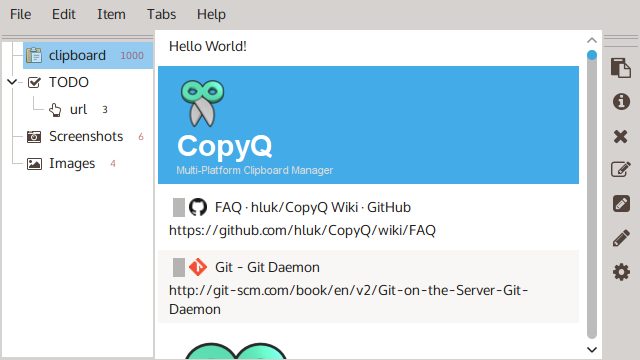
- Tabs, pinned items, notes and tags
- A scripting API, plus commands that run on every copy
- Optional password encryption of every stored tab
Pros
- Free for any use, including work
- Sends nothing over the network
- Up to 100,000 items per tab, though the default is 200
Cons
- Pinning and plain-text paste need setting up before you can use them
- No fuzzy search
- Clips reach another computer only through a folder you sync yourself
- Skip if:
- Mac users on macOS 12 or older.
Rankings and alternatives



Clipboard managers scores
Evaluated Nov 7, 2026 Evidence ↓- Platforms 3
3/5 means: Three of the five
Three of the five, Windows, macOS 13 or newer and Linux; no Android or iOS app.
- Organizing saved items 5
5/5 means: All five
All five: pinned items that cannot be removed, tabs, editing items, notes and tags, and sorting or moving items by hand.
- Finding old items 2
2/5 means: Two of the five
Two of the five, filtering the list by typing and an option to search with regular expressions. Support for fuzzy matching or filters by content type, source app or date is unknown.
- Paste options 4
4/5 means: Four of the five
Four of the five, pasting as plain text, pasting several selected items as joined text, commands that transform items, and keyboard shortcuts that paste items. Support for pasting items one after another without picking each one again is unknown.
- Privacy controls 4
4/5 means: Four of the five
Four of the five, a switch to stop storing the clipboard, ignoring chosen windows, skipping content marked secret, and built-in encryption with a password. Encryption is off by default. Support for deleting history after a set time or on quit is unknown.
- Sync between devices 3
3/5 means: Chosen items can be kept in a folder you sync yourself, such as a cloud drive folder
A tab can be kept in sync with a folder on disk, such as a Dropbox folder; there is no built-in sync service.
- Automation 5
5/5 means: A scripting language with access to the whole history, tabs or folders, and the app's settings
A scripting API that adds and reads items in tabs and changes app settings, plus commands that run automatically when the clipboard changes.
- History size 4
4/5 means: 10,000 items or more
Each tab can hold up to 100,000 items.
- Price for work use 5
5/5 means: Free
Free and open source under the GPL-3.0 license.
- Active maintenance 4
4/5 means: Within the last 3 months
Latest release v17.0.0 on 2026-10-06, about a month before this evaluation.
Evidence and sources
Clipboard managers scores
Platforms 1 quote
-
Support for Linux, Windows, and macOS 13+
github.com/hluk/CopyQ · checked
Privacy controls 2 quotes
-
CopyQ can encrypt all stored tab data with a user-set password.
copyq.readthedocs.io/en/latest/password-protection.html · checked -
The data from all tabs are stored in the configuration directory unencrypted (unless the Encryption is enabled).
copyq.readthedocs.io/en/latest/security.html · checked
Automation 1 quote
-
Advanced command-line interface and scripting
github.com/hluk/CopyQ · checked
Price for work use 1 quote
-
GPL-3.0 license
github.com/hluk/CopyQ · checked
Facts
License 1 quote
-
GPL-3.0 license
github.com/hluk/CopyQ · checked
Runs on 1 quote
-
Support for Linux, Windows, and macOS 13+
github.com/hluk/CopyQ · checked
Users 1 quote
-
"installs_total":163587
flathub.org/api/v2/stats/com.github.hluk.copyq · checked
More from the sources
Features 1 quote
-
CopyQ does not collect any other data and does not send anything over network.
copyq.readthedocs.io/en/latest/security.html · checked
Limits and known issues 1 quote
-
Reduce maximum items per tab — the default is 200.
copyq.readthedocs.io/en/latest/faq.html · checked