
Genius Scan
Free mobile document scanner for iOS and Android with a photo filter and batch scanning
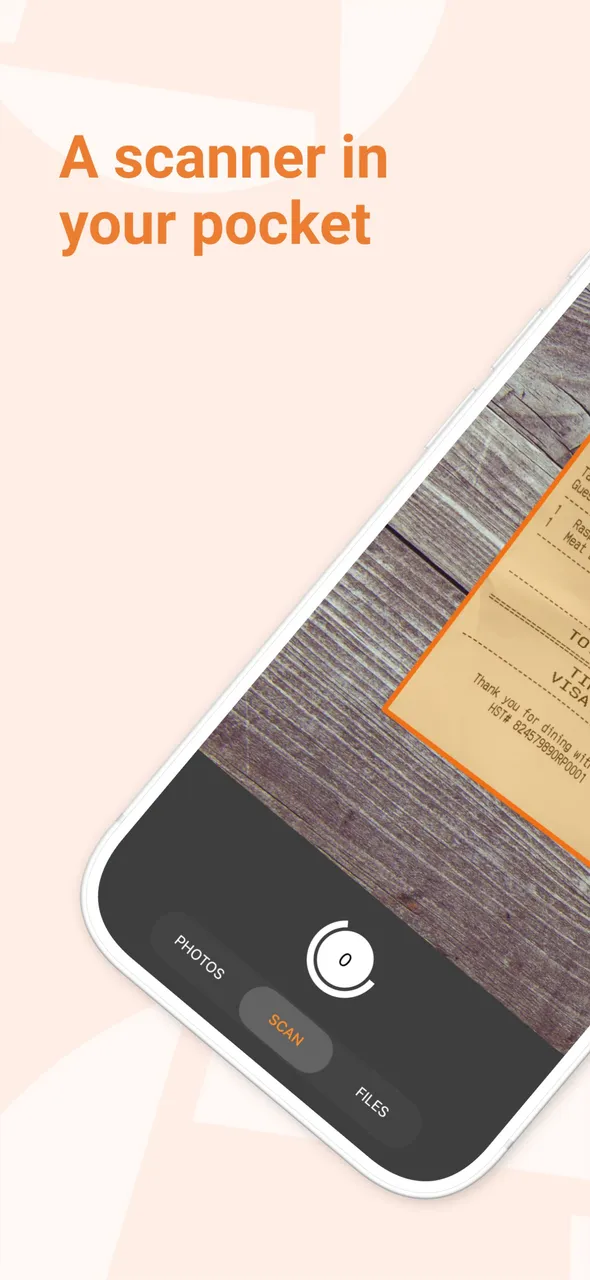 (opens full size in a new tab)
Facts
- Price
- From a free plan or $39.99/year
- Users
- About 20M
- Runs on
- iOS 17.0 or laterAndroid
- Category
- Apps
- Facts checked
Price checked · Current prices on thegrizzlylabs.com ↗
Our verdict
#6 of 7 in Apps for scanning old photos
Free scanner for photos and paperwork
Pros
- Free with no scan limit, ads, or account
- Processes everything on the phone
- Handles letters and certificates as well as prints
Cons
- One print per shot and no glare removal
- Images have to be exported from the app by hand
About Genius Scan
Genius Scan is a document scanner app from The Grizzly Labs, a Paris company. It detects a page, corrects perspective, removes shadows and exports PDFs or images. Filters include black and white, whiteboard and photo, and batch scanning is built in. It runs on iOS and Android. The Basic plan is free and ad-free; the Ultra subscription adds OCR, auto-export, cloud sync and security features. It is built for documents, not specifically for old prints.
Ranked in
-
#6 of 7 Apps for scanning old photos Free scanner for photos and paperwork 2.7/5
How it scored
-
Getting through a whole album 3/5
Detects the page, corrects distortion and supports batch scanning with automatic capture, but it finds one item per shot, so each print is its own capture.
3/5 means: One print per shot, found, cropped and straightened automatically, with quick or automatic repeat capture
Smart Scanning: - Document detection & background removal - Distortion correction - Shadow removal and defect cleanup - Filters (black & white, whiteboard, photo) - Batch scanning
apps.apple.com/us/app/scanner-app-genius-scan/id377672876 · checked
-
Quality of the saved scan 3/5
Exports high-resolution scans and has a photo filter alongside its document filters, so prints aren't forced through document processing. No hands-on test of old prints was found.
3/5 means: Good copies for sharing on screens, with limits such as modest resolution or weak results on some prints
Smart Scanning: - Document detection & background removal - Distortion correction - Shadow removal and defect cleanup - Filters (black & white, whiteboard, photo) - Batch scanning
apps.apple.com/us/app/scanner-app-genius-scan/id377672876 · checked
-
Glare and reflections 1/5
Shadow removal and defect cleanup are listed, but nothing addresses glare from glossy prints.
1/5 means: Nothing for glare; the reader has to find lighting that avoids it
Smart Scanning: - Document detection & background removal - Distortion correction - Shadow removal and defect cleanup - Filters (black & white, whiteboard, photo) - Batch scanning
apps.apple.com/us/app/scanner-app-genius-scan/id377672876 · checked
-
Easy for a first-timer 3/5
Free, ad-free and no account needed to scan, but it is built around PDF documents, so the reader has to pick the photo filter and export images by hand.
3/5 means: Simple capture, but the reader must change a setting or pick the right mode to get photos out properly
The basic version of Genius Scan is available on iOS and Android. It provides all the essential scanning tools you need, including document capture, editing, and manual exports—completely ad-free.
help.geniusscan.com/subscription-plans-and-account-management/plan-details-and-comparison · checked Security & Privacy: - On-device document processing + Face ID locking + PDF password encryption
apps.apple.com/us/app/scanner-app-genius-scan/id377672876 · checked Genius Scan is a document scanner app in your pocket. Quickly scan your paper documents on the go and export them as multi-page PDF files. * Apple App of the Week * 20+ million users
apps.apple.com/us/app/scanner-app-genius-scan/id377672876 · checked
-
Cost to scan a collection 5/5
The Basic plan is free, fully functional and has no scan limit. Ultra, $39.99 a year, adds OCR and cloud features a photo scanner doesn't need.
5/5 means: Free, with nothing needed for scanning and saving behind a payment
Genius Scan is free to use and fully functional. Upgrade for more advanced features.
thegrizzlylabs.com/genius-scan/pricing · checked ULTRA $39.99 /year
thegrizzlylabs.com/genius-scan/pricing · checked The basic version of Genius Scan is available on iOS and Android. It provides all the essential scanning tools you need, including document capture, editing, and manual exports—completely ad-free.
help.geniusscan.com/subscription-plans-and-account-management/plan-details-and-comparison · checked
-
Scans land in your photo library 3/5
Exports are manual on the free plan; the app keeps scans as documents and the reader exports images from them.
3/5 means: Scans can be saved to the photo library, but only one by one, from a PDF, or while a subscription runs
The basic version of Genius Scan is available on iOS and Android. It provides all the essential scanning tools you need, including document capture, editing, and manual exports—completely ad-free.
help.geniusscan.com/subscription-plans-and-account-management/plan-details-and-comparison · checked Genius Scan is a document scanner app in your pocket. Quickly scan your paper documents on the go and export them as multi-page PDF files. * Apple App of the Week * 20+ million users
apps.apple.com/us/app/scanner-app-genius-scan/id377672876 · checked
-
Restoring faded and damaged photos 1/5
Filters and cleanup for documents; no color restoration, colorizing or photo repair.
1/5 means: No restoration tools beyond crop and rotate
Smart Scanning: - Document detection & background removal - Distortion correction - Shadow removal and defect cleanup - Filters (black & white, whiteboard, photo) - Batch scanning
apps.apple.com/us/app/scanner-app-genius-scan/id377672876 · checked
-
Dates, names and captions 2/5
Scans can be named, as documents are; nothing writes a photo's real date or a caption into the file.
2/5 means: Only a file name or a note kept next to the scan
Smart Scanning: - Document detection & background removal - Distortion correction - Shadow removal and defect cleanup - Filters (black & white, whiteboard, photo) - Batch scanning
apps.apple.com/us/app/scanner-app-genius-scan/id377672876 · checked
-
Privacy and sign-in , counts half 4/5
Processing is on the device and no account is needed to scan. Cloud sync is an optional part of Ultra.
4/5 means: No account and processing on the phone, with only optional cloud features
Security & Privacy: - On-device document processing + Face ID locking + PDF password encryption
apps.apple.com/us/app/scanner-app-genius-scan/id377672876 · checked We may have to access your documents in order to troubleshoot issues with your backups or with the synchronization service. In any case, documents are transmitted securely between your devices (HTTPS) and our cloud storage where they are stored securely.
help.thegrizzlylabs.com/article/399-genius-cloud-faq · checked
Top of this ranking
-



Sources
9 quotes from 4 pages; the 7 most useful are below.
-
Pricing 2
Genius Scan is free to use and fully functional. Upgrade for more advanced features.
thegrizzlylabs.com/genius-scan/pricing · checked Genius Scan Plus (Lifetime) Previously available as a one-time purchase as Genius Scan+, this plan includes all Genius Scan Plus features, document name templates, and auto-export. It remains supported for users who already own it, but is no longer available for purchase.
help.geniusscan.com/subscription-plans-and-account-management/plan-details-and-comparison · checked
-
Limits and known issues 2
Security & Privacy: - On-device document processing + Face ID locking + PDF password encryption
apps.apple.com/us/app/scanner-app-genius-scan/id377672876 · checked We may have to access your documents in order to troubleshoot issues with your backups or with the synchronization service. In any case, documents are transmitted securely between your devices (HTTPS) and our cloud storage where they are stored securely.
help.thegrizzlylabs.com/article/399-genius-cloud-faq · checked
-
Features 2
The basic version of Genius Scan is available on iOS and Android. It provides all the essential scanning tools you need, including document capture, editing, and manual exports—completely ad-free.
help.geniusscan.com/subscription-plans-and-account-management/plan-details-and-comparison · checked Smart Scanning: - Document detection & background removal - Distortion correction - Shadow removal and defect cleanup - Filters (black & white, whiteboard, photo) - Batch scanning
apps.apple.com/us/app/scanner-app-genius-scan/id377672876 · checked
-
How widely it is used 1
Genius Scan is a document scanner app in your pocket. Quickly scan your paper documents on the go and export them as multi-page PDF files. * Apple App of the Week * 20+ million users
apps.apple.com/us/app/scanner-app-genius-scan/id377672876 · checked