
MyHeritage
Subscription genealogy website combining historical record search, online family trees, DNA testing and AI photo tools
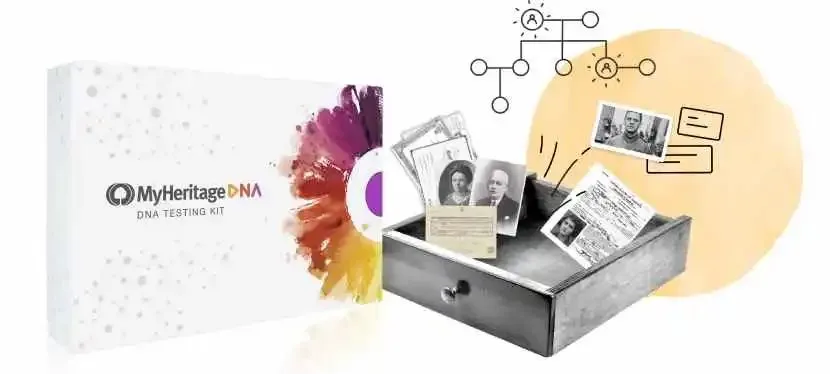 (opens full size in a new tab)
Facts
- Price
- From a free plan or $129.00/year
- Users
- About 64M
- Runs on
- WebiOSAndroid
- Category
- Apps
- Facts checked
Price checked · Current prices on myheritage.com ↗
Our verdict
#4 of 7 in Apps for scanning old photos
For repairing faded and damaged photos
What it does
- Photo Enhancer for faces, In Color for colorizing, and Photo Repair for scratches
- Captures an entire album page with one tap and crops each photo
- Keeps dates, places, and tagged relatives with each photo on your family site
Pros
- Some of the strongest restoration tools for old family photos
- Free to try on a handful of photos
- Ties scans into a family tree
Cons
- Every scan is uploaded to MyHeritage's servers
- Unlimited scanning and unlimited restoration are separate paid plans
- Free results carry a MyHeritage logo
- Needs an account and a family site
- Choose if:
- You're building a family tree on MyHeritage
About MyHeritage
MyHeritage is a genealogy website and app (web, iOS and Android) where you build a family tree, search a large international collection of historical records and match your tree to other users’ trees. A free Basic account holds a tree of up to 250 people. Paid plans split into family-site plans (Premium, PremiumPlus), a Data plan for records, the Complete bundle, and the top Omni plan, which adds newspapers and Geni Pro. It also sells DNA kits and AI photo tools such as Deep Nostalgia.
Ranked in
-
#4 of 7 Apps for scanning old photos For repairing faded and damaged photos 2.8/5
How it scored
-
Getting through a whole album 5/5
The mobile app's Photo Scanner captures a whole album page or several loose photos in one tap, then detects, crops and saves each one.
5/5 means: Several prints or a whole album page per shot, each cropped, straightened and saved as its own photo
It enables quick and easy scanning of entire album pages or multiple loose photos in a single tap. The scanner then uses cutting-edge, cloud-based AI technology to automatically detect the individual photos and crop them, saving hours of work traditionally required with other scanners. Scanned photos are saved in a dedicated album on your MyHeritage family site.
blog.myheritage.com/2024/05/new-multi-photo-scanner-on-the-myheritage-mobile-app · published · checked
-
Quality of the saved scan 3/5
Cropping and detection run on MyHeritage's servers. No hands-on test of the scanner's output was found, so this is set at the middle level.
3/5 means: Good copies for sharing on screens, with limits such as modest resolution or weak results on some prints
It enables quick and easy scanning of entire album pages or multiple loose photos in a single tap. The scanner then uses cutting-edge, cloud-based AI technology to automatically detect the individual photos and crop them, saving hours of work traditionally required with other scanners. Scanned photos are saved in a dedicated album on your MyHeritage family site.
blog.myheritage.com/2024/05/new-multi-photo-scanner-on-the-myheritage-mobile-app · published · checked
-
Glare and reflections 1/5
Nothing in the scanner's description handles glare; Photo Repair targets scratches and damage.
1/5 means: Nothing for glare; the reader has to find lighting that avoids it
The MyHeritage Complete Plan combines a PremiumPlus subscription with a Data subscription in one package. The Complete Plan includes: Everything in the PremiumPlus subscription and the Data subscription Unlimited family tree size and unlimited photo storage on your family site AI photo tools, including MyHeritage In Color™, the Photo Enhancer, Deep Nostalgia™, and Photo Repair Paid DNA features, including Ancient Origins, all advanced DNA features, and Y-DNA for eligible male DNA kits
myheritage.com/help/en/articles/13130253-what-types-of-subscriptions-does-myheritage-offer · checked It enables quick and easy scanning of entire album pages or multiple loose photos in a single tap. The scanner then uses cutting-edge, cloud-based AI technology to automatically detect the individual photos and crop them, saving hours of work traditionally required with other scanners. Scanned photos are saved in a dedicated album on your MyHeritage family site.
blog.myheritage.com/2024/05/new-multi-photo-scanner-on-the-myheritage-mobile-app · published · checked
-
Easy for a first-timer 2/5
Needs a MyHeritage account and family site, where scans are saved, and the plans are confusing: Complete includes the photo tools but not the scanner.
2/5 means: An account to create, or several settings or modes to understand first
It enables quick and easy scanning of entire album pages or multiple loose photos in a single tap. The scanner then uses cutting-edge, cloud-based AI technology to automatically detect the individual photos and crop them, saving hours of work traditionally required with other scanners. Scanned photos are saved in a dedicated album on your MyHeritage family site.
blog.myheritage.com/2024/05/new-multi-photo-scanner-on-the-myheritage-mobile-app · published · checked The MyHeritage Complete Plan includes the photo features, but not the Photo Scanner. If you have the Complete Plan, you need to buy a separate Photo subscription to use the Photo Scanner. Without a Photo subscription or the Omni Plan, you can scan a limited number of album pages for free before you need to buy a subscription.
myheritage.com/help/en/articles/12852561-what-is-the-myheritage-photo-subscription · checked
-
Cost to scan a collection 2/5
A few album pages are free, then unlimited scanning needs the app-only Photo plan, $49.90 a year when it launched in 2024, or the Omni plan. Unlimited use of the restoration tools needs the Complete plan as well, which this criterion doesn't count.
2/5 means: About $40 to $80
The MyHeritage Complete Plan combines a PremiumPlus subscription with a Data subscription in one package. The Complete Plan includes: Everything in the PremiumPlus subscription and the Data subscription Unlimited family tree size and unlimited photo storage on your family site AI photo tools, including MyHeritage In Color™, the Photo Enhancer, Deep Nostalgia™, and Photo Repair Paid DNA features, including Ancient Origins, all advanced DNA features, and Y-DNA for eligible male DNA kits
myheritage.com/help/en/articles/13130253-what-types-of-subscriptions-does-myheritage-offer · checked Anyone can scan up to 5 album pages for free. As part of this update, we have introduced a new, app-only Photo plan that includes unlimited photo scanning and storage. The Photo plan is an annual plan that costs $49.90 per year. Complete subscribers are eligible for a 25% discount, and can enjoy the Photo plan for just $37.
blog.myheritage.com/2024/05/new-multi-photo-scanner-on-the-myheritage-mobile-app · published · checked The MyHeritage Complete Plan includes the photo features, but not the Photo Scanner. If you have the Complete Plan, you need to buy a separate Photo subscription to use the Photo Scanner. Without a Photo subscription or the Omni Plan, you can scan a limited number of album pages for free before you need to buy a subscription.
myheritage.com/help/en/articles/12852561-what-is-the-myheritage-photo-subscription · checked The MyHeritage Omni Plan includes all Photo subscription features, including the Photo Scanner. You don’t need an additional Photo subscription.
myheritage.com/help/en/articles/12852561-what-is-the-myheritage-photo-subscription · checked Anyone can colorize several photos for free. Afterward, a subscription is required. Users who have a Complete subscription with MyHeritage can colorize an unlimited number of photos. Non-subscribers will notice a watermark of the MyHeritage logo on the bottom right of their colorized photos, whereas Complete subscribers are able to produce colorized photos that are logo-free.
myheritage.com/help/en/articles/12852501-what-is-myheritage-in-color · published · checked Anyone can enhance 10 photos for free, which are counted separately from photos you may have colorized or would like to colorize using MyHeritage In Color™. Afterwards, a subscription is required. Users who have a Complete subscription with MyHeritage can enhance an unlimited number of photos.
education.myheritage.com/article/enhance-your-family-photos-using-the-myheritage-photo-enhancer · checked
Show all 6
-
Scans land in your photo library 2/5
Scans are saved to an album on the MyHeritage family site, and the free site holds 500 MB. Photos can be downloaded from the site, but they don't land in the phone's library on their own.
2/5 means: Scans go to the vendor's cloud or app library first, and saving them out is limited or ends when a subscription does
The Basic subscription is the free MyHeritage family site subscription. A MyHeritage Basic subscription includes: A family tree with up to 250 people 500 megabytes (MB) of storage space on your family site for photos and scanned documents
myheritage.com/help/en/articles/13130253-what-types-of-subscriptions-does-myheritage-offer · checked It enables quick and easy scanning of entire album pages or multiple loose photos in a single tap. The scanner then uses cutting-edge, cloud-based AI technology to automatically detect the individual photos and crop them, saving hours of work traditionally required with other scanners. Scanned photos are saved in a dedicated album on your MyHeritage family site.
blog.myheritage.com/2024/05/new-multi-photo-scanner-on-the-myheritage-mobile-app · published · checked When you enhance a photo, the original photo remains intact and the enhanced photo piggybacks on the original so that you benefit from the same meta-data of the original photo: same title, date, place, people tagged, and so on.
education.myheritage.com/article/enhance-your-family-photos-using-the-myheritage-photo-enhancer · checked
-
Restoring faded and damaged photos 5/5
Photo Enhancer, MyHeritage In Color for colorizing and color restoration, and Photo Repair are among the best-known restoration tools. Free use is a handful of photos with a watermark; Complete removes the limits.
5/5 means: Color restoration, colorizing, face sharpening and scratch or tear repair, with results reviewers praise
The MyHeritage Complete Plan combines a PremiumPlus subscription with a Data subscription in one package. The Complete Plan includes: Everything in the PremiumPlus subscription and the Data subscription Unlimited family tree size and unlimited photo storage on your family site AI photo tools, including MyHeritage In Color™, the Photo Enhancer, Deep Nostalgia™, and Photo Repair Paid DNA features, including Ancient Origins, all advanced DNA features, and Y-DNA for eligible male DNA kits
myheritage.com/help/en/articles/13130253-what-types-of-subscriptions-does-myheritage-offer · checked Anyone can colorize several photos for free. Afterward, a subscription is required. Users who have a Complete subscription with MyHeritage can colorize an unlimited number of photos. Non-subscribers will notice a watermark of the MyHeritage logo on the bottom right of their colorized photos, whereas Complete subscribers are able to produce colorized photos that are logo-free.
myheritage.com/help/en/articles/12852501-what-is-myheritage-in-color · published · checked Anyone can enhance 10 photos for free, which are counted separately from photos you may have colorized or would like to colorize using MyHeritage In Color™. Afterwards, a subscription is required. Users who have a Complete subscription with MyHeritage can enhance an unlimited number of photos.
education.myheritage.com/article/enhance-your-family-photos-using-the-myheritage-photo-enhancer · checked
-
Dates, names and captions 3/5
Photos on the family site carry a title, date, place and tagged people, and enhanced copies keep them. Nothing says this is written into a downloaded file.
3/5 means: Dates, names or captions recorded in the app, but not carried into the saved photo file
When you enhance a photo, the original photo remains intact and the enhanced photo piggybacks on the original so that you benefit from the same meta-data of the original photo: same title, date, place, people tagged, and so on.
education.myheritage.com/article/enhance-your-family-photos-using-the-myheritage-photo-enhancer · checked
-
Privacy and sign-in , counts half 2/5
An account is required and scans are processed in MyHeritage's cloud and stored on the family site. The policy says the photo features don't collect biometric data, and data can be deleted permanently.
2/5 means: Account required or photos uploaded to the maker's cloud by default
It enables quick and easy scanning of entire album pages or multiple loose photos in a single tap. The scanner then uses cutting-edge, cloud-based AI technology to automatically detect the individual photos and crop them, saving hours of work traditionally required with other scanners. Scanned photos are saved in a dedicated album on your MyHeritage family site.
blog.myheritage.com/2024/05/new-multi-photo-scanner-on-the-myheritage-mobile-app · published · checked If you use our photo features such as Deep Nostalgia™, DeepStory, MyHeritage In Color™, MyHeritage Photo Enhancer, AI Time Machine™, PhotoDater™, Photo Scanner and/or Family Infographics and Tribute Reel, we will process information obtained from photos you upload ("Image Data"), in order to provide the applicable service to you. These photo features do not collect or retain any biometric information or biometric identifiers from your photos.
myheritage.com/FP/Company/popup-privacy-policy.php · checked Users can delete their data from MyHeritage at any time. Deletion is permanent and irreversible.
myheritage.com/FP/Company/popup-privacy-policy.php · checked
Top of this ranking
-



Sources
29 quotes from 13 pages; the 18 most useful are below.
-
Pricing 6
Data subscription is offered on a yearly basis.
myheritage.com/help/en/articles/12852235-how-much-does-a-data-subscription-cost · checked *After 30 days, you'll enjoy a 50% discount and be charged was $299$299 $149 for the first year. The Complete subscription renews annually. You can cancel anytime.
myheritage.com/dna · checked Grow your family tree, find new relatives, and explore billions of historical records with a 14-day FREE trial
myheritage.com · checked Data Annual subscription was $15.75$15.75 $10.75 /mo.* Your total discount is 31% Billed annually
myheritage.com/FP/search-plans.php · checked After the free trial, MyHeritage costs $129 annually for the Premium subscription, $209 per year for the Premium Plus subscription, $189 per year for the Data Subscription, or $299 per year for the Complete Subscription.
genealogyexplained.com/myheritage-review · checked Anyone can scan up to 5 album pages for free. As part of this update, we have introduced a new, app-only Photo plan that includes unlimited photo scanning and storage. The Photo plan is an annual plan that costs $49.90 per year. Complete subscribers are eligible for a 25% discount, and can enjoy the Photo plan for just $37.
blog.myheritage.com/2024/05/new-multi-photo-scanner-on-the-myheritage-mobile-app · published · checked
Show all 6
-
Limits and known issues 4
The Basic subscription is the free MyHeritage family site subscription. A MyHeritage Basic subscription includes: A family tree with up to 250 people 500 megabytes (MB) of storage space on your family site for photos and scanned documents
myheritage.com/help/en/articles/13130253-what-types-of-subscriptions-does-myheritage-offer · checked If your MyHeritage subscription ends, your family tree and data stay in your account, and your family site returns to a Basic free account.
myheritage.com/help/en/articles/13130253-what-types-of-subscriptions-does-myheritage-offer · checked The MyHeritage Complete Plan includes the photo features, but not the Photo Scanner. If you have the Complete Plan, you need to buy a separate Photo subscription to use the Photo Scanner. Without a Photo subscription or the Omni Plan, you can scan a limited number of album pages for free before you need to buy a subscription.
myheritage.com/help/en/articles/12852561-what-is-the-myheritage-photo-subscription · checked Anyone can enhance 10 photos for free, which are counted separately from photos you may have colorized or would like to colorize using MyHeritage In Color™. Afterwards, a subscription is required. Users who have a Complete subscription with MyHeritage can enhance an unlimited number of photos.
education.myheritage.com/article/enhance-your-family-photos-using-the-myheritage-photo-enhancer · checked
-
Features 7
A family tree with space for up to 2,500 people Up to 1,000 MB of storage space on your family site Smart Matches™ with automatic merging, to connect your tree to other family trees
myheritage.com/help/en/articles/13130253-what-types-of-subscriptions-does-myheritage-offer · checked Historical newspapers: Millions of historical newspapers on OldNews.com. Geni Pro: Full access to all Pro features on Geni.com, a MyHeritage company, where you can join and explore the world's largest family tree.
myheritage.com/help/en/articles/12852552-what-is-the-myheritage-omni-plan · checked The OmniAI and OmniAI+ plans are MyHeritage plans for people who want more GAIA usage. GAIA is the MyHeritage AI research agent (Genealogy AI Agent) that researches a person in your family history.
myheritage.com/help/en/articles/12852552-what-is-the-myheritage-omni-plan · checked The minute you create a family tree, we'll begin searching for you. Look forward to email alerts with Smart Matches and Record Matches revealing new family tree connections, records and newspaper articles about your ancestors.
myheritage.com · checked When you enhance a photo, the original photo remains intact and the enhanced photo piggybacks on the original so that you benefit from the same meta-data of the original photo: same title, date, place, people tagged, and so on.
education.myheritage.com/article/enhance-your-family-photos-using-the-myheritage-photo-enhancer · checked Scan photos and entire photo albums easily with just a few taps, and the app automatically crops and saves them as individual photos.
apps.apple.com/us/app/reimagine-scan-enhance-pics/id1666496404 · checked It enables quick and easy scanning of entire album pages or multiple loose photos in a single tap. The scanner then uses cutting-edge, cloud-based AI technology to automatically detect the individual photos and crop them, saving hours of work traditionally required with other scanners. Scanned photos are saved in a dedicated album on your MyHeritage family site.
blog.myheritage.com/2024/05/new-multi-photo-scanner-on-the-myheritage-mobile-app · published · checked
Show all 7
-
How widely it is used 1
Dive into our huge international records database – just search a name to learn more about your ancestors. With exclusive content and accurate results we'll help you uncover more than you ever imagined.
myheritage.com · checked