
Recraft
AI image and design generator with native SVG output and a guided Logo Maker
Our verdict
#2 of 10 in AI logo generators · For a mark that doesn't look templated
What it does
- Logo Maker questionnaire, with no prompt writing needed
- Native SVG output with clean, editable paths
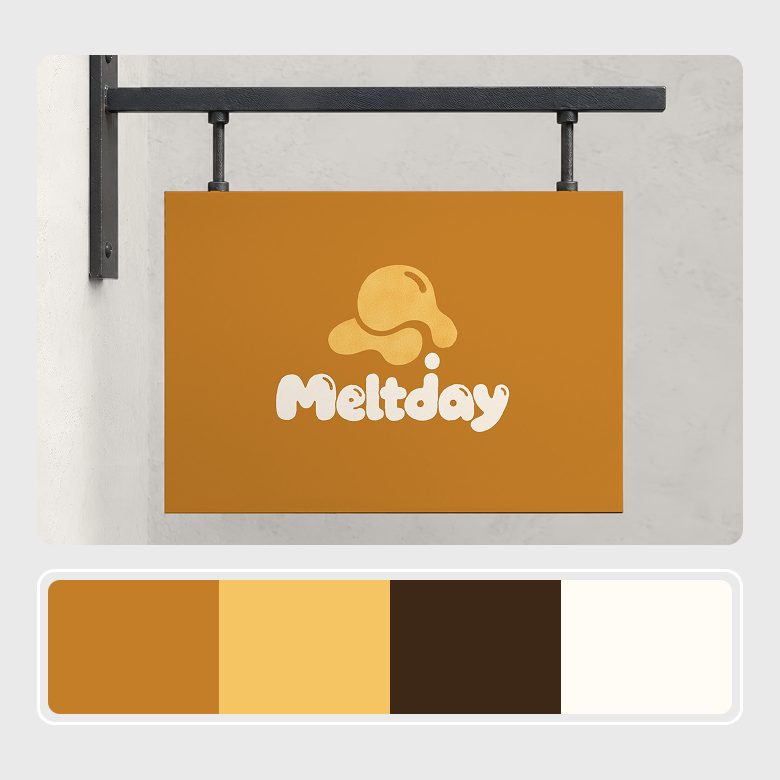
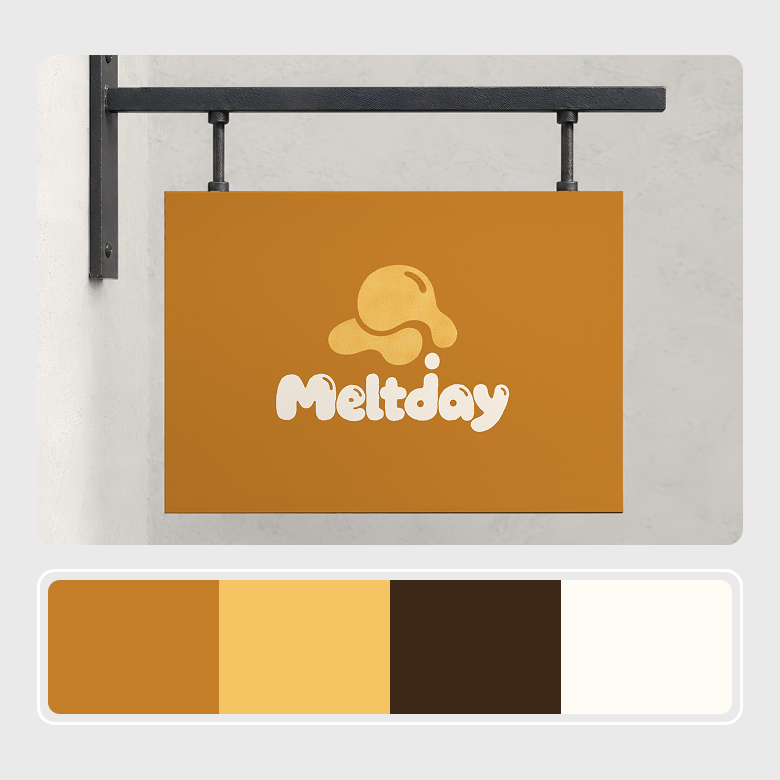
- Previews on packaging, apparel and storefronts
Pros
- The most distinctive logos of any tool here
- Real vector files instead of traced pictures
- Logos made on a paid plan stay yours after you cancel
Cons
- Free-plan logos are public, owned by Recraft and can't be used commercially
- The name is drawn as shapes, and long names come out less reliably
- No business cards, social kit or brand guidelines
- Skip if:
- You want a finished brand kit without trying several rounds of concepts
Recraft is a web-based AI design tool (with iOS and Android apps) that generates raster images and native SVG vectors from prompts, with a vector editor, custom styles and a Logo Maker flow that asks questions about your business, shows four logo directions and previews them on mockups. It targets designers and non-designers who want editable vector logos and icons. Free-plan images are public, owned by Recraft and not for commercial use; paid plans give private, commercially usable output. It is proprietary software sold by subscription with monthly credits.
What users say
Evidence ↓Coverage is mostly favorable about native SVG output and style consistency, with the credit system (monthly credits that do not roll over) and price the common complaint. One aggregator's summary for small business owners is negative on the free plan's public, commercially restricted output and suggests a template tool if native vectors are not needed. App Store reviews summarized by one review site include a few reports of a poor logo result, failed generations using credits and an unresponsive mobile app; these are individual reports. Most of this rests on aggregator summaries rather than first-hand reviews.
Rankings and alternatives


AI logo generators scores
Evaluated Nov 17, 2026 Evidence ↓- Logo quality and originality · counts double 5
5/5 means: Distinctive marks that look custom-made, with varied concepts that follow your direction closely
In Designlab's side-by-side test Recraft's concepts were the most creative and least templated, distinct from one another and close to the brief, and many were workable with little refinement. Marks are generated rather than picked from an icon library. Raised from 4 by the writer on that test.
- Ready-to-use logo files 4
4/5 means: Vector and transparent high-resolution PNG, with a few variants
Recraft exports real SVG vectors with editable paths as well as PNG, so a vector and a raster file come from the same design; there's no ready pack of black, white or layout variants, which you make by recoloring or regenerating. Raised from 3 by the writer from product knowledge of its PNG and SVG export.
- Cost to get usable files 4
4/5 means: A usable free download with commercial rights, or the full set for under about $40
Basic is about $10 a month on annual billing ($120 up front) or about $12 monthly per a third-party review, so one monthly month covers a logo project under $40, and paid files stay private and owned after cancelling. Free SVG exists but has no commercial rights.
- Business name and lettering 3
3/5 means: Short names usually come out right, but the lettering is part of the image and fixing it means regenerating
Short names usually come out right but the text is drawn as paths (shapes), not retypeable font text, and reliability drops past a few words per a reseller; fixing a misspelling means regenerating or hand-editing paths.
- Editing control 4
4/5 means: A logo editor for fonts, colors, icon, layout and spacing, with edits available after download
Vector editor with point edits and recoloring on every plan, plus variations and inpainting-style tools, and the SVG can be refined in Figma or Illustrator after download. It is not a layout and font editor for a logo, so text and spacing are edited as paths.
- Ease for non-designers 4
4/5 means: A template or guided start, with some choosing and editing to finish
The Logo Maker is a guided questionnaire with style choice and four directions, which is close to the top level, but it is a newer flow beside a prompt-driven Studio and the vendor describes it itself, so no independent beginner test backs it.
- Ownership and exclusivity 4
4/5 means: You own a newly generated mark outright, with no trademark restriction, though similar outputs are possible
Paid plans give full ownership and commercial rights, and images stay private and owned after cancelling. Output is newly generated, but similar results are possible and the vendor makes no statement on copyright or trademark registrability.
- Brand kit extras 2
2/5 means: One or two extras, such as mockups or a color palette
Logo Maker offers mockup previews on packaging, apparel and storefronts and a color palette; no business cards, social sizes or brand guidelines were found, though custom styles and Studio mockups exist.
Pricing
- Free Free 30 credits a day per a third-party reading of the vendor catalog (an older vendor guide says 50), and the pricing page lists 3 generations per style per day. SVG export and the vector editor are available, but images are public, owned by Recraft and not for commercial use.
- Basic $10.00 /month Billed annually as $120 a year; a third-party review lists $12 a month on monthly billing. 1,000 credits a month that reset and do not roll over. Commercial rights and private generations. A V4.1 vector image costs 4 credits per a third-party reading of the credits doc.
- Pro $16.00 /month Billed annually as $192 a year; 2,000 credits a month, adds video generation and priority generation. Larger credit tiers exist.
- Credit top-ups $2.00 one-time , extra Per a third-party review, from $2 for 200 credits; top-up credits never expire and require a paid plan.
Prices checked Nov 17, 2026.
Evidence and sources
What users say
Summary 4 quotes
-
The Recraft App Store listing showed 195 ratings averaging about 4.81 out of 5 on 30 October 2026. In a July review, one user reported an unsatisfactory logo result and a poor support experience.
academy.techpresso.co/reviews/is-recraft-worth-it · published · checked -
The free plan looks appealing until you realise your outputs are public, commercially restricted, and owned by Recraft. For occasional branded graphics, a paid plan is needed, and the pricing isn't aimed at budget-conscious users. If you don't need native vectors or advanced style locking, Kittl is likely a better fit at this budget level.
toolsforhumans.ai/ai-tools/recraft-ai · published · checked -
A more independent review on gbrlife.com questions whether the output is truly brand-ready without significant prompt refinement, suggesting the tool performs better as a starting point than a finished deliverable.
toolsforhumans.ai/ai-tools/recraft-ai · published · checked -
One Substack reviewer notes that the workflow went from bouncing between three or four different tools just to finish a single visual to consolidating everything in Recraft, with consistent custom styles and editable SVG output cited as the standout features.
Daria Cupareanu, Substack author (AI blew my mind) · toolsforhumans.ai/ai-tools/recraft-ai · published · checked
AI logo generators scores
Logo quality and originality 4 quotes
-
Instead of writing a prompt, you answer a few questions about your business, set the look with styles curated by designers, and see your logo on real products before you decide.
recraft.ai/generate/logos · checked -
The Recraft App Store listing showed 195 ratings averaging about 4.81 out of 5 on 30 October 2026. In a July review, one user reported an unsatisfactory logo result and a poor support experience.
academy.techpresso.co/reviews/is-recraft-worth-it · published · checked -
A more independent review on gbrlife.com questions whether the output is truly brand-ready without significant prompt refinement, suggesting the tool performs better as a starting point than a finished deliverable.
toolsforhumans.ai/ai-tools/recraft-ai · published · checked -
One Substack reviewer notes that the workflow went from bouncing between three or four different tools just to finish a single visual to consolidating everything in Recraft, with consistent custom styles and editable SVG output cited as the standout features.
Daria Cupareanu, Substack author (AI blew my mind) · toolsforhumans.ai/ai-tools/recraft-ai · published · checked
Ready-to-use logo files 3 quotes
-
Recraft Logo Maker exports your logo as a vector file (SVG), ready for print, digital use, and merchandise.
recraft.ai/generate/logos · checked -
The vector editor page says a free account includes up to 30 generations a day and full SVG export. The export doc lists SVG, PDF, and Lottie for vectors. The editor, including point edits and recoloring, is on every plan, including Free.
academy.techpresso.co/reviews/is-recraft-worth-it · published · checked -
Every image tool can trace a bitmap into vectors; the result is usually a mess of anonymous paths approximating pixels. Recraft generates the vector directly — clean geometry, structured layers, editable text-as-shapes — because the model starts closer to the final medium instead of asking a tracer to reinterpret pixels, shadows, and gradients.
invideo.io/blog/recraft-ai-image-generator · published · checked
Cost to get usable files 4 quotes
-
Regular price: $10$10Black Friday price: $6.00$6.00per month billed annually Regular price: $120$120 Black Friday price: $72.00$72.00 1,000 credits per month
recraft.ai/pricing · checked -
Paid plans grant you full ownership and commercial rights for all images generated while subscribed. You may use them freely for marketing, branding, product packaging, or any other professional purpose. Images remain private and are not shown in the community gallery.
recraft.ai/pricing · checked -
Paid Recraft is worth it when a logo has to be an editable SVG you can use commercially. Basic costs $12 a month, or $120 for the year. Free can export SVG, and current terms give those files to Recraft and bar commercial use. A current vector model spends 4 credits a file, so 30 free credits are not 30 logos.
academy.techpresso.co/reviews/is-recraft-worth-it · published · checked -
Credit costs are per image. V4.1 Vector is 4 credits. The heavier Pro Vector is 12, and older vector models are 2. Vectorizing a raster file is 1.
academy.techpresso.co/reviews/is-recraft-worth-it · published · checked
Business name and lettering 2 quotes
-
Every image tool can trace a bitmap into vectors; the result is usually a mess of anonymous paths approximating pixels. Recraft generates the vector directly — clean geometry, structured layers, editable text-as-shapes — because the model starts closer to the final medium instead of asking a tracer to reinterpret pixels, shadows, and gradients.
invideo.io/blog/recraft-ai-image-generator · published · checked -
Weaknesses: complex multi-subject scenes, photorealistic texture, artistic abstraction, and text beyond a handful of words — in logo contexts, reliability drops past roughly 1–5 words.
invideo.io/blog/recraft-ai-image-generator · published · checked
Editing control 3 quotes
-
Edit your favorite, change its colors, or ask for variations, then see it instantly on real-world applications like packaging, apparel, and storefronts at no extra generation cost before exporting.
recraft.ai/generate/logos · checked -
The vector editor page says a free account includes up to 30 generations a day and full SVG export. The export doc lists SVG, PDF, and Lottie for vectors. The editor, including point edits and recoloring, is on every plan, including Free.
academy.techpresso.co/reviews/is-recraft-worth-it · published · checked -
Every image tool can trace a bitmap into vectors; the result is usually a mess of anonymous paths approximating pixels. Recraft generates the vector directly — clean geometry, structured layers, editable text-as-shapes — because the model starts closer to the final medium instead of asking a tracer to reinterpret pixels, shadows, and gradients.
invideo.io/blog/recraft-ai-image-generator · published · checked
Ease for non-designers 2 quotes
-
Instead of writing a prompt, you answer a few questions about your business, set the look with styles curated by designers, and see your logo on real products before you decide.
recraft.ai/generate/logos · checked -
Recraft Logo Maker is built for entrepreneurs and business owners. Instead of writing a prompt, you answer questions about your business and choose from designer-curated styles.
recraft.ai/generate/logos · checked
Ownership and exclusivity 2 quotes
-
Paid plans grant you full ownership and commercial rights for all images generated while subscribed. You may use them freely for marketing, branding, product packaging, or any other professional purpose. Images remain private and are not shown in the community gallery.
recraft.ai/pricing · checked -
On a paid plan the terms assign you any copyright Recraft may have, and they ban training another AI system on the file. A breach ends that grant. The ownership page says paid files stay yours after you cancel, and old free files do not. That is the vendor account, not a legal opinion, and it does not establish copyright protection, trademark availability, or uniqueness.
academy.techpresso.co/reviews/is-recraft-worth-it · published · checked
Brand kit extras 1 quote
-
Edit your favorite, change its colors, or ask for variations, then see it instantly on real-world applications like packaging, apparel, and storefronts at no extra generation cost before exporting.
recraft.ai/generate/logos · checked
Facts
License 1 quote
-
Every image tool can trace a bitmap into vectors; the result is usually a mess of anonymous paths approximating pixels. Recraft generates the vector directly — clean geometry, structured layers, editable text-as-shapes — because the model starts closer to the final medium instead of asking a tracer to reinterpret pixels, shadows, and gradients.
invideo.io/blog/recraft-ai-image-generator · published · checked
Runs on 1 quote
-
The Recraft App Store listing showed 195 ratings averaging about 4.81 out of 5 on 30 October 2026. In a July review, one user reported an unsatisfactory logo result and a poor support experience.
academy.techpresso.co/reviews/is-recraft-worth-it · published · checked
More from the sources
Pricing 2 quotes
-
Free For exploring AI features at a basic level. Personal use only. $0 Limited free credits
recraft.ai/pricing · checked -
Regular price: $16$16Black Friday price: $9.60$9.60per month billed annually Regular price: $192$192 Black Friday price: $115.20$115.20 2,000 credits per month
recraft.ai/pricing · checked
Features 1 quote
-
Everything in Free, plus: Nano Banana, Seedream, GPT Image, Flux, and other image generation and editing models Commercial rights and private generations Unlimited image uploads Advanced tools: Vary details, Vary direction, Custom color palettes, Magic wand, Creative upscale, Artistic level, Extract prompt Unlimited styles usage Up to 20 images per generation
recraft.ai/pricing · checked
Limits and known issues 4 quotes
-
3 generations per style per day 3 image uploads daily Up to 2 images per generation Basic editing tools Style Library and custom style creation All images are public No commercial use
recraft.ai/pricing · checked -
Images generated on the Free plan are owned by Recraft. They are publicly visible in the community gallery and are not licensed for commercial use. For example, they cannot typically be listed on stock platforms, which require proof of ownership.
recraft.ai/pricing · checked -
Subscription credits are included in your plan and reset at the start of each billing cycle — unused credits don't roll over. Top-up credits are purchased separately, never expire, and are used automatically once your monthly credits run out.
recraft.ai/pricing · checked -
Logos made on the Free plan are public and for personal use only, and commercial use needs a paid plan.
recraft.ai/generate/logos · checked
Pricing
recraft.ai/pricing · checked