Best AI logo generators
Every AI logo generator will turn your business name into a logo in about five minutes. That part is solved. What separates them is what happens when you click download: whether you get a vector file a sign shop can print at any size, whether the PNG has a transparent background, what you pay for those files, and whether the little coffee cup in your mark also sits on the signs of a few thousand other coffee shops.
For most people starting a business, LOGO.com is the best place to start. It previews concepts for free, lets you download PNG files with a commercial license at no cost, and one month of its paid plan gets you the full set of vector files and a brand kit, which you keep after you cancel. If you want a mark that doesn’t look like it came from a template, Recraft is the better tool, as long as you pay for a month so the logo is actually yours. And if you won’t pay anything at all, Wix’s logo maker lets you download SVG and transparent PNG files for free.
Quick picks
Logo makers and image generators make different things
The tools here come in three kinds, and the kind decides most of what you get.
Logo makers (LOGO.com, Looka, Brandmark, Wix and Tailor Brands) ask for your business name, an industry and a few style choices, then set the name in a real font next to an icon and hand you a folder of files. The name is always spelled right, because you typed it. The trade-off, shared by all of them: the icons and fonts come from a library every customer can use, so you own the logo as a whole but not its individual symbols. Two businesses in the same town can end up with the same icon.
Design apps (Canva and Adobe Express) do the same thing from templates, with a bigger editor and AI generators on the side. They’re the best place to make the business cards and social posts that come after the logo.
Image generators (Recraft, Ideogram and ChatGPT) draw a new mark from your description. In Designlab’s side-by-side test, their concepts looked more distinctive than anything the template makers produced. But apart from Recraft, they give you a picture of a logo rather than a logo file: usually a PNG with the name painted into it, no vector, and no black, white or icon-only versions unless you make them yourself.
That file set matters more than it sounds. A logo you can actually use needs a vector version (SVG, EPS or PDF) that stays sharp from a favicon to a storefront, a high-resolution PNG with a transparent background for websites and slides, and a one-color version for stamps, embroidery and dark backgrounds. A single PNG on a white background works until the day you order a sign.
| Tool | Free download | Cheapest full set with a vector (as of November 2026) |
|---|---|---|
| LOGO.com | PNG files, commercial use | $15 for one month of the Brand Plan |
| Recraft | None you can use commercially | About $12 for one month of Basic |
| Looka | None | $72 one-time Premium package |
| Brandmark | None | $35 one-time Basic package |
| Wix Logo Maker | SVG, transparent PNG and JPG | Free |
| Canva | Standard PNG | About $15 for one month of Pro |
| Adobe Express | Transparent PNG, JPG and PDF | Free, with PDF instead of SVG |
| Tailor Brands | Low-resolution preview | Standard plan, yearly contract |
| Ideogram | JPEG and small transparent PNG, public | No SVG from ordinary images |
| ChatGPT | PNG | No vector at any price |
LOGO.com
Best for most new businesses
#1 4.0/5
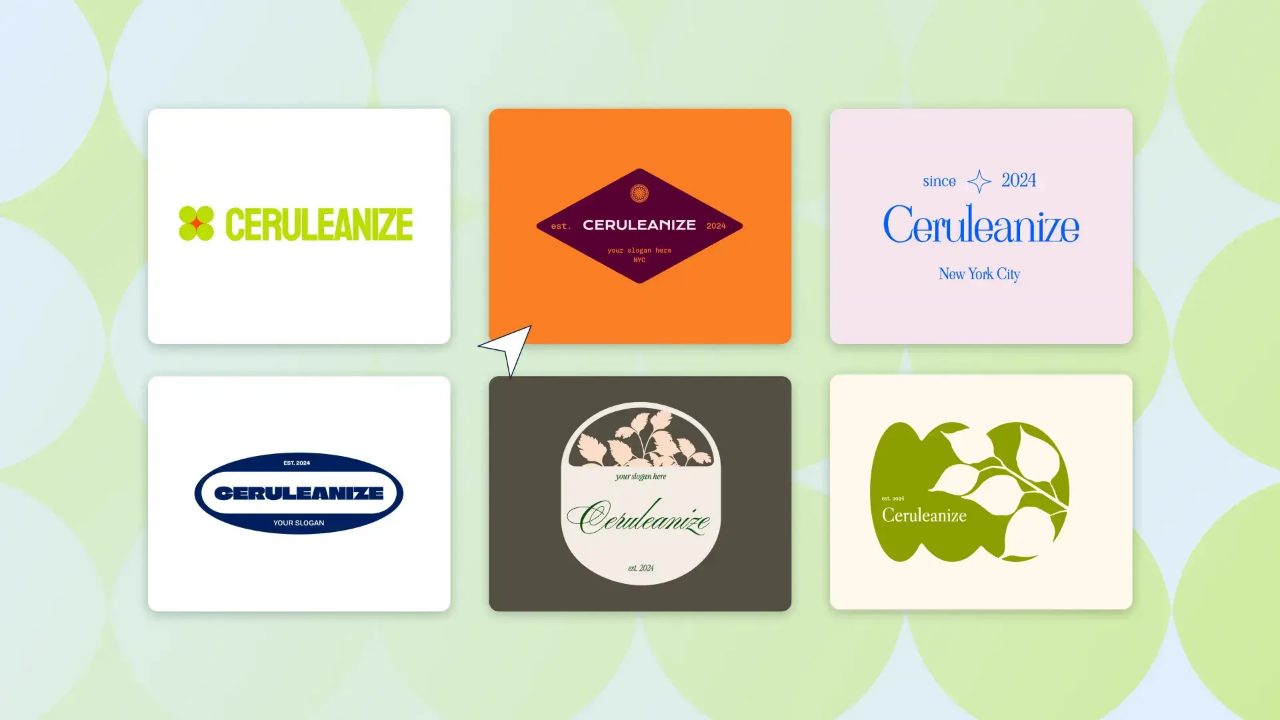
LOGO.com works like the other questionnaire-style makers: type your business name, pick a few styles and colors, and scroll through a wall of concepts. Open one in the drag-and-drop editor and you can change the icon, font, colors and layout as often as you like. The results are still templated, built from a library of millions of icons and elements, but when Designlab retested the older logo generators, LOGO.com came out the strongest of them, with more polished and varied results than Looka, Brandmark or Tailor Brands.
What puts it first is how you pay. The free plan downloads PNG files with a commercial license, which is enough for a website header or a social avatar while you decide whether the logo sticks. When you need the real thing, the Brand Plan is $15 a month, and the download is enormous: more than 250 files, including 42 vector files in SVG, PDF and AI formats, transparent and greyscale versions, a monogram, a favicon and social icons. The same plan builds brand guidelines with your colors and fonts and fills business card and social post templates with your logo.
You can cancel from your account settings, and the logo stays yours after you cancel or even delete your account. What you lose is the ability to download again or keep editing, so download the whole set before you cancel and store it somewhere you’ll find in three years. There’s no EPS file. SVG and PDF cover nearly every printer and sign shop, but the occasional print shop still asks for EPS, and you’d have to convert it yourself.
What it does
- Free PNG downloads with a commercial license
- Brand Plan download with 250+ files, including SVG, PDF and AI vectors
- Brand guidelines, business cards and social templates built from your logo
Pros
- The cheapest way to get a complete vector file set and brand kit from a logo maker
- You keep the logo after cancelling
- Polished results for a template tool
Cons
- Icons and fonts are shared with other customers
- No EPS files
- No more downloads or edits once the subscription ends
Recraft
For a mark that doesn't look templated
#2 3.9/5
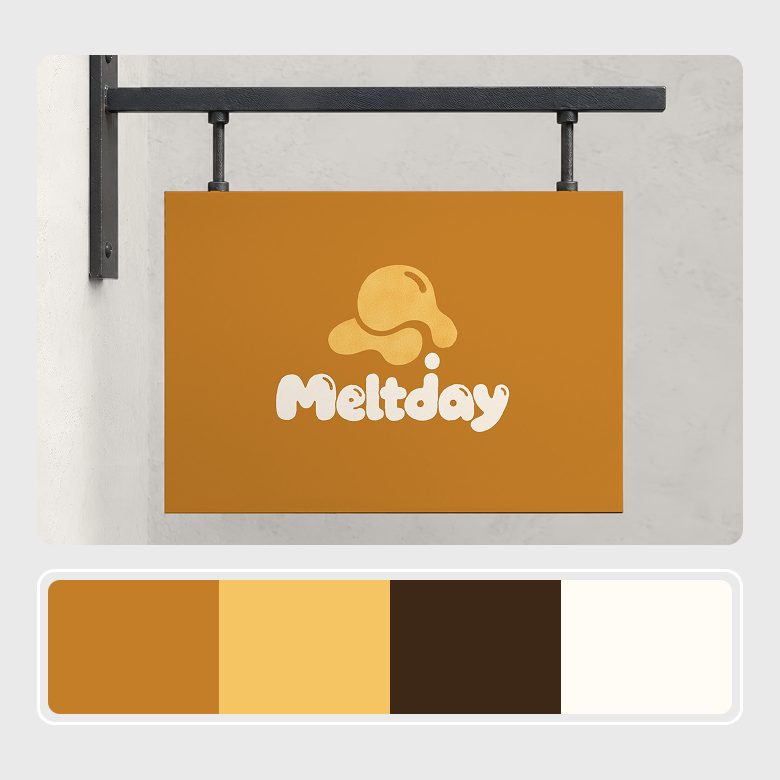
Recraft is the strongest tool here for a logo that looks designed rather than assembled, and it’s the one image generator that gives you a real vector file. Its Logo Maker asks a few questions about your business instead of making you write a prompt, offers styles picked by designers, and shows the results on packaging, apparel and storefronts before you export. In Designlab’s test its concepts were the most creative and the least templated of every tool, distinct from each other, close to the brief, and often usable with little refinement.
The SVG is the point. Most image generators give you a picture that you’d have to trace into vectors, and tracing tends to leave lumpy curves and hundreds of stray points. Recraft draws the vector directly, so the file opens cleanly in Figma or Illustrator and scales from a favicon to a van wrap. Lettering is the weaker spot: the name becomes vector shapes rather than editable type, and it gets less reliable past a few words, so a short name works better than a long one with a tagline. Making the symbol first and the name’s lettering separately usually beats asking for the whole logo at once.
Check the plan before you fall for a free result. Images made on the free plan are public, owned by Recraft and not licensed for commercial use, so a free Recraft logo isn’t one you can put on your business. Basic costs $10 a month billed yearly or about $12 month to month, and anything you make while subscribed is yours with full commercial rights, even after you cancel. One month is enough for most logo projects.
What it does
- Logo Maker questionnaire, with no prompt writing needed
- Native SVG output with clean, editable paths
- Previews on packaging, apparel and storefronts
Pros
- The most distinctive logos of any tool here
- Real vector files instead of traced pictures
- Logos made on a paid plan stay yours after you cancel
Cons
- Free-plan logos are public, owned by Recraft and can't be used commercially
- The name is drawn as shapes, and long names come out less reliably
- No business cards, social kit or brand guidelines
- Skip if:
- You want a finished brand kit without trying several rounds of concepts
Looka
Buy once, EPS included
#3 3.9/5
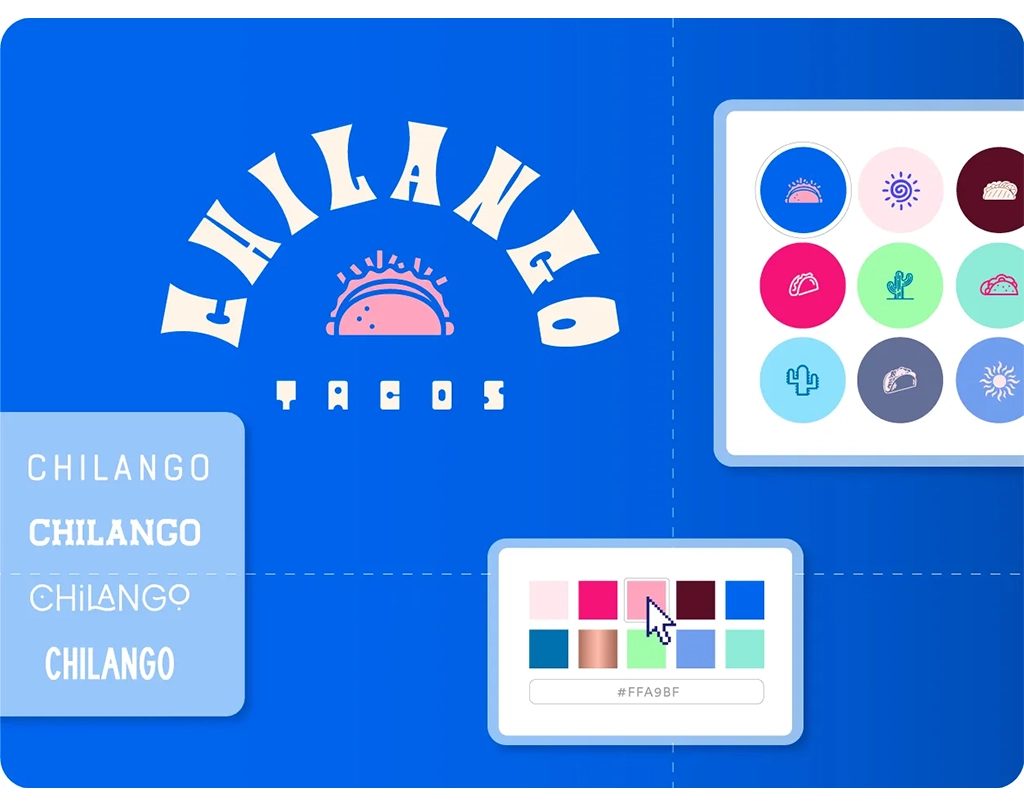
Looka is the name most people know, and its guided flow is still among the smoothest: no signup, a short questionnaire, and within a few minutes you’re adjusting fonts, colors, layouts and symbols. The logos are clean and professional and also recognizably templated. Every user draws on the same icon library, so the symbol you pick is available to everyone else.
Looka’s advantage over LOGO.com is that you can buy outright. The Premium Logo Package is $72 one-time and includes high-resolution PNG, SVG, PDF and EPS files, several color variations and transparent backgrounds. Skip the $35 Basic package: it’s one low-resolution PNG, which you’ll outgrow the first time you print something. The Brand Kit subscription, $96 a year, adds business cards, social profiles and posts, email signatures, letterheads and brand guidelines, and the logo stays yours if the subscription ends.
Settle the exact business name before you pay, because Looka lets you change everything after purchase except the company name. Its pages also disagree on whether unlimited edits after purchase come with Premium or only with the Brand Kit, so if you expect to keep tweaking, plan on the subscription.
Pros
- One-time purchase, no subscription needed
- Premium includes EPS as well as SVG and PDF
- One of the easiest guided flows
Cons
- Results look templated, with shared icons
- The Basic package is a single low-resolution PNG
- The company name can't be changed after purchase
- Choose if:
- Your printer asks for EPS files
Brandmark
Cheapest vector logo you can buy outright
#4 3.8/5
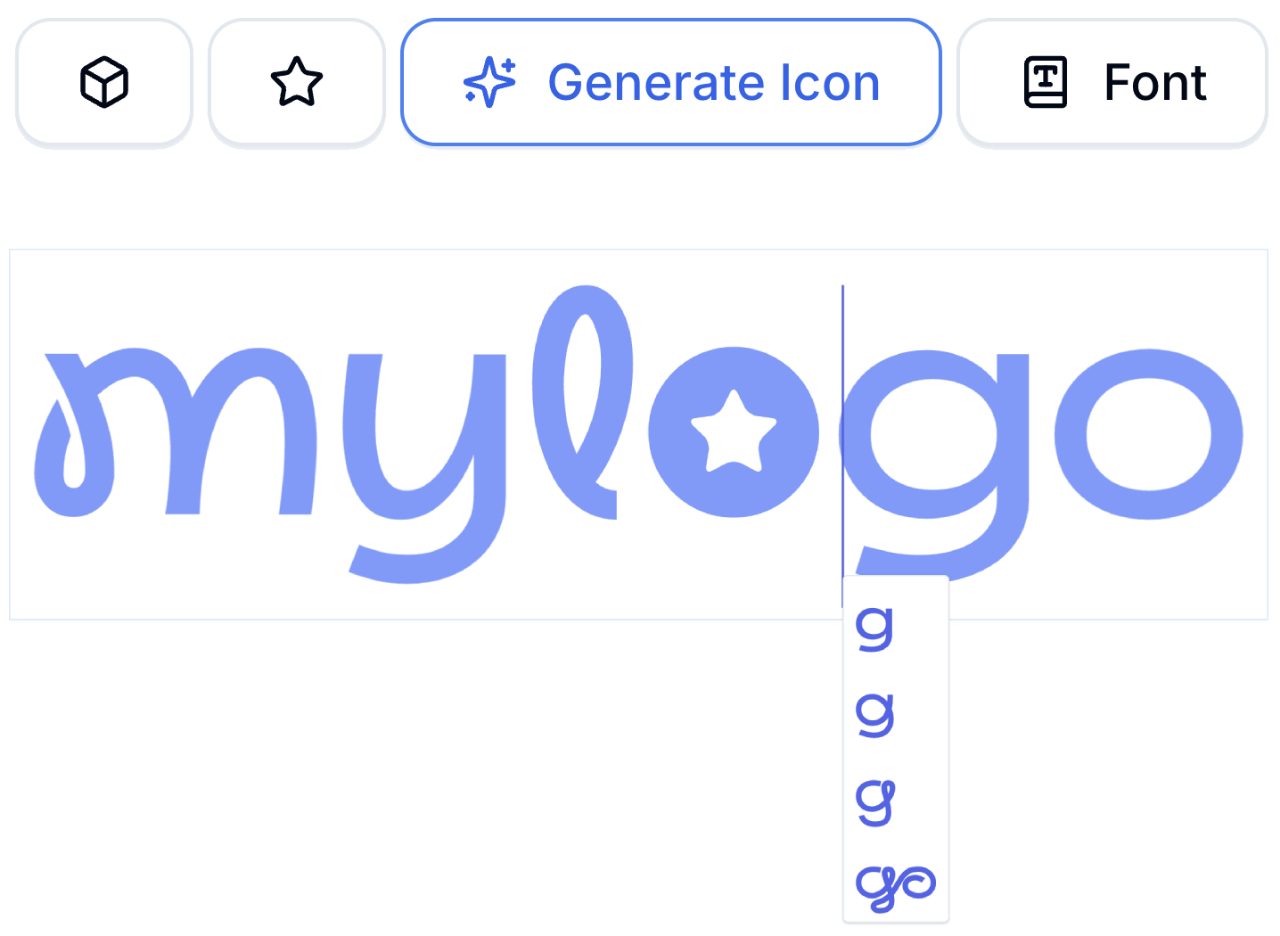
Brandmark is the cheapest way here to buy a vector logo once and be done. Basic is $35 one-time for logo files in PNG and vector formats, with full copyright for commercial use. Designer, at $95, adds source files, brand guidelines, business card and social media designs, and a one-page website. Enterprise, at $195, adds up to ten original concepts from Brandmark’s design team, the only way here to get a mark drawn by a person.
The generator leans toward modern, minimal marks and mixes AI-generated icons with templates. The editor changes the text, fonts, colors and spacing, with alternate shapes for individual letters of the name. Results land in the same place as Looka’s: tidy, competent and a bit generic. Designlab found it took a few rounds before the concepts got interesting, and some color presets were narrow. Revisions stay unlimited after purchase, which helps when you want to adjust the logo a year from now.
Pros
- Vector files for a single one-time payment
- Unlimited revisions after purchase
- Human-designed concepts available at the top tier
Cons
- Fewer concepts and a narrow, minimal style
- Brand guidelines and social designs need the $95 package
Wix Logo Maker
Free SVG downloads
#5 3.7/5
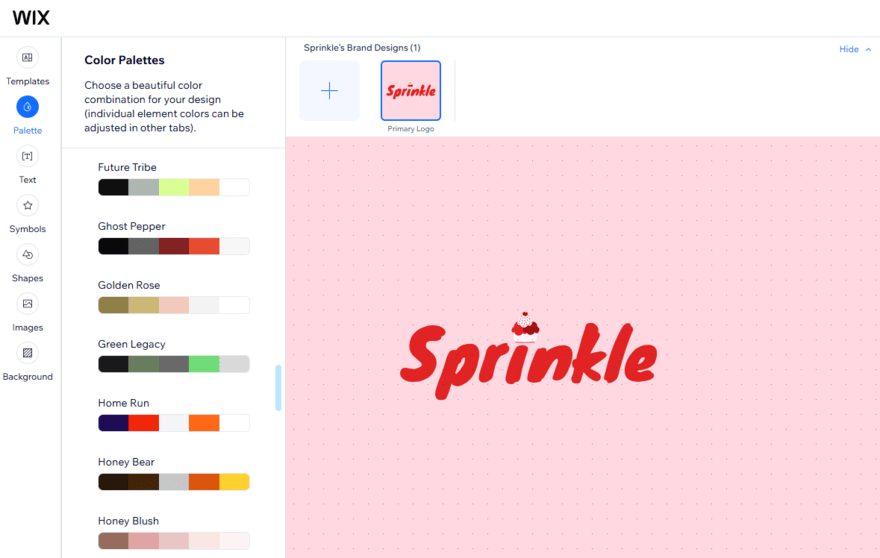
If you won’t pay anything, Wix’s logo maker is the easy answer. Wix runs it through Wixel, its AI design app, and downloading the finished logo is free as an SVG, a transparent PNG or a JPG, with the icons and fonts licensed for commercial use. None of the other logo makers here give you a vector file for free.
You start from a template or describe your business to an AI assistant, then edit fonts, colors, icons and layout by hand. Manual edits cost nothing. AI generation and AI edits use credits, and the free plan gets 120 a month (no more than 30 a day), which Wix estimates covers about 20 logos. The designs are template-maker quality, and its icons and fonts are available to every Wixel user.
One thing confuses people: Wix still runs an older logo maker that sells one-time packages and bundles of a logo and a website, and many write-ups describe that one. You don’t need any of those to download a free logo from the current one.
Pros
- Free SVG, transparent PNG and JPG downloads with commercial use
- Manual edits never cost credits
Cons
- Templated results with icons every user can pick
- No ready-made brand guidelines or business card set
- Two Wix logo makers with different pricing make the offer confusing
Canva
If your brand already lives in Canva
#6 3.7/5
Canva makes sense when the logo is the first of a hundred things you’ll design: once it’s in your Brand Kit with your colors and fonts, every social post, flyer and slide picks it up. There are two ways to make one. The logo templates give you real, editable type from a huge font library, and you can move and recolor every element at any time. The AI Logo Generator turns a prompt into a logo image that you refine with photo tools, which makes a wrong letter or a spacing problem harder to fix. For a logo, use the templates.
The free plan downloads a standard PNG. A transparent PNG and an SVG need Pro, which is $144 a year or about $15 month to month, and one month is enough to export your files.
The real caveat is ownership. Canva’s logo templates “can be used by anyone”, so your rights are non-exclusive and you can’t register the logo as a trademark. The same goes for graphics from Canva’s content library. A logo built only from fonts and simple shapes, or from artwork you upload, can be registered.
Pros
- Full editing control and a huge font library
- Brand Kit carries the logo into everything else you design
- Usable PNG downloads on the free plan
Cons
- Template logos can't be registered as a trademark
- Transparent PNG and SVG need Pro
- Popular templates mean familiar-looking logos
- Skip if:
- You plan to register the logo as a trademark
Adobe Express
Free, with Adobe Fonts
#7 3.7/5
Adobe Express is Adobe’s answer to Canva, and for a free logo it has two things going for it: the free plan includes thousands of Adobe Fonts and exports a transparent PNG, with a watermark only when you use premium content. You can start from the style-based logo maker (name, industry, style) or from Adobe’s Firefly AI logo generator that spends generative credits, and either opens in the full editor.
Files are the limit. Adobe offers logo downloads as PNG, JPG and PDF, and points you to the PDF when you need scalable resolution; there’s no SVG among the logo download options. That’s fine for a website and most printing, but a developer or designer who asks for an SVG will need it converted. The quick download is a 500-pixel square, so resize the design before exporting anything larger.
As with Canva, be careful with stock content in a logo you want to trademark. Many Express graphics come from Adobe Stock, whose license doesn’t allow a stock asset to be used as a logo or trademark. Premium, at $9.99 a month, mostly adds premium templates and resizing; you don’t need it for the logo.
Pros
- Free transparent PNG and PDF downloads
- Thousands of Adobe Fonts on the free plan
- Full editor for every element
Cons
- No SVG among the logo downloads
- Stock graphics are a poor base for a trademark

Tailor Brands
Only if you're forming your company there
#8 3.6/5
Tailor Brands is mostly a company-formation service, with the logo maker as one part of its business dashboard. The logo flow is quick, a few questions and logos in under a minute, and it shows your logo on business cards and mockups. But it gave the most formulaic results of the template makers in independent tests: Experte found its suggestions generic and its chosen font style ignored, and Designlab got a design nearly identical to one the tool had made two years earlier.
There’s no one-time purchase. Plans start around $4 a month on a yearly contract, with vector files starting at the Standard plan, and month to month costs much more. The logo plan prices appear only once you’re in its studio. Experte relays complaints that customers who chose a one-month plan were charged for a year. The extras are generous on paper, with 21 social sizes, a brand book, letterheads and business cards, but they don’t make up for weaker logos and a murky price. It makes sense only if you’re forming an LLC through Tailor Brands anyway.
Pros
- Fast, guided flow
- Social sizes, brand book and stationery from the logo
Cons
- The most generic results among the logo makers
- Subscription only, with prices hidden until you're in the studio
- Reports of unexpected yearly charges

Ideogram
For wordmarks and lettering
#9 3.3/5
Ideogram is the image generator to reach for when the logo is mostly lettering: just the name, a monogram, a vintage sign. It’s known for spelling text correctly and styling it well, and in Designlab’s test it produced a strong range of concepts and handled revision requests well. A transparent-background mode gives you the mark without a white box behind it.
Everything else is work you do afterwards. Ordinary images are pixel-based (raster), so a vector means tracing the result or using Ideogram’s separate vector tools. The lettering is part of the picture, and fixing a letter means an AI edit rather than retyping. The free plan’s 30 credits a week cover only a handful of images, everything made on it is public, and others can remix it. Plus, at $20 a month or $15 billed yearly, makes images private and adds PNG export and upscaling. You own what you make and commercial use is allowed, but other users may get similar output.
Pros
- The most reliable lettering of the image generators
- Transparent-background generation
Cons
- Pixel-based images that need tracing for a vector
- Free images are public and remixable
- No brand kit or file set
ChatGPT
For brainstorming concepts
#10 3.1/5
ChatGPT is where many people try first, and it’s good for exploring ideas: describe the business, then refine in plain words, “make the icon simpler”, “try a serif”, “show it stacked”. Marks come out fresh rather than from a library. In Designlab’s test the first attempt added text nobody asked for and looked more like an illustration than a logo, though it improved after a couple of revisions.
As a source of the final logo, it falls short. You get a PNG and nothing else; you can ask for a transparent background, but check the edges against a dark color, and a vector means tracing the image in another tool. Names still come out misspelled: Printify asked ChatGPT for a GiggleCrate logo and got “Gigglecrat”. You own the output, but other users may receive similar results. The sensible use is to find a direction here, then rebuild it in a logo maker with real type, or run it through Recraft, which can turn a PNG into a vector.
Pros
- Easy, conversational way to explore directions
- Free to try on the free plan
Cons
- PNG only, with no vector or variants
- Names can come out misspelled
- Similar results are possible for other users
Scores
1–5 per criterion · select a score for its reasoning and any sources
| # | Product | Overall | Logo quality and originality , counts double | Ready-to-use logo files | Cost to get usable files | Business name and lettering | Editing control | Ease for non-designers | Ownership and exclusivity | Brand kit extras |
|---|---|---|---|---|---|---|---|---|---|---|
| 1 | LOGO.com | 4.0 | 3 | 5 | 4 | 4 | 4 | 5 | 3 | 5 |
| 2 | Recraft | 3.9 | 5 | 4 | 4 | 3 | 4 | 4 | 4 | 2 |
| 3 | Looka | 3.9 | 3 | 5 | 3 | 4 | 4 | 5 | 3 | 5 |
| 4 | Brandmark | 3.8 | 3 | 4 | 4 | 4 | 4 | 5 | 3 | 4 |
| 5 | Wix Logo Maker | 3.7 | 3 | 4 | 5 | 4 | 4 | 4 | 3 | 3 |
| 6 | Canva | 3.7 | 3 | 4 | 4 | 5 | 5 | 4 | 2 | 3 |
| 7 | Adobe Express | 3.7 | 3 | 3 | 5 | 5 | 5 | 4 | 2 | 3 |
| 8 | Tailor Brands | 3.6 | 2 | 4 | 3 | 4 | 4 | 5 | 3 | 5 |
| 9 | Ideogram | 3.3 | 4 | 3 | 4 | 4 | 3 | 3 | 4 | 1 |
| 10 | ChatGPT | 3.1 | 4 | 2 | 4 | 3 | 3 | 3 | 4 | 1 |
Equal displayed overall scores are ordered by the earlier criteria; a known score comes before an unknown score. Identical scores use alphabetical order.
×2 = counts double in the overall score, ×½ = counts half.
How each criterion is scored
Logo quality and originality
Counts double in the overall score: A good-looking mark that doesn't look like everyone else's is the reason readers use these tools, and it's what reviewers disagree about most, so it counts double.
How good the logos look and how much they look like your business rather than a template: clean, balanced marks that still work small, concepts that differ from one another and follow the direction you give, and icons that aren't the same stock symbols thousands of other businesses use. Judged from independent side-by-side tests, reviewers' and users' views on how generic the results feel, and whether icons are drawn fresh or picked from a shared library.
- 5 Distinctive marks that look custom-made, with varied concepts that follow your direction closely
- 4 Polished and more varied than template makers; some concepts need a few rounds of refining
- 3 Clean and professional, but templated, with familiar icons from a shared library
- 2 Usable but generic; concepts repeat and rarely match the direction you give
- 1 Often unusable, with awkward layouts or clip-art icons
Ready-to-use logo files
What the best download the tool offers contains: a vector file (SVG, EPS or PDF) that a printer, sign maker or web developer can scale to any size, a high-resolution PNG with a transparent background, and the versions a business ends up needing, such as black, white and one-color variants, icon-only and stacked or horizontal layouts, and favicon or social profile sizes. What it costs is scored separately.
- 5 A full set in one download, with vector and transparent PNG files in several color variants and layouts
- 4 Vector and transparent high-resolution PNG, with a few variants
- 3 Either a clean vector or a transparent high-resolution PNG, but not a ready set of both, or a vector that needs cleanup
- 2 A raster image (PNG or JPG) only; any vector or variant has to be made in another tool
- 1 Low-resolution or watermarked images only
Cost to get usable files
What a buyer actually pays to download the tool's full logo file set with commercial rights: free downloads, one-time packages, or a subscription counted as the months needed to get the files, and whether the files stay usable after a subscription is cancelled. A plan that can't be bought month to month counts at its minimum term.
- 5 The full file set is free to download, with commercial rights
- 4 A usable free download with commercial rights, or the full set for under about $40
- 3 About $40 to $100 for the full set, one-time or as a short subscription you can cancel and keep the files
- 2 More than about $100, or a subscription with a long minimum term, before you get the full set
- 1 An ongoing subscription you must keep paying to keep using the logo
Business name and lettering
Whether the business name comes out spelled right and looks good: set as real type you can retype and swap fonts on, the size and range of the font library, and for tools that draw the text as part of an image, how reliably and how well they letter a short name. Judged from the tools' editors, reviewers' tests and users' reports of misspelled names.
- 5 The name is real, editable type with a large font library and full control over spacing and case
- 4 The name is real, editable type with a limited font choice, or drawn lettering that is reliably correct and well styled
- 3 Short names usually come out right, but the lettering is part of the image and fixing it means regenerating
- 2 Short names sometimes come out right, but misspellings are common
- 1 Names often come out garbled
Editing control
How precisely you can change a logo you like: moving, resizing and recoloring each element, swapping the icon or font, adjusting spacing, and making later edits after you've downloaded the files.
- 5 Full control of every element in a general design editor, with the logo editable at any time
- 4 A logo editor for fonts, colors, icon, layout and spacing, with edits available after download
- 3 Some control through presets or plain-language requests, but other details can shift between versions
- 2 Regenerate or pick from presets, with little direct control
- 1 No edits; you can only start again
Ease for non-designers
How quickly someone with no design or prompting experience gets from a business name to a logo they're happy with: a guided questionnaire, a template to edit, a chat, or writing prompts and finishing the logo in another tool.
- 5 A guided questionnaire that turns a business name into finished logo options in minutes
- 4 A template or guided start, with some choosing and editing to finish
- 3 Prompt-driven or chat-driven, workable for beginners after some trial and error
- 2 Needs prompt-writing skill and a second tool to finish the logo
- 1 Needs design software skills to get a usable logo
Ownership and exclusivity
Whether the logo is yours to build a brand on: commercial use, who owns the result, whether its icons and fonts are shared with every other customer so a competitor can end up with a similar mark, and whether the maker's terms restrict registering it as a trademark. Scored for the plan a buyer uses for business, from the maker's terms.
- 5 A mark designed only for you, with full rights transferred and no trademark restriction
- 4 You own a newly generated mark outright, with no trademark restriction, though similar outputs are possible
- 3 You own the finished logo, but its icons and fonts come from a library every customer can use
- 2 Commercial use, but the maker says the logo is non-exclusive and can't be registered as a trademark
- 1 No commercial use on the plan readers would use
Brand kit extras
What the tool gives you beyond the logo to put it to work: business card designs, social profile and post sizes, brand guidelines with colors and fonts, email signatures, letterheads, mockups and a website. Counted for what the tool produces from your logo, not what you could build yourself in another app.
- 5 A full brand kit generated from the logo, with business cards, social assets, guidelines, stationery and more
- 4 Several ready-made assets, such as business cards, social sizes and brand guidelines
- 3 A brand kit that stores your logo, colors and fonts, with templates you adapt yourself
- 2 One or two extras, such as mockups or a color palette
- 1 The logo only
Which one to pick
- You need a logo and files this week, on a small budget: LOGO.com. Download the free PNGs now, and pay for one month when you need the vectors and brand kit.
- You hate subscriptions: Brandmark’s Basic package, or Looka’s Premium package if your printer wants EPS.
- You won’t pay anything: Wix’s logo maker for free SVG and PNG files. Adobe Express is the alternative if you prefer Adobe’s fonts and a PDF is enough.
- You want something that doesn’t look like a template: Recraft, on a paid month. Use Ideogram for a lettering-led wordmark, and ChatGPT to sketch directions before you commit.
- You already design everything in Canva: a Canva template logo is fine for a side project, but don’t use one for a brand you plan to register.
- You’re forming an LLC through Tailor Brands: use the logo that comes with it, but don’t sign up for the logo alone.
Making sure the logo stays yours
Two different protections get mixed up here. Copyright protects the artwork, and the US Copyright Office’s position is that images generated entirely by AI from prompts aren’t protected, however many rounds of prompting you do; your own changes and arrangement can be. Trademark protects a distinctive mark you use in business, and a mark built around a stock icon that thousands of others can use is a weak one to register. You can’t register a logo made from Canva’s templates or library graphics.
If a trademark is the goal, build the logo from something that’s only yours: distinctive lettering of the name, a mark generated in Recraft or Ideogram and then refined by hand, or Brandmark’s designer-drawn concepts. Ask a trademark attorney before filing.
Then think about the logo five years from now. Subscriptions end, accounts get closed and companies change their plans. With LOGO.com and Looka the logo stays yours after a subscription ends, but LOGO.com stops further downloads and edits. Before you cancel anything, download the full set, keep the SVG or EPS master with your business records, and write down the font names and color codes from the brand guidelines. With those, any designer can rebuild or extend the logo without the tool that made it.
The bottom line
For most new businesses, the difference between logo makers is less about looks than about files and price. They all produce clean, templated marks, so pick the one that gets you a complete vector set cheaply and lets you leave with it: LOGO.com does that for the price of one month, Brandmark for one small payment, and Wix for nothing. Looka is the safer buy if you need EPS files and want no subscription, and Canva or Adobe Express make sense when you’ll design everything else there too.
If the logo is meant to carry a brand for years, the image generators are worth the extra effort, and Recraft is the one that finishes the job with a real vector file. Pay for the month, so the logo is yours. Use Ideogram when the name itself is the logo, and keep ChatGPT for the sketching stage.