Canva
Browser-based design platform with drag-and-drop templates for social posts, flyers and presentations, plus a free video editor with a timeline.
Our verdict
#2 of 10 in AI presentation makers · For decks that share a brand kit with your other designs
What it does
- Generates designed deck options from a prompt, then opens them in the full Canva editor
- Brand kits, Magic Write and AI image generation
- Presenter view, phone remote, offline presenting and recording
Pros
- One of the most flexible editors here, and familiar to millions of people
- Free for K-12 schools and nonprofits, and the free plan's AI allowance renews
- One deck can become a handout, a social post or a video
Cons
- AI-written slide text is generic and needs heavy rewriting
- Template-based layouts can look familiar
- PowerPoint exports land on blank layouts
- Choose if:
- Your school or nonprofit already has free Canva premium
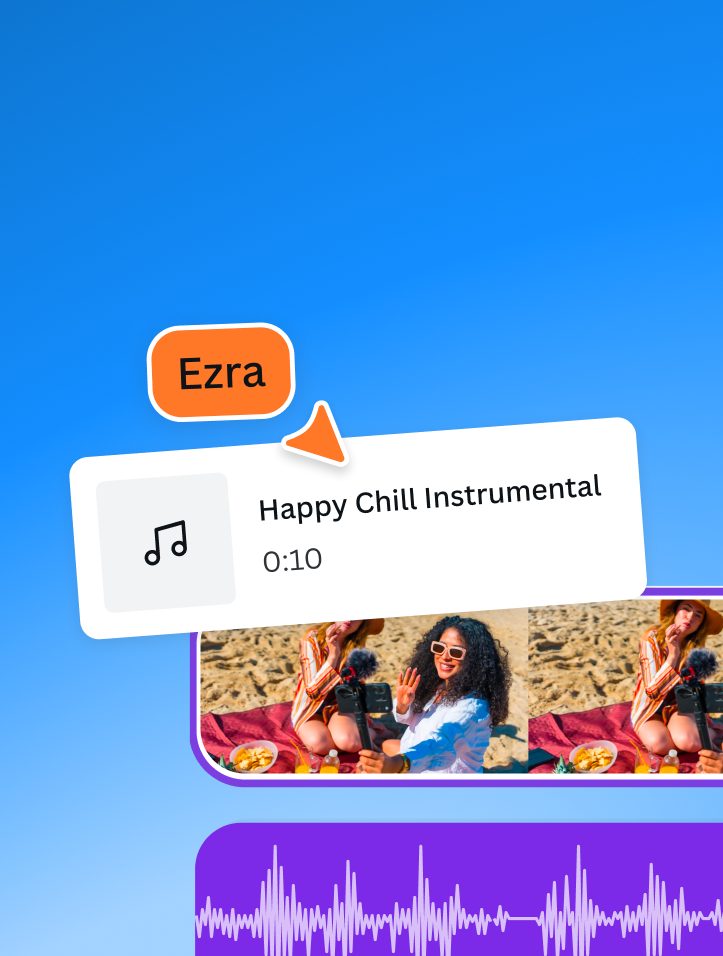
Canva is an online design platform for social posts, flyers, posters, presentations, documents and video, used from a browser or the mobile apps. Its video editor puts clips on a multi-layer timeline, with trim and split tools, transitions, animations, auto captions, a stock library and AI helpers such as Highlights, Magic Video and Enhance Voice. The free plan exports MP4 without a watermark as long as only free elements are used; Pro adds premium stock footage and music, a video background remover, Magic Resize, and more storage and AI allowance. It is proprietary software with a free tier and paid subscriptions. For static designs, Free covers 1.6M+ templates, while Pro adds 3.6M+ templates, 141M+ stock items, transparent PNG, SVG and CMYK export, and more AI allowance.
What users say
Evidence ↓The one independent reviewer read, TechRadar in 2022 for an older version, found Canva Video easy to use for quick slideshow-style videos but weak on audio and voice-over editing. A 2026 review from a competing vendor says Canva is a design tool with video layered on top, with a slide-based editing ceiling, and points to CapCut or DaVinci Resolve for finer control. These are single sources, not a measured consensus.
Rankings and alternatives
All Canva alternatives →- AI presentation makers #2 of 10 For decks that share a brand kit with your other designs
- Gamma #1 Best-looking drafts for most decks Canva vs Gamma →
- Copilot in PowerPoint #3 For decks that must stay in PowerPoint
- Beautiful.ai #4 Layouts that rearrange themselves
- AI logo generators #6 of 10 If your brand already lives in Canva
- Free mind mapping software #7 of 9 Good-looking maps for class projects
- Free AI image generators #8 of 9 AI images inside a design editor
- ChatGPT #1 Best images for most people
- Google Gemini #2 Fast photo edits and a strong backup
- Microsoft Bing Image Creator #3 Most free images per day
- Free video editors for beginners #8 of 8 For Canva users making short videos
- CapCut #1 Easiest path to a finished video
- iMovie #2 Best for Mac owners
- DaVinci Resolve 21 #3 The free editor you won't outgrow





AI logo generators scores
Evaluated Nov 17, 2026 Evidence ↓- Logo quality and originality · counts double 3
3/5 means: Clean and professional, but templated, with familiar icons from a shared library
Template logos are clean and high quality but everyone starts from the same pool and icons can be copied (one reviewer, predating the AI generator). The AI generator output is an image of unknown quality and may not be exclusive.
- Ready-to-use logo files 4
4/5 means: Vector and transparent high-resolution PNG, with a few variants
Pro downloads vector SVG and a transparent high-resolution PNG (and PDF, favicon-size and social sizes via templates), but there is no ready set of color variants or layouts in one download; the user builds those in the editor.
- Cost to get usable files 4
4/5 means: A usable free download with commercial rights, or the full set for under about $40
The free plan downloads a standard PNG with commercial use, and one month of Pro (about $15 on monthly billing, $144 a year on annual) unlocks transparent PNG and SVG; files stay usable after cancelling. Raised from 3 by the writer: a usable free download with commercial rights is level 4.
- Business name and lettering 5
5/5 means: The name is real, editable type with a large font library and full control over spacing and case
Template logos use real editable text with Canva's large font library and effects such as curves and shadows. AI-generated logos draw the name into an image, so it applies to the template route.
- Editing control 5
5/5 means: Full control of every element in a general design editor, with the logo editable at any time
Template logos are fully editable in a general design editor at any time. An AI-generated logo is an image, with only photo-editor tools, though it can be recolored or combined with editable text.
- Ease for non-designers 4
4/5 means: A template or guided start, with some choosing and editing to finish
Starts from templates by category with drag-and-drop editing; the same reviewer says the editor is more complex than guided logo makers and is aimed at users with some design know-how.
- Ownership and exclusivity 2
2/5 means: Commercial use, but the maker says the logo is non-exclusive and can't be registered as a trademark
Commercial use is allowed, but Canva says template logos are non-exclusive and cannot be registered as a trademark, stock elements are shared, and AI output may not be exclusive. Only logos built from fonts and simple shapes or uploaded art can be registered.
- Brand kit extras 3
3/5 means: A brand kit that stores your logo, colors and fonts, with templates you adapt yourself
Brand Kit stores logos, colors and fonts, with templates for business cards and social posts you adapt yourself; Magic Resize (Pro) resizes designs. It does not generate a brand kit from the logo, and kit creation on Pro is aimed at admin roles.
AI presentation makers scores
Evaluated Nov 17, 2026 Evidence ↓- How good the generated slides look · counts double 4
4/5 means: Polished, varied layouts with fitting images; looks professionally designed
Reviewers agree Canva's AI decks look good and on brand, with visuals, divider slides and a closing slide, but the layouts come from its huge template library and frequent users recognize them, so they rarely look made for the topic.
- How good the outline and words are 2
2/5 means: A usable structure, but shallow, generic text that needs heavy rewriting
Geekflare's reviewer estimated the text needs 50 to 70 percent rewriting for professional use, and a PowerPoint trainer called the content generic; the structure is usable.
- Fixing the draft 5
5/5 means: Free-form editing plus AI edits to a chosen slide or element and AI revisions across the whole deck
The full Canva editor lets you drag, align and change every element, and Canva AI, Magic Write and design suggestions edit a chosen slide or the whole design. One reviewer reported the editor crashing on large, image-heavy decks.
- Works with PowerPoint and Google Slides 3
3/5 means: Exports editable PowerPoint and Google Slides files, but slides land on blank layouts without placeholders
Decks download as PPTX, but a PowerPoint trainer found the export on blank layouts with no template functionality, so expect cleanup in PowerPoint.
- What you get free 4
4/5 means: An AI allowance that renews (monthly or on rolling limits), with export
The free plan gets a limited share of Canva's monthly AI allowance and up to 10 Magic Design generations, and free accounts can download decks, though decks using premium elements can't be downloaded free.
- Price of a plan for regular use 4
4/5 means: 10 to 14.99 a month
Pro is US$144 a year, $12 a month, for one person.
- Brand and team features 5
5/5 means: All of 4, plus admin controls that lock brand elements or approve decks
Brand Kits the AI applies, real-time collaboration, shared templates, and on Business and Enterprise approvals and admin controls, from established knowledge of the plans and the pricing page.
- Presenting and sharing · counts half 4
4/5 means: All of 3, plus viewer analytics on some plan
Present from Canva with presenter view, offline presenting and recording, share links with permissions, and design insights showing views; no per-slide engagement tracking per viewer.
Free AI image generators scores
Evaluated Nov 17, 2026 Evidence ↓- Image quality on the free tier · counts double 3
3/5 means: Good images, but visibly behind the leaders on realism or on following a detailed prompt
Free gets Canva's Standard and Premium image quality from models Canva doesn't name, not the Ultra tier. The only reviews, from competing vendors, rate it middle of the pack and below dedicated generators, with no leaderboard entry.
- Free images per day 1
1/5 means: Fewer than about one a day on average, from a small weekly or monthly pool
One shared monthly pool of about 20 Standard or Premium uses, shared with other AI tools, which is under one image a day. The 20 figure is a third party's reading of Canva's estimates, and Canva states it can change.
- Text in images 2
2/5 means: Short words sometimes come out right, longer text rarely
The only test found calls Canva's in-image text essentially unusable, though it covers the older Magic Media and comes from a competitor. Canva's usual route is adding real text in its editor on top of the image, which this rubric does not count.
- Editing on the free tier 3
3/5 means: Some editing of your own images, but with a small free cap or only basic tools
Canva lists Magic Edit, Magic Eraser, Magic Expand and a background remover for generated and uploaded images, but Free use is capped by the small shared allowance and some tools are Pro. Which ones are free was not confirmed.
- Clean, usable downloads 4
4/5 means: No visible mark (or one you can switch off), at about 1,000 pixels on the long side
No visible watermark on AI images is documented, only invisible provenance metadata, and downloads are PNG, JPG or PDF. Resolution is unstated by Canva; a competitor says 1024x1024 on Free, which would sit at about 1,000 pixels.
- Commercial use and privacy 4
4/5 means: Commercial use allowed, and images stay private to your account
Canva's terms let you use output for any lawful purpose including commercial work and say you own it, with no plan distinction. Images are private to your account; caveats are non-exclusivity and library content you edit, and no licensed-training claim is made.
- Creative control 4
4/5 means: Aspect ratios, style presets or style references, and reference images
Free offers 10+ style presets, aspect ratio selection and reference-image upload. There is no choice of model or finer settings such as seeds, as a competitor notes.
Free mind mapping software scores
Evaluated Nov 21, 2026 Evidence ↓- Quick and pleasant to map in · counts double 2
2/5 means: Works, but slow to build in, with shapes placed by hand or a dated, confusing interface that takes hours to learn
Maps are built on a Whiteboard from templates, adding shapes, lines and sticky notes by hand (Canva's own steps). No one-key child/sibling topics or mind map auto-layout were found in Canva's pages, but its help center was not read, so this is not confirmed absent. Reviewers call Canva easy to learn but a general design tool.
- How much you can map for free · counts double 4
4/5 means: Unlimited maps, with some extras held back or occasional upgrade prompts
Canva says whiteboards are free and unlimited with an infinite canvas, and no cap on boards was found. Not 5 because Pro elements and templates are upsold and uploads are capped at 5 GB. Behavior with very large maps was not documented.
- Room for detail 2
2/5 means: Labels plus one extra, such as images or links, with notes or an outline paid
A Canva mind map is shapes, text and images on a whiteboard: it can hold pictures, icons and links, but there are no notes attached to topics, no outline view and no folding of branches.
- Getting your maps out 3
3/5 means: Image and PDF without a watermark, but no outline or mind-map file formats
JPG, PNG and PDF downloads are listed for mind maps. Free PDFs are RGB only, and Pro elements appear watermarked on Free. No outline, text or mind-map formats, and Canva has no open file format, so maps stay in Canva's cloud.
- Your maps on every device 5
5/5 means: Windows, Mac, the web and both phone platforms, synced on the free plan
Whiteboards work in the browser, the Windows and Mac desktop apps and the iPhone and Android apps, synced through the account; Canva's page says 'any desktop, web browser, or mobile device'.
- Mapping with other people, free 5
5/5 means: Real-time co-editing, comments and link sharing with no meaningful limit on the free plan
Real-time co-editing with live cursors, comments, reactions and link sharing is on the free whiteboard, and collaborators need no account. No collaborator cap was found. A 2023 review claiming otherwise conflicts with Canva's own page.
- Offline and under your control 1
1/5 means: Online only, with maps stored only on the vendor's servers
Canva is cloud-based with an account required. No export of an editable map is offered, only images, PDF, SVG or PPTX, and the product is closed source. Offline use was not verified for Whiteboards.
Free video editors for beginners scores
Evaluated Nov 17, 2026 Evidence ↓- Ease of learning · counts double 4
4/5 means: Approachable; most newcomers finish a simple video in their first session with a little looking around
Easy for anyone who has made a Canva design: drag templates, text and stock onto scenes. Short of 5 because it treats video as a row of design slides, which feels unlike other editors once you try to cut one long recording into a YouTube video.
- Editing depth and room to grow · counts double 2
2/5 means: A simple timeline with titles and transitions, but few tracks, no keyframes and little color or audio control
Trim, split and layer clips on a multi-layer timeline with animations and transitions, but the slide-based model, no chroma key, no color grading and weak voiceover and audio tools limit it, and Canva's own help warns that videos over about 10 minutes can fail to download.
- What the free version gives you 2
2/5 means: Watermark-free only if you avoid paid items mixed through the library; key features capped and an account required
Free exports carry no watermark only when every element is free; Pro elements are mixed through the library and a free account can't download a design that uses one. Free also needs an account, has 5 GB of storage and limited AI, and a reviewer reports 1080p as the free export ceiling.
- Built-in shortcuts in the free version 3
3/5 means: Either free automatic captions or a substantial free library of templates, music and stock, but not both
Over a million free templates and millions of free stock elements, plus automatic captions. Background removal for video, most premium stock footage and music, and the bigger AI tools are Pro.
- Runs well on an ordinary laptop 3
3/5 means: Works on an ordinary laptop with lag on long or high-resolution projects, or occasional crashes
Runs in a browser on almost any computer, including Chromebooks, but long or heavy videos fail to download and Canva advises trimming to 30 minutes or less.
- Tutorials and help 4
4/5 means: A large community with good official help and plenty of tutorials
From knowledge: Canva's large design community and its own Design School cover the basics, though fewer tutorials focus on editing long videos in it.
- Computers it runs on · counts half 5
5/5 means: Windows, Mac, Linux and Chromebook
Runs in the browser on Windows, Mac, Linux and Chromebook, with phone apps too.
Pricing
- Free Free 5 GB cloud storage. Videos export without a watermark if only free elements are used; adding Pro elements brings a watermark. Limited access to Standard and Premium AI, none to Ultra AI. Premium stock, the video background remover and Magic Resize are Pro.
- Pro $144.00 /year Billed at US$144 per year on the yearly toggle, which is US$12 per month (144 / 12). A third-party review lists US$14.99 per month on monthly billing; Canva's monthly price was not shown on the extracted page. One person per account, 100 GB storage, 10x the AI allowance of Free. Transparent PNG, SVG and CMYK export need a paid plan; Pro content is licensed per design on export.
- Business $250.00 /year per seat Billed at US$250 per year per person (250 / 12 = about US$20.83 per month). Adds team admin, 100 Brand Kits, 20x the Free AI allowance and a 10% print discount; not needed by one person.
Prices checked Nov 17, 2026.
Evidence and sources
What users say
Summary 4 quotes
-
A slideshow as video service that’s easy to use, and can help you create projects quickly and easily, but it does have some limitations.
Steve Paris, reviewer at TechRadar · techradar.com/reviews/canva-video · published · checked -
we feel the absence of audio tools to let you, for instance, easily add and edit a voice over track to your project, is a big let down.
Steve Paris, reviewer at TechRadar · techradar.com/reviews/canva-video · published · checked -
The editing model is fundamentally slide-based -- Canva treats video like a horizontal sequence of design slides. This makes it fast for template-based work but imposes a ceiling on editing complexity.
FluxNote Editorial Team, editors at a competing AI video tool vendor · fluxnote.io/guides/canva-video-editor-review · published · checked -
CapCut free offers green screen, keyframe animation, speed curves, and a richer effects library than Canva -- all free. DaVinci Resolve is professional-grade at no cost. For anything requiring fine timing control, cinematic effects, or broadcast-spec output, a dedicated editor is the better choice.
fluxnote.io/guides/canva-video-editor-review · published · checked
AI logo generators scores
Logo quality and originality 3 quotes
-
The designs are high quality and feature a nice mix of icons (which run the risk of being copied by other businesses) and more simple designs.
Martin Gschwentner, reviewer at EXPERTE.com · experte.com/logo-design/canva · checked -
All Canva users start with the same selection of logos, and there aren't any AI tools to filter these.
Martin Gschwentner, reviewer at EXPERTE.com · experte.com/logo-design/canva · checked -
Keep in mind that if you’re going to use AI output for your commercial projects, you may not have exclusive rights to your AI-generated designs.
canva.com/ai-logo-generator · checked
Ready-to-use logo files 3 quotes
-
Pro/paid plans: Quality controls, file size export limit, compression options, CMYK color profile options, and transparent PNG/SVG are available to Canva Pro, Canva for Teams, Canva for Education, and Canva for Nonprofits.
canva.com/help/download-file-types · checked -
Pro subscribers can set the logo's size (from 250x250 px up to 1,500x1,500 px), download a version with a transparent background, or compress the file.
Martin Gschwentner, reviewer at EXPERTE.com · experte.com/logo-design/canva · checked -
Unlike its competitors, Canva does not offer an all-in-one package of logo files with different formats, like those optimized for profile pictures or social media banners. The platform does provide templates for all of these, which makes it easy to adjust your logo for social media, business cards, or flyers.
Martin Gschwentner, reviewer at EXPERTE.com · experte.com/logo-design/canva · checked
Cost to get usable files 2 quotes
-
Pro/paid plans: Quality controls, file size export limit, compression options, CMYK color profile options, and transparent PNG/SVG are available to Canva Pro, Canva for Teams, Canva for Education, and Canva for Nonprofits.
canva.com/help/download-file-types · checked -
Pro subscribers can set the logo's size (from 250x250 px up to 1,500x1,500 px), download a version with a transparent background, or compress the file.
Martin Gschwentner, reviewer at EXPERTE.com · experte.com/logo-design/canva · checked
Business name and lettering 3 quotes
-
Expand on your description by including additional details such as your business name, business field, and brand colors.
canva.com/ai-logo-generator · checked -
Once you're happy with your logo, go ahead and put it on all your marketing and branding materials, or even use it as an Instagram logo! Save it as a PNG logo, JPEG or even PDF file for printing.
canva.com/create/logos · checked -
The designs are high quality and feature a nice mix of icons (which run the risk of being copied by other businesses) and more simple designs.
Martin Gschwentner, reviewer at EXPERTE.com · experte.com/logo-design/canva · checked
Editing control 4 quotes
-
After you’re done, download your logo to your device. Or, you can save it straight to your Canva uploads for later use.
canva.com/ai-logo-generator · checked -
Refine your logo even further to inspire brand loyalty by opening our photo editor. No need to switch apps—use Color edit to fine-tune specific colors and keep your logo design on-brand.
canva.com/ai-logo-generator · checked -
You have the option to open your logo in the editor to further refine your design with our built-in editing tools and media library.
canva.com/ai-logo-generator · checked -
The designs are high quality and feature a nice mix of icons (which run the risk of being copied by other businesses) and more simple designs.
Martin Gschwentner, reviewer at EXPERTE.com · experte.com/logo-design/canva · checked
Ease for non-designers 3 quotes
-
Once you're happy with your logo, go ahead and put it on all your marketing and branding materials, or even use it as an Instagram logo! Save it as a PNG logo, JPEG or even PDF file for printing.
canva.com/create/logos · checked -
The designs are high quality and feature a nice mix of icons (which run the risk of being copied by other businesses) and more simple designs.
Martin Gschwentner, reviewer at EXPERTE.com · experte.com/logo-design/canva · checked -
All Canva users start with the same selection of logos, and there aren't any AI tools to filter these.
Martin Gschwentner, reviewer at EXPERTE.com · experte.com/logo-design/canva · checked
Ownership and exclusivity 5 quotes
-
Keep in mind that if you’re going to use AI output for your commercial projects, you may not have exclusive rights to your AI-generated designs.
canva.com/ai-logo-generator · checked -
Canva’s logo templates are customisable and can be used by anyone. This means that your rights to the logo are non-exclusive and you can’t register it as a trade mark.
canva.com/en_au/help/trademarks-logo · checked -
However, you can’t use stock content (e.g. photos and graphics) as we only give you a non-exclusive licence to this. Other Canva users are free to use the same content, which means that using stock content for your logos isn’t suitable for use in a trade mark. Elements in a logo need to be exclusive to you.
canva.com/en_au/help/trademarks-logo · checked -
This isn’t something we offer at the moment. We recommend contacting a local graphic designer or artist instead.
canva.com/en_au/help/trademarks-logo · checked -
🚫 You can’t trademark a logo that contains any other graphics, illustrations, or photos found in Canva’s content library.
canva.com/en_au/help/logo-trademarks · checked
Brand kit extras 3 quotes
-
Brand Kits lets you upload and organize your team or organization's official logos, colors, fonts, and assets in one place.
canva.com/help/brand-kit · checked -
Instantly resize your AI-generated logo for virtually any platform and make sure it looks great with Magic Resize to elevate multi-channel marketing campaigns.
canva.com/ai-logo-generator · checked -
Unlike its competitors, Canva does not offer an all-in-one package of logo files with different formats, like those optimized for profile pictures or social media banners. The platform does provide templates for all of these, which makes it easy to adjust your logo for social media, business cards, or flyers.
Martin Gschwentner, reviewer at EXPERTE.com · experte.com/logo-design/canva · checked
AI presentation makers scores
How good the generated slides look 2 quotes
-
Platform popularity may require extra effort to make your designs look unique when starting from templates or AI
Miguel Rebelo, reviewer at Zapier · zapier.com/blog/best-ai-presentation-maker · published · checked -
Canva creates visually pleasing, branded slides fast, which is excellent if you present from Canva itself, but its PowerPoint export drops all template functionality, so expect real cleanup work.
Taylor Croonquist, PowerPoint trainer and co-founder of Nuts & Bolts Speed Training · nutsandboltsspeedtraining.com/tutorials/best-ai-presentation-tools-for-powerpoint-a-designers-4-tool-experiment-review · checked
How good the outline and words are 2 quotes
-
Canva creates visually pleasing, branded slides fast, which is excellent if you present from Canva itself, but its PowerPoint export drops all template functionality, so expect real cleanup work.
Taylor Croonquist, PowerPoint trainer and co-founder of Nuts & Bolts Speed Training · nutsandboltsspeedtraining.com/tutorials/best-ai-presentation-tools-for-powerpoint-a-designers-4-tool-experiment-review · checked -
AI creates the structure but produces shallow, surface-level content requiring 50-70% rewriting for professional use
Rohit Mane, reviewer at Geekflare · geekflare.com/guides/best-ai-presentation-makers · published · checked
Fixing the draft 2 quotes
-
You can download your presentation as PPTX and run it in PowerPoint anywhere, or present it directly in the platform, with a recording option available.
Miguel Rebelo, reviewer at Zapier · zapier.com/blog/best-ai-presentation-maker · published · checked -
Editor crashes frequently when working on large presentations (15+ slides) or decks with many high-resolution images; multiple users on Reddit reported performance issues
Rohit Mane, reviewer at Geekflare · geekflare.com/guides/best-ai-presentation-makers · published · checked
Works with PowerPoint and Google Slides 2 quotes
-
You can download your presentation as PPTX and run it in PowerPoint anywhere, or present it directly in the platform, with a recording option available.
Miguel Rebelo, reviewer at Zapier · zapier.com/blog/best-ai-presentation-maker · published · checked -
Canva creates visually pleasing, branded slides fast, which is excellent if you present from Canva itself, but its PowerPoint export drops all template functionality, so expect real cleanup work.
Taylor Croonquist, PowerPoint trainer and co-founder of Nuts & Bolts Speed Training · nutsandboltsspeedtraining.com/tutorials/best-ai-presentation-tools-for-powerpoint-a-designers-4-tool-experiment-review · checked
What you get free 3 quotes
-
Canva Free: Limited access to Standard and Premium AI tools. No access to Ultra AI tools or Affinity’s Premium AI tools.
canva.com/pricing · checked -
If you’re on a free account, your designs can’t be downloaded if they have premium elements.
canva.com/help/cant-download-design-or-video-variantb · checked -
Magic Design is available to use up to 10 times for free across all its versions, including Global Search, Presentations, and Video.
canva.com/create/ai-presentations · checked
Price of a plan for regular use 1 quote
-
US$144
canva.com/pricing · checked
Brand and team features 1 quote
-
can enjoy most premium features for free.
canva.com/pricing · checked
Presenting and sharing 2 quotes
-
Save, download, or share your AI presentation. You can also present it without leaving the platform. Enable offline presenting so you can prepare for any scenario.
canva.com/create/ai-presentations · checked -
You can download your presentation as PPTX and run it in PowerPoint anywhere, or present it directly in the platform, with a recording option available.
Miguel Rebelo, reviewer at Zapier · zapier.com/blog/best-ai-presentation-maker · published · checked
Free AI image generators scores
Image quality on the free tier 4 quotes
-
Ultra: Highest quality for photos and videos. Consumes AI allowance faster and is available to paid plans only.
canva.com/help/canva-ai-quality-tiers-standard-premium-ultra · checked -
Canva AI lets you choose between two models when generating designs. In the Canva Brush experience, all requests use Canva Brush, a model trained at Canva. In the Canva Core experience, some designs you generate may use a different model.
canva.com/help/using-canva-ai · checked -
Canva's text rendering was essentially unusable for any prompt requiring readable words in the image.
Morphed Team, staff of Morphed, a competing AI image generator · morphed.app/blog/canva-ai-image-generator · published · checked -
Free gets up to 20 Standard or Premium AI uses a month, no Ultra AI, and no Canva AI 2.0, as of September 2026.
The Krea Team, staff of Krea, a competing AI image generator · krea.ai/blog/is-canva-free-what-the-free-plan-and-canva-ai-include-in-2026 · published · checked
Free images per day 4 quotes
-
AI tools that share an AI allowance: These draw from a shared monthly allowance that varies by plan, and resets each month:
canva.com/help/ai-access · checked -
For Canva Free and Pro Lite, Standard AI tools still draw from the monthly AI allowance.
canva.com/help/ai-access · checked -
Free gets up to 20 Standard or Premium AI uses a month, no Ultra AI, and no Canva AI 2.0, as of September 2026.
The Krea Team, staff of Krea, a competing AI image generator · krea.ai/blog/is-canva-free-what-the-free-plan-and-canva-ai-include-in-2026 · published · checked -
AI Usage Limits are operational controls and not fixed entitlements. Canva may modify AI Usage Limits or access to specific AI-powered features
canva.com/policies/ai-product-terms · checked
Text in images 2 quotes
-
Canva's text rendering was essentially unusable for any prompt requiring readable words in the image.
Morphed Team, staff of Morphed, a competing AI image generator · morphed.app/blog/canva-ai-image-generator · published · checked -
Select a specific style and image size to match the concept you’re going for.
canva.com/ai-image-generator · checked
Editing on the free tier 3 quotes
-
Magic Edit lets you add to, replace, or edit your image with a short written prompt.
canva.com/ai-image-generator · checked -
AI tools that share an AI allowance: These draw from a shared monthly allowance that varies by plan, and resets each month:
canva.com/help/ai-access · checked -
Photo Background Remover (including at scale)
canva.com/pricing · checked
Clean, usable downloads 3 quotes
-
Select a specific style and image size to match the concept you’re going for.
canva.com/ai-image-generator · checked -
Remove, alter, or disable any provenance or metadata tags from any AI-generated content, including but not limited to C2PA metadata;
canva.com/policies/ai-product-terms · checked -
Canva Magic Media AI image generator: 50 free generations/month (Free), 500/month ($13/mo Pro). Single undisclosed model, no parameter control, 1024x1024 max on free tier.
Morphed Team, staff of Morphed, a competing AI image generator · morphed.app/blog/canva-ai-image-generator · published · checked
Commercial use and privacy 3 quotes
-
Yes, you can use the images generated by our AI image generators for any purpose, including personal or commercial projects, as long as you follow our AI Product Terms and Terms of Use.
canva.com/ai-image-generator · checked -
Keep in mind that if you’re going to use AI output for your commercial projects, you may not have exclusive rights to your AI-generated images. It’s your responsibility to ensure that your AI-generated image is suitable for commercial use.
canva.com/ai-image-generator · checked -
As between you and Canva, and to the maximum extent permitted by applicable law, you retain your ownership rights to your Input, and you own your Output, except for any Output that modifies or incorporates Licensed Content (as defined in our Terms of Use) which is licensed to you as described below.
canva.com/policies/ai-product-terms · checked
Creative control 2 quotes
-
Select a specific style and image size to match the concept you’re going for.
canva.com/ai-image-generator · checked -
Free gets up to 20 Standard or Premium AI uses a month, no Ultra AI, and no Canva AI 2.0, as of September 2026.
The Krea Team, staff of Krea, a competing AI image generator · krea.ai/blog/is-canva-free-what-the-free-plan-and-canva-ai-include-in-2026 · published · checked
Free mind mapping software scores
Quick and pleasant to map in 3 quotes
-
Open Canva on your desktop or mobile and search for “Mind Map” to start a new whiteboard design.
canva.com/graphs/mind-maps · checked -
Few users know that you can import your own media and text to build your own diagrams and ideas into mind maps. The tool has enough shapes and customization options to visualize anything you can imagine, and you can hand-draw shapes as well.
TechRepublic review, reviewer at TechRepublic · techrepublic.com/article/best-free-mind-mapping-software · published · checked -
you can create a mind map in Canva by starting with a blank canvas or by using one of the many available mind map templates. You can then add your main idea to the center of the canvas and use shapes, lines, and text boxes to create branches and subtopics.
edrawsoft.com/article/canva-mindmap-alternative.html · checked
How much you can map for free 2 quotes
-
Yes! Canva’s online whiteboard is totally free to enjoy. Unleash your best ideas on the whiteboard’s infinite canvas and get all the space you need—without the price tag.
canva.com/online-whiteboard · checked -
Canva Free users can upload up to 5GB of media. Canva Pro users can upload up to 100GB.
canva.com/help/upload-formats-requirements · checked
Room for detail 1 quote
-
Open Canva on your desktop or mobile and search for “Mind Map” to start a new whiteboard design.
canva.com/graphs/mind-maps · checked
Getting your maps out 5 quotes
-
When you’re all done, you can download your mind map as a JPG, PNG, or PDF file, share it on social media, or email it directly to someone.
canva.com/graphs/mind-maps · checked -
The Brand Kit locks when you leave a paid plan.
hackceleration.com/labs/switch/canva · checked -
Canva has no open format another app can read.
hackceleration.com/labs/switch/canva · checked -
Free-plan PDFs export in RGB, the screen color model.
hackceleration.com/labs/switch/canva · checked -
Limited export options.
TechRepublic review, reviewer at TechRepublic · techrepublic.com/article/best-free-mind-mapping-software · published · checked
Your maps on every device 1 quote
-
Work with your team or class, even if they don't have a Canva account. Real-time, colorful cursors let you know what they’re doing, and where.
canva.com/online-whiteboard · checked
Mapping with other people, free 3 quotes
-
Your team can access your mind map design, apply changes, leave comments, and pitch in more ideas and subtopics.
canva.com/graphs/mind-maps · checked -
Work with your team or class, even if they don't have a Canva account. Real-time, colorful cursors let you know what they’re doing, and where.
canva.com/online-whiteboard · checked -
Few users know that you can import your own media and text to build your own diagrams and ideas into mind maps. The tool has enough shapes and customization options to visualize anything you can imagine, and you can hand-draw shapes as well.
TechRepublic review, reviewer at TechRepublic · techrepublic.com/article/best-free-mind-mapping-software · published · checked
Offline and under your control 1 quote
-
Canva has no open format another app can read.
hackceleration.com/labs/switch/canva · checked
Free video editors for beginners scores
Ease of learning 2 quotes
-
The editing model is fundamentally slide-based -- Canva treats video like a horizontal sequence of design slides. This makes it fast for template-based work but imposes a ceiling on editing complexity.
FluxNote Editorial Team, editors at a competing AI video tool vendor · fluxnote.io/guides/canva-video-editor-review · published · checked -
A slideshow as video service that’s easy to use, and can help you create projects quickly and easily, but it does have some limitations.
Steve Paris, reviewer at TechRadar · techradar.com/reviews/canva-video · published · checked
Editing depth and room to grow 5 quotes
-
Trim, split, splice, and layer videos with precision.
canva.com/video-editor · checked -
Drag-and-drop timeline editor over multiple layers
canva.com/video-editor · checked -
The video is very long (typically 10 minutes or more).
canva.com/help/cant-download-design-or-video-variantb · checked -
The editing model is fundamentally slide-based -- Canva treats video like a horizontal sequence of design slides. This makes it fast for template-based work but imposes a ceiling on editing complexity.
FluxNote Editorial Team, editors at a competing AI video tool vendor · fluxnote.io/guides/canva-video-editor-review · published · checked -
we feel the absence of audio tools to let you, for instance, easily add and edit a voice over track to your project, is a big let down.
Steve Paris, reviewer at TechRadar · techradar.com/reviews/canva-video · published · checked
What the free version gives you 6 quotes
-
Yes! Even if you have a free Canva account, you can export videos without a watermark as long as you use free elements, images, footage, and music. If you’re on Canva Pro, your videos won’t have any watermarks whether you’re using free or paid elements.
canva.com/video-editor · checked -
Watermarks will only appear if you use a Canva Free account and add Pro or paid elements to your videos.
canva.com/video-editor · checked -
Cloud storage
canva.com/pricing · checked -
Canva Free: Limited access to Standard and Premium AI tools. No access to Ultra AI tools or Affinity’s Premium AI tools.
canva.com/pricing · checked -
If you’re on a free account, your designs can’t be downloaded if they have premium elements.
canva.com/help/cant-download-design-or-video-variantb · checked -
The free plan exports at 1080p with no watermark. Pro costs $14.99/month (or about $6.50/month annually).
fluxnote.io/guides/canva-video-editor-review · published · checked
Built-in shortcuts in the free version 4 quotes
-
Yes, you can automatically generate captions with Canva’s video editor. Just upload the video clip to which you want to add captions, select Text on the editor side panel, then select Dynamic text > Captions > Generate captions to auto-generate your subtitles.
canva.com/video-editor · checked -
Remove the video background instantly, no green screen needed.
canva.com/video-editor · checked -
Stock footage, shot by pro filmmakers.
canva.com/video-editor · checked -
Canva Free: Limited access to Standard and Premium AI tools. No access to Ultra AI tools or Affinity’s Premium AI tools.
canva.com/pricing · checked
Runs well on an ordinary laptop 3 quotes
-
Create engaging professional videos from your browser using Canva's drag-and-drop editor with transitions, animations, designer fonts, audio library, and more.
canva.com/video-editor · checked -
Keep or trim your video to 30 minutes or less, if possible
canva.com/help/cant-download-design-or-video-variantb · checked -
The video is very long (typically 10 minutes or more).
canva.com/help/cant-download-design-or-video-variantb · checked
Computers it runs on 2 quotes
-
Yes, you can edit videos on Canva’s free mobile video editing app. Just download Canva for mobile via the App Store or Google Play to get started.
canva.com/video-editor · checked -
Create engaging professional videos from your browser using Canva's drag-and-drop editor with transitions, animations, designer fonts, audio library, and more.
canva.com/video-editor · checked
Facts
License 1 quote
-
Under the terms of this agreement, we grant you a perpetual, non-exclusive, non-transferable (subject to section 4A below), worldwide license to use Pro Content or Pro Template in a single Canva Design
canva.com/policies/content-license-agreement · checked
Runs on 3 quotes
-
Yes, you can edit videos on Canva’s free mobile video editing app. Just download Canva for mobile via the App Store or Google Play to get started.
canva.com/video-editor · checked -
Create engaging professional videos from your browser using Canva's drag-and-drop editor with transitions, animations, designer fonts, audio library, and more.
canva.com/video-editor · checked -
Windows and Mac, Android and iOS
creativebloq.com/design/graphic-design-software/canva-pro-review-intuitive-online-design-platform-for-those-frustrated-by-the-free-version · published · checked
More from the sources
Pricing 5 quotes
-
Design anything and bring your ideas to life. No cost, just creativity.
canva.com/pricing · checked -
US$250
canva.com/pricing · checked -
No. Our photo editor is free. You can use it as many times as you like. Some features, like Background Remover and Magic Eraser, are only available on Canva Pro, Teams, and Education.
canva.com/photo-editor · checked -
the sticker price for a five-person plan jump from $119.99 per year to $500 per year
techcrunch.com/2024/09/03/canva-has-increased-prices-for-its-teams-product · checked -
Canva Education is 100% free for K–12 teachers and students, and Canva Campus is built for higher education.
canva.com/education · checked
Features 17 quotes
-
Create slides in seconds with Magic Design™ for Presentations, an AI-powered tool for generating on-brand, attention-grabbing presentations.
canva.com/create/ai-presentations · checked -
PDF Standard: For illustrations, text, and graphics with a resolution of 96 dpi
canva.com/help/download-file-types · checked -
PDF Print: For printing with a resolution of 300 dpi, with bleed, crop marks, and color profile (RGB or CMYK) selection option
canva.com/help/download-file-types · checked -
SVG: Supports transparency; keeps image quality at any size and is great for web graphics.
canva.com/help/download-file-types · checked -
3.6M+ templates and 141M+ elements
canva.com/pricing · checked -
Access to Affinity with AI
canva.com/pricing · checked -
Download your finished image as a transparent PNG to layer your subject over other images or place it on any color.
canva.com/features/background-remover · checked -
Simply enter a text prompt and get a professional-looking logo design you can use for different branding materials, from business cards and flyers to company swag.
canva.com/ai-logo-generator · checked -
Point and click on key elements to adjust their warmth, brightness, texture, and even color using simple adjustment sliders. Use the color inverter to create photo negatives in an instant, then crop to standard ratios. Use Smart Crop to find the ideal composition, and fix wonky perspectives by adjusting your image’s tilt angle.
canva.com/photo-editor · checked -
Strapped for time? Use Auto-adjust to enhance your image with a tap. With Canva’s free photo editor, you can choose to adjust the whole image, the foreground, or the background independently.
canva.com/photo-editor · checked -
Elevate your photo with AI-powered apps from the Apps Marketplace. Increase photo resolutions, go from black and white to colored, or even convert pictures into sketches.
canva.com/photo-editor · checked -
You can remove the backgrounds from all supported photos in a folder at once, or select multiple photos in a folder to remove their backgrounds in bulk.
canva.com/help/background-remover · checked -
PPTX (Microsoft PowerPoint): For presentations only. Downloading as PPTX is currently not supported for other design types
canva.com/help/download-file-types · checked -
You can manage how we use your data to improve our AI-powered features by visiting your Privacy Settings(opens in a new tab or window) page and updating your preferences. You can change these preferences at any time.
canva.com/trust/privacy · checked -
For users who have a Canva Business or Enterprise account, you’ll see that this control in the Privacy Settings page is disabled. The ability for Business, Teams, and Enterprise Admins to opt in is coming soon, and we’ll let you know when it’s ready. This means that we don't use your business, team or enterprise content to improve AI-powered features, and we don’t allow third parties to do so either.
canva.com/trust/privacy · checked -
Click Upload or drag and drop your PPT, PPTX, or POTX file. This automatically takes you to our online editor.
canva.com/features/ppt-converter · checked -
Use your phone to advance slides and view your speaker notes in one place so you can move freely, connect with your audience, and deliver with confidence.
canva.com/create/ai-presentations · checked
Show all 17
Limits and known issues 17 quotes
-
For Canva Free, if you reach your limit you’ll see short pauses between generations for Standard and Premium AI tools.
canva.com/help/ai-access · checked -
The ranges below show you what’s possible if:
canva.com/help/ai-access · checked -
Free users: All tiers become unavailable until your limit resets next month.
canva.com/help/canva-ai-quality-tiers-standard-premium-ultra · checked -
we’ve put layers of safety measures in place, including automated reviews of input prompts for terms that might generate inappropriate content.
canva.com/ai-image-generator · checked -
Background remover is included with paid plans.
canva.com/help/background-remover · checked -
Currently, Background Remover only works for photos under 9MB in size. It's not available for Vector images.
canva.com/help/background-remover · checked -
Any uploaded photo with a resolution of more than 10MP will also be downscaled to 10MP after removing its background.
canva.com/help/background-remover · checked -
You can upload JPEG/JPG, PNG, WEBP, HEIC, and SVG image formats to our free online photo editor. You can also upload your PSD (Photoshop) files and continue working on them.
canva.com/photo-editor · checked -
Under 50MB in size - Not more than 250 million total pixels (width x height)
canva.com/help/upload-formats-requirements · checked -
Canva does not open RAW files. Full stop. If your workflow involves RAW photography, Canva is not a candidate.
Pixotter Team, authors at Pixotter (a free image compress and resize tool) · pixotter.pages.dev/blog/canva-vs-photoshop · published · checked -
Pro/paid plans: Quality controls, file size export limit, compression options, CMYK color profile options, and transparent PNG/SVG are available to Canva Pro, Canva for Teams, Canva for Education, and Canva for Nonprofits.
canva.com/help/download-file-types · checked -
Designs downloaded as PPTX or DOCX files may look different when opened in Microsoft Powerpoint or Microsoft Word. You may need to make edits, or download and install the fonts you used in Canva to your device.
canva.com/help/download-file-types · checked -
Animations and embedded videos are not yet supported in Microsoft PowerPoint and Microsoft Word. If your design includes animated elements and/or videos, they may not play as expected when downloaded as PPTX or DOCX.
canva.com/help/download-file-types · checked -
AI tools that share an AI allowance: These draw from a shared monthly allowance that varies by plan, and resets each month:
canva.com/help/ai-access · checked -
Canva Pro and Nonprofits: Use Standard AI tools as much as you like*, plus 10x more AI allowance than Canva Free, for Premium and Ultra AI tools.
canva.com/help/ai-access · checked -
Canva Free and Pro Lite: Limited access to Standard and Premium AI tools. No access to Ultra AI tools or Affinity’s Premium AI tools.
canva.com/help/ai-access · checked -
Not more than 100MB in size for .ppt and 300MB in size for .pptx, .potx, and .ppsm. File types should be .ppt, .pptx, and .potx Some content may not be imported (3D objects, WordArt, pattern fills)
canva.com/help/upload-formats-requirements · checked
Show all 17
What users say 7 quotes
-
Canva Pro couldn’t really be any more intuitive to use. When you start a design project, everything you need is exactly where you’d expected to be, with additional features placed and labelled, so you get to know them.
Rachael Sharpe, reviewer at Creative Bloq · creativebloq.com/design/graphic-design-software/canva-pro-review-intuitive-online-design-platform-for-those-frustrated-by-the-free-version · published · checked -
The ‘Magic Eraser’ and ‘Magic Grab’ (where you can move different image elements about without ruining backgrounds) tools both work brilliantly and give professional looking yet speedy photo edits.
Rachael Sharpe, reviewer at Creative Bloq · creativebloq.com/design/graphic-design-software/canva-pro-review-intuitive-online-design-platform-for-those-frustrated-by-the-free-version · published · checked -
20 uses a month on Free is fewer image experiments than most people run in a week, and Free never reaches the Ultra quality tier.
The Krea Team, staff of Krea, a competing AI image generator · krea.ai/blog/is-canva-free-what-the-free-plan-and-canva-ai-include-in-2026 · published · checked -
Canva offers basic photo adjustments: brightness, contrast, saturation, filters, crop, and background removal. For casual photo enhancement (brightening a product shot, applying a filter to a social post), this is sufficient. For serious photo editing — skin retouching, color grading, object removal, compositing — you need Photoshop or a dedicated photo editor.
Pixotter Team, authors at Pixotter (a free image compress and resize tool) · pixotter.pages.dev/blog/canva-vs-photoshop · published · checked -
Open Canva, click a template category, start editing. There is nothing to install, no workspace to configure, no panels to arrange. A person who has never used design software can produce a passable social media graphic in their first five minutes.
Pixotter Team, authors at Pixotter (a free image compress and resize tool) · pixotter.pages.dev/blog/canva-vs-photoshop · published · checked -
Although Canva isn’t what we’d call a “professional” photo editor, it is very easy to pick up. Plus, the platform comes with a whole host of tools you can play with.
Elegant Themes, authors at Elegant Themes (a WordPress theme vendor) · elegantthemes.com/blog/design/canva-photo-editor · published · checked -
Although Canva isn’t a replacement for professional software such as Photoshop, it is a fantastic tool for photo editing and web design.
Elegant Themes, authors at Elegant Themes (a WordPress theme vendor) · elegantthemes.com/blog/design/canva-photo-editor · published · checked
License 2 quotes
-
use any of the Content as part of a trade-mark, design-mark, trade-name, business name or service mark (excluding fonts);
canva.com/policies/content-license-agreement · checked -
invitations, advertising and promotional projects, including printed materials, product packaging, presentations, film and video presentations, commercials, catalogues, brochures, greeting cards and postcards for promotion and/or resale, without any reproduction quantity limit;
canva.com/policies/content-license-agreement · checked
How widely it is used 1 quote
-
6+ million TEAMS USE Canva
canva.com/pricing · checked
Pricing
canva.com/pricing · checked