Best free mind mapping software of 2026
Before you start a semester of study maps in a free app, check two things: how many maps it lets you keep, and whether you can get them out again. MindMeister’s free plan stops at three maps and can’t export or print any of them. Freeplane has no limit on either, and Xmind lets you make as many maps as you like on your own computer but saves free exports only as watermarked images.
Those two are the best free mind mapping software for most people working alone on a laptop. Freeplane charges for nothing and works offline, but it looks and feels like older desktop software. Xmind is quicker and nicer to use, as long as you can live with its export limits. If you map on a phone or with a group, the picks change, and the list below says which app suits each.
What each free plan allows
Most apps here are free versions of paid products, so the limits matter more than the feature lists.
| App | What the free version caps | Free on | Free export |
|---|---|---|---|
| Freeplane | Nothing | Windows, Mac, Linux | PDF, images, Markdown, OPML, and more |
| Xmind | 10 online maps; files on your computer uncapped | Windows, Mac, Linux, iPhone, Android | PNG with watermark, one map at a time |
| GitMind | 10 maps or whiteboards | Web, Windows, Mac, iPhone, Android | Standard-resolution files |
| MindNode | Outline, notes, and images are paid | Mac, iPhone, iPad | Import and export included |
| Coggle | 3 private maps; public maps unlimited | Browser | PDF, image, text, FreeMind file |
| SimpleMind | Export, sync, and images are paid | iPhone, iPad, Android, Mac | None |
| Canva | Pro templates and elements | Web, Windows, Mac, iPhone, Android | JPG, PNG, PDF |
| MindMeister | 3 maps | Web, iPhone, Android | None |
| Miro | 3 editable boards | Web, Windows, Mac, iPhone, Android | Low-resolution images |
Freeplane
Every feature free, on a computer
#1 3.8/5
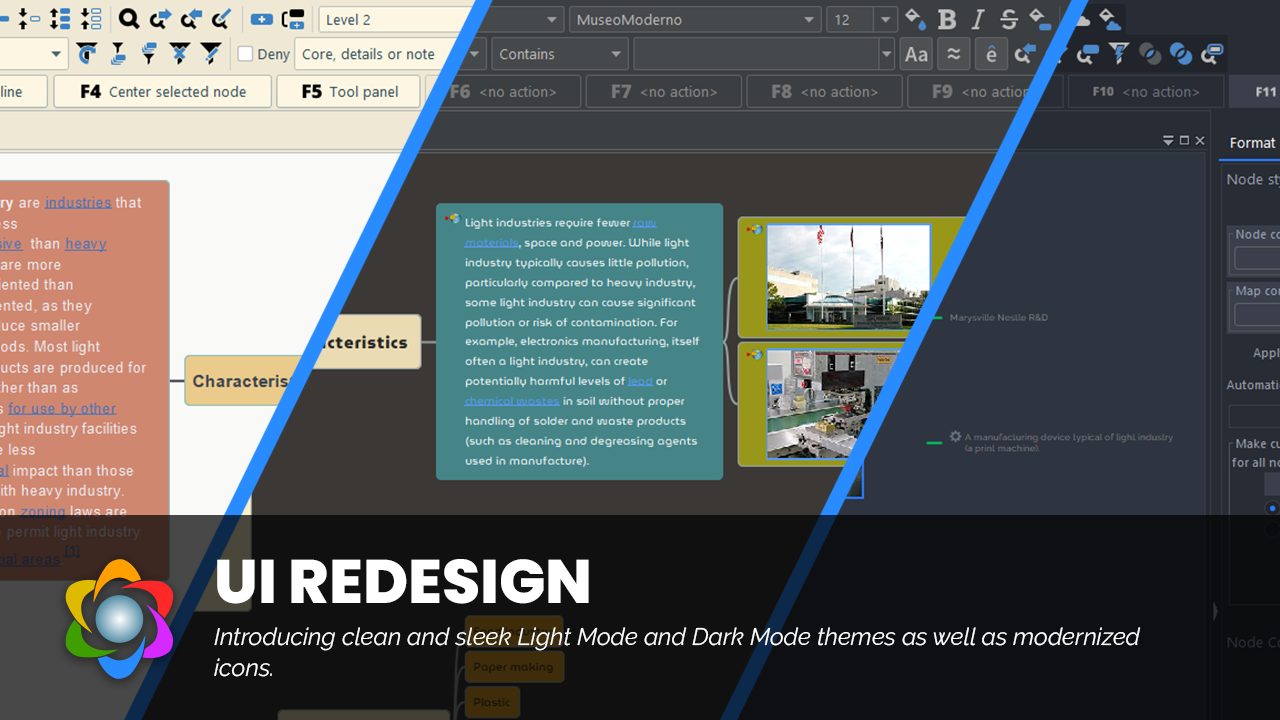
Freeplane is the one app here with no paid version at all. It’s open source, runs on Windows, Mac, and Linux, and saves each map as a file on your drive. You don’t need an account, it works with no internet connection, and your maps don’t go anywhere unless you put the file in a synced folder yourself.
Freeplane includes the features other apps here charge for, except live co-editing: notes attached to topics, links, images, an outline mode that shows the map as an indented list, and exports to PDF, PNG, SVG, HTML, Markdown, OPML (an outline format writing apps import), and LaTeX. For a writer, that means a chapter mapped in Freeplane can go straight into a document as an outline. Maps use the FreeMind .mm format, which several other mind mappers, Coggle included, can open.
You pay for all that in comfort. The interface is plain and utilitarian, with a lot of menus, and one review summary says to expect “a few hours of exploration to become fluent.” Freeplane also needs Java on your computer, though some installers include it. There’s no phone app, and no way to edit a map together: sharing means sending the file.
What it does
- Unlimited maps with notes, links, images, and an outline mode
- Exports to PDF, images, Markdown, OPML, HTML, and LaTeX
- Maps saved as FreeMind-compatible .mm files on your computer
Pros
- Nothing is paid, capped or watermarked
- Works offline with no account
- Open source, so your maps never depend on a company
Cons
- Dated, busy interface that takes hours to learn
- Computers only, with no phone or web version
- No real-time co-editing
- Skip if:
- You do most of your mapping on a phone
Xmind
Polished maps, generous on a desktop
#2 3.6/5
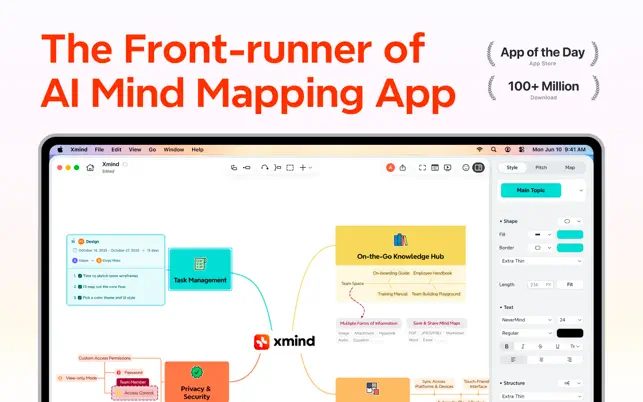
Where Freeplane feels like a tool, Xmind feels like an app someone designed. Tab adds a topic under the one you’re on, Enter adds one beside it, and the map lays itself out in a theme that already looks good. It’s fast and polished, and it runs on Windows, Mac, Linux, iPhone, and Android.
The free desktop app gives you unlimited maps and topics, with notes, labels, and an outline view. The cap of 10 applies to online maps, the ones stored in Xmind’s cloud for sharing. Files you save on your computer stay there, though the app asks you to sign in with an Xmind, Apple, or Google account the first time you open it.
The limit that bites is export. Free users get PNG images only, one map at a time, and removing the Xmind watermark is a paid feature. PDF, Markdown, OPML, and Word exports need Pro, at $4.92 a month billed yearly, and real-time co-editing needs the pricier Premium plan. If you only ever look at your maps inside Xmind, you won’t notice. If you have to hand a map in as a PDF, you will.
What it does
- Unlimited maps and topics in the desktop app
- Notes, labels, and an outline view on the free plan
- Apps for Windows, Mac, Linux, iPhone, and Android
Pros
- The fastest, best-looking mapping on a free plan
- Maps you save locally aren't capped
Cons
- Free exports are watermarked PNG images only
- Asks for an account sign-in on first launch
- Free plan doesn't sync desktop files to your phone
- Choose if:
- You want fast, good-looking maps on Windows, Mac, or Linux and rarely need to export them

GitMind
Ten synced maps on every device
#3 3.4/5
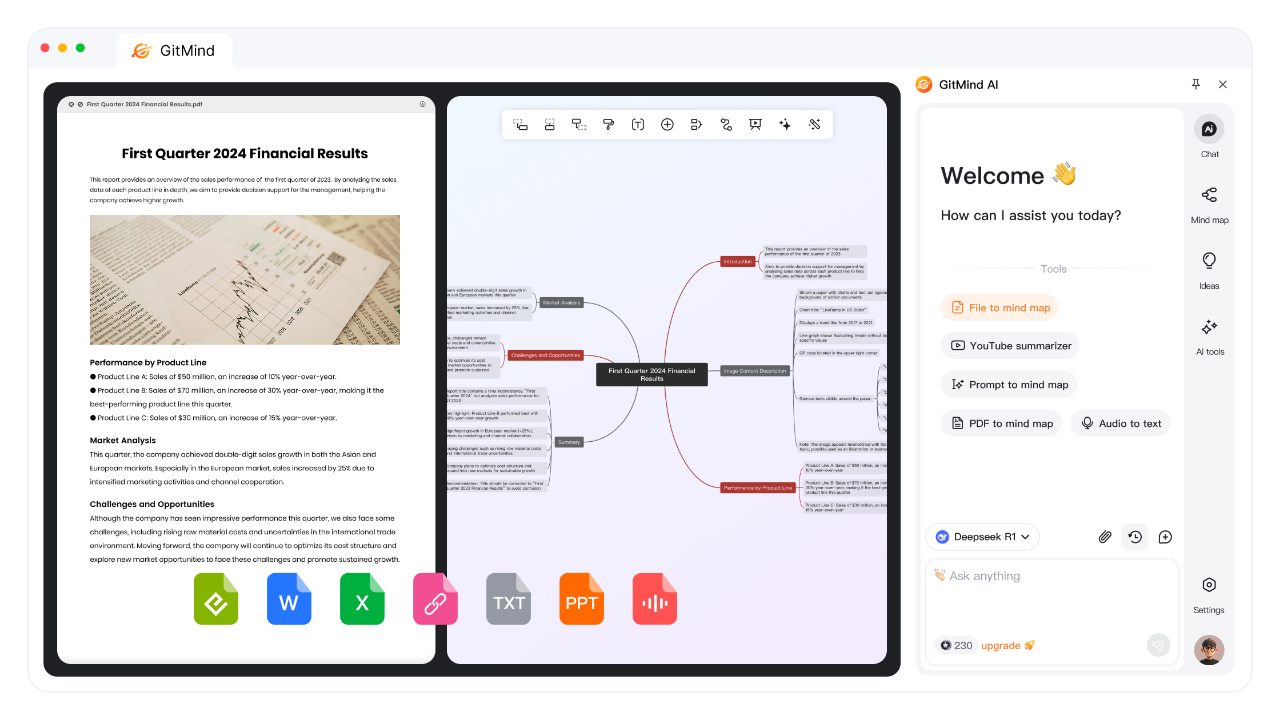
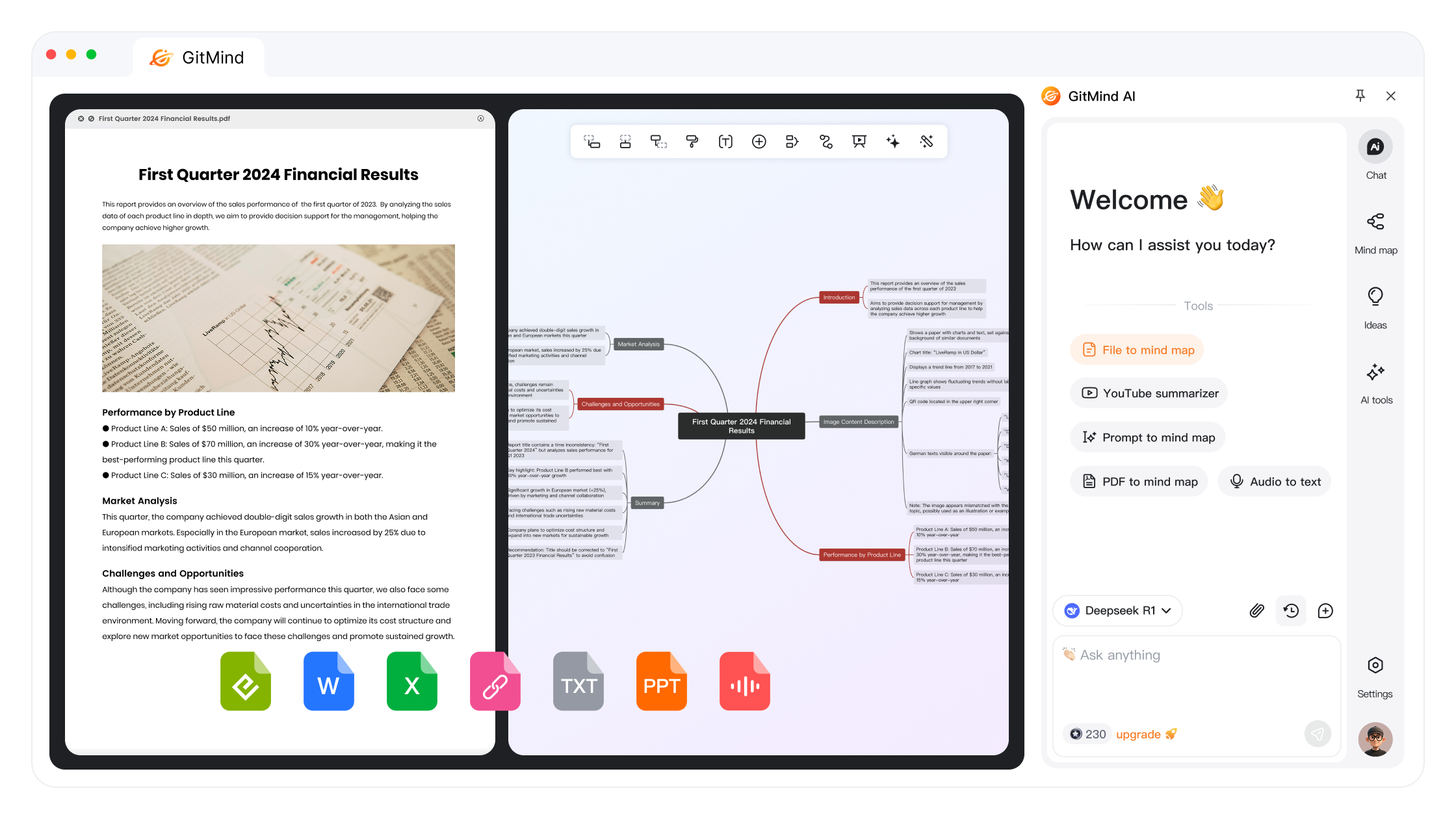
You start a map on a school computer, add to it on your phone on the way home, and finish it on your own laptop. GitMind’s free plan handles that well: it has apps for Windows, Mac, iPhone, and Android plus a web version, and your maps sync across all of them. Building a map is quick, with the same Tab and Enter shortcuts Xmind uses.
The cost is a cap of 10 maps or whiteboards. Once you hit it, GitMind stops you making new ones, though the old ones stay open. A free map holds up to 30 images, and you can share a space with up to five people who edit together. Exports come at standard resolution, and sharper ones are paid.
Everything lives on GitMind’s servers. You need an account and an internet connection, so there’s no mapping on a plane. GitMind also pushes AI that turns PDFs, videos, and text into maps, but the free allowance is small. If you ever upgrade, know that canceling a subscription means filing a support ticket rather than clicking a button.
What it does
- Apps for Windows, Mac, iPhone, and Android, plus a web version, all synced
- Shared space for up to five people
- AI that turns documents and videos into maps
Pros
- Same maps on every device on the free plan
- Quick to build in, with keyboard shortcuts
Cons
- Stops at 10 maps or whiteboards
- Online only, with maps stored on GitMind's servers
- Canceling a paid plan takes a support ticket
- Choose if:
- You switch between a computer and a phone and keep only a handful of maps

MindNode
Made for Mac, iPhone, and iPad
#4 3.2/5
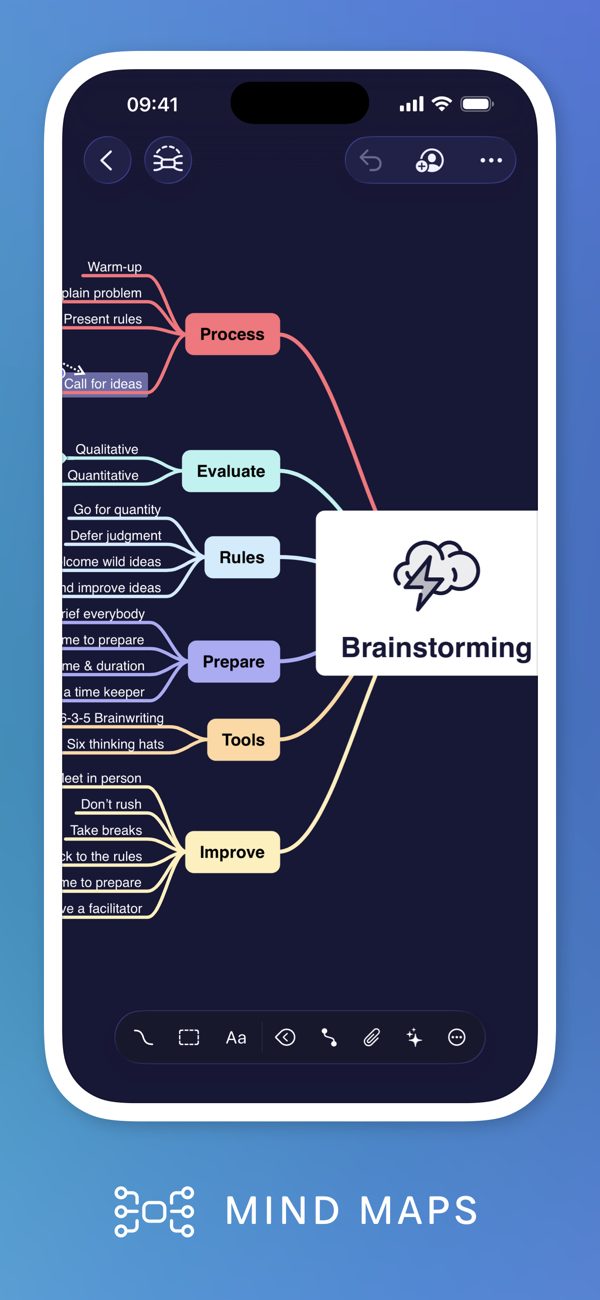
MindNode is a native Apple app, and it feels like one: building a map takes almost no effort, and it fits in with the rest of macOS and iOS. It runs only on Mac, iPhone, and iPad.
The free version lets you create and edit maps with all the basic tools, join documents others share with you, and import and export files. That’s enough for brainstorming. For studying it’s thin, because outlining, notes on topics, images, themes, and collaboration all come with MindNode Plus, at $2.99 a month or $24.99 a year. As a native app it works offline, which some web tools further down can’t.
What it does
- Native apps for Mac, iPhone, and iPad
- Basic map building and editing for free
- Import and export on the free version
Pros
- Smooth and natural to use on Apple devices
- Works offline
Cons
- Apple devices only
- Notes, outline view, and images need a subscription
- Skip if:
- You want notes on topics or an outline without paying

Coggle
Free group brainstorming in a browser
#5 3.2/5
For brainstorming with other people in a proper mind mapper, Coggle is my pick among the free options. Everyone you invite by email can edit the same map at once, and you see their changes as they type. It runs in a browser, so nobody installs anything, though everyone needs an account (Google, Microsoft, Apple, or email).
Coggle exports free maps as PDF, images, text, and FreeMind .mm files, so a group map can move into Freeplane later. The limit is privacy: you get only three private maps, while public ones are unlimited. Coggle sells its paid plan with “more private Coggles that won’t be indexed by search engines,” which suggests public maps can turn up in search. Group notes for a class project can live with that, but personal notes can’t.
There’s no app for phones or computers, and a phone browser is only good for small edits.
What it does
- Real-time co-editing with people you invite
- Exports to PDF, images, text, and FreeMind files
- Runs in any desktop browser
Pros
- Free co-editing in a dedicated mind mapper
- Exports you can reuse in other mind mappers
Cons
- Only three private maps; the rest are public
- Needs an internet connection and an account
- No phone app
- Choose if:
- Your maps are group work you don't mind being public

SimpleMind
Unlimited maps on your phone
#6 3.1/5
SimpleMind’s free edition gives you as many maps as you want on iPhone, iPad, Android, and Mac, with no ads, no account, and no tracking. Maps stay on the device, and it’s pleasant to use on a phone screen, which most of the browser tools here aren’t.
But a free SimpleMind map can’t leave the app. Sharing and export (PDF, image, outline text, OPML, and printing) are Pro features, and so are sync between devices, images, and most layouts. Pro is a one-time purchase per platform, from $10.99 on iPhone and $29.99 on Mac or Windows. There’s no free edition for Windows.
What it does
- Unlimited maps on iPhone, iPad, Android, and Mac
- No account, no ads, and no tracking
- One-time Pro upgrade per platform
Pros
- Works well on a phone screen
- Maps stay on your device
Cons
- No export, sharing, or printing without Pro
- No sync or images on the free edition
- No free edition for Windows
- Choose if:
- You map on an Android phone and keep the maps there

Canva
Good-looking maps for class projects
#7 3.1/5
Many students already have Canva, and its whiteboards are free and unlimited. Start from a mind map template, and classmates can edit it with you in real time, even guests with no Canva account. Free downloads come as JPG, PNG, or PDF, so a map can go on a poster or into slides.
For thinking, though, it’s slow. You build a Canva map from shapes and connectors, placing branches yourself rather than adding them with a key, and there are no notes behind topics or an outline view. Some templates and elements are paid Pro ones, and a design with Pro elements downloads with a watermark on the free plan. Canva for Education, free for K-12 teachers and students, unlocks those.
What it does
- Unlimited whiteboards with mind map templates
- Real-time editing, including guests without an account
- JPG, PNG, and PDF downloads
Pros
- Finished maps look good with little effort
- Free collaboration with no limit on boards
Cons
- Branches are placed by hand, which slows brainstorming
- No notes on topics or outline view
- Pro elements add a watermark on the free plan
- Choose if:
- The map is a visual you'll present or print

MindMeister
Team brainstorms, three maps at a time
#8 2.8/5
MindMeister is a capable mapper held back by its free plan. It lets you invite as many people as you like to edit a map live, and it includes an outline mode, a presentation mode, and apps for iPhone and Android. But you get three maps, and the free plan can’t export or print them at all. Extra maps stay grayed out until you delete one.
That makes it a fair way to try MindMeister or run one group project, and a poor home for a year of notes. Paid plans start at $6.50 a month, billed for 6 or 12 months at a time.
What it does
- Real-time co-editing with unlimited collaborators
- Outline mode and presentation mode
- Web app plus iPhone and Android apps
Pros
- Easy to start, with templates
- No limit on how many people can edit a map
Cons
- Only three maps on the free plan
- No file export or printing on the free plan
- No monthly billing on paid plans
- Skip if:
- You need more than three maps or a copy outside MindMeister

Miro
Mind maps on a team whiteboard
#9 2.7/5
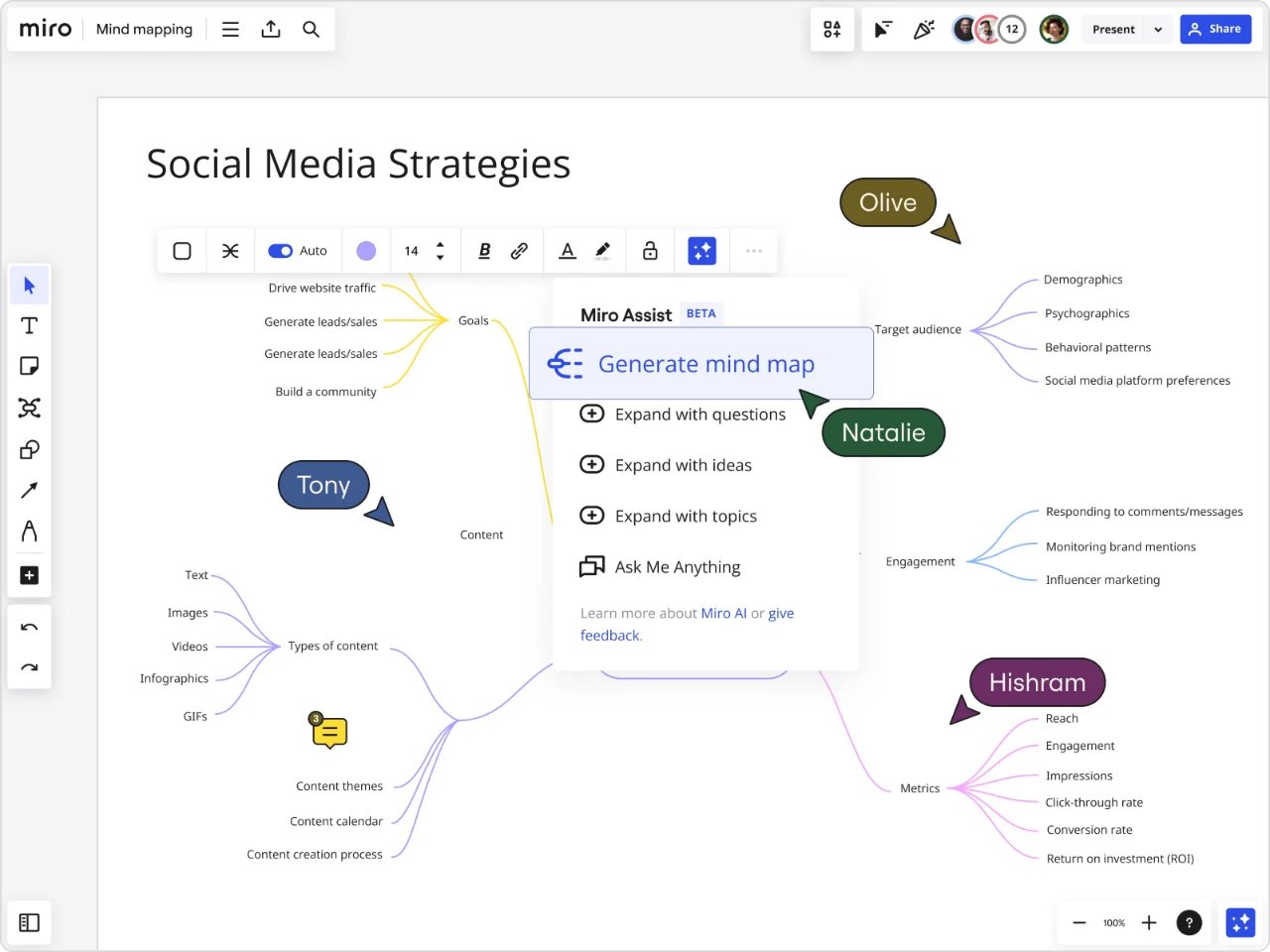
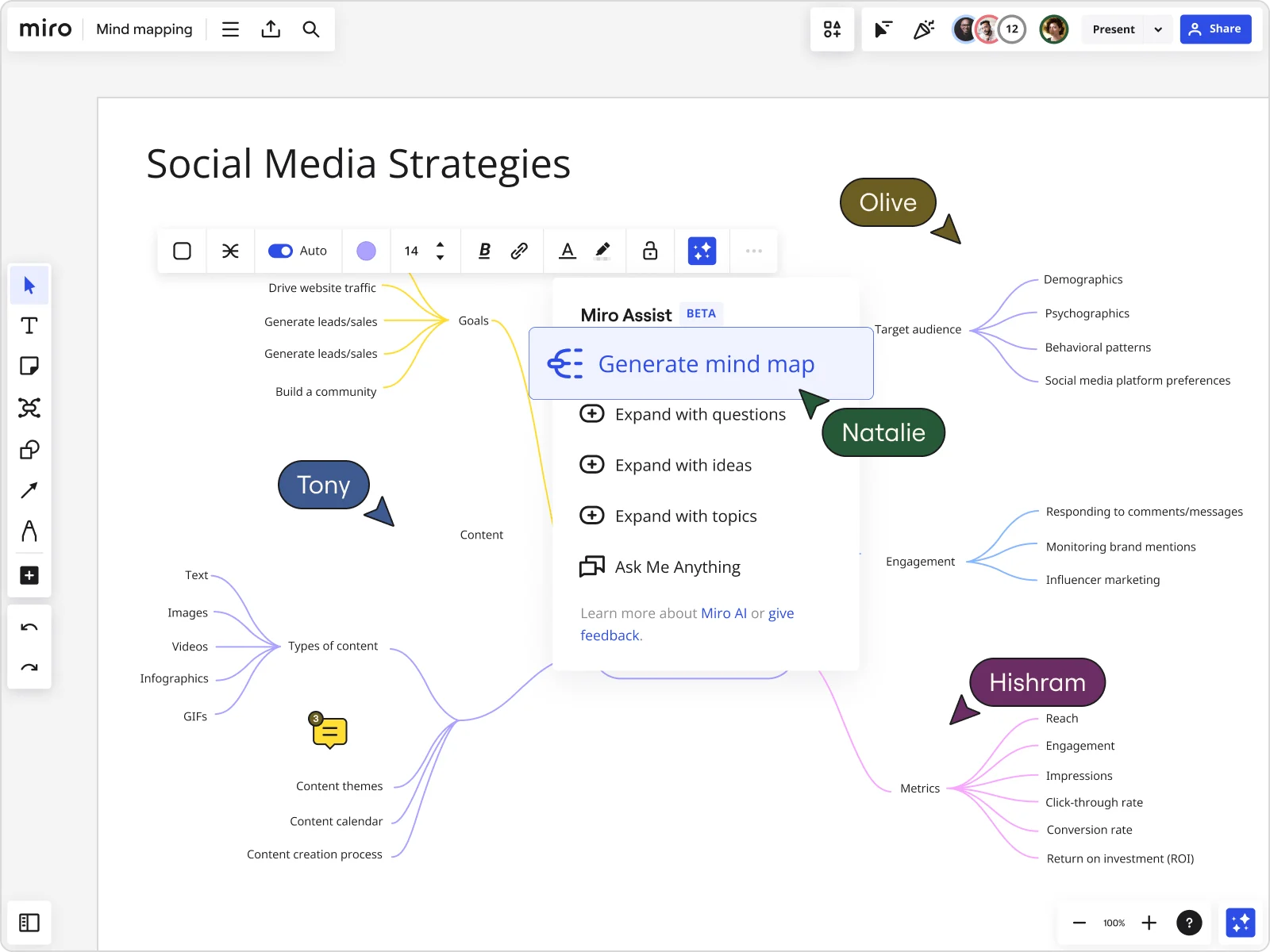
Miro is a shared whiteboard, and its mind map is one tool among many. The map arranges itself as you drag and add branches, Miro’s AI can turn a description into a map, and you can put sticky notes, images, and documents beside it on the same board. If your team already plans on Miro, mapping there is natural.
As a free mind mapper on its own, it’s the weakest here. Only your three newest boards stay editable, and older ones turn view-only. Free exports are low-resolution, and everyone in a free team sees every board, because private boards are paid.
What it does
- Mind maps with automatic layout on a shared whiteboard
- AI that drafts a map from a description
- Web, desktop, and phone apps
Pros
- Mind maps sit beside sticky notes, images, and documents
- Unlimited team members on the free plan
Cons
- Only three editable boards; older ones turn view-only
- Free exports are low-resolution
- No private boards on the free plan
- Choose if:
- Your team already works on Miro boards
Also considered
- MindMup: its free plan holds three editable maps and shares them view-only, and saving maps in Google Drive needs a paid plan.
- Whimsical: the free plan lets you add only 50 board objects a month, so a single brainstorm can use it up, and exports carry a watermark.
- EdrawMind: its free online plan stops at 100 topics and puts a watermark on exports.
- FreeMind: Freeplane began as a fork of FreeMind, opens its files and adds features on top, so there’s no reason to start with the older app.
1–5 per criterion · select a score for its reasoning and any sources
| # | Product | Overall | Quick and pleasant to map in , counts double | How much you can map for free , counts double | Room for detail | Getting your maps out | Your maps on every device | Mapping with other people, free | Offline and under your control |
|---|---|---|---|---|---|---|---|---|---|
| 1 | Freeplane | 3.8 | 3 | 5 | 5 | 5 | 2 | 1 | 5 |
| 2 | Xmind | 3.6 | 5 | 4 | 4 | 2 | 3 | 2 | 3 |
| 3 | GitMind | 3.4 | 4 | 3 | 4 | 3 | 5 | 3 | 2 |
| 4 | MindNode | 3.2 | 4 | 4 | 2 | 3 | 2 | 2 | 4 |
| 5 | Coggle | 3.2 | 4 | 3 | 3 | 4 | 2 | 4 | 2 |
| 6 | SimpleMind | 3.1 | 4 | 4 | 3 | 1 | 3 | 1 | 4 |
| 7 | Canva | 3.1 | 2 | 4 | 2 | 3 | 5 | 5 | 1 |
| 8 | MindMeister | 2.8 | 4 | 2 | 3 | 1 | 4 | 4 | 1 |
| 9 | Miro | 2.7 | 3 | 2 | 2 | 2 | 5 | 4 | 1 |
Equal displayed overall scores are ordered by the earlier criteria; a known score comes before an unknown score. Identical scores use alphabetical order.
×2 = counts double in the overall score, ×½ = counts half.
How each criterion is scored
Quick and pleasant to map in
Counts double in the overall score: Mapping fast enough to keep up with your thinking is the whole job of a mind mapper, and it is what people name first when they keep or drop one.
How good the free app is for getting ideas down as a map: adding a child or sibling topic with one key, the map laying itself out as it grows, rearranging branches by dragging, how clean the screen is, and how fast a newcomer gets comfortable. Judged from what reviewers and long-time users agree on, store ratings, and how the app works. A tool where you draw boxes and lines by hand scores lower, however polished it is.
- 5 Among the best-regarded mind mappers for speed and feel, praised widely by reviewers and long-time users
- 4 Clean and quick, with one-key topics and automatic layout, and only minor complaints
- 3 Builds a map with shortcuts and automatic layout, but with rough edges reviewers and users mention, such as a busy or dated interface
- 2 Works, but slow to build in, with shapes placed by hand or a dated, confusing interface that takes hours to learn
- 1 Clumsy or unreliable enough that users widely complain, or every topic is drawn and connected by hand
How much you can map for free
Counts double in the overall score: Readers came for a tool they won't have to pay for, and a cap of a few maps ends that within weeks of regular studying or planning.
How many maps a free user can keep and still edit, and how big they can get: caps on maps, boards or topics, older maps turning read-only, time limits, ads and upgrade nagging. A cap on private maps with unlimited public ones counts as a cap for anyone whose notes aren't meant for strangers.
- 5 Unlimited maps and topics with no caps, ads or upgrade prompts
- 4 Unlimited maps, with some extras held back or occasional upgrade prompts
- 3 Around ten maps, or unlimited maps with a cap on something most people use, such as private maps
- 2 Three or so editable maps or boards, after which you delete, archive or pay
- 1 A trial, or so capped (a topic limit, or one or two maps) that it only works as a demo
Room for detail
What a free map can hold beyond short topic labels, for studying, writing and planning: notes on topics, links, images, an outline view of the same map, folding branches, search, and staying quick with hundreds of topics. Each counts only when the free plan has it.
- 5 Notes, links, images, outline view, folding and search all free, and it handles large maps well
- 4 Notes, links, images and folding free, with one notable gap such as no outline view
- 3 Notes or an outline plus a few extras, with others such as images or attachments paid
- 2 Labels plus one extra, such as images or links, with notes or an outline paid
- 1 Short labels only, with nothing extra on the free plan
Getting your maps out
What a free user can take away: images and PDFs to print or hand in, an outline as text, Markdown or OPML to carry into a document, and files other mind mappers open. Watermarks and print limits count against it. Maps saved as ordinary files you keep count in its favor, since they stay yours if the service changes.
- 5 Images, PDF, outline text and other mind-map formats, all free, and maps are files you keep
- 4 Image or PDF plus an outline or a format other mind mappers open
- 3 Image and PDF without a watermark, but no outline or mind-map file formats
- 2 One image format only, or exports carry a watermark
- 1 No export or print on the free plan
Your maps on every device
Where the free version lets you open and edit the same maps: Windows, Mac, Linux, a web version, iPhone and iPad, and Android, and whether the free plan syncs them. A mobile browser that works for small edits counts for little.
- 5 Windows, Mac, the web and both phone platforms, synced on the free plan
- 4 Most platforms, synced, with one gap such as no desktop app or no app for one phone platform
- 3 Several platforms, but the free version doesn't sync them, or one major platform is missing
- 2 One maker's devices only, or computers only with no way onto a phone
- 1 One platform only
Mapping with other people, free
Whether a free user can work on a map with classmates or colleagues: real-time co-editing, sharing by link, comments, and how many people and maps that covers. Sending a file back and forth counts as the lowest level.
- 5 Real-time co-editing, comments and link sharing with no meaningful limit on the free plan
- 4 Real-time co-editing with any number of people, with a cap on maps or missing extras such as comments
- 3 Real-time co-editing, but on very few maps or with tight member limits
- 2 Others can view a shared map, but co-editing is paid
- 1 Solo only; sharing means sending an exported file or the map file
Offline and under your control
Whether you can map without an internet connection or an account, where your maps live (files on your device, your own cloud, or the vendor's servers only), and whether the app is open source. Matters most to people with private notes, unreliable internet or long-term projects.
- 5 Open source, works offline with no account, and maps are ordinary files on your device
- 4 Works offline with maps as files on your device or your own cloud, but closed source or account required
- 3 Works offline in an app, but needs an account or keeps maps in the vendor's cloud
- 2 Online only, but you can download copies of your maps in a reusable format
- 1 Online only, with maps stored only on the vendor's servers
How to choose
- You map alone on a computer and want everything free: Freeplane.
- You want quick, good-looking maps and don’t need PDF or outline exports: Xmind.
- You switch between a computer and a phone: GitMind, as long as 10 maps is enough.
- You use only Apple devices: MindNode for the nicest app, or SimpleMind if you want unlimited maps and no subscription.
- You map on an Android phone: SimpleMind.
- You’re brainstorming with a group: Coggle, or Canva if the map has to look good for a presentation.
- Your notes are private: Freeplane, SimpleMind, or MindNode, which keep maps on your own device. GitMind, Coggle, Canva, MindMeister, and Miro store them on the company’s servers.
If your notes are mostly text rather than maps, a note-taking app may fit better; see our picks of note-taking apps for students.
The verdict
For a student or writer working on a laptop, Freeplane is the free mind mapper that won’t run out on you. Every map, every export, and every feature costs nothing, and the files are yours, readable by other mappers, with no account behind them. After an afternoon of learning it, Freeplane can hold a year of revision maps or the plan for a book.
If Freeplane’s interface puts you off, Xmind is the better app to spend time in, and its free desktop version doesn’t cap your maps either. Its free plan limits what leaves the app, not what you make in it: watermarked PNG images only. That’s fine for maps you review on screen and frustrating for maps you must hand in.
The rest suit narrower needs. GitMind is the easy choice across devices if you’ll keep 10 maps or fewer. Coggle is the free way to map with a group, as long as the maps can be public. SimpleMind and MindNode are the phone and Apple picks. Canva, MindMeister, and Miro make sense when the people you work with already use them.
Frequently asked questions
What happens when I reach a free plan’s map limit?
None of the apps above deletes your maps when you hit the cap, but each blocks you differently. GitMind stops you creating new maps. MindMeister grays out the extra maps until you delete one, and Miro turns older boards view-only. Xmind lets you open and delete online maps above its cap but not make new ones, though maps saved on your computer don’t count. Coggle lets you keep making maps, only as public ones.
Can I turn notes or a PDF into a mind map for free?
Yes, within small allowances. Xmind gives 50 AI credits when you sign up, and maps it generates don’t count toward the online map cap while credits last. GitMind and MindMeister also include some free AI credits, and Miro can draft a map from a description. Freeplane, SimpleMind, and Coggle have no built-in AI.