Best antivirus apps for Android in 2026
Google Play Protect, the scanner built into every Android phone with the Play Store, used to fail lab tests badly. Now it catches nearly all the malicious apps the labs throw at it. The threat most Android owners actually meet isn’t a virus at all—it’s a text about a parcel you didn’t order, a “bank” call, or a link in WhatsApp that leads to a fake login page. Play Protect checks apps, not those.
So the question is whether you want protection against scams on top of what your phone already does. If you install apps only from the Play Store and you’re careful with links, Play Protect is enough, and you can keep your money. If you want an app, Bitdefender Mobile Security is the one we’d install: it tops the lab tests, checks links in texts and chat apps, screens scam calls, has proper anti-theft and costs less than $20 for the first year. If you won’t pay, the free version of ESET Mobile Security scans in real time without ads, and Sophos Intercept X for Mobile adds free link checking with no ads at all.
Quick picks



What Play Protect already does, and what it leaves to you
Play Protect checks every app before you install it from the Play Store and scans your phone regularly for harmful apps from anywhere else. When you install an app from outside the Play Store that it hasn’t seen, it can send it to Google for a deeper scan. It’s on by default, costs nothing and never shows you an ad.
It’s also much better than its reputation. In AV-TEST’s six-month endurance test of Android security apps, Play Protect detected 99.6 percent of new malware. That left it last of 11 apps, and six of the paid and free apps caught everything. AV-Comparatives’ 2026 review found 98.9 percent, just short of its approval bar. The gap to Bitdefender or Norton is real but small, and it matters most to people who install apps from outside the Play Store.
The bigger gap is scams. Android does have other protection built in: Chrome warns about phishing sites, Google Messages flags some scam texts, and Pixel phones can warn you during a scam call. But each of those works only if you use that browser, that messaging app or that phone. A security app like Bitdefender checks links you tap in Firefox, WhatsApp, Telegram or a notification, and that’s where most of the extra value is.
Battery drain, the old worry about security apps, no longer separates them. AV-TEST gave every app it tested, Play Protect included, full marks for performance, and AV-Comparatives found only a minor effect on battery life for all of them.
What does separate them is privacy. Most of these apps use Android’s Accessibility permission to read the links on your screen, which means the app can see much of what you do. That’s the reason the company’s record with your data matters as much as its detection rate.
Key facts
9 productsLicenses, requirements, and starting prices. Prices as of November 2026.
- License
- Proprietary
- Runs on
- Android 7.0 or later
- Needs
- Bitdefender Central account
- Internet connection
- Price
- From $17.99/year
- License
- Proprietary, freemium (paid Premium tier)
- Runs on
- Android 9 or later
- Needs
- Google Play services
- Accessibility services
- A non-rooted device
- 512 MB of RAM or more
- Price
- Free plan
- License
- Proprietary
- Runs on
- Android
- iOS
- Needs
- Android 8 or later
- Norton account
- Paid subscription
- Price
- From $29.99/year
- License
- Proprietary freeware with paid plans
- Runs on
- Android 8 or later
- Needs
- Unknown
- Price
- From a free plan or $20.00/year
- License
- Unknown
- Runs on
- Android
- Needs
- Android 5 or later
- Price
- Free plan
- License
- Unknown
- Runs on
- Android 8 or later
- Needs
- Unknown
- Price
- Free plan
- License
- Proprietary freeware
- Runs on
- Android
- Needs
- Unknown
- Price
- From a free plan or $59.99/year
- License
- Proprietary
- Runs on
- Android (devices with Google Play services)
- Needs
- Google Play services
- Play Protect certified device
- Price
- Free plan
- License
- Proprietary freeware
- Runs on
- Windows 7 or later (32-bit and 64-bit)
- macOS 12 Monterey or later
- Android 10 or later
- Needs
- Unknown
- Price
- From a free plan or $44.99/year



Bitdefender Mobile Security
Best paid app for most phones
#1 4.6/5
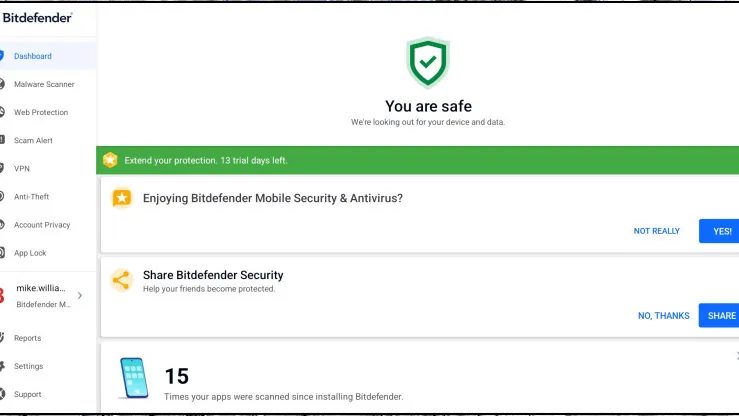
Bitdefender Mobile Security is the app to buy if you want one subscription to cover everything a phone security app can reasonably do. It had the top result in AV-Comparatives’ 2026 review, catching every malicious app with two false alarms, and it caught everything in AV-TEST’s endurance test too.
The scam protection is what makes it worth paying for over Play Protect. Web Protection blocks phishing pages in Chrome, Firefox, Brave and other browsers. Scam Protection checks links that arrive in texts, chat apps like WhatsApp and Messenger, and notifications. Call Blocking filters known scam numbers. TechRadar fed it 100 fresh phishing links and it blocked 96. All of that is in the one-phone plan, not a higher tier.
It also has the best anti-theft here. On top of locating, locking and wiping the phone, it can take a photo of whoever enters the wrong PIN three times. Google’s Find Hub, Android’s built-in tool for locating a lost phone, does the basic version free, so treat that as a bonus.
The price is $17.99 for the first year, and it has renewed at about $25 a year. You need a Bitdefender account, and the bundled VPN stops at 200 MB a day; the app offers you the paid VPN when you hit that cap. If you also want your PCs covered, Bitdefender Total Security includes the same Android app for five devices.
What it does
- Real-time malware scanning with the top 2026 lab result
- Phishing blocking in most browsers, plus link checks in texts, chat apps and notifications
- Scam call blocking
- Anti-theft with remote lock, wipe and a photo of the thief
- App Lock and a 200 MB a day VPN
Pros
- Best mix of lab results and scam protection in one cheap plan
- Scam text and chat link checks included, not sold as an add-on
- No ads
Cons
- No free version after the 14-day trial
- Needs a Bitdefender account
- The VPN cap pushes you toward a paid upgrade
- Choose if:
- You want one paid app that covers malware, scam links and a lost phone
ESET Mobile Security for Android
Quiet free scanner with a cheap upgrade
#2 4.3/5
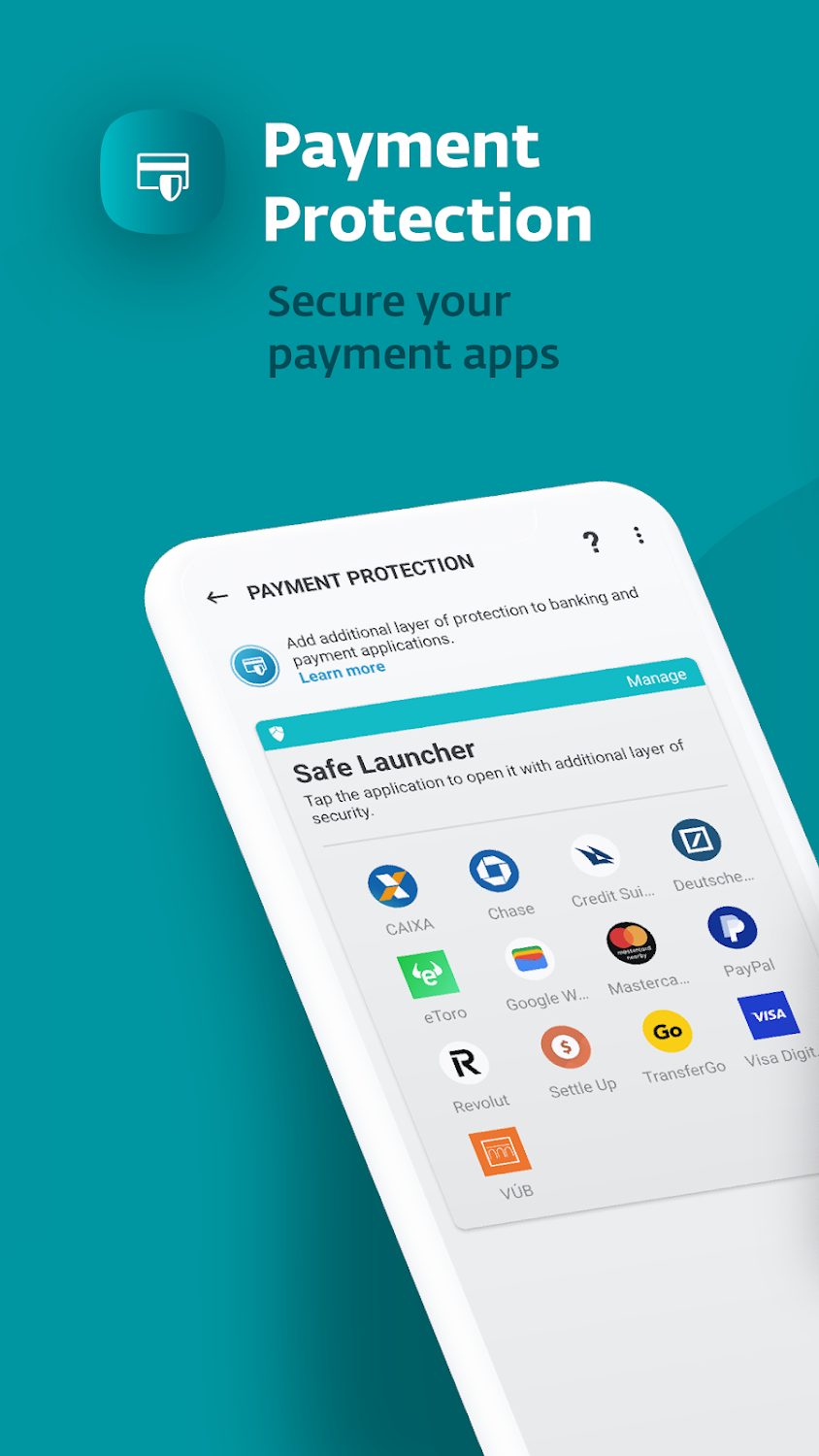
ESET Mobile Security suits people who like an app they can set up once and forget. Its free version scans apps in real time, not just when you tap a button, and it shows no ads. Premium, which usually sells for less than $20 a year for one phone, adds the scam features: phishing blocking in browsers and social apps, scanning of links in texts and notifications, and a call filter.
Premium’s extras are as complete as Bitdefender’s. Anti-theft locks and locates the phone and takes photos of whoever has it, and every anti-theft command worked in AV-Comparatives’ testing. You also get App Lock, a Security Audit that shows which apps hold risky permissions, and Payment Protection, which opens banking apps in a protected launcher.
ESET’s weak spot is its lab record. It scored 99.6 percent with no false alarms in AV-Comparatives’ 2025 review, but it wasn’t in either lab’s 2026 Android results. That’s no sign it got worse, but Bitdefender and Norton have newer proof. ESET is a Slovak company with a clean record on user data. Its own US page shows only a 30-day in-app trial rather than a price, so check the price in the app before you start it.
What it does
- Free real-time malware scanning
- Premium: anti-phishing, text and notification link scanning, call filter
- Premium: anti-theft with photos, App Lock and a permissions audit
- Payment Protection for banking apps
Pros
- Free version scans in real time and stays out of your way
- Cheap Premium with the fullest set of extras
- Clean data record
Cons
- No 2026 lab results, unlike Bitdefender or Norton
- Scam protection needs Premium
- Choose if:
- You want a free scanner now and the option of a cheap upgrade later
Norton 360 for Mobile
For households already paying for Norton 360
#3 4.1/5
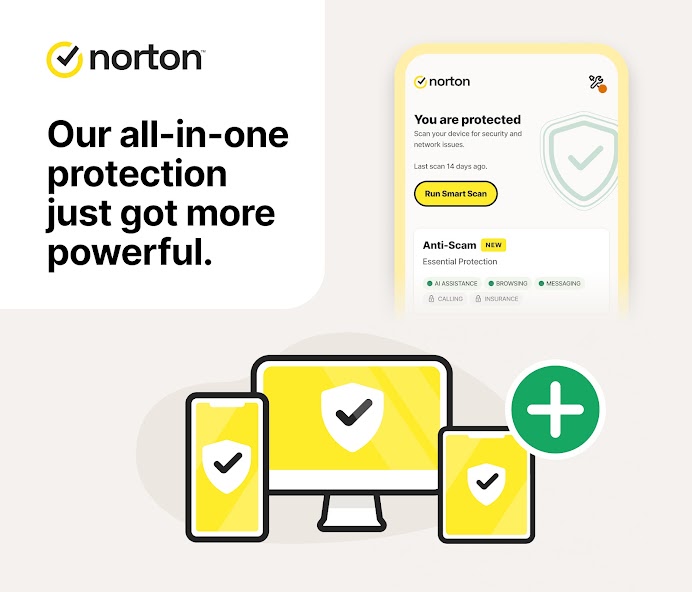
Norton 360 for Mobile is the sensible pick when your computers are already on a Norton 360 plan, because the Android app comes with it. On its own merits it’s close to Bitdefender on protection: 99.6 percent in AV-Comparatives’ 2026 review, AV-TEST certification in every round, and a clean sweep in AV-TEST’s endurance test. Safe Web covers the main browsers, Safe SMS checks texts, and the newer Scam Protection Pro adds AI checks of email, calls and texts, though which features you get depends on your plan and country.
Bought for one phone, it’s the weaker deal. It costs about $30 a year, there’s no free version, and the 7-day trial asks you to start an annual subscription first. It has no anti-theft of its own and sends you to Google’s Find Hub instead. Its useful extras are App Advisor, which flags apps with privacy risks before you install them, and Wi-Fi Security. The app also shows Norton promotions; you can turn them off under Settings, General, Promotions, and it’s worth doing.
What it does
- Real-time malware scanning on the Avast engine
- Safe Web, Safe SMS and Scam Protection Pro for calls, texts and email
- App Advisor checks apps' privacy risks before install
- Wi-Fi Security scanning
Pros
- Lab results close to the top
- Included in Norton 360 plans that cover PCs and Macs
- Broad scam coverage in the higher tiers
Cons
- No free version, and the trial needs a subscription started
- No anti-theft of its own
- Shows promotions until you switch them off
- Choose if:
- You already pay for Norton 360 on your computers
Avast Mobile Security
Most protection for free, if you accept ads
#4 3.7/5
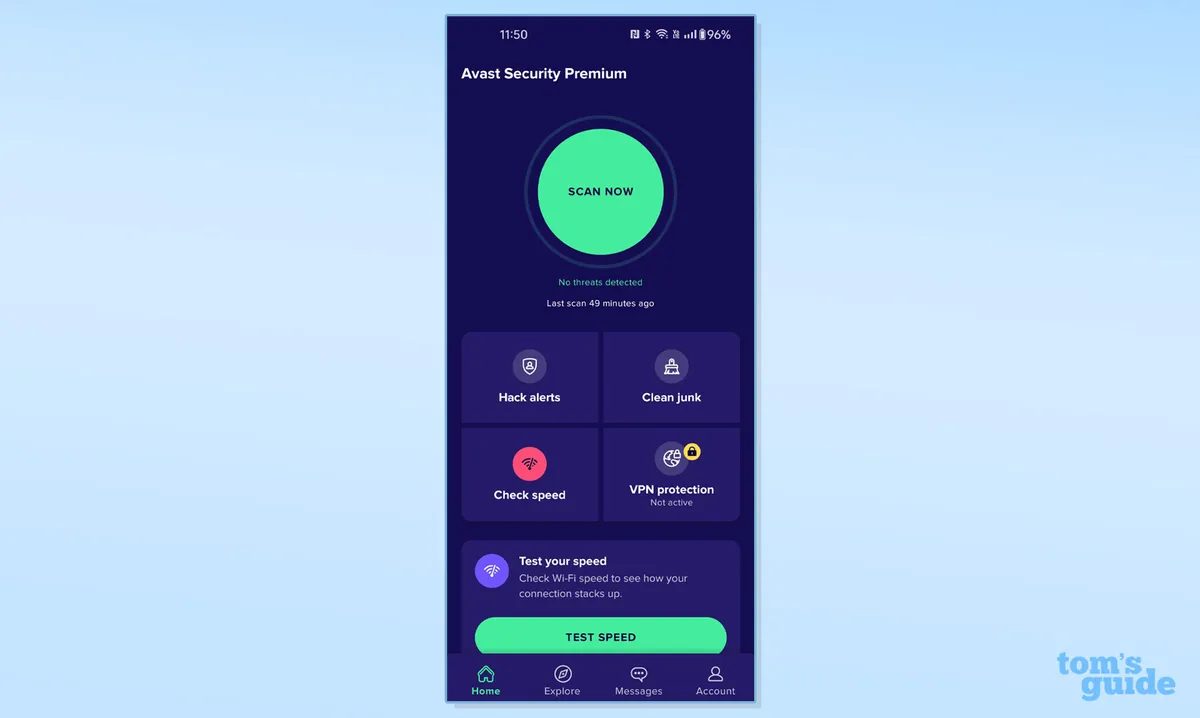
Avast’s free Android app, now branded Avast One on the Play Store, gives you more free protection than any other app here. It scans in real time on the same engine as Norton, with matching lab results, and its free Web Guard blocks phishing sites across browsers. App Insights shows which apps use risky permissions, and Network Inspector checks your Wi-Fi.
You pay for it another way. The free app shows ads, for Avast upgrades, other products and even games, and you have to accept personalized advertising to use it. Avast’s history makes that harder to accept: in 2024 the FTC ordered Avast to pay $16.5 million and banned it from selling browsing data, after its Jumpshot subsidiary sold data collected through its products. Its Play Store listing says the app still shares some usage data and device identifiers with other companies.
Paying removes the ads and adds Scam Guardian Pro, with scam call blocking, text checking and email checks; Premium was about $20 a year. At that point Bitdefender costs about the same, without the history. AVG AntiVirus is the same company’s near-identical app, with the same results and the same ads.
What it does
- Free real-time scanning and phishing site blocking
- App Insights permission checks and Wi-Fi inspection
- Paid Scam Guardian Pro for scam calls, texts and email
Pros
- Strongest free protection here
- Top-tier lab results on the shared Avast engine
- No account needed to start
Cons
- Ads in the free version, including for games
- FTC order over selling users' browsing data
- Shares usage data with other companies for ads
- Skip if:
- You install a security app partly to get away from tracking
Sophos Intercept X for Mobile
Free, no ads, no upsells
#5 3.7/5
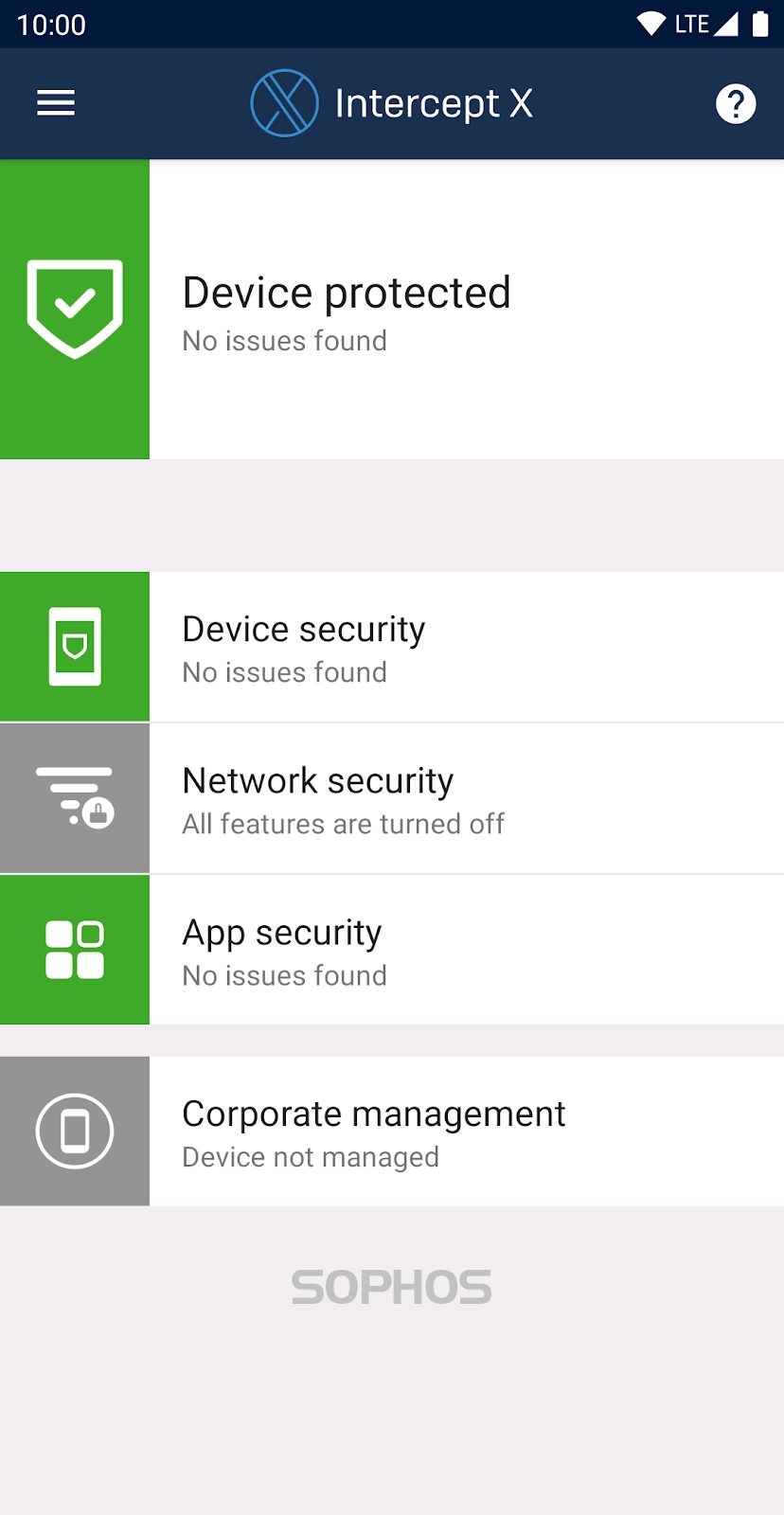
Sophos Intercept X for Mobile is the odd one out: a free app from a business security company, with no ads and nothing to buy. Sophos sells the same app to companies to manage their staff’s phones, and individuals get every feature free. Web Filtering blocks malicious sites in supported browsers, Link Checker checks links you tap in other apps, and the QR scanner checks a code’s link before opening it. It also has a Privacy Advisor, app locking, Wi-Fi checks and an authenticator for two-factor codes.
The tradeoff is proof. Sophos hasn’t had an Android result from AV-TEST since 2021 and isn’t in AV-Comparatives’ recent reviews, so nobody independent has checked its detection lately. One reviewer’s informal test found its web filter blocked about 81 percent of known bad sites. Use it next to Play Protect as an ad-free link checker, not as a reason to stop worrying about sideloaded apps. The app is being renamed Sophos Mobile Threat Defense, so look for that name too.
What it does
- Web filtering in supported browsers and link checks in other apps
- Secure QR code scanner
- Privacy Advisor, app locking and Wi-Fi checks
- Built-in authenticator for two-factor codes
Pros
- Every feature free
- No ads or upgrade prompts
- Doesn't share data with third parties
Cons
- No independent lab test since 2021
- No anti-theft or scam call screening
- Slow full scans
- Choose if:
- You want free link protection without ads and already rely on Play Protect for apps
McAfee Mobile Security
For McAfee+ subscribers
#6 3.5/5
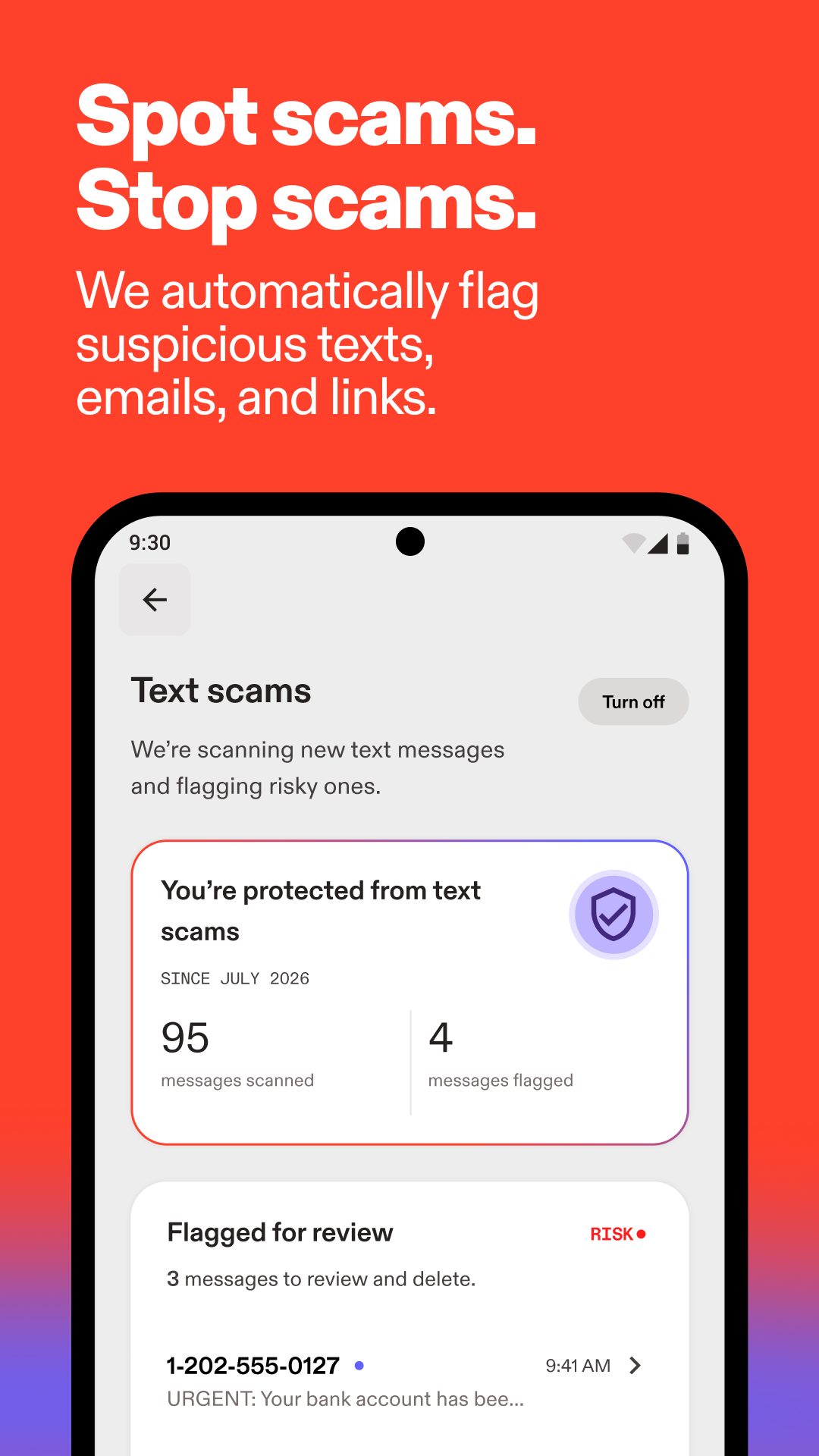
McAfee Mobile Security makes sense if you already have McAfee+, whose higher plans cover unlimited devices. As a one-phone purchase it’s hard to recommend over Bitdefender. Basic Protection for one phone was about $30 a year and adds real-time scanning, Safe Browsing, a Text Scam Detector and a VPN; the free tier only scans on demand. AV-TEST has certified it in every 2026 round, but McAfee skips AV-Comparatives’ mobile review, and Tom’s Guide found it missing a few newer threats in 2024.
It has no anti-theft or app lock, and its identity monitoring asks for your address and the last four digits of your Social Security number. That’s normal for credit monitoring, but it’s more personal data than the rest of these apps need.
What it does
- Safe Browsing and Text Scam Detector on paid tiers
- VPN on every paid level
- Identity monitoring on McAfee+ plans
Pros
- Unlimited devices on McAfee+ Premium and up
- VPN included rather than capped
Cons
- Free tier only scans on demand
- Not in AV-Comparatives' mobile review
- No anti-theft or app lock
Avira Antivirus Security
Free scanner with app lock and permission checks
#7 3.5/5
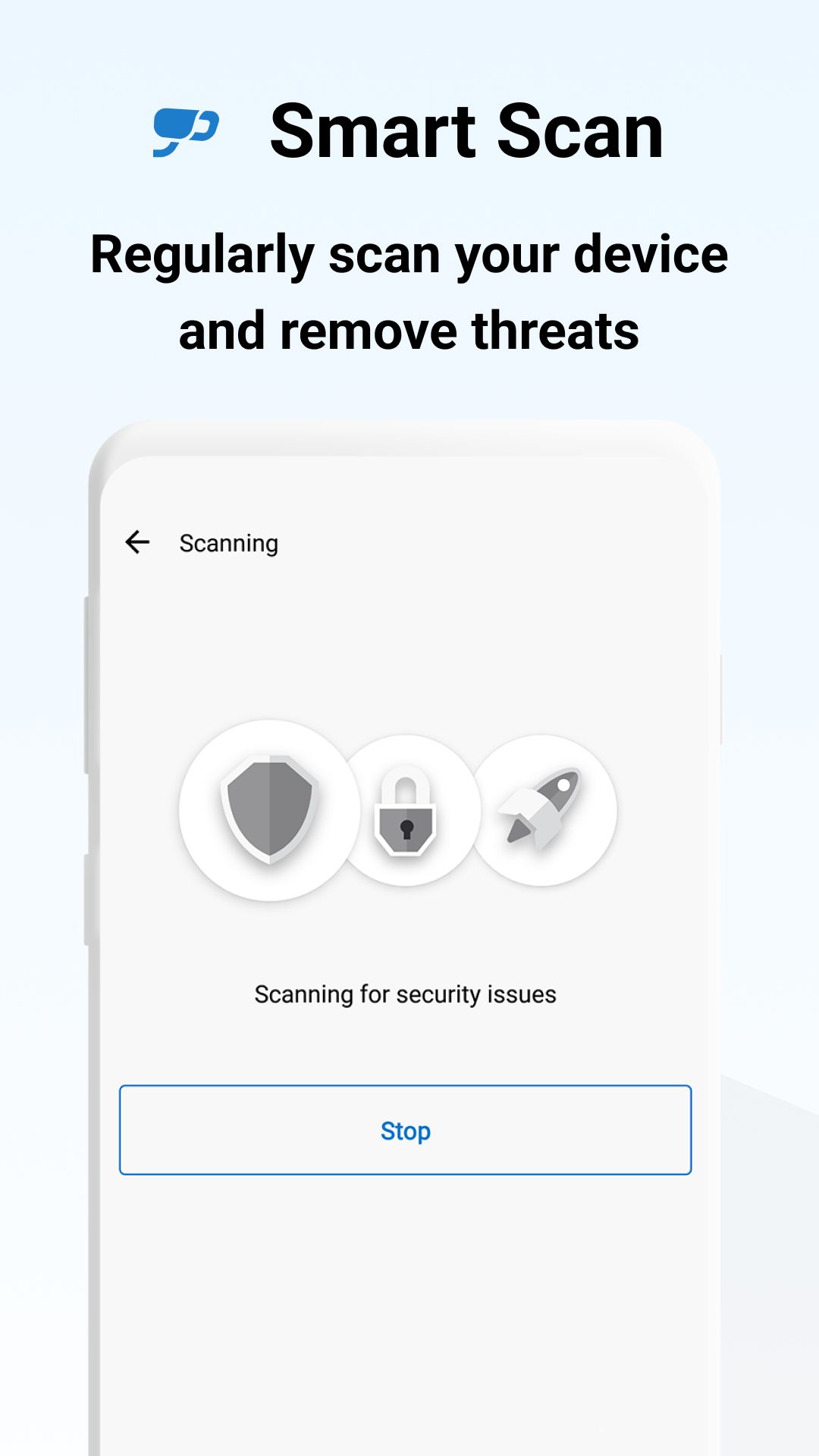
Avira Antivirus Security, another Gen Digital app on the Avast engine, has the same top-tier lab results as Avast and a generous free toolset: App Lock, a Permissions Manager that groups apps by what they can access, a call blocker and a VPN capped at 100 MB a day. What it lacks for free is the part most people need: web protection is in the paid Pro version, and it has no checking of links in texts. The free app also shows ads and upgrade prompts, and, like Avast, it passes some usage data to other companies. Choose it only if app locking and permission checks are what you’re after.
Pros
- Top-tier detection on the Avast engine
- Free App Lock and Permissions Manager
Cons
- Web protection needs Pro
- Ads and upgrade prompts in the free app
- Shares usage data with other companies
Google Play Protect
The free baseline on every Play Store phone
#8 3.5/5
Play Protect ranks low in the scores table below because it has no scam protection of its own, not because it’s weak at its job. For a careful Play Store user it is still the right amount of protection, and it’s already running.
You can check it’s on in the Play Store app: tap your profile icon, then Play Protect. In its settings, “Improve harmful app detection” sends apps Google hasn’t seen to Google for scanning; leave it on if you sideload. And Play Protect exists only on phones with Google Play services. Huawei phones from recent years, phones sold in mainland China and custom ROMs without Google apps don’t have it, and those are the phones where a third-party scanner does the most good.
What it does
- Checks Play Store apps before install and scans sideloaded apps
- Sends unknown apps to Google for deeper scans
- Works with Android's Find Hub for lost phones
Pros
- Free, built in and on by default
- No ads, no upsells and no extra company seeing your data
- About 99 percent detection in recent lab tests
Cons
- Behind the best apps in both labs' latest tests
- Doesn't check links in texts, chat apps or calls
- Missing on phones without Google Play services
Malwarebytes
A second-opinion scanner
#9 3.1/5
Malwarebytes is well known from Windows, where people run it to clean up after an infection, and the Android app works best in the same role. The paid version is a full security app that checks links in texts, emails and messaging apps and flags scam calls, but at $44.99 a year for one device it costs more than twice as much as Bitdefender. It has no independent Android lab result since 2020, either. The free mode is a manual scanner that’s handy for checking a phone you think is infected, though you’ll have to get past a trial screen that asks for a payment method to reach it.
Pros
- Free manual scanner for a second opinion
- Paid version checks links in texts and messaging apps
Cons
- Most expensive paid plan for one phone
- No recent independent lab results
- Free mode is hidden behind a trial paywall
Also considered
- Kaspersky has some of the best lab results on Android (99.9 percent in AV-Comparatives’ 2026 review), but it can no longer be sold or updated in the US, and Germany’s federal cybersecurity agency warns against using its antivirus. Its Android apps also went missing from the Play Store in 2024, sending some users to other app stores or a direct download. For an app that can see everything on your phone, that’s too many questions.

Scores
1–5 per criterion · select a score for its reasoning and any sources
| # | Product | Overall | Stopping scam links, texts and calls , counts double | Catching Android malware , counts double | Price of full protection for one phone | Free of ads and upsells | Privacy of the security app itself | Anti-theft, app lock and privacy checks , counts half |
|---|---|---|---|---|---|---|---|---|
| 1 | Bitdefender Mobile Security | 4.6 | 5 | 5 | 4 | 4 | 4 | 5 |
| 2 | ESET Mobile Security for Android | 4.3 | 5 | 4 | 4 | 4 | 4 | 5 |
| 3 | Norton 360 for Mobile | 4.1 | 5 | 5 | 3 | 3 | 3 | 3 |
| 4 | Avast Mobile Security | 3.7 | 5 | 5 | 4 | 1 | 1 | 4 |
| 5 | Sophos Intercept X for Mobile | 3.7 | 4 | 2 | 5 | 5 | 4 | 4 |
| 6 | McAfee Mobile Security | 3.5 | 4 | 4 | 3 | 3 | 3 | 2 |
| 7 | Avira Antivirus Security | 3.5 | 3 | 5 | 4 | 2 | 2 | 4 |
| 8 | Google Play Protect | 3.5 | 2 | 3 | 5 | 5 | 5 | 3 |
| 9 | Malwarebytes | 3.1 | 5 | 2 | 2 | 3 | 4 | 1 |
Equal displayed overall scores are ordered by the earlier criteria; a known score comes before an unknown score. Identical scores use alphabetical order.
×2 = counts double in the overall score, ×½ = counts half.
How each criterion is scored
Stopping scam links, texts and calls
Counts double in the overall score: Scam texts, phishing links and scam calls are the threats most Android owners actually meet, they are where the apps differ most, and they are what Play Protect leaves to other parts of the phone.
How much the app protects you from the attacks that reach most Android owners today: phishing and scam links in browsers, links in text messages, chat apps and notifications, and scam or spam calls. Judged from what the app's full version covers, from the vendor's feature lists and reviewers' accounts. For Google Play Protect, the score covers the protection Android and Google's own apps add on their own, such as Chrome's Safe Browsing and scam warnings in Google Messages.
- 5 Blocks phishing sites in the main browsers, checks links in texts, chat apps or notifications, and screens scam calls
- 4 Blocks phishing sites in the main browsers and checks links you tap in texts or other apps
- 3 Blocks phishing and scam sites in the main browsers, but doesn't check links in texts or chat apps
- 2 Warnings in one browser or one messaging app only, or a checker you paste links into
- 1 No protection against scam links, texts or calls
Catching Android malware
Counts double in the overall score: Catching malicious apps is the job people install an antivirus for, and it is the one thing the reader can't judge for themselves without lab tests.
How reliably the app detects malicious apps, judged from independent lab tests of Android security apps: AV-Comparatives' Mobile Security Review and AV-TEST's Android certification and endurance tests. A recent result counts for more than an old one.
- 5 At or near the top of the latest rounds of both labs (99.6 percent or more, few false alarms)
- 4 Certified or approved in a 2025 or 2026 lab test with about 99.5 percent detection or better, but not near the top in both labs' latest rounds
- 3 Tested recently but below the labs' approval bar, or detection clearly behind the paid apps (under about 99.5 percent)
- 2 No independent lab result in the last three years
- 1 Failed independent tests, or never tested by an independent lab
Price of full protection for one phone
What the version of the app with all its protection costs for one Android phone per year once any first-year discount ends, in US dollars, on the cheapest plan that includes it. A free app whose free version already includes everything it offers scores 5.
- 5 Free, with nothing held back for a paid tier
- 4 $25 a year or less
- 3 $25 to $40 a year
- 2 $40 to $60 a year
- 1 More than $60 a year, or sold only in multi-device bundles that cost more
Free of ads and upsells
How much the app interrupts you to show ads or sell something: ads in a free version, upgrade prompts after scans, locked features on the main screen, promotional notifications, and paywalls that hide the free version. Judged from reviewers' accounts, the Google Play listing and the vendor's own statements.
- 5 No ads and no upgrade prompts
- 4 Occasional offers for add-ons that are easy to ignore
- 3 No ads, but promotional prompts, add-on offers or a paywall you have to get past
- 2 Shows ads in the free version, or regular upgrade prompts and locked features on the main screen
- 1 Ads and frequent upgrade prompts, including full-screen ones
Privacy of the security app itself
How far you can trust the app with a phone it can see almost all of: whether the vendor has sold or misused user data, whether the app shares data with third parties for advertising (from its Google Play data safety section and privacy terms), and government bans or warnings against the vendor. Judged from regulators' findings, the Play listing and the vendor's record.
- 5 No record of misuse, no third-party sharing, and it sends home nothing beyond what the phone's own system already does
- 4 No record of selling or misusing user data, and the app says it shares no data with third parties for advertising
- 3 No data sales on record, but the owner's record, promotional data use or the amount of personal data the app asks for raise fair questions
- 2 The app shares data with third parties for advertising, or the vendor is banned or officially warned against
- 1 The vendor sold users' browsing data and is under a regulator's order for it, and the free app shares data for advertising
Anti-theft, app lock and privacy checks
Counts half in the overall score: These tools decide the choice for some readers, but Android already covers the most important one, finding a lost phone, for free.
The extra tools readers look for in a phone security app: anti-theft (locate, lock and wipe a lost phone, photos of whoever has it), locking chosen apps behind a PIN or fingerprint, a check of which apps use risky permissions, and Wi-Fi network checks. Android's own Find Hub already locates, locks and wipes a lost phone, so an app's anti-theft adds less than it once did.
- 5 All four, including anti-theft with extras Android lacks such as photos of the thief
- 4 Three of them
- 3 Two of them, or Android's built-in versions only
- 2 One of them
- 1 None of these tools
How to choose
- You only use the Play Store and you’re careful with links: keep Play Protect and spend nothing.
- You want one app that covers everything: Bitdefender Mobile Security.
- You won’t pay: ESET’s free version for real-time scanning without ads, or Sophos for free link checking with no ads at all. Avast protects more for free, if you accept the ads and its data history.
- You’re setting up a phone for a parent or a teenager: Bitdefender, for the text, chat and call checks and the anti-theft. ESET Premium is the cheaper alternative.
- You install APKs from outside the Play Store: a paid app with top lab results, Bitdefender or Norton, rather than Play Protect alone.
- Your computers already have Norton 360 or McAfee+: use the Android app your plan includes before buying another.
- Your phone has no Google Play services: you have no Play Protect at all, so install a scanner such as ESET or Bitdefender.
Our verdict
Play Protect has closed most of the malware gap that used to make Android antivirus apps worth buying. For apps from the Play Store, it catches nearly everything the paid apps do. What a security app still adds is scam protection that follows you into every browser, messaging app and call, plus anti-theft and permission checks that Android does only in part.
If that’s worth $20 a year to you, Bitdefender Mobile Security is the clear pick. ESET is the quieter, cheaper alternative with older lab results, and Norton is the better buy only when it comes with a Norton 360 plan you already have. If you won’t pay, think about what a free app costs you: Avast’s ads and data history, or Sophos’s missing lab results. For many careful readers, the best free option is still the one already on the phone.
Frequently asked questions
What should I do if I think my phone already has malware?
Run a full scan with a security app that has a free scan, such as ESET’s free version or Malwarebytes’ free mode, and uninstall anything it flags. Then check Settings for apps you don’t recognize that have Accessibility access or device admin rights, since malware often uses those to stay installed. If an app won’t uninstall, booting into safe mode usually lets you remove it. A factory reset is the last resort.
Does a security app protect my bank logins?
Partly. The apps with phishing protection block fake bank pages before you type anything, which is how most banking credentials get stolen. ESET’s Payment Protection goes further and opens banking apps in a protected launcher. None of them can help if you give a code to a caller pretending to be your bank, so the scam call screening in Bitdefender, Norton and Avast’s paid tier is worth more than it sounds.