Best budgeting apps for couples in 2026
Most couples who start budgeting together don’t argue about which app has the nicest charts. They argue about the setup: does every account go into one shared view, or does each of you keep something of your own? Decide first whether your partner should see every account and purchase. Some apps give you no way to hide either. Others let each of you decide, account by account.
For most couples, Monarch Money is the one to get. You both get your own login on one subscription, it can switch between three data providers when a bank won’t stay connected, and it lets you label every account and purchase as yours, your partner’s, or joint. If you’d rather plan every dollar before you spend it, and you’re both willing to learn a method, YNAB is the better budgeting tool. And if you won’t pay for an app, or one of you wants to keep a personal account private, Honeydue is free and built around exactly that.
One pot, or yours, mine, and ours
The apps take three approaches to the question couples care about most: what your partner can see. Actual Budget and Splitwise need separate treatment.
- Everything is shared. Monarch Money, EveryDollar, Rocket Money, Quicken Simplifi, Goodbudget, and Copilot Money show both partners every account either of you links. Monarch at least marks who owns what and lets you filter down to your own spending or just the joint accounts. The rest treat the household as one pot.
- Separate budgets, one payer who sees all. YNAB lets each of you keep a private budget next to a shared one, but the person who pays for the subscription can always see every budget in the group. If your partner is the person you want privacy from, YNAB doesn’t give it to you.
- Each of you chooses. Honeydue is the one app here where each partner decides, account by account, whether the other sees transactions, only the balance, or nothing, and where you can hide a single purchase, like a birthday present.
Splitwise sits outside all three. On its free plan, it never sees your bank accounts: you log the costs you share, and it keeps a running tally of who owes whom. Pro can import purchases from a card in some countries. Actual Budget gives both partners access to budgets on one server. Its optional multi-user setup lets you control who can open each budget; without it, you share one server password.
Among the paid apps, you usually pay once for the household rather than per person. Bank syncing can break in any app that offers it, because most read your accounts through the same few data companies (Plaid, MX, and Mastercard’s Finicity). Expect to sign back in to a bank every so often when it asks for a fresh security code.
What two people actually pay
| App | Paid plan, per year (as of November 2026) | Free option |
|---|---|---|
| Monarch Money | $99.99 | 7-day trial |
| YNAB | $109 | 34-day trial |
| Honeydue | None | Free, with ads |
| EveryDollar | $79.99 | Free plan, typed-in spending |
| Rocket Money | $84 to $168, you pick | Free plan, no partner login |
| Goodbudget | $80 | Free plan, typed-in spending |
| Quicken Simplifi | $47.88 first year, then $83.88 | None |
| Actual Budget | About $40 for a rented server and US bank sync | Free on your own server |
| Splitwise | $39.99 for Pro | Free, 4 expenses a day |
| Copilot Money | $109, or $119 regular | 1-month trial |
Monarch, YNAB, and EveryDollar also bill monthly, at $14.99, $14.99, and $17.99. Paying that way adds up to roughly $180 to $215 a year, so if you’ve settled on one of them, the annual plan pays for itself within eight months.

Monarch Money
Best for most couples
#1 4.2/5
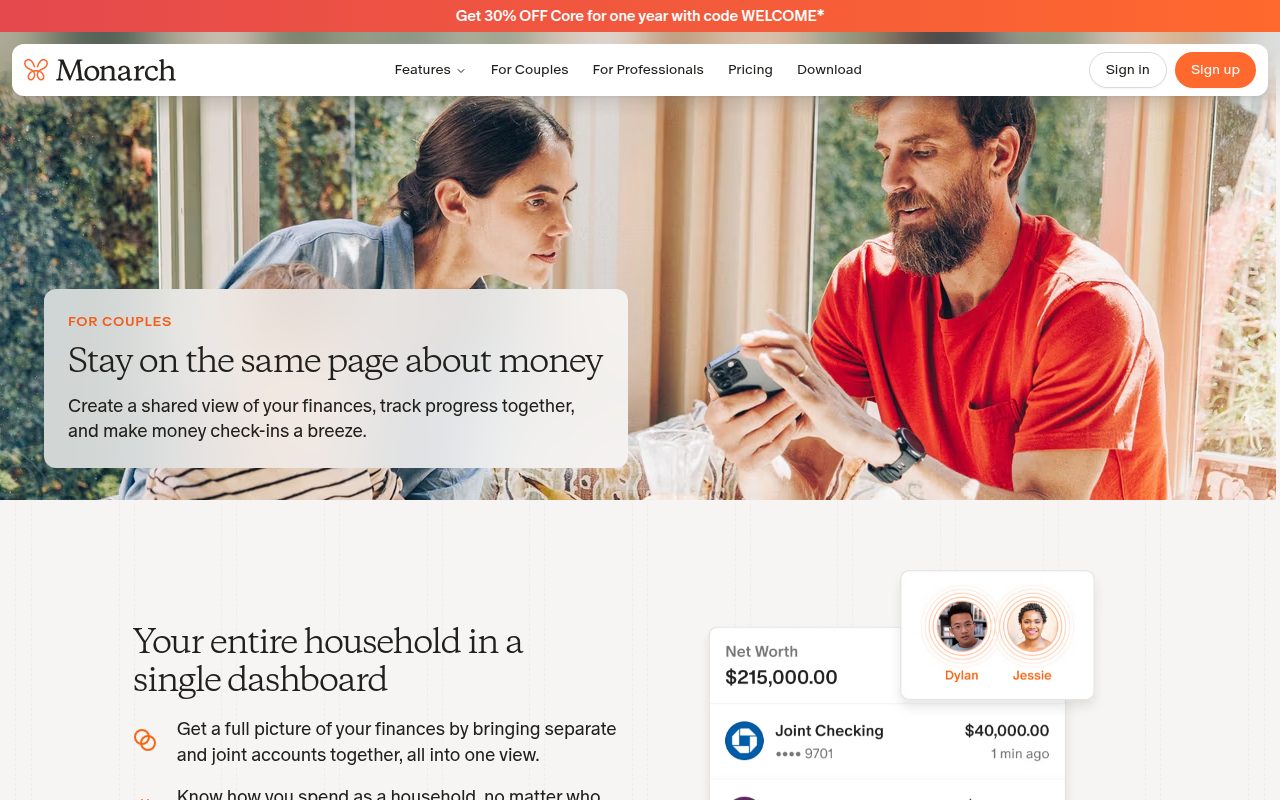
Monarch is what most couples end up wanting: one picture of the household that both of you can check on your own phone without having to maintain it. One partner subscribes and invites the other, each of you gets your own login, and you both see the same accounts, budget, and goals. A feature called Shared Views lets you mark each account and transaction as yours, your partner’s, or joint, then look at just one of those. That’s the closest any app here gets to yours, mine, and ours without hiding anything.
And it doesn’t hide anything. Once your partner joins, they see every account you’ve connected, and there’s no setting to change that. If one of you has a card you’d rather not talk about, keep it out of Monarch.
Where Monarch pulls ahead is the plumbing. It connects through Plaid, MX, and Finicity, uses whichever works best for each bank, and lets you switch providers when a connection keeps failing. That doesn’t make it immune. In NerdWallet’s month-long test, some accounts paused syncing until someone entered a two-factor code, and a mortgage never connected.
The budget is flexible rather than strict. You can set a limit for every category, or use the flex mode, which only asks you to budget the spending that changes from month to month. Monarch tells you how you’re doing; it never makes you assign every dollar before you spend it. Couples who need that push should look at YNAB.
Two practical details. Your partner can’t join with an email that already has a Monarch account, so someone with an old trial will need a new address. And if you ever remove a member, the accounts they added leave with them, which is fair, but think about it before one person links every joint account under their own login.
What it does
- Separate logins for everyone in the household on one subscription
- Owner labels and filtered views for yours, mine, and joint
- Shared savings goals both partners can track
- Bank connections through three data providers, chosen bank by bank
Pros
- Your partner joins free, with their own login
- Keeps bank connections working better than apps tied to one provider
- A clean shared view that a less involved partner can just glance at
Cons
- No way to keep an account or purchase private from your partner
- No free plan, only a 7-day trial
- Categories and rules take real time to set up in the first week
- Skip if:
- One of you needs to keep a personal account private

You Need A Budget
For couples who plan every dollar together
#2 3.9/5
YNAB (short for You Need A Budget) asks more of a couple than any other app here, and gives more back. It’s zero-based: every dollar you have gets a job before you spend it, and when you overspend on groceries you move money over from another category to cover it. For two people, that turns into a regular conversation about what matters, which is the whole point. The method changes habits for people who stick with it, and no other app here has a following like it.
The cost is effort. Its handling of credit cards works differently from every other app and takes a week or two to make sense, and if neither of you opens it for a couple of weeks, you’ll come back to a pile of transactions to sort. If only one of you is interested, YNAB tends to become that person’s hobby rather than a shared budget.
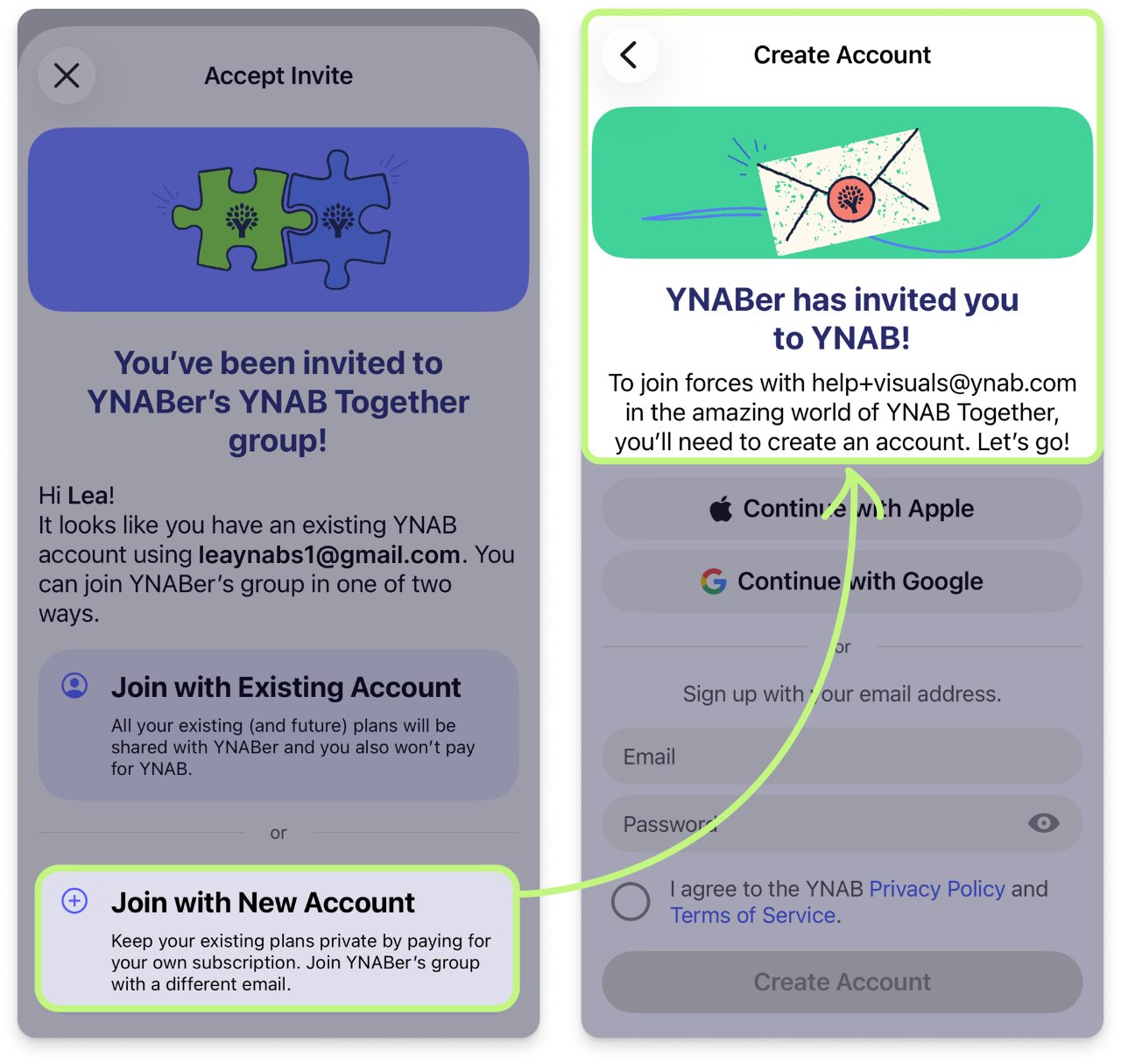
Sharing works through YNAB Together: up to six people on one subscription, each with their own login, all seeing changes as they happen. Each of you can link your own banks, but only the person who linked a connection can fix it when it breaks, so whoever added the joint checking account is the one who reconnects it. YNAB’s privacy catch is that the paying partner sees every budget in the group, and the only way around that is a second subscription.
Bank import covers many banks in the US, Canada, the UK, and the EU, and you can import files from a bank’s website anywhere else. The 34-day trial needs no card, so you both have time to decide whether the $109 annual plan is worth keeping.
What it does
- Zero-based budgeting with targets for future bills
- YNAB Together for up to six people on one subscription
- Direct import from many US, Canadian, and European banks, file import elsewhere
Pros
- The strongest budgeting method here, and one that builds habits
- Each partner has their own login and links their own banks
- Long free trial with no card
Cons
- A real learning curve, especially for credit cards
- The paying partner can see every budget in the group
- Skipping it for a few weeks leaves a backlog of transactions to sort
- Choose if:
- You're both ready to sit down every week or two and plan

Honeydue
Free, with privacy between partners
#3 3.6/5
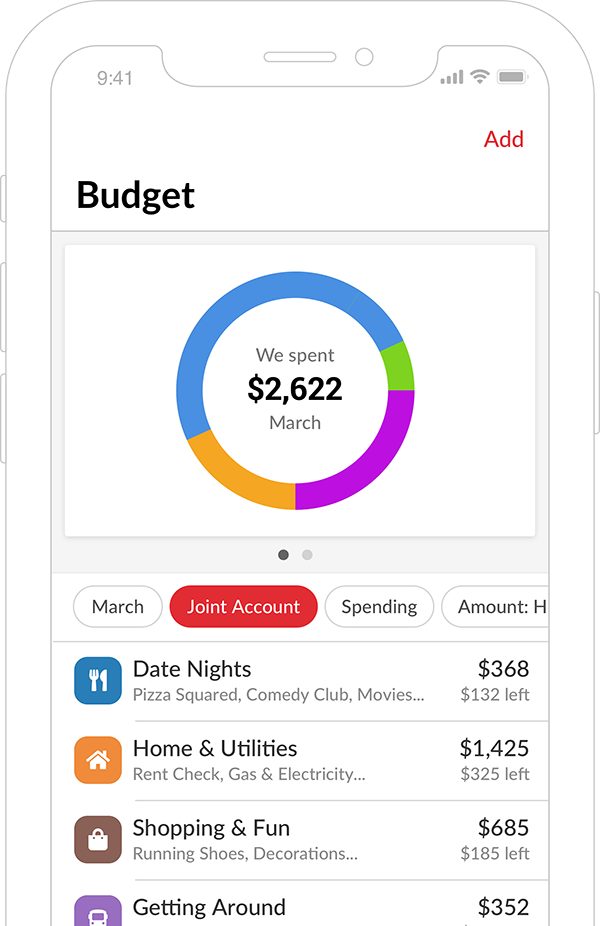
Honeydue is the only app here built around exactly two people, and it costs nothing. Its best idea is how it handles privacy. Each partner sets, for every account they own, whether the other sees balances and transactions, balances only, or nothing at all, and neither of you can change the other’s choice. You can also hide single transactions. For a couple with a joint account and two personal ones, that’s yours, mine, and ours done properly.
The rest is built for talking about money rather than planning it. You can comment on a transaction, react with an emoji, chat in the app, and get reminders for bills. The budgeting itself is a monthly limit per category with a warning when you get close. There’s no rolling money from one month to the next and no method that makes you plan ahead.
Syncing is where the free price shows. Honeydue reads your accounts through Plaid, and its weak points are cards that stop updating, prompts to relink, and slow support. It’s also phone-only, with no web or computer version, so a monthly budget session on a laptop is off the table.
Honeydue makes its money from ads, and its privacy policy allows ads based on your interests. It has stayed a simple app for a long time. It’s a good free start, but a couple who outgrows it will want one of the paid apps above.
What it does
- Sharing set per account: everything, balances only, or nothing
- Comments, emoji reactions, and chat on transactions
- Monthly category limits with alerts
- Bill reminders and a way to split shared costs
Pros
- Free for both partners, with bank syncing included
- The best privacy controls between partners of any app here
- Simple enough for a partner who doesn't love budgeting
Cons
- Basic budgeting, with no plan for the months ahead
- Bank connections drop often, and support is slow
- Phone only, with no web or computer version
- Paid for by ads
- Choose if:
- You keep separate accounts and want to share only some of them

EveryDollar
For couples following Dave Ramsey's plan
#4 3.4/5
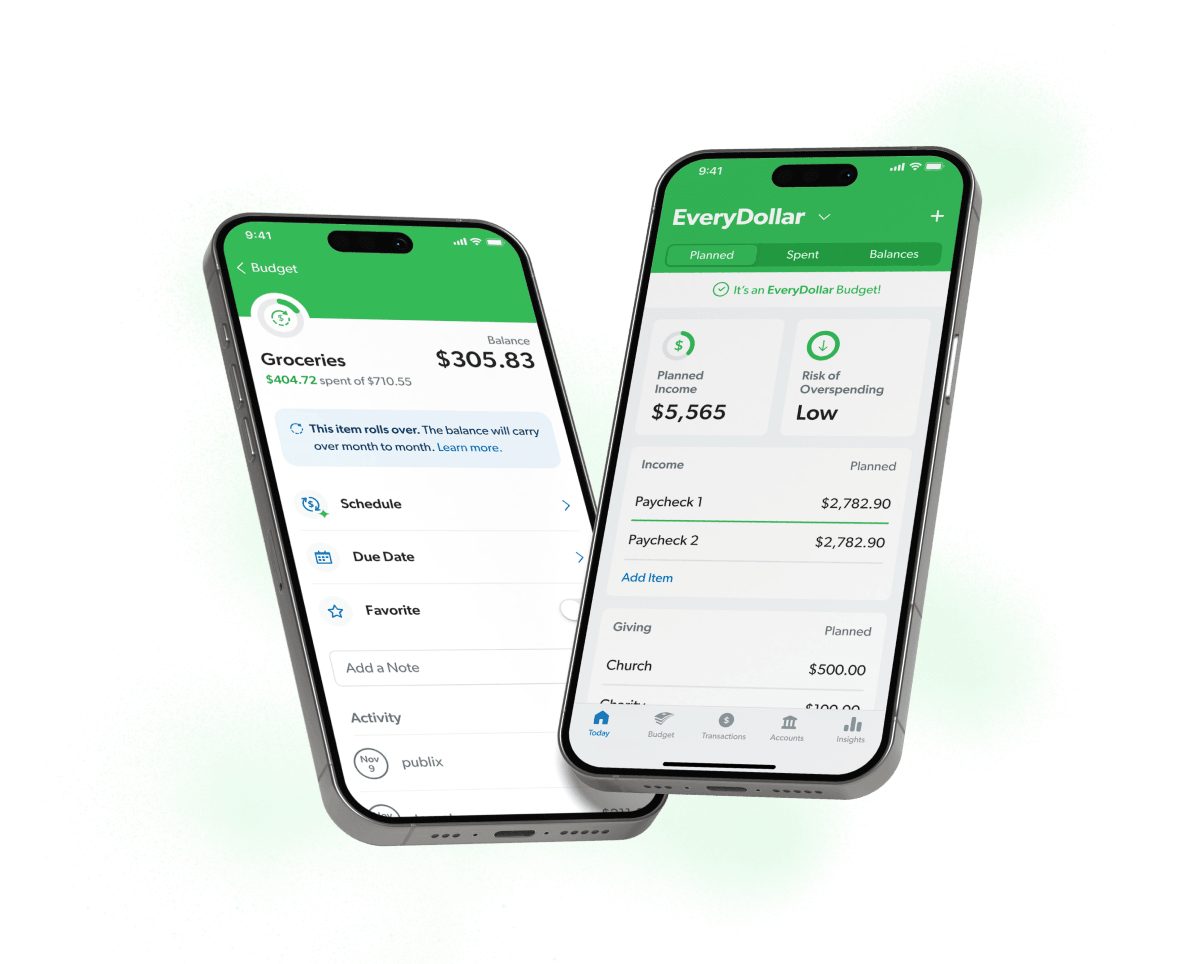
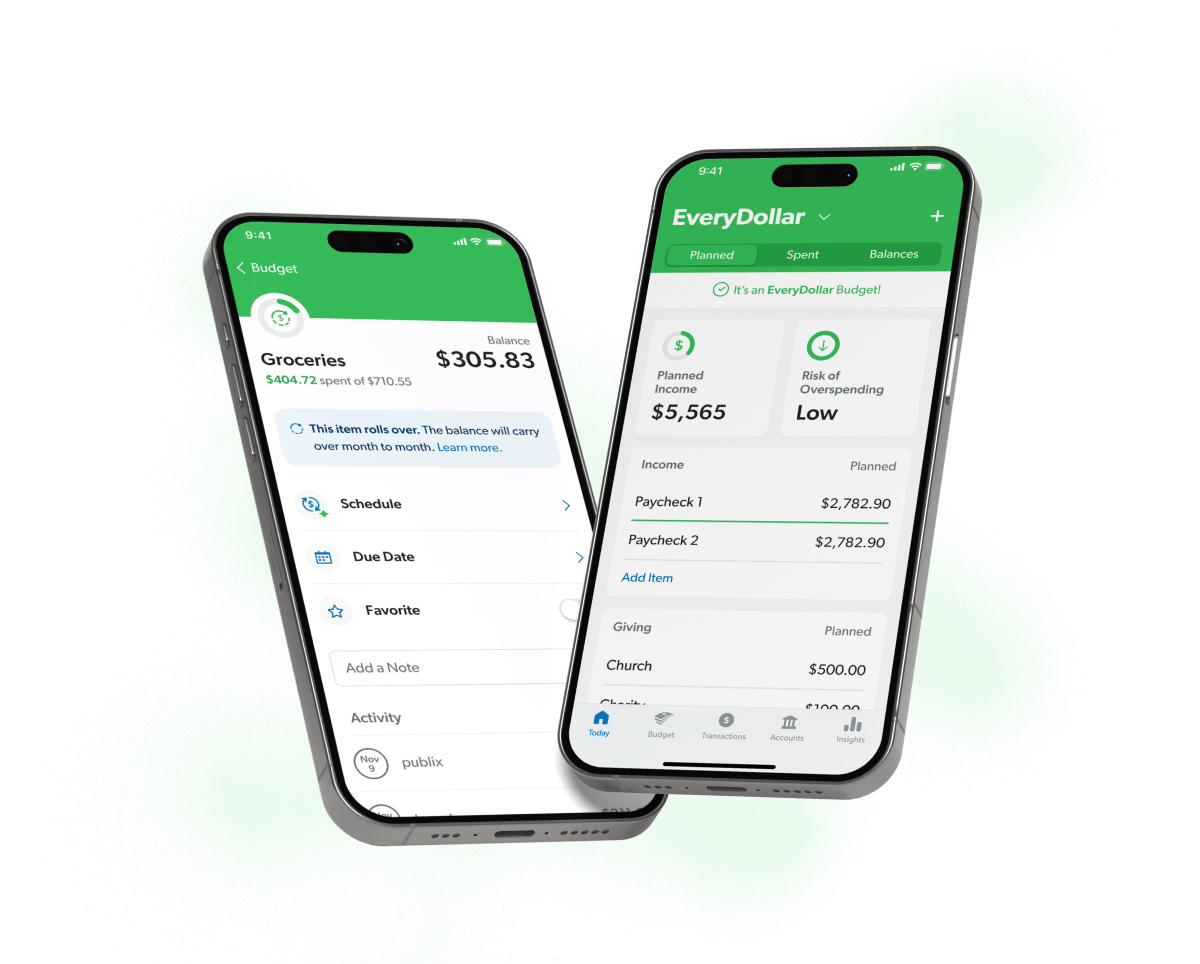
EveryDollar is Ramsey Solutions’ budgeting app, and it budgets the way Dave Ramsey teaches: zero out every paycheck, fund sinking funds for big expenses you know are coming, and pay debts off smallest first. If you already follow the Baby Steps, it fits you better than YNAB does, and it’s easier to start.
Its household feature lets you invite your spouse. Each of you signs in with your own email, and both of you see and edit the same budget. It’s strictly one budget: the invited partner’s own budget is hidden while they’re in the household, and nothing marks whose spending is whose.
The free plan still lets you assign every dollar, but you type in every purchase. Premium, at $79.99 a year, adds bank syncing through Plaid and Mastercard, along with payday planning and reports. Even then, each imported transaction has to be dragged onto a budget line by hand, which makes you look at every purchase and also keeps you busy. The free version shows ads for the upgrade, and Premium and the mobile apps are for US users.
What it does
- Zero-based budget with sinking funds and a debt snowball
- One shared household budget with separate logins
- Premium bank syncing, payday planning, and reports
Pros
- A free plan that two people can budget on together
- Simpler to learn than YNAB
- Cheaper than Monarch or YNAB when paid yearly
Cons
- No separate or private money inside the household
- Every transaction is assigned by hand, even with syncing
- Monthly billing at $17.99 is steep
- Skip if:
- You keep separate accounts and want your own budgets

Rocket Money
For cutting subscriptions as a team
#5 3.4/5
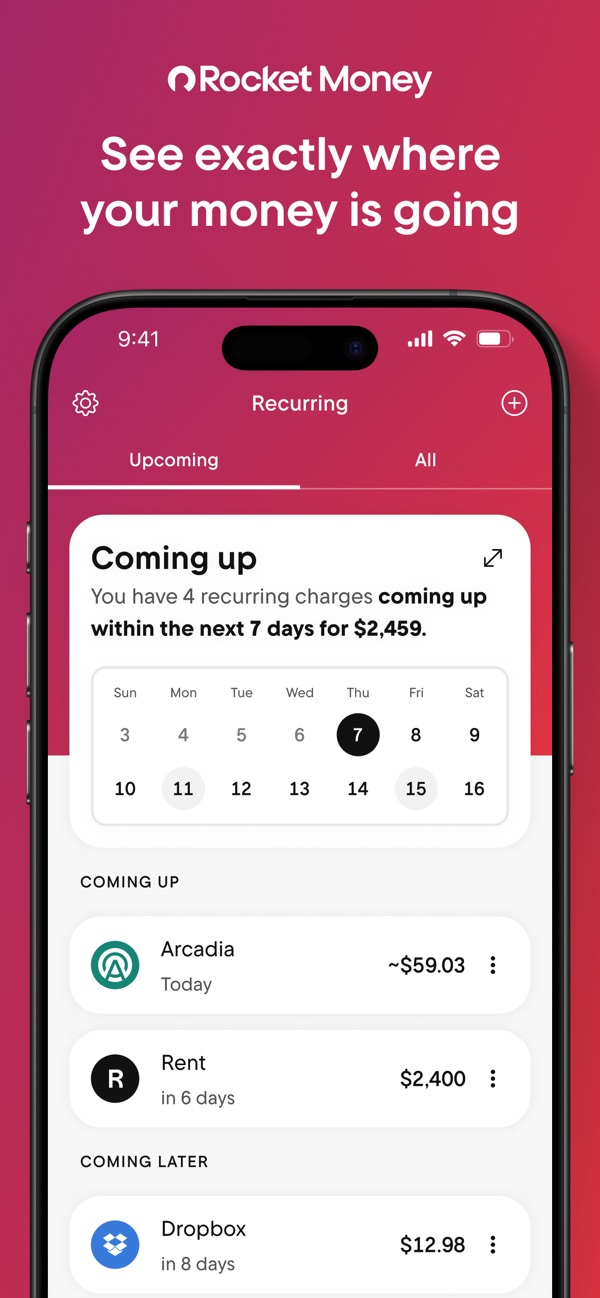
Rocket Money began as a way to find and cancel subscriptions, and that’s still what it does best. For a couple, that means one list of every recurring charge either of you pays, which is often where the easiest savings are hiding.
Partner sharing needs Premium. You choose a monthly price between $7 and $14. The invited partner gets their own login and two-factor settings, and both of you can manage budgets, subscriptions, and transactions across every linked account. Only two people can share the account.
As a budget, it’s lighter. You get budgets for as many categories as you like, savings goals, and an option that moves small amounts into savings automatically. There’s no budgeting method behind it, and it treats your household as one pot, with tags and notes as the only way to mark whose spending is whose. You also need at least one checking account that connects, or the app won’t work at all.
What it does
- A single list of every subscription and recurring bill
- Partner login with its own two-factor settings on Premium
- Category budgets, savings goals, and automatic saving
Pros
- Spots forgotten subscriptions across both partners' accounts
- Premium can cost less than Monarch, depending on the price you choose
- Easy for a less involved partner to follow
Cons
- Partner sharing isn't in the free plan
- Budgeting is basic next to Monarch or YNAB
- Requires a checking account that connects
- Choose if:
- Your first goal is cutting recurring charges, not building a detailed budget

Goodbudget
Envelope budgeting without linking banks
#6 3.3/5
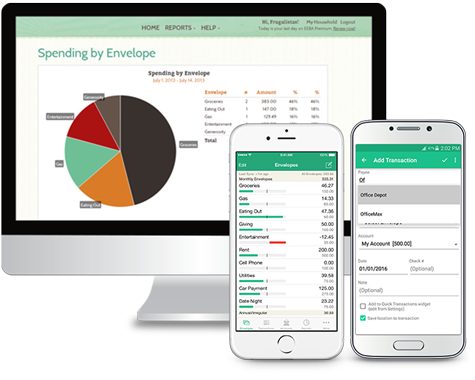
Goodbudget is the old cash-envelope system on your phone: you split your income into envelopes for groceries, gas, and fun money, and spend from them until they’re empty. For couples who want to sit down and decide together where the money goes, it’s simple and it works.
Sharing is the weak spot. There are no separate logins; your partner signs in with the same email and password you registered with. You both have full control, and there’s nothing private.
The free plan covers 10 regular envelopes and 10 more for goals and yearly bills. You get one account, two phones, and a year of history. You type in every transaction yourself or import a file from your bank. Premium, at $80 a year, adds automatic syncing with US banks, unlimited envelopes and accounts, five devices, and seven years of history. Investment accounts and debts don’t sync. Typing purchases in takes discipline, but it also means Goodbudget works wherever you live and never needs to see your bank login.
What it does
- Envelope budgeting with goal and yearly-bill envelopes
- Debt payoff tracking
- Manual entry, file import, or US bank syncing on Premium
Pros
- A free plan that's enough for a simple household budget
- Works without linking any bank
- Phones and a web app for both partners
Cons
- One shared login instead of separate accounts
- Typing in every purchase takes discipline
- Premium syncs US banks only, and not investments or debts
- Choose if:
- You want envelopes and don't mind entering spending yourselves

Quicken Simplifi
One simple number for what's left to spend
#7 3.3/5
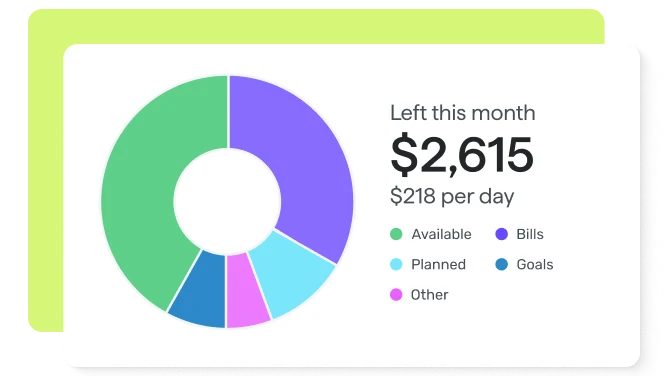
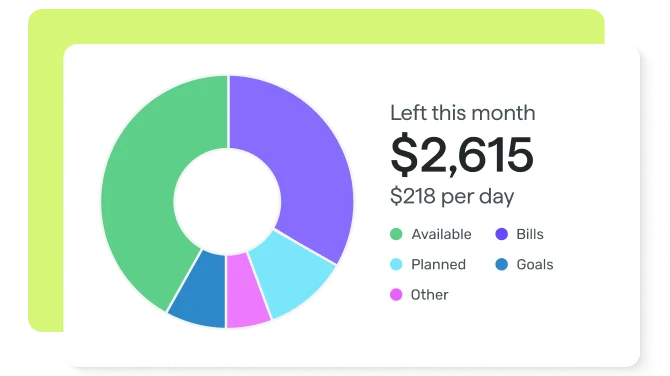
Simplifi is Quicken’s modern app, and its centerpiece is the Spending Plan: it takes your monthly income, subtracts bills, subscriptions, and savings, and tells you what’s left to spend for the month and per day. That one number is easy for both partners to follow. It assumes monthly pay, though, so couples paid every two weeks will see an odd number in the two months a year with a third paycheck.
Sharing is the problem for couples. You can add one person, who gets their own Quicken ID without a second subscription, but they have to accept on the web first; open the phone app first and it asks them to subscribe. They then see everything, with no option to share only some accounts. In Quicken’s community forum, one user wrote that his wife logs in only once or twice a year because every login needs a text-message code.
The price is low in the first year, $47.88, then renews at $83.88, billed yearly only. Simplifi works in the US and Canada.
What it does
- A Spending Plan that shows what's left this month and per day
- Savings goals with a target date
- One invited partner on the same subscription
Pros
- The simplest daily number to follow of any app here
- Bank syncing is a strength
- Cheap in the first year
Cons
- Only one partner, who sees everything and must start on the web
- The Spending Plan distorts months with a third biweekly paycheck
- Renews at a much higher price after the first year
- Skip if:
- You want to share only some of your accounts

Actual Budget
For couples who want their data at home
#8 3.1/5
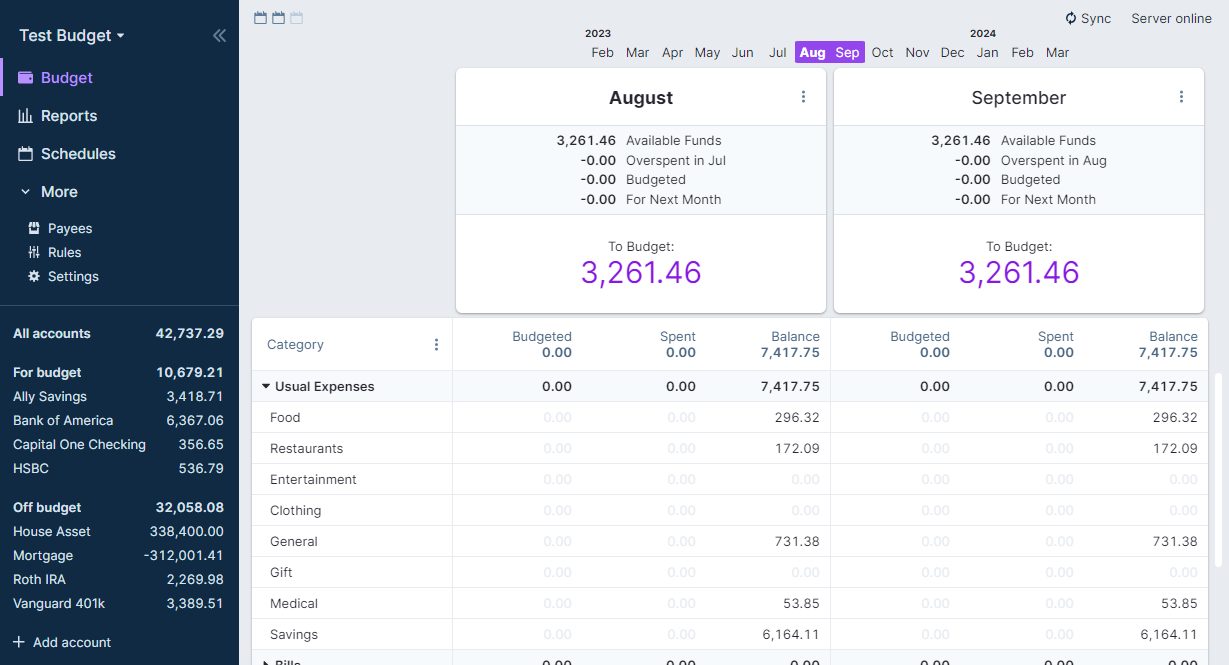
Actual Budget is free, open-source envelope budgeting that works a lot like YNAB, with the difference that your budget lives on your own computer or server instead of a company’s. You can turn on end-to-end encryption so the server can’t read your budget, and if the project ever stopped, your data and the code would still be yours. For a couple who’d rather not hand a startup every transaction, nothing else here comes close.
It does take setting up. To use it on both partners’ phones, you need a server, either one you run yourself or a small rented one from a host like PikaPods for a dollar or two a month. Phones use a web app you can add to the home screen; there’s no app in the stores, and some screens are cramped on a phone. Separate logins for each partner need an extra sign-in service set up on top; without one, you share a server password that can’t be recovered if you lose it.
US bank syncing runs through SimpleFIN Bridge, a separate service you sign up for and connect yourself. It costs $1.50 a month or $15 a year. Syncing only runs while Actual is open. Plenty of couples skip it and import files from their bank instead. Budget goals are written as short text templates, which takes some getting used to.
What it does
- Envelope budgeting with rules, scheduled bills, and reports
- Runs on your own server, with optional end-to-end encryption
- Optional bank syncing through SimpleFIN in the US
Pros
- Free and open source, so your data never depends on one company
- Budgeting nearly as strong as YNAB
- About $40 a year all in with a rented server and bank syncing
Cons
- Someone has to set up and look after a server
- No apps in the phone app stores, only a web app that's cramped on small screens
- Bank syncing means signing up for and connecting a separate service
- Choose if:
- One of you is comfortable running a small server

Splitwise
For splitting costs, not budgeting
#9 3.1/5
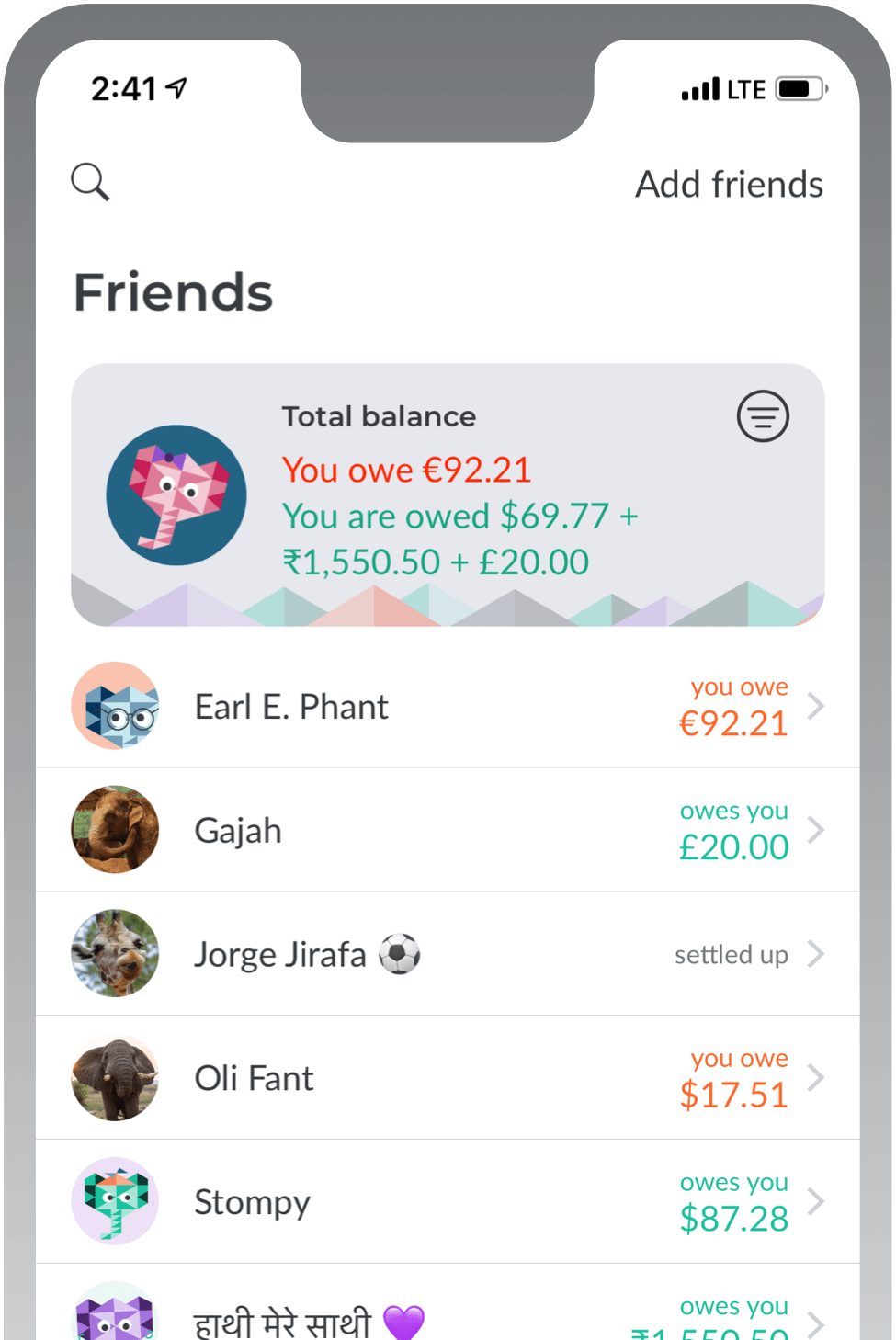
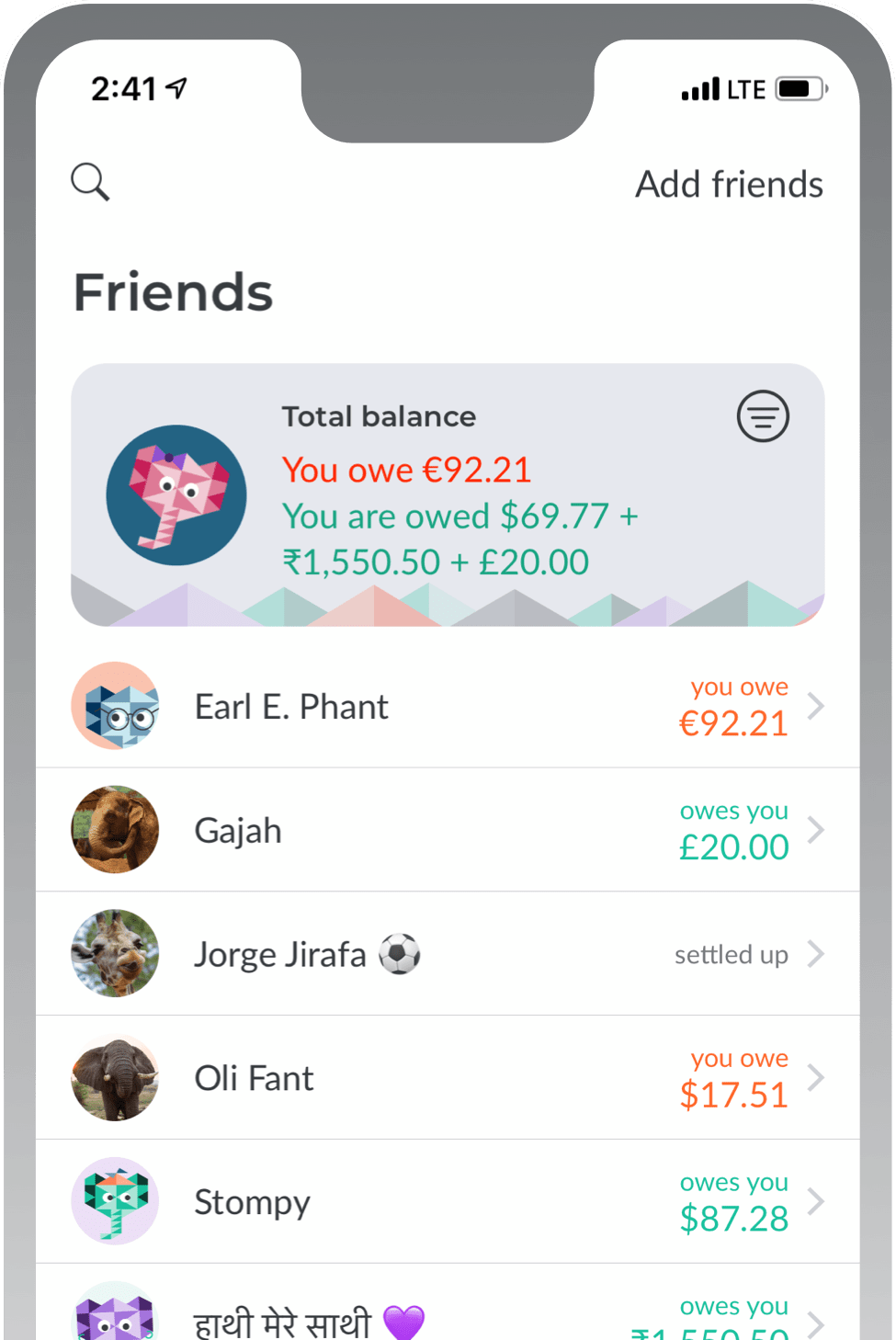
Splitwise isn’t a budget. It suits partners who keep their money separate and split the shared stuff: you log rent, groceries, and dinners out, and it keeps a running balance of who owes whom. Each of you has your own account, and you can settle up in cash, or through Venmo or PayPal in the US.
It handles uneven splits well, by percentage, shares, or exact amounts, along with recurring bills. Making 60/40 the default for every expense is a Pro feature. It works in more than 100 currencies, which helps couples who live or travel abroad.
The free plan lets you add 4 expenses a day, which is fine for most couples’ shared costs and annoying on a busy weekend. Pro costs $39.99 a year and lifts the limit. The free plan doesn’t connect to your bank accounts, so it pairs well with any budgeting app each of you uses on your own. Pro can import purchases from a card in some countries, but it still won’t show a complete picture of your accounts.
What it does
- A running balance of who owes whom
- Uneven splits and recurring shared bills
- Settle up through Venmo or PayPal in the US
Pros
- The cleanest way to split costs when you keep money separate
- Free for the costs most couples share
- Handles costs in other currencies, for couples abroad
Cons
- No budgets, goals, or view of your accounts
- The free plan limits you to 4 expenses a day
- Free-plan expenses are typed in by hand

Copilot Money
For iPhone couples happy to share one login
#10 2.8/5
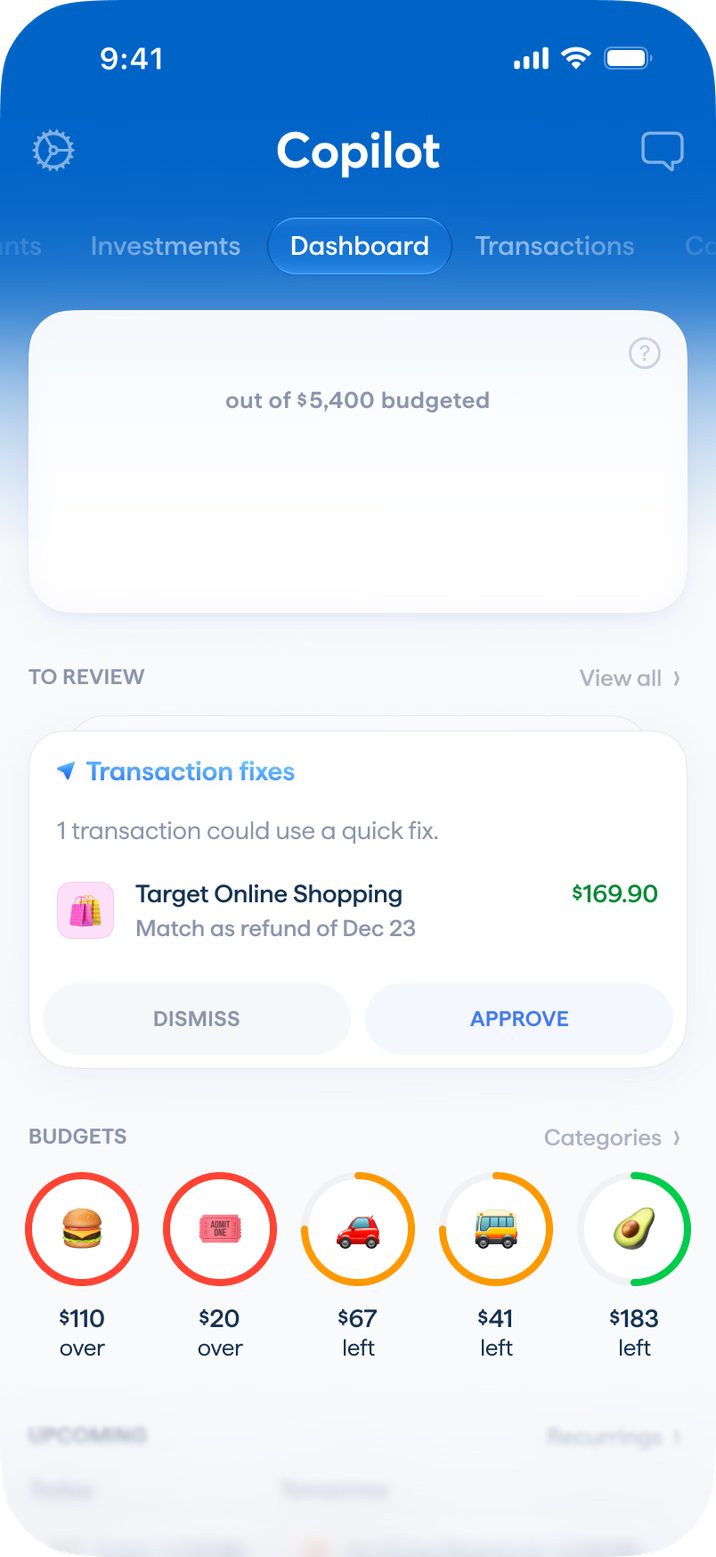
Copilot Money is a polished budgeting app for iPhone, iPad, and Mac, with a web app, and it’s good at sorting transactions into the right categories by itself. For one person, it’s among the nicest apps here to use. For couples, it isn’t ready.
There are no separate partner logins. Copilot’s suggested setup is that your partner signs in to your account with a link you forward from your email, after which every device has full control. There’s also no Android app, so an Android partner gets the web app only.
Tags and per-person category groups are the workaround for yours and mine. At $109 a year on the current offer, or $119 at the regular price, you’re paying Monarch money for less sharing. If you both have iPhones and you’re happy in one shared account, it’s lovely. Otherwise, Monarch gives each of you a proper login.
What it does
- Automatic categorization and recurring-charge tracking
- Category budgets with optional rollovers
- Apps for iPhone, iPad, and Mac, plus a web app
Pros
- One of the most pleasant budgeting apps to use day to day
- Doesn't sell data or show ads
Cons
- No separate partner logins; you share one account
- No Android app
- Costs more than Monarch for less sharing
- Skip if:
- One of you uses an Android phone
Also considered
- Zeta, a money app made for couples, still turns up on plenty of older lists, but it’s gone. Acorns bought its assets and invited its customers to Acorns instead, and Zeta’s website no longer loads.
Scores
1–5 per criterion · select a score for its reasoning and any sources
| # | Product | Overall | Budgeting strength , counts double | Partner access | Bank syncing | Joint and separate money | Easy for both partners | Yearly cost for two | Works on both partners' devices | Splitting shared costs , counts half | Privacy of your financial data , counts half |
|---|---|---|---|---|---|---|---|---|---|---|---|
| 1 | Monarch Money | 4.2 | 4 | 5 | 5 | 4 | 4 | 3 | 5 | 3 | 4 |
| 2 | You Need A Budget | 3.9 | 5 | 5 | 4 | 3 | 3 | 2 | 5 | 2 | 4 |
| 3 | Honeydue | 3.6 | 2 | 5 | 3 | 5 | 4 | 5 | 3 | 4 | 3 |
| 4 | EveryDollar | 3.4 | 4 | 4 | 4 | 1 | 3 | 4 | 5 | 1 | 3 |
| 5 | Rocket Money | 3.4 | 3 | 5 | 4 | 2 | 4 | 3 | 4 | 2 | 3 |
| 6 | Goodbudget | 3.3 | 4 | 2 | 3 | 2 | 3 | 4 | 5 | 2 | 4 |
| 7 | Quicken Simplifi | 3.3 | 3 | 3 | 4 | 2 | 4 | 3 | 5 | 2 | 4 |
| 8 | Actual Budget | 3.1 | 4 | 3 | 2 | 3 | 2 | 4 | 2 | 2 | 5 |
| 9 | Splitwise | 3.1 | 1 | 5 | 2 | 3 | 3 | 4 | 5 | 5 | 3 |
| 10 | Copilot Money | 2.8 | 3 | 2 | 4 | 2 | 4 | 2 | 2 | 2 | 4 |
Equal displayed overall scores are ordered by the earlier criteria; a known score comes before an unknown score. Identical scores use alphabetical order.
×2 = counts double in the overall score, ×½ = counts half.
How each criterion is scored
Budgeting strength
Counts double in the overall score: Planning and keeping to a shared budget is the job couples pick these apps for, so it counts double.
How well the app helps a couple plan their money and stick to the plan: budgets by category, a clear method such as zero-based or envelope budgeting, money that rolls over between months, and savings goals. Judged from the budgeting features each app has and what reviewers and many long-time users say about living with them.
- 5 A complete budgeting system that has you plan every dollar ahead, with rollovers, targets for future bills and goals, and a method long-time users credit with changing their habits
- 4 A full budgeting method, such as envelopes, zero-based or flexible budgets, with rollovers and goals
- 3 Category budgets or a spending plan that shows what's left, with goals, but a thin method for planning ahead
- 2 Basic monthly limits per category with alerts, little planning beyond that
- 1 No budgets; it tracks or splits spending only
Partner access
How both partners get into the same budget: whether each has their own login, whether both can see and edit everything on their own devices, and how easily the second partner joins.
- 5 Each partner joins by invite with their own login and sees and edits the shared budget on their own phone
- 4 Each partner has their own login and edits the same budget, with a notable catch such as a spouse-only invite or the partner's own budget hidden while linked
- 3 Separate logins are possible, but joining takes technical setup or the partner must start somewhere awkward, such as the web only
- 2 Both partners sign in to one shared account, with one login and the same control
- 1 Built for one person; a partner needs a separate account or subscription with no shared data
Bank syncing
How well the app pulls in transactions from US banks and cards on its own: how many institutions it reaches, whether it can switch between data providers when a connection breaks, and how often users report broken connections. Scored on the plan that includes syncing.
- 5 Automatic syncing through several data providers chosen per bank, covering checking, cards, loans and investments
- 4 Automatic syncing for most US banks and cards, with the usual occasional reconnects
- 3 Automatic syncing through one data provider, with frequent reports of dropped connections or account types it can't sync
- 2 Narrow or do-it-yourself connections, such as card import for splitting only or a bridge service the user sets up
- 1 No bank connections; every transaction is typed in or imported from a file
Joint and separate money
How well the app handles couples who keep some money apart: marking which accounts and spending belong to whom, viewing each person's or only the joint spending, and keeping a personal account or purchase private from the other partner.
- 5 Each partner chooses what to share account by account, down to balances only or nothing, alongside a joint view
- 4 Owner labels on accounts and transactions, with views for yours, mine and joint, but no way to keep anything private
- 3 Separate budgets for each person alongside a shared one, or owner labels, but no privacy from the paying partner
- 2 Only workarounds, such as tags, notes or a category group per person
- 1 One shared pot; nothing marks whose account or spending is whose
Easy for both partners
How easily the less involved partner joins and keeps up: setup, learning curve and the weekly upkeep the app asks for. Judged from how the app works and what reviewers and many users agree on.
- 5 Almost no effort for the less involved partner, who joins from an invite and checks a simple shared view
- 4 Easy to pick up, with automatic categories and a light weekly check-in
- 3 Manageable once one partner sets it up, but it asks for regular work, such as learning a method or assigning every transaction by hand
- 2 Heavy weekly upkeep, such as typing in every purchase, or a server to look after
- 1 Needs technical setup and ongoing maintenance before either partner can use it
Yearly cost for two
What a couple pays each year for both partners to use the plan with partner access and bank syncing, at the regular price after any first-year discount. A free plan counts when a couple can budget together on it.
- 5 Free for both partners, including bank syncing
- 4 A free plan both partners can budget on without bank syncing, or a full setup under $60 a year
- 3 About $60 to $100 a year
- 2 About $100 to $150 a year
- 1 More than $150 a year, or each partner pays
Works on both partners' devices
Whether each partner can use it on the phone they already have, iPhone or Android, and on a computer for longer budget sessions.
- 5 Full apps for iPhone and Android plus a full web app
- 4 iPhone, Android and web, with one of them clearly cut down
- 3 Apps for iPhone and Android, but no web or computer version
- 2 One phone platform plus a web app for the other partner, or no phone app at all, only a mobile website
- 1 One phone platform only, with no web or computer version
Splitting shared costs
Counts half in the overall score: Couples who split costs care a lot, but most couples who budget together share a pot and never settle up.
Whether the app tracks who paid for a shared cost and what one partner owes the other, with unequal splits and a way to settle up.
- 5 A running balance of who owes whom, with unequal splits, recurring shared bills and settling up
- 4 Bill splitting or reminders between partners, without a full balance of who owes whom
- 3 Owner labels show who spent what on each account and purchase, but no running balance between partners
- 2 Tags, notes or separate categories can mark whose spending it is, but nothing works out who owes whom
- 1 Nothing records who paid
Privacy of your financial data
Counts half in the overall score: Most subscription apps handle data similarly, so it separates few products, though it decides the choice for some couples.
How the company makes money from the app and what that means for the couple's financial data: ads, marketing of other financial products, selling data, and whether the app works without linking banks.
- 5 Data stays on the couple's own devices or server, with an end-to-end encryption option and no bank link required
- 4 Paid by subscriptions, with no ads, a stated refusal to sell data, and manual accounts for anything a couple won't link
- 3 Free plan carries ads or upsells for other products, or the data terms are vague
- 2 Ad-supported, or used to market the owner's other financial products, with data used for targeting
- 1 Sells financial data or shares it for advertising
How to choose
- You share nearly everything: Monarch Money. Quicken Simplifi is cheaper in the first year but makes your partner start on the web and can’t keep anything private.
- You want to plan every dollar together: YNAB, if you’re both in. EveryDollar if you follow Dave Ramsey’s plan or want a free start.
- You keep separate accounts and share some: Honeydue for a shared view with privacy; Splitwise if you only need to split costs.
- You won’t pay: Honeydue, if you can live with its syncing, or the free plans of EveryDollar or Goodbudget, if you’ll type in your spending.
- One of you has an iPhone and the other an Android phone: Copilot Money leaves the Android partner on its web app; the other apps have native apps for both phones. Honeydue works on both phones but not on a computer.
- You don’t want an app company holding your data: Actual Budget if one of you can run a server, Goodbudget with manual entry if not.
Our verdict
Monarch Money is the best budgeting app for most couples because it gets the three hard things right at once: both partners in on their own phones for one price, bank connections that can fall back on another provider when one fails, and labels that show whose money is whose. Its two gaps are real, though. It can’t keep anything private between you, and it tracks your budget rather than making you plan it.
If the second gap is the one that bothers you, YNAB is worth the extra few dollars a year, but only if both of you will open it every week or two. If the first one does, Honeydue’s per-account sharing is the answer, and it’s free; just expect to babysit its bank connections and to want more budgeting eventually.
Whatever you pick, think about the long run. A couple’s budget collects years of history, so before you commit, check that you can export it: Monarch, YNAB, and Splitwise let you download your transactions, and EveryDollar does on Premium. Actual Budget is the one where the history never leaves your hands in the first place.
Frequently asked questions
What happens to our accounts if one of us leaves?
It depends on who linked what. In Monarch, removing a member also removes the accounts they added, so link joint accounts from whichever login will stay. In YNAB, only the person who linked a bank connection can manage it, and the subscription belongs to whoever pays, so the other partner needs a subscription of their own to keep using YNAB. In Honeydue, each partner controls the accounts they linked and can stop sharing them at any time.
Do these apps work outside the US?
Some do, but an app’s availability and its bank syncing are separate questions. YNAB imports from banks in the US, Canada, the UK, and the EU, and takes bank files from anywhere. Quicken Simplifi works in the US and Canada. Monarch can connect to Canadian banks, but some are hard to keep synced. Goodbudget’s and EveryDollar’s bank syncing is US-only, though Goodbudget’s manual entry works anywhere. Splitwise handles more than 100 currencies. Actual Budget syncs with North American banks through SimpleFIN; its European provider isn’t accepting new accounts.