
EveryDollar
Ramsey Solutions' zero-based budgeting app with a free tier and a Premium plan with bank sync
Our verdict
#4 of 10 in Budgeting apps for couples · For couples following Dave Ramsey's plan
What it does
- Zero-based budget with sinking funds and a debt snowball
- One shared household budget with separate logins
- Premium bank syncing, payday planning, and reports
Pros
- A free plan that two people can budget on together
- Simpler to learn than YNAB
- Cheaper than Monarch or YNAB when paid yearly
Cons
- No separate or private money inside the household
- Every transaction is assigned by hand, even with syncing
- Monthly billing at $17.99 is steep
- Skip if:
- You keep separate accounts and want your own budgets
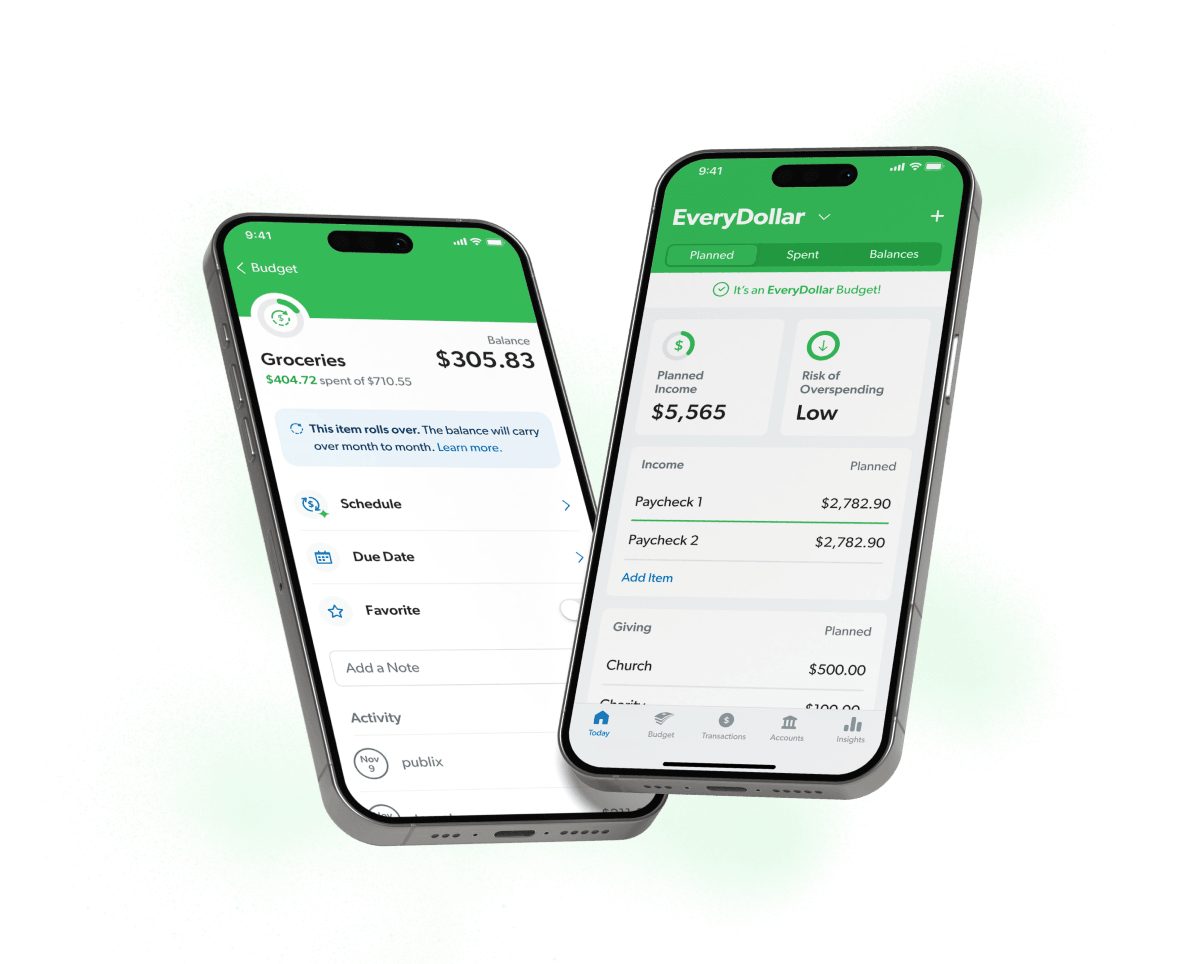
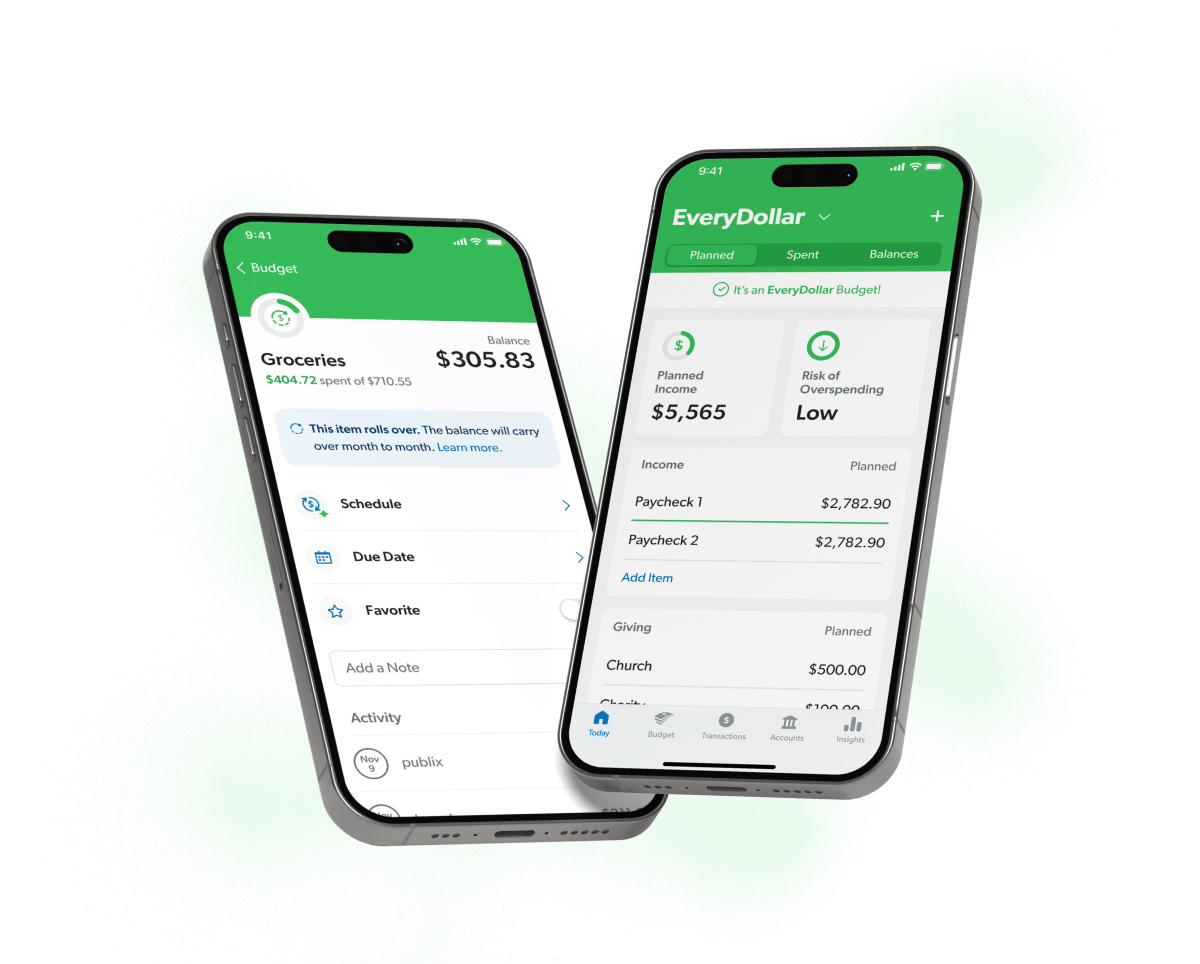
EveryDollar is Ramsey Solutions’ zero-based budgeting app (iOS, Android and web) built around Dave Ramsey’s Baby Steps. The free version has manual transaction entry, unlimited categories and sinking funds. Premium adds automatic bank connection, payday-based planning, custom reports, CSV export, a financial roadmap and coaching. Couples can link two accounts in a household to work in one shared budget, with each partner signing in with their own email. It is sold direct to US users as free or Premium (also included in a Ramsey+ membership).
What users say
Evidence ↓Reviewers praise EveryDollar's ease of use and customization but note that advanced features, including bank connection, require Premium. Two reviewers (NerdWallet, Money Crashers) both say imported transactions still have to be assigned to budget lines by hand, and Money Crashers lists upgrade ads in the free version as a drawback. Both reviews carry affiliate or partner compensation disclosures, and I found no user-forum discussion.
Rankings and alternatives
- Budgeting apps for couples #4 of 10 For couples following Dave Ramsey's plan
- Monarch Money #1 Best for most couples
- You Need A Budget #2 For couples who plan every dollar together
- Honeydue #3 Free, with privacy between partners
- Free budgeting apps #4 of 9 Zero-based budgeting with no category cap
- Actual Budget #1 Most budget for $0, on a computer
- Goodbudget #2 Envelope budgeting on your phone
- Empower Personal Dashboard #3 Automatic tracking and net worth






Budgeting apps for couples scores
Evaluated Nov 17, 2026 Evidence ↓- Budgeting strength · counts double 4
4/5 means: A full budgeting method, such as envelopes, zero-based or flexible budgets, with rollovers and goals
Zero-based method with unlimited categories, sinking funds, savings goals and a debt snowball tied to Ramsey's Baby Steps; it has less machinery for planning ahead than YNAB, such as targets that fund future bills automatically.
- Partner access 4
4/5 means: Each partner has their own login and edits the same budget, with a notable catch such as a spouse-only invite or the partner's own budget hidden while linked
Each partner has their own login and both edit the same budget, but the invite is for a spouse and the invitee's own budget is hidden while linked.
- Bank syncing 4
4/5 means: Automatic syncing for most US banks and cards, with the usual occasional reconnects
Premium syncs through Plaid and Mastercard Connect, reaching 13,000+ institutions; imported transactions still have to be assigned to budget lines by hand, which is a workflow cost rather than a syncing failure.
- Joint and separate money 1
1/5 means: One shared pot; nothing marks whose account or spending is whose
A household is one shared budget with no per-person accounts, owner labels or privacy between partners.
- Easy for both partners 3
3/5 means: Manageable once one partner sets it up, but it asks for regular work, such as learning a method or assigning every transaction by hand
Simple interface and easy to start, but the less-involved partner is working inside a prescriptive method and every imported transaction must be assigned to a budget line by hand.
- Yearly cost for two 4
4/5 means: A free plan both partners can budget on without bank syncing, or a full setup under $60 a year
The free plan lets both partners share one zero-based budget with manual entry; Premium, with bank syncing, is $79.99 a year for the household.
- Works on both partners' devices 5
5/5 means: Full apps for iPhone and Android plus a full web app
iOS and Android apps plus a web app for the full budget.
- Splitting shared costs · counts half 1
1/5 means: Nothing records who paid
Split transactions only divide a purchase across budget categories; nothing records who paid or who owes whom. No explicit vendor statement of absence, so this rests on the feature lists read.
- Privacy of your financial data · counts half 3
3/5 means: Free plan carries ads or upsells for other products, or the data terms are vague
The free plan shows upgrade ads and the app sits in Ramsey's ecosystem of coaching and other products; works without linking banks. No stated refusal to sell data was found.
Free budgeting apps scores
Evaluated Nov 17, 2026 Evidence ↓- Budgeting on the free plan · counts double 4
4/5 means: A full envelope or zero-based method with money that carries over and goals, but with caps or missing tools on the free plan
Zero-based budgeting with unlimited categories, sinking funds that carry over, and bill due dates are free. No rules or auto-categorization, and the vendor puts the debt tracker in Premium.
- Free on your phone 5
5/5 means: Phone apps and the web on as many devices as you like, kept in sync
iOS, Android and web apps are free and share one budget. A device cap was not found on any page read, so the top level rests on that absence.
- Getting transactions in 1
1/5 means: Every transaction is typed in by hand
The free version is manual entry only. No source describes file import in either version.
- Easy to learn and use 4
4/5 means: Easy to pick up, with a few rough spots
NerdWallet and Tom's Guide praise ease of use and a clear flow; a user needed time to adapt and the interface is cluttered with upsell items.
- Caps on the free plan 4
4/5 means: Few caps; some extras, such as reports or debt tools, need the paid plan
Categories and funds are uncapped, but bank sync, CSV export, reports, the debt tracker and coaching need Premium. Account, history and device caps were not found.
- Free of ads and sales pitches 2
2/5 means: Frequent upgrade prompts or sales outreach, such as ads for the paid plan every few screens
The vendor admits the upgrade ads cannot be removed and can feel frequent; Tom's Guide met one every few steps, and the app promotes Ramsey services.
- Privacy of your money data 3
3/5 means: Data goes to a company that says it doesn't sell it, but you link banks through an aggregator or the company uses your details for marketing
No bank link is needed and the policy says Ramsey does not sell personal information. It also allows marketing use, sharing with marketing partners and advertisers, and interest-based advertising.
- Reports and net worth · counts half 2
2/5 means: Basic charts of spending by category for the current month
Free users get a current-month expense breakdown; custom reports are Premium. Net worth is Premium. Free-tier charts across months were not documented.
Pricing
- Free Free Manual transaction entry, unlimited categories, sinking funds, split transactions, bill due dates, access on computer, phone or tablet. No bank connection. Upgrade ads shown.
- Premium (monthly) $17.99 /month 14-day free trial for new users. $17.99 x 12 = $215.88 a year. One Premium subscription covers the household according to Money Crashers; the vendor pages read do not state this.
- Premium (annual) $79.99 /year Billed upfront once a year; equals $6.67 a month. 14-day free trial for new users. Money Crashers says the annual plan is refundable within 30 days of a charge when bought on EveryDollar's site.
Prices checked Nov 17, 2026.
Evidence and sources
What users say
Summary 3 quotes
-
With the premium version of EveryDollar, you can link your financial accounts, which can make tracking your expenses easier since all of your transactions show up in one place. However, you still have to group the transitions into the appropriate budget lines.
Elizabeth Ayoola and Amanda Barroso, reviewers at NerdWallet · nerdwallet.com/finance/learn/everydollar-app-review · published · checked -
EveryDollar shines because of its ease of use and customization. However, getting advanced features will cost you.
Elizabeth Ayoola and Amanda Barroso, reviewers at NerdWallet · nerdwallet.com/finance/learn/everydollar-app-review · published · checked -
Upgrade ads in the free version that only Premium removes
moneycrashers.com/everydollar-review · published · checked
Budgeting apps for couples scores
Budgeting strength 3 quotes
-
Split transactions between multiple categories.
ramseysolutions.com/money/everydollar · checked -
Connect your bank and stream transactions into your budget automatically.
ramseysolutions.com/money/everydollar · checked -
EveryDollar shines because of its ease of use and customization. However, getting advanced features will cost you.
Elizabeth Ayoola and Amanda Barroso, reviewers at NerdWallet · nerdwallet.com/finance/learn/everydollar-app-review · published · checked
Partner access 2 quotes
-
Yes! The household feature lets couples manage one budget together, even if you each sign in with separate emails.
ramseysolutions.com/money/everydollar · checked -
Sharing your budget with a spouse won’t delete their original budget, but it will be hidden while they’re part of the owners household; both people will see and edit the household owner's budget (the person sending the invitation), and removing the household link will restore access to the spouse's original budget.
everydollar.help.ramseysolutions.com/hc/en-us/articles/36246135475469-Household-Inviting-a-Spouse-To-Share-a-Budget · checked
Bank syncing 2 quotes
-
To connect your bank to your budget, EveryDollar partners with highly trusted third-party providers Mastercard Connect and Plaid.
ramseysolutions.com/money/everydollar · checked -
With the premium version of EveryDollar, you can link your financial accounts, which can make tracking your expenses easier since all of your transactions show up in one place. However, you still have to group the transitions into the appropriate budget lines.
Elizabeth Ayoola and Amanda Barroso, reviewers at NerdWallet · nerdwallet.com/finance/learn/everydollar-app-review · published · checked
Joint and separate money 1 quote
-
Sharing your budget with a spouse won’t delete their original budget, but it will be hidden while they’re part of the owners household; both people will see and edit the household owner's budget (the person sending the invitation), and removing the household link will restore access to the spouse's original budget.
everydollar.help.ramseysolutions.com/hc/en-us/articles/36246135475469-Household-Inviting-a-Spouse-To-Share-a-Budget · checked
Easy for both partners 2 quotes
-
With the premium version of EveryDollar, you can link your financial accounts, which can make tracking your expenses easier since all of your transactions show up in one place. However, you still have to group the transitions into the appropriate budget lines.
Elizabeth Ayoola and Amanda Barroso, reviewers at NerdWallet · nerdwallet.com/finance/learn/everydollar-app-review · published · checked -
EveryDollar shines because of its ease of use and customization. However, getting advanced features will cost you.
Elizabeth Ayoola and Amanda Barroso, reviewers at NerdWallet · nerdwallet.com/finance/learn/everydollar-app-review · published · checked
Yearly cost for two 2 quotes
-
After a 14-day free trial, the premium version costs $6.67 per month when billed annually at $79.99, or $17.99 per month when billed monthly
ramseysolutions.com/money/everydollar · checked -
One budget a couple can share, with one Premium subscription covering both
moneycrashers.com/everydollar-review · published · checked
Works on both partners' devices 2 quotes
-
EveryDollar is available for free through the Apple App Store and Google Play store.
nerdwallet.com/finance/learn/everydollar-app-review · published · checked -
Access your budget from your computer, phone or tablet.
ramseysolutions.com/money/everydollar · checked
Splitting shared costs 1 quote
-
Split transactions between multiple categories.
ramseysolutions.com/money/everydollar · checked
Privacy of your financial data 2 quotes
-
Upgrade ads in the free version that only Premium removes
moneycrashers.com/everydollar-review · published · checked -
Stay on track with our premium budgeting app, ad-free.
ramseysolutions.com/ramseyplus · checked
Free budgeting apps scores
Budgeting on the free plan 3 quotes
-
Free version with unlimited budget categories, sinking funds for planned costs, bill due dates, and transactions you enter by hand
moneycrashers.com/everydollar-review · published · checked -
The aim of zero-based budgeting is to ensure that every dollar goes into a category, such as wants, needs, savings and debt repayment. With every dollar accounted for, your income minus expenses equals zero at the end of every month.
nerdwallet.com/finance/learn/everydollar-app-review · published · checked -
Split transactions between multiple categories.
ramseysolutions.com/money/everydollar · checked
Free on your phone 2 quotes
-
EveryDollar is available for free through the Apple App Store and Google Play store.
nerdwallet.com/finance/learn/everydollar-app-review · published · checked -
Access your budget from your computer, phone or tablet.
ramseysolutions.com/money/everydollar · checked
Getting transactions in 2 quotes
-
You can’t link your financial accounts with the free version, which can make it easy to lose track of expenses if you’re not logging receipts frequently.
nerdwallet.com/finance/learn/everydollar-app-review · published · checked -
Connect your bank and stream transactions into your budget automatically.
ramseysolutions.com/money/everydollar · checked
Easy to learn and use 3 quotes
-
EveryDollar shines because of its ease of use and customization. However, getting advanced features will cost you.
Elizabeth Ayoola and Amanda Barroso, reviewers at NerdWallet · nerdwallet.com/finance/learn/everydollar-app-review · published · checked -
We found EveryDollar easier to use with a clearer flow than YNAB
Melissa Perenson, reviewer at Tom's Guide · tomsguide.com/reviews/everydollar · published · checked -
It did take me a little while to learn how to use the app to track my spending. I kept using my old spreadsheet alongside the app for a while until I got the hang of it,
Allison Haffner, EveryDollar user quoted by MagnifyMoney · magnifymoney.com/banking/everydollar-and-everydollar-plus · published · checked
Caps on the free plan 3 quotes
-
Connect your bank and stream transactions into your budget automatically.
ramseysolutions.com/money/everydollar · checked -
EveryDollar premium includes all the free features, plus upgrades that save you time and money, like:
ramseysolutions.com/money/everydollar · checked -
Free version with unlimited budget categories, sinking funds for planned costs, bill due dates, and transactions you enter by hand
moneycrashers.com/everydollar-review · published · checked
Free of ads and sales pitches 5 quotes
-
If you're using the free version of EveryDollar, you may notice occasional upgrade messages in the app.
everydollar.help.ramseysolutions.com/hc/en-us/articles/33752290735245-Understanding-Upgrade-Ads-in-EveryDollar · checked -
We know that frequent reminders can sometimes feel a bit distracting, and we’re always working to create a smooth and helpful experience for everyone using EveryDollar. Some users prefer using the web version of EveryDollar on their computer, as it can feel a bit more streamlined.
everydollar.help.ramseysolutions.com/hc/en-us/articles/33752290735245-Understanding-Upgrade-Ads-in-EveryDollar · checked -
Ads can’t be removed in the free version, but upgrading to EveryDollar Premium removes them entirely
everydollar.help.ramseysolutions.com/hc/en-us/articles/33752290735245-Understanding-Upgrade-Ads-in-EveryDollar · checked -
every few steps of the way in the interface we were hit by an ad to upgrade since the feature we were trying needed the full paid version of EveryDollar.
Melissa Perenson, reviewer at Tom's Guide · tomsguide.com/reviews/everydollar · published · checked -
The main EveryDollar screen has a left navigation pane for moving among your budget, insights, Baby Steps, Ramsey Pros, but many of those are simply lead-ins to tempt you into additional services.
Melissa Perenson, reviewer at Tom's Guide · tomsguide.com/reviews/everydollar · published · checked
Privacy of your money data 4 quotes
-
Ramsey Solutions does not sell your personal information to third parties.
ramseysolutions.com/company/policies/privacy-policy · checked -
Analyzing customer information and/or improving customer service. We may then share such information with third parties including prospective marketing partners and advertisers; and
ramseysolutions.com/company/policies/privacy-policy · checked -
Communicate newsletters, marketing or promotional materials, or other information to you about Ramsey Solutions’ and our third-party partners’ products, services, and special offerings that may be of interest to you;
ramseysolutions.com/company/policies/privacy-policy · checked -
We partner with third parties, who may collect personal information for interest-based advertising purposes when you interact with our Sites.
ramseysolutions.com/company/policies/privacy-policy · checked
Reports and net worth 2 quotes
-
Connect your bank and stream transactions into your budget automatically.
ramseysolutions.com/money/everydollar · checked -
The free version is limited in its abilities, since you have to manually enter all information. But that also makes it attractive if you want to get a more rough idea of where you stand with your cash flow, but don’t intend to maintain the budget daily.
Melissa Perenson, reviewer at Tom's Guide · tomsguide.com/reviews/everydollar · published · checked
Facts
License 1 quote
-
After a 14-day free trial, the premium version costs $6.67 per month when billed annually at $79.99, or $17.99 per month when billed monthly
ramseysolutions.com/money/everydollar · checked
Runs on 2 quotes
-
EveryDollar is available for free through the Apple App Store and Google Play store.
nerdwallet.com/finance/learn/everydollar-app-review · published · checked -
Access your budget from your computer, phone or tablet.
ramseysolutions.com/money/everydollar · checked
More from the sources
Features 2 quotes
-
You can set a customized budget, create virtual savings funds that you’re allocating funds to from that budget, and track your debt payments.
Melissa Perenson, reviewer at Tom's Guide · tomsguide.com/reviews/everydollar · published · checked -
EveryDollar comes from Ramsey Solutions, Dave Ramsey’s company, and lists your debts smallest to largest, the order his Baby Steps plan pays them off.
moneycrashers.com/everydollar-review · published · checked
Limits and known issues 4 quotes
-
Premium and the mobile apps in the US only
moneycrashers.com/everydollar-review · published · checked -
We liked that you could download the information entered as a .CSV file, which makes it easier to export your information if you’d like.
Melissa Perenson, reviewer at Tom's Guide · tomsguide.com/reviews/everydollar · published · checked -
Allow our RamseyTrusted service providers to evaluate what services they can provide to you.
ramseysolutions.com/company/policies/privacy-policy · checked -
When you voluntarily provide personal information by answering questions or choosing to connect an outside service such as bank, investment, debt, or other account through the Sites, the data those services provide may be transmitted via secure API to trusted third-party AI platforms to analyze and provide personalized insights.
ramseysolutions.com/company/policies/privacy-policy · checked
What users say 1 quote
-
To upgrade, you have to connect a checking account, because Dave Ramsey espouses not using credit cards.
Melissa Perenson, reviewer at Tom's Guide · tomsguide.com/reviews/everydollar · published · checked
Pricing
ramseysolutions.com/money/everydollar · checked