
Rocket Money
Subscription-cancelling and bill-tracking money app (formerly Truebill) whose Premium plan adds budgets and a partner login
Our verdict
#5 of 10 in Budgeting apps for couples · For cutting subscriptions as a team
What it does
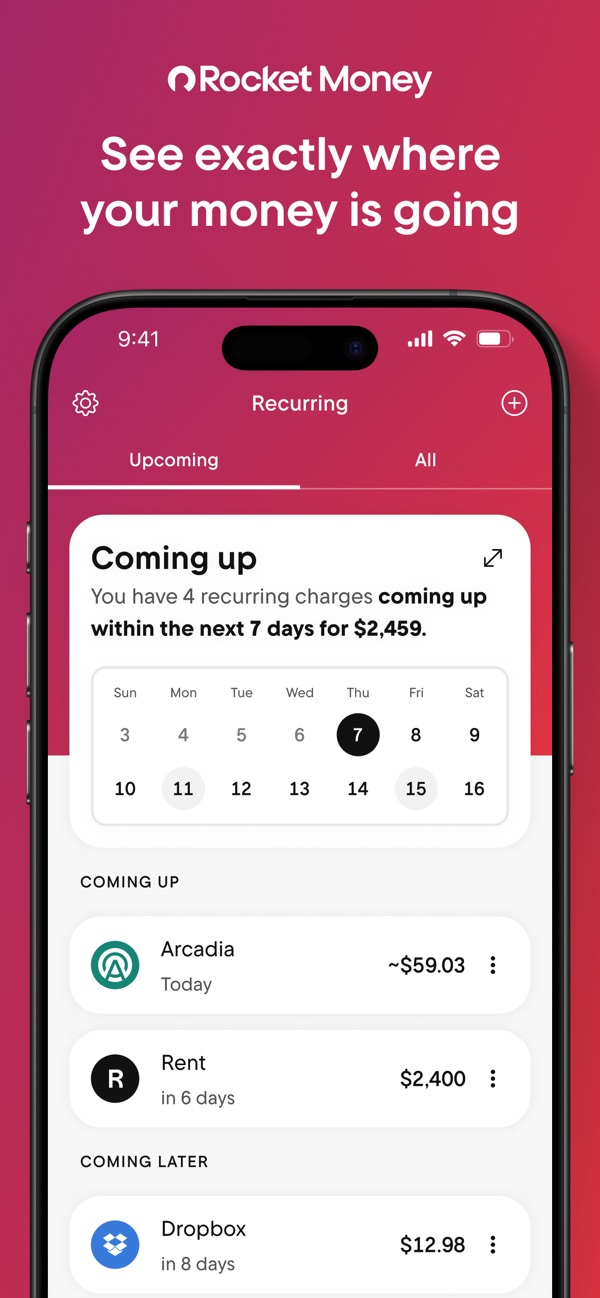
- A single list of every subscription and recurring bill
- Partner login with its own two-factor settings on Premium
- Category budgets, savings goals, and automatic saving
Pros
- Spots forgotten subscriptions across both partners' accounts
- Premium can cost less than Monarch, depending on the price you choose
- Easy for a less involved partner to follow
Cons
- Partner sharing isn't in the free plan
- Budgeting is basic next to Monarch or YNAB
- Requires a checking account that connects
- Choose if:
- Your first goal is cutting recurring charges, not building a detailed budget
Rocket Money, formerly Truebill, is a personal finance app that links bank accounts through Plaid to find subscriptions, track spending and credit score, and help cancel subscriptions. Most people know it for that cleanup work rather than as a budgeting tool. Budgets, partner sharing, transaction splitting, savings goals and web access need Premium, which uses a “pay what you think is fair” price of roughly $7 to $14 a month. One Premium subscription can be shared with one partner, who gets their own login. A Premium+ plan adds bill negotiation and an AI assistant. It runs on iOS and Android, plus web for Premium, and is proprietary software.
What users say
Evidence ↓Few practitioner accounts were found. One reviewer at an independent comparison site, who recommends a competitor for couples, says Rocket Money limits sharing to paid plans and that its budgeting is lighter, while noting that a $7 Premium covers two people more cheaply than the rival. A roundup of Reddit threads, relayed secondhand, reports recurring sync complaints on investment accounts. This rests on one reviewer and one secondhand report, not a broad sample of users.
Rankings and alternatives
- Budgeting apps for couples #5 of 10 For cutting subscriptions as a team
- Monarch Money #1 Best for most couples
- You Need A Budget #2 For couples who plan every dollar together
- Honeydue #3 Free, with privacy between partners
- Free budgeting apps #9 of 9 Subscription finder with a thin free plan
- Actual Budget #1 Most budget for $0, on a computer
- Goodbudget #2 Envelope budgeting on your phone
- Empower Personal Dashboard #3 Automatic tracking and net worth







Budgeting apps for couples scores
Evaluated Nov 17, 2026 Evidence ↓- Budgeting strength · counts double 3
3/5 means: Category budgets or a spending plan that shows what's left, with goals, but a thin method for planning ahead
Premium has unlimited category budgets, goals and Smart Savings, but the product's focus is subscriptions and bills, and no rollover or planning method was found. One reviewer calls the budget lighter than the rival's.
- Partner access 5
5/5 means: Each partner joins by invite with their own login and sees and edits the shared budget on their own phone
The partner is invited, gets their own login and MFA, and both manage all linked accounts on one Premium subscription. The two-person limit fits couples.
- Bank syncing 4
4/5 means: Automatic syncing for most US banks and cards, with the usual occasional reconnects
Plaid covers most major US banks and ratings are 4.5 on both stores, but there is a single provider, a required checking account, and reported complaints on investment accounts. Free has slower sync.
- Joint and separate money 2
2/5 means: Only workarounds, such as tags, notes or a category group per person
No owner labels or per-account privacy were found in the vendor's sharing pages; only tags, notes and rules can mark spending. Absence is not established.
- Easy for both partners 4
4/5 means: Easy to pick up, with automatic categories and a light weekly check-in
The partner joins by invite with automatic categorization and a shared dashboard. No independent evidence on the less involved partner's experience, so this is judged.
- Yearly cost for two 3
3/5 means: About $60 to $100 a year
One Premium covers both at $7 to $14 a month, so $84 to $168 a year ($7 x 12 = 84, $14 x 12 = 168). The minimum sits in the 60-100 band, but the typical range straddles the 100-150 band.
- Works on both partners' devices 4
4/5 means: iPhone, Android and web, with one of them clearly cut down
iOS, Android and web are available, but web is Premium only, and the web version is generally understood to be lighter than the app; that is not documented here.
- Splitting shared costs · counts half 2
2/5 means: Tags, notes or separate categories can mark whose spending it is, but nothing works out who owes whom
Transaction splits divide one purchase across categories, and tags or notes can mark spending, but no who-owes-whom balance or settle-up was found.
- Privacy of your financial data · counts half 3
3/5 means: Free plan carries ads or upsells for other products, or the data terms are vague
Plaid links and encryption are described, but the business model, data-sharing terms and whether the owner, Rocket Companies, markets financial products were not read. The free plan upsells Premium.
Free budgeting apps scores
Evaluated Nov 17, 2026 Evidence ↓- Budgeting on the free plan · counts double 1
1/5 means: No budgets; it tracks spending only
The vendor's current comparison table lists budgets as No on Free, so the free plan tracks spending only. Penny Hoarder and Money Crashers say Free has two custom budget categories, which would be a 2; the vendor page was preferred. Where budgets exist they are per-category monthly limits, not zero-based.
- Free on your phone 3
3/5 means: A phone app with a real limit, such as no web or computer access, or a phone interface awkward for daily entry
iOS and Android apps are free, but web access is Premium only, so the free plan is phone-only.
- Getting transactions in 4
4/5 means: Free automatic syncing for checking, cards and other accounts, with the usual broken connections and categories to fix
Free automatic syncing through Plaid covers bank, credit card and investment accounts, but it needs a connectable checking account, real-time sync is Premium, and investment sync complaints are reported (secondhand). Account cap not stated.
- Easy to learn and use 4
4/5 means: Easy to pick up, with a few rough spots
A reviewer calls it easy to use and a good start for newcomers, with automatic categorization that can be wrong; no detail-level control. Few first-hand user accounts were found.
- Caps on the free plan 2
2/5 means: Tight caps that a normal one-person budget runs into, such as one account, a handful of budgets or one wallet
Free holds back budgets (or caps them at two, per reviewers), partner sharing, goals, splitting and notes, net worth, export, real-time sync and web, so a normal budget hits limits quickly.
- Free of ads and sales pitches 2
2/5 means: Frequent upgrade prompts or sales outreach, such as ads for the paid plan every few screens
A reviewer says Premium is heavily advertised in-app, and the business model includes cross-selling Rocket Companies products and a Rocket card (the latter from a competitor's claim). Premium paywalls sit on many features.
- Privacy of your money data 2
2/5 means: The company shares your data with affiliates or marketing partners, and you can't fully opt out
Linking is via Plaid, and the federal notice says it shares transaction data with Rocket affiliates for their business purposes and joint marketing, which users cannot limit; only affiliate marketing and creditworthiness sharing can be limited.
- Reports and net worth · counts half 2
2/5 means: Basic charts of spending by category for the current month
Free shows spending breakdowns and income against spending per the vendor and reviewers, plus a basic credit score. Net worth is Premium only. Multi-month reports on Free were not confirmed.
Pricing
- Free Free Mobile app only. Tracks subscriptions and shows spending breakdowns and a basic credit score. No partner sharing, goals, splitting, real-time sync or web access. Sources disagree on budgets. the vendor's pricing table lists budgets as Premium only, while Penny Hoarder (June 2026) and Money Crashers (Nov 2026) say Free includes two custom budget categories and Premium makes them unlimited. Free syncs linked accounts and has balance alerts. Net worth, data export, notes and splitting, and the full credit report are Premium. Bill negotiation was open to Free users at 35% to 60% of first-year savings until Nov 2, 2026; it now needs Premium+. Premium is promoted heavily in the app.
- Premium $7.00 /month Pay what you think is fair, typically $7 to $14 a month; the $7 figure is the minimum, and the range is subject to change. Includes one partner login, budgets, goals, transaction splitting and tags, web access, and subscription cancellation. CNBC Select reports a 7-day free trial. Annual billing terms were not found.
- Premium+ $15.00 /month Everything in Premium plus Rowan (AI assistant) and bill negotiation. From November 2, 2026 only Premium+ can start new bill negotiations, with no success fee on those, according to FinCompareLab; before that, negotiation on Free or Premium cost 35% to 60% of first-year savings.
Prices checked Nov 17, 2026.
Evidence and sources
What users say
Summary 3 quotes
-
Monarch is better for couples. One Monarch subscription covers your whole household at no extra cost, each person gets a login, and Rocket Money limits account sharing to Premium and Premium+.
Morgan Chen, author at FinCompareLab (independent comparison site with affiliate links) · fincomparelab.com/comparisons/monarch-vs-rocket-money · published · checked -
Premium at a $7 slider covers both of you for $84 a year, which undercuts Monarch by about $16. You get a lighter budget and no investment view for that saving.
Morgan Chen, author at FinCompareLab · fincomparelab.com/comparisons/monarch-vs-rocket-money · published · checked -
One third-party roundup of r/personalfinance threads says Rocket Money’s recurring complaint is sync reliability on investment accounts such as Fidelity.
fincomparelab.com/comparisons/monarch-vs-rocket-money · published · checked
Budgeting apps for couples scores
Budgeting strength 3 quotes
-
With Smart Savings autopilot, Rocket Money analyzes your checking account balance and spending patterns to automatically transfer small amounts every 1-3 business days, building your emergency fund, vacation savings, or down payment without you lifting a finger.
rocketmoney.com/learn/personal-finance/how-much-does-rocket-money-cost · published · checked -
Premium members are able to create as many category-specific budgets as you need to truly control spending across every area of your life.
rocketmoney.com/learn/personal-finance/how-much-does-rocket-money-cost · published · checked -
Premium at a $7 slider covers both of you for $84 a year, which undercuts Monarch by about $16. You get a lighter budget and no investment view for that saving.
Morgan Chen, author at FinCompareLab · fincomparelab.com/comparisons/monarch-vs-rocket-money · published · checked
Partner access 5 quotes
-
With a Premium Membership, Rocket Money users can share their account with a partner. Account Sharing makes it simple for couples or households to manage finances together - streamlining budgets, transactions, subscriptions, and savings goals in one place.
help.rocketmoney.com/en/articles/4562634-account-sharing-in-rocket-money · checked -
Each partner receives their own unique login credentials and can set their own multi-factor authentication (MFA) preferences for added security.
help.rocketmoney.com/en/articles/4562634-account-sharing-in-rocket-money · checked -
Currently, Account Sharing is designed for two people—typically a primary account holder and one partner.
help.rocketmoney.com/en/articles/4562634-account-sharing-in-rocket-money · checked -
No. Only one Premium Membership is required. The invited partner gains access to Premium features through Account Sharing.
help.rocketmoney.com/en/articles/4562634-account-sharing-in-rocket-money · checked -
Yes. Once shared, both partners can view and manage budgets, subscriptions, and transactions across all linked accounts.
help.rocketmoney.com/en/articles/4562634-account-sharing-in-rocket-money · checked
Bank syncing 4 quotes
-
Rocket Money works with banking partner Plaid, which has over 12,000 banking partners globally. Most major banks are supported.
rocketmoney.com/learn/personal-finance/how-much-does-rocket-money-cost · published · checked -
Rocket Money’s help center says you need at least one checking account that connects, or you can’t use the app at all.
fincomparelab.com/comparisons/monarch-vs-rocket-money · published · checked -
One third-party roundup of r/personalfinance threads says Rocket Money’s recurring complaint is sync reliability on investment accounts such as Fidelity.
fincomparelab.com/comparisons/monarch-vs-rocket-money · published · checked -
Monarch holds 4.9 on the App Store from 116K ratings, and Rocket Money holds 4.5 from 404K ratings, both read on 31 October 2026.
fincomparelab.com/comparisons/monarch-vs-rocket-money · published · checked
Joint and separate money 2 quotes
-
Yes. Once shared, both partners can view and manage budgets, subscriptions, and transactions across all linked accounts.
help.rocketmoney.com/en/articles/4562634-account-sharing-in-rocket-money · checked -
Transaction splits let Premium members divide any transaction into multiple parts.
rocketmoney.com/learn/personal-finance/how-much-does-rocket-money-cost · published · checked
Easy for both partners 2 quotes
-
Each partner receives their own unique login credentials and can set their own multi-factor authentication (MFA) preferences for added security.
help.rocketmoney.com/en/articles/4562634-account-sharing-in-rocket-money · checked -
No. Only one Premium Membership is required. The invited partner gains access to Premium features through Account Sharing.
help.rocketmoney.com/en/articles/4562634-account-sharing-in-rocket-money · checked
Yearly cost for two 3 quotes
-
No. Only one Premium Membership is required. The invited partner gains access to Premium features through Account Sharing.
help.rocketmoney.com/en/articles/4562634-account-sharing-in-rocket-money · checked -
Rocket Money offers both a free version with essential features, a Premium subscription that uses a "pay what you think is fair" pricing model, typically ranging from $7 to $14 per month, as well as Premium+ subscription that costs $15 per month.
rocketmoney.com/learn/personal-finance/how-much-does-rocket-money-cost · published · checked -
Premium at a $7 slider covers both of you for $84 a year, which undercuts Monarch by about $16. You get a lighter budget and no investment view for that saving.
Morgan Chen, author at FinCompareLab · fincomparelab.com/comparisons/monarch-vs-rocket-money · published · checked
Works on both partners' devices 2 quotes
-
Yes! However, web access is a Premium feature. Free users are limited to the mobile app.
rocketmoney.com/learn/personal-finance/how-much-does-rocket-money-cost · published · checked -
Offered online and on both the App Store (for iOS) and on Google Play (for Android)
cnbc.com/select/rocket-money-review · published · checked
Splitting shared costs 1 quote
-
Transaction splits let Premium members divide any transaction into multiple parts.
rocketmoney.com/learn/personal-finance/how-much-does-rocket-money-cost · published · checked
Privacy of your financial data 1 quote
-
Rocket Money accesses transaction data via an encrypted token, uses Plaid API so user credentials are never stored, provides bank-level 256-bit encryption and hosts servers on Amazon Web Services
cnbc.com/select/rocket-money-review · published · checked
Free budgeting apps scores
Budgeting on the free plan 5 quotes
-
Premium members are able to create as many category-specific budgets as you need to truly control spending across every area of your life.
rocketmoney.com/learn/personal-finance/how-much-does-rocket-money-cost · published · checked -
Account sharing creates a second login so you can share financial visibility with a partner, spouse, or financial advisor, so that managing money together finally feels easier.
rocketmoney.com/learn/personal-finance/how-much-does-rocket-money-cost · published · checked -
You can use a free version of Rocket Money that includes account linking, balance alerts, subscription management, spend tracking and two custom budget categories.
thepennyhoarder.com/budgeting/rocket-money-review · published · checked -
Free plan that tracks your subscriptions, upcoming bills, and spending, with up to two budgets
moneycrashers.com/rocket-money-review · published · checked -
Users can set monthly spending limits by category and see progress throughout the month. This works well for awareness but may feel limited compared to apps built specifically for zero-based or envelope budgeting.
thepennyhoarder.com/budgeting/rocket-money-review · published · checked
Free on your phone 2 quotes
-
Yes! However, web access is a Premium feature. Free users are limited to the mobile app.
rocketmoney.com/learn/personal-finance/how-much-does-rocket-money-cost · published · checked -
Offered online and on both the App Store (for iOS) and on Google Play (for Android)
cnbc.com/select/rocket-money-review · published · checked
Getting transactions in 4 quotes
-
Rocket Money works with banking partner Plaid, which has over 12,000 banking partners globally. Most major banks are supported.
rocketmoney.com/learn/personal-finance/how-much-does-rocket-money-cost · published · checked -
Rocket Money lets you sync your financial accounts, such as bank accounts, credit cards and investments, with its free and premium accounts.
wallethub.com/edu/b/rocket-money-free-vs-premium/151875 · published · checked -
Rocket Money’s help center says you need at least one checking account that connects, or you can’t use the app at all.
fincomparelab.com/comparisons/monarch-vs-rocket-money · published · checked -
One third-party roundup of r/personalfinance threads says Rocket Money’s recurring complaint is sync reliability on investment accounts such as Fidelity.
fincomparelab.com/comparisons/monarch-vs-rocket-money · published · checked
Easy to learn and use 3 quotes
-
If you're new to budgeting and not sure where to start, Rocket Money is a good starting point. It's easy to use and is helpful for automatically tracking expenses.
Tiffany Connors, senior managing editor at The Penny Hoarder · thepennyhoarder.com/budgeting/rocket-money-review · published · checked -
And since Rocket Money categorizes your transactions for you, it's super easy for purchases to get put in the wrong category and throw your whole budget out of whack.
ramseysolutions.com/budgeting/what-is-rocket-money · published · checked -
One third-party roundup of r/personalfinance threads says Rocket Money’s recurring complaint is sync reliability on investment accounts such as Fidelity.
fincomparelab.com/comparisons/monarch-vs-rocket-money · published · checked
Caps on the free plan 5 quotes
-
Premium members are able to create as many category-specific budgets as you need to truly control spending across every area of your life.
rocketmoney.com/learn/personal-finance/how-much-does-rocket-money-cost · published · checked -
Account sharing creates a second login so you can share financial visibility with a partner, spouse, or financial advisor, so that managing money together finally feels easier.
rocketmoney.com/learn/personal-finance/how-much-does-rocket-money-cost · published · checked -
You can use a free version of Rocket Money that includes account linking, balance alerts, subscription management, spend tracking and two custom budget categories.
thepennyhoarder.com/budgeting/rocket-money-review · published · checked -
Rocket Money lets you sync your financial accounts, such as bank accounts, credit cards and investments, with its free and premium accounts.
wallethub.com/edu/b/rocket-money-free-vs-premium/151875 · published · checked -
Yes! However, web access is a Premium feature. Free users are limited to the mobile app.
rocketmoney.com/learn/personal-finance/how-much-does-rocket-money-cost · published · checked
Free of ads and sales pitches 2 quotes
-
If you pay for the premium service (which is heavily advertised in-app), you can also have Rocket Money do the heavy lifting of canceling subscriptions and services for you.
thepennyhoarder.com/budgeting/rocket-money-review · published · checked -
Rocket Money earns revenue with its premium subscriptions, bill negotiation success fees (35–60% of your annual savings), the Rocket Visa Signature Card, and cross-selling other Rocket Companies products like Rocket Mortgage and Rocket Loans.
ramseysolutions.com/budgeting/what-is-rocket-money · published · checked
Privacy of your money data 4 quotes
-
For our affiliates' everyday business purposes - information about your transactions and experiences Yes No
rocketmoney.com/privacy-notice · checked -
Affiliates Companies related by common ownership or control. They can be financial and nonfinancial companies.
rocketmoney.com/privacy-notice · checked -
Shares information about your transactions with Rocket Mortgage and the other Rocket companies, with no way to opt out
moneycrashers.com/rocket-money-review · published · checked -
Rocket Money accesses transaction data via an encrypted token, uses Plaid API so user credentials are never stored, provides bank-level 256-bit encryption and hosts servers on Amazon Web Services
cnbc.com/select/rocket-money-review · published · checked
Reports and net worth 3 quotes
-
Rocket Money lets you sync your financial accounts, such as bank accounts, credit cards and investments, with its free and premium accounts.
wallethub.com/edu/b/rocket-money-free-vs-premium/151875 · published · checked -
Rocket Money lets you access your credit score with a free account. However, only premium users can access their full credit report.
wallethub.com/edu/b/rocket-money-free-vs-premium/151875 · published · checked -
Account sharing creates a second login so you can share financial visibility with a partner, spouse, or financial advisor, so that managing money together finally feels easier.
rocketmoney.com/learn/personal-finance/how-much-does-rocket-money-cost · published · checked
Facts
Runs on 2 quotes
-
Yes! However, web access is a Premium feature. Free users are limited to the mobile app.
rocketmoney.com/learn/personal-finance/how-much-does-rocket-money-cost · published · checked -
Offered online and on both the App Store (for iOS) and on Google Play (for Android)
cnbc.com/select/rocket-money-review · published · checked
Needs 2 quotes
-
Rocket Money works with banking partner Plaid, which has over 12,000 banking partners globally. Most major banks are supported.
rocketmoney.com/learn/personal-finance/how-much-does-rocket-money-cost · published · checked -
Rocket Money’s help center says you need at least one checking account that connects, or you can’t use the app at all.
fincomparelab.com/comparisons/monarch-vs-rocket-money · published · checked
Users 1 quote
-
Rocket Money is trusted by over 10 million members.
rocketmoney.com/learn/personal-finance/how-much-does-rocket-money-cost · published · checked
More from the sources
Pricing 4 quotes
-
Bill negotiation is included in Rocket Money’s Premium+ tier, which costs $15 per month.
rocketmoney.com/learn/personal-finance/how-much-does-rocket-money-cost · published · checked -
From 2 November 2026, only Premium+ members can submit new bill negotiations on Rocket Money, and the 35% to 60% success fee goes away for those requests.
fincomparelab.com/comparisons/monarch-vs-rocket-money · published · checked -
The basic plan is free. Rocket Money Premium is $7 to $14 a month with a 7-day free trial. Bill negotiation services cost 35% to 60% of the first-year savings, if the negotiation is successful.
cnbc.com/select/rocket-money-review · published · checked -
Users choose their monthly fee within the allowed range, and pricing may change over time. We were offered $11 to $13 per month when we tried it recently.
thepennyhoarder.com/budgeting/rocket-money-review · published · checked
Features 1 quote
-
Account linking through Plaid, a bank-connection service, or Akoya for Fidelity accounts, without Rocket Money storing your bank logins
moneycrashers.com/rocket-money-review · published · checked
Limits and known issues 1 quote
-
Yes, but only one checking account can be linked to a Financial Goal at a time. Both partners can still track progress together.
help.rocketmoney.com/en/articles/4562634-account-sharing-in-rocket-money · checked
Pricing
rocketmoney.com/learn/personal-finance/how-much-does-rocket-money-cost · checked