
MindNode
Native Apple mind mapping app with a free editor and a paid Plus subscription
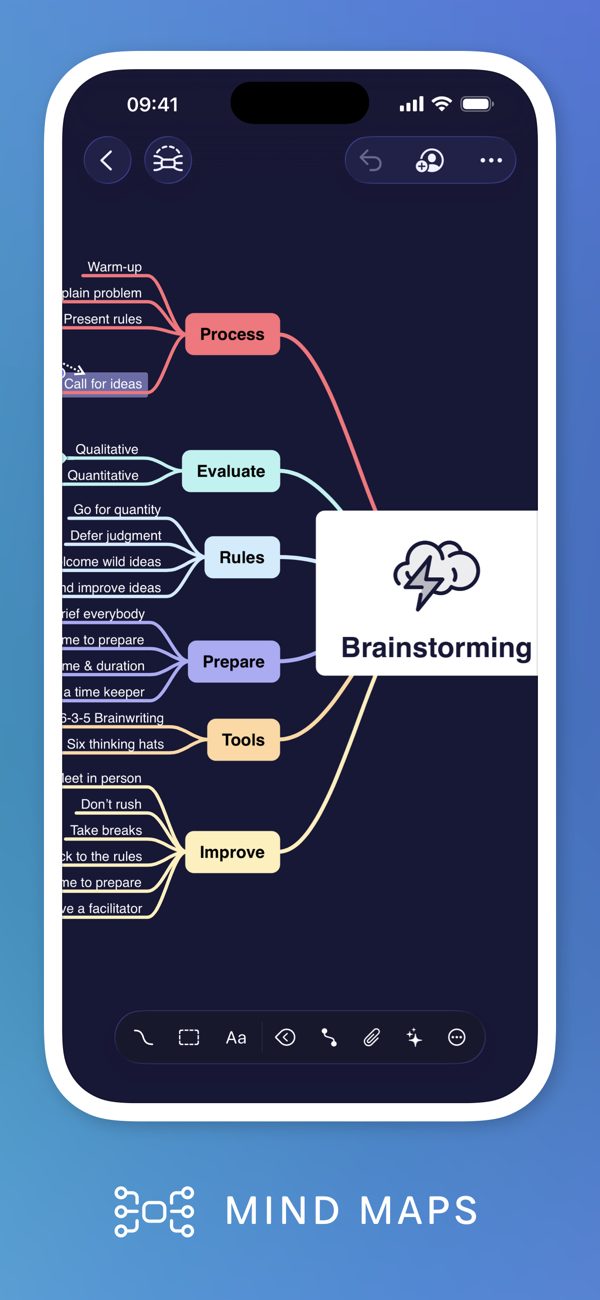
Our verdict
#4 of 9 in Free mind mapping software · Made for Mac, iPhone, and iPad
What it does
- Native apps for Mac, iPhone, and iPad
- Basic map building and editing for free
- Import and export on the free version
Pros
- Smooth and natural to use on Apple devices
- Works offline
Cons
- Apple devices only
- Notes, outline view, and images need a subscription
- Skip if:
- You want notes on topics or an outline without paying
MindNode is a mind mapping app built only for Apple platforms (Mac, iPhone, iPad, Apple Watch and Vision Pro) by the Austrian company IdeasOnCanvas, which has made it since 2008. The free app lets you create and edit mind maps, use the basic editing tools, import and export supported formats and join shared maps. Outlining, notes, images, themes, collaboration and AI sit behind MindNode Plus, a subscription of $2.99 a month or $24.99 a year. Maps are stored in the user’s iCloud.
What users say
Evidence ↓The one reviewer read (TechRadar, 2024) found mind map creation effortless and the app affordable with good export options, but missed templates and preset styles for subtopics. App Store users rate the new app 4.6 out of 5 from 340 ratings.
Rankings and alternatives




Free mind mapping software scores
Evaluated Nov 21, 2026 Evidence ↓- Quick and pleasant to map in · counts double 4
4/5 means: Clean and quick, with one-key topics and automatic layout, and only minor complaints
TechRadar called creation "pretty effortless" with a frictionless experience; the iOS app is rated 4.6 from 340 ratings. Minor complaints are manual formatting and no templates. Judged from one review plus store ratings and my knowledge of the app.
- How much you can map for free · counts double 4
4/5 means: Unlimited maps, with some extras held back or occasional upgrade prompts
No document cap is stated on the vendor's pages and the free app edits maps freely, but the upgrade prompts for Plus features are present. Not 5 because of those prompts, and the lack of a cap is not explicitly confirmed.
- Room for detail 2
2/5 means: Labels plus one extra, such as images or links, with notes or an outline paid
Free has basic editing and folding; outlining, notes, images, stickers, links to connections and tasks are all Plus only. Folding is from the app's own free editor per the support page, not a quoted line.
- Getting your maps out 3
3/5 means: Image and PDF without a watermark, but no outline or mind-map file formats
The vendor says free users can import and export supported formats, and the app overall exports image, PDF, text, RTF, DOCX, CSV, OPML and Markdown, but which of these are free is not stated. Scored on the assumption of images and PDF free without confirmed outline or OPML. Maps live in the user's iCloud.
- Your maps on every device 2
2/5 means: One maker's devices only, or computers only with no way onto a phone
Mac, iPhone, iPad, Watch (Plus only) and Vision Pro, with iCloud sync that appears free, but Apple devices only, with no Windows, Android, web or Linux.
- Mapping with other people, free 2
2/5 means: Others can view a shared map, but co-editing is paid
Free users can join shared documents, but collaboration is listed as Plus only, so co-editing and creating shares are paid.
- Offline and under your control 4
4/5 means: Works offline with maps as files on your device or your own cloud, but closed source or account required
Native app that works offline, and maps are documents stored in the user's own iCloud rather than the vendor's servers, per the search summary rather than a page I read. Closed source. Whether an account is needed was not checked, so I gave 4.
Pricing
- MindNode (free) Free Create and edit mind maps, basic editing tools, import and export of supported formats, join shared documents. No document limit is stated on the vendor's pages. Outlining, notes, tasks, images, stickers, themes and styling, focus mode, visual tags, collaboration, Apple Intelligence and Apple Watch need Plus.
- MindNode Plus (monthly) $2.99 /month Free trial; billed through the App Store. Unlocks all features on all platforms.
- MindNode Plus (yearly) $24.99 /year Billed once a year; free trial. Educational discounts on request by email.
Prices checked Nov 22, 2026.
Evidence and sources
What users say
Summary 3 quotes
-
4.6 out of 5 340 Ratings
apps.apple.com/us/app/mindnode-mind-map-outline/id6446116532 · checked -
MindNode provides a frictionless mind mapping experience for a low price, and has good export options. It lacks customizable templates, but is otherwise an excellent macOS and iOS mind mapping tool.
Christian Cawley, reviewer at TechRadar · techradar.com/pro/mindnode-review · published · checked -
While initial creation of mind maps with this software is pretty effortless, formatting is another matter. There seems to be no obvious way to assign preset formatting to subtopics, or create templates. Instead, you must apply styles manually.
Christian Cawley, reviewer at TechRadar · techradar.com/pro/mindnode-review · published · checked
Free mind mapping software scores
Quick and pleasant to map in 3 quotes
-
4.6 out of 5 340 Ratings
apps.apple.com/us/app/mindnode-mind-map-outline/id6446116532 · checked -
MindNode provides a frictionless mind mapping experience for a low price, and has good export options. It lacks customizable templates, but is otherwise an excellent macOS and iOS mind mapping tool.
Christian Cawley, reviewer at TechRadar · techradar.com/pro/mindnode-review · published · checked -
While initial creation of mind maps with this software is pretty effortless, formatting is another matter. There seems to be no obvious way to assign preset formatting to subtopics, or create templates. Instead, you must apply styles manually.
Christian Cawley, reviewer at TechRadar · techradar.com/pro/mindnode-review · published · checked
How much you can map for free 2 quotes
-
MindNode is free to use. Upgrade to MindNode Plus for outlining, themes, collaboration, and more.
mindnode.com/download · checked -
With the free version of MindNode, you can create and edit documents, use all basic editing tools, join shared documents, and import or export supported file formats. On Vision Pro, you can also explore the immersive brainstorming experience.
mindnode.com/support/guides/mindnode-plus · checked
Room for detail 2 quotes
-
MindNode is free to use. Upgrade to MindNode Plus for outlining, themes, collaboration, and more.
mindnode.com/download · checked -
With the free version of MindNode, you can create and edit documents, use all basic editing tools, join shared documents, and import or export supported file formats. On Vision Pro, you can also explore the immersive brainstorming experience.
mindnode.com/support/guides/mindnode-plus · checked
Getting your maps out 3 quotes
-
MindNode is free to use. Upgrade to MindNode Plus for outlining, themes, collaboration, and more.
mindnode.com/download · checked -
With the free version of MindNode, you can create and edit documents, use all basic editing tools, join shared documents, and import or export supported file formats. On Vision Pro, you can also explore the immersive brainstorming experience.
mindnode.com/support/guides/mindnode-plus · checked -
MindNode projects can be exported in plain text, RTF, DOCX, CSV, OPML, and PDF formats. Image export, markdown, and TaskPaper are also supported.
Christian Cawley, reviewer at TechRadar · techradar.com/pro/mindnode-review · published · checked
Your maps on every device 3 quotes
-
MindNode is free to use. Upgrade to MindNode Plus for outlining, themes, collaboration, and more.
mindnode.com/download · checked -
Requires iOS 18.0 or later.
apps.apple.com/us/app/mindnode-mind-map-outline/id6446116532 · checked -
your mind map is synced to iCloud when you’re done. You can start a project on your iPhone, and finish it on your Mac.
Christian Cawley, reviewer at TechRadar · techradar.com/pro/mindnode-review · published · checked
Mapping with other people, free 2 quotes
-
MindNode is free to use. Upgrade to MindNode Plus for outlining, themes, collaboration, and more.
mindnode.com/download · checked -
With the free version of MindNode, you can create and edit documents, use all basic editing tools, join shared documents, and import or export supported file formats. On Vision Pro, you can also explore the immersive brainstorming experience.
mindnode.com/support/guides/mindnode-plus · checked
Offline and under your control 2 quotes
-
MindNode is free to use. Upgrade to MindNode Plus for outlining, themes, collaboration, and more.
mindnode.com/download · checked -
your mind map is synced to iCloud when you’re done. You can start a project on your iPhone, and finish it on your Mac.
Christian Cawley, reviewer at TechRadar · techradar.com/pro/mindnode-review · published · checked
Facts
License 1 quote
-
MindNode is free to use. Upgrade to MindNode Plus for outlining, themes, collaboration, and more.
mindnode.com/download · checked
Runs on 2 quotes
-
MindNode is free to use. Upgrade to MindNode Plus for outlining, themes, collaboration, and more.
mindnode.com/download · checked -
Requires iOS 18.0 or later.
apps.apple.com/us/app/mindnode-mind-map-outline/id6446116532 · checked
Needs 1 quote
-
Requires iOS 18.0 or later.
apps.apple.com/us/app/mindnode-mind-map-outline/id6446116532 · checked
More from the sources
Pricing 2 quotes
-
$2.99 / month and $24.99 / year
mindnode.com/download · checked -
MindNode Plus is the name of our subscription that unlocks all premium features in both the new MindNode (MindNode Next) and MindNode Classic.
mindnode.com/support/guides/mindnode-plus · checked
Platforms and requirements 1 quote
-
MindNode Classic is the previous version of MindNode and is still supported. It’s included with any MindNode Plus subscription.
mindnode.com/download · checked
How widely it is used 1 quote
-
Since 2008, our small Austrian team has dedicated itself to perfecting this one product.
mindnode.com/about · checked
Pricing
mindnode.com/download · checked