
Miro
Online collaborative whiteboard with a built-in mind map tool
Our verdict
#9 of 9 in Free mind mapping software · Mind maps on a team whiteboard
What it does
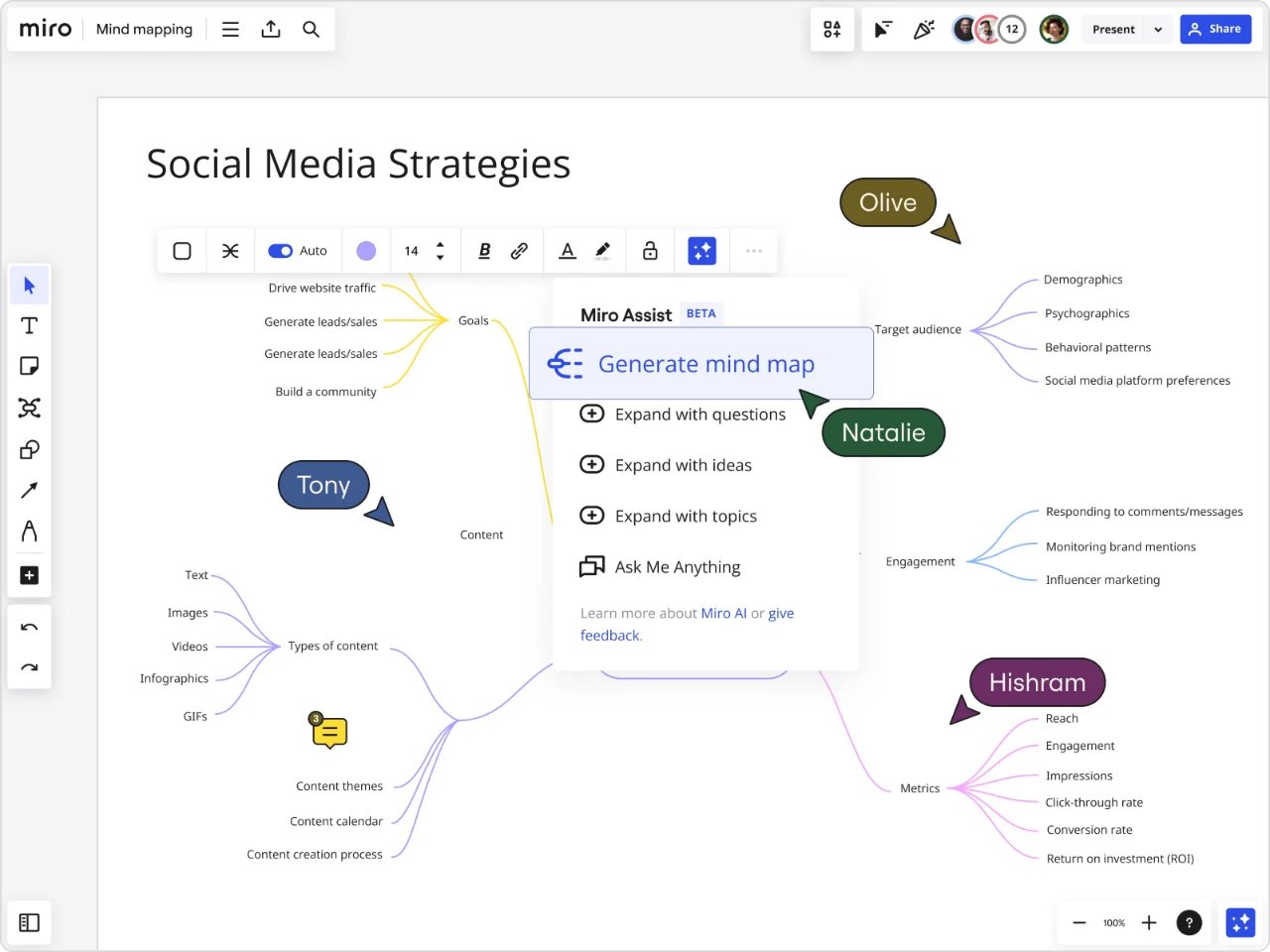
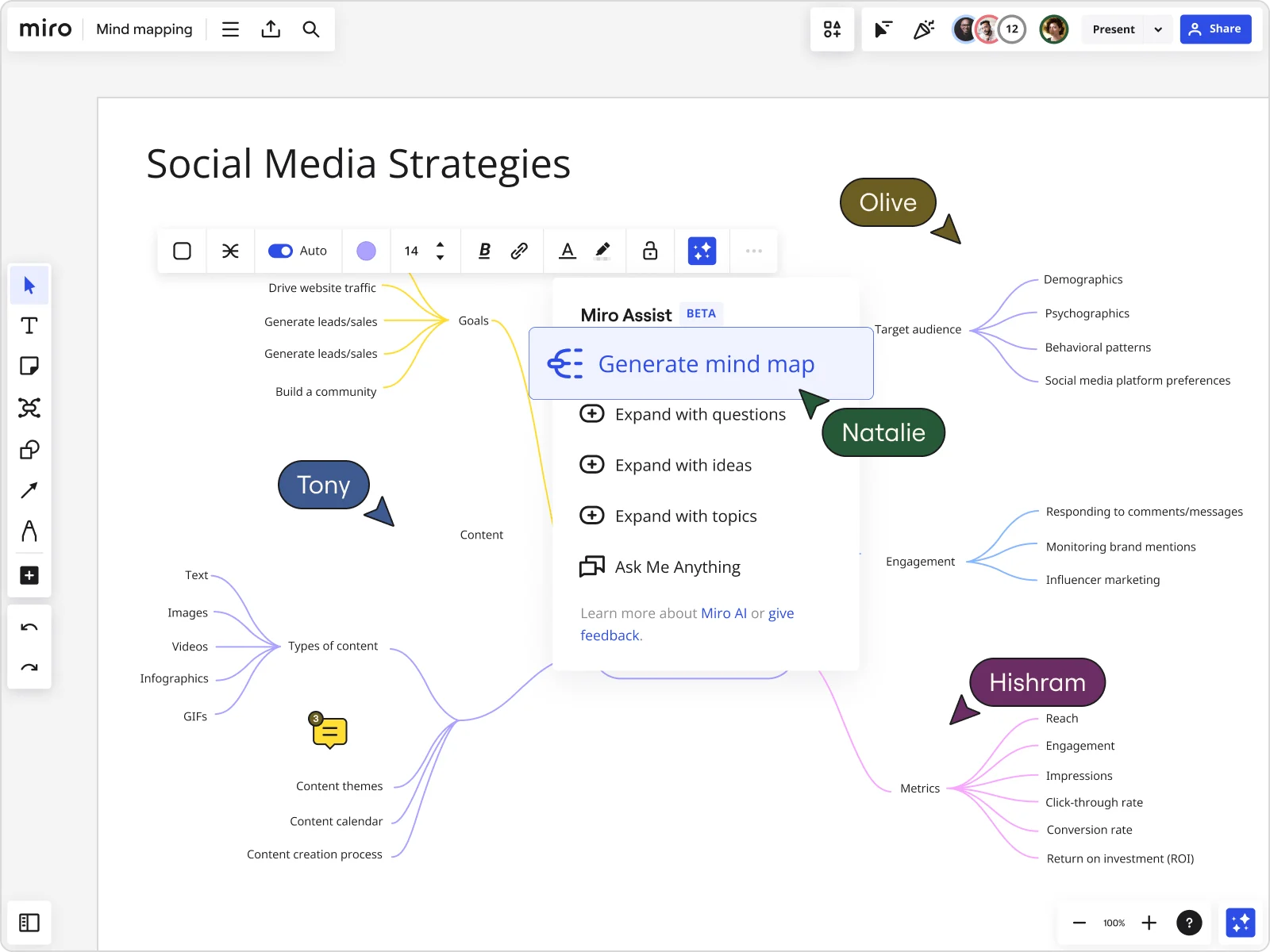
- Mind maps with automatic layout on a shared whiteboard
- AI that drafts a map from a description
- Web, desktop, and phone apps
Pros
- Mind maps sit beside sticky notes, images, and documents
- Unlimited team members on the free plan
Cons
- Only three editable boards; older ones turn view-only
- Free exports are low-resolution
- No private boards on the free plan
- Choose if:
- Your team already works on Miro boards
Miro is a web-based infinite whiteboard for teams and individuals, with a mind map tool, sticky notes, diagrams, docs, tables and AI features on one canvas. Its mind map is one tool among many on a board, not a standalone mind mapping app, and maps live in Miro’s cloud. The free plan has unlimited members but only the three most recently created boards in a team stay editable. It is proprietary software that runs in the browser, with iOS and Android apps.
Rankings and alternatives



Free mind mapping software scores
Evaluated Nov 22, 2026 Evidence ↓- Quick and pleasant to map in · counts double 3
3/5 means: Builds a map with shortcuts and automatic layout, but with rough edges reviewers and users mention, such as a busy or dated interface
Plus-icon child nodes and auto layout with drag rearranging are documented, and Miro is widely seen as easy to start. It is a general whiteboard, so the mind map tool is less focused than dedicated mappers. Keyboard shortcuts (Tab and Enter, from knowledge) and reviewer or store ratings were not checked.
- How much you can map for free · counts double 2
2/5 means: Three or so editable maps or boards, after which you delete, archive or pay
Only the 3 most recently created boards in the team stay editable, older ones turn view-only, and upgrade prompts are frequent.
- Room for detail 2
2/5 means: Labels plus one extra, such as images or links, with notes or an outline paid
Mind map topics are short text on a board that also takes images, links and files, but there are no notes attached to topics and no outline view of the map.
- Getting your maps out 2
2/5 means: One image format only, or exports carry a watermark
Free has low-resolution board exports only, with high-resolution JPG and PDF paid. No outline, OPML or mind-map file formats were found. Maps live in Miro's cloud.
- Your maps on every device 5
5/5 means: Windows, Mac, the web and both phone platforms, synced on the free plan
Web, Windows and Mac desktop apps, and iPhone and Android apps, all synced through the account on the free plan.
- Mapping with other people, free 4
4/5 means: Real-time co-editing with any number of people, with a cap on maps or missing extras such as comments
Real-time co-editing, comments and unlimited team members on free, but all boards are shared with the whole team, there are no guests or visitors, and only 3 boards stay editable.
- Offline and under your control 1
1/5 means: Online only, with maps stored only on the vendor's servers
Online only, with an account required and maps stored on Miro's servers. Free export is low-resolution images only, so no reusable format.
Pricing
- Free Free Unlimited team members, but only the 3 most recently created boards in the team stay editable; older boards become view-only until you delete or copy boards or upgrade. All boards are visible to every team member (no private boards, no guest or visitor roles). Board exports are low-resolution only. AI is limited (the pricing FAQ says 10 credits per month; the help center says 5 Flow runs per team member).
- Starter $8.00 /month per seat Billed yearly; $10 per member if billed monthly. Unlimited boards, private boards, public sharing for edit without sign-in, high-resolution JPG and PDF export, 25 AI credits per member per month.
- Business $20.00 /month per seat Billed yearly; $25 per member if billed monthly. 50 AI credits per member per month, guests, data tables, facilitation tools.
- Education (students) Free Free for students for 2 years, with 10 team members, unlimited boards, 1 workspace and 100 AI credits per month per team. Educators get it free with no end date and 100 team members. A Miro staff reply in October 2026 says new Education requests are not being accepted.
- Enterprise Contact sales Custom pricing from 30 members.
Prices checked Nov 22, 2026.
Evidence and sources
Free mind mapping software scores
Quick and pleasant to map in 3 quotes
-
Click the plus icon (+) on either side of your node to create child nodes.
miro.com/mind-map · checked -
Easily keep your mind map aligned using Auto Layout. Even when you move branches around or create new nodes. You can drag and reposition branches freely with our mind map maker, and the layout adapts automatically, so nothing breaks when you move things around.
miro.com/mind-map · checked -
It's also not a standalone mind map tool. Your mind map lives on the same board where you can turn it into a project plan, pull in other Miro capabilities, or connect it to 250+ apps your team already uses.
miro.com/mind-map · checked
How much you can map for free 2 quotes
-
Create and share unlimited boards. Three most recent ones will remain editable
miro.com/pricing · checked -
only three most recently created boards in your team are available for editing and collaboration with your team. The rest of the boards in the team are inactive and are locked in a view-only mode.
help.miro.com/hc/en-us/articles/360017730373-Free-Plan · checked
Room for detail 2 quotes
-
Most mind mapping tools force you to trim ideas to fit the page. Miro's canvas doesn't have edges.
miro.com/mind-map · checked -
Toggle into presentation mode to walk through your map section by section, or record a Talktrack so your voice and cursor guide viewers through it
miro.com/mind-map · checked
Getting your maps out 2 quotes
-
Board exports
miro.com/pricing · checked -
Export your mind map as a PDF or image, send a link to invite collaborators
miro.com/mind-map · checked
Your maps on every device 1 quote
-
It's also not a standalone mind map tool. Your mind map lives on the same board where you can turn it into a project plan, pull in other Miro capabilities, or connect it to 250+ apps your team already uses.
miro.com/mind-map · checked
Mapping with other people, free 3 quotes
-
Please note that any board you create on a free plan, is accessible to all team members by default and there are no visitor or guest roles. The ability to select who gets access to what board and invite others outside your team is available from Starter plan onwards.
miro.com/pricing · checked -
We believe in teamwork, and want to provide the best experience for teams to collaborate without any boundaries or limits. All invited users are automatically added to your team and get access to all boards (no private boards are allowed on Free plan).
help.miro.com/hc/en-us/articles/360017730373-Free-Plan · checked -
Create and share unlimited boards. Three most recent ones will remain editable
miro.com/pricing · checked
Offline and under your control 3 quotes
-
Board exports
miro.com/pricing · checked -
We believe in teamwork, and want to provide the best experience for teams to collaborate without any boundaries or limits. All invited users are automatically added to your team and get access to all boards (no private boards are allowed on Free plan).
help.miro.com/hc/en-us/articles/360017730373-Free-Plan · checked -
It's also not a standalone mind map tool. Your mind map lives on the same board where you can turn it into a project plan, pull in other Miro capabilities, or connect it to 250+ apps your team already uses.
miro.com/mind-map · checked
Facts
Runs on 1 quote
-
It's also not a standalone mind map tool. Your mind map lives on the same board where you can turn it into a project plan, pull in other Miro capabilities, or connect it to 250+ apps your team already uses.
miro.com/mind-map · checked
Needs 1 quote
-
We believe in teamwork, and want to provide the best experience for teams to collaborate without any boundaries or limits. All invited users are automatically added to your team and get access to all boards (no private boards are allowed on Free plan).
help.miro.com/hc/en-us/articles/360017730373-Free-Plan · checked
Users 1 quote
-
Join our 100M+ users today
miro.com/mind-map · checked
More from the sources
Pricing 3 quotes
-
Yes, accredited educational institutions get Miro free for students and staff members through the Education Plan.
miro.com/pricing · checked -
What’s included: - 10 team members - 2 years - Unlimited boards - 1 workspace, unlimited projects - Unlimited external visitors - Ready-made and custom templates - Core integrations - Create and modify with Miro AI - 100 credits per /mo per team
miro.com/education-whiteboard · checked -
All Students features, plus: - 100 team members - Free forever - Teachers training webinar - Educator's forum
miro.com/education-whiteboard · checked
Features 2 quotes
-
Turn on Miro AI, type in a description, idea, or a block of pasted text, and Miro builds it into a structured mind map.
miro.com/mind-map · checked -
Yes, Miro free plan allows you to explore AI capabilities such as generating diagrams, tables, summaries, and try AI workflows.
miro.com/mind-map · checked
Limits and known issues 3 quotes
-
Yes, Miro has a free plan with unlimited team members. You get up to 3 editable boards and with 10 credits per month you have the ability to try AI for generating diagrams, tables, and summaries.
miro.com/pricing · checked -
A Free plan has limited access to Sidekicks, and includes 5 Flow runs per team member.
help.miro.com/hc/en-us/articles/360017730373-Free-Plan · checked -
I've received confirmation from the team that we're currently not accepting new requests for the Miro Education plan.
Eca, Miro staff moderator ("Mironeer") on the Miro community · community.miro.com/ask-the-community-45/education-plan-approved-but-still-limited-to-3-editable-boards-29376 · published · checked
Pricing
miro.com/pricing · checked