
Beautiful.ai
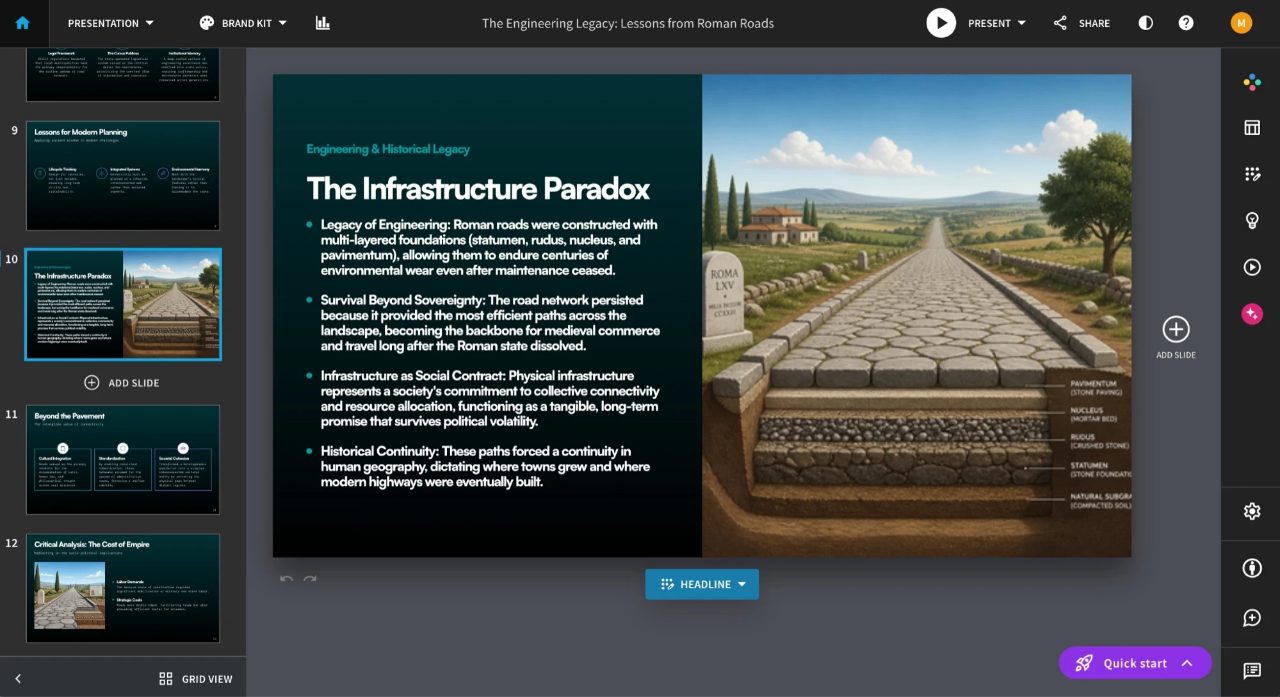
Presentation app whose Smart Slides rearrange the layout for you as you add content, with unlimited AI deck generation
Our verdict
#4 of 10 in AI presentation makers · Layouts that rearrange themselves
What it does
- Smart Slides that resize and realign as content changes
- Previews alternative layouts for a slide while keeping its content
- Unlimited AI generation on every plan
Pros
- Decks stay neat with no manual alignment
- Strong team controls: locked slides, shared libraries, viewer analytics
- A free year for students with a .edu email
Cons
- No free plan, and the trial needs a card
- Drafts lean on text and data slides
- PowerPoint exports lose animations, audio and the auto-layout
- Choose if:
- You rebuild the same report deck every month
Beautiful.ai is a web presentation app built around Smart Slides, layouts that resize and realign themselves as you add text, images or data, with Classic Slides for free-form design. Its AI turns a topic, an outline or source files into a slide-by-slide outline and then a themed deck, and can suggest alternative layouts for a slide while keeping its content. Decks can be presented and shared from Beautiful.ai with viewer analytics, or exported to PowerPoint or PDF. It is proprietary and paid only, with a 14-day trial that needs a card; plans include unlimited AI generation.
What users say
Evidence ↓Reviewers at Zapier and Geekflare agree the Smart Slides spare you the formatting work and keep decks tidy without design skills. Zapier's reviewer found its AI leans on text and data slides, and Geekflare's reported that animations and audio are lost in PowerPoint downloads.
Rankings and alternatives
- AI presentation makers #4 of 10 Layouts that rearrange themselves
- Gamma #1 Best-looking drafts for most decks
- Canva #2 For decks that share a brand kit with your other designs
- Copilot in PowerPoint #3 For decks that must stay in PowerPoint



AI presentation makers scores
Evaluated Nov 17, 2026 Evidence ↓- How good the generated slides look · counts double 4
4/5 means: Polished, varied layouts with fitting images; looks professionally designed
Smart Slides keep spacing and alignment tidy automatically and the decks look professional, but Zapier's reviewer found the AI leans on text and data slides rather than striking visuals.
- How good the outline and words are 3
3/5 means: A sensible structure and serviceable text that needs a normal editing pass
Builds from a topic, outline or source files with an outline review step; reviewers describe serviceable, text-heavy drafts that need a normal editing pass.
- Fixing the draft 4
4/5 means: Full direct editing plus AI edits to a chosen slide
Text is edited directly and AI previews alternative layouts for a chosen slide while keeping its content; Smart Slides limit free placement, but Classic Slides allow free-form design.
- Works with PowerPoint and Google Slides 3
3/5 means: Exports editable PowerPoint and Google Slides files, but slides land on blank layouts without placeholders
Offers an editable PowerPoint export and PowerPoint import, but animations and audio are lost in the PPTX, and the smart-layout behavior doesn't carry over; Google Slides only through the PPTX.
- What you get free 1
1/5 means: No free way to generate decks; trial only, or a paid plan is required
No free plan; a 14-day trial requires a credit card. Students with .edu emails get a year free.
- Price of a plan for regular use 4
4/5 means: 10 to 14.99 a month
Pro is $14.50 a month billed annually with unlimited AI generation ($45 billed monthly).
- Brand and team features 5
5/5 means: All of 4, plus admin controls that lock brand elements or approve decks
Custom brand themes, real-time co-editing, shared slide, template and asset libraries, and locked slides on Team, with brand guardrails on Enterprise.
- Presenting and sharing · counts half 5
5/5 means: All of 3, plus slide-by-slide engagement tracking per link or viewer
Present and share with secure links, viewer and slide analytics, engagement alerts and audio narration.
Pricing
- Pro $174.00 /year $14.50 per month billed annually, or $45 per month billed monthly. One user, unlimited AI generation, custom brand themes, PowerPoint import and export, viewer analytics. 14-day trial with a credit card; students with .edu emails get a year free.
- Team $480.00 /year per seat $40 per user per month billed annually, or $50 billed monthly, for 2 to 20 seats. Adds real-time co-editing, shared slide, template and asset libraries, locked slides and engagement alerts.
- Enterprise Contact sales Contact sales. Adds SSO, SCIM provisioning, audit logs and brand guardrails.
Prices checked Nov 17, 2026.
Evidence and sources
What users say
Summary 4 quotes
-
AI leans a lot on text and data slides
Miguel Rebelo, reviewer at Zapier · zapier.com/blog/best-ai-presentation-maker · published · checked -
You won't have to drag, drop, and move stuff around manually if you don't want to—stick to these two to create appealing, easy-to-digest slides without reading an ultimate guide on presentations.
Miguel Rebelo, reviewer at Zapier · zapier.com/blog/best-ai-presentation-maker · published · checked -
Animations and audio files disappear when downloading PPTX files
Rohit Mane, reviewer at Geekflare · geekflare.com/guides/best-ai-presentation-makers · published · checked -
Smart Slides eliminate formatting busywork – add content and layouts adapt automatically without manual repositioning
Rohit Mane, reviewer at Geekflare · geekflare.com/guides/best-ai-presentation-makers · published · checked
AI presentation makers scores
How good the generated slides look 2 quotes
-
AI leans a lot on text and data slides
Miguel Rebelo, reviewer at Zapier · zapier.com/blog/best-ai-presentation-maker · published · checked -
Smart Slides eliminate formatting busywork – add content and layouts adapt automatically without manual repositioning
Rohit Mane, reviewer at Geekflare · geekflare.com/guides/best-ai-presentation-makers · published · checked
How good the outline and words are 2 quotes
-
Review and refine a slide-by-slide outline so the narrative is right before you generate slides.
beautiful.ai/ai-presentations · checked -
AI leans a lot on text and data slides
Miguel Rebelo, reviewer at Zapier · zapier.com/blog/best-ai-presentation-maker · published · checked
Fixing the draft 3 quotes
-
Smart Slides are templates that intelligently adapt to your content as you work. Or, you can choose to work without our design guardrails and start with a blank Classic Slide, best for when you need more creative freedom and control over your design.
beautiful.ai/pricing · checked -
See multiple ways to showcase your copy and data, preview high fidelity slide layout ideas, and simply click to try different layouts in your presentation.
beautiful.ai/ai-presentations · checked -
You won't have to drag, drop, and move stuff around manually if you don't want to—stick to these two to create appealing, easy-to-digest slides without reading an ultimate guide on presentations.
Miguel Rebelo, reviewer at Zapier · zapier.com/blog/best-ai-presentation-maker · published · checked
Works with PowerPoint and Google Slides 2 quotes
-
Editable PowerPoint export
beautiful.ai/pricing · checked -
Animations and audio files disappear when downloading PPTX files
Rohit Mane, reviewer at Geekflare · geekflare.com/guides/best-ai-presentation-makers · published · checked
What you get free 3 quotes
-
Beautiful.ai Pro is $14.50 per month billed annually. Team is $40 per user per month for 2 to 20 seats. Every plan starts with a 14-day free trial.
beautiful.ai/pricing · checked -
A credit card is required for the 14-day Pro trial.
beautiful.ai/pricing · checked -
We offer a year free for students with valid .edu emails.
beautiful.ai/pricing · checked
Price of a plan for regular use 2 quotes
-
Beautiful.ai Pro is $14.50 per month billed annually. Team is $40 per user per month for 2 to 20 seats. Every plan starts with a 14-day free trial.
beautiful.ai/pricing · checked -
Our monthly option makes one-time projects a breeze. Cancel anytime.
beautiful.ai/pricing · checked
Brand and team features 1 quote
-
Pricing is $40 per user per month billed annually, or $50 per user billed monthly.
beautiful.ai/pricing · checked
Presenting and sharing 2 quotes
-
Pricing is $40 per user per month billed annually, or $50 per user billed monthly.
beautiful.ai/pricing · checked -
Editable PowerPoint export
beautiful.ai/pricing · checked
More from the sources
Features 1 quote
-
Unlimited AI content generation
beautiful.ai/pricing · checked
Pricing
beautiful.ai/pricing · checked