Best AI chatbots for students in 2026
Any of the big AI chatbots can explain photosynthesis or find the bug in a for-loop. What separates them for a student is more practical. How much does the free plan let you do before it cuts you off? Can it teach you instead of handing over answers? Are its sources real? And if you’re under 18, are you even allowed to sign up?
For most students, ChatGPT is the one to start with. Its free plan gives you unlimited everyday chat with a strong model, and its Study mode turns it into a tutor that asks you questions instead of doing your homework for you. If you’re a US college student, Google Gemini is the strongest alternative, because Google gives eligible students a full year of its top paid plan for free. Claude is the better writing and reading partner, but it’s for adults only, and its free plan runs out fast.
What every one of them gets wrong
Before the picks, one thing applies to all of them: never trust a reference list a chatbot types out from memory. In a study published in JMIR Mental Health, GPT-4o invented 35 of the 176 citations it gave for six literature reviews, and almost half of the real ones had an error such as a wrong DOI. The fabrication rate was 6% for a heavily researched condition and around 28% for less-studied ones, so a niche paper topic is where you’re most likely to get a fake one.
A test of eight free chatbots found the same thing across the board: only about a quarter of 400 generated references were fully correct, journal articles were made up far more often than books, and Claude, Copilot, and Perplexity were among the worst offenders.
The fix is simple. Use citations only from sources the chatbot actually linked and you opened yourself, and check your school’s or instructor’s AI policy before you use any of these on graded work. If what you mainly need is finding and reading academic papers, a dedicated tool does that better; see our guide to AI research assistants for academic papers.

ChatGPT
Best all-round free study helper
#1 4.0/5
ChatGPT is the default for a reason: it’s good at almost everything a student throws at it, from a calculus step you don’t get to a cover letter to a Python error. On the free plan you get unlimited everyday text chat with a strong current model, web search, and photo input, so you can snap a worksheet problem and ask what you’re missing.
Study mode is the reason to pick it. Turn it on and ChatGPT asks what you already know, explains in layers, and checks your understanding as you go, instead of printing the answer. It’s on every plan, Free included. Don’t count on it to stay in tutor mode, though: it can still slip into giving a direct answer, and you can switch it off whenever you like. Reviews note it handles specific math problems well but can struggle to give grade-appropriate feedback on open-ended questions. ChatGPT will also make flashcards or quiz you from your notes if you ask.
The free plan’s real limit is files: only 3 uploads a day. That’s fine for a homework photo, tight if you want to feed it a week of lecture slides. Free (and the $8-a-month Go plan) can show ads in some countries, including the US, though accounts identified as under 18 don’t get them. There’s no student discount; Plus, the paid plan with OpenAI’s top reasoning models, is $20 a month, and some universities give students ChatGPT Edu, which has no ads.
For high schoolers it’s the most straightforward pick. Teens 13 to 17 can sign up with a parent’s permission, ChatGPT steers accounts it thinks belong to under-18s into a teen version with extra protections, and parents can link accounts to set limits such as study hours without reading their teen’s chats. On personal accounts, your chats are used to train OpenAI’s models unless you turn off “Improve the model for everyone” in settings.
What it does
- Study mode on every plan, which guides you through a problem instead of answering it
- Unlimited everyday text chat on the free plan, with web search and photo input
- Flashcards and quizzes from your notes on request
- Teen accounts with parental controls
Pros
- Strong across math, writing, and code
- The free plan rarely runs out for ordinary homework
- Open to teens with a parent's permission
Cons
- Only 3 file uploads a day on the free plan
- Ads on the free plan in some countries
- No student discount on Plus
- Skip if:
- You mainly study from long PDFs and slide decks, where the 3-a-day upload cap gets in the way
Google Gemini
Strongest student deal and study tools
#2 3.9/5
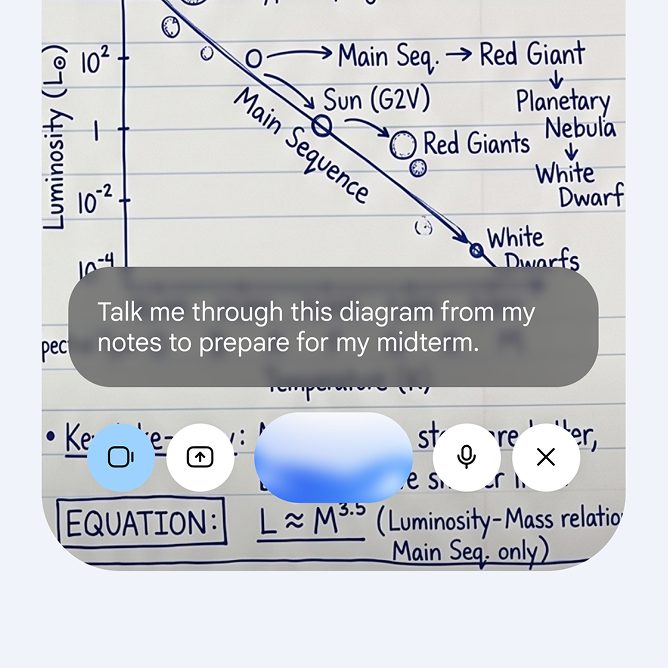
Gemini has the most built-in study tools of any chatbot, and the best student offer by far. Guided Learning, its tutoring mode, walks you through a problem step by step on the free app. Gemini also makes flashcards and practice quizzes, turns uploaded syllabi and lecture notes into study guides, and has free full-length practice SATs. If you live in Google Docs and Drive, it fits right in.
The weak spot is the free plan’s model. Free users get Google’s lightest model, which can only keep a short stretch of chat and files in view (32,000 tokens), so it’s noticeably weaker than free ChatGPT on hard problems and can’t hold a long reading at once. Limits depend on how much computing your requests take and refill every 5 hours up to a weekly cap, with no fixed message count.
The student offer changes that. Eligible US college students 18 and older get Google AI Pro free for a year, with Google’s stronger Pro model, four times the free usage limits, room for about 1,500 pages at once, and 5 TB of storage. You have to redeem it by December 31, 2026, re-verify each year, and add a payment card; it renews at $19.99 a month when the year ends unless you cancel. Students outside the US may get a year of the cheaper AI Plus plan instead, which normally costs $4.99 a month in the US.
Teens can use the Gemini app with a personal Google account in most countries, but Google’s paid plans are for adults. On privacy, Gemini is the one to read up on: human reviewers read some chats, and reviewed chats are kept for up to three years even if you delete your history. You can stop future chats being used for training in your Gemini History settings, or use temporary chats.
What it does
- Guided Learning, a step-by-step tutoring mode, on the free app
- Flashcards, practice quizzes, study notebooks, and free practice SATs
- Works with Google Docs and Drive
Pros
- A free year of Google AI Pro for eligible US college students
- The widest set of study tools
- AI Plus is cheap at $4.99 a month
Cons
- The free plan's model is a step down from free ChatGPT and Claude
- Human reviewers may read some chats, kept up to three years
- The student year renews at $19.99 a month unless you cancel
- Choose if:
- You're a US college student who can claim the free AI Pro year before it ends
Microsoft Copilot
Generous free plan, often free through school
#3 3.7/5
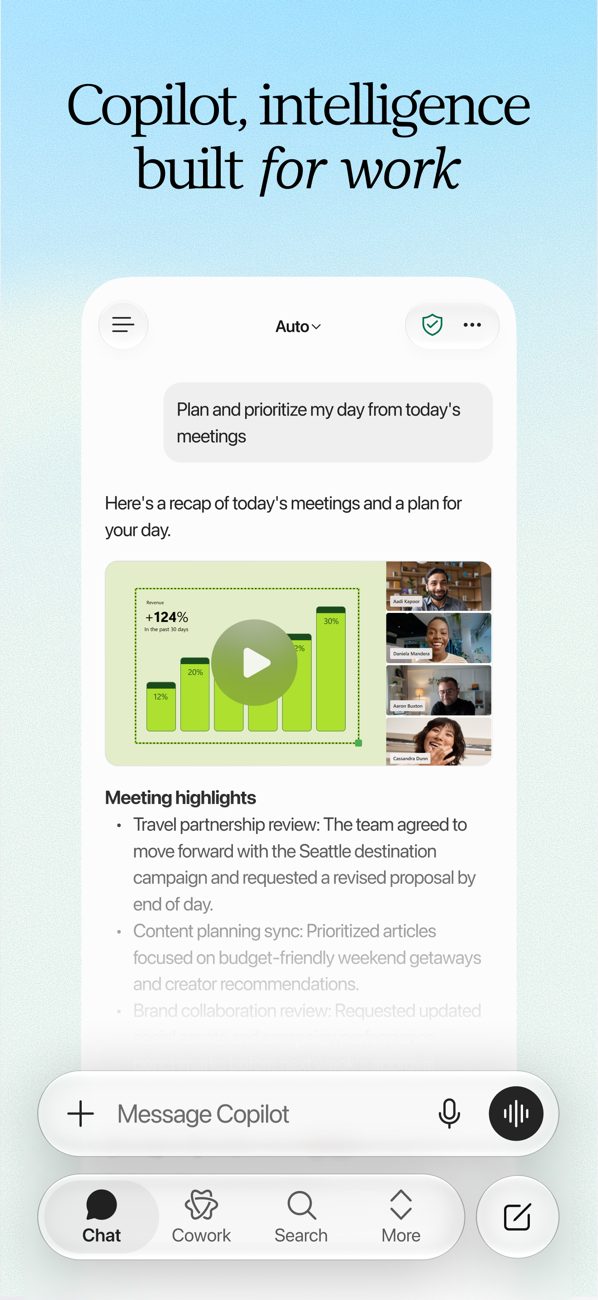
Copilot is the easy one to overlook. It runs on OpenAI-based models picked by Microsoft, it’s built into Windows and Edge, and the free app is hard to run out of: Microsoft caps it by capacity rather than a fixed message count, and its deeper-thinking mode and voice have no daily caps for free users. Answers grounded in Bing search come with numbered links you can open to check a fact.
Where it falls behind is depth. Its answers tend to be shorter and less thorough than ChatGPT’s or Claude’s, which matters when you’re trying to understand something rather than look it up. For tutoring, the consumer app has Learn Live, a voice tutor that asks you questions.
The bigger reason to look at Copilot is that your school may already pay for it. Students 13 and older with a school Microsoft 365 account can use Microsoft 365 Copilot Chat at no cost, with enterprise data protection, which means your chats aren’t used to train Microsoft’s models. That version also has a Study and Learn agent with flashcards, quizzes, and matching exercises, though it’s tuned for English in the US. For K-12 accounts it’s off until the school’s IT turns it on, so a student can’t enable it alone. If you want more Copilot on a personal account, Microsoft 365 Personal is $9.99 a month and adds Word, Excel, and PowerPoint.
What it does
- Free Copilot app on web, Windows, Mac, iOS, and Android
- Learn Live voice tutor in the consumer app
- Copilot Chat with a Study and Learn agent on school Microsoft 365 accounts
Pros
- A generous free plan
- Numbered source links on search answers
- Free and private through many school accounts
Cons
- Shorter, shallower explanations than ChatGPT or Claude
- Quizzes and flashcards only on school accounts
- Choose if:
- Your school gives you a Microsoft 365 account with Copilot Chat turned on

Claude
Essays and long readings, 18 and over
#4 3.6/5
Claude is the chatbot many students reach for when they’re writing. It gives thoughtful feedback on a draft, explains patiently, and is good at code. It’s also the best free chatbot plan for long documents: up to 20 files per chat and PDFs up to 1,000 pages, so a whole course reader fits. The Learning style, which you pick from the style menu, makes Claude ask you questions and guide you to the answer, and it’s open to everyone. It has no built-in quizzes or flashcards, though Claude can build you a set if you ask.
Two things hold it back. First, Claude is for adults only: Anthropic requires users to be at least 18 and disables accounts that show signs of a minor using them. That rules it out for high schoolers. Second, the free plan runs out quickly. Usage resets 5 hours after your first message, there’s a weekly cap too, and one reviewer’s rule of thumb is 15 to 40 messages per 5 hours, fewer if you’ve uploaded big files. That’s tight for an evening of essay work.
There’s no student discount; Pro is $20 a month, or $17 a month billed yearly. Some universities, including Northeastern, LSE, Dartmouth, and Syracuse, give students Claude for Education, which keeps chats out of training. On a personal account, Anthropic asks whether to use your chats for training; if you agree, it keeps them for five years instead of 30 days.
What it does
- Up to 20 files per chat and PDFs up to 1,000 pages, on the free plan
- Learning style, a question-led tutoring mode, for all users
- Web search and file creation on the free plan
Pros
- Excellent essay feedback and explanations
- Handles long readings better than other free plans
Cons
- Only for users 18 and over
- The free plan runs out within an evening of heavy use
- No student discount
- Skip if:
- You're under 18, since Anthropic doesn't allow it

Perplexity
Research with sources you can open
#5 3.6/5
Perplexity is a search engine that answers in sentences, and every answer has numbered links to the pages behind it. For finding sources for a paper, that beats any chatbot above: you see what each claim rests on and open it in a click. Perplexity Academic narrows the search to scholarly papers.
Don’t treat the links as proof. In the Tow Center’s test of AI search tools, Perplexity misidentified the source of a news excerpt 37% of the time. That was the best result of the eight tools tested, but it means roughly one in three citations was wrong, and it sometimes cited a copy of an article rather than the original. It also did badly when asked to type out a reference list from memory, like the others. Open every source before you cite it.
For explaining a concept or working through a problem, Perplexity is weaker than ChatGPT, Gemini, or Claude; its answers read like summaries of what it found. Learn Mode, which explains step by step and makes flashcards and quizzes from your notes, closes some of that gap, but the toggle is for verified students only.
The free plan includes unlimited basic searches but only 3 Pro Searches a day and 1 deep Research query a month. The student plan, Education Pro, is $10 a month after verification and includes everything in Pro plus Learn Mode; regular Pro is $17 a month billed yearly. Users 13 to 17 need a parent or guardian to accept the terms.
What it does
- Numbered source links on every answer
- Perplexity Academic for scholarly papers
- Learn Mode with flashcards and quizzes for verified students
Pros
- The quickest way to find sources you can open
- Education Pro is $10 a month
Cons
- Weaker at explaining and tutoring than the general chatbots
- Its citations still point to the wrong source often enough to need checking
- Only 3 Pro Searches a day on the free plan
- Choose if:
- Most of your AI use is finding sources for papers

DeepSeek
Free and unlimited, with caveats
#6 2.8/5
DeepSeek is popular with students for one reason: the whole thing is free, with no paid plan and no published message cap. Its models are strong at math and code by DeepSeek’s own benchmarks, and it has a thinking mode for harder problems. In a test of eight free chatbots, it was one of only two that didn’t invent any references.
It’s also the one with the most strings attached. Your data is stored in China, and your chats train its models unless you turn that off. DeepSeek is mainly for adults, and under-18s should use it only with a guardian’s consent. Italy’s data protection authority restricted it, and it declines some politically sensitive questions. In practice, its thinking mode is slow, and it slows down further when the servers are busy. It has no study or tutoring mode, and its search links aren’t tied to the sentences they support.
Use it as a free second opinion on a math or coding problem, not as your main study tool.
What it does
- Free chat app on web, iOS, and Android, with no paid plan
- Thinking mode for hard problems
- Optional web search and file input
Pros
- Everything is free, with no published cap
- Strong at math and code
Cons
- Stores your data in China
- No study or tutoring mode
- Slow, especially at busy times
- Skip if:
- Your school or country restricts it, or you'd rather your chats stay out of China
The study tool to pair with any of them
Gemini Notebook (formerly NotebookLM) isn’t a chatbot replacement, but it’s the best free tool for exam prep from your own materials. You upload lecture slides, PDFs, and notes, up to 50 sources per notebook on the free plan, and it answers only from them, with each answer citing the passage it came from. It also makes flashcards, Audio Overviews (a podcast-style discussion of your sources), and other study materials. Google says it doesn’t use personal accounts’ material for training unless you send feedback.
What it won’t do is answer anything your sources don’t cover, so it can’t help with a new math problem, an essay you haven’t researched, or code. Use it next to ChatGPT or Gemini, not instead of them. It’s free with a Google account, and the Google AI Pro student year raises its limits four times.
Also considered
- Khanmigo is Khan Academy’s AI tutor, and it never just gives answers. But it’s US-only, has no free plan for learners ($4 a month), and anyone under 18 needs a parent to sign up. Its help is tied to Khan Academy’s lessons and is strongest in math and science; outside math it rarely goes past intermediate level. ChatGPT’s Study mode and Gemini’s Guided Learning give you the same question-led tutoring free.
- Grok is built around live search of X and the web, and in the Tow Center’s test of AI search tools, Grok 3 got the source wrong 94% of the time. It has no study mode, its full plan costs about $30 a month, and its optional “unhinged” persona and adult features aren’t what a parent wants for a teenager.
- Le Chat, now called Vibe, is Mistral’s assistant, and its student price ($5.99 a month for up to 12 months, for first-time users at universities) is tempting. But the free plan allows only around 25 messages a day, it has no study mode, and Mistral now pitches it at work and coding.


How the six compare
1–5 per criterion · select a score for its reasoning and any sources
| # | Product | Overall | How well it explains and helps with homework , counts double | How much the free plan lets you do | Sources you can check | Study and tutoring tools | Studying from your own files | What the upgrade costs a student |
|---|---|---|---|---|---|---|---|---|
| 1 | ChatGPT | 4.0 | 5 | 4 | 3 | 5 | 3 | 3 |
| 2 | Google Gemini | 3.9 | 4 | 3 | 3 | 5 | 3 | 5 |
| 3 | Microsoft Copilot | 3.7 | 4 | 4 | 4 | 4 | 3 | 3 |
| 4 | Claude | 3.6 | 5 | 3 | 3 | 3 | 4 | 2 |
| 5 | Perplexity | 3.6 | 3 | 3 | 5 | 4 | 3 | 4 |
| 6 | DeepSeek | 2.8* | 3 | 5 | 2 | 1 | 3 | unknown |
Equal displayed overall scores are ordered by the earlier criteria; a known score comes before an unknown score. Identical scores use alphabetical order.
×2 = counts double in the overall score, ×½ = counts half.
? = unknown. * = the overall score averages only the known criteria.
How each criterion is scored
How well it explains and helps with homework
Counts double in the overall score: Explaining things well is the job students choose a chatbot for; every other quality only matters once this one is good.
Judged from reviewers' tests, published benchmarks and what students and teachers agree on, for the version a student gets free or through a student offer: how clearly it explains a concept, whether it gets multi-step math and science right and shows the steps, how useful its feedback on an essay draft is, and how well it explains and fixes code.
- 5 Among the best at explaining across math, science, writing, and code, with its strong model available to students
- 4 Strong across subjects, with one weaker spot such as essay feedback, short answers or a lighter model on the free plan
- 3 Solid on most coursework, with a clear gap in one area such as math accuracy, writing, or depth
- 2 Handles simple questions but stumbles on multi-step problems, or only works inside a narrow scope
- 1 Often wrong or unhelpful on ordinary coursework
How much the free plan lets you do
What a student gets without paying: the model on the free plan, how much everyday chatting it allows before a limit, and whether uploads, search, and research tools are capped. Judged from the vendor's plan pages and what users report about hitting limits.
- 5 Everything free with no meaningful caps
- 4 Unlimited or nearly unlimited everyday chat, with caps mainly on extras such as uploads or deep research
- 3 A usable free plan whose limits a long study session, a big document or a few deep questions can hit
- 2 A free plan so tight, such as a couple of dozen messages a day, that regular studying runs into it
- 1 No free plan
Sources you can check
Whether answers link to real sources a student can open and verify, how closely each link is tied to the claim it supports, and whether the student can limit the search to scholarly papers. Reference lists a chatbot types out from memory are unreliable in every product tested, so this scores the linked sources, not those lists.
- 5 Linked sources on every answer, plus a search limited to scholarly papers
- 4 Linked sources on nearly every answer, numbered against the sentences they support
- 3 Linked web sources when it decides to search, but many answers come without any
- 2 Sources only when you turn search on, and loosely tied to the answer
- 1 No sources shown
Study and tutoring tools
Built-in ways to learn rather than collect answers: a tutoring mode that asks questions and guides the student to the answer, and tools that turn material into quizzes, flashcards, or study guides. Scored for the consumer app a student can sign up for, noting where a tool is limited to a plan, a region, or a school account.
- 5 A tutoring mode plus quizzes and flashcards on the free plan
- 4 A tutoring mode plus quizzes or flashcards, but limited to some plans, regions, or school accounts
- 3 A tutoring mode that guides instead of answering, but no built-in quizzes or flashcards
- 2 General tools a student can bend toward studying, such as projects or a canvas, but no study mode
- 1 None; it answers questions and nothing more
Studying from your own files
How well it reads what a student brings: lecture slides, PDFs of readings, and photos of a worksheet or a handwritten problem, and how much of them the free plan reads at once (upload caps and how long a document fits).
- 5 Built around your files, holding a whole course's materials and answering from them
- 4 Reads long PDFs and photos, with room for a whole reading or chapter on the free plan
- 3 Reads PDFs and photos, but the free plan allows only a few uploads a day or a short document
- 2 Uploads, but it reads only extracted text, or the caps make it impractical
- 1 No file or image upload
What the upgrade costs a student
The cheapest route for a student to the paid plan that lifts the free plan's limits: student offers and discounts open to individual students, cheaper partial plans, and access through the school. Products with no paid plan aren't scored, since the free plan is already scored above.
- 5 The full paid plan free for a year or more to eligible students
- 4 A student price of about $10 a month or less for the full paid plan
- 3 A cheaper partial plan under $10 a month, or access through many schools' own licenses
- 2 The usual $20 or so a month with no student discount; school access only at a few universities
- 1 A paid plan above $25 a month, with no student pricing
Which one fits you
- You want one free chatbot for everything: ChatGPT, with Study mode on when you’re trying to learn rather than check an answer.
- You’re under 18: ChatGPT or Gemini with a personal account, or Copilot if your school turns it on. Claude isn’t allowed, and DeepSeek’s terms want a guardian’s consent.
- You’re a US college student: claim Gemini’s free AI Pro year before December 31, 2026, and set a reminder to cancel before it renews.
- You’re writing a research paper: Perplexity to find sources, then open each one yourself. Never cite a reference a chatbot typed out without a link.
- You work from long readings and write a lot: Claude, if you’re 18 or over and can live with the free limits, or pay for Pro.
- You’re studying for an exam from your own notes: Gemini Notebook alongside your main chatbot.
- Your school gives you Microsoft 365: check whether Copilot Chat is turned on; it’s free and keeps your chats out of training.
The long view
If you’ll lean on one of these through a whole degree, think past the first week. The cheap deals run out: Google’s free AI Pro year renews at full price, Perplexity’s student price needs you to stay verified, Mistral’s lasts at most 12 months, and school accounts (ChatGPT Edu, Claude for Education, and Copilot Chat) usually end when you graduate. Keep your important work in documents you own rather than only in chat history, and know that ChatGPT and Claude let you export your chats from settings, and Google covers Gemini through Takeout.
The verdict
For most students, ChatGPT is the best choice: the strongest free plan for everyday homework, a real tutoring mode, and it’s open to teenagers. Its weak spot is uploads, and if you study mostly from PDFs and slides you’ll feel it.
Gemini is the one to pick if the student deal applies to you. A free year of Google AI Pro gives you a top model, huge file capacity, and the best set of study tools, but on the free plan alone, Gemini’s lighter model leaves it behind ChatGPT. Copilot is the quiet bargain for students whose school already pays for Microsoft 365. Claude writes and reads better than any of them, but only adults can use it and its free plan is stingy, so it suits an 18-plus student who will pay or who studies in short bursts. Perplexity earns its place for research, where its sources save time, and DeepSeek is a free second opinion with real privacy trade-offs.
Whichever you pick, the habit matters more than the product: ask it to explain rather than answer, and open every source before you cite it.
Frequently asked questions
Is using an AI chatbot for homework cheating?
It depends on your school and your instructor. Many allow AI for explaining concepts or checking work but not for writing what you hand in, and some ban it for certain assignments. Check the syllabus or ask. A tutoring mode such as ChatGPT’s Study mode or Gemini’s Guided Learning keeps the work yours, but it doesn’t change what your school’s policy allows.
Which AI chatbot is best for math homework?
ChatGPT, for most students: it explains steps clearly and Study mode will make you do the next step yourself. Gemini’s Guided Learning is a close second, and DeepSeek is a free second opinion on hard problems. Whichever you use, check the final answer, since all of them still make arithmetic and reasoning mistakes.