Timing
Automatic time tracker for Mac that logs apps, documents and websites and turns them into project timesheets
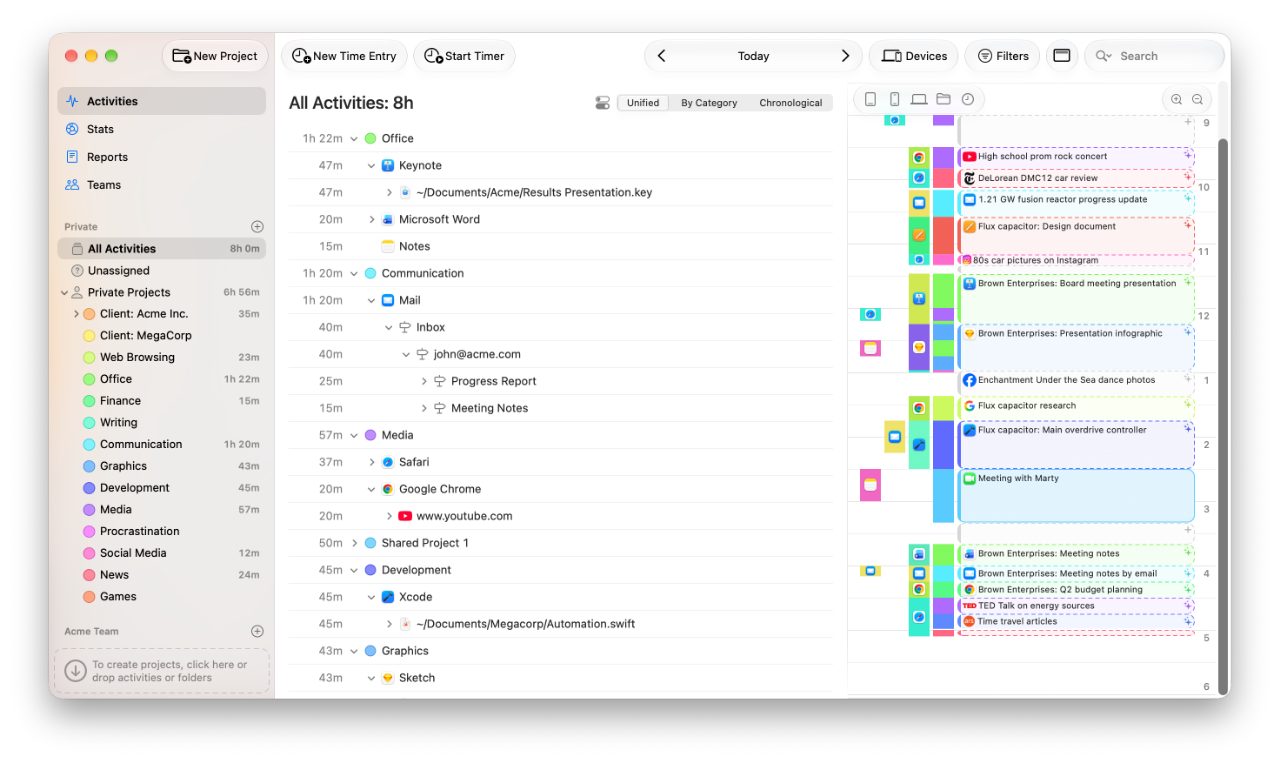
Timing is a native macOS time tracker by Daniel Alm that records the apps, documents and websites you use, then lets you assign that activity to projects by drag and drop or by rules, alongside manual timers and time entries. Reports can be rounded to billing increments and exported as PDF, Excel, CSV, HTML or JSON; it does not create invoices itself. It is sold as a subscription in Professional, Expert and Connect editions, with a 30-day free trial, a web app for timers on phones, and a Windows 11 beta.
What users say
Evidence ↓The evidence is thin and dated. A 2017 Macworld review of Timing 2.0 found it useful for freelancers billing clients but said the app shows a lot of information and takes a while to get used to. A 2018 AppleInsider hands-on, quoted on the vendor's own homepage, praised the day-end review where you assign everything to projects. These are two single reviewers about older versions.
Rankings and alternatives



Time-tracking apps for freelancers scores
Evaluated Nov 17, 2026 Evidence ↓- From hours to invoice · counts double 2
2/5 means: Billable rates and amounts in reports, but bills are made by exporting reports into another tool
Timing can't create invoices. On Expert, the edition a billing freelancer needs, entries carry a billing status (billable, billed, paid) and reports round and filter by it, so unbilled hours go out as a report to another tool. The GrandTotal plug-in that pushes hours into an invoicing app is only in Connect, and per-project hourly rates weren't confirmed. Writer calibration: lowered from 3 after the pricing page showed billing status needs Expert and GrandTotal needs Connect.
- Ease of everyday tracking · counts double 4
4/5 means: Quick, pleasant tracking and editing that most users like, with a known weak spot such as one app or a learning curve
Drag-to-assign with rules, timers and editable entries are liked in reviews, but a 2017 review says it shows a lot of information and takes a while to learn. Only dated reviews were found.
- Catching forgotten time 5
5/5 means: Detailed private capture of apps, documents, sites and meetings, with rules or drafted timesheets that turn it into entries
A detailed private local record of apps, documents (with file paths) and websites, with idle detection, rules that assign activity to projects, and, on Expert, calendar events and automatic meeting detection. Writer calibration: scored on Expert, the edition a billing freelancer needs, so raised from 4.
- Yearly cost for one freelancer 3
3/5 means: $80 to $150 a year
Billing status and report rounding need Expert, whose price the vendor page didn't show. Professional is $10 a month ($120 a year billed monthly) and Connect $168 a year; third-party listings put Expert around $99 to $130 a year, inside this level's range. Writer calibration: scored on Expert, with the price unconfirmed.
- Reports to send clients 3
3/5 means: PDF timesheets or summary reports a client can read as they are
Client-ready PDF, HTML, Excel, CSV and JSON reports; Expert adds rounding, report customization and grouping by client and sub-project. No branding, shareable links or portal were found.
- Devices you can track from · counts half 1
1/5 means: One or two surfaces
macOS app counts one, the home-screen web app half, and the Windows 11 beta half, making two surfaces. No native iOS or Android app and no browser extension in the pages read.
Pricing
- Professional $10.00 /month Billed monthly, up front. Automatic tracking, timers, manual entries, sync, basic reports suitable for sending to clients. One person on one computer. An annual price exists but did not render in the pages read.
- Expert Contact sales Adds filters, report customization (such as grouping by client and sub-project), calendar events, AI summaries and meeting detection. One person on two computers. Price not read from the vendor page.
- Connect $168.00 /year Annual plan, billed up front, so 14 USD per month equivalent (168 / 12). Adds MCP, team features, Web API, Zapier and AppleScript export. One person on three computers.
Prices checked Nov 17, 2026.
Evidence and sources
What users say
Summary 2 quotes
-
Timing displays lots of information; in some cases, a bit too much. It takes a while to get used to this app, and fortunately the developer has a good deal of help on his website, as well as a five-day email course you can sign up for.
Kirk McElhearn, reviewer at Macworld · macworld.com/article/230097/timing-2-0-review-mac-software-for-professionals-to-track-billable-time.html · published · checked -
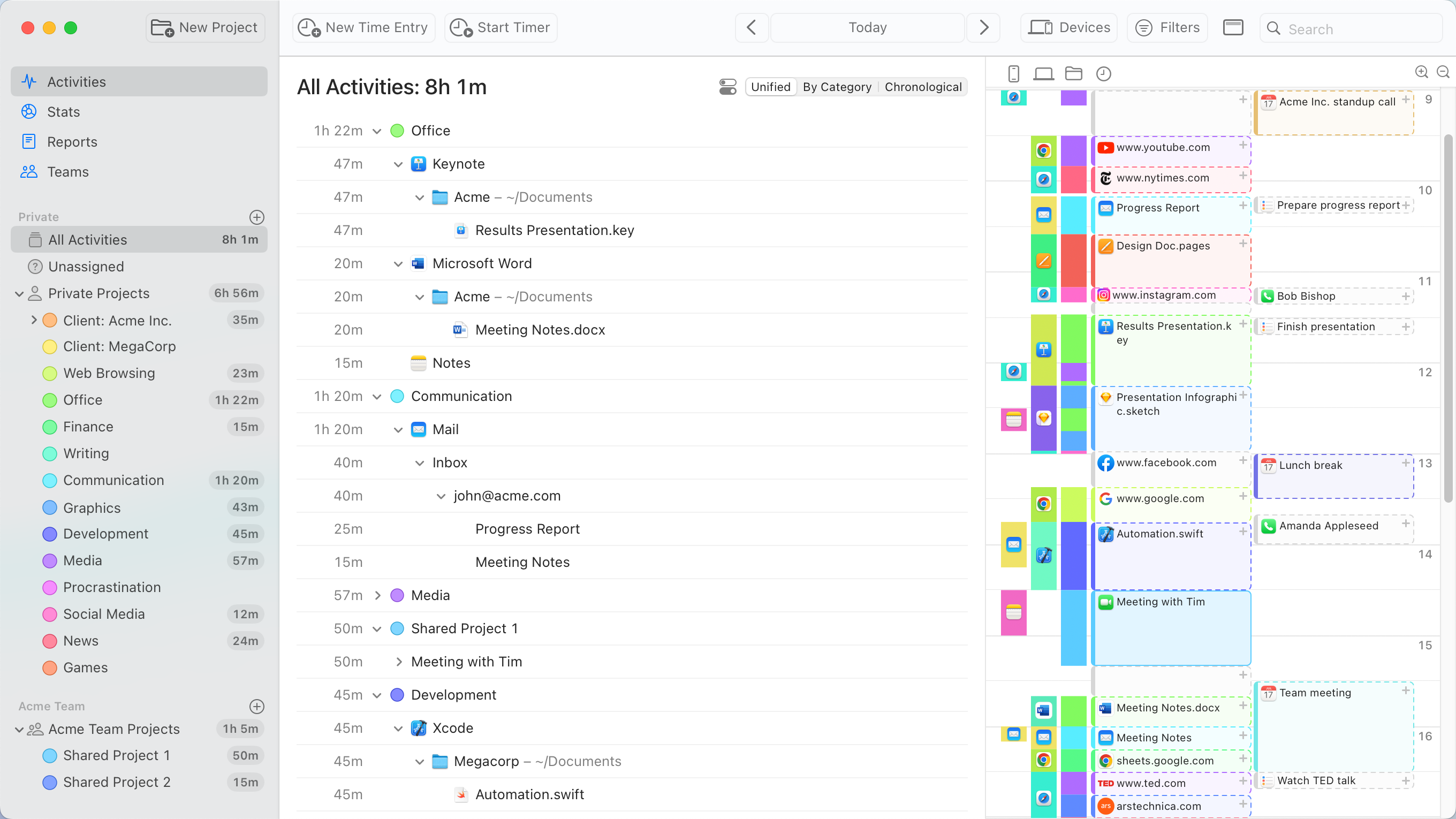
At the end of a day, you can see how everything has gone: what apps you used, what documents, what websites and always how long you spent in each. If you want to, you can go through the list and assign everything to projects.
William Gallagher, reviewer at AppleInsider · timingapp.com · published · checked
Time-tracking apps for freelancers scores
From hours to invoice 5 quotes
-
While Timing can't create invoices by itself, it has plenty of options to help you do so.
timingapp.com/help/reports · checked -
Timing lets you choose among five export formats:
timingapp.com/help/reports · checked -
For example, you could generate a report showing only "Billable" entries that still need to be invoiced, or only "Billed" entries for a specific time period (to see which time entries still have outstanding payments).
timingapp.com/help/reports · checked -
Not included: Billing status tracking
timingapp.com/pricing · checked -
Not included: GrandTotal invoicing integration
timingapp.com/pricing · checked
Ease of everyday tracking 3 quotes
-
Timing displays lots of information; in some cases, a bit too much. It takes a while to get used to this app, and fortunately the developer has a good deal of help on his website, as well as a five-day email course you can sign up for.
Kirk McElhearn, reviewer at Macworld · macworld.com/article/230097/timing-2-0-review-mac-software-for-professionals-to-track-billable-time.html · published · checked -
At the end of a day, you can see how everything has gone: what apps you used, what documents, what websites and always how long you spent in each. If you want to, you can go through the list and assign everything to projects.
William Gallagher, reviewer at AppleInsider · timingapp.com · published · checked -
Drag activities onto a project, and Timing can turn that into a rule that sorts matching activities into it automatically from then on.
timingapp.com · checked
Catching forgotten time 5 quotes
-
Professional lets you track your time automatically as well as start and stop timers. It also lets you generate reports suitable for sending to your clients.
timingapp.com/pricing · checked -
Timing automatically tracks every app, document and website you use – including the full file path or URL.
timingapp.com · checked -
Timing even automatically detects when you stop using your Mac, letting you exclude idle time.
timingapp.com · checked -
Tracked times are stored locally and never leave your Mac (unless you opt into sync).
timingapp.com · checked -
In addition, Timing automatically asks you to record time after each video or audio call, making sure that all time gets accounted for.
timingapp.com · checked
Yearly cost for one freelancer 3 quotes
-
Timing Professional Monthly
timingapp.com/pricing · checked -
Timing Connect Annual
timingapp.com/pricing · checked -
Not included: Billing status tracking
timingapp.com/pricing · checked
Reports to send clients 4 quotes
-
Professional lets you track your time automatically as well as start and stop timers. It also lets you generate reports suitable for sending to your clients.
timingapp.com/pricing · checked -
Available rounding intervals include 1, 5, 6, 10, 12, 15, and 30 minutes, as well as 1 hour.
timingapp.com/help/reports · checked -
Timing lets you choose among five export formats:
timingapp.com/help/reports · checked -
Not included: Billing status tracking
timingapp.com/pricing · checked
Devices you can track from 3 quotes
-
Timing is a native Mac time tracker.
timingapp.com · checked -
We offer a web app for starting and stopping timers on the go that syncs with your Mac.
timingapp.com/help/faq · checked -
Timing for Windows is in beta: see Timing for Windows. There is no version for Linux
timingapp.com/help/faq · checked
Facts
Runs on 3 quotes
-
Timing is a native Mac time tracker.
timingapp.com · checked -
We offer a web app for starting and stopping timers on the go that syncs with your Mac.
timingapp.com/help/faq · checked -
Timing for Windows is in beta: see Timing for Windows. There is no version for Linux
timingapp.com/help/faq · checked
More from the sources
Pricing 1 quote
-
Try Timing free for 30 days. No credit card required.
timingapp.com/pricing · checked
Features 1 quote
-
We also offer a plug-in that lets you automatically import tracked hours as billable items in the GrandTotal invoicing app for Mac.
timingapp.com · checked
Limits and known issues 1 quote
-
You can use Timing on up to one, two or three (for Timing Professional, Expert and Connect, respectively) personal computers belonging to you personally, Macs and PCs alike.
timingapp.com/pricing · checked
Pricing
timingapp.com/pricing · checked