
Wave
Hosted double-entry accounting and invoicing for small US businesses, free Starter plan and paid Pro
Our verdict
#5 of 7 in Accounting software for small businesses · Free invoicing for the smallest businesses
What it does
- Free plan with unlimited invoices, estimates, and bills
- Automatic bank imports and receipt capture on Pro
- Payroll add-on that files taxes in every state
Pros
- Free for basic bookkeeping and invoicing
- Pro is one of the cheapest paid plans here
- Easy for owners with no accounting background
Cons
- No bank connection on the free plan
- Weak reconciliation and fixed reports
- No inventory and no bill payments
- Support only by chat and email, and only for paying customers
- Choose if:
- You're a solo service business sending a handful of invoices a month
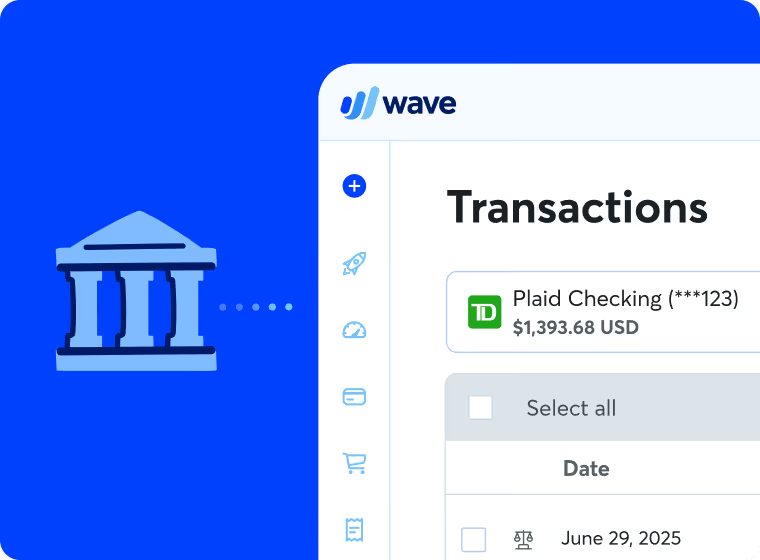
Wave is web-based small business accounting software from Wave Financial, owned by H&R Block. It combines double-entry bookkeeping, invoicing, estimates, bills, optional online payments and receipt capture for freelancers and very small businesses. The free Starter plan has unlimited invoices and bookkeeping records but no automatic bank import; the Pro subscription adds bank feeds, receipt scanning, accountant and other user roles, and reminders. Payroll and in-house bookkeeping (Wave Advisors) are paid add-ons. It runs in a browser with iOS and Android apps for invoicing, payments and receipts, and is proprietary software with no inventory tracking.
What users say
Evidence ↓Reviewers (a CPA-reviewed small-business site and TechRepublic) agree Wave is easy to set up for non-accountants and good value at the free tier. The critical view, from one accountant-reviewer, is that reports look unprofessional, bank reconciliation is limited (no outstanding checks) and there is no period lock. Both reviewers also flag the lack of inventory. These are two reviewers plus the reviewer's summary of unnamed user reviews, not a survey.
Rankings and alternatives
- Accounting software for small businesses #5 of 7 Free invoicing for the smallest businesses
- QuickBooks Online (Intuit) #1 Best if your accountant uses it
- Xero #2 Unlimited users at a lower price
- Zoho Books #3 Free up to $50K in revenue, cheap after


Small business accounting software scores
Evaluated Nov 17, 2026 Evidence ↓- Books you can rely on 2
2/5 means: Double-entry books, but missing a core piece such as automatic bank feeds on most plans, a working reconciliation or editable reports
Double-entry books, Pro bank feeds and the standard reports are there, but reconciliation can't handle outstanding checks, reports aren't customizable, there is no period lock, and no class or location tracking. Transaction rules and an audit trail were not found in sources, so those rest on my knowledge that Wave has no rules engine. Writer calibration: lowered to 2 because the free plan has no automatic bank feeds and reconciliation can't handle outstanding checks, which is a core piece of reliable books.
- Works with your accountant · counts double 2
2/5 means: An accountant can be added, but few US accountants or bookkeepers work in the product
Admin, editor and viewer roles for an accountant need Pro (no extra seat fee), but Wave has no accountant program or accountant software, and a minority of US accountants work in it. The user cap on Pro is unclear in the latest source. The accountant-usage judgment rests on my knowledge. Writer calibration: lowered to 2. An accountant can only get their own role on Pro, and few US accountants run client books in Wave.
- Ease for a non-accountant 4
4/5 means: Easy to pick up for most owners, with minor rough edges
Two reviewers rate setup easy for non-accountants. Rough edges are limited reports and Pro upsell gates. No broad user sample was read.
- Invoicing and getting paid 4
4/5 means: Estimates, recurring invoices, reminders and card and bank payments on the main plans
Estimates, unlimited invoices, card and bank payments, reminders and recurring invoices are available, with reminders and recurring billing tied to Pro or online payments. No customer portal, and payments need approval and can be held.
- Bills and expenses 3
3/5 means: Bills and receipt capture, but paying vendors, purchase orders or both need an add-on or a higher plan
Bills, vendor tracking, receipt capture (Pro or add-on) and 1099 tracking exist, but no paying vendors from the product and no purchase orders. Mileage was not found.
- Cost for a small team 5
5/5 means: $30 a month or less
Pro at $19 a month billed monthly includes bank feeds, bill tracking and accountant roles, and older sources say unlimited users. The Nov 2026 source says the user cap is unpublished, so three logins is a small doubt.
- Payroll and app connections 3
3/5 means: Payroll that files taxes, built in or from a tightly connected partner, but a small app marketplace or payroll limited to some states
Wave Payroll is tightly tied and files taxes, in all 50 states per the Nov 2026 source (older sources said 14 states). Integrations are few, about 13 on Pro plus Google Sheets and Make.
- Inventory and sales tax · counts half 1
1/5 means: No inventory tracking, and sales tax rates are entered by hand
No inventory or stock counts, no purchase orders, and sales tax rates are entered by hand and not calculated from customer location.
Pricing
- Starter Free Unlimited estimates, invoices, bills and bookkeeping records. No automatic bank import (manual entry or statement upload). Admin, editor and viewer roles need Pro. Live chat and email support only with a paid add-on. Online payments are optional at 2.9% + $0.60 per Visa, Mastercard or Discover payment and 3.4% + $0.60 per Amex, subject to approval; bank payments about 1% ($1 minimum) per a reviewer.
- Pro $19.00 /month Billed monthly; Wave also lists $190 per year billed annually ($228 on monthly billing, a $38 difference). Charged per business. Adds automatic bank import, merge and categorization, unlimited receipt capture, automated late reminders, user roles and live chat/email support on weekdays. The card fee waiver of $0.60 applies only to the first ten card transactions per month. A promo of $9.50 for the first three months was shown.
- Receipts add-on $8.00 /month , extra For Starter users, per a reviewer; $72 per year. Included in Pro. Unlocks mobile receipt capture and support access.
- Wave Payroll $40.00 /month , extra Per a Nov 2026 review, $40 base plus $6 per active employee and $6 per contractor paid per month, with tax filing in all 50 states for customers who signed up after April 2, 2025. Older reviews list $20 self-service plus $6 per person outside 14 full-service states. Verify on Wave's payroll page.
- Wave Advisors bookkeeping $149.00 /month , extra Starting price, priced by monthly transaction volume; a dedicated bookkeeper and monthly financial statements. Includes Pro but not mobile receipts. A promotional $134 per month starting price was shown.
Prices checked Nov 17, 2026.
Evidence and sources
What users say
Summary 6 quotes
-
The reconciliation doesn’t allow for entries in the books that have not yet cleared the bank, like outstanding checks. This presents a challenge if I need to write many paper checks as I will be unable to reconcile my account until all outstanding checks have cleared the bank.
Mark Calatrava, Accounting expert at Fit Small Business and QuickBooks ProAdvisor · fitsmallbusiness.com/wave-review · published · checked -
They’re functional in that you can get the numbers you need to prepare your tax return or fill out a loan application; however, they are very unprofessional-looking, and, honestly, I’d be a bit embarrassed to give them to a vendor or bank.They don’t allow for any customization other than you can specify the period covered. Worst of all, the balance sheet excludes beginning and ending numbers—which is a pretty sure sign it wasn’t designed by an accountant.
Mark Calatrava, Accounting expert at Fit Small Business · fitsmallbusiness.com/wave-review · published · checked -
Some reviewers mentioned that Wave has a nice and user-friendly interface and layout, making it easy to set up even for those without accounting experience. I also find Wave extremely easy to set up and use, even for the paid Pro version.
Mark Calatrava, Accounting expert at Fit Small Business · fitsmallbusiness.com/wave-review · published · checked -
Wave Accounting is among the easiest for first-time business owners to configure.
Kylie McQuarrie, Reviewer at TechRepublic · techrepublic.com/article/wave-accounting-review · published · checked -
Wave lacks inventory management features, so if you’re a product-based business, consider QuickBooks Online. You can add a product or service but not the quantity purchased or sold. This means that Wave can’t calculate your COGS, which is important if you deal with inventory.
Mark Calatrava, Accounting expert at Fit Small Business · fitsmallbusiness.com/wave-review · published · checked -
Additionally, I can’t set a closing date to lock prior-year transactions, which would help prevent unauthorized changes to my financial data.
Mark Calatrava, Accounting expert at Fit Small Business · fitsmallbusiness.com/wave-review · published · checked
Small business accounting software scores
Books you can rely on 5 quotes
-
Wave keeps real double-entry books, so your accountant gets a ledger rather than a spreadsheet
saascrmreview.com/wave-accounting-review · published · checked -
Auto-import bank transactions*
waveapps.com/pricing · checked -
The reconciliation doesn’t allow for entries in the books that have not yet cleared the bank, like outstanding checks. This presents a challenge if I need to write many paper checks as I will be unable to reconcile my account until all outstanding checks have cleared the bank.
Mark Calatrava, Accounting expert at Fit Small Business and QuickBooks ProAdvisor · fitsmallbusiness.com/wave-review · published · checked -
They’re functional in that you can get the numbers you need to prepare your tax return or fill out a loan application; however, they are very unprofessional-looking, and, honestly, I’d be a bit embarrassed to give them to a vendor or bank.They don’t allow for any customization other than you can specify the period covered. Worst of all, the balance sheet excludes beginning and ending numbers—which is a pretty sure sign it wasn’t designed by an accountant.
Mark Calatrava, Accounting expert at Fit Small Business · fitsmallbusiness.com/wave-review · published · checked -
Additionally, I can’t set a closing date to lock prior-year transactions, which would help prevent unauthorized changes to my financial data.
Mark Calatrava, Accounting expert at Fit Small Business · fitsmallbusiness.com/wave-review · published · checked
Works with your accountant 2 quotes
-
Starter lets you add only two free roles: a payroll manager or a Block Advisors tax pro. Admin, editor and viewer roles need Pro, and Wave does not publish how many users Pro allows.
saascrmreview.com/wave-accounting-review · published · checked -
The subscription fee for the Pro Plan is per business, not per owner.
waveapps.com/pricing · checked
Ease for a non-accountant 2 quotes
-
Some reviewers mentioned that Wave has a nice and user-friendly interface and layout, making it easy to set up even for those without accounting experience. I also find Wave extremely easy to set up and use, even for the paid Pro version.
Mark Calatrava, Accounting expert at Fit Small Business · fitsmallbusiness.com/wave-review · published · checked -
Wave Accounting is among the easiest for first-time business owners to configure.
Kylie McQuarrie, Reviewer at TechRepublic · techrepublic.com/article/wave-accounting-review · published · checked
Invoicing and getting paid 4 quotes
-
Create unlimited estimates, invoices, bills, and bookkeeping records
waveapps.com/pricing · checked -
Automatic late-payment reminders go out 3, 7 and 14 days after an invoice is due, with Pro or with online payments, and recurring billing with automatic payments follows the same rule.
saascrmreview.com/wave-accounting-review · published · checked -
While subscribed to Wave’s Pro Plan, get 2.9% + $0 (Visa, Mastercard, Discover) and 3.4% + $0 (Amex) per transaction for the first ten cumulative transactions in a monthly subscription period, then 2.9% + $0.60 (Visa, Mastercard, Discover) and 3.4% + $0.60 (Amex) per transaction thereafter.
waveapps.com/pricing · checked -
Every payment is subject to a risk review, Wave runs periodic credit risk assessments on business owners, and in some cases Wave may hold funds and request more information.
saascrmreview.com/wave-accounting-review · published · checked
Bills and expenses 2 quotes
-
Wave is one of our best A/P software because of its ability to record unpaid bills, even with the free Starter plan. I couldn’t award it a higher mark, though, because I found some weaknesses, such as the inability to input vendor credits, create purchase orders, track transactions by vendor, and attach receipts to unpaid bills.
fitsmallbusiness.com/wave-review · published · checked -
Receipt scanning is included in Pro or sold alone at $8 a month or $72 a year, with unlimited scans either way.
saascrmreview.com/wave-accounting-review · published · checked
Cost for a small team 2 quotes
-
$19USD/month
waveapps.com/pricing · checked -
Starter lets you add only two free roles: a payroll manager or a Block Advisors tax pro. Admin, editor and viewer roles need Pro, and Wave does not publish how many users Pro allows.
saascrmreview.com/wave-accounting-review · published · checked
Payroll and app connections 2 quotes
-
The payroll price in the table applies to customers who signed up after April 2, 2025, when Wave extended its tax service to all 50 states and set one price for every state.
saascrmreview.com/wave-accounting-review · published · checked -
Google Sheets syncs with the ledger on every plan. Pro adds 13 more app integrations, including Amazon, Etsy, MinuteDock and GoHighLevel, plus Make.com workflows that reach Shopify, Stripe and 1,000+ other apps.
saascrmreview.com/wave-accounting-review · published · checked
Inventory and sales tax 3 quotes
-
Wave lacks inventory management features, so if you’re a product-based business, consider QuickBooks Online. You can add a product or service but not the quantity purchased or sold. This means that Wave can’t calculate your COGS, which is important if you deal with inventory.
Mark Calatrava, Accounting expert at Fit Small Business · fitsmallbusiness.com/wave-review · published · checked -
Another key functionality missing in Wave is the ability to automatically calculate sales tax rates based on the customer’s location—a feature I really appreciate in QuickBooks Online.
Mark Calatrava, Accounting expert at Fit Small Business · fitsmallbusiness.com/wave-review · published · checked -
Wave provides the basics, like adding sales taxes to invoices, estimates, and invoice transactions. Whenever I enter a transaction with a sales tax, it records the amount automatically in the sales tax liability account. However, there’s no way to file tax returns, which explains its low score in this category.
Mark Calatrava, Accounting expert at Fit Small Business · fitsmallbusiness.com/wave-review · published · checked
Facts
License 1 quote
-
Wave's tools are web-based, so you just need an Internet connection and browser—no installation is necessary for our online software!
waveapps.com · checked
Runs on 1 quote
-
Wave's tools are web-based, so you just need an Internet connection and browser—no installation is necessary for our online software!
waveapps.com · checked
Users 1 quote
-
Over 350,000 small businesses
waveapps.com · checked
More from the sources
Pricing 2 quotes
-
$190USD/year
waveapps.com/pricing · checked -
With Wave’s free plan, users can accept online ACH payments for a standard transaction fee of 1%.
techrepublic.com/article/wave-accounting-review · published · checked
Features 2 quotes
-
A dedicated bookkeeper to keep your books accurate and up to date
waveapps.com/pricing · checked -
Now, Wave offers our tax service in all 50 US states, meaning the price is the same for all states.
support.waveapps.com/hc/en-us/articles/36227758687124-Frequently-asked-questions-about-our-Check-payroll-partnership · checked
Limits and known issues 3 quotes
-
*We use Plaid to facilitate bank connections. Not all financial institutions are supported so we can’t guarantee that you will be able to connect an account.
waveapps.com/pricing · checked -
Pro users can reach Wave’s support team by live chat or email on weekdays, 9 AM to 4:45 PM Eastern, and payroll customers get a priority live chat connection. On Starter, live chat and email support comes with any optional add-on, such as receipts, so a Starter user with no add-on should not count on live help.
saascrmreview.com/wave-accounting-review · published · checked -
No, Wave Accounting does not include built-in inventory tracking or management.
techrepublic.com/article/wave-accounting-review · published · checked
What users say 1 quote
-
Software Advice: 4.4 out of 5 based on over 1,600 reviews
fitsmallbusiness.com/wave-review · published · checked
Pricing
waveapps.com/pricing · checked