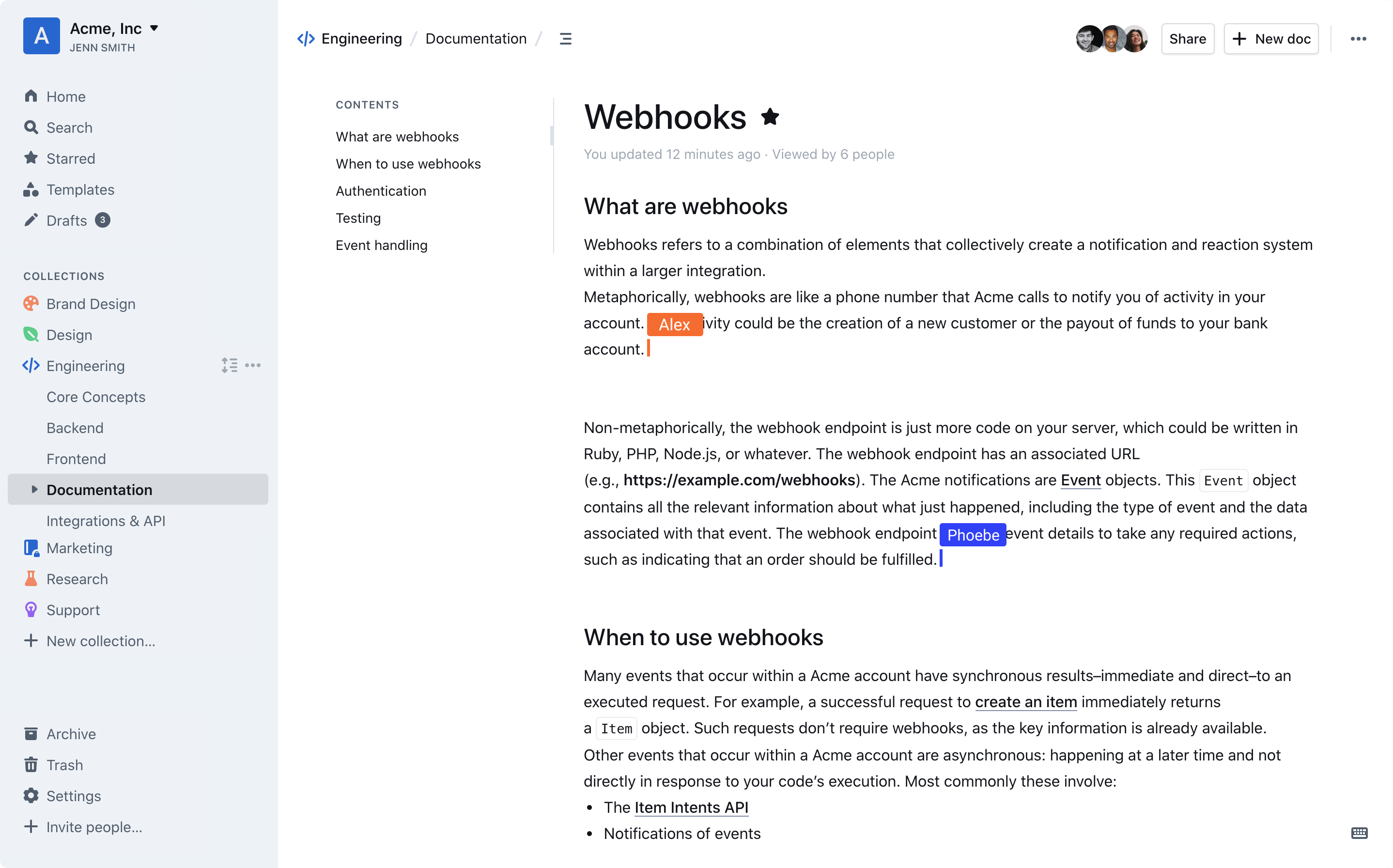
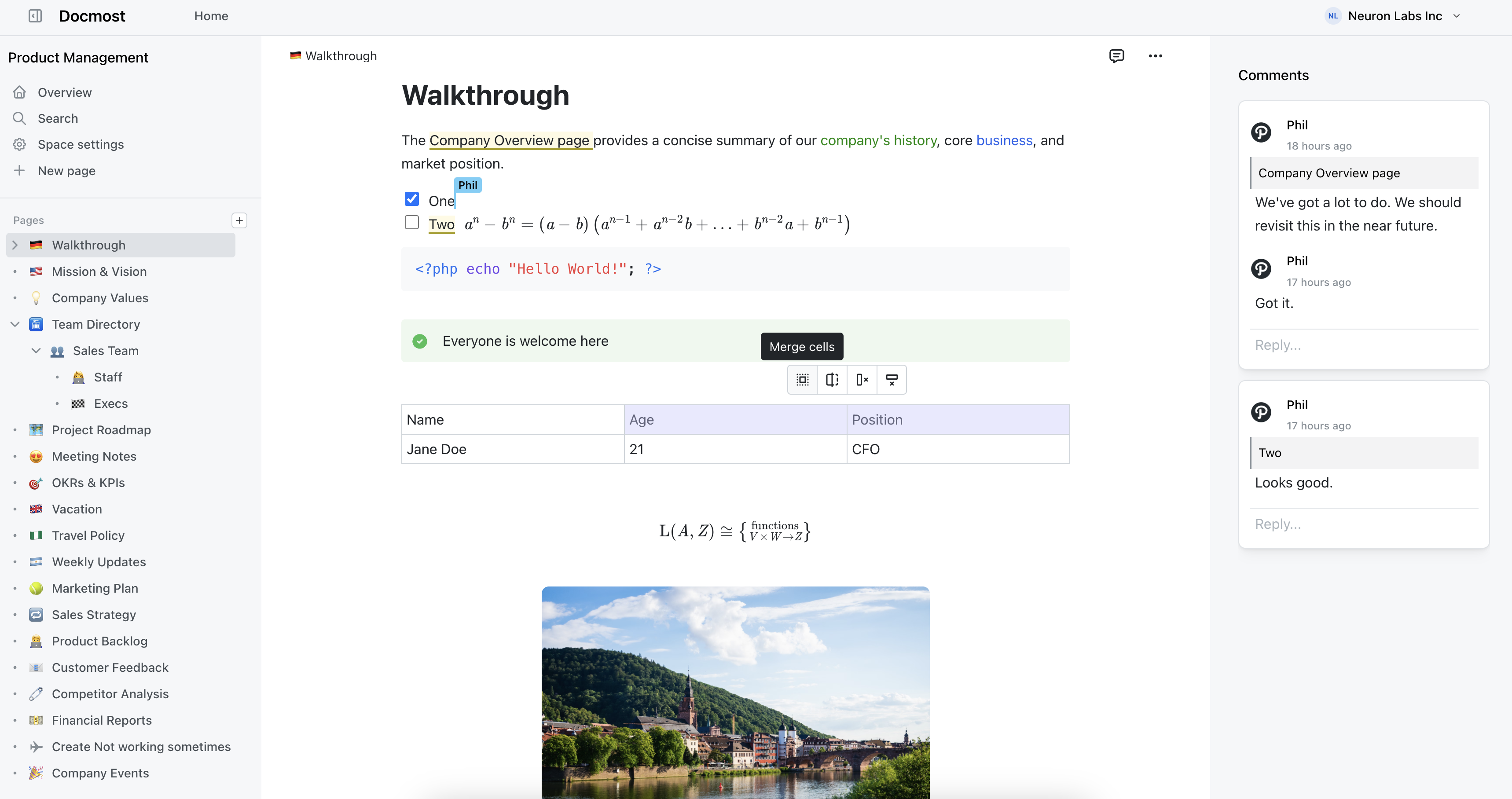
A self-hosted wiki is a web app you run on your own server where teammates write and organize pages: runbooks, onboarding steps, the answers to “how do we do this here”. It does the job of Notion or Confluence, except the pages sit on a machine you control.
Because a team wiki ends up holding years of pages, the choice isn’t only about which editor looks nicest in a demo. It also depends on whether the project will still be maintained, whether the free version has the sign-in and permissions you need, and how you’d get your pages out again.
For most small teams we’d start with BookStack. It is MIT-licensed with no paid tier, installs on an ordinary PHP and MySQL server, and offers single sign-on, directory login, permissions and two-factor login in the free software. Its weak spot is that two people editing the same page at once can overwrite each other. If your team writes together live, look at Outline, which has the best editor of the group but needs more to run and holds back some features behind a paid plan, or Docmost, which has live editing and an easier install but puts single sign-on and directory login behind a paid license.
Whichever you pick, you handle the updates and backups yourself; that is the trade for owning the data.
Key facts
7 productsLicenses, requirements, and starting prices. Prices as of November 2026.
- License
- MIT, open source
- Runs on
- Self-hosted on a PHP web server (Apache or Nginx)
- Docker via community images (LinuxServer.io, solidnerd)
- Official install scripts for fresh Ubuntu 22.04, 24.04 and 26.04
- Needs
- PHP 8.2 or newer
- MySQL 8.0 or newer, or MariaDB 10.6 or newer
- Git and Composer 2.2 or newer for the standard install and update process
- Price
- Free plan
- License
- LGPL 2.1, open source
- Runs on
- Docker (official image)
- Debian-based Linux (.deb package)
- Any OS with a Java servlet container such as Tomcat (.war package)
- Standalone distribution with Jetty and HSQLDB (testing only)
- Needs
- Java servlet container such as Tomcat or Jetty
- A database such as PostgreSQL, MySQL or MariaDB for production (HSQLDB only in the standalone test distribution)
- Price
- Free plan
- License
- AGPL-3.0, open source
- Runs on
- Docker and Docker Compose (multi-arch images)
- Kubernetes (Helm chart)
- Linux, macOS and Windows (bare metal, anywhere Node.js runs)
- Needs
- Node.js (bare metal)
- PostgreSQL 17 or 18 with the ltree and pg_trgm extensions (3.x; 1 GB RAM minimum on Linux)
- Price
- Free plan
- License
- GPL-2.0, open source
- Runs on
- Self-hosted on any web server with PHP (Apache, Nginx); community Docker image (LinuxServer.io)
- Needs
- PHP 8.2 or newer for the 2026-07-14 release
- A web server
- No database
- Price
- Not recorded
- License
- Business Source License 1.1 (Apache 2.0 from 2030-10-23)
- Runs on
- Docker (recommended; Alpine-based images, monthly releases)
- Needs
- PostgreSQL
- Redis
- Local disk or S3-compatible file storage
- SMTP server for email sign-in and notification emails
- At least one third-party sign-in provider; no native email + password
- Dev-ops experience for a production install
- Price
- From a free plan or $4.00/month
- License
- GPL-2.0-or-later, open source
- Runs on
- Linux, Windows, macOS, FreeBSD, OpenBSD, Solaris (a PHP web application behind Apache or Nginx)
- Needs
- PHP 8.3.0 or newer (current stable)
- MariaDB 10.3.0+, MySQL 5.7.0+, PostgreSQL 10.0+ or SQLite 3.31.0+
- A web server (Apache or Nginx)
- Price
- Not recorded
- License
- AGPL-3.0 (core); proprietary Enterprise license for ee/ directories, open source
- Runs on
- Self-hosted with Docker Compose (app, PostgreSQL, Redis); web browser client
- Needs
- PostgreSQL
- Redis
- SMTP for invites and password resets
- Reverse proxy that passes websockets
- About 600 MB RAM total (third-party estimate)
- Price
- Free plan







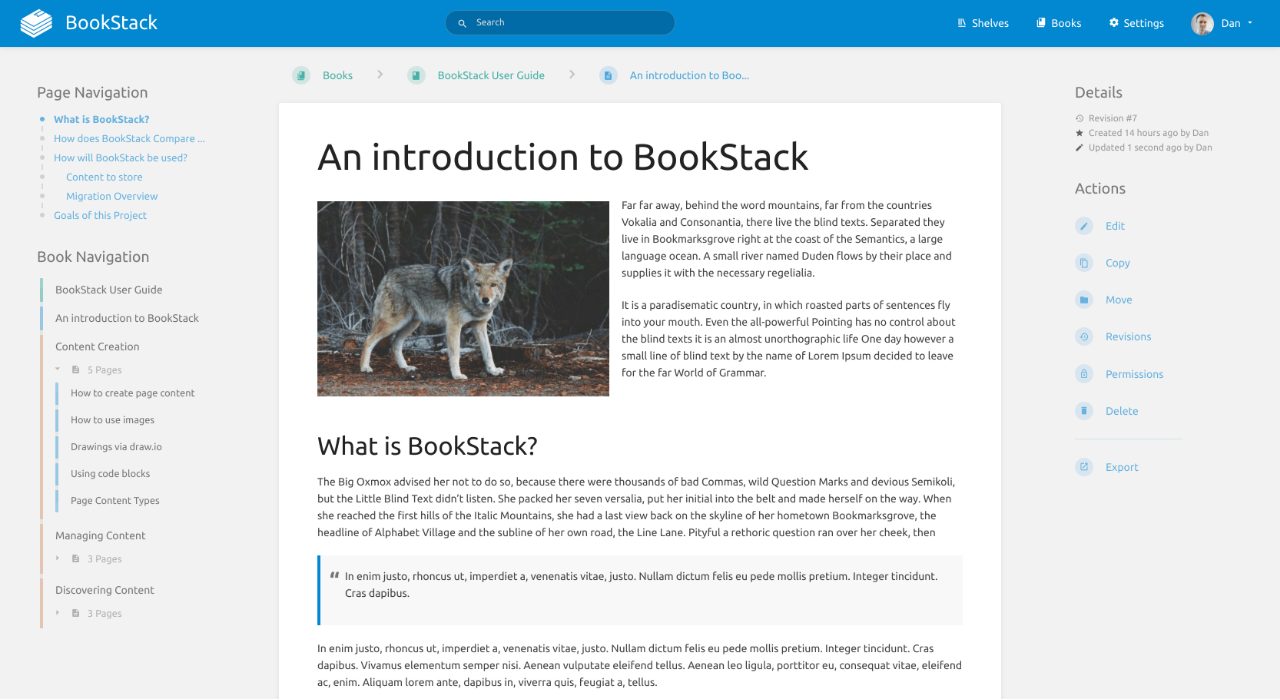
BookStack suits teams who want a wiki that explains itself. Pages live in books, books can be split into chapters, and books sit on shelves. That fixed shape is easy to describe to a new hire and hard to turn into a maze. The default editor is visual, so people who’ve never seen Markdown can write; if you prefer Markdown, an editor with live preview is built in, and so is a diagrams.net drawing tool. Revisions are kept, so a bad edit is undone in a click.
Where it stands out against the others here is access control. You get roles, overrides down to a single page, OIDC, SAML2, LDAP and two-factor login that an admin can require for a role, and none of it sits behind a paid plan. The cost of the rigid structure is a depth limit: documentation that needs more than four levels won’t fit. The cost of the simple editor is that there is no live co-editing, so a second person saving the same page can silently replace the first person’s changes.
To run it you need PHP 8.2 or newer and MySQL 8 or MariaDB; Docker works through community-maintained images rather than an official one, and shared hosting isn’t supported. For a long-lived wiki it helps that content comes out through a REST API and per-book exports, and the license means no vendor can change the terms on you.
Pros
- MIT license with no paid edition
- Roles with permission overrides on any shelf, book, chapter or page
- OIDC, SAML2, LDAP, social login and enforceable two-factor login, all free
- WYSIWYG editor, optional Markdown editor and built-in diagrams.net drawings
Cons
- No live co-editing; two people on one page can overwrite each other
- Content stops at four levels (shelf, book, chapter, page)
- Docker is through community images only
- No built-in Confluence import
Choose if: Your teammates aren't technical and nobody wants to run a complicated stack.
Skip if: Teams that regularly write the same page together at the same time.
XWiki is the odd one in this group because it is as much an application platform as a wiki. Pages can hold structured data, and its App Within Minutes tool lets a team build small data-driven apps inside the wiki. Over 700 extensions cover importers (including one for Confluence), diagrams and sign-in. It is one of the older wiki engines, the project reports thousands of active installs, and the free edition has no user cap; the company sells support.
You pay for that power in setup and polish. It runs on a Java servlet container such as Tomcat with a database behind it, with Docker, a Debian package and a war file available for installation. Customization is where long-lived installs get hurt: the more you bend it, the harder an upgrade becomes, so keep your changes few.
It ranks level with BookStack in the table but fits a different team. Pick BookStack for its fixed, easy-to-explain structure; pick XWiki if your content is large or structured enough that BookStack’s four levels and fixed shape would box you in.
Pros
- Nested pages of any depth, spaces and several wikis in one install
- Rights at wiki, space, page and object level
- Live co-editing with co-editors' cursors, plus WYSIWYG and wiki-syntax editing
- LGPL with no user limit or feature gate in the free edition
Cons
- Needs a Java application server and a database
- Interface looks dated and the learning curve is real
- LDAP and OIDC sign-in come as extensions
- Heavy customization makes upgrades harder
Choose if: You need unlimited nesting, structured data in pages, or a Confluence importer, and you have someone who can run Java software.
Skip if: Small teams without anyone who can administer a Java application.
On paper Wiki.js has the most complete feature list here: Git sync that mirrors your pages into a repository you already know how to back up, directory and single sign-on, SCIM account provisioning, an audit log, and an API documented to the OpenAPI standard. Version 3 also adds live editing where several people write one page at once.
The catch is timing. Wiki.js 3 is a complete rewrite whose first stable release is brand new. There is no in-place upgrade from version 2: you export a package, import it into a fresh version 3 install and redo authentication, storage and comment settings by hand. Version 2 is still maintained, but it is the older codebase; the version 3 features described above do not all apply to it. Docker users should pin the major version tag instead of latest.
That is why it sits third despite the strongest feature list. Version 2 is the proven path, with an upgrade project ahead if you later move to version 3. Test your own content in version 3 before relying on it for the whole team.

Pros
- Two-way Git sync and automatic backup to S3, Azure, Google Cloud or SFTP
- OIDC, LDAP and SAML with group mapping, SCIM, page rules and an audit log
- Markdown, visual and AsciiDoc editors; Live Notes for co-editing
- AGPL, described as free forever with no paid edition
Cons
- Version 3 is a ground-up rewrite with a short track record
- Moving from version 2 means export and re-import, and some settings are redone by hand
- Version 3 needs PostgreSQL 17 or 18
Choose if: You want pages mirrored to a Git repository and can wait for version 3 to settle, or can run the long-standing version 2.
Skip if: Teams that want software with years of proven version 3 releases behind it.
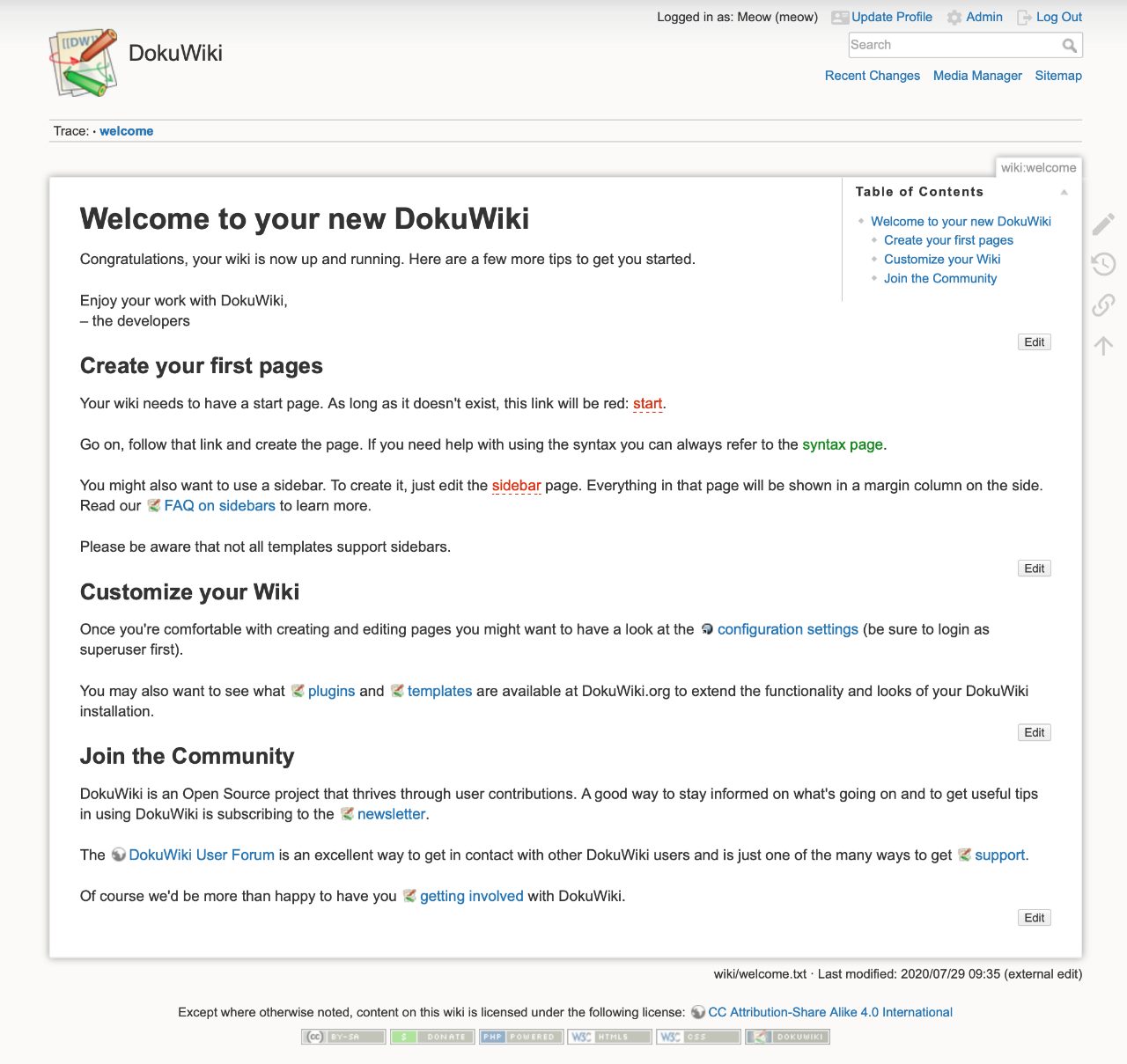
DokuWiki stores every page as a text file in a folder, which gives it two virtues: backup is copying a folder, and leaving DokuWiki means taking the folder. It needs only PHP and a web server, so it runs on hardware that would choke on the Node and Postgres stacks, and it keeps every older version of a page so you can compare it with the current one.
The price is the editing experience. Writers use a toolbar over a text area with DokuWiki’s own markup, and a visual editor is a plugin, not part of the core. Its current release adds optional Markdown syntax, which should ease the learning curve for people who already know Markdown. When two people edit one page, a lock keeps the second out rather than merging live. The look is dated, and LDAP and SAML authentication use plugins. There is a built-in access control list for each namespace and page, and no built-in backup tool beyond that folder copy. The community-maintained LinuxServer.io image covers Docker.
It is the right choice for a home lab, a small technical team or anyone who values plain files over polish. It is a poor choice for a team that will judge the wiki on how nice writing in it feels.
Pros
- Needs only a web server and PHP; no database
- Runs comfortably on very small machines
- Per-namespace and per-page access control lists built in
- Over a thousand plugins
Cons
- Custom wiki syntax to learn; a visual editor exists only as a plugin
- Edit locking instead of live co-editing, with a dated interface
- LDAP and SAML authentication use plugins
- No official Docker image
Choose if: You want the smallest, simplest install, or want your pages stored as plain text files you can copy.
Skip if: Teams whose writers expect a Notion-style editor.
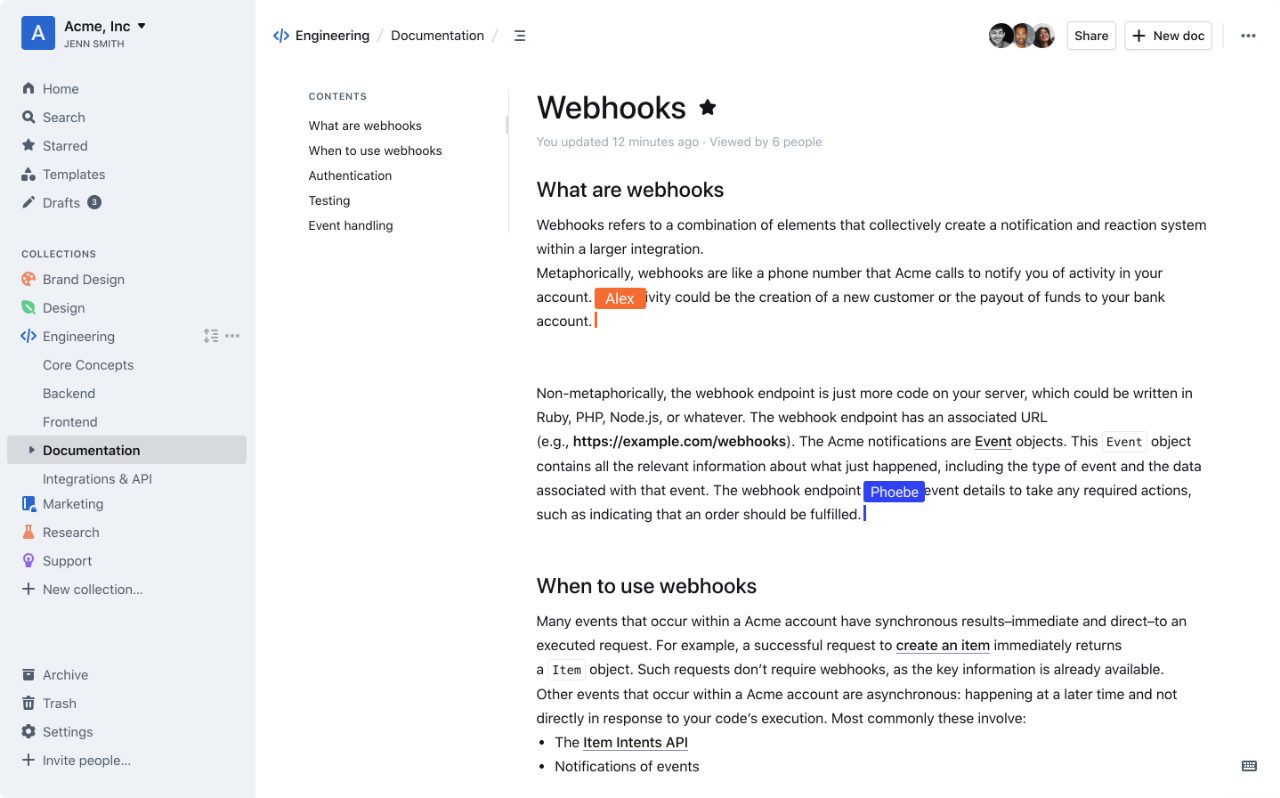
If you’ve used Notion and want that feel on your own server, Outline is the closest of these. The editor handles Markdown, slash commands and embeds, several people can edit a page at once, and comments and version history are included in the free Community edition.
The costs are around the editor. There is no username-and-password login: people sign in through Google, Microsoft Entra, Slack, Discord or an OIDC provider, and the project’s sample configuration says at least one such provider must be set up before anyone can log in. Production needs PostgreSQL and Redis, and the project itself says it expects dev-ops experience. The Community edition omits SAML, guest users, additional sign-in restrictions, the audit log and the Confluence importer; the Business plan adds them at $4 per user per month billed annually with a minimum of 10 users (as of November 2026).
The license deserves a plain reading. It is the Business Source License, which isn’t open source, but for running Outline for your own staff it allows what you’d expect; it forbids only offering a commercial document service to outside parties, and it converts to Apache 2.0 in 2030. For a team that wants the best editor and already has an identity provider, that is a reasonable bargain. For a team that wants the lowest long-term risk and the simplest install, BookStack is easier to keep running.
Pros
- Fast, modern editor with Markdown, slash commands and embeds
- Live co-editing, comments and version history in the free Community edition
- API and webhooks included; a documented Notion import
Cons
- Business Source License, not open source
- SAML, guest users, the audit log and the Confluence importer need a paid plan
- Needs PostgreSQL, Redis, email delivery and a third-party sign-in provider
- Support is community-only on the free edition
Choose if: Writers matter more than the install, you're coming from Notion, and your team already signs in with Google, Microsoft or Slack.
Skip if: Teams without someone comfortable running Postgres, Redis and a single sign-on provider.
MediaWiki has the longest record here: it was written in 2002 for Wikipedia, and companies such as Intel and Novell have used it internally. If you want a wiki that will outlast any trend, and your content is closer to an encyclopedia than a handbook, it deserves a look. Categories, templates and namespaces organize big collections, and the extension library is enormous.
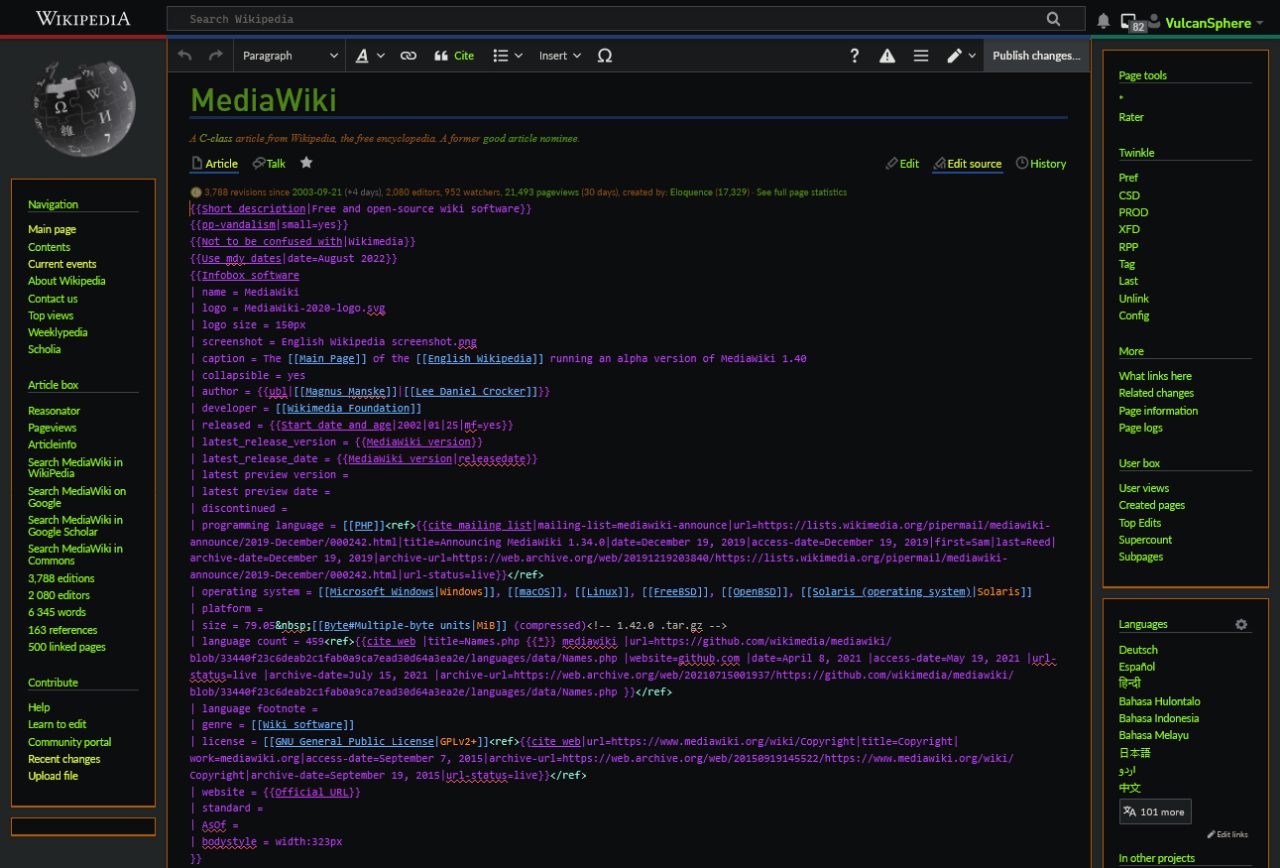
As a team wiki it asks more than it gives. Editing is in wikitext by default, which has been described as challenging to learn; the visual editor is an add-on that can need extra setup. A private wiki takes one line of configuration, but rights are given to groups, there are no page-level restrictions in core, and files you upload stay publicly reachable until you set up the file-serving rules. A security flaw on older versions let any user read all pages of a private wiki, so a private install needs to stay current. Default search is basic until you add Elasticsearch.
Choose it when readers outnumber writers and you plan to build something large. For a team handbook, nearly everything else here is easier.
Pros
- Runs Wikipedia's software and has run internal wikis at companies for years
- Over a thousand extensions, including Semantic MediaWiki for structured data
- Namespaces, categories and templates for organizing large amounts of content
- Long-term-support releases with mostly automated upgrades
Cons
- Wikitext is challenging to learn; the visual editor is an add-on
- No per-page permissions in core, and uploaded files stay reachable unless you configure them
- Default search is basic
- Extensions can break on upgrade
Choose if: You're building a big knowledge base with far more readers than editors, and someone can maintain a LAMP stack.
Skip if: A team of a few dozen people who only want a documentation wiki.
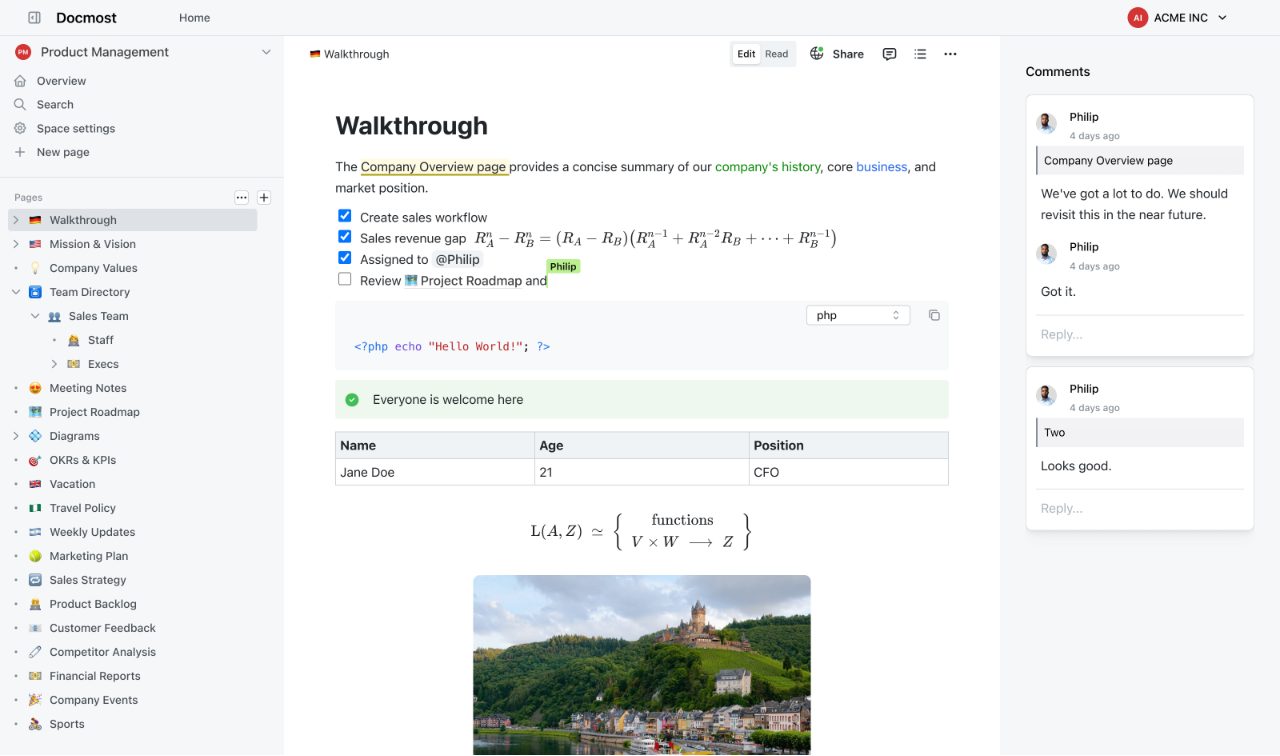
Docmost is the newest project here, built as an open-source alternative to Confluence. It covers the editing basics well: live editing without overwrites, comments, page history, diagrams and a page tree grouped into spaces. It signs people in with an email and password, so unlike Outline it needs no external identity provider, and it runs as three containers (the app, PostgreSQL and Redis) with an outbound mail setup for invites and password resets.
The line between free and paid is the thing to read carefully. The free edition lacks single sign-on (SAML and OIDC), LDAP, two-factor login, page-level permissions, the REST API and the Confluence importer; those belong to the Business and Enterprise licenses, whose code lives under a separate license in the same repository. Check that your must-haves aren’t on the paid side before you start. The other caution is age: the project is young, with a smaller community and documentation that is thinner on advanced configuration. We’d watch it for a year before putting years of company pages in it.
Pros
- Live co-editing, comments and page history in the free edition
- Draw.io, Excalidraw and Mermaid diagrams
- Spaces, a drag-and-drop page tree and full-text search
- Free Markdown, HTML, Notion and ZIP import
Cons
- SSO, LDAP, two-factor login, page-level permissions and the REST API are paid
- First commit in 2024 and still pre-1.0 in early 2026
- Enterprise code sits under a proprietary license in the same repository
Choose if: You want live editing and a lighter setup than Outline, and can live without single sign-on or pay for it.
Skip if: Teams that need single sign-on or directory login without paying.
Also considered
- Confluence Data Center
Confluence Data Center is paid and closed to new customers since March 30, 2026. Existing customers face end of life on March 28, 2029, when it becomes read-only, so it is a migration source rather than a new self-hosted option.
- Notion
Notion is a hosted service with no self-hosted edition, so it can’t serve teams that must keep pages on their own servers. Outline is the closest self-hosted match for its editing feel and imports Notion pages.

How to choose a self-hosted wiki
Start with who writes and who administers, then check the free edition against your must-haves.
- A small team seeking a simpler stack: BookStack, provided someone can maintain PHP and the database. If you want live editing, pick Outline when you can run Postgres, Redis and a sign-in provider, or Docmost when you’d rather sign in with email and password and accept that single sign-on is paid.
- Leaving Notion: Outline and Docmost both document a Notion import. For Confluence, Outline’s and Docmost’s importers are paid; XWiki has one as an extension; BookStack says it has no built-in way to import Confluence.
- IT-managed teams: BookStack gives roles, page overrides, SAML, LDAP and two-factor login for free. XWiki also has fine-grained rights, and Wiki.js 3 lists SCIM and an audit log once you’re comfortable with it being new.
- A home lab or a very small server: DokuWiki, with BookStack next if you want a nicer editor.
- Large or structured content: XWiki or MediaWiki.
- A development team that already runs a Git server: check the Git server’s built-in wiki first; several of them include one, and it may be enough.
Two things apply to all seven. You own the updates and the backups, and a wiki left unpatched on the internet is a risk; BookStack, for instance, warns about security updates for PHP. And before you commit, export a few pages and open them elsewhere. A wiki you can’t leave is a worse bargain than one with fewer features.
Most teams will be happiest with BookStack, because the things that sink a wiki are an editor nobody likes, an install nobody wants to maintain and a feature that turns out to cost money, and BookStack avoids all three. Its one real gap, live co-editing, only matters if several people write the same page together; for runbooks and handbooks, where one person usually owns a page, taking turns is fine.
The choice changes with the team. If writing is the daily activity and your people already sign in with Google, Microsoft or Slack, Outline is the better product to use, and the Business plan is cheap if you later need SAML or the audit log. If you want live editing but not another identity provider, Docmost is the easiest way in, as long as you check that nothing you need is paid. Teams with a Java administrator and a large, structured body of content should look at XWiki, and a home lab belongs with DokuWiki.
Scores
1–5 per criterion · select a score for its reasoning and any sources| # | Product | Overall | Writing experience , counts double | Simultaneous editing | Track record , counts double | Structure and search | Access control and sign-in (free edition) | Setup and upkeep , counts double | License and lock-in | Import, export and API | Extensions and customization |
|---|---|---|---|---|---|---|---|---|---|---|---|
| 1 | BookStack | 3.9 | 4 | 1 | 5 | 4 | 5 | 4 | 5 | 4 | 2 |
| 2 | XWiki | 3.9 | 3 | 4 | 5 | 5 | 4 | 2 | 5 | 4 | 5 |
| 3 | Wiki.js | 3.8 | 4 | 4 | 2 | 4 | 5 | 4 | 5 | 5 | 3 |
| 4 | DokuWiki | 3.8 | 2 | 2 | 5 | 4 | 3 | 5 | 5 | 4 | 4 |
| 5 | Outline | 3.6 | 5 | 5 | 4 | 4 | 3 | 2 | 2 | 4 | 3 |
| 6 | MediaWiki | 3.3 | 2 | 2 | 5 | 3 | 2 | 3 | 5 | 3 | 5 |
| 7 | Docmost | 3.2 | 4 | 5 | 2 | 4 | 2 | 3 | 4 | 3 | 2 |
Equal displayed overall scores are ordered by the earlier criteria; a known score comes before an unknown score. Identical scores use alphabetical order.
×2 = counts double in the overall score, ×½ = counts half.
How each criterion is scored
Writing experience
Counts double in the overall score: Every teammate who writes pages meets the editor every day, and a wiki nobody enjoys writing in goes stale, so it matters more than any single feature.
How pleasant and capable the page editor is for a teammate who just wants to write a page: judged from what the editor offers (visual editing, Markdown, slash commands, embeds, diagrams, comments) and from how users and reviewers describe it.
- 5 A polished, modern editor with slash commands, embeds and inline discussion; the closest to Notion.
- 4 A good visual or Markdown editor with diagrams or comments built in.
- 3 A capable visual editor, but with a dated or complicated interface.
- 2 Markup-first editing; a visual editor exists only as an optional add-on or needs extra setup, and the interface feels dated.
- 1 A markup language everyone must learn first; no visual editor.
Simultaneous editing
What happens when two people edit the same page at the same time.
- 5 Proven live co-editing with cursors, built in.
- 4 Live co-editing built in, but new or experimental.
- 3 Live editing exists as an add-on or a preview.
- 2 Edit locks or an edit-conflict merge step prevent silent overwrites, but people take turns.
- 1 The last save overwrites the other person's changes.
Track record
Counts double in the overall score: A team wiki holds years of pages, and moving them is costly, so a project that is young or just rewritten risks a forced migration or abandoned upgrades.
How long the project has been used in production and how settled it is: age, release stability and whether a new install gets a proven codebase. Judged from the history of the project, its release stage and reports from users.
- 5 A decade or more in production, a large user base and a steady stable release line.
- 4 Many years in production with steady releases, but a younger or more specialized community.
- 3 Several years old but still changing fast, or slowing down.
- 2 Young (pre-1.0) or a very recent rewrite that its own users advise testing before production.
- 1 Experimental or abandoned.
Structure and search
How well a growing pile of pages can be organized, browsed and found again: the structure model (nesting depth, spaces, tags, namespaces) and the built-in search.
- 5 As 4, with unlimited nesting, several wikis in one install and advanced search built in.
- 4 Nested structure plus built-in full-text search that works for a team-sized wiki.
- 3 Good structure tools (categories, namespaces), but the default search is basic and better search needs an extension.
- 2 Some structure, but rigid or search is minimal.
- 1 Flat pages with weak search.
Access control and sign-in (free edition)
What the free self-hosted edition offers for deciding who can read and edit what and how people sign in: page or section permissions, groups, single sign-on, directory login, two-factor login and audit logging.
- 5 Roles with page-level overrides, OIDC, SAML, LDAP and two-factor login, all in the free edition.
- 4 Fine-grained permissions plus directory and single sign-on in the free edition, with minor gaps.
- 3 Per-page permissions or single sign-on in the free edition, with notable holes (such as no SAML or no audit log, or sign-in only through add-ons).
- 2 Group or space permissions, but single sign-on, directory login or two-factor login are missing from the free edition or need unreliable add-ons.
- 1 Everyone signs in the same way with no real permissions.
Setup and upkeep
Counts double in the overall score: Most teams choosing a wiki have no dedicated admin, and a wiki that is painful to install, secure and upgrade gets abandoned or left unpatched.
How many parts a team must run and maintain on its own server to keep the wiki working.
- 5 The app alone, with no database server; backup is copying a folder.
- 4 The app plus one ordinary database; updates are documented and routine.
- 3 The app, a database and a cache or extra service, or a stack whose extensions break on upgrade.
- 2 Several services plus an identity provider, or an application server and database to manage.
- 1 Needs deep admin skill with several moving parts.
License and lock-in
Whether the code is under a recognized open-source license, so the team can run, change and keep using it without a vendor's permission.
- 5 A fully open-source license (MIT, GPL, AGPL or LGPL) for everything in the free edition.
- 4 Open source (AGPL) but with proprietary enterprise code in the same repository.
- 3 Open source core with a proprietary add-on tier that the product pushes.
- 2 Source-available but not open source, with restrictions on use.
- 1 Proprietary.
Import, export and API
How easily content gets in and out: importers from other tools, export formats, an API, plain files or Git sync.
- 5 As 4, plus two-way Git sync or automatic backup to external storage.
- 4 Documented export and an API in the free edition, or plain-text storage; an importer from at least one other tool.
- 3 Export plus an API or importers, with a notable part locked behind a paid edition or limited.
- 2 Basic export only.
- 1 No practical way to export.
Extensions and customization
How far a team can bend the wiki to its own needs: plugins, extensions, scripting, structured data and integrations.
- 5 A large extension ecosystem plus scripting or structured-data applications.
- 4 A plugin ecosystem of roughly a thousand plugins.
- 3 API, webhooks and a set of integrations, but no extension ecosystem.
- 2 A deliberately narrow product with an API but few extensions.
- 1 No extension mechanism.
Questions
Can we self-host Outline for our company if it isn't open source?
Yes. Outline uses the Business Source License, which allows any use except offering a commercial “document service” that lets outside parties create their own teams and documents. Running it for your own employees and contractors is fine, and the license converts to Apache 2.0 in 2030. If a license that is open source today matters to you, choose BookStack, DokuWiki, MediaWiki, Wiki.js or XWiki instead.
How hard is it to move pages from Confluence or Notion?
Notion is the easier source: Outline and Docmost both document a Notion import. For Confluence, Outline has an importer on its Business and Enterprise plans, Docmost’s is a paid feature, XWiki offers one as an extension, and BookStack has no built-in importer. Expect to check formatting and attachments by hand after any import.