
Foxit PDF Reader
Free PDF reader with a ribbon interface that reads, annotates, fills forms and signs, without OCR
Our verdict
#5 of 7 in Free PDF readers for Mac · Free certificate signing, no account
What it does
- Tabs, bookmarks, and a comments panel
- Fills form fields and adds signatures
- Adds and verifies certificate-based digital signatures
Pros
- Standard comments that show correctly in Acrobat
- Free certificate signing with no account
Cons
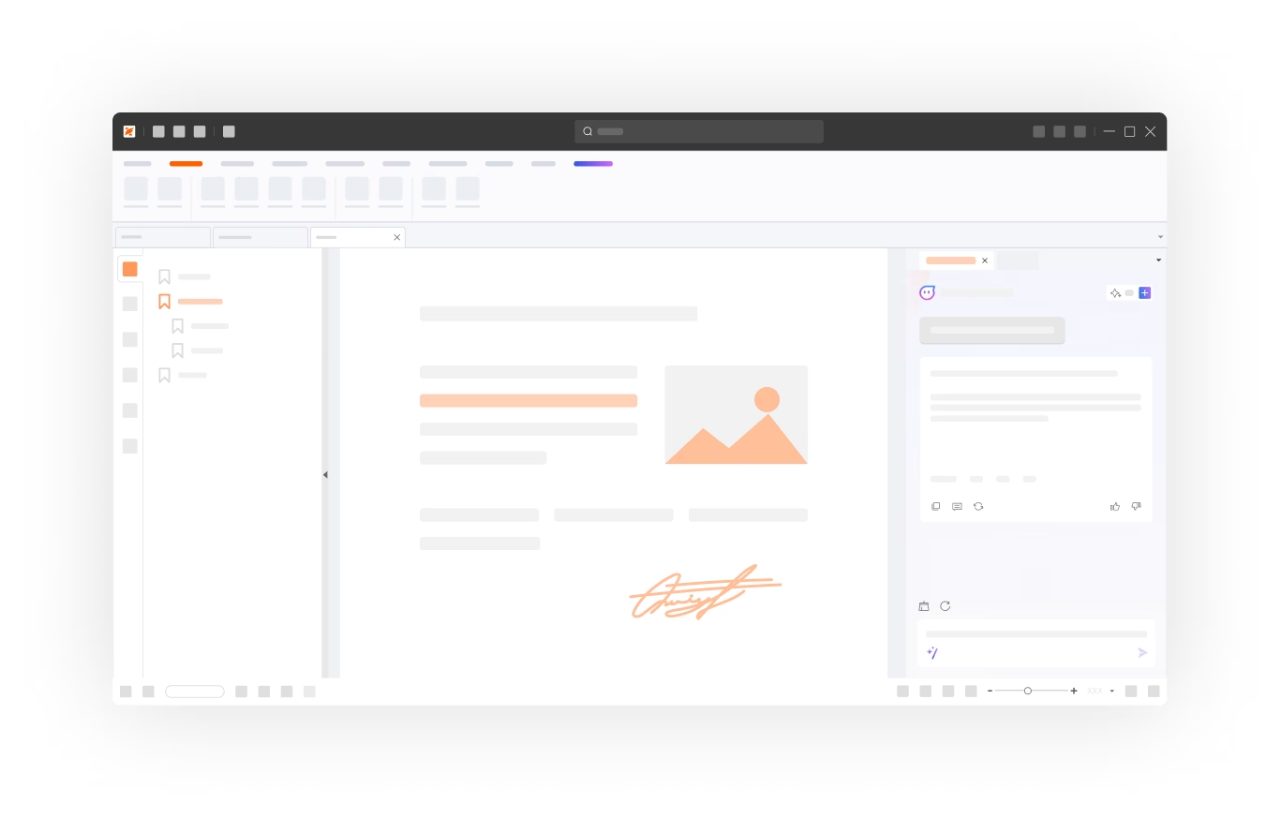
- Windows-style ribbon interface
- No OCR or page tools without the paid editor
Foxit PDF Reader is a free PDF viewer for Windows and macOS from Foxit. On the Mac it opens and searches PDFs in tabs, highlights and comments on them, fills existing form fields, adds signatures and digital signatures, and has light, dark and system appearance. It does not run OCR, edit text or convert files; those need the paid Foxit PDF Editor. Reading and markup need no account; a free Foxit account adds an AI assistant with 300 shared credits per month. It is proprietary software, free to download from Foxit’s site or the Mac App Store.
What users say
Evidence ↓Mac-specific feedback is thin and old. The few MacUpdate comments from 2016 and 2017 say large PDFs scroll and render slower than in Apple Preview, though one user liked it as a simple viewer and another used it after Preview corrupted saved files. AlternativeTo's summary of mostly Windows comments is mixed, citing bundled ads and installer extras. These are a handful of comments, not a measured split.
Rankings and alternatives


Free Mac PDF readers scores
Evaluated Nov 22, 2026 Evidence ↓- Reading long PDFs · counts double 3
3/5 means: Smooth on most files, with search, outline and thumbnails; some lag or hangs reported
Tabs, bookmarks, pages and comments panels, Split View and dark mode are documented. The only Mac speed reports are 2016-2017 comments of slow large files versus Preview; no current reports found.
- Highlighting and notes 3
3/5 means: Highlights, notes, typed text and drawing or shapes, with a list of annotations
Comment tools and a comments panel are documented for Mac; from knowledge it has highlight, underline, strikeout, notes, typewriter, drawing and shapes. Export of comments as text is not documented for Mac.
- Filling and signing forms 5
5/5 means: All of that, plus free certificate-based digital signatures
Fills existing form fields and adds a signature free; Foxit's table lists Add and Verify Digital Signature on Mac. Certificate signing on Mac is from the vendor table only, untested; the paid eSign service is separate.
- Nothing held back 4
4/5 means: Everyday tools free with no account; occasional upgrade prompts or optional paid extras
Reading, markup, forms and signing need no account and have no stated limits. Optional paid extras (eSign, more AI credits, Editor) are promoted; Mac upsell frequency not found.
- Easy and at home on a Mac 3
3/5 means: Easy enough, with a non-Mac interface or some clutter
Mac-standard window handling, system appearance and App Store install, but a Windows-style ribbon UI. Apple Silicon native status not stated.
- Scanned PDFs 1
1/5 means: No OCR
Foxit's Reader vs Editor table says OCR is not included in the Reader.
- Page tools 1
1/5 means: None or one of the five
Page organizing (reorder, merge, extract) is an Editor feature as far as I know; no source read confirms it for the Mac Reader.
- Study and research extras 1
1/5 means: None or one of the five
No link previews, notes export, SyncTeX or annotation-to-note tools found. A free Foxit mobile app exists but its annotation sync was not verified.
Pricing
- Foxit PDF Reader Free Free for reading, commenting, form filling and signing with no account. A free account adds 300 monthly AI credits; paid options give more. Foxit eSign is a paid add-on. OCR, editing, conversion and redaction need Foxit PDF Editor.
Prices checked Nov 22, 2026.
Evidence and sources
What users say
Summary 4 quotes
-
when viewing large files (40+ pages ?), rendering and scrolling slows down, while Preview has no issues with same files.
Mcr, MacUpdate commenter · foxit-pdf-reader.macupdate.com · published · checked -
I've been using Foxit Reader as default PDF reader on Windows PC for years. But the Mac version isn't performed well. When browsing very large files, the rendering and scrolling speed is much slower than Preview.apps. When used as annotation tools, Foxit is OK, but there are better choices.
Ulyssesric, MacUpdate commenter · foxit-pdf-reader.macupdate.com · published · checked -
Apple Preview app was corrupting PDF files when saving-as or exporting. Even when saving via print function, left corrupt files - totally unreadable. Not good Apple. Found this, chose it as default PDF reader. Sorted.
Winco, MacUpdate commenter · foxit-pdf-reader.macupdate.com · published · checked -
Foxit PDF Reader receives mixed reviews for its speed and functionality. It is praised for being faster and more feature-rich than Adobe Reader, offering tools like text highlighting and note-taking. However, users frequently criticize its bundled ads, unwanted toolbars, and installation bloatware.
alternativeto.net/software/foxit-reader/about · checked
Free Mac PDF readers scores
Reading long PDFs 3 quotes
-
Foxit PDF Reader provides three options (Light, Dark, and Use system setting) that allow you to customize the look (skin) of the software.
help.foxit.com/manuals/pdf-reader/foxit-reader-for-mac/en-us/2026.2/Get_Started.html · checked -
when viewing large files (40+ pages ?), rendering and scrolling slows down, while Preview has no issues with same files.
Mcr, MacUpdate commenter · foxit-pdf-reader.macupdate.com · published · checked -
I've been using Foxit Reader as default PDF reader on Windows PC for years. But the Mac version isn't performed well. When browsing very large files, the rendering and scrolling speed is much slower than Preview.apps. When used as annotation tools, Foxit is OK, but there are better choices.
Ulyssesric, MacUpdate commenter · foxit-pdf-reader.macupdate.com · published · checked
Highlighting and notes 3 quotes
-
Foxit PDF Reader is free for reading, reviewing, filling existing PDF forms, and adding your signature. Read and annotate PDFs without a Foxit account.
foxit.com/pdf-reader · checked -
Add and Verify Digital Signature · ✓ · ✓
foxit.com/pdf-reader/comparison · checked -
Foxit PDF Reader provides three options (Light, Dark, and Use system setting) that allow you to customize the look (skin) of the software.
help.foxit.com/manuals/pdf-reader/foxit-reader-for-mac/en-us/2026.2/Get_Started.html · checked
Markup others can see 1 quote
-
Foxit PDF Reader is free for reading, reviewing, filling existing PDF forms, and adding your signature. Read and annotate PDFs without a Foxit account.
foxit.com/pdf-reader · checked
Filling and signing forms 3 quotes
-
Foxit PDF Reader is free for reading, reviewing, filling existing PDF forms, and adding your signature. Read and annotate PDFs without a Foxit account.
foxit.com/pdf-reader · checked -
Sign documents with Foxit legally-binding electronic signature service · ✓(Require additional purchase) · ✓(Require additional purchase)
foxit.com/pdf-reader/comparison · checked -
Add and Verify Digital Signature · ✓ · ✓
foxit.com/pdf-reader/comparison · checked
Nothing held back 4 quotes
-
Foxit PDF Reader is free for reading, reviewing, filling existing PDF forms, and adding your signature. Read and annotate PDFs without a Foxit account.
foxit.com/pdf-reader · checked -
Install the free reader for Windows or Mac. Reading, commenting, filling forms, and signing work right away, with no account needed.
foxit.com/pdf-reader · checked -
A free Foxit account includes 300 monthly AI credits shared across Foxit AI Assistant and Foxit Workspace.
foxit.com/pdf-reader · checked -
Sign documents with Foxit legally-binding electronic signature service · ✓(Require additional purchase) · ✓(Require additional purchase)
foxit.com/pdf-reader/comparison · checked
Easy and at home on a Mac 3 quotes
-
macOS 12, macOS 13, macOS 14, macOS 15, or macOS 26
help.foxit.com/manuals/pdf-reader/foxit-reader-for-mac/en-us/2026.2/Get_Started.html · checked -
Foxit PDF Reader is available in the Mac App Store and on Foxit official website.
help.foxit.com/manuals/pdf-reader/foxit-reader-for-mac/en-us/2026.2/Get_Started.html · checked -
Foxit PDF Reader provides three options (Light, Dark, and Use system setting) that allow you to customize the look (skin) of the software.
help.foxit.com/manuals/pdf-reader/foxit-reader-for-mac/en-us/2026.2/Get_Started.html · checked
Scanned PDFs 1 quote
-
Recognize scanned text with OCR · Not included · Included
foxit.com/pdf-reader · checked
Page tools 1 quote
-
Recognize scanned text with OCR · Not included · Included
foxit.com/pdf-reader · checked
Facts
License 1 quote
-
Foxit PDF Reader is free for reading, reviewing, filling existing PDF forms, and adding your signature. Read and annotate PDFs without a Foxit account.
foxit.com/pdf-reader · checked
Runs on 2 quotes
-
Foxit PDF Reader is free for reading, reviewing, filling existing PDF forms, and adding your signature. Read and annotate PDFs without a Foxit account.
foxit.com/pdf-reader · checked -
macOS 12, macOS 13, macOS 14, macOS 15, or macOS 26
help.foxit.com/manuals/pdf-reader/foxit-reader-for-mac/en-us/2026.2/Get_Started.html · checked
Needs 1 quote
-
macOS 12, macOS 13, macOS 14, macOS 15, or macOS 26
help.foxit.com/manuals/pdf-reader/foxit-reader-for-mac/en-us/2026.2/Get_Started.html · checked
More from the sources
Platforms and requirements 1 quote
-
Customize Toolbar · ✓
foxit.com/pdf-reader/comparison · checked
Pricing
foxit.com/pdf-reader · checked