PDFgear
Free Windows PDF editor with text editing, OCR, conversion, signing and AI chat, no watermark or sign-up
Our verdict
#2 of 7 in Free PDF readers for Mac · Free tools Preview doesn't have
What it does
- OCR for whole documents and batches
- Edits existing text and images
- Converts to Word, Excel, and PowerPoint
- Fills forms and signs, including certificate signatures
- Merges, splits, reorders, and compresses
Pros
- The widest free toolset on a Mac, with no watermark or account
- Fixes typos and scans that Preview can't
Cons
- Office-style toolbar that feels out of place on a Mac
- AI chat sends document content to a cloud service
- The company says some features may become paid later
- Choose if:
- You need OCR or text editing and won't pay for them
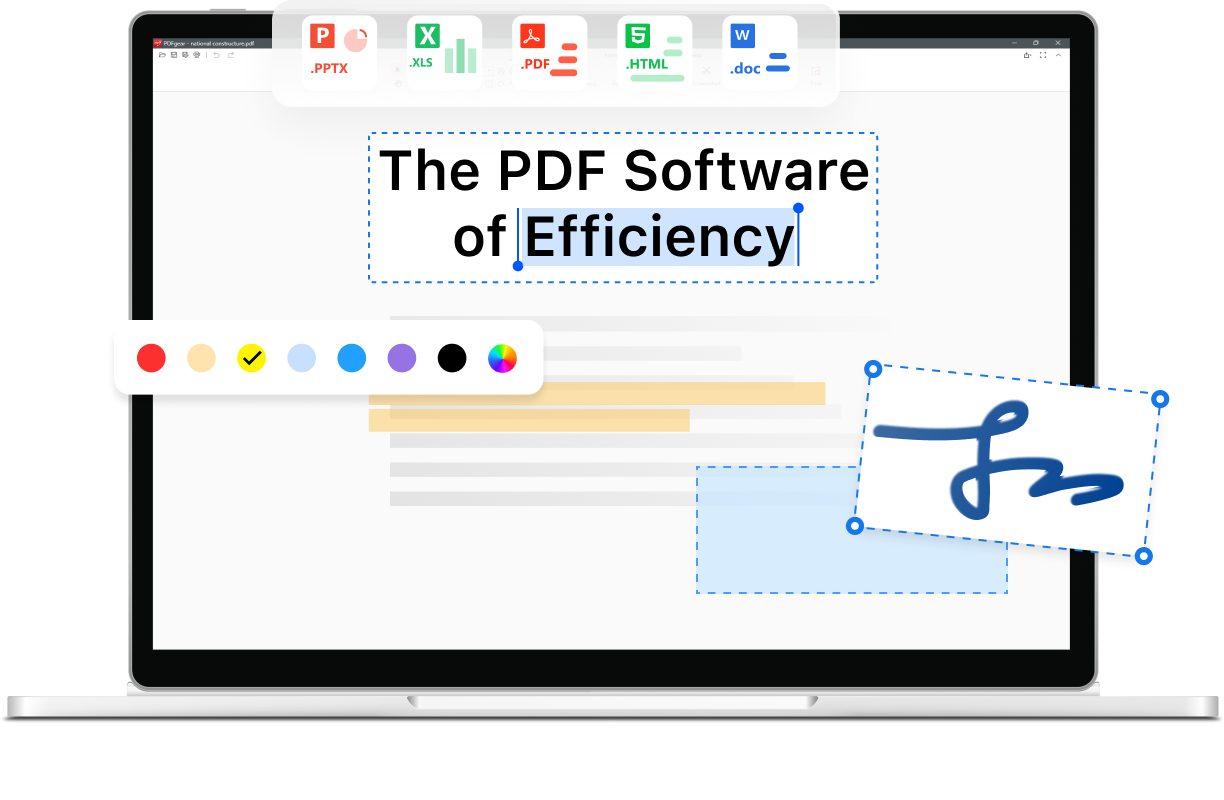
PDFgear is a free PDF editor and reader for Windows 10 and 11, with a separate free Mac app (macOS 12 or later, also on the Mac App Store) and iOS, Android and browser versions. The desktop app edits existing text and images, annotates, fills and signs forms, merges, splits and reorders pages, compresses files, runs OCR, and converts between PDF, images and Word, Excel and PowerPoint. Reading, editing and organizing run on the device, while AI features and some advanced conversions use cloud services. It is made by a Singapore-based team funded by investment. The vendor says some advanced paid features may arrive later, with no timeline.
What users say
Evidence ↓Reviewers praise the breadth of tools in a free app with no watermark or account, and TechRadar rated the desktop app 4.5/5 in 2024. Criticisms are limited to one 2024 review that found the split tool had no page thumbnails, and an independent review site that says it lacks some advanced tools and has ongoing privacy debates. Both are single-source views.
Rankings and alternatives
- Free PDF readers for Mac #2 of 7 Free tools Preview doesn't have
- PDF editors for Windows #9 of 10 Best free editor for fixing text
- Adobe Acrobat #1 The reference for high-stakes documents
- Foxit PDF Editor #2 Acrobat-level editing with a one-time option
- Tungsten Power PDF #3 One-time license that stays offline




Free Mac PDF readers scores
Evaluated Nov 22, 2026 Evidence ↓- Reading long PDFs · counts double 3
3/5 means: Smooth on most files, with search, outline and thumbnails; some lag or hangs reported
Single and double-page view, thumbnails, bookmarks, dark mode, fast search and recent files per the vendor, but no tabs, split view or outline or remembered position are documented. Speed on large files rests on one App Store review and no independent test.
- Highlighting and notes 3
3/5 means: Highlights, notes, typed text and drawing or shapes, with a list of annotations
Highlight, underline, strikethrough, notes, text boxes, shapes, arrows, freehand and stamps are listed. No annotation list or text export was found, so it is not placed higher.
- Filling and signing forms 5
5/5 means: All of that, plus free certificate-based digital signatures
Fills interactive and flat forms, drawn, typed, trackpad and image signatures with five saved, and the vendor's Mac page claims certificate-based digital signatures. That claim is vendor-only and I did not test it.
- Nothing held back 5
5/5 means: Everything free, with no account, ads or upgrade prompts
Free with no sign-up, ads, watermarks, promotions or stated limits. The vendor's older page says paid advanced options may come later, but none exists on Mac now.
- Easy and at home on a Mac 3
3/5 means: Easy enough, with a non-Mac interface or some clutter
A small Mac App Store app (130 MB, macOS 12 or later, dark mode) praised as easy to learn, but it uses a tabbed Office-style layout, and Apple Silicon native status is not documented.
- Scanned PDFs 4
4/5 means: Free OCR of whole documents that saves a text layer, with language choice
Whole-PDF and batch OCR with several languages and export to Word or TXT, free. Saving the text layer back into the file is implied (searchable, selectable) but not stated explicitly.
- Page tools 5
5/5 means: All five
Rotate, delete, reorder, merge or append, and split or extract are all listed.
- Study and research extras 1
1/5 means: None or one of the five
None of the five extras (link previews, annotations to notes, Markdown export, SyncTeX, a free iPhone app with synced markup) is documented. A free iOS app exists but sync of markup was not checked.
Windows PDF editors scores
Evaluated Nov 17, 2026 Evidence ↓- Editing existing text and images 3
3/5 means: Edits text blocks and images, with limited reflow or font matching
The vendor and TechRadar confirm editing of existing text and images with font controls. No source reports on reflow or font matching, so the level rests on general knowledge of the app.
- OCR for scanned documents 3
3/5 means: Makes scans searchable and editable, with mixed or unproven accuracy
Searchable output, area text extraction and scanned PDF to Word or TXT in more than 30 languages, with no page limits found. Accuracy is unproven; one review snippet called it mostly accurate but weaker on complex layouts and tables.
- Converting to and from Word 3
3/5 means: Converts PDFs to Word, Excel and PowerPoint, but layouts and tables often need fixing
Converts both ways with Word, Excel and PowerPoint, with batch processing. No fidelity reports were found, and some advanced conversions may run on the vendor's cloud.
- Forms and signatures 2
2/5 means: Fills in interactive forms and adds a drawn, typed or image signature
Fills forms, including non-interactive ones, and adds drawn, typed or image signatures. No certificate signatures, sending for signature or fillable-form creation in the Windows app were found.
- Document tools for professional work 2
2/5 means: Two of the five
Batch processing and a redaction tool are documented, although whether redaction permanently removes content is unverified. Compare, Bates numbering and PDF/A were not found.
- Cost over three years 5
5/5 means: Free, with no watermarks
Free with no watermark or sign-up. The vendor says some advanced features may become paid later, with no timeline.
- Ease of use 4
4/5 means: An Office-style or clean layout most people pick up quickly, with a few rough edges
A clean interface with one-click tools on a start page, praised by TechRadar. A 2024 review found splitting needed typed page ranges with no thumbnails.
- Keeps your files on your PC 3
3/5 means: Core editing runs locally, but some conversions or AI features send files to the vendor, or an online account is required
Reading, editing and organizing run locally and offline, with no account. AI features send content after consent, and some advanced conversions run on the vendor's Amazon cloud without the app saying which, so the cloud use isn't clearly marked.
- Speed with large files · counts half unknown
Only an unquantified review claim of good performance on larger files, with no measurements, so no basis for a level.
Pricing
- PDFgear for Windows Free Free, with no sign-up and no added watermarks. The vendor says some advanced options, possibly cloud AI tools and special conversions, may become paid later, with no timeline set (page last updated April 2024).
- PDFgear for Mac Free Free on the Mac App Store and the vendor's site, with no sign-up, ads or watermarks and no stated page or file limits. The Mac page lists no paid tier; the vendor's is-it-free page (April 2024) still says paid advanced options may come later.
Prices checked Nov 22, 2026.
Evidence and sources
What users say
Summary 3 quotes
-
It’s simple, but it’s not drag-and-drop-simple. For instance, when splitting a PDF, you need to state which pages you wish to split and put that information in a field. You don’t have a visual representation of the file, or thumbnails of the pages, so no way to just click on the ones you need.
Steve Paris, reviewer at TechRadar · techradar.com/pro/software-services/pdfgear-review · published · checked -
The fact this app is free and so feature rich is most impressive, just as long as it remains that way.
Steve Paris, reviewer at TechRadar · techradar.com/pro/software-services/pdfgear-review · published · checked -
PDFgear is currently the best completely free PDF editor, though it lacks some advanced tools and comes with ongoing privacy debates.
thebusinessdive.com/apps/pdfgear · checked
Free Mac PDF readers scores
Reading long PDFs 2 quotes
-
View PDF in single-page or double-page display mode • Preview the thumbnails of pages easily • Dark Mode supported with native effect • Zoom in or out the PDF in a great range • Open recent PDFs conveniently • Search texts in PDFs rapidly and locate the texts precisely • Print PDFs directly from your device
apps.apple.com/us/app/pdfgear-pdf-editor-reader/id6469021132 · checked -
The application runs smoothly and quickly, even with large files. I haven’t encountered any glitches or slowdowns, which is impressive.
jdhenejsidhdh, Mac App Store reviewer · apps.apple.com/us/app/pdfgear-pdf-editor-reader/id6469021132 · published · checked
Highlighting and notes 1 quote
-
Markup texts in PDF with highlight, underline & strikethrough in user-defined colors • Add Annotations by simply selecting texts in PDF • Create rectangles, circles, lines, arrows & free hands with customized colors • Insert Text Boxes and Notes into PDF with the font size and color you like
apps.apple.com/us/app/pdfgear-pdf-editor-reader/id6469021132 · checked
Markup others can see 1 quote
-
Markup texts in PDF with highlight, underline & strikethrough in user-defined colors • Add Annotations by simply selecting texts in PDF • Create rectangles, circles, lines, arrows & free hands with customized colors • Insert Text Boxes and Notes into PDF with the font size and color you like
apps.apple.com/us/app/pdfgear-pdf-editor-reader/id6469021132 · checked
Filling and signing forms 3 quotes
-
PDFgear can sign multiple PDF pages at once and supports certificate-based digital signatures when stronger identity verification is needed.
pdfgear.com/pdfgear-for-mac · checked -
PDFgear lets you fill and sign PDF forms, including PDFs without interactive fields. Add text, checkmarks, images, and signatures where needed.
pdfgear.com/pdfgear-for-mac · checked -
Create signatures using trackpad, keyboard, or images • Save up to five signatures to use conveniently
apps.apple.com/us/app/pdfgear-pdf-editor-reader/id6469021132 · checked
Nothing held back 3 quotes
-
Open PDFgear and begin working without registering or signing in. PDFgear for Mac contains no ads, and saved PDFs do not carry any watermarks.
pdfgear.com/pdfgear-for-mac · checked -
Yes, PDFgear for Mac is a completely free PDF editor and reader for Mac. It comes without any ads, product promotions, or any forced software upgrades, offering a clean and straightforward user experience.
pdfgear.com/pdfgear-for-mac · checked -
PDFgear provides free use for all functions without any limits like trial watermark, page count, etc.
apps.apple.com/us/app/pdfgear-pdf-editor-reader/id6469021132 · checked
Easy and at home on a Mac 3 quotes
-
Yes. PDFgear for Mac supports MacBook Air, MacBook Pro, iMac, and Mac mini models running macOS 12 or later. It requires at least 512 MB of RAM (1 GB recommended) and 200 MB of free storage.
pdfgear.com/pdfgear-for-mac · checked -
Requires macOS 12 or later.
apps.apple.com/us/app/pdfgear-pdf-editor-reader/id6469021132 · checked -
Third and most impressive no freekin subscriptions. I don’t mind an upfront purchase at a nominal price or even paying for updates for good software. But a yearly fee to use something that shuts off at the end of the year just seem like overkill for something I’ll use two or three times during that year.
Erica.D, Mac App Store reviewer · apps.apple.com/us/app/pdfgear-pdf-editor-reader/id6469021132 · published · checked
Scanned PDFs 2 quotes
-
PDFgear can OCR the entire PDF rather than processing one page or area at a time.
pdfgear.com/pdfgear-for-mac · checked -
View PDF in single-page or double-page display mode • Preview the thumbnails of pages easily • Dark Mode supported with native effect • Zoom in or out the PDF in a great range • Open recent PDFs conveniently • Search texts in PDFs rapidly and locate the texts precisely • Print PDFs directly from your device
apps.apple.com/us/app/pdfgear-pdf-editor-reader/id6469021132 · checked
Page tools 1 quote
-
Merge & split PDFs freely • Append pages from other PDF files to the existing one • Add new blank pages at the place you set • Extract pages from the PDF to create a new one • Rotate, reorder & delete pages COMPRESS • Reduce PDF size to make the file lighter
apps.apple.com/us/app/pdfgear-pdf-editor-reader/id6469021132 · checked
Windows PDF editors scores
Editing existing text and images 2 quotes
-
Yes. PDFgear for Windows is free to use, with no sign-up required and no added watermarks on saved PDFs. It includes tools for editing, reading, converting, organizing, annotating, and signing documents.
pdfgear.com/pdfgear-for-windows · checked -
Its official product pages present desktop editing as free and advertise no file-size or file-number restrictions for the Windows desktop workflow.
techbloat.com/pdf-candy-vs-pdfgear-which-pdf-tool-should-you-choose-in-2026.html · published · checked
OCR for scanned documents 2 quotes
-
OCR makes scanned PDFs searchable and their text selectable. It also powers scanned PDF-to-Word conversion and extracts text from selected areas for copying into other documents.
pdfgear.com/pdfgear-for-windows · checked -
PDFgear advertises support for more than 30 languages and conversion of scanned PDFs into editable Word or TXT. Those language counts are vendor specifications, not accuracy scores
techbloat.com/pdf-candy-vs-pdfgear-which-pdf-tool-should-you-choose-in-2026.html · published · checked
Converting to and from Word 2 quotes
-
PDFgear also converts between PDF and supported Office formats, including Word, Excel, and PowerPoint, with batch processing for multiple files.
pdfgear.com/pdfgear-for-windows · checked -
For certain advanced PDF conversion features, user PDF files may be processed on our Amazon Cloud computing server.
pdfgear.com/insights/is-pdfgear-free.htm · checked
Forms and signatures 1 quote
-
Sign PDFs by drawing, typing, or uploading a signature image, and apply it to multiple pages at once. Forms can be filled out with text, checkmarks, and symbols—even when there are no interactive fields.
pdfgear.com/pdfgear-for-windows · checked
Document tools for professional work 2 quotes
-
There’s even a way to set a password to access your document, or redact certain sensitive sections of it. PDFgear covers pretty much all the bases.
Steve Paris, reviewer at TechRadar · techradar.com/pro/software-services/pdfgear-review · published · checked -
PDFgear also converts between PDF and supported Office formats, including Word, Excel, and PowerPoint, with batch processing for multiple files.
pdfgear.com/pdfgear-for-windows · checked
Cost over three years 4 quotes
-
Yes. PDFgear for Windows is free to use, with no sign-up required and no added watermarks on saved PDFs. It includes tools for editing, reading, converting, organizing, annotating, and signing documents.
pdfgear.com/pdfgear-for-windows · checked -
In the future, most features will remain free, but there will be a fee for some advanced options. Paid options may include AI-driven tools requiring cloud computing and special PDF conversion features.
pdfgear.com/insights/is-pdfgear-free.htm · checked -
However, charging for advanced features is still under consideration, the timeline has not been set yet.
pdfgear.com/insights/is-pdfgear-free.htm · checked -
We contacted the company about this, and their response hinted at the possibility this might not be the case in the future: “PDFgear is free to use at the current stage, and there are no other versions that contain more functions.”
Steve Paris, reviewer at TechRadar · techradar.com/pro/software-services/pdfgear-review · published · checked
Ease of use 2 quotes
-
It’s simple, but it’s not drag-and-drop-simple. For instance, when splitting a PDF, you need to state which pages you wish to split and put that information in a field. You don’t have a visual representation of the file, or thumbnails of the pages, so no way to just click on the ones you need.
Steve Paris, reviewer at TechRadar · techradar.com/pro/software-services/pdfgear-review · published · checked -
The fact this app is free and so feature rich is most impressive, just as long as it remains that way.
Steve Paris, reviewer at TechRadar · techradar.com/pro/software-services/pdfgear-review · published · checked
Keeps your files on your PC 3 quotes
-
Desktop tasks such as reading, editing, organizing, and printing PDFs are processed locally on your device. When you use AI features, PDF content and chat inputs may be sent to an AI service provider after you give consent in the app.
pdfgear.com/pdfgear-for-windows · checked -
For certain advanced PDF conversion features, user PDF files may be processed on our Amazon Cloud computing server.
pdfgear.com/insights/is-pdfgear-free.htm · checked -
Yes. PDFgear for Windows is free to use, with no sign-up required and no added watermarks on saved PDFs. It includes tools for editing, reading, converting, organizing, annotating, and signing documents.
pdfgear.com/pdfgear-for-windows · checked
Speed with large files 1 quote
-
PDFgear is currently the best completely free PDF editor, though it lacks some advanced tools and comes with ongoing privacy debates.
thebusinessdive.com/apps/pdfgear · checked
Facts
License 1 quote
-
Yes. PDFgear for Windows is free to use, with no sign-up required and no added watermarks on saved PDFs. It includes tools for editing, reading, converting, organizing, annotating, and signing documents.
pdfgear.com/pdfgear-for-windows · checked
Runs on 3 quotes
-
PDFgear supports Windows 11 and Windows 10.
pdfgear.com/pdfgear-for-windows · checked -
Yes. PDFgear for Mac supports MacBook Air, MacBook Pro, iMac, and Mac mini models running macOS 12 or later. It requires at least 512 MB of RAM (1 GB recommended) and 200 MB of free storage.
pdfgear.com/pdfgear-for-mac · checked -
Requires macOS 12 or later.
apps.apple.com/us/app/pdfgear-pdf-editor-reader/id6469021132 · checked
Needs 2 quotes
-
Yes. PDFgear for Mac supports MacBook Air, MacBook Pro, iMac, and Mac mini models running macOS 12 or later. It requires at least 512 MB of RAM (1 GB recommended) and 200 MB of free storage.
pdfgear.com/pdfgear-for-mac · checked -
Most editing tools within PDFgear work locally on the Mac. AI features, online services, help content, and software updates require an internet connection.
pdfgear.com/pdfgear-for-mac · checked
More from the sources
Features 4 quotes
-
PDFgear can batch convert PDFs offline, keeping the files on your computer throughout the process.
pdfgear.com/pdfgear-for-mac · checked -
The redaction tool permanently removes the selected information instead of simply covering it, helping prevent hidden content from being recovered after the PDF is shared.
pdfgear.com/pdfgear-for-mac · checked -
PDFgear is a free PDF reader for Mac with a built-in AI assistant that can summarize long PDFs, explain difficult passages, translate text, and find key details.
pdfgear.com/pdfgear-for-mac · checked -
Fix bugs. 2.30 3d ago - Create PDFs directly from images, files, or the clipboard 2.29 Oct 30 - Improved annotation functionality on macOS 27. 2.28 Sep 24
apps.apple.com/us/app/pdfgear-pdf-editor-reader/id6469021132 · checked
Limits and known issues 2 quotes
-
When you use AI features, PDF content, chat inputs and limited metadata needed to provide the service may be sent to Microsoft Azure OpenAI Service for processing as described in our privacy policy.
pdfgear.com/pdfgear-for-mac · checked -
The developer, PDF GEAR TECH PTE. LTD., indicated that the app’s privacy practices may include handling of data as described below. For more information, see the developer’s privacy policy. ### Data Not Linked to You The following data may be collected but it is not linked to your identity: - Usage Data
apps.apple.com/us/app/pdfgear-pdf-editor-reader/id6469021132 · checked
What users say 1 quote
-
If you only need a PDF editor for occasional use and so want a free option, PDFgear is an excellent choice. It offers a full range of editing tools like editing text, signatures, OCR, and annotations. It also allows you to compress, split, and merge PDF documents.
macpaw.com/reviews/best-pdf-editor-mac · checked
Pricing
pdfgear.com/pdfgear-for-mac · checked