Tungsten Power PDF
Office-style Windows PDF editor sold as a one-time license, from the makers of OmniPage
Our verdict
#3 of 10 in PDF editors for Windows · One-time license that stays offline
What it does
- Word-style text editing and OmniPage OCR
- Bates numbering, redaction by search and batch processing in Advanced
- Desktop only, no cloud processing
- One-time licenses at $129 and $179
Pros
- Professional tools for a one-time price
- Everything runs on your PC, with nothing uploaded
- Word-like layout that's quick to learn
Cons
- OCR struggles with tables and forms
- No updates included, and only 90 days of support
- Upgrading from Standard to Advanced costs the full price
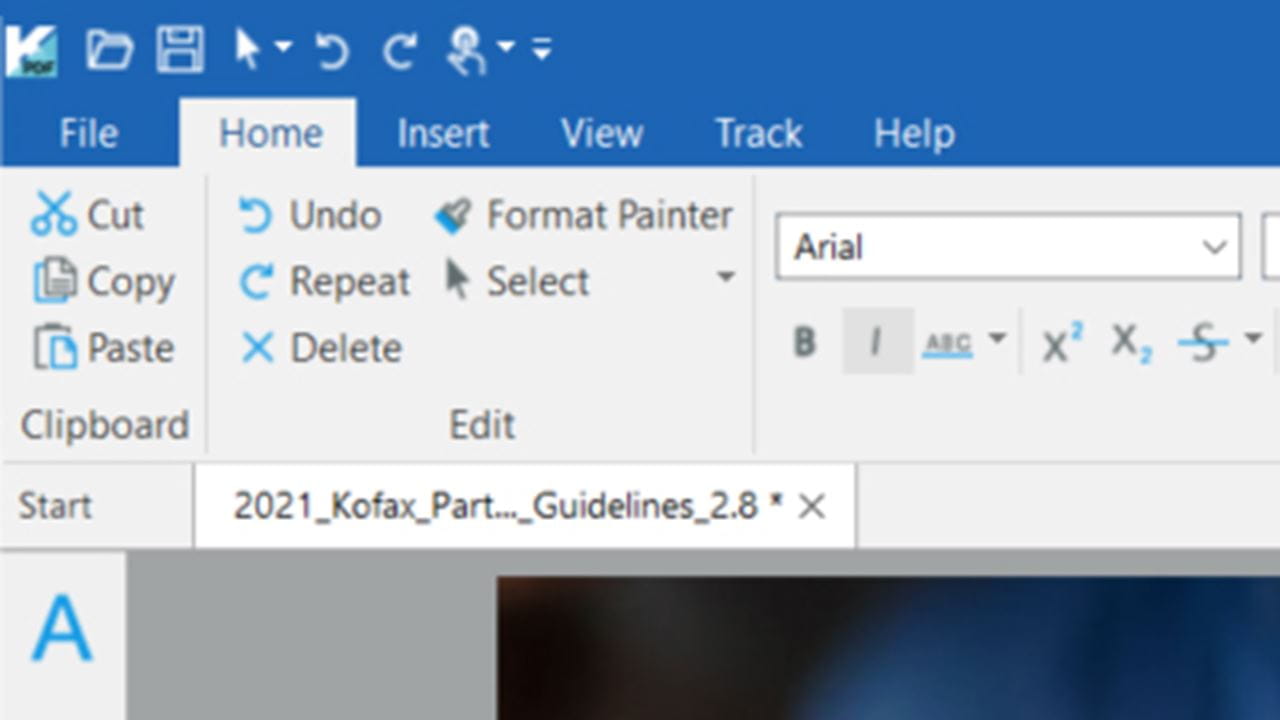
Tungsten Power PDF (formerly Kofax Power PDF and Nuance Power PDF) is a desktop PDF editor for Windows with a Microsoft Office-style ribbon interface. It edits text and images, fills and signs forms, merges and reorganizes pages, converts PDFs to and from Word, Excel and PowerPoint, runs OCR with the OmniPage engine, and redacts. Individuals buy Standard or Advanced from the vendor’s store as a one-time perpetual license with no subscription; Advanced adds batch processing, Bates numbering, advanced redaction, e-signature and DocuSign integration. Processing is local and works offline. Updates are not included, so a new major version means a discounted upgrade purchase. A cloud editor and subscription exist only in the quote-based Business edition for five or more users.
What users say
Evidence ↓Reviewers mostly praise the Office-like interface, editing, redaction and OCR text quality, and the one-time price compared with Acrobat. The recurring complaints are an old-fashioned interface, no multi-core or GPU use on very large files, weak table structure in OCR output, poor support experiences, and paying full price to move from Standard to Advanced. The views come from a small sample of one incentivized TrustRadius review and one reviewer's hands-on test.
Rankings and alternatives
- PDF editors for Windows #3 of 10 One-time license that stays offline
- Adobe Acrobat #1 The reference for high-stakes documents
- Foxit PDF Editor #2 Acrobat-level editing with a one-time option
- PDF-XChange Editor #4 Cheapest full license, for power users



Windows PDF editors scores
Evaluated Nov 17, 2026 Evidence ↓- Editing existing text and images 4
4/5 means: Paragraph editing with reflow and good font matching; layouts occasionally shift
Block-based text editing with fonts and spacing, and image move, rotate and flip, on Advanced. Reflow and font matching were not tested in any source I read; the score rests partly on knowledge of the product.
- OCR for scanned documents 4
4/5 means: Searchable and editable output with good accuracy on ordinary scans and many languages
OmniPage-based OCR gives searchable and editable output that is fast and accurate on text. A reviewer found table and form structure was lost. The language list is unconfirmed.
- Converting to and from Word 4
4/5 means: Converts both ways in batches, with layouts that hold up on ordinary documents
PDF to Word, Excel and PowerPoint, batch conversion, and Office-to-PDF from the Office add-ins. One reviewer saw no layout problems but others reported formatting issues, and OCR tables were weak.
- Forms and signatures 4
4/5 means: Creates fillable forms with field detection and signs with certificates
Automatic form detection, field creation and certificate digital signatures. Sending for signature goes through a DocuSign integration on Advanced, which needs a separate DocuSign account, so it is not counted as built-in e-sign.
- Document tools for professional work 5
5/5 means: All five
Advanced has permanent redaction with search-and-redact, Bates numbering, batch processing, PDF/A creation, and PDF-to-PDF and PDF-to-Word comparison. Comparison's edition is not shown on the vendor page.
- Cost over three years 3
3/5 means: $100 to $250
Standard at $129 one time is the cheapest edition (assuming it has text editing, OCR and Word conversion), and the three-year cost is $129 with no updates included.
- Ease of use 3
3/5 means: A familiar layout, but the number of tools or a few awkward workflows slow newcomers down
A Word-style ribbon gives a short learning curve per one reviewer, but another finds the interface old-fashioned and features hard to find, so newcomers can be slowed down.
- Keeps your files on your PC 5
5/5 means: Works fully offline with no account and no cloud features in the way
The desktop editions are not cloud-based and work offline; the cloud editor exists only in the Business edition. Activation uses a serial number; whether it needs internet was not confirmed.
- Speed with large files · counts half 3
3/5 means: Handles large files, but opens and works slowly or uses a lot of RAM
One 2021 user handled 1,000-4,000-page files but wanted multi-core and GPU use. No current benchmarks, and the vendor has since added native 64-bit.
Pricing
- Standard $129.00 one-time Perpetual license for one user on Windows (a Mac version is the same price). Tax added at checkout. Excludes batch PDF creation and PDF/UA-2. 90 days of support, no updates or upgrades included, 30-day money-back guarantee only when bought at tungstenautomation.com.
- Advanced $179.00 one-time Perpetual license for one user on Windows. Adds batch processing, Bates numbering, advanced redaction, e-signature, password protection, SharePoint and iManage integration. Sold separately from Standard, so upgrading from Standard costs full price. 90 days of support, no updates included.
- Business Contact sales Quote-based, minimum 5 users. Subscription (updates and support included) or perpetual with a separate maintenance contract. Adds Cloud Editor, Teams app, server and Citrix support. Not for individuals.
Prices checked Nov 17, 2026.
Evidence and sources
What users say
Summary 8 quotes
-
Tungsten Power PDF offers an OCR feature as well to turn scanned images into searchable and editable PDFs. It is powered by the OmniPage OCR engine.
Aron Kantor, founder of The Business Dive, a software review site · thebusinessdive.com/tungsten-power-pdf-review · published · checked -
While the OCR is fast and accurate, I experienced that Tungsten Power PDF can’t handle forms or tables.
Aron Kantor, founder of The Business Dive, a software review site · thebusinessdive.com/tungsten-power-pdf-review · published · checked -
I was glad to see that you can easily select the text you want for editing. Tungsten Power PDF identifies blocks, and you can also select multiple text boxes for editing.
Aron Kantor, founder of The Business Dive, a software review site · thebusinessdive.com/tungsten-power-pdf-review · published · checked -
If you decide to upgrade from Power PDF Standard to the Advanced license, you will need to pay the full price, since these products are sold separately.
Aron Kantor, founder of The Business Dive, a software review site · thebusinessdive.com/tungsten-power-pdf-review · published · checked -
some people flagged that customer support is poor and that they had issues with license activation.
Aron Kantor, founder of The Business Dive, a software review site · thebusinessdive.com/tungsten-power-pdf-review · published · checked -
Needs to support multi-core / multi-thread optimization for modern processors.
Mira Krishnan, neuropsychologist in private practice, TrustRadius reviewer using Power PDF Advanced · trustradius.com/reviews/kofax-power-pdf-formerly-nuance-2021-06-22-11-10-24 · published · checked -
we use it for combining and OCR'ing moderately large files (up to 1000-4000 pages, up to a few hundred megabytes in size) and for things like multi-term search and markup.
Mira Krishnan, neuropsychologist in private practice, TrustRadius reviewer using Power PDF Advanced · trustradius.com/reviews/kofax-power-pdf-formerly-nuance-2021-06-22-11-10-24 · published · checked -
In general it's straightforward, but the user interface is on the old-fashioned side, and it could use modernization, and features could be easier to find.
Mira Krishnan, neuropsychologist in private practice, TrustRadius reviewer using Power PDF Advanced · trustradius.com/reviews/kofax-power-pdf-formerly-nuance-2021-06-22-11-10-24 · published · checked
Windows PDF editors scores
Editing existing text and images 2 quotes
-
I was glad to see that you can easily select the text you want for editing. Tungsten Power PDF identifies blocks, and you can also select multiple text boxes for editing.
Aron Kantor, founder of The Business Dive, a software review site · thebusinessdive.com/tungsten-power-pdf-review · published · checked -
Batch PDF creation from multiple files / formats · Not included · Included · Included
tungstenautomation.com/products/power-pdf/pricing · checked
OCR for scanned documents 3 quotes
-
Tungsten Power PDF offers an OCR feature as well to turn scanned images into searchable and editable PDFs. It is powered by the OmniPage OCR engine.
Aron Kantor, founder of The Business Dive, a software review site · thebusinessdive.com/tungsten-power-pdf-review · published · checked -
While the OCR is fast and accurate, I experienced that Tungsten Power PDF can’t handle forms or tables.
Aron Kantor, founder of The Business Dive, a software review site · thebusinessdive.com/tungsten-power-pdf-review · published · checked -
we use it for combining and OCR'ing moderately large files (up to 1000-4000 pages, up to a few hundred megabytes in size) and for things like multi-term search and markup.
Mira Krishnan, neuropsychologist in private practice, TrustRadius reviewer using Power PDF Advanced · trustradius.com/reviews/kofax-power-pdf-formerly-nuance-2021-06-22-11-10-24 · published · checked
Converting to and from Word 2 quotes
-
With Tungsten Power PDF, you can convert PDFs into Microsoft Word, Excel, PowerPoint, and XPS documents. The conversion takes 5-10 seconds, and you will get the content in another format.
Aron Kantor, founder of The Business Dive, a software review site · thebusinessdive.com/tungsten-power-pdf-review · published · checked -
Batch PDF creation from multiple files / formats · Not included · Included · Included
tungstenautomation.com/products/power-pdf/pricing · checked
Forms and signatures 3 quotes
-
Batch PDF creation from multiple files / formats · Not included · Included · Included
tungstenautomation.com/products/power-pdf/pricing · checked -
The key difference between the Standard and Advanced plans is that the Advanced plan includes business features such as batch automation, shared comment synchronization between reviewers, and DocuSign integration.
Aron Kantor, founder of The Business Dive, a software review site · thebusinessdive.com/tungsten-power-pdf-review · published · checked -
Power PDF Advanced $ 179 One time per license. Tax calculated at checkout.
tungstenautomation.com/products/power-pdf/pricing · checked
Document tools for professional work 3 quotes
-
Power PDF Advanced $ 179 One time per license. Tax calculated at checkout.
tungstenautomation.com/products/power-pdf/pricing · checked -
Batch PDF creation from multiple files / formats · Not included · Included · Included
tungstenautomation.com/products/power-pdf/pricing · checked -
Unlike many other PDF editors, it permanently removes the data, making it unrecoverable.
Aron Kantor, founder of The Business Dive, a software review site · thebusinessdive.com/tungsten-power-pdf-review · published · checked
Cost over three years 2 quotes
-
Power PDF Standard $ 129 One time per license. Tax calculated at checkout.
tungstenautomation.com/products/power-pdf/pricing · checked -
Power PDF, PaperPort and OmniPage desktop products are perpetual licenses and not subscriptions. This means you own the specific version of software you bought on your date of purchase. With these retail individual licenses, there are no upgrades or updates included with the purchase.
tungstenautomation.com/products/power-pdf/advanced · checked
Ease of use 2 quotes
-
Tungsten Power PDF offers a Microsoft Word-like user interface, so despite its heavy feature set, you will have a short learning curve.
Aron Kantor, founder of The Business Dive, a software review site · thebusinessdive.com/tungsten-power-pdf-review · published · checked -
In general it's straightforward, but the user interface is on the old-fashioned side, and it could use modernization, and features could be easier to find.
Mira Krishnan, neuropsychologist in private practice, TrustRadius reviewer using Power PDF Advanced · trustradius.com/reviews/kofax-power-pdf-formerly-nuance-2021-06-22-11-10-24 · published · checked
Keeps your files on your PC 3 quotes
-
Because Power PDF is not cloud-based, your documents are yours.
tungstenautomation.com/products/power-pdf/advanced · checked -
Batch PDF creation from multiple files / formats · Not included · Included · Included
tungstenautomation.com/products/power-pdf/pricing · checked -
Tungsten does not permanently store customer documents; files are retained only for the duration of the editing session.
tungstenautomation.com/products/power-pdf · checked
Speed with large files 2 quotes
-
Needs to support multi-core / multi-thread optimization for modern processors.
Mira Krishnan, neuropsychologist in private practice, TrustRadius reviewer using Power PDF Advanced · trustradius.com/reviews/kofax-power-pdf-formerly-nuance-2021-06-22-11-10-24 · published · checked -
we use it for combining and OCR'ing moderately large files (up to 1000-4000 pages, up to a few hundred megabytes in size) and for things like multi-term search and markup.
Mira Krishnan, neuropsychologist in private practice, TrustRadius reviewer using Power PDF Advanced · trustradius.com/reviews/kofax-power-pdf-formerly-nuance-2021-06-22-11-10-24 · published · checked
Facts
License 2 quotes
-
Power PDF Standard $ 129 One time per license. Tax calculated at checkout.
tungstenautomation.com/products/power-pdf/pricing · checked -
Power PDF, PaperPort and OmniPage desktop products are perpetual licenses and not subscriptions. This means you own the specific version of software you bought on your date of purchase. With these retail individual licenses, there are no upgrades or updates included with the purchase.
tungstenautomation.com/products/power-pdf/advanced · checked
Runs on 2 quotes
-
Power PDF Standard $ 129 One time per license. Tax calculated at checkout.
tungstenautomation.com/products/power-pdf/pricing · checked -
Power PDF Advanced and Standard are compatible with Windows 8.1 to 11, both 32 and 64-bit. Power PDF Mac is compatible with Mac OS 10.15 through 26 (Tahoe)
tungstenautomation.com/products/power-pdf/pricing · checked
Needs 1 quote
-
Power PDF Standard $ 129 One time per license. Tax calculated at checkout.
tungstenautomation.com/products/power-pdf/pricing · checked
Users 1 quote
-
Power PDF is trusted by over 15 million users around the world
tungstenautomation.com/products/power-pdf/pricing · checked
More from the sources
Limits and known issues 2 quotes
-
Your free trial lasts 15 days, after which you'll need to purchase a license to continue using the software.
tungstenautomation.com/products/power-pdf/advanced · checked -
Power PDF Advanced, Standard and Mac desktop licenses receive 90 days of product support from date of purchase.
tungstenautomation.com/products/power-pdf/pricing · checked