Adobe Acrobat
The long-standing PDF editor, sold as Standard, Pro and Studio subscriptions, with a free Reader
Our verdict
#1 of 10 in PDF editors for Windows · The reference for high-stakes documents
What it does
- Paragraph editing with reflow and font matching
- OCR, redaction, compare, Bates numbering and batch actions in Pro
- Fillable forms, certificate signatures and e-signature requests
- Free Acrobat Reader for viewing, commenting, filling and signing
Pros
- The most dependable editing, OCR and Word export of any editor here
- Everyone you send files to can open and check them without surprises
- Pro covers every professional tool, from redaction to Bates numbering
Cons
- Pro is the most expensive option over a few years
- Standard lacks OCR and redaction, so most buyers need Pro
- The one-time version expires after three years and gets no new features
- Heavier than the alternatives and needs an Adobe account
- Choose if:
- Your PDFs go to courts, regulators or clients who expect Acrobat-grade output
Adobe Acrobat is the best-known PDF editor, running on Windows and macOS with web and mobile apps included in the subscription. Individuals buy Acrobat Standard (editing, conversion, form filling, signing), Acrobat Pro (adds OCR, redaction, comparison, web forms and the Action Wizard) or Acrobat Studio (adds the AI Assistant, PDF Spaces and Adobe Express Premium). Adobe no longer sells perpetual versions; Acrobat Pro 2024 is a one-time purchase that works for three years. Acrobat Reader is free for viewing, printing and commenting.
What users say
Evidence ↓The one reviewer read for this page, at PCWorld, calls Acrobat Pro the industry standard and praises its sharing, but says the number of features can be dizzying for a first-time user, and notes that many of its features are available in cheaper editors. This is a single reviewer's account, not a sample of users.
Rankings and alternatives
- PDF editors for Windows #1 of 10 The reference for high-stakes documents
- Foxit PDF Editor #2 Acrobat-level editing with a one-time option
- Tungsten Power PDF #3 One-time license that stays offline
- PDF-XChange Editor #4 Cheapest full license, for power users
Windows PDF editors scores
Evaluated Nov 17, 2026 Evidence ↓- Editing existing text and images 5
5/5 means: The most dependable paragraph editing, with reflow across text boxes, font matching and full image editing
Acrobat Pro is the reference for editing existing PDFs: paragraphs reflow, new text matches the original font, and images can be replaced and edited. Rests on product knowledge; layouts can still shift on unusual files.
- OCR for scanned documents 5
5/5 means: The most accurate on difficult scans, keeping the layout and producing editable text in place
Pro turns scans into editable, searchable PDFs, recognizes text in place and keeps the layout, and reviewers treat it as the reference for messy scans. Standard has no OCR. No accuracy test was read; the level rests on product knowledge and reviewers' consensus.
- Converting to and from Word 5
5/5 means: The most faithful round trips, including tables and complex layouts
Exports to Word, Excel and PowerPoint and creates PDFs from Office files, with batch runs through the Action Wizard. As the format's maker, Acrobat gives the most faithful round trips on complex layouts and tables; rests on product knowledge.
- Forms and signatures 5
5/5 means: All of that, plus sending documents for others to sign and tracking them
Pro fills forms, creates fillable forms, adds certificate signatures (from product knowledge), and sends and tracks e-signature requests, including in bulk.
- Document tools for professional work 5
5/5 means: All five
Pro has permanent redaction with search-and-redact, compare, and the Action Wizard for batches. Bates numbering and PDF/A/preflight are also in Pro from product knowledge; no source read here lists them.
- Cost over three years 2
2/5 means: $250 to $500
Acrobat Pro 2024 is a one-time $324 purchase for three years, per a competitor's page. The Pro subscription would be 19.99 x 12 x 3 = $719.64 over three years, which is more than $500. Adobe's own price was not seen.
- Ease of use 3
3/5 means: A familiar layout, but the number of tools or a few awkward workflows slow newcomers down
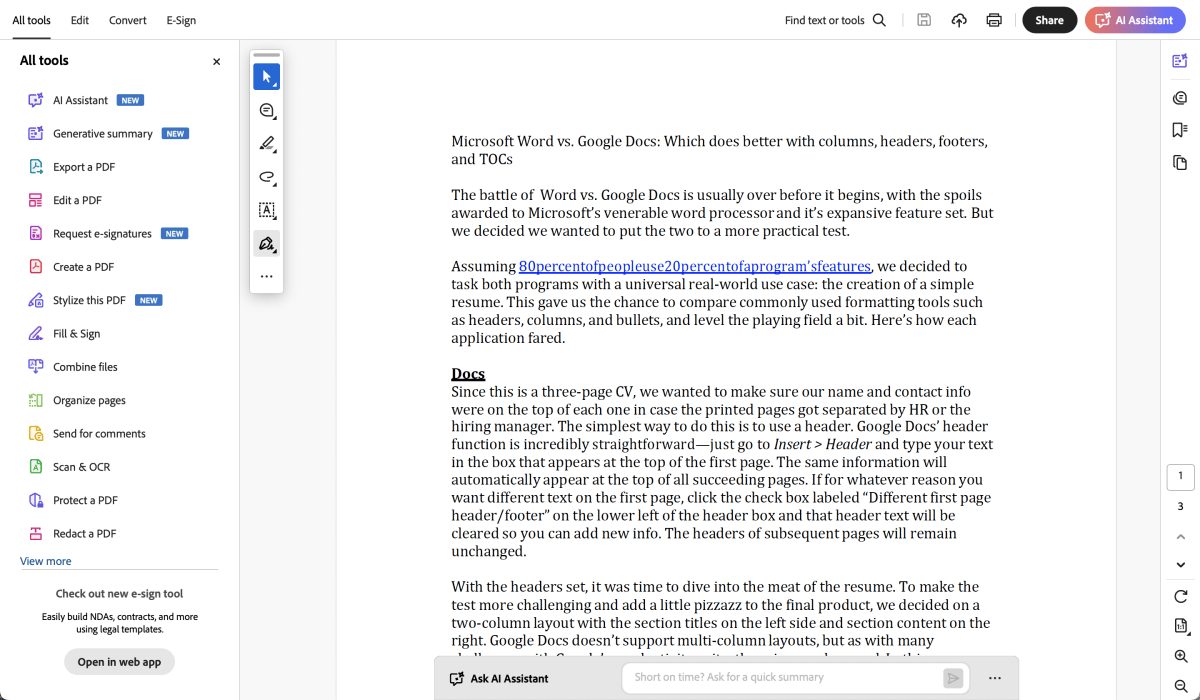
A tabbed layout with an All Tools view and onboarding, but a reviewer finds the number of features dizzying for first-time users.
- Keeps your files on your PC 3
3/5 means: Core editing runs locally, but some conversions or AI features send files to the vendor, or an online account is required
Core editing and OCR run on the desktop, but the subscription is tied to an Adobe account with web and cloud features, and AI and sharing use Adobe's cloud. Adobe says it does not train AI on documents. Which tools upload files was not confirmed.
- Speed with large files · counts half 3
3/5 means: Handles large files, but opens and works slowly or uses a lot of RAM
No source read covers speed. From product knowledge, Acrobat handles large files but can feel heavy and slow to open on modest hardware.
Pricing
- Acrobat Reader Free Free viewing, printing, sharing and commenting. Editing, conversion, OCR and redaction need a paid plan.
- Acrobat Standard $14.99 /month Annual commitment billed monthly (US list price per a competitor's June 2026 check; not confirmed on Adobe's pages). Includes editing, conversion, forms and e-sign requests but not OCR, redaction or compare.
- Acrobat Pro $19.99 /month Annual commitment billed monthly; $239.88 if paid annually upfront (19.99 x 12); $29.99 month to month. 7-day free trial. Adds OCR, redaction, compare, web forms and Action Wizard.
- Acrobat Studio $24.99 /month Annual commitment billed monthly (about $299.88 over a year, 24.99 x 12). Includes everything in Pro plus the AI Assistant, PDF Spaces and Adobe Express Premium.
- AI Assistant for Acrobat $4.99 /month , extra Add-on for Pro (per PCWorld); already included in Studio.
- Acrobat Pro 2024 (one-time) $324.00 one-time Three years of access, quarterly security updates only, no feature updates and no web or mobile services. Price from a competitor's page, not confirmed on Adobe's.
Prices checked Nov 17, 2026.
Products and versions
Evidence and sources
What users say
Summary 2 quotes
-
Really, if there’s anything about Acrobat Pro to knock, it’s that the sheer amount of features and how they work together can be dizzying for a first-time user.
Michael Ansaldo, reviewer at PCWorld · pcworld.com/article/407201/adobe-acrobat-pro-dc-review.html · published · checked -
Though many of its comprehensive features are available in other less expensive PDF editors, Acrobat remains the industry standard and that alone is reason to consider it.
Michael Ansaldo, reviewer at PCWorld · pcworld.com/article/407201/adobe-acrobat-pro-dc-review.html · published · checked
Windows PDF editors scores
Editing existing text and images 1 quote
-
Acrobat Standard includes basic PDF features, allowing you to: Edit and organize PDFs. - Convert documents to and from PDF. - Fill out forms, sign documents, and request e-signatures. - Password-protect files.
adobe.com/acrobat/plans.html · checked
OCR for scanned documents 1 quote
-
Acrobat Pro includes everything in Acrobat Standard, plus enhanced PDF tools and e-signature capabilities. With these advanced features, you can: Turn scanned documents into editable, searchable PDFs. - Compare PDFs to review differences. - Redact sensitive information from PDFs. - Brand your agreements by adding a logo and custom URL. - Create web forms and reusable e-sign templates. - Receive and track multiple e-signatures by sending in bulk.
adobe.com/acrobat/plans.html · checked
Converting to and from Word 2 quotes
-
Acrobat Standard includes basic PDF features, allowing you to: Edit and organize PDFs. - Convert documents to and from PDF. - Fill out forms, sign documents, and request e-signatures. - Password-protect files.
adobe.com/acrobat/plans.html · checked -
Action Wizard (in Acrobat Pro): Create and run custom sequences of tasks, like OCR, redaction, watermarking and file conversion on multiple PDFs at once.
adobe.com/acrobat/plans.html · checked
Forms and signatures 2 quotes
-
Acrobat Pro includes everything in Acrobat Standard, plus enhanced PDF tools and e-signature capabilities. With these advanced features, you can: Turn scanned documents into editable, searchable PDFs. - Compare PDFs to review differences. - Redact sensitive information from PDFs. - Brand your agreements by adding a logo and custom URL. - Create web forms and reusable e-sign templates. - Receive and track multiple e-signatures by sending in bulk.
adobe.com/acrobat/plans.html · checked -
Acrobat Standard includes basic PDF features, allowing you to: Edit and organize PDFs. - Convert documents to and from PDF. - Fill out forms, sign documents, and request e-signatures. - Password-protect files.
adobe.com/acrobat/plans.html · checked
Document tools for professional work 2 quotes
-
Acrobat Pro includes everything in Acrobat Standard, plus enhanced PDF tools and e-signature capabilities. With these advanced features, you can: Turn scanned documents into editable, searchable PDFs. - Compare PDFs to review differences. - Redact sensitive information from PDFs. - Brand your agreements by adding a logo and custom URL. - Create web forms and reusable e-sign templates. - Receive and track multiple e-signatures by sending in bulk.
adobe.com/acrobat/plans.html · checked -
Action Wizard (in Acrobat Pro): Create and run custom sequences of tasks, like OCR, redaction, watermarking and file conversion on multiple PDFs at once.
adobe.com/acrobat/plans.html · checked
Cost over three years 3 quotes
-
No. Adobe discontinued selling perpetual versions of Acrobat after Acrobat 2020. However, if you would like a non-subscription version of Acrobat, Acrobat Pro 2024 desktop software is a one-time, upfront purchase that provides three years of access to Acrobat desktop. It includes quarterly security updates but does not include Acrobat feature enhancements or access to Acrobat online services via your web browser and mobile devices.
adobe.com/acrobat/plans.html · checked -
Acrobat Pro 2024 desktop license ($324 for 3-year access)
xodo.com/blog/adobe-acrobat-pricing-explained · published · checked -
Adobe Acrobat pricing in 2026 starts at $14.99/month for Standard, $19.99/month for Pro, and $24.99/month for Studio on annual individual plans billed monthly.
xodo.com/blog/adobe-acrobat-pricing-explained · published · checked
Ease of use 1 quote
-
Really, if there’s anything about Acrobat Pro to knock, it’s that the sheer amount of features and how they work together can be dizzying for a first-time user.
Michael Ansaldo, reviewer at PCWorld · pcworld.com/article/407201/adobe-acrobat-pro-dc-review.html · published · checked
Keeps your files on your PC 2 quotes
-
Adobe does not use your documents or data to train AI models.
adobe.com/acrobat.html · checked -
Acrobat online: Use PDF and e-signature tools in any web browser.
adobe.com/acrobat.html · checked
Facts
License 1 quote
-
No. Adobe discontinued selling perpetual versions of Acrobat after Acrobat 2020. However, if you would like a non-subscription version of Acrobat, Acrobat Pro 2024 desktop software is a one-time, upfront purchase that provides three years of access to Acrobat desktop. It includes quarterly security updates but does not include Acrobat feature enhancements or access to Acrobat online services via your web browser and mobile devices.
adobe.com/acrobat/plans.html · checked
Runs on 2 quotes
-
Adobe Acrobat Pro is available for Windows and macOS for $19.99 per month with an annual commitment, $29.99 month to month, or $239.88 if paid annually. Adobe offers a 7-day free trial. AI Assistant for Acrobat can be added for an additional $4.99 per month. Acrobat Standard remains the lower-tier option, while Acrobat Studio now sits above Pro as Adobe's top plan.
Michael Ansaldo, reviewer at PCWorld · pcworld.com/article/407201/adobe-acrobat-pro-dc-review.html · published · checked -
Adobe supports Windows and macOS, but not Linux.
xodo.com/blog/adobe-acrobat-pricing-explained · published · checked
Users 1 quote
-
Acrobat Reader mobile app: The world’s most trusted PDF reader and editor with more than 635 million installs.
adobe.com/acrobat.html · checked
More from the sources
Pricing 1 quote
-
Open and view PDFs with Acrobat Reader. Free. Always.
adobe.com/acrobat.html · checked
Features 1 quote
-
Acrobat Studio includes everything in Acrobat Pro, plus PDF Spaces, AI Assistant for Acrobat, and Adobe Express Premium.
adobe.com/acrobat/plans.html · checked
Limits and known issues 1 quote
-
Adobe Acrobat Reader is free for viewing, printing, sharing, and commenting on PDFs. Advanced editing, conversion, OCR, redaction, and many PDF productivity features require a paid Acrobat plan.
xodo.com/blog/adobe-acrobat-pricing-explained · published · checked
License 1 quote
-
Work offline with Adobe Acrobat Pro 2024, the desktop-only solution that gives you the powerful PDF tools you need to be productive — without a subscription. Simply pay up front for a 3-year term non-recurring license, and you’re good to go.
adobe.com/acrobat/pricing/compare-versions.html · checked
Pricing
adobe.com/acrobat/plans.html · checked